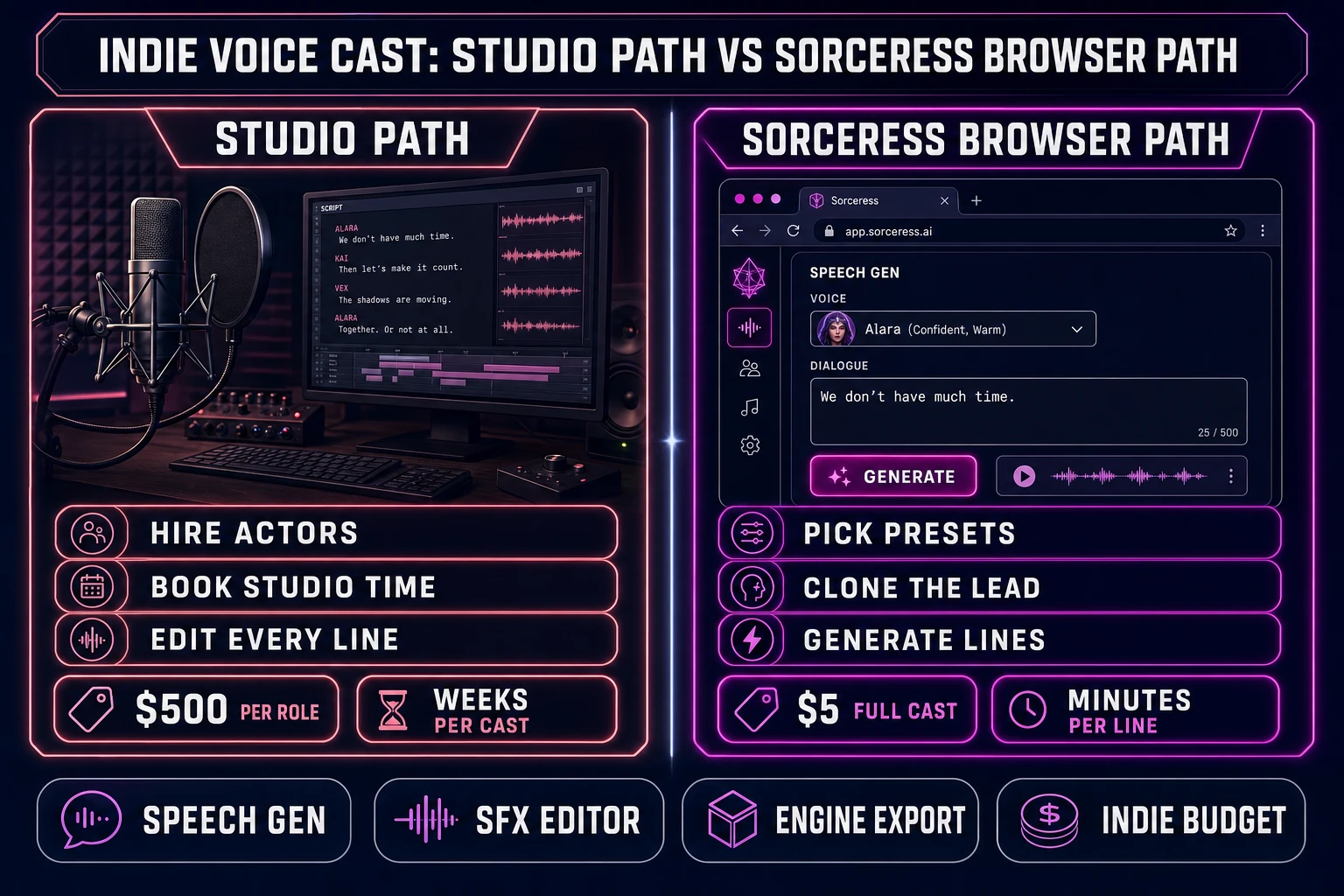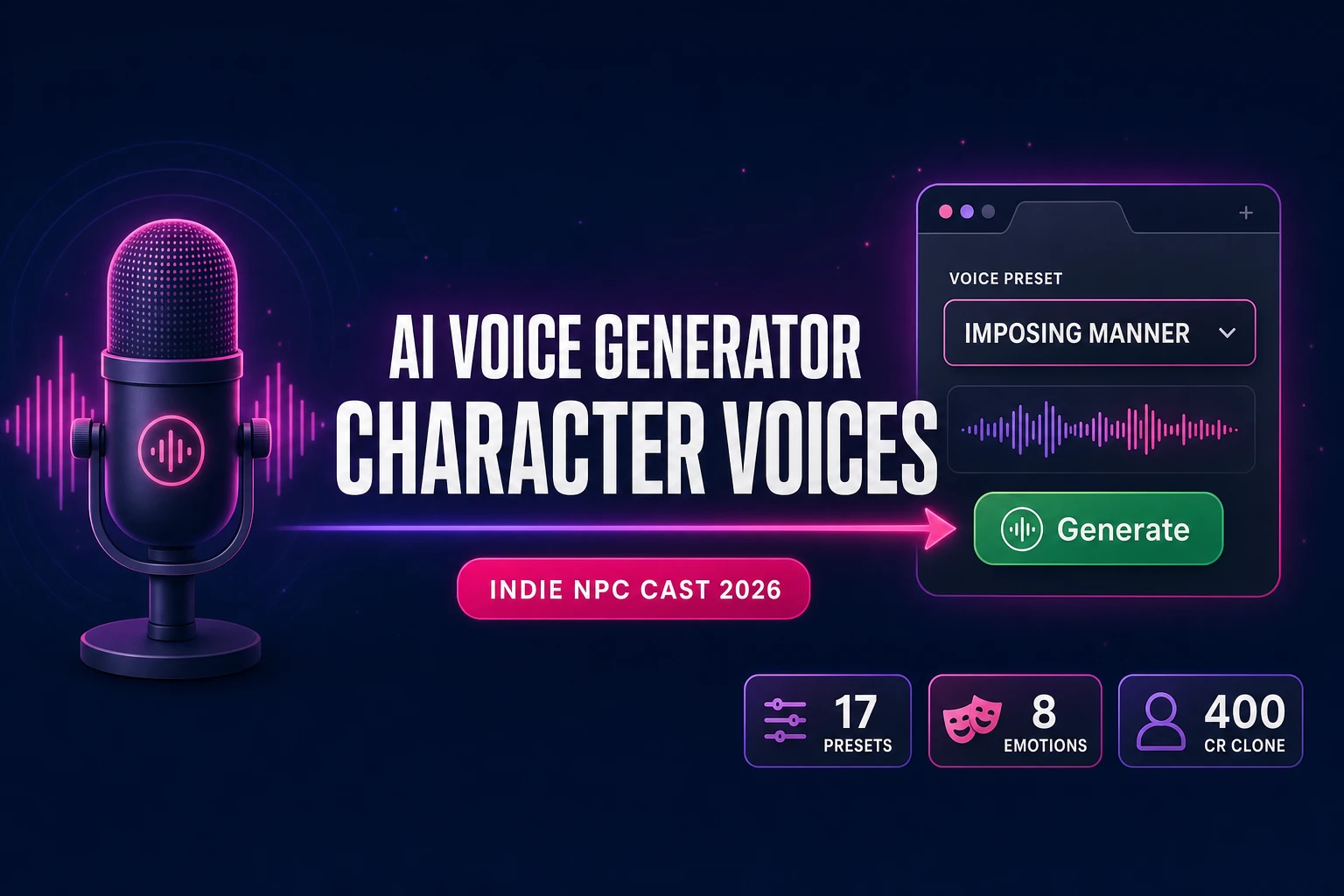
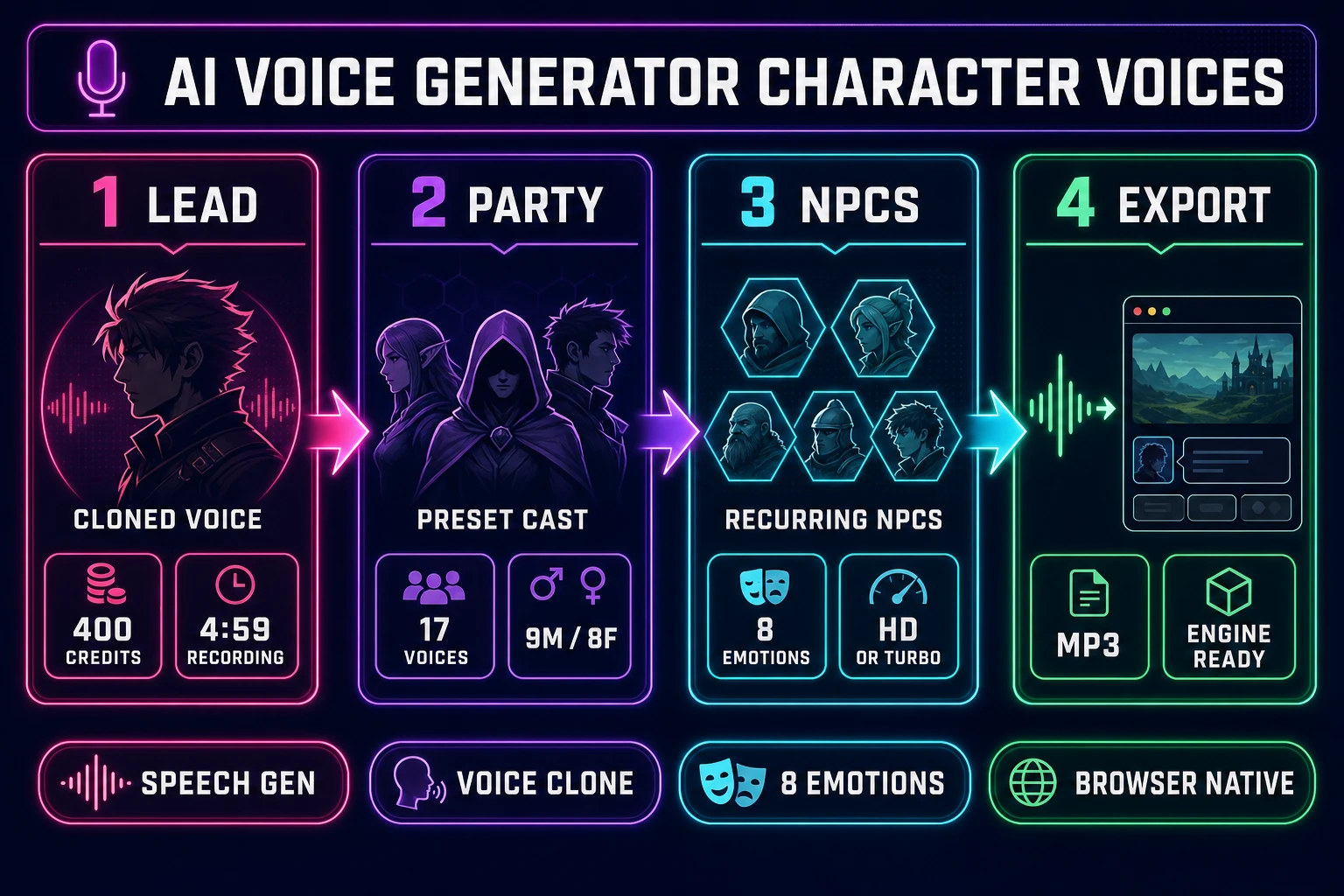
An AI voice generator character voices pipeline that ships an indie game’s full NPC cast in an afternoon is the bottleneck most jam builds hit somewhere between week six and week twelve in 2026 — the vibe coder with placeholder “NPC says X” subtitle boxes, the jam team three days from submission with a silent merchant who really should be talking, the hobbyist writer who voiced the entire prototype as themselves and now needs the king to actually sound like a king. The honest fix is no longer hiring four actors and booking studio time. Sorceress Speech Gen ships 17 preset character voices, 8 per-line emotion controls, two model tiers, and one-tap voice cloning for the lead, all in a single browser tab at fractions of a cent per line. This post walks the honest pipeline: the four pieces every indie voice cast needs, the casting pattern that maps presets to NPC roles, the dialogue-batching pattern that keeps iteration cheap, the 400-credit clone that locks the lead, and the SFX Editor trim that makes every line sound shipped.
What “AI voice generator character voices” actually means in 2026
An AI voice generator for character voices is a different problem than a generic speech synthesis tool. Generic TTS reads a paragraph in one voice for an audiobook, an accessibility overlay, or a YouTube narration. Game character voices have to hold up under harder constraints: every non-player character needs a distinct voice from the others, every line needs to convey the emotion the script intends (fear, anger, surprise, calm), and the lead character has to sound consistent across hundreds of dialogue lines written months apart. A flat, neutral TTS read makes every NPC sound like a robot reading a recipe, which breaks immersion the second the merchant and the king sound identical.
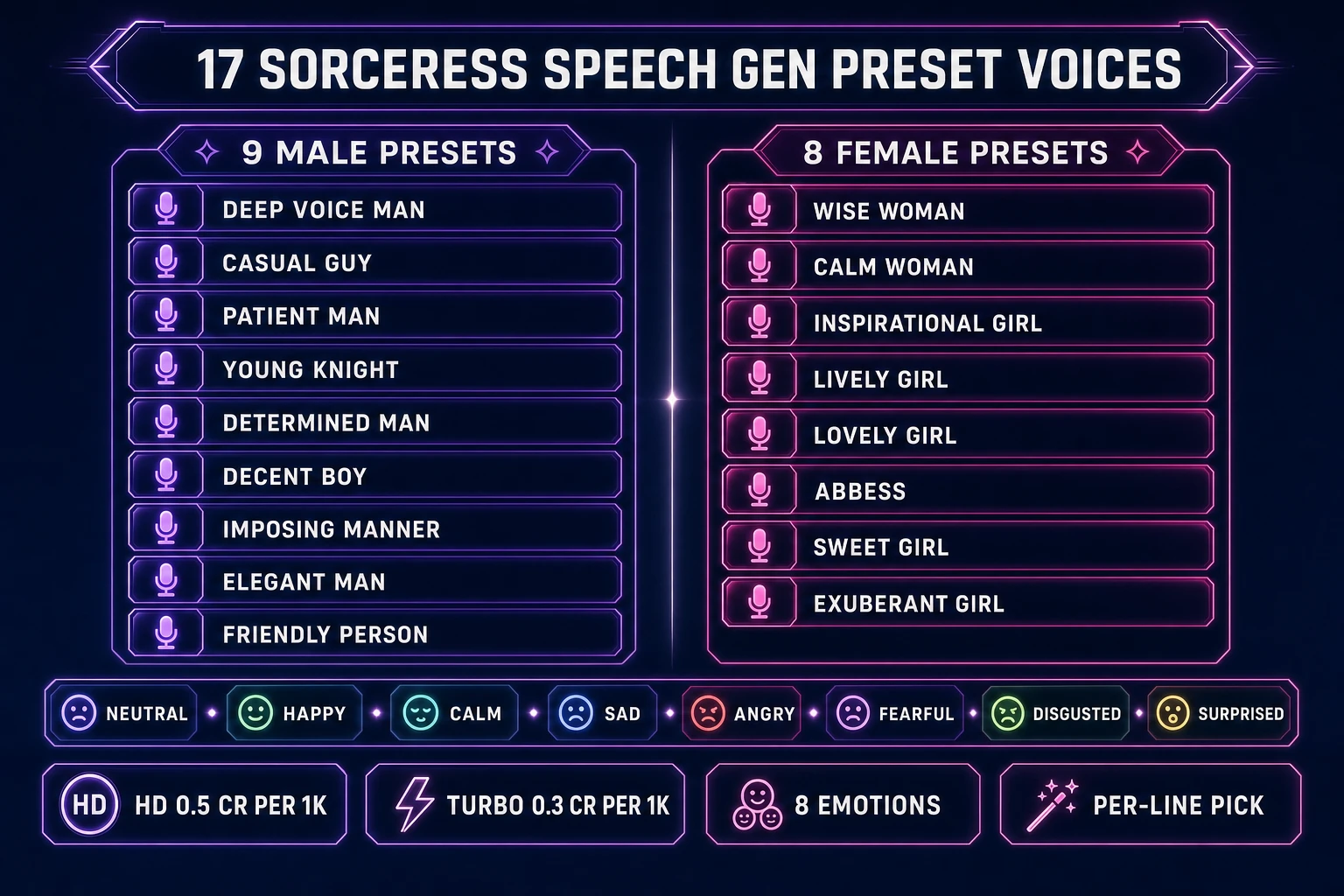
That difference is why the 2026 indie voice-cast workflow is built on four primitives that don’t exist in generic TTS. Preset voice variety. The Sorceress Speech Gen library ships 17 named character voices (verified at the PRESET_VOICES array on lines 156 to 174 of src/app/speech-gen/page.tsx on June 12, 2026), enough to give every recurring NPC in a 6-hour indie game its own distinct sound. Per-line emotion conditioning. The 8-emotion picker (Neutral, Happy, Calm, Sad, Angry, Fearful, Disgusted, Surprised, verified on lines 179 to 188) attaches to the line, not the voice, so the same merchant can say a Happy greeting and a Sad farewell. Voice cloning for the lead. A single 4-minute recording, 400 credits, and a permanent voice ID lock in the protagonist’s sound for every future line. Engine-agnostic export. Every generated line is an MP3 the engine’s audio loader reads natively, the same way it reads music and SFX. Voice cloning and emotion control are what separate a finished indie cast from a tech demo with placeholder reads.
The four pieces every indie game voice cast needs
Naming the four pieces up front gives the casting decision a clean target for each role and keeps the cast from sprawling into 12 indistinguishable voices the player can’t tell apart. Every shipped indie game from a 90-minute jam build to a 40-hour RPG has roughly the same four voice categories.
Piece 1: The lead character. One voice. This is the protagonist, the player avatar, or the first-person narrator. The player hears this voice 60 to 80 percent of the time, so the trade-off is consistency over variety. The right move is to clone a single real voice (the developer’s own, a friend’s with permission, or a partner’s) once at 400 credits and reuse the voice ID for every line the lead ever speaks.
Piece 2: The party / supporting cast. Two to four voices. The questgiver, the rival, the mentor, the love interest. These voices recur but always alongside the lead, so they need to be distinct from the lead and distinct from each other. The right move is to pick four sharply contrasting presets (one deep male, one bright male, one calm female, one bright female) and lock the mapping early so the player builds the voice-to-character association in the first chapter.
Piece 3: The recurring NPCs. Five to eight voices. The town merchant, the inn-keeper, the guard captain, the village healer, the local rival. These appear in multiple scenes and need their own voices so the player recognizes them on return visits, but they don’t need the lead’s cloned-fidelity polish. Standard preset voices with archetype-matched picks handle the entire roster.
Piece 4: The throwaway NPCs. Two to three voices used at random. The random villager, the random soldier, the random shopkeeper in a town the player visits once. These get rotated across many one-line characters. Pick two or three presets the player won’t hear in the recurring cast and rotate them at random so two adjacent generic NPCs don’t sound identical.
The math for a typical 6-hour indie game ends up at: 1 cloned lead + 4 supporting cast + 6 recurring NPCs + 3 throwaway voices = 14 distinct voice IDs total, 13 of them preset (zero per-voice cost) and 1 cloned (400 credits). With roughly 30 minutes of total dialogue at HD quality, that’s about 60 credits of TTS plus the 400 clone = 460 credits, which a single $10 Starter pack covers with credit left over.
Step 1 — Cast your voices from the 17 Sorceress Speech Gen presets
The casting step at sorceress.games/speech-gen is where most first-time indie voice projects go wrong. The default reflex is to pick whichever voice sounds “best” in isolation and assign it to the protagonist, which leaves a depleted preset bench for the supporting cast and forces compromises later. The right pattern is to cast the whole game in one sitting, working from the back of the cast to the front.
The Speech Gen preset library splits the 17 voices into 9 male and 8 female options (verified on lines 156 to 174 of src/app/speech-gen/page.tsx). The male roster: Deep Voice Man, Casual Guy, Patient Man, Young Knight, Determined Man, Decent Boy, Imposing Manner, Elegant Man, Friendly Person. The female roster: Wise Woman, Calm Woman, Inspirational Girl, Lively Girl, Lovely Girl, Abbess, Sweet Girl, Exuberant Girl. Each name is a direct archetype cue — the model picked these labels deliberately so a casting decision can be made by reading the list, not by auditioning all 17 against the same line.
The archetype-to-preset mapping that ships well for fantasy and modern indie games: merchant → Friendly Person; king or boss → Imposing Manner or Determined Man; elder mentor → Patient Man or Wise Woman; young hero rival → Young Knight or Inspirational Girl; rogue or thief → Casual Guy or Lively Girl; villain → Deep Voice Man or Determined Man; healer → Wise Woman or Calm Woman; cleric or nun → Abbess; child NPC → Decent Boy or Sweet Girl; court noble → Elegant Man or Lovely Girl; bubbly companion → Exuberant Girl. Write the mapping into the project’s design doc before generating a single line so the same NPC always uses the same voice ID across the entire script.
Open Speech Gen, click the voice picker dropdown, and audition each preset against a single line of placeholder dialogue (“The path through the mountains is closed by snow until spring” works as a neutral test line that exposes pace and timbre). Spend 5 credits total on the casting pass — one HD generation per voice you’re considering for a major role. Lock the cast, write the design-doc mapping, and move on.
Step 2 — Write dialogue lines with HD vs Turbo (8 emotions, 0.3 to 0.5 credits per 1K characters)
The Speech Gen dialogue workspace exposes two model tiers and an 8-emotion picker per line. HD costs 0.5 credits per 1000 characters and produces higher-fidelity TTS with cleaner consonants and more natural prosody. Turbo costs 0.3 credits per 1000 characters and produces faster, slightly thinner TTS that’s entirely shippable for background and ambient lines (verified at CREDITS_PER_1K_HD = 0.5 on line 28 and CREDITS_PER_1K_TURBO = 0.3 on line 29 of src/app/speech-gen/page.tsx on June 12, 2026; the minimum billing per generation is 1 credit per the MIN_TTS_CREDITS = 1 constant on line 30).
The two-pass pattern that ships every indie voice cast under budget: first pass on Turbo for the entire script so iteration cost stays at 0.3 credits per 1000 chars and the team can revise wording, swap voice assignments, and reorder scenes without burning credits. A 30-minute script at roughly 4500 characters of dialogue costs about 1.4 credits per voice on Turbo — effectively free. Second pass on HD for the keeper lines only — the tutorial monologue, the boss reveal, the ending cinematic, anywhere the player is paying full attention to the audio. The same 4500 characters on HD costs about 2.3 credits per voice. Re-rendering the top 20 percent of the script on HD adds about 5 to 10 credits per voice over the whole cast.
The emotion picker sits next to the voice picker and exposes 8 named emotions (Neutral, Happy, Calm, Sad, Angry, Fearful, Disgusted, Surprised, verified at the EMOTIONS array on lines 179 to 188). The emotion attaches per line, not per voice, so the same Imposing Manner king can deliver a Neutral opening greeting, an Angry threat in the middle scene, and a Sad concession line at the end of the boss fight. Pick the emotion that matches the dramatic intent before generating, not after — re-generating to correct a mismatched emotion costs the same 0.5 or 0.3 credits per 1000 chars as the original take.
The Speech Gen workspace also surfaces a project / batch system. Script the lines per character in a single text block, paste, set the voice ID, set the emotion, click Generate. The Gallery on the right of the workspace lists generated audio with waveform previews, a Play button, and download links. Audition every keeper line on headphones (not laptop speakers) and re-roll the takes that don’t land — AI-generated voice acting is iterative the same way human voice acting is iterative.