Stake a Tileset Generator AI (Browser, Phaser-Ready)

By Arron R.15 min read
A tileset generator AI workflow now ships entirely in the browser in 2026 — Sorceress TileMaker prompts seamless tile art across five models from 6 credits, Til

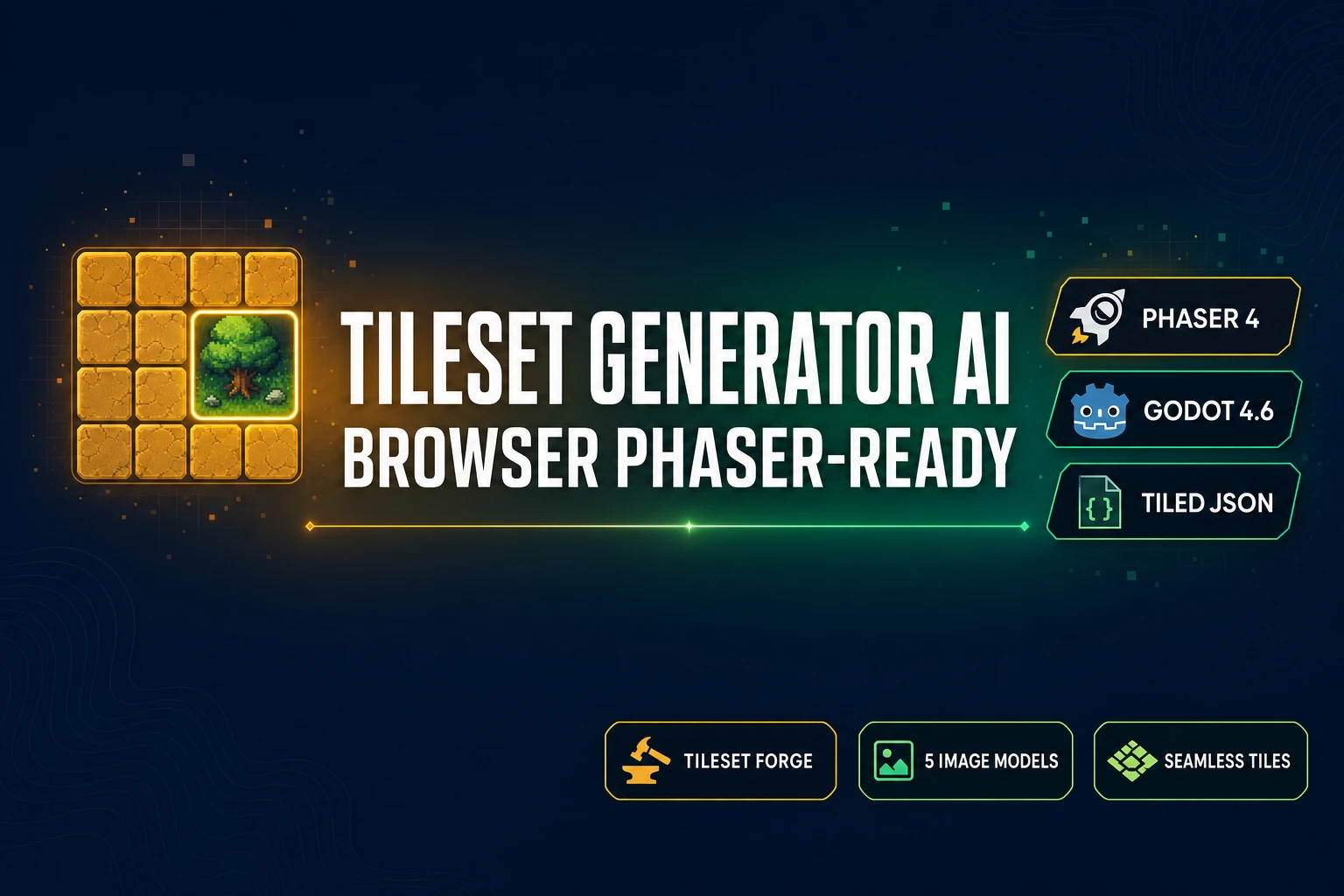
A tileset generator AI workflow that actually clears the grid-alignment, seamless-tiling, and engine-import bars has finally landed in 2026 — an entire 2D-level art pipeline that used to require a $30 Aseprite seat, hours of hand-aligning every tile, and an export script that matched the engine importer can now run inside one browser tab. The 2026 category splits into two halves: AI generation of the actual tile art (a diffusion model that respects a seamless repeating tile cue) and grid alignment of the rough output into a fixed-cell PNG that a tilemap loader reads. Sorceress TileMaker owns the first half across five image models, Sorceress Tileset Forge owns the second half with a three-phase upload-detect-build editor, and the exported PNG drops directly into tile-based game engines like Phaser 4 and Godot 4.6. Every credit cost, model lineup, and engine API in this guide was verified against the live source on June 15, 2026.
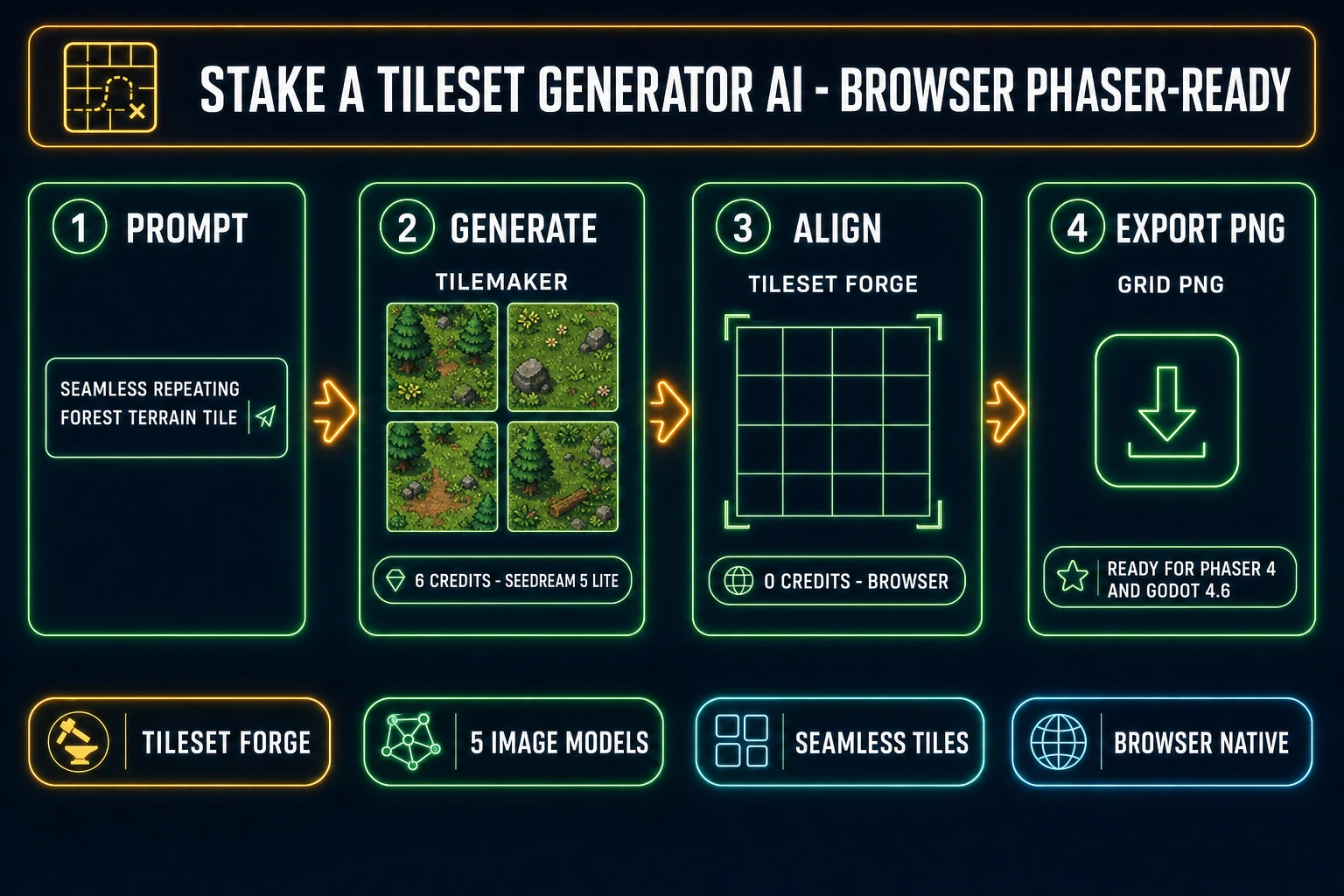
Tileset generator AI four-step pipeline for indie 2D games - prompt seamless terrain tile, TileMaker generates at 6 credits Seedream 5 Lite, Tileset Forge aligns the grid in browser at zero credits, exported PNG ready for Phaser 4 and Godot 4.6
The 2026 tileset generator AI pipeline runs four steps in one browser tab — prompt, generate seamless tile art in TileMaker, align the grid in Tileset Forge, export PNG for Phaser 4 or Godot 4.6 — with credit costs verified against src/lib/models.ts on June 15, 2026.

What a tileset generator AI actually delivers for indie 2D games in 2026

The category covers any tool chain that takes a text prompt or a single reference image and outputs a flat, grid-aligned, seamlessly tileable PNG that a tile-based game engine reads as a tileset. The technical primitive is a texture atlas: one PNG with N rows by M columns of fixed-size tiles, each cell containing a single piece of level art that the engine indexes by row-column coordinates and stamps onto a tilemap grid at runtime. The most common cell sizes in 2026 indie games are 16x16, 32x32, and 64x64 pixels.

For an indie 2D game team, the practical impact is brutal arithmetic. A 64-tile starter tileset — the rough minimum for a small platformer or top-down RPG zone — previously meant either a $30 Aseprite seat plus four-to-eight hours of hand-pixeling every cell, or a $24-per-month Adobe Substance subscription that was never aimed at tile-grid output. The same 64-tile pack through a tileset generator AI now costs about 384 Sorceress credits on the cheapest Seedream 5 Lite model (about $3.84 on the $10 Starter pack), takes 30 to 60 minutes of prompt iteration plus Tileset Forge alignment, and the resulting PNG drops into a Phaser 4 or Godot 4.6 project without any further authoring.

The honest 2026 baseline that this guide rates: Sorceress TileMaker at /tileset-generator runs the generation half across five image models with the default prompt template wrapping every request as “seamless repeating tile, consistent lighting, pixel art” per src/app/tileset-generator/page.tsx verified June 15, 2026; Sorceress Tileset Forge at /tileset-creator runs the alignment half with the three-phase upload-detect-build editor per src/app/tileset-creator/page.tsx verified June 15, 2026; the 100 starter credits at sign-up cover roughly 14 to 16 complete Seedream 5 Lite generations end to end; the $49 Lifetime tier at /plans unlocks every non-AI-generative capability permanently.

The two halves of any tileset workflow — generate tile art, then align it to a grid

Before picking any tileset generator AI tool, decide which half the tool is built for. The two halves are genuinely different problems with different success criteria, and the right 2026 indie answer is rarely a single tool — it is one tool per half wired together.

  • Half 1 — AI generation of tile art. The success criteria are visual quality (does the rock texture read as rock), seamless tileability (does the right edge match the left edge without a visible seam), and style consistency (does every tile in a 16-tile batch read as the same forest at the same time of day). The tools that lead this half in 2026 are large-scale diffusion models with explicit “seamless” prompt handling. TileMaker exposes five: GPT Image 2 at 7 to 17 credits per tile depending on quality, GPT Image 1.5 at 7 to 17, Nano Banana 2 at 9 to 17 by resolution, Seedream 5 Lite at 6 to 8 by size, and Imagen 4 Ultra at 8. Verified against the TILESET_MODELS registry in src/lib/models.ts on June 15, 2026.
  • Half 2 — grid alignment and tileset packing. The success criteria are pixel-perfect cell alignment (every tile lands on an exact 32-pixel boundary), alpha-clean edges (no halo or fringing around the tile silhouette), tile-edge padding for filtering safety (1 to 2 transparent pixels around each tile to prevent texture-filter bleed at runtime), and engine-format export (PNG tileset plus matching Tiled JSON metadata that Phaser 4 and Godot 4.6 both read). Tileset Forge owns this half with the upload-detect-build pipeline, JSZip-based export per src/app/tileset-creator/page.tsx line 3025 verified June 15, 2026, and a live tiled-preview that shows the final wall, floor, or terrain pattern as it will appear in-game.

The honest production rule: spend a tileset generator AI workflow as 20 percent prompt iteration and 80 percent grid alignment — the AI is great at producing plausible terrain art but blind to the per-pixel grid discipline a tilemap loader needs. The earlier AI tileset generator walkthrough from May 6 covered the head pipeline at a higher level; this guide drills into the prompt-to-engine-import path with verified APIs.

The 2026 free tileset generator AI landscape — an honest read on Polycam, Material Maker, paid Substance, and DIY

Free is a slippery word in this category, and the contenders most indie teams compare ship four different shapes of free, each with a different catch.

  • Polycam AI Texture Generator. Free in-browser tool at poly.cam/tools/ai-texture-generator, watermark-free, royalty-free commercial license, generates up to four seamlessly tileable textures per prompt, JPEG output, ready for Blender, Unity, Unreal, SketchUp. Verified against the Polycam tool listing and third-party reviews on June 15, 2026. The catch: the live poly.cam/pricing page verified June 15, 2026 shows the Free plan only allows AI-texture previews — full-resolution downloads require the Basic plan at $12.50 per month billed annually ($150 per year). Also, the output is a single texture per generation, not a grid-aligned tileset — the user still needs to chop it into cells.
  • Material Maker (open-source). Fully free, MIT-licensed, latest stable release v1.6 from April 18, 2026, built on the Godot engine, 200+ procedural nodes, basic glTF PBR export added in v1.6. Verified against the official GitHub release tag on June 14, 2026. The catch: Material Maker is procedural, not AI — the user builds materials by wiring node graphs (noise, gradient, warp, blend) rather than prompting. Learning curve is 12-to-20 hours to get fluent. Output is one seamless tile per graph, not a multi-tile tileset; the engine-export side still needs Tileset Forge or equivalent to pack the tiles into a grid.
  • Adobe Substance 3D Sampler. No longer subscription-free — the perpetual license was discontinued January 2024 and the cheapest path is the 30-day free trial bundled with the $24.99-per-month Substance 3D Texturing plan or the $59.99-per-month Substance 3D Collection plan (verified blog.adobe.com on June 15, 2026, March 2025 price increase included). The Texturing plan includes 25 monthly generative credits. The Image-to-Texture and Text-to-Texture AI features inside Sampler 4.4 remain labeled beta. The catch: real free is 30 days, output is single-texture (no tile grid), and the subscription locks the workflow into a desktop install path.
  • Sorceress TileMaker + Tileset Forge (the two-tool path). 100 starter credits at sign-up (about 14 to 16 Seedream 5 Lite tile generations), 6 to 18 credits per tile generation depending on the model pick, zero-credit Tileset Forge grid-alignment pass (fully client-side, JSZip export), full commercial license on the starter allowance and on every paid tier, output drops directly into Phaser 4 or Godot 4.6 with no format conversion. Verified against src/app/tileset-generator/page.tsx and src/app/tileset-creator/page.tsx on June 15, 2026.

The honest 2026 stack for an indie team shipping commercial: start at the Sorceress 100-credit allowance to author roughly 14 to 16 distinct tile types, run them through Tileset Forge to land a clean grid-aligned PNG, supplement with Polycam free previews for stylized one-off background textures when the budget will not stretch to a Basic plan, and pull in Material Maker only when a procedurally-controlled tile (parameterised brick offset, controllable noise frequency, ramp-driven color) is the right authoring tool for the job. Skip the Substance subscription unless the project is already on the Adobe Creative Cloud rail for other reasons.
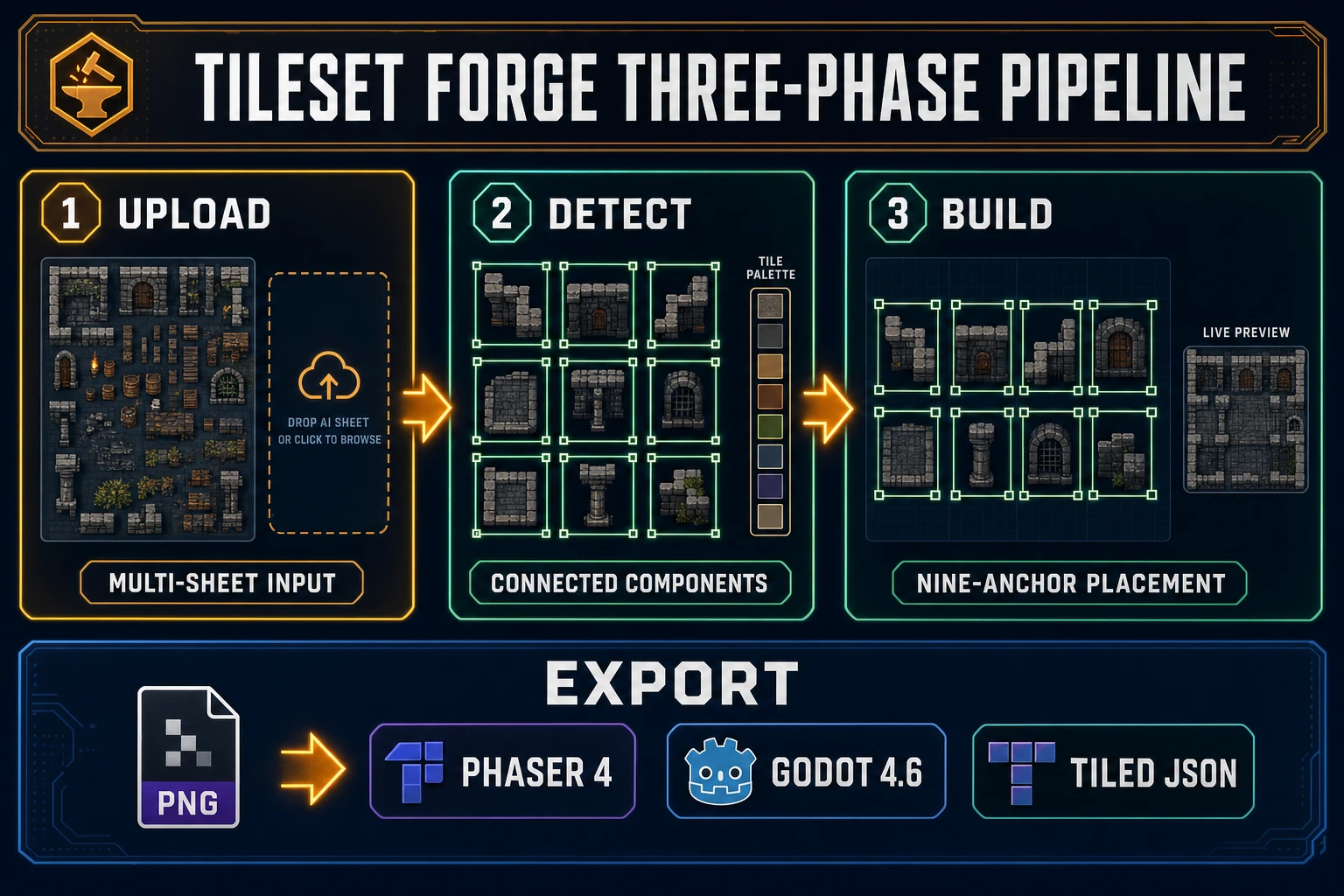
Tileset Forge three-phase pipeline diagram - upload one or many AI sheets, detect tiles with connected components and palette extraction, build with nine-anchor placement on a fixed grid, export PNG ready for Phaser 4 Godot 4.6 Tiled JSON
Sorceress Tileset Forge runs a three-phase pipeline — upload, detect, build — with connected-component tile detection, nine-anchor per-tile placement, and PNG plus Tiled JSON export verified against src/app/tileset-creator/page.tsx on June 15, 2026.

The Sorceress two-tool tileset generator AI pipeline — TileMaker for AI gen, Tileset Forge for grid alignment

The core generation rail of the Sorceress tileset generator AI workflow is the prompt-to-tile step in TileMaker, and the tool ships an opinionated UI built around five image models, voice prompt input (via the Web Speech API), batch size selection, and multi-model parallel generation that lets the user generate the same prompt across two or three models in one click and compare the outputs side by side. Verified against src/app/tileset-generator/page.tsx on June 15, 2026.

The five-line prompt pattern that produces shippable tile art consistently:

  1. Terrain or material name. Name the physical thing the tile is: forest grass, mossy slate stone, desert sand, oak wood planks, cobblestone path, snow drift, lava rock, sci-fi metal panel. Specific terrains beat generic categories — “weathered cobblestone path with cracked mortar” lands far better than “stone.”
  2. Tileability cue. Always start the prompt with “seamless repeating tile” or include “tileable, no visible seams, perfect tiling pattern” somewhere in the prompt. TileMaker default template wraps user input with this cue automatically.
  3. Lighting cue. “Flat top-down ambient light, no directional shadows.” A tileset must look flat under in-engine light; visible shadows in the source image lock fake lighting into every tile forever.
  4. Style anchor. “Pixel art, 16-bit retro game” for retro projects; “painterly, hand-drawn, stylized fantasy” for HD indie; “photoreal, high-detail” for top-down survival builds.
  5. Color anchor. “Warm forest green and dark espresso brown” or “cool gray and pale slate blue” — an explicit color anchor keeps every tile in a 16-tile batch visually consistent so the tiles read as the same biome at the same time of day.

Worked prompts that ship clean tiles in production:

  • “Seamless repeating forest terrain tile, mossy grass and dark soil patches, flat top-down ambient light, pixel art, 16-bit retro game, warm forest green and dark espresso brown.”
  • “Seamless repeating cobblestone path tile, weathered grey stones with cracked mortar, flat top-down ambient light, painterly hand-drawn, cool gray and pale slate blue.”
  • “Seamless repeating desert sand tile, fine dunes and scattered pebbles, flat top-down ambient light, pixel art, 16-bit retro game, warm tan and cool sand beige.”
  • “Seamless repeating sci-fi metal panel tile, brushed steel with rivets and panel seams, flat top-down ambient light, photoreal high-detail, neutral metallic gray with subtle teal accent.”

Prompts that fail consistently: abstract (“a cool tile,” “fantasy terrain”), lighting-loaded (“sunlit grass at golden hour” bakes a directional shadow into every cell), or angled (“isometric perspective tile” breaks the top-down tilemap loader assumption). Once the prompt is dialed, the Tileset Forge handoff is mechanical: download the PNG from TileMaker, open Tileset Forge at /tileset-creator, drop the PNG onto the upload phase canvas, advance to the detect phase, accept the auto-detected background color (or click-pick a different one with the eyedropper), tune the min-size and aspect-ratio filters until the detected-tile count matches expectations, advance to the build phase, place the detected tiles onto a fixed-grid canvas using the nine-anchor placement system, and export the final grid PNG with optional Tiled JSON metadata.
From PNG to Phaser 4 — load the tileset, build the tilemap, ship the level

Phaser 4 (releases 4.0.0 from April 10, 2026 and 4.1.0 from April 30, 2026) reads tilesets through the standard Phaser.Tilemaps.Tilemap loader. The import flow is the same whether the source PNG came from a tileset generator AI workflow or from hand-pixeled art — the tileset format is identical. Verified against docs.phaser.io/api-documentation/4.0.0/class/tilemaps-tilemap on June 15, 2026.

The minimum-viable Phaser 4 tilemap load pattern in a scene file:

// preload() - load the PNG tileset and the Tiled JSON map file
function preload() {
  this.load.image('tiles', 'assets/tileset.png');
  this.load.tilemapTiledJSON('map', 'assets/level1.json');
}

// create() - build the tilemap and create the visual layer
function create() {
  const map = this.make.tilemap({ key: 'map' });
  const tileset = map.addTilesetImage('ForgeTileset', 'tiles');
  const groundLayer = map.createLayer('Ground', tileset, 0, 0);
  groundLayer.setCollisionByProperty({ collides: true });
  this.physics.add.collider(player, groundLayer);
}

Three facts an indie team will trip over the first time they wire this up. First, the string “ForgeTileset” passed to addTilesetImage must match the tileset name stored inside the Tiled JSON file (the name field, not the filename) — Tileset Forge exports the JSON with the tileset name matching the PNG filename by default, but it can be edited in Tiled before runtime. Second, the layer name “Ground” passed to createLayer must match the layer name in the Tiled JSON exactly, including case. Third, Phaser 4 unified static and dynamic layer creation under createLayer, so the Phaser 3-era createStaticLayer and createDynamicLayer calls no longer exist — use createLayer for both.

The Phaser game tutorial from May 15 walks the broader Phaser 4 AI-coding workflow end to end, including how WizardGenie wires this kind of tileset loader into a complete game scene through the dual-agent Planner-Executor pattern. The pairing is: TileMaker plus Tileset Forge generate the level art assets, WizardGenie writes the scene code that loads and uses them.

From PNG to Godot 4.6 — TileMapLayer, atlas import, collision shapes

Godot 4.6 deprecated the legacy TileMap node in favor of TileMapLayer (one node per visual layer, all sharing a single TileSet resource). The deprecation landed in Godot 4.3 (August 15, 2024) and the migration toolbox is now mature in 4.6. New projects in 2026 should always start with TileMapLayer; existing projects can convert via the bottom TileMap panel toolbox using “Extract TileMap layers as individual TileMapLayer nodes.” Verified against the official Godot 4.6 “Using TileSets” and “Using TileMaps” tutorials on June 15, 2026.

The minimum-viable Godot 4.6 import flow for a tileset generator AI PNG:

  1. Add a TileMapLayer node to the scene tree (one per visual layer — typically Ground, Walls, Decoration, Lighting).
  2. Create a new TileSet resource in the TileMapLayer inspector (click the dropdown next to the TileSet property and choose New TileSet).
  3. Set the tile size on the TileSet resource before dragging the PNG — this is the single most common Godot mistake. 16x16, 32x32, or 64x64 are the standard sizes; pick the one that matches the export from Tileset Forge.
  4. Drag the PNG tileset into the TileSet panel at the bottom of the Godot editor. Godot auto-creates a TileSetAtlasSource entry and asks to auto-create tiles — accept it to populate the atlas with one entry per cell.
  5. Add physics, navigation, and occlusion layers on the TileSet resource before painting any tiles. Each layer the project needs gets one Add Element call in the TileSet inspector.
  6. Paint the level in the bottom TileMap panel with the TileMapLayer node selected. Tiles snap to the grid automatically.

The honest production gotcha: Godot stores per-cell tile data as a base64-encoded PackedByteArray (12 bytes per cell, packing source ID, atlas coordinates, alternative tile, and physics layer) inside the scene file. The format is opaque by design — never hand-edit it. Always go through the editor or the runtime API (set_cell, get_cell_source_id, get_cell_atlas_coords, clear) verified against the official Godot 4.6 class reference on June 15, 2026. The matching how-to-make-a-2D-game-in-Godot walkthrough from May 26 covers the broader Godot indie pipeline with Sorceress assets.

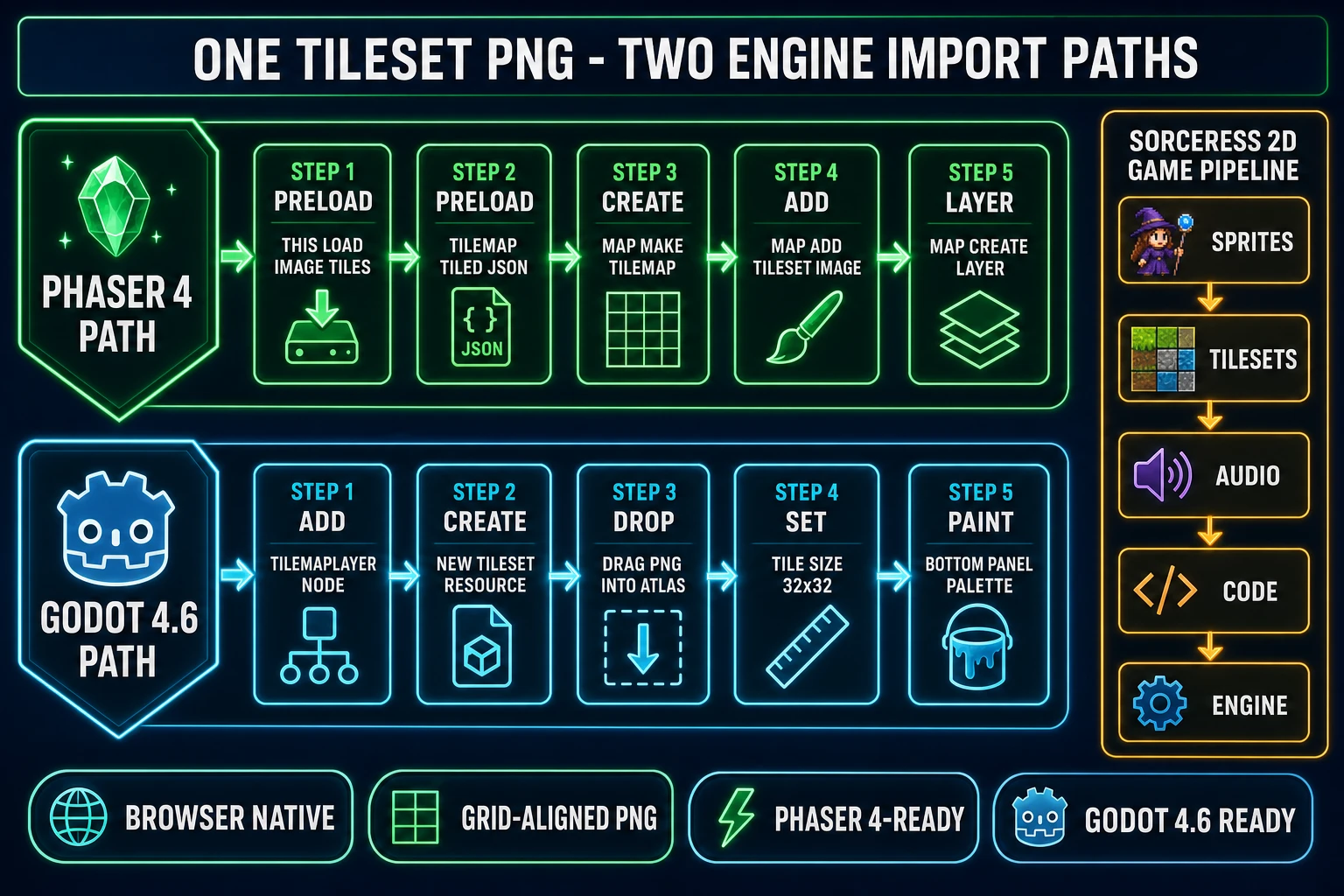
One tileset PNG, two engine import paths - Phaser 4 path through preload load image tilemap Tiled JSON make tilemap addTilesetImage createLayer versus Godot 4.6 path through TileMapLayer node new TileSet resource drag PNG atlas tile size 32x32 bottom panel palette - paired with five-layer 2D game pipeline sprites tilesets audio code engine
The same tileset generator AI PNG drops into both Phaser 4 (emerald rail) and Godot 4.6 (cyan rail) — engine import paths verified against docs.phaser.io and docs.godotengine.org/en/4.6 on June 15, 2026.

Pair Tileset Forge with WizardGenie and AI Image Gen for the full 2D game pipeline

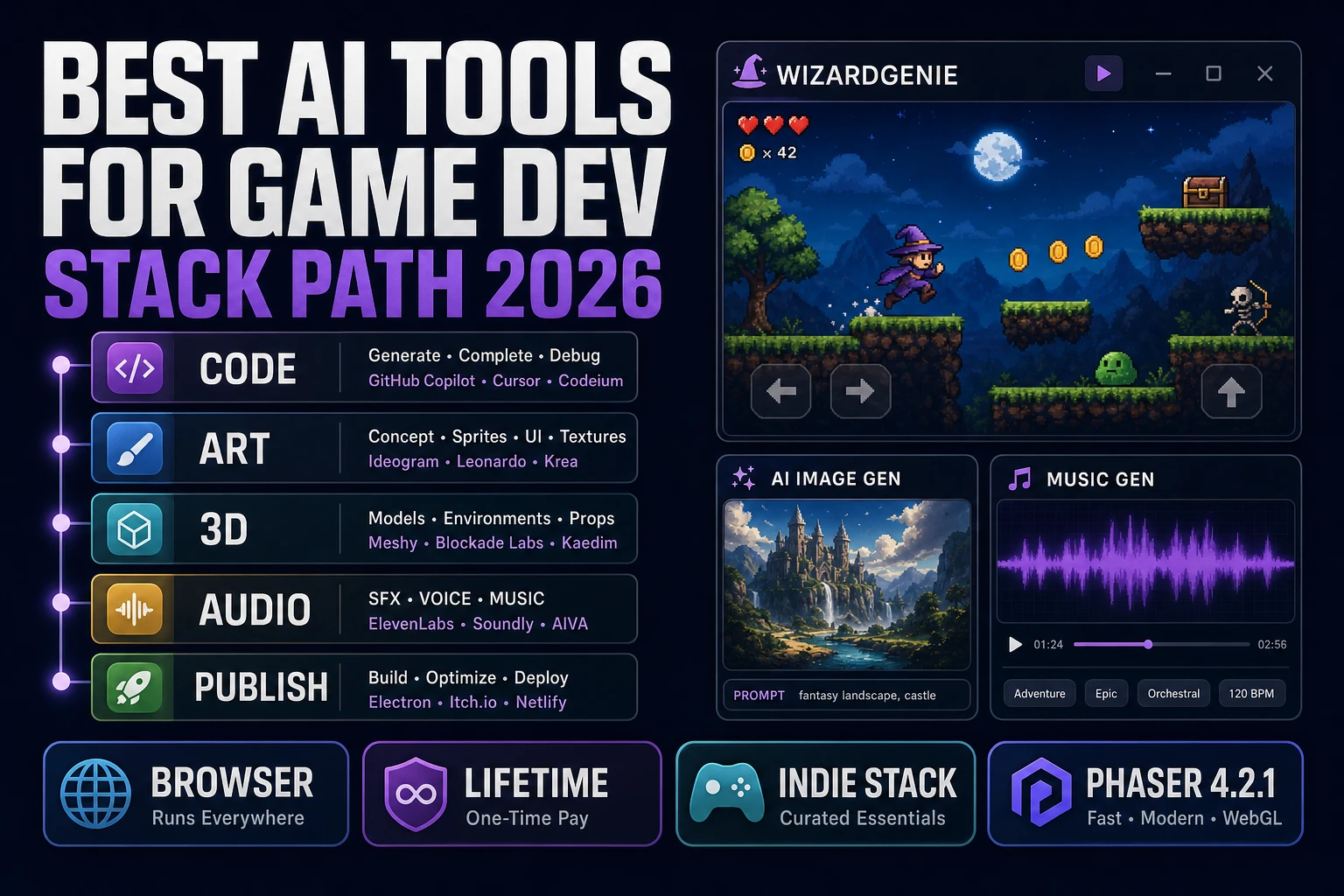
A tileset is one layer of a complete 2D game. The full 2026 indie 2D pipeline runs five layers and a different Sorceress tool owns each one:

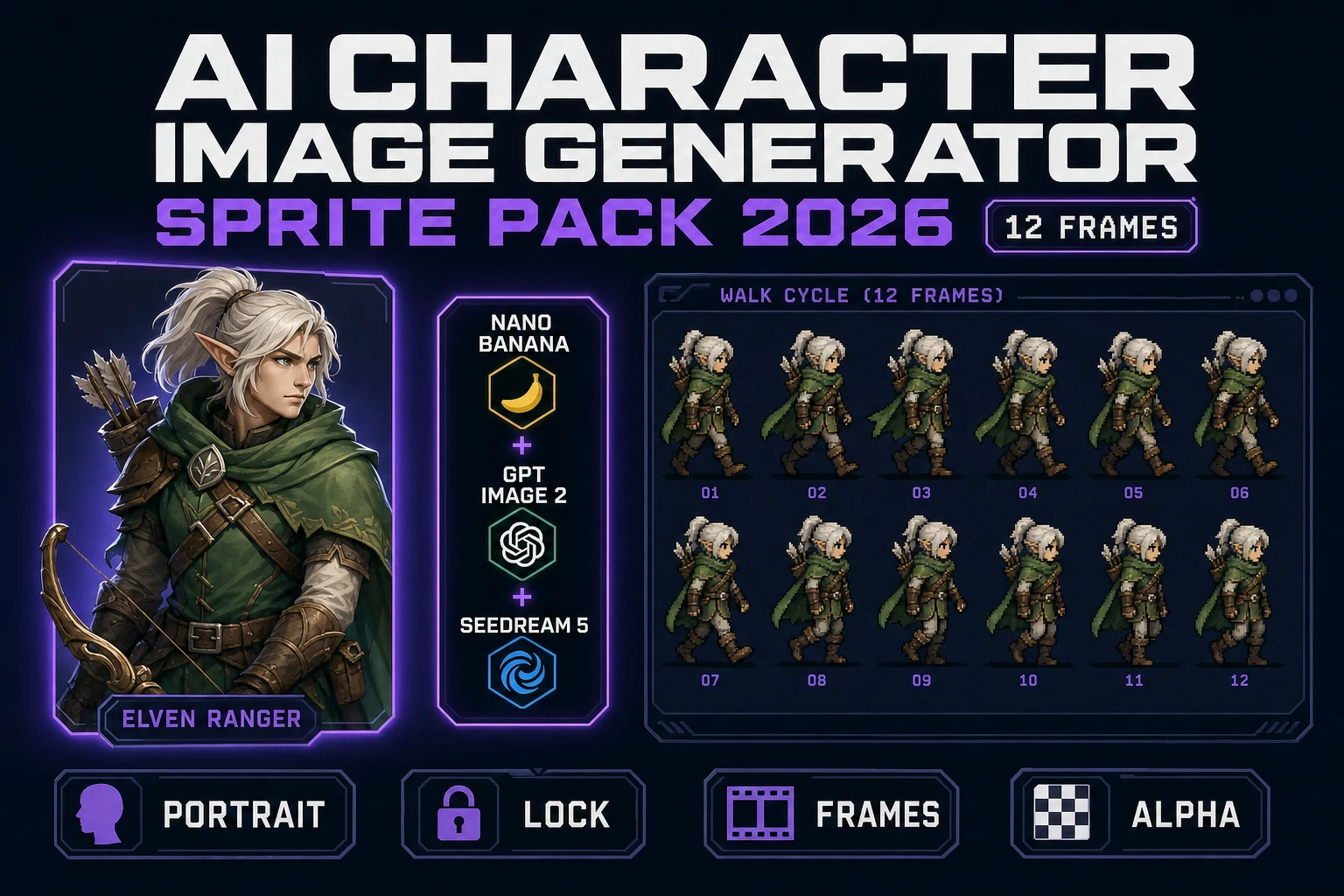
  • Layer 1 — Sprites (characters and props). Quick Sprites for animated walk cycles, idles, and VFX at the listed per-generation credit cost; AI Image Gen for static character portraits and one-shot prop art across the seven IMAGE_MODELS rail verified against src/app/_home-v2/_data/tools.ts on June 15, 2026.
  • Layer 2 — Tilesets (the level geometry). TileMaker plus Tileset Forge — this guide focus. The two-tool pipeline that generates AI tile art and packages it into a grid-aligned PNG ready for Phaser 4 or Godot 4.6.
  • Layer 3 — Audio (music and SFX). Music Gen for the soundtrack loops, SFX Gen for one-shot sound effects, Sound Studio for procedural code-driven SFX, Speech Gen for NPC voice lines and dialogue.
  • Layer 4 — Code (the game logic that ties layers together). WizardGenie for browser-based agentic coding across the eight-model CODING_MODELS lineup (Claude Opus 4.7, Sonnet 4.6, GPT-5.5, Gemini 3.1 Pro, DeepSeek V4 Pro, Kimi K2.5, Grok 4.2, MiniMax M2.7 verified against tools.ts on June 15, 2026); Sorceress Code for the in-tab project editor with the same model pool.
  • Layer 5 — Engine (the rendering and physics runtime). Phaser 4 or Godot 4.6 (or any other 2D engine the team prefers) reads the PNG tilesets, sprite sheets, and audio files that the prior four layers produced.

All Sorceress tools share one credit pool, one project workspace, and one $49 Lifetime tier verified against src/app/plans/page.tsx on June 15, 2026 (credit packs $10/1000, $20/2000, $50/5000, $100/10000). The full Sorceress catalog lives at /tools-guide and covers every tool the indie 2D pipeline touches; for the broader 2026 game-dev context, the AI tools for game development field guide rates every Sorceress tool alongside the rest of the 2026 stack, and the AI in game development 2026 reality check rates which pipeline stages AI runs honestly vs which still belong to humans.

The verdict on tileset generator AI for indie 2D games in 2026

The 2026 honest verdict on the tileset generator AI category: no single tool wins every axis, and the right indie 2D answer is a two-tool combination per tileset rather than a single one-tool answer. The AI generation half (prompt to plausible tile art) is solved by every modern diffusion model when the prompt includes a tileability cue and a flat lighting cue. The grid alignment half (rough output to engine-ready PNG) is solved by a dedicated tile editor that handles connected-component detection, nine-anchor placement, and tile-edge padding.

For the AI generation half, Sorceress TileMaker at 6 credits per tile on Seedream 5 Lite is the cleanest entry point in 2026 — five models in one tab, voice prompt input, multi-model side-by-side comparison, batch size selection. The 100 starter credits cover the first 14 to 16 tiles free, the $10 Starter top-up covers the next 166 to 200, and the $49 Lifetime tier unlocks every non-AI-generative capability permanently. Output is engine-ready PNG, fully commercially licensed, no attribution required.

For the grid alignment half, Sorceress Tileset Forge is the only browser-native tool in 2026 that handles all four hard problems (connected-component tile detection, nine-anchor per-tile placement, tile-edge padding for filter safety, PNG + Tiled JSON export) in a single three-phase upload-detect-build interface, with zero credit cost on the alignment pass and a live tiled preview that shows the final wall, floor, or terrain pattern as it will appear in-game. The exported PNG drops directly into Phaser 4 via map.addTilesetImage or into Godot 4.6 via the TileMapLayer-TileSet bottom panel without any intermediate format conversion.

For the rare project where procedural control matters more than AI art (parameterised brick patterns, controllable noise frequency, ramp-driven color), Material Maker v1.6 remains the right open-source pick — drop the Material Maker output PNG into Tileset Forge for the same grid alignment and engine export. For tileable one-off background textures where the budget will not stretch beyond free, Polycam AI Texture Generator covers the gap with watermark-free preview output. For the legacy desktop subscription path, Substance 3D remains the industry baseline at $24.99-per-month Texturing or $59.99-per-month Collection — but it is not the right starting point for an indie team in 2026 unless other Adobe Creative Cloud needs are already on the bill. The right indie-game answer in 2026 is rarely just one tool — it is the two-tool tileset generator AI combination that lets the first 14 tiles ship for $0 and the next 100 ship for under $5, with every credit cost, model lineup, and engine API for the path verified against the live source on the day of authoring.

Frequently Asked Questions

What does a tileset generator AI actually deliver for an indie 2D game in 2026?

A tileset generator AI takes a text prompt or a single reference image and outputs game-ready tile art — seamless, alpha-clean, and aligned to a fixed grid (most often 16x16, 32x32, or 64x64 pixels) so it can drop into a tilemap loader without further authoring. Sorceress TileMaker at /tileset-generator runs the generation step through five image models (GPT Image 2 and 1.5, Nano Banana 2, Seedream 5 Lite, Imagen 4 Ultra) verified against src/lib/models.ts on June 15, 2026, and Sorceress Tileset Forge at /tileset-creator handles the alignment, edge cleanup, and tile-grid export. The 100 starter credits at sign-up cover roughly 14 to 16 Seedream 5 Lite generations end to end.

Can a free tileset generator AI produce art that actually tiles seamlessly across a level?

Yes, with the right prompt scaffolding. Every modern diffusion model — Seedream 5 Lite, Nano Banana 2, GPT Image 2, Imagen 4 Ultra — handles a seamless repeating tile instruction when the request includes the explicit tileability cue plus a flat top-down lighting cue. TileMaker default prompt template already wraps the user input as seamless repeating <terrain> tile, consistent lighting, pixel art per src/app/tileset-generator/page.tsx verified June 15, 2026, which is exactly the prompt shape that survives the tile-edge wrap test. The honest production note: AI tileability holds best on natural terrain materials (grass, dirt, stone, sand, water) and breaks on materials with strong directional features (carved patterns, oriented bricks, story-driven trim) where a procedural pipeline is the safer authoring path.

How does Tileset Forge clean a rough AI tile sheet into a grid-aligned tileset?

Tileset Forge runs a three-phase workflow per src/app/tileset-creator/page.tsx verified June 15, 2026: upload (drop one or many AI-generated sheets or rough tilesets onto the canvas), detect (auto-detect background color, run connected-component tile detection with min-size and aspect-ratio filtering, build a palette of extracted tiles), and build (place detected tiles onto a fixed-grid canvas with per-tile anchor placement across nine anchor points, stretch mode selection across four modes, rotation 0/90/180/270, flip X/Y, edge-expand padding, and live tiled preview). The exported PNG is a flat tile-grid tileset with optional ZIP packaging that pairs cleanly with Tiled (the open-source map editor) and the Tiled JSON loader path that Phaser 4 and Godot 4.6 both accept.

What is the recommended tile size for an indie 2D game in 2026?

Pick the tile size before generating any art and never change it mid-project. 16x16 pixels is the classic retro size (NES and SNES era), reads as crisp pixel art at 4x integer scale, and keeps tilesheets small. 32x32 pixels is the 2026 indie sweet spot — large enough for readable detail on a 1080p screen, small enough that a 64-tile tileset fits in a 256x256 atlas. 64x64 pixels is the modern HD pixel-art size used by titles aiming for higher-fidelity readability without abandoning the pixel-art aesthetic. TileMaker default 1:1 aspect ratio produces square outputs at the resolution the picked image model supports (1024x1024 on Seedream 5 Lite at 2K, 2048x2048 at 3K per the TILESET_MODELS registry verified June 15, 2026); downsize to the target tile size in Tileset Forge during the build phase.

How do I import a tileset generator AI PNG into a Phaser 4 tilemap?

Phaser 4 reads tilesets through the standard tilemap loader. In the scene preload, call this.load.image('tiles', 'tileset.png') and this.load.tilemapTiledJSON('map', 'map.json') — the first loads the PNG tileset that Tileset Forge exported, the second loads a Tiled JSON map file that references that tileset by name. In create, build the tilemap with const map = this.make.tilemap({ key: 'map' }), then const tileset = map.addTilesetImage('TilesetNameFromTiled', 'tiles'), then map.createLayer('LayerNameFromTiled', tileset, 0, 0). The Tiled map file specifies the tile width and height, the tile margin, and the tile spacing, all of which Tileset Forge can export to match. Verified against the docs.phaser.io API documentation for Phaser 4.0.0 and 4.1.0 on June 15, 2026.

How do I import a tileset generator AI PNG into a Godot 4.6 TileMapLayer?

Godot 4.6 deprecated the legacy TileMap node in favor of TileMapLayer (one node per visual layer, all sharing a single TileSet resource). The import flow: add a TileMapLayer node, create a new TileSet resource in the inspector, drag the PNG tileset that Tileset Forge exported into the TileSet bottom panel, set the tile size to match the export (16x16, 32x32, or 64x64), and let Godot auto-create the atlas entries. Add physics, navigation, and occlusion layers in the TileSet inspector before painting if the project needs collision shapes. Verified against the official Godot 4.6 Using TileSets and Using TileMaps tutorials on June 15, 2026. The TileMap-to-TileMapLayer migration toolbox lives under the bottom TileMap panel for any 4.2-and-earlier project.

Does a tileset generator AI handle level art for both pixel-art and high-resolution 2D games?

Yes — the same tileset generator AI pipeline handles both styles, the only swap is the model pick and the prompt scaffolding. For pixel-art (16-bit, low-resolution, hard-edge), pick GPT Image 1.5 or 2 at medium quality (7 credits) with prompts that include pixel art, 16-bit, retro game and downsize the output to 32x32 or 64x64 in Tileset Forge. For HD 2D level art (modern indie aesthetic, anti-aliased edges, painted detail), pick Seedream 5 Lite at 2K (6 credits) or Nano Banana 2 at 2K (12 credits) with prompts that emphasize photoreal or painterly depending on the target style. Verified pricing against src/lib/models.ts TILESET_MODELS registry on June 15, 2026.

How do I pair a tileset generator AI with the rest of the Sorceress 2D game pipeline?

A tileset is one layer of a complete 2D game. The full 2026 indie 2D pipeline runs five layers and a different Sorceress tool owns each one. Layer 1 is sprites (the characters and props), owned by Quick Sprites for walk cycles and idles plus AI Image Gen for static art. Layer 2 is tilesets (the level geometry), owned by TileMaker plus Tileset Forge — this guide focus. Layer 3 is audio (music and SFX), owned by Music Gen, SFX Gen, and Sound Studio. Layer 4 is code (the game logic that ties layers together), owned by WizardGenie for browser-based vibe coding or Sorceress Code for the in-tab editor. Layer 5 is the engine (the rendering and physics runtime), owned by Phaser 4 or Godot 4.6 depending on the team pick. All Sorceress tools share one credit pool, one project workspace, and one $49 Lifetime tier verified against src/app/plans/page.tsx on June 15, 2026.

Sources

  1. Tile-based video game (Wikipedia)
  2. Texture atlas (Wikipedia)
  3. Sprite (computer graphics) (Wikipedia)
  4. Connected-component labeling (Wikipedia)
  5. Pixel art (Wikipedia)
  6. Diffusion model (Wikipedia)
  7. Canvas API (MDN)
  8. Phaser 4 Tilemap API documentation
Written by Arron R.·3,424 words·15 min read

Related posts