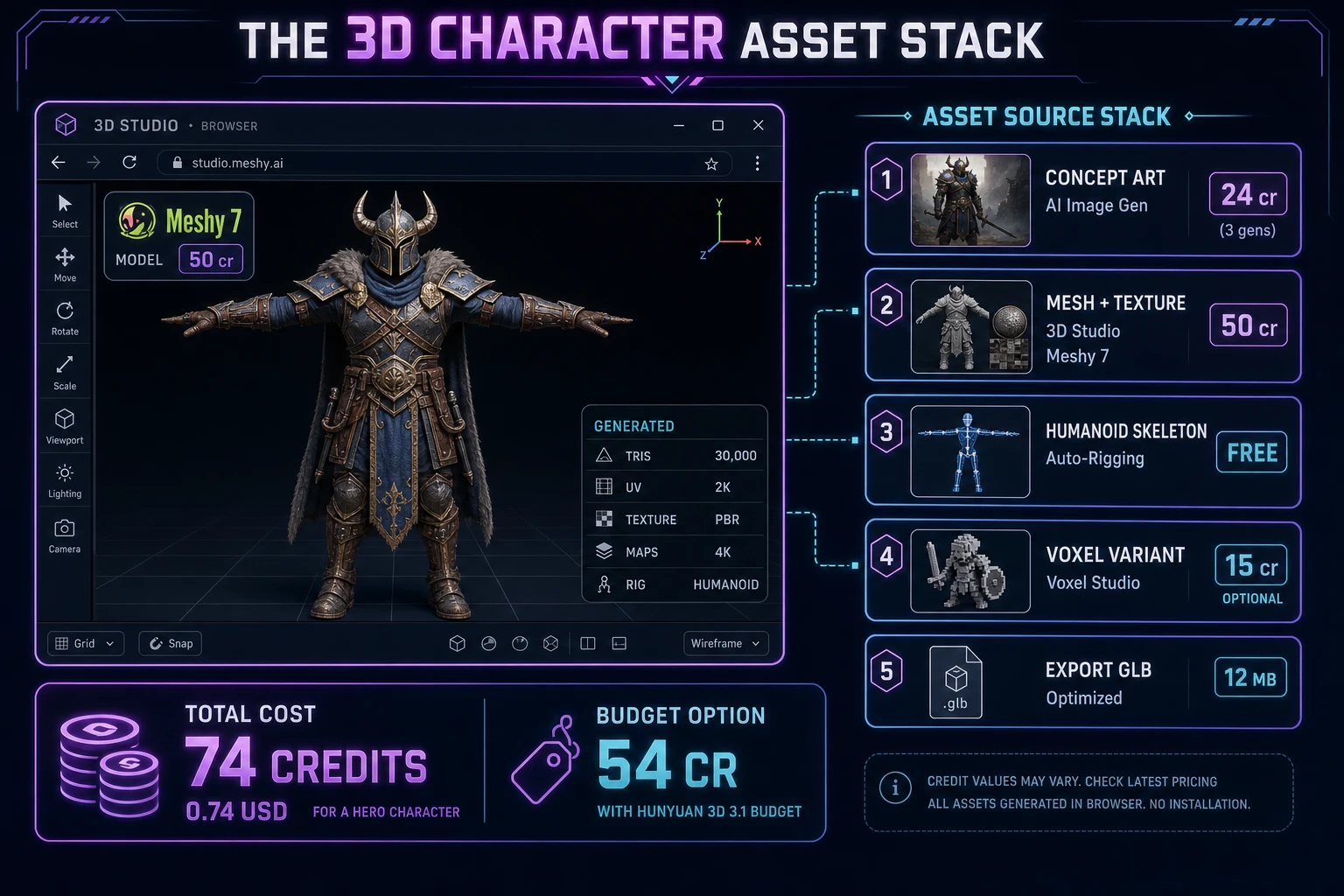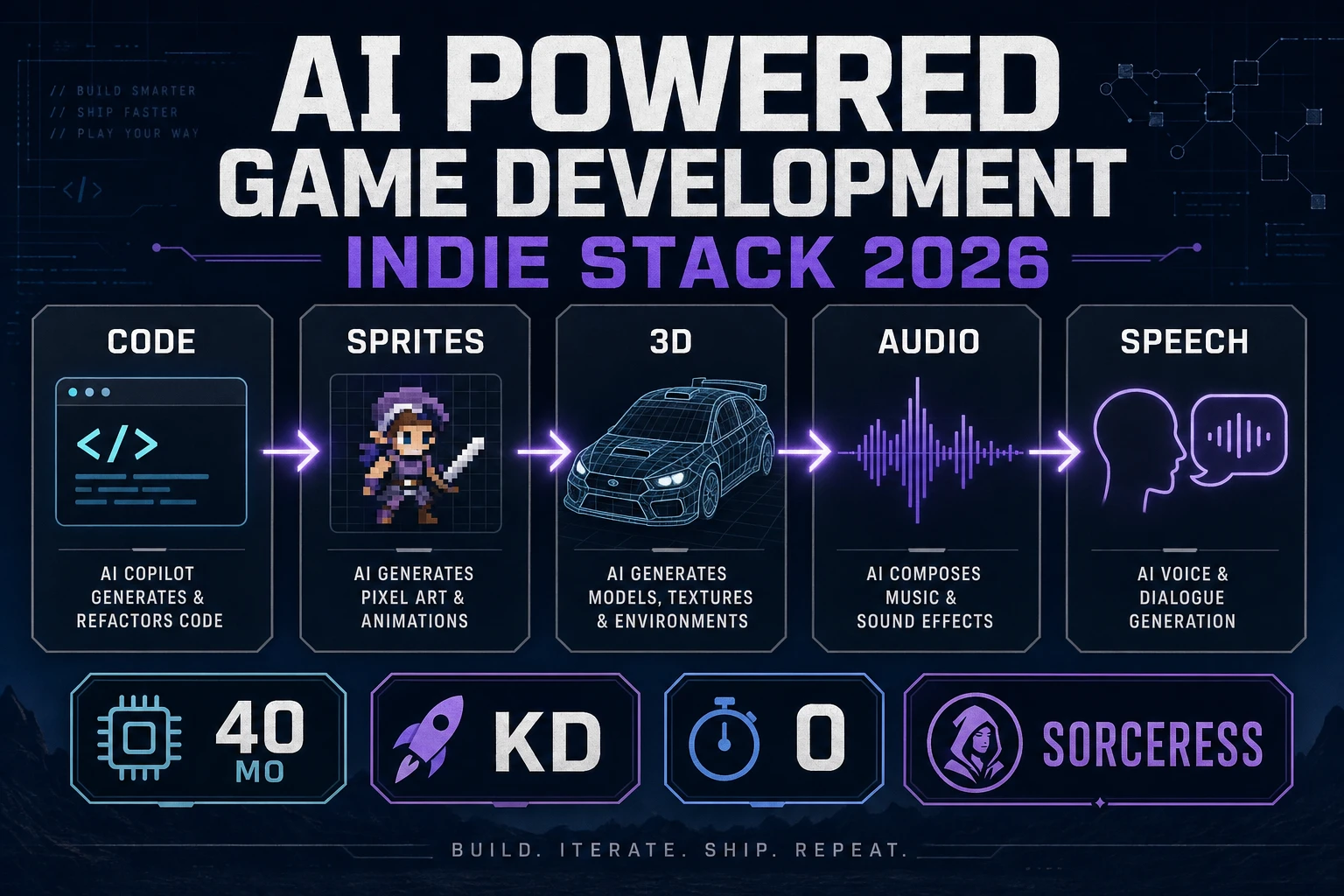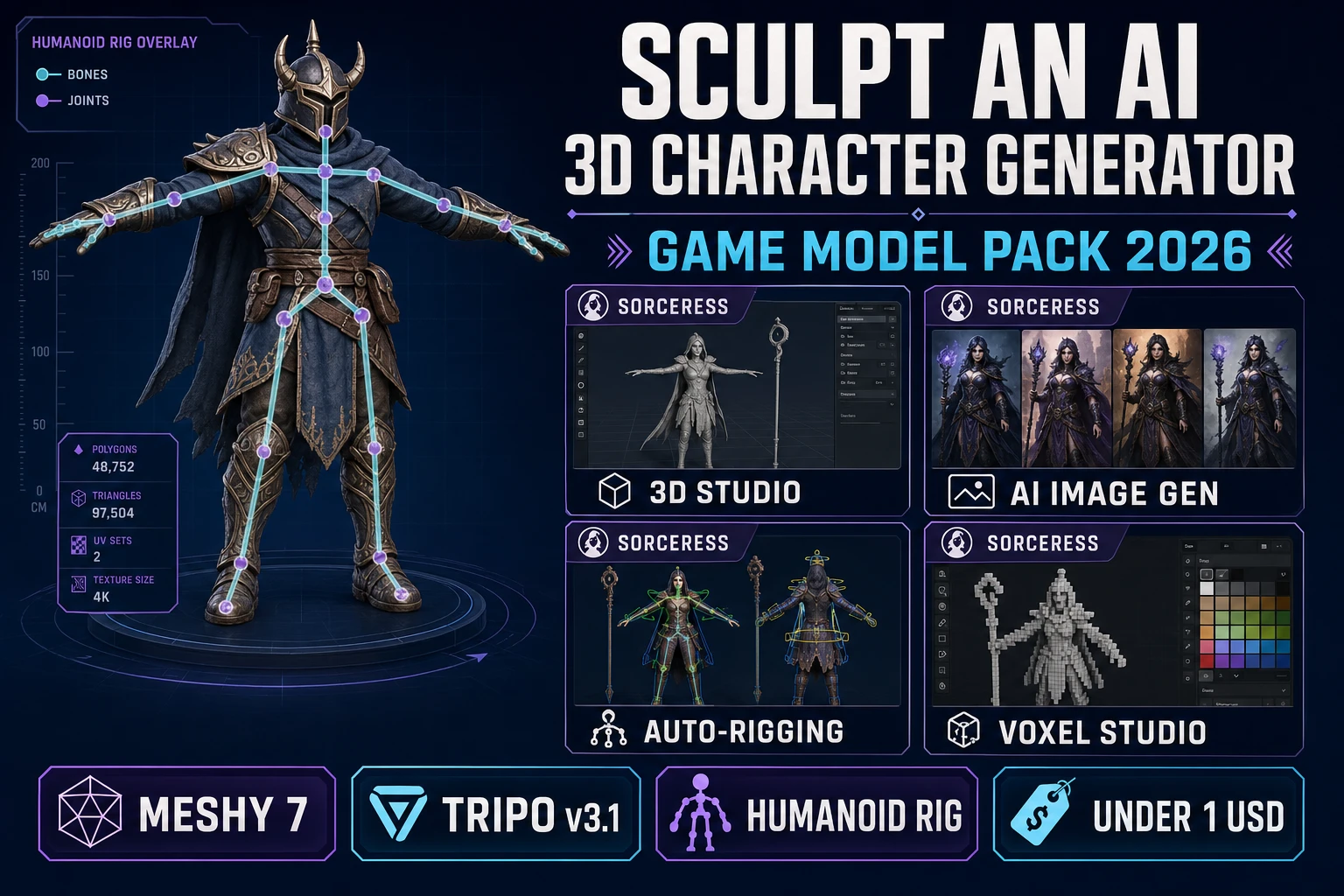
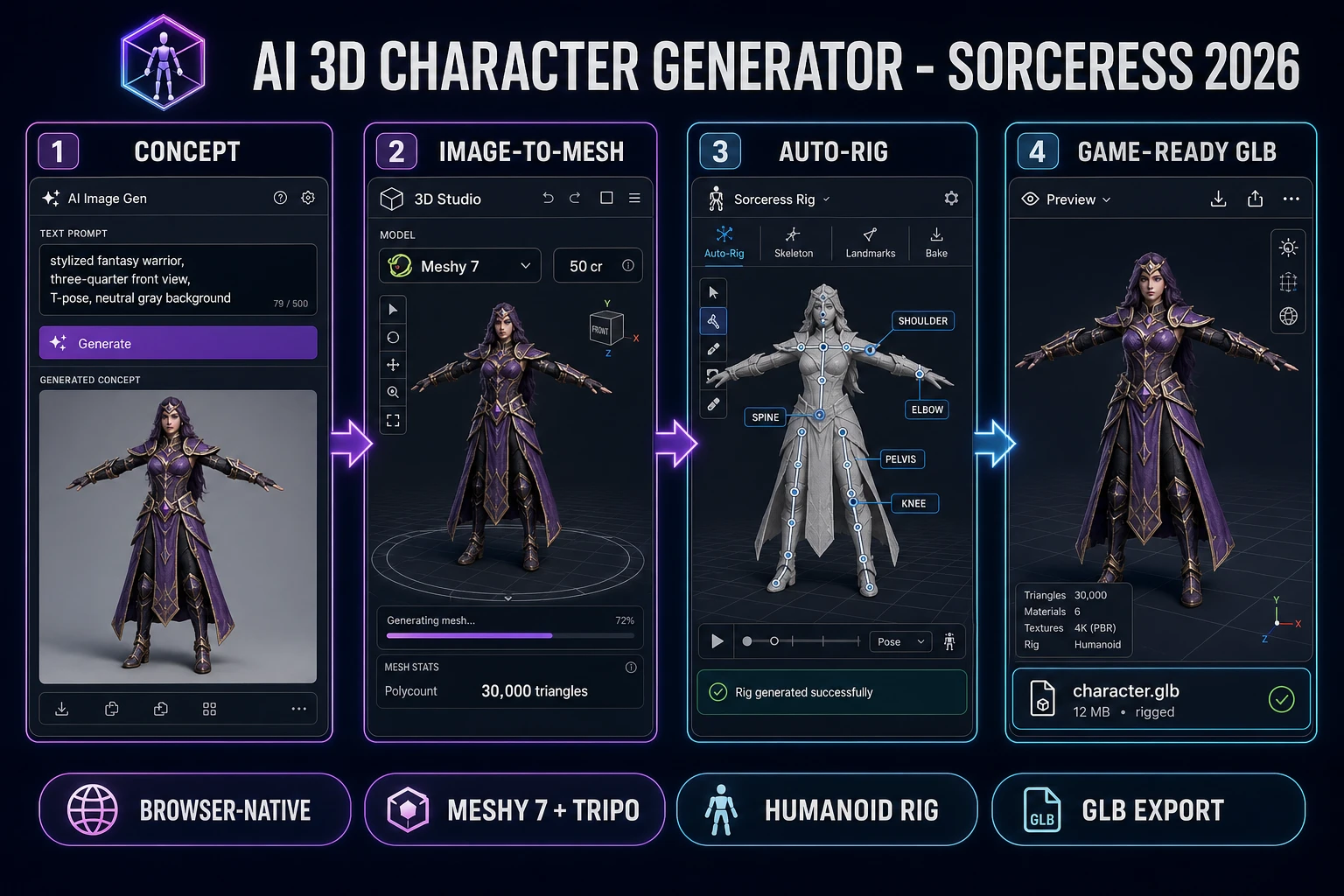
Most searches for "ai 3d character generator" arrive from a beginner who has watched a hobbyist spend a weekend inside Blender fighting UV seams and weight paint, and who wants to know whether a browser tool can now skip that whole ceremony and hand back a rigged, textured, animation-ready fantasy warrior in an hour. In 2026 the answer is honestly yes - not "close enough" and not "with caveats", but a full three-stage pipeline that lands a game-engine-ready GLB in under one dollar per character. The trick is that no single AI model does all three jobs well. A 2D concept generator paints the three-quarter reference silhouette; a dedicated image-to-3D lift model turns that silhouette into a textured polygon mesh with UV coordinates; a humanoid auto-rigger drops a skeleton and skin weights on the mesh so it can hold a walk cycle. The Sorceress stack sequences all three in a single browser tab: AI Image Gen for the concept, 3D Studio for the image-to-mesh lift (with Meshy 7, Tripo v3.1, Hunyuan 3D 3.1, and Tripo P2 all in the model picker), Auto-Rigging for the humanoid skeleton, and Voxel Studio when the target aesthetic is Minecraft-style blocks instead of smooth topology. This article is the honest end-to-end for how an ai 3d character generator actually ships a rigged GLB in 2026, verified against the Sorceress source and the Khronos glTF 2.0 specification on the day of writing.
What an ai 3d character generator actually delivers in 2026
The query "ai 3d character generator" collects three distinct search intents into one phrase. Some searchers want a face-generator toy that spins a random head - useful for a dating-sim portrait wall, less useful for a game that needs the character to run, jump, and swing a sword. A second intent is the free-tier survey answered by the sibling ai character generator free roster path guide, which covers the 2D roster case. The intent this article targets is the third and most demanding: a browser tool that outputs a textured 3D polygon mesh with a skeleton attached, ready to accept animation clips and drop into Unity, Unreal, Godot, or a Three.js scene. That output primitive is a rigged GLB or FBX file, and it is exactly the export format the sibling image to 3D browser GLB path article covers for prop meshes. Characters are the harder case because they add rig, skin weights, and pose requirements on top of the base mesh.
The output contract is small and strict. A rigged 3D character in 2026 means: a triangle or quad polygon mesh at somewhere between 10,000 and 100,000 tris (depending on target platform); a UV-unwrapped base-color texture at 2K to 8K resolution; optional PBR maps (roughness, metallic, and normal) for realistic lighting; a humanoid skeleton with standard bone naming (Hips, Spine, Neck, Head, LeftShoulder, LeftArm, LeftForeArm, LeftHand, and the mirrored right-side chain plus LeftUpLeg, LeftLeg, LeftFoot, and the mirrored right leg); skin weights bound to that skeleton so the mesh deforms correctly when a bone rotates; and a bind pose (usually T-pose or A-pose) that matches the pose the animation clips expect. The Khronos glTF 2.0 specification (verified 2026-08-31) defines the exact GLB container format that packages all of the above into a single portable file, which is the interchange format most 2026 game pipelines standardize on.
Traditional 3D character work ships that same output primitive after weeks of ZBrush high-poly sculpting, retopology to a game-ready low-poly mesh, UV unwrapping, texturing in Substance Painter, and rigging in Blender or Maya. An honest ai 3d character generator collapses that timeline into an afternoon by delegating each stage to a specialized AI model: a 2D image generator for the concept, a dedicated image-to-3D reconstruction model for the mesh and texture, and a landmark-driven auto-rigger for the skeleton. It does not skip the stages - it automates them.
The image-to-mesh-to-rig pipeline in one minute
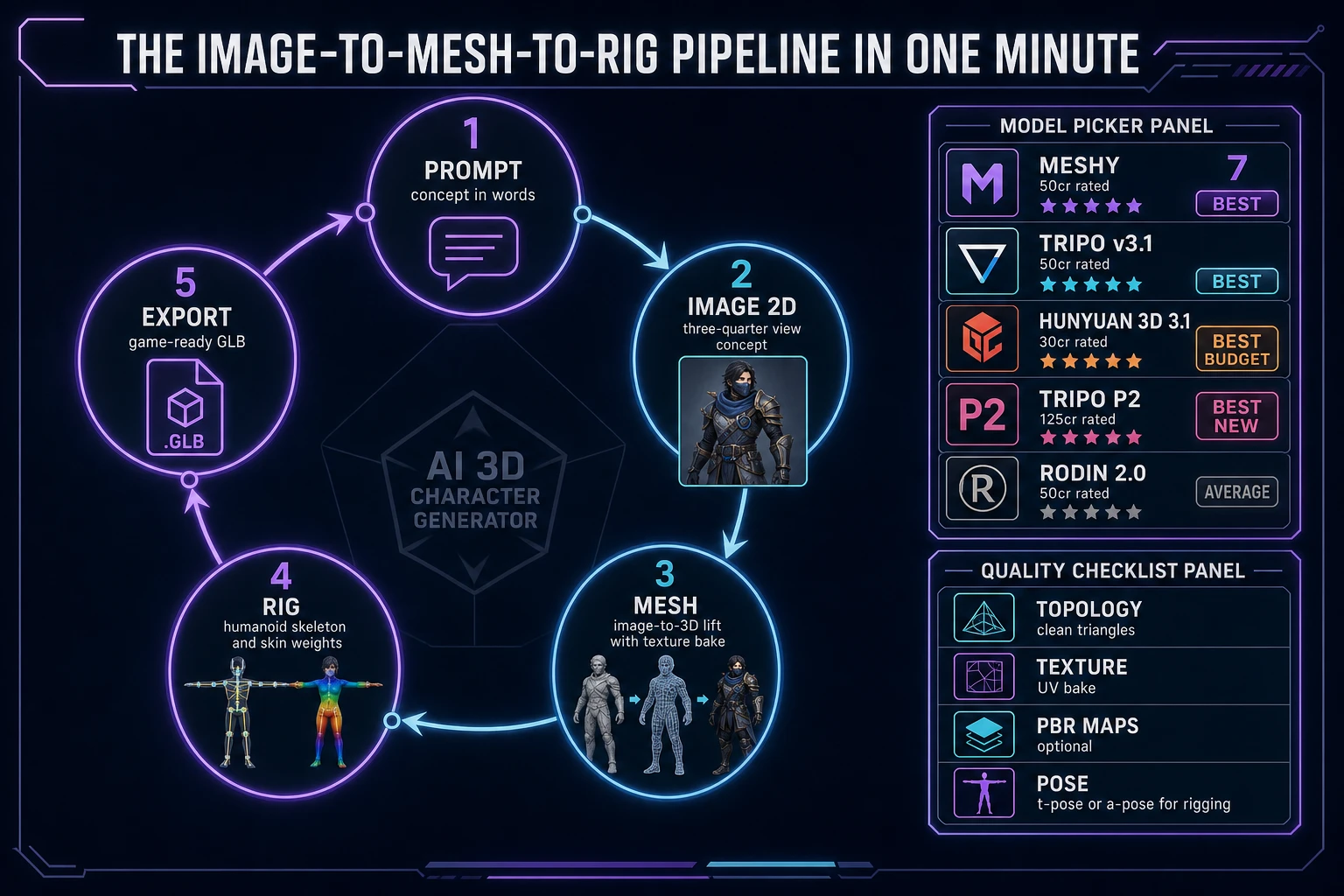
Five moving parts, cycled from prompt to rigged GLB. First, prompt the concept - describe the character in one sentence (silhouette, era, palette, pose intent) and let AI Image Gen paint a 2D reference in three-quarter view. Second, lock the concept - iterate two or three times on the concept generator to nail the silhouette; a mesh generator will faithfully reproduce whatever the concept image implies, so a wrong concept is a wrong character. Third, lift to mesh - upload the locked concept to 3D Studio, pick Meshy 7 or Tripo v3.1 (or Hunyuan 3D 3.1 on a budget), and generate a textured 3D reconstruction. Fourth, rig the mesh - open Auto-Rigging, place the humanoid landmark markers with guided mode, and hit Build Skeleton to bind a full-body armature with weight paint. Fifth, export the GLB - download the rigged, textured GLB and drop it into any engine's asset browser. That five-step cycle, wrapped by a concept-quality checkpoint at step two and a rig-quality checkpoint at step four, is the whole ai 3d character generator loop - everything else (facial rigging, cloth simulation, hair strands, morph targets for expressions) is polish on top.
Sorceress 3D Studio as the browser ai 3d character generator
3D Studio is the workhorse that sits in the middle of the pipeline and carries the heaviest step: turning a 2D concept image into a UV-mapped, textured polygon mesh. The picker ships eight bookable image-to-3D models in 2026, each with a different topology profile, pricing tier, and rating badge (verified 2026-08-31 in src/lib/threed-models.ts). For an ai 3d character generator workflow, the shortlist collapses to a handful of picks:
- Meshy 7 at 50 credits (35 base + 15 texture, or +10 with 8K albedo) is rated Best in the picker. It ships an explicit
pose_modeflag with a-pose and t-pose options that force the generated character into the exact bind pose the Auto-Rigging step wants, which is the single most useful character-specific feature in the picker. The Ultra Mode toggle at +10 credits adds a high-fidelity geometry pass for hero characters where the extra surface detail earns its cost. - Tripo v3.1 at 50 credits (image-to-3D with HD texture, +30 with detailed geometry) is the peer alternative also rated Best. Tripo tends to produce slightly cleaner UV layouts and better texture alignment on stylized concepts; the orientation: align_image flag auto-rotates the output to match the input image angle, useful when the concept was painted from a specific camera.
- Hunyuan 3D 3.1 at 30 credits is rated Best Budget - the pick when a game needs a roster of ten NPC characters and per-character quality is a soft ceiling rather than a hard target.
- Tripo P2 at 125 credits is rated Best and marked New. It ships native quad topology with artist-like edge flow, which is worth the credit tier when the character will be subdivided in the engine or when the target aesthetic is film-grade rather than game-grade.
- Tripo Smart Mesh P1 at 65 credits (image mode) is the low-poly specialist - clean topology under 20,000 faces for mobile game targets.
Rodin 2.0 (50 credits) and TRELLIS 2 (35 to 45 credits) also live in the picker with an Average rating and are worth reaching for only when the primary picks miss on a specific concept. Pixal3D is a VIP-tier freebie for members. For a first ai 3d character generator run, Meshy 7 with pose_mode set to t-pose is the safest pick because it removes the biggest failure mode of the downstream rig step.