Cursor Vibe Coding (Why It Stops at Web Apps)

By Arron R.12 min read
Cursor vibe coding is the default loop for web apps in 2026 — Composer, multi-agent worktrees, Pro at $20/mo. For games it stops at the code; you still need spr

Search "cursor vibe coding" in May 2026 and the SERP is dominated by web-app demos — a Notion clone shipped over a weekend, a CRUD dashboard agentically refactored from one framework to another, a Stripe-checkout flow scaffolded in under an hour. That is what Cursor is genuinely excellent at. The reason it shows up under this query at all is that Andrej Karpathy was on Cursor when he coined "vibe coding" on February 2, 2025, and Cursor's 2.0 release on October 29, 2025 shipped Composer plus a multi-agent interface that doubled down on the agentic loop. The catch — and the gap this post fills — is that the same workflow that ships a CRUD app does not ship a game, because games are not just code. Verified May 16, 2026 against Cursor's published changelogs, the Anthropic and DeepSeek pricing aggregator listings, and the WizardGenie model lineup in src/app/_home-v2/_data/tools.ts.
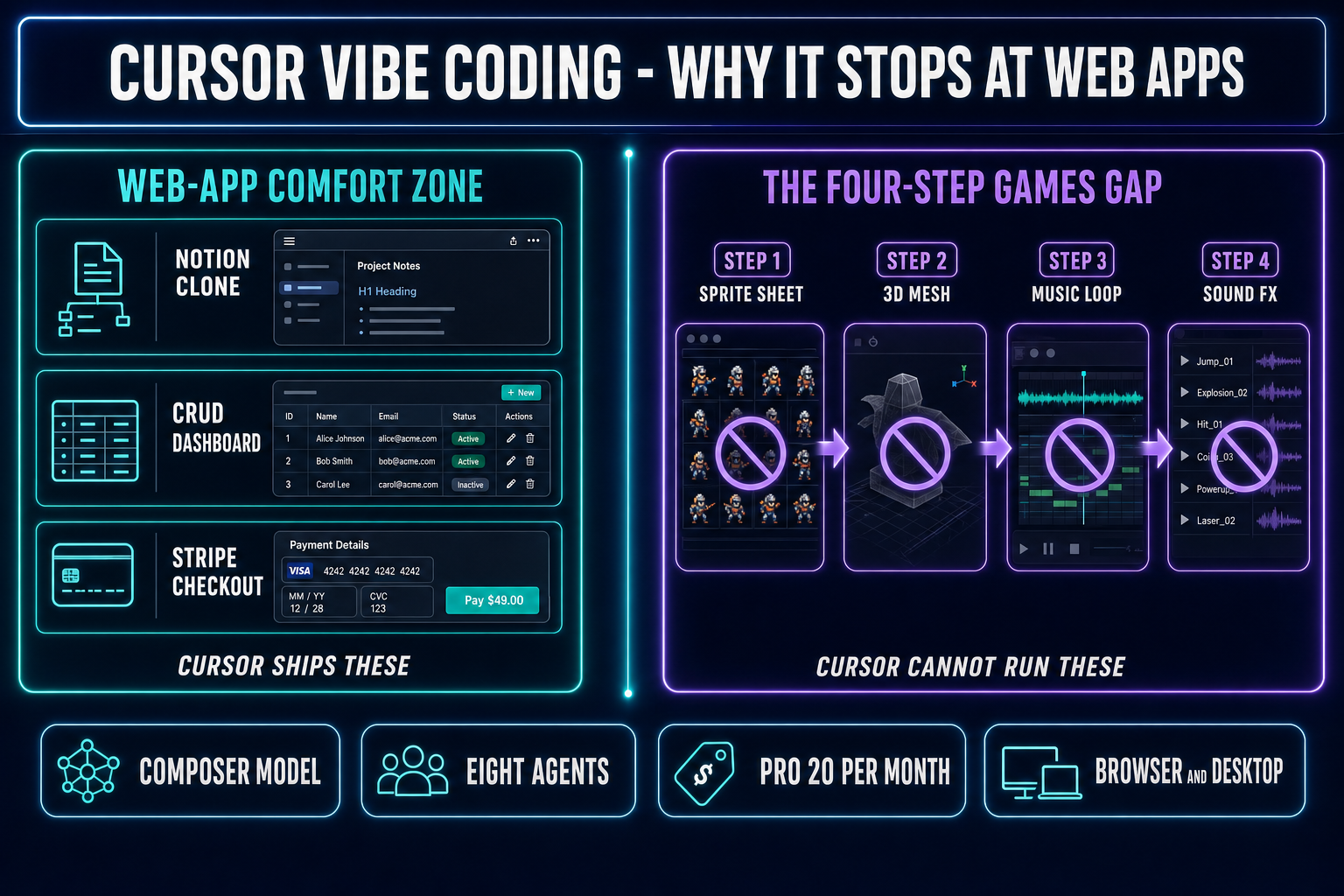
Cursor vibe coding diagram showing the web-app comfort zone (Notion clone, CRUD dashboard, Stripe checkout) on one side and the games gap (sprite sheet, 3D mesh, music, sound) on the other, bridged by the WizardGenie plus Sorceress asset stack
Cursor vibe coding excels at web apps and dashboards; for games it stops at the code. The four asset steps after it (sprite sheet, 3D mesh, music, sound) live in the Sorceress browser tab next door. Verified against the Cursor changelog and the WizardGenie source on May 16, 2026.

What "cursor vibe coding" actually means in 2026

The phrase has two halves and both matter. Vibe coding is the workflow Andrej Karpathy described on X on February 2, 2025 — "fully give in to the vibes, embrace exponentials, and forget that the code even exists." The dev describes intent in plain English, the model proposes a diff, the dev accepts without line-editing, the build runs, the dev watches the screen, and the result (the success or the error or the off-by-one feeling) gets pasted back into the next prompt. Karpathy's setup was Cursor Composer routed to a Claude Sonnet model, often controlled by voice through SuperWhisper. Independent analyst Simon Willison picked up the term four days later and noted the same posture: accept the diff sight unseen, run, react. By the end of 2025 Collins Dictionary had named "vibe coding" its word of the year.

Cursor is the AI-first editor that became the default surface for that workflow because it shipped agentic features earlier and more aggressively than any general-purpose IDE. The 2.0 release on October 29, 2025 added Composer (Cursor's own agentic coding model, 4x faster than comparable frontier models on most turns), a multi-agent interface that runs up to eight agents in parallel on git worktrees, a generally-available browser-in-editor, sandboxed terminals, and voice-mode agent control. The 2.2 release on December 10, 2025 added Debug Mode and multi-agent judging. The 3.x line has unified local agents and cloud agents in one sidebar and added a web app at cursor.com/agents that lets a dev assign background tasks from a phone. So "cursor vibe coding" as a query usually means: the Karpathy-style intent-first loop, running on the Cursor editor, sometimes with Composer doing the thinking and sometimes with a routed Claude or GPT model behind the prompt.

Why Cursor became the default vibe-coding surface for web apps

Three things, none of them mysterious. The first is shape fit. Cursor is a fork of VS Code. The codebases that VS Code is dominant on — TypeScript, React, Next.js, Tailwind, Node, Python, FastAPI, Django, Rails — are the exact codebases on which agentic frontier models perform best, because the training data is largest and the surface area is smallest. A Next.js app is mostly text files, mostly server-side request handlers and client-side components, mostly with one obvious right answer per change. That is what vibe coding rewards: every diff is testable in one browser refresh and the dev's eyes are a reasonable oracle for "does the form submit?" or "did the layout shift?".

The second is agentic primitives. Cursor 2.0 shipped Composer alongside the multi-agent interface specifically so a long-running session would not block the editor. Background Agents run as separate processes; the dev kicks off a refactor and goes back to writing the next feature while the agent's progress streams into the sidebar with a Running / Paused / Completed / Failed status. Cursor 3 pulled local and cloud agents into the same view. That removes the "wait for the agent" tax that older AI-coding workflows charged. The Karpathy loop — describe, accept, run, watch, react — gets faster because the loop is non-blocking.

The third is model routing. Cursor's Pro tier is $20/month with $20 of model usage credit on top of the editor; Pro+ at $60/month bumps that to $70 of usage; Ultra at $200/month bumps it to roughly $400 of usage. Inside the editor the dev picks the model per turn — Composer for the cheap fast iteration, Claude Sonnet 4.6 for the careful diff, Claude Opus 4.7 for the hard refactor, GPT-5.5 for the second opinion. The dev does not have to think about API keys or billing; the editor does the routing. That is the killer feature for web-app vibe coding and the reason most "cursor vibe coding" YouTube demos show a dev shipping a SaaS landing page in 30 minutes.
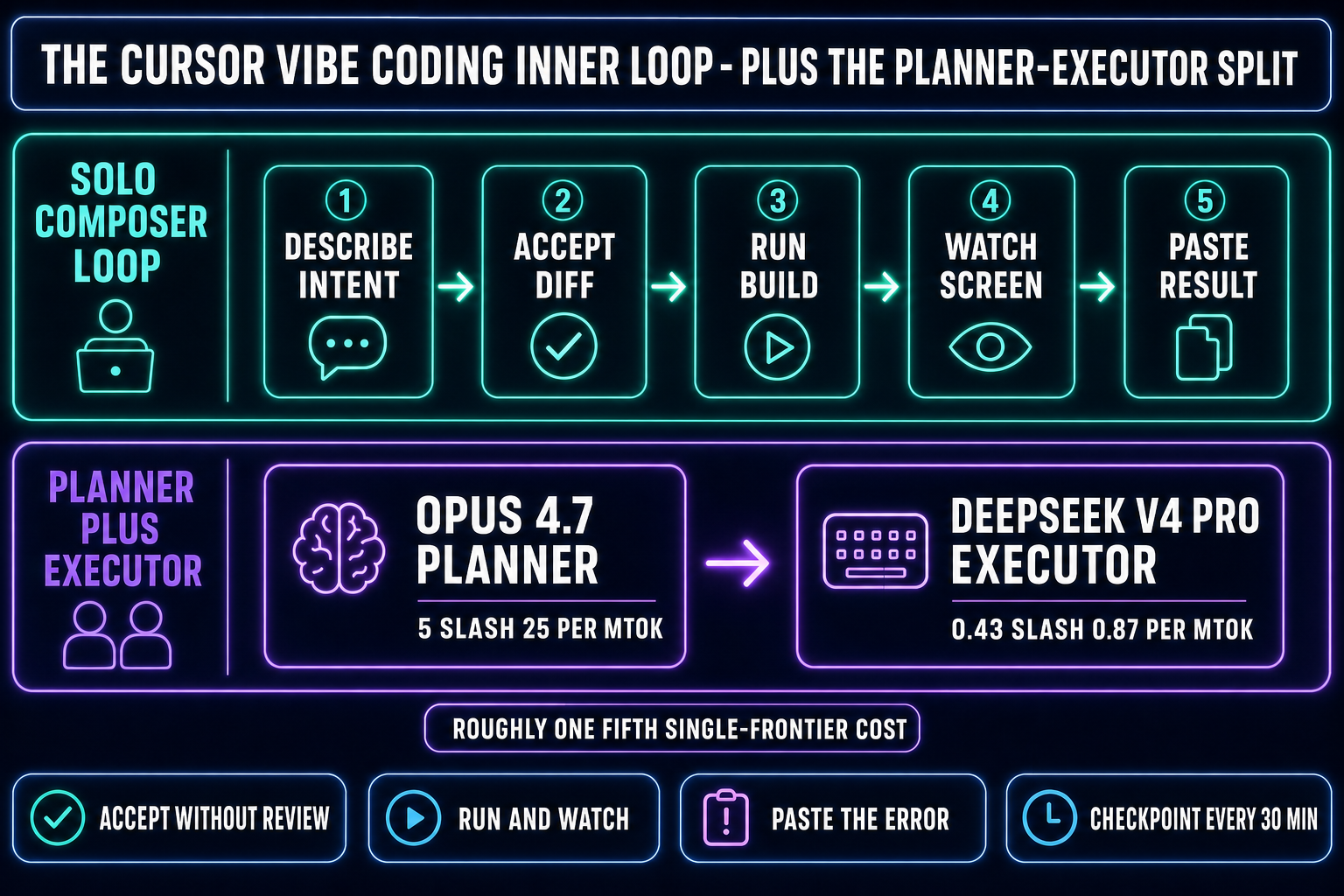
The vibe-coding inner loop running on Cursor: describe intent, Composer proposes diff, accept without review, run, watch, paste error back. Plus the Planner-Executor variant with Opus 4.7 planning and DeepSeek V4 Pro typing at roughly one-fifth single-frontier cost
The cursor vibe coding inner loop and the cheaper Planner-Executor pattern. Model pricing verified against the May 2026 pricing-aggregator listings on May 16, 2026.

The cursor vibe coding workflow, end to end

Pulled apart, the loop is short enough to fit on a sticky note:

  1. Describe the change in one or two sentences. Not pseudocode, not function signatures — intent. "When the user clicks submit, validate the email, post to /api/signup, and redirect to /welcome on success."
  2. Let the agent propose a diff. Composer or a routed Claude or GPT model reads the relevant files, decides which ones to edit, and shows the diff inline.
  3. Accept the diff without line-editing it. This is the controversial step. Vibe coders accept and run; line-by-line review is the prior workflow.
  4. Run the app and watch. Either the form submits, or it doesn't, or the build breaks.
  5. Paste the result back. If the build broke, paste the error. If the form submitted but the redirect was wrong, describe the wrong-ness. The agent proposes the next diff.

For a web app the loop converges fast because the failure surface is small and legible. A 500 from /api/signup has a stack trace that points to one file and one line. A wrong redirect is a one-line config change. A broken validator is a regex tweak. That is the shape of the work where cursor vibe coding shines and the shape of the work that fills the SERP results for the query.

The Planner-Executor pattern: expensive thinker, cheap typer

Long agentic sessions on a single frontier model burn money in a way that becomes obvious after the first $40 day. The Planner-Executor split is the answer cost-conscious vibe coders reach for: route the planning step (read the codebase, decide what to change, write the spec for the diff) to a top-tier reasoning model like Claude Opus 4.7 or GPT-5.5, and route the actual code-typing (drafting the diff, applying the edits, running the shell command) to a fast cheap model like DeepSeek V4 Pro, Kimi K2.5, MiniMax M2.7, Gemini 3.1 Flash, or GPT-5.5 Mini. The economics are real. Opus 4.7 runs $5 input and $25 output per million tokens; DeepSeek V4 Pro is around $0.435 input and $0.87 output at the May 2026 promo (list price $1.74 / $3.48), which expires May 31, 2026.

The output side is where the savings stack up — on a long agentic session the executor types the bulk of the tokens, so a roughly 28:1 spread on the output rate translates to about a 1/5 single-frontier cost when the planner is Opus and the executor is DeepSeek V4 Pro. The pattern only works when the executor is genuinely cheap. Pairing two frontier-priced models defeats the purpose — putting Sonnet 4.6 (around $3 / $15 per Mtok input/output) on the typing side erases roughly four-fifths of the cost advantage. Cursor's Plan Mode in Background does this kind of split inside one editor; WizardGenie exposes both halves explicitly in the model picker so a single project can run Opus-as-planner with DeepSeek-as-executor. We unpacked the full per-token landscape in the 2026 AI coding API pricing breakdown, refreshed on the same May verification cycle as this post.
Where cursor vibe coding stops short for games

A finished game is not just code. It is gameplay code plus a sprite sheet, plus a 3D mesh, plus a rigged skeleton, plus a music loop, plus sound effects, plus voice, plus the export and packaging step. Cursor's Composer, Claude Sonnet 4.6, GPT-5.5, and every other model in the routing menu generate code. None of them generate pixels, meshes, audio buffers, or rigs. Asking the agent for those steps anyway produces broken from PIL import Image snippets that reference file paths that don't exist, JSON lists of "frame indices" without the frames, or polite refusals. That isn't a Cursor failure — it's the wrong tool for the asset step. Frontier coding LLMs are trained on text, not on sprite-sheet conventions, palette quantization, mocap retargeting, drum patterns, or shader graphs.

The Cursor-shaped solution to the asset gap is "shell out to other tools," and that is technically possible but logistically painful. The dev tabs out to a different image generator, generates the character, downloads the PNG, tabs to a different sprite-sheet packer, packs the frames, tabs to a different audio tool for the music loop, downloads the WAV, drags both back into the project folder, alt-tabs back to Cursor, and only then asks Composer to wire the loaded asset into the gameplay code. Each context switch costs about a minute of focus. Across a session of fifteen asset hand-offs that is fifteen minutes of context-switch tax on top of the actual work. The web-app dev never feels this because web apps don't need sprite sheets. The game dev feels it on every iteration.

The Cursor docs themselves point to the gap indirectly. The "what Cursor is for" examples on the marketing page are SaaS landing pages, dashboards, internal tools, and refactors. The agent skills shipped in the 2.x line — multi-file review, sandboxed shell, browser-in-editor, voice mode — are all sharpened for web-app shape. None of them ship a sprite-sheet primitive, a mesh viewer, an audio-track preview pane, or an engine export panel. That is not a criticism; it is a positioning choice. Cursor is the best AI-first editor for the work it targets. Games are a different work.

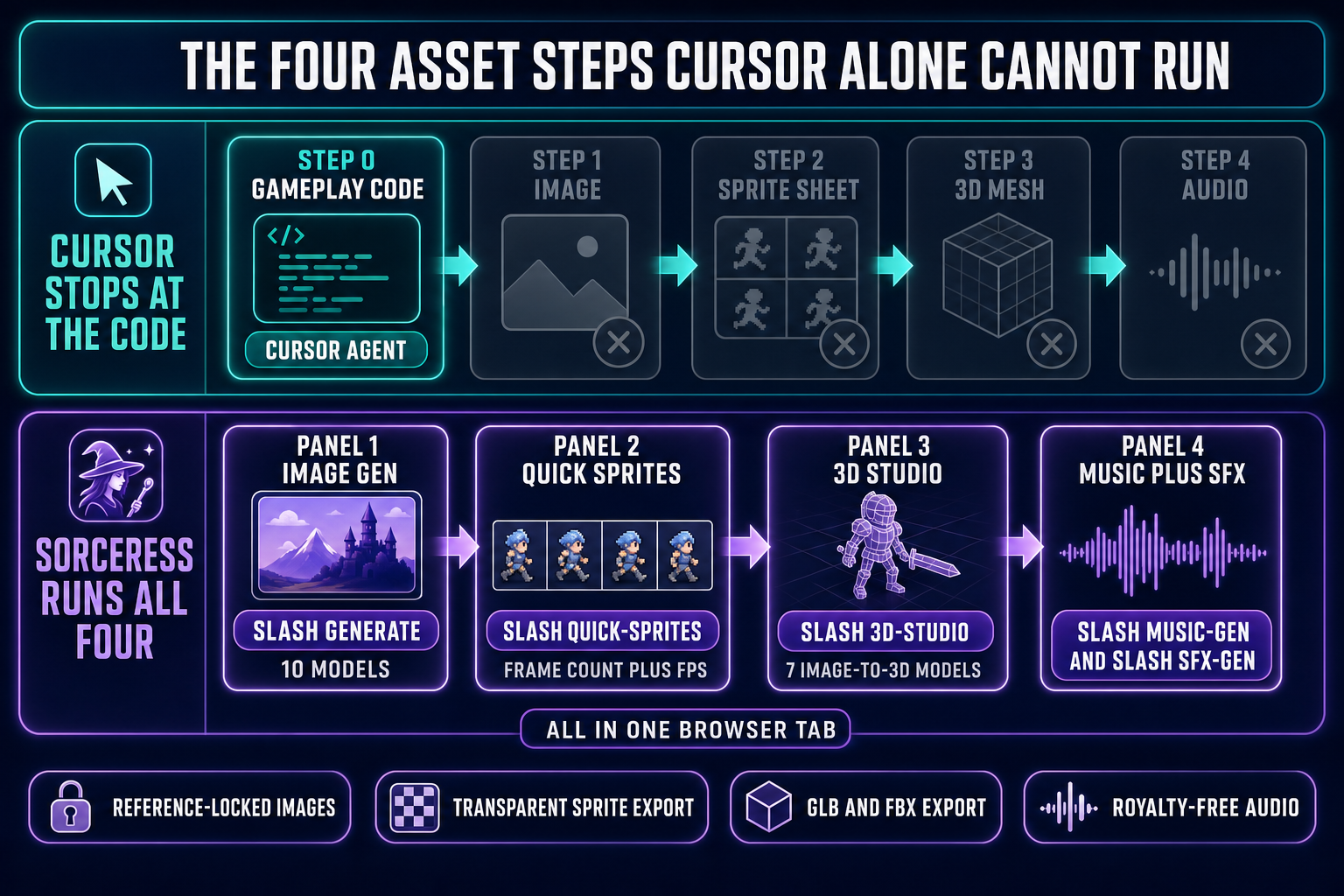
The four-step asset gap that Cursor alone cannot run for games (image generation, sprite sheet, 3D mesh, music and sound) versus the Sorceress tool that handles each step (AI Image Gen, Quick Sprites, 3D Studio, Music Gen and SFX Gen) all available in the same browser tab as WizardGenie’s multi-model code editor
The four asset steps Cursor stops short of for games, and the Sorceress tool that runs each step. Tool URLs and model lineups verified against the Sorceress source on May 16, 2026.

The game-native answer: WizardGenie plus the Sorceress asset stack

WizardGenie is the surface where the vibe-coding loop and the four asset steps live in the same browser tab. The model picker lists eight options as of May 16, 2026, verified against src/app/_home-v2/_data/tools.ts: Claude Opus 4.7 (top-tier reasoning), Claude Sonnet 4.6 (fast and smart, the default for most vibe sessions), GPT-5.5 (frontier), Gemini 3.1 Pro (1M context for huge projects), DeepSeek V4 Pro (the cheap executor), Kimi K2.5 (256K coding-tuned), Grok 4.2 (2M context), and MiniMax M2.7 (agent-tuned). The same project can run Opus as the planner, DeepSeek as the executor, and switch to GPT-5.5 for a refactor without leaving the editor. The Anthropic, OpenAI, or DeepSeek keys are bring-your-own or covered by the platform credit pool; either way the model on the other end of the prompt is the same one the rest of the vibe-coding world is using.

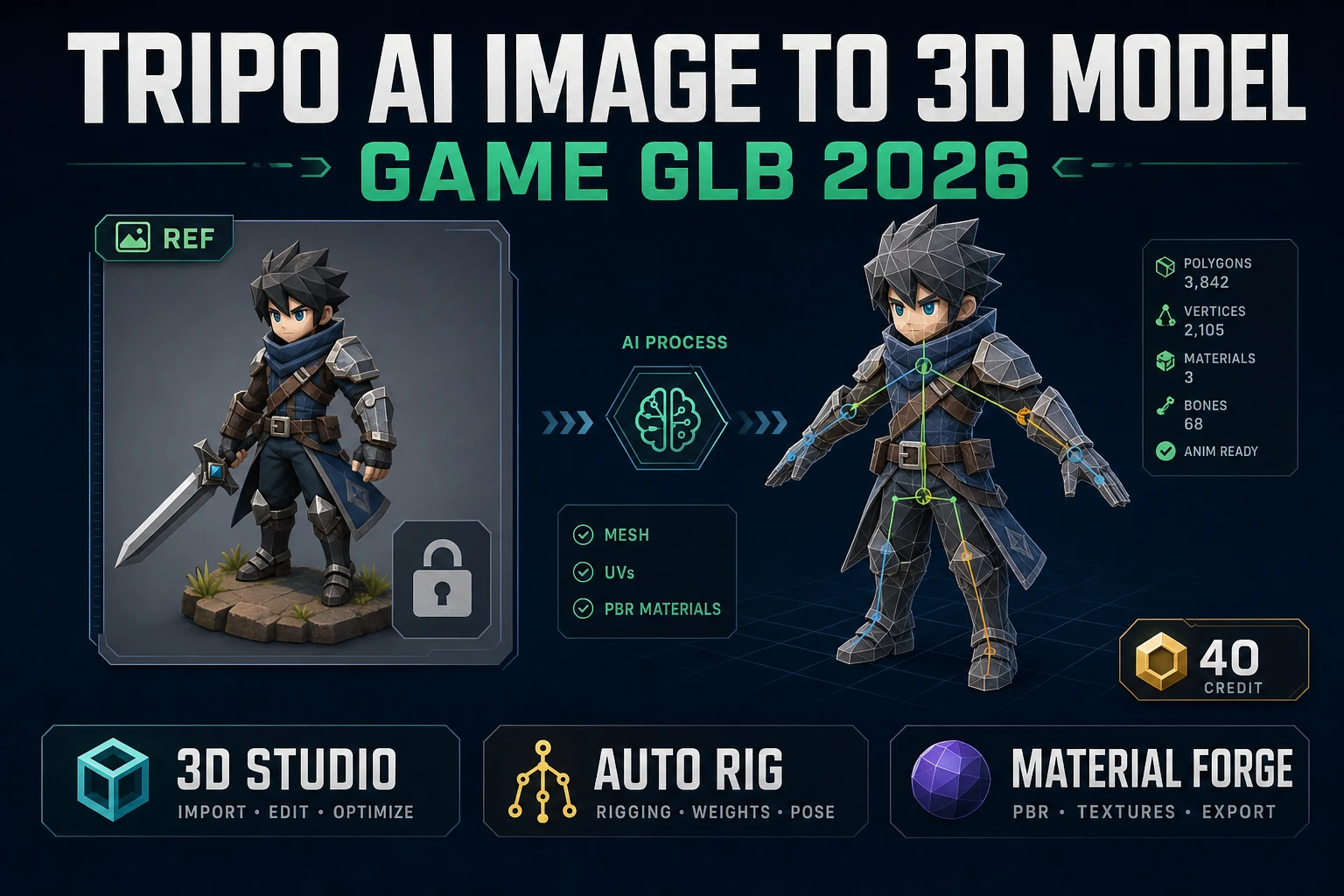
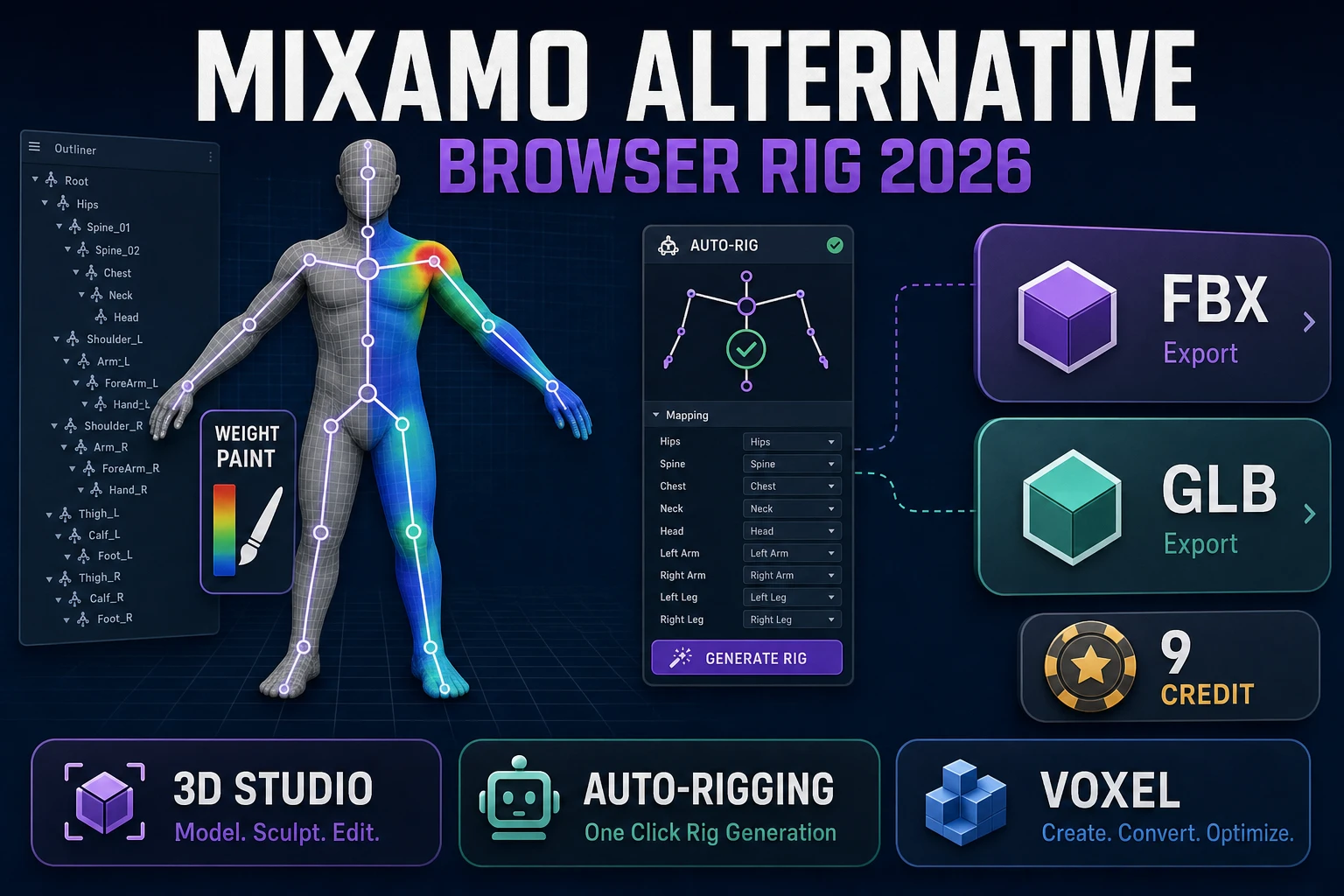
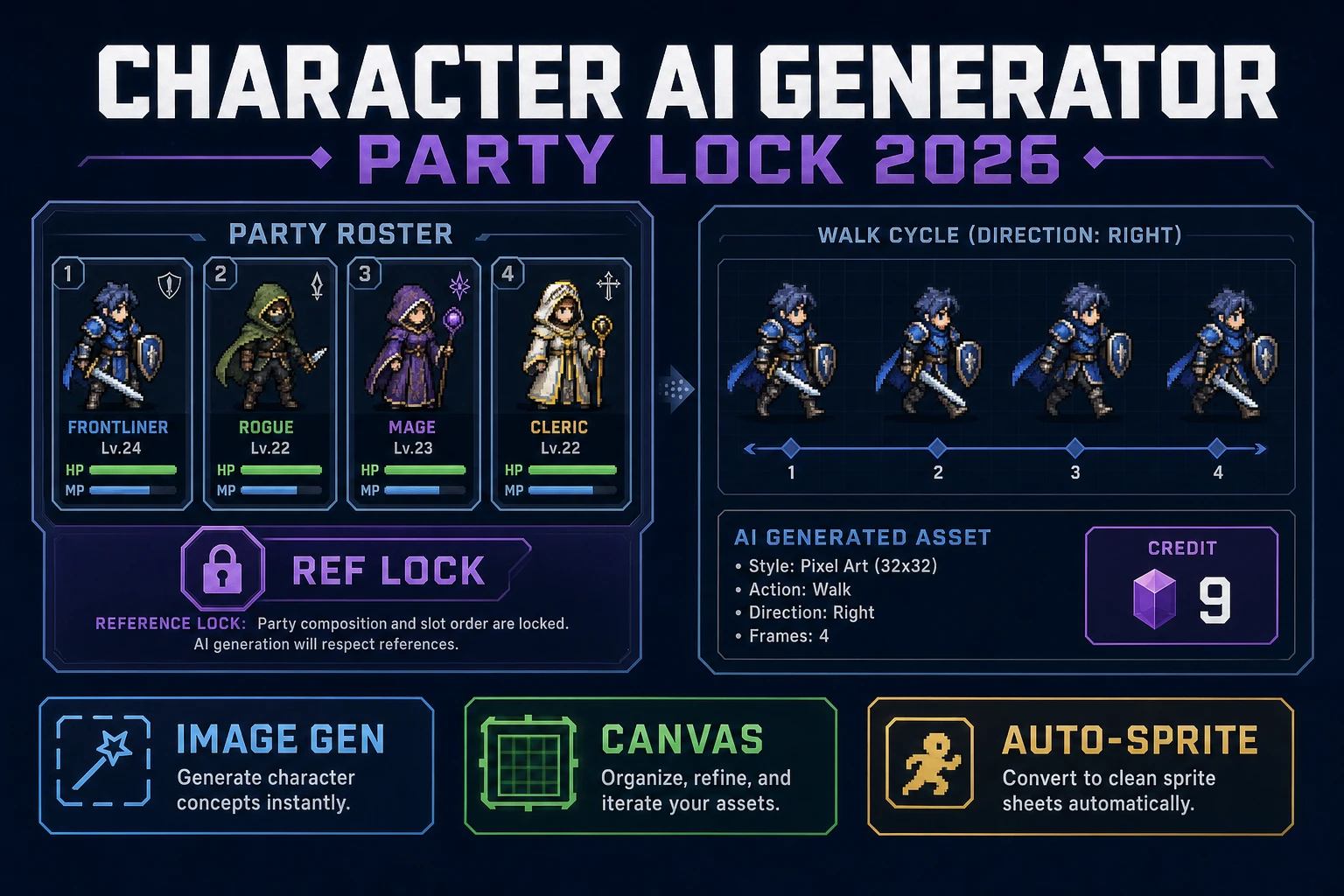
The asset steps live one click away in the same browser session. AI Image Gen at /generate runs ten image models with reference-image conditioning — the way you keep a character on-model across eight poses without each render drifting. Quick Sprites at /quick-sprites turns a character image into a packed sprite sheet with frame count, FPS, palette, and transparent background controls. 3D Studio at /3d-studio runs seven image-to-3D models (Meshy 6, Meshy 5, Rodin 2.0, TRELLIS, TRELLIS 2, Tripo v3.1, Hunyuan 3D 3.1) for the mesh step plus an auto-rigging path for the skeleton. Music Gen and SFX Gen handle the audio. The exported assets land directly in the project that WizardGenie's agent is editing, which collapses the fifteen-context-switch tax to zero. We mapped out the same pipeline in detail in the prompt-to-game-AI pipelines piece, and the longer head-to-head against Cursor and the rest of the vibe-coding-platform field lives in the vibe coding platforms breakdown.

Cursor vibe coding for games when you do not switch tools

The fairer question is what cursor vibe coding looks like for game devs who stay inside Cursor on principle. The honest answer in May 2026 is that it works if the project leans toward web-shape problems and asset count is small. A Phaser 4 project with five sprites the dev drew or sourced once can be vibe-coded productively in Cursor for months. Phaser Editor v5, released April 2026, ships an MCP server with over forty Phaser-aware tools that connect to Cursor (and to Claude) and let the agent understand the scene tree, not just the code. The work moves fast as long as the asset problem is already solved.

The wall hits when the project needs new assets per feature — new enemies, new biomes, new SFX, new boss music. Without an asset pipeline alongside the editor, every gameplay feature stalls behind a separate trip out to image / sprite / mesh / audio tooling. That trip is the Cursor-vibe-coding-for-games tax. WizardGenie removes it by putting the asset tools in adjacent tabs. The dev who only ever needs five sprites total never pays the tax. The dev who needs five new sprites per week pays it every week. Which side of that line you are on is the right question.

Common cursor vibe coding mistakes for game devs

Mistake one: asking Cursor's agent for assets it cannot produce. "Generate a 64x64 sprite sheet of a wizard walking" will return a Python snippet that calls Pillow on a file path that doesn't exist, or a TODO comment, or a bullet list of frame indices. The fix is to keep Cursor on the code side and run the actual sprite generation in Quick Sprites. Mistake two: putting Sonnet (or any frontier-priced model) on the typing side of a Planner-Executor. Sonnet 4.6 is $3 / $15 per Mtok input/output. DeepSeek V4 Pro is $0.435 / $0.87 at the May 2026 promo. Putting Sonnet on the executor side erases roughly four-fifths of the cost advantage that makes the pattern worth running. The Hard Rule: cheap typers only. Mistake three: long sessions without checkpoints. No agent has memory across sessions; the "forget the code exists" posture turns into "forget the bug exists" if you don't commit on green every 30 minutes. Mistake four: confusing Composer with the routed-Claude flow. Composer is Cursor's own model, optimized for speed inside the editor; the routed flow points the same UI at Claude, GPT, or Gemini through Cursor's billing. They are not the same model and they fail in different ways. Mistake five: running a long agentic session on a single Sonnet 4.6 model when a Planner-Executor split would be both cheaper and faster. If the project is large enough that the agent reads multiple files per turn, split the work.

Try the game-native vibe-coding loop for a real game

The fastest way to feel the gap and the bridge in one sitting is to open WizardGenie, pick Claude Sonnet 4.6 (or Composer-equivalent fast model) in the picker, type "a top-down dungeon crawler with a wizard who shoots fireballs," and let the agent stub out the project. The gameplay code lands. The wizard's sprite is a placeholder. Switch to AI Image Gen, generate a wizard with a reference image, send it to Quick Sprites for the walk and attack animations, and drop the resulting sheet back into the project. The wizard moves. Run SFX Gen for "fireball whoosh" and "hit thud," Music Gen for the dungeon loop, and the playable build is one switch away. The full asset roundup of which Sorceress tool covers which step lives in the best vibe coding tools for games piece, the deeper definition-of-vibe-coding piece is the what is vibe coding explainer, and the Claude-specific deep dive is the Claude vibe coding for games breakdown.

Frequently Asked Questions

What is cursor vibe coding and how is it different from regular AI coding in Cursor?

Cursor vibe coding is the workflow Andrej Karpathy named on February 2, 2025 — describe intent in plain English, accept the diff the agent proposes without line-editing it, run the build, watch the screen, paste the result or the error back into the next prompt — when the editor running that loop is Cursor. The difference from older AI-coding patterns inside Cursor is the posture, not the tooling. Older patterns were autocomplete (Cursor's Tab key, accept each suggestion line by line) or pair-programming (Cursor Chat, propose-and-review). Vibe coding flips the loop: the dev describes the goal, accepts the agent's diff sight unseen, runs the build, watches what happens, and reacts. Cursor became the default surface for this loop because the 2.0 release on October 29, 2025 shipped Composer (4x faster than comparable frontier models on most turns), a multi-agent interface that runs up to eight agents in parallel on git worktrees, Background Agents that run in separate processes without blocking the editor, and a sandboxed terminal so the agent can execute shell commands without trashing the host machine. The catch is the same one every vibe-coding workflow has — the loop only covers the code. For a SaaS landing page that is the entire game and Cursor wins. For an actual game you still need a sprite sheet, a 3D mesh, a music loop, and sound effects, and Cursor itself does not produce any of those.

Is Cursor the only editor people mean by cursor vibe coding?

Effectively yes. The query cursor vibe coding specifically refers to the Karpathy-style intent-first loop running on the Cursor editor, distinguished from claude vibe coding (the same loop with Claude as the model), replit vibe coding (the same loop on Replit's cloud workspace), or lovable vibe coding (the same loop on Lovable, which targets app-from-prompt and ships about $400M ARR as of February 2026). Cursor's specific advantage is the editor itself — agentic primitives (Composer, Background Agents, multi-agent worktrees, sandboxed terminal, voice mode, browser-in-editor) plus model routing across Claude Sonnet 4.6, Claude Opus 4.7, GPT-5.5, Gemini 3.1 Pro, and others through a single billing surface. The shape that advantage targets is web-app and developer-tool work, which is exactly the SERP that fills up under cursor vibe coding searches. For game projects the editor advantage holds for the code half; the asset half (image, sprite sheet, mesh, audio) is not in Cursor's product surface and never will be, by positioning choice. Confusing cursor vibe coding with vibe coding generally is the failure mode that leads game devs to expect Cursor to ship a sprite sheet.

How much does cursor vibe coding cost per month and how does that compare to going direct?

Cursor's individual tiers as of May 2026 are Hobby (free, limited features), Pro at $20/month with $20 of model API usage included, Pro+ at $60/month with $70 of usage, and Ultra at $200/month with about $400 of usage. The Ultra tier was made possible through multi-year partnerships with Anthropic, OpenAI, Google, and xAI per Cursor's own changelog, which is how the included usage exceeds the sticker price. Teams is $40 per user per month. Going direct to the model APIs and paying per token gets you exact pricing visibility but no editor — Claude Sonnet 4.6 is $3 input and $15 output per million tokens (around $2 to $8 per hour of agentic vibe coding on a small project), Claude Opus 4.7 is $5 / $25, DeepSeek V4 Pro is around $0.435 / $0.87 at the May 2026 promo (list $1.74 / $3.48) and is the cheap executor of choice in a Planner-Executor split. For most working devs, Pro at $20/month with included usage is cheaper than the equivalent direct-API spend plus the time cost of setting up the editor scaffolding yourself; for game projects that need an asset pipeline alongside the editor, WizardGenie bundles the same model picker plus the four asset tools in a single browser tab so there is no asset-tool context switch tax on top of either bill.

Why does cursor vibe coding stop short for games specifically?

Because a finished game is not just code. It is gameplay code plus a sprite sheet, plus a 3D mesh, plus a rigged skeleton, plus a music loop, plus sound effects, plus voice, plus the export and packaging step. Cursor's Composer, Claude Sonnet 4.6, GPT-5.5, and every other model in the routing menu generate code. None of them generate pixels, meshes, audio buffers, or rigs. Asking the agent for those steps anyway produces broken Pillow snippets that reference file paths that don't exist, JSON lists of frame indices without the frames, or polite refusals. That is not a Cursor failure — it is the wrong tool for the asset step. The Cursor-shaped workaround is to shell out to other tools for each asset, which is logistically painful: tab to a different image generator, generate the character, download the PNG, tab to a sprite-sheet packer, pack the frames, tab to an audio tool for the music loop, download the WAV, drag both back into the project folder, alt-tab back to Cursor, and only then ask Composer to wire the loaded asset into gameplay code. Each context switch costs about a minute of focus. Across a session of fifteen asset hand-offs that is fifteen minutes of context-switch tax on top of the actual work. WizardGenie removes that tax by putting the asset tools — AI Image Gen, Quick Sprites, 3D Studio, Music Gen, SFX Gen — in adjacent panels of the same browser tab as the agent that writes the gameplay code.

What is the Sorceress alternative or complement to cursor vibe coding?

Sorceress does not replace Cursor for web-app work; Cursor is the best AI-first editor for SaaS landing pages, dashboards, internal tools, and refactors. WizardGenie at /wizard-genie/app is the surface where the same vibe-coding loop and the four asset steps live in the same browser tab specifically for game projects. The model picker as of May 16, 2026 lists eight options verified against src/app/_home-v2/_data/tools.ts: Claude Opus 4.7 (top-tier reasoning), Claude Sonnet 4.6 (fast and smart, the default for most vibe sessions), GPT-5.5 (frontier), Gemini 3.1 Pro (1M context), DeepSeek V4 Pro (the cheap executor), Kimi K2.5 (256K coding-tuned), Grok 4.2 (2M context), and MiniMax M2.7 (agent-tuned). The asset steps live one click away in the same browser session: AI Image Gen at /generate runs ten image models with reference-image conditioning, Quick Sprites at /quick-sprites turns a character image into a packed sprite sheet, 3D Studio at /3d-studio runs seven image-to-3D models (Meshy 6, Meshy 5, Rodin 2.0, TRELLIS, TRELLIS 2, Tripo v3.1, Hunyuan 3D 3.1), Music Gen at /music-gen handles the music loop, and SFX Gen at /sfx-gen handles the sound effects. The agent writes the gameplay code that references these assets; the assets get generated in the adjacent panel. The dev never has to leave the browser tab — and for game devs who need new assets per feature, that is the difference between shipping the build and stalling on every iteration.

Sources

  1. Vibe coding — Wikipedia
  2. Andrej Karpathy on vibe coding (Simon Willison, Feb 6 2025)
  3. Claude Opus 4 pricing (Tokencost)
  4. DeepSeek V4 Pro pricing (Tokencost)
  5. Sprite (computer graphics) — Wikipedia
  6. Phaser Editor v5 release notes (Phaser news, April 2026)
  7. Cursor source repository — GitHub
Written by Arron R.·2,735 words·12 min read

Related posts