Chunk an AI Voxel Generator (Browser Block Path 2026)

By Arron R.13 min read
An ai voxel generator turns images or text prompts into rigged voxel characters in a browser tab. Sorceress Voxel Studio runs the pipeline end-to-end at 25 cred

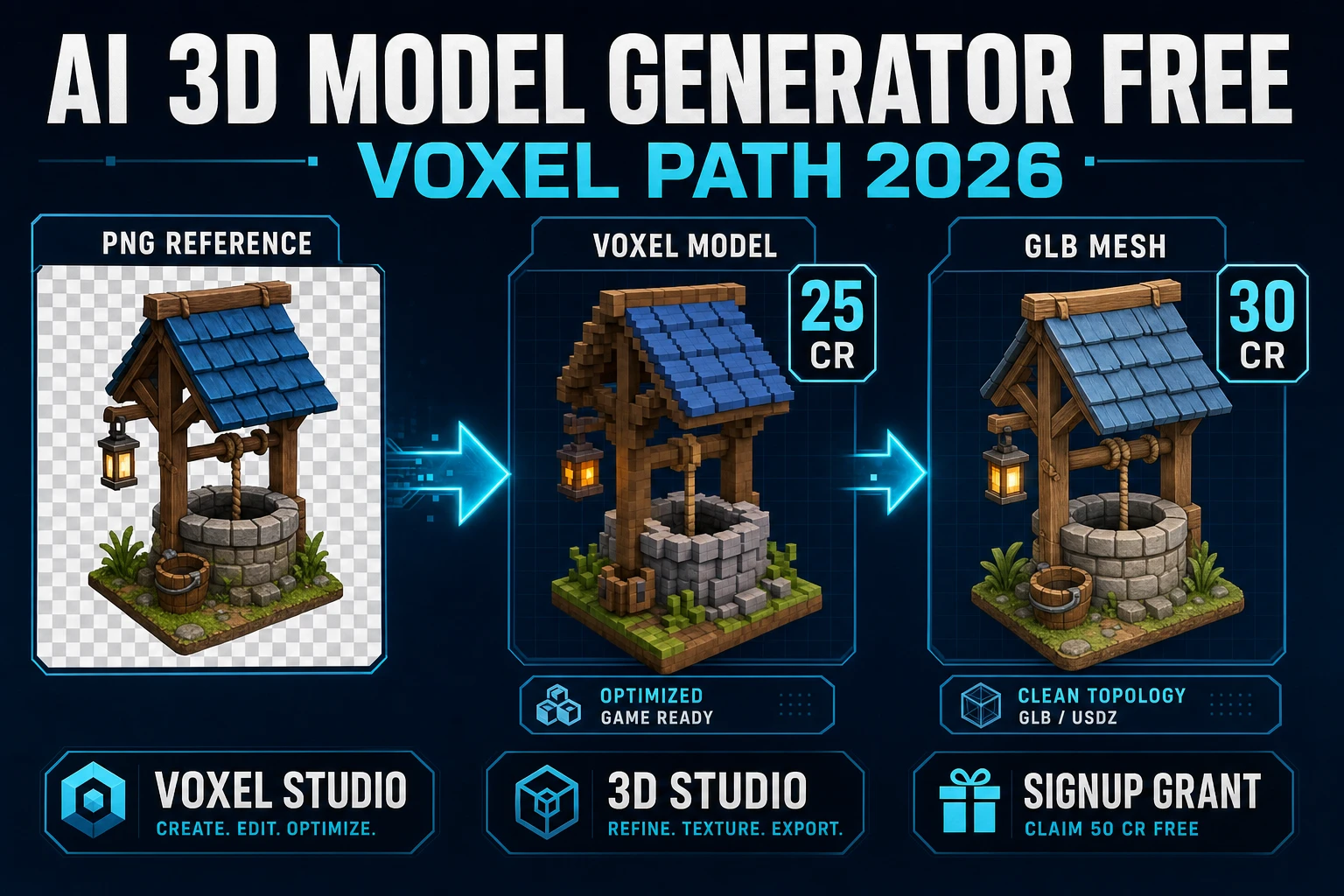
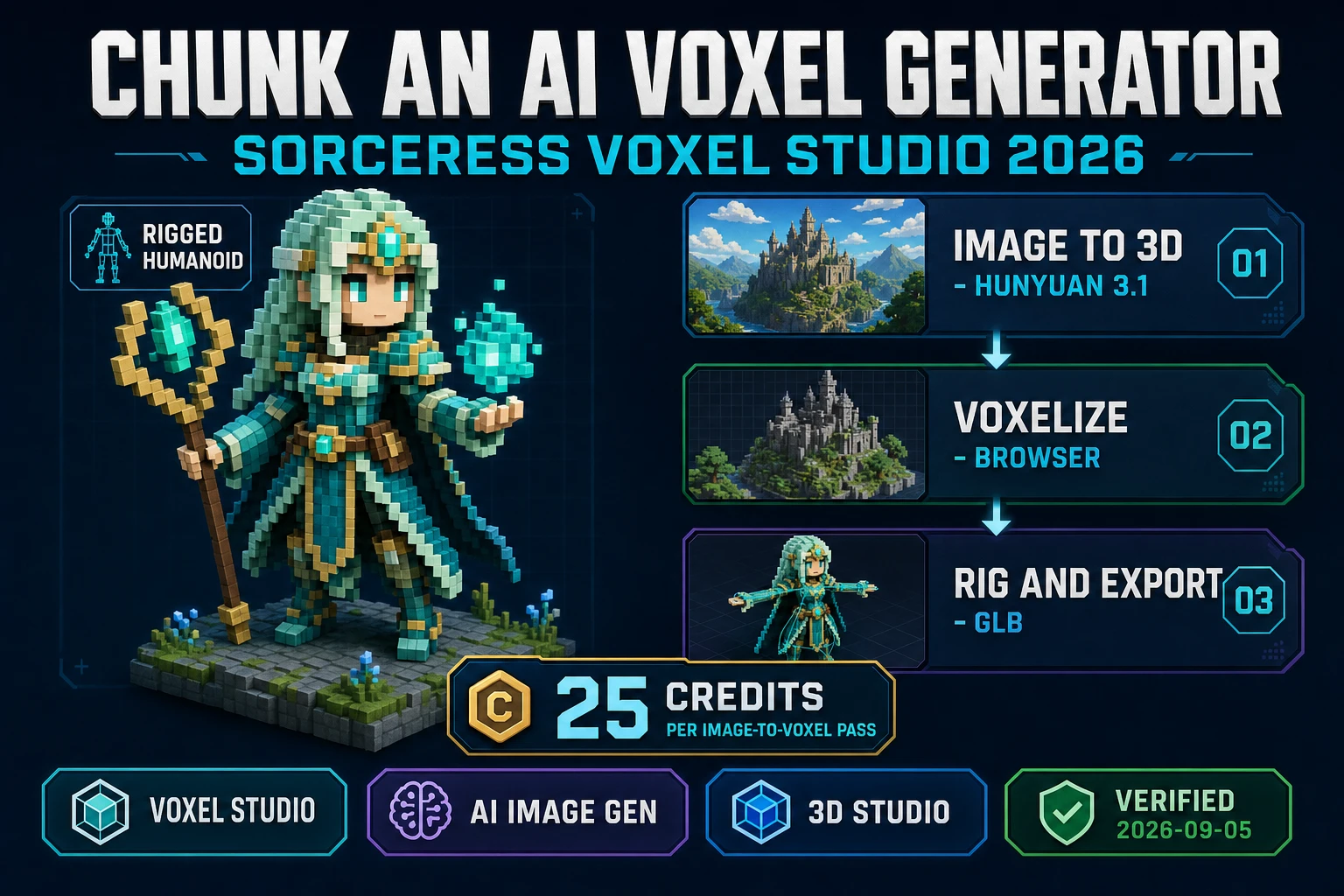
Type ai voxel generator into Google in 2026 and the results split into two camps: legacy voxel editors that ask you to paint every cube by hand, and vendor pages that promise "text to voxel" without telling you what the pipeline actually looks like. The honest version is a three-stage loop - image or text to 3D mesh, mesh to voxel grid, voxel grid to rigged and animated character - and the reason it took until 2026 to get this into a browser is that all three stages had to become fast enough to run without a desktop DCC package. Sorceress ships that loop as the Voxel Studio panel, verified 2026-09-05 against src/lib/voxelgen-hunyuan.ts: the image-to-3D pass runs on Tencent Hunyuan 3D 3.1 at 25 credits per generation, the voxelization step runs in the browser tab, and the rig step wires up a humanoid or multi-leg skeleton before the character exports as a GLB the engine can consume.
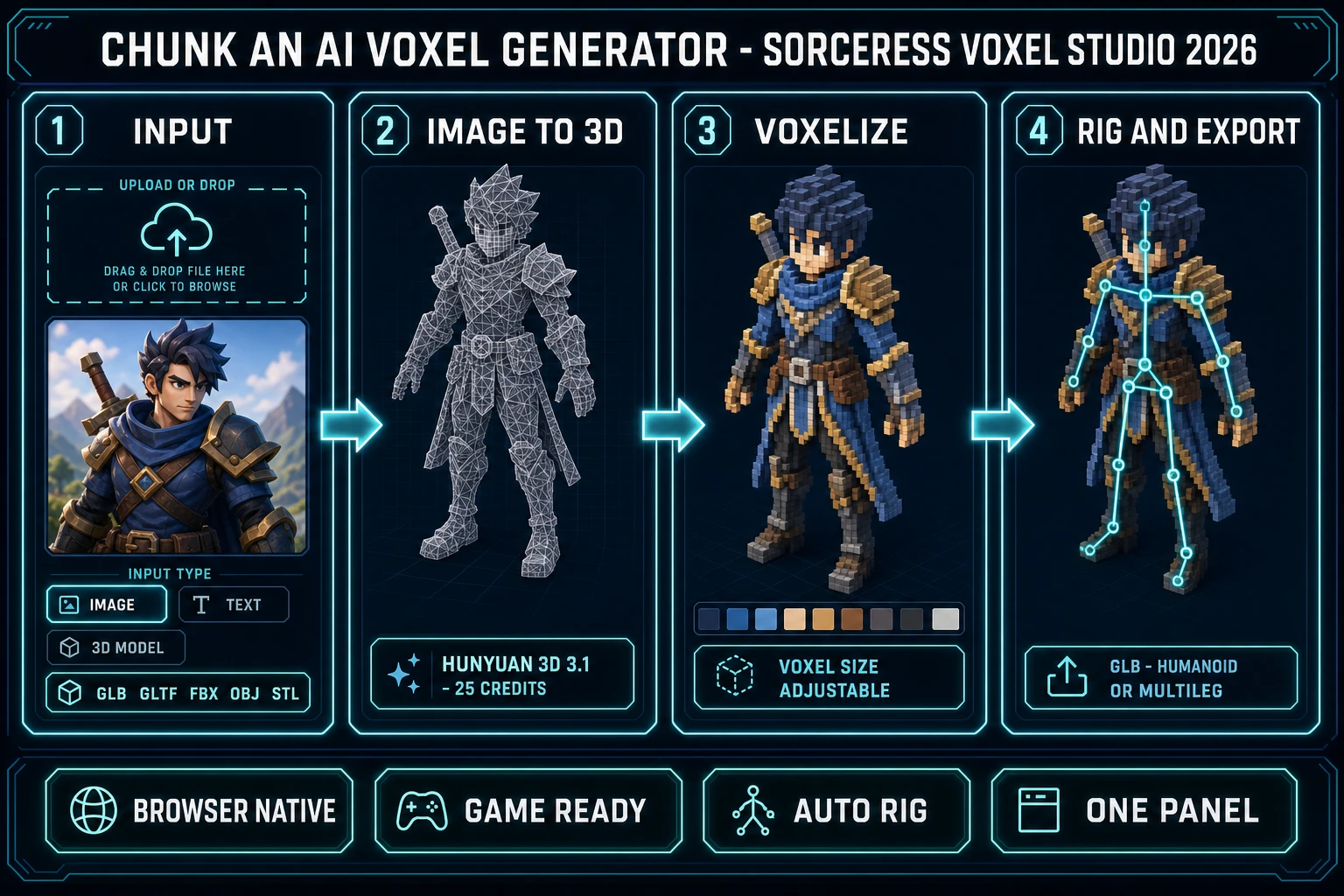
Chunk an ai voxel generator browser block path 2026: four-panel Sorceress Voxel Studio diagram showing image and 3D model input, Hunyuan 3D 3.1 image-to-3D at 25 credits, in-browser voxelization with palette, and humanoid or multi-leg rig plus GLB export
An ai voxel generator is a pipeline, not a single button: input to mesh to voxels to rig to GLB, all inside the Sorceress Voxel Studio panel.

What an ai voxel generator actually is in 2026

An ai voxel generator is any workflow that produces a voxel asset - a discrete grid of small cubes with a shared color palette - from an input the artist did not have to place cube by cube. The input can be a text prompt ("a stocky goblin blacksmith with a leather apron"), a single image (a concept sketch, a photo, an AI-generated portrait), or an existing 3D mesh in one of the common interchange formats. The output is a voxel grid the game can load directly, usually wrapped in a GLB file that also carries the color palette, the mesh geometry, and - in the Sorceress case - an embedded skeleton for animation.

The category matters because until recently the two ways to make voxel characters were both painful. Painting cubes by hand in a desktop voxel editor is slow: a small character is a few hundred cubes, a medium character is a few thousand, and any batch of related characters compounds the count. Converting a photorealistic 3D model to voxels is fast but usually produces a color-quantized blur that looks nothing like the source. An ai voxel generator collapses both problems: the AI half handles the geometry from a text or image prompt, and the voxelization half preserves the palette and the silhouette that make voxel art readable at a glance. The two halves together is what turns a mood-board sketch into a game-ready block character in a few minutes.

Why blocky voxel art is a competitive advantage for a solo dev

Voxel art has spent the last decade watching its own strengths turn from stylistic quirks into structural advantages. The core wins are the same three items that made Minecraft-adjacent visuals popular in the first place, and each one gets bigger the smaller the team is.

  • Consistent visual style across every asset. Voxel characters, props, and terrain all share the same fundamental primitive - the cube - and the same palette discipline. A game whose hero is a voxel goblin does not visually clash with voxel trees, voxel rocks, and voxel enemies. Compare to a mixed-fidelity indie game with hand-painted portraits, a low-poly overworld, and stock 3D props - a solo dev spends a month reconciling styles that a voxel-first game gets for free.
  • Compact, fast-loading, GPU-friendly geometry. A voxel character can be rendered as a small set of merged cubes or a single greedy-meshed surface. Either representation is dramatically cheaper than a photorealistic 3D model at similar visual density, which matters for browser games, mobile games, and any project that has to ship a big roster.
  • Forgiving of imperfect input. A rough sketch, a low-res photo, or an AI image with slightly off-model details all voxelize into readable, on-model characters because the voxel grid quantizes away the noise. This is the exact opposite of photorealistic 3D, where every mesh flaw is legible.

The AI half of an ai voxel generator compounds each of these wins. Instead of one designer painting one voxel character per day, one designer generates a batch of five characters in an hour, curates the winners, and moves to rigging. The style stays consistent because the voxelizer downstream does the palette locking, and the roster grows fast because the bottleneck is prompt iteration rather than manual cube placement.

Sorceress Voxel Studio as a browser-native ai voxel generator

Sorceress Voxel Studio is the Sorceress entry point for the voxel pipeline, and it is designed around the three-stage loop rather than a single canvas. The panel does four things a legacy voxel editor does not.

  • Three input types in one panel. Image upload, text prompt (via the linked AI Image Gen surface), and 3D model upload all feed the same voxelizer. Verified 2026-09-05 in src/app/voxelgen/page.tsx, the accepted model extensions are .glb, .gltf, .fbx, .obj, and .stl. Model uploads skip the paid image-to-3D step and go straight to voxelization.
  • Hunyuan 3D 3.1 as the image-to-3D engine. Verified 2026-09-05 in src/lib/voxelgen-hunyuan.ts, the default model is Tencent Hunyuan 3D 3.1 (Synexa-hosted) at 25 credits per generation. This is the same 10-billion-parameter 3D generation model released by Tencent on 2026-02-10 that ships in the standalone 3D Studio panel - Voxel Studio just adds the voxelization step on top. A Replicate Hunyuan 2.1 fallback exists for legacy jobs.
  • In-browser voxelization with a shared palette. Once the 3D mesh comes back, the voxelizer runs client-side in the same browser tab. That means iteration on voxel resolution, palette count, and grid alignment is instant - you are not waiting on a second cloud round-trip for each pass. The palette is derived from the source image so the output character reads as a stylized voxel of the same subject rather than a color-quantized blur.
  • Auto-rigging built into the same panel. The voxel character does not just export as a static block model. Verified 2026-09-05 in src/app/voxelgen/page.tsx, the rig editor supports two rig types: humanoid (biped skeleton for walk cycles and character animation) and multileg (procedural walk rigging for spiders, insects, quadrupeds). The rig data serializes alongside the voxel data in the exported GLB.

Four capabilities on one browser panel is the practical definition of an ai voxel generator in 2026. Any one of them - just the image-to-3D pass, just the voxelizer, just the rig - is available as a standalone tool somewhere on the internet. The reason Voxel Studio is worth learning is that all four sit behind the same login, bill through the same credits meter, and export to the same file format the rest of the Sorceress pipeline reads.
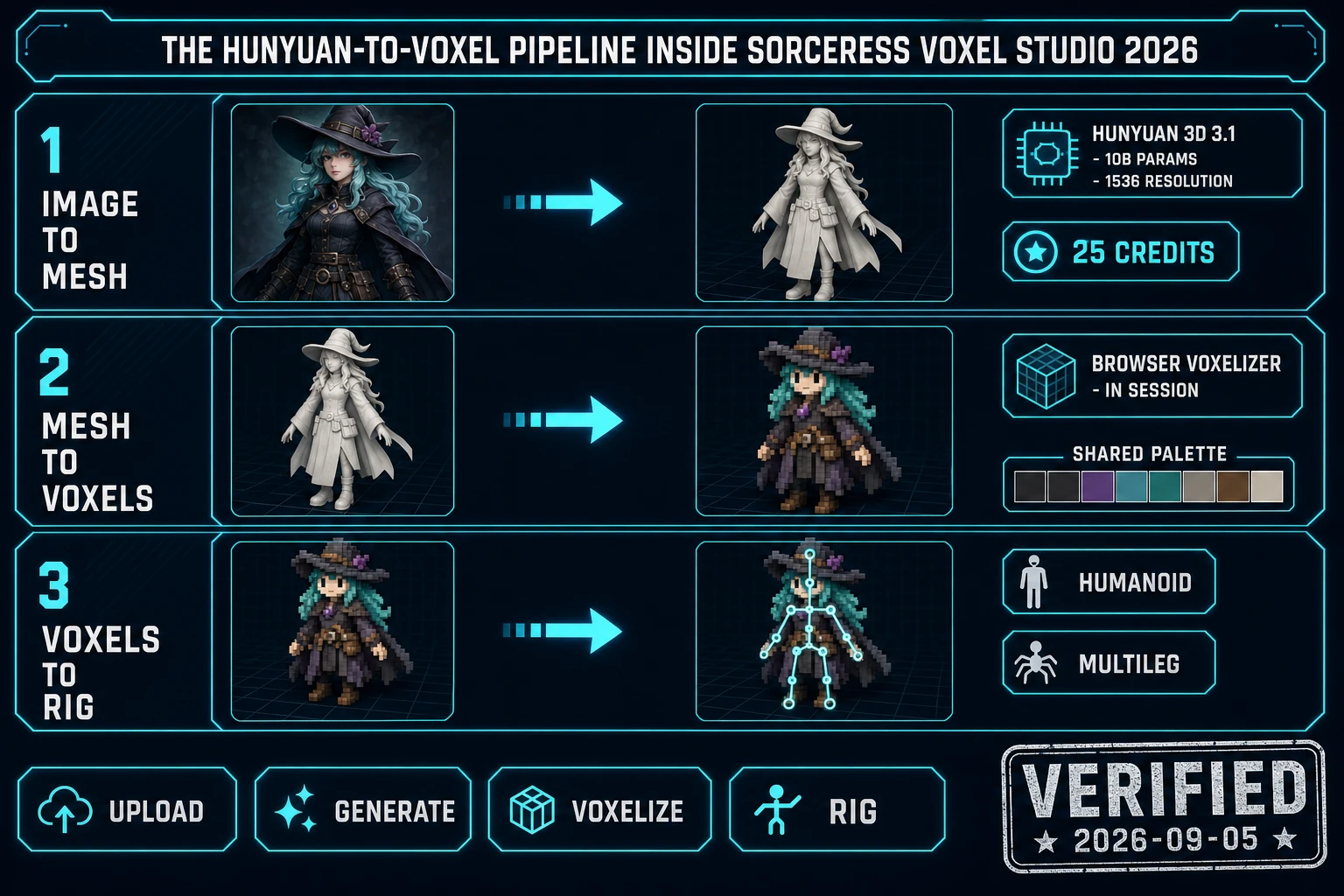
The Hunyuan-to-voxel pipeline inside Sorceress Voxel Studio 2026: three-row diagram showing image to mesh with Hunyuan 3D 3.1 at 25 credits, mesh to voxels with browser voxelizer and shared palette, voxels to rig with humanoid and multileg skeletons
The three internal stages of the Sorceress ai voxel generator: image or model in, Hunyuan 3D 3.1 for the mesh, browser voxelizer for the block grid, humanoid or multi-leg rig for the skeleton.

From image to voxel: the Hunyuan-3D-to-voxelizer pipeline in one panel

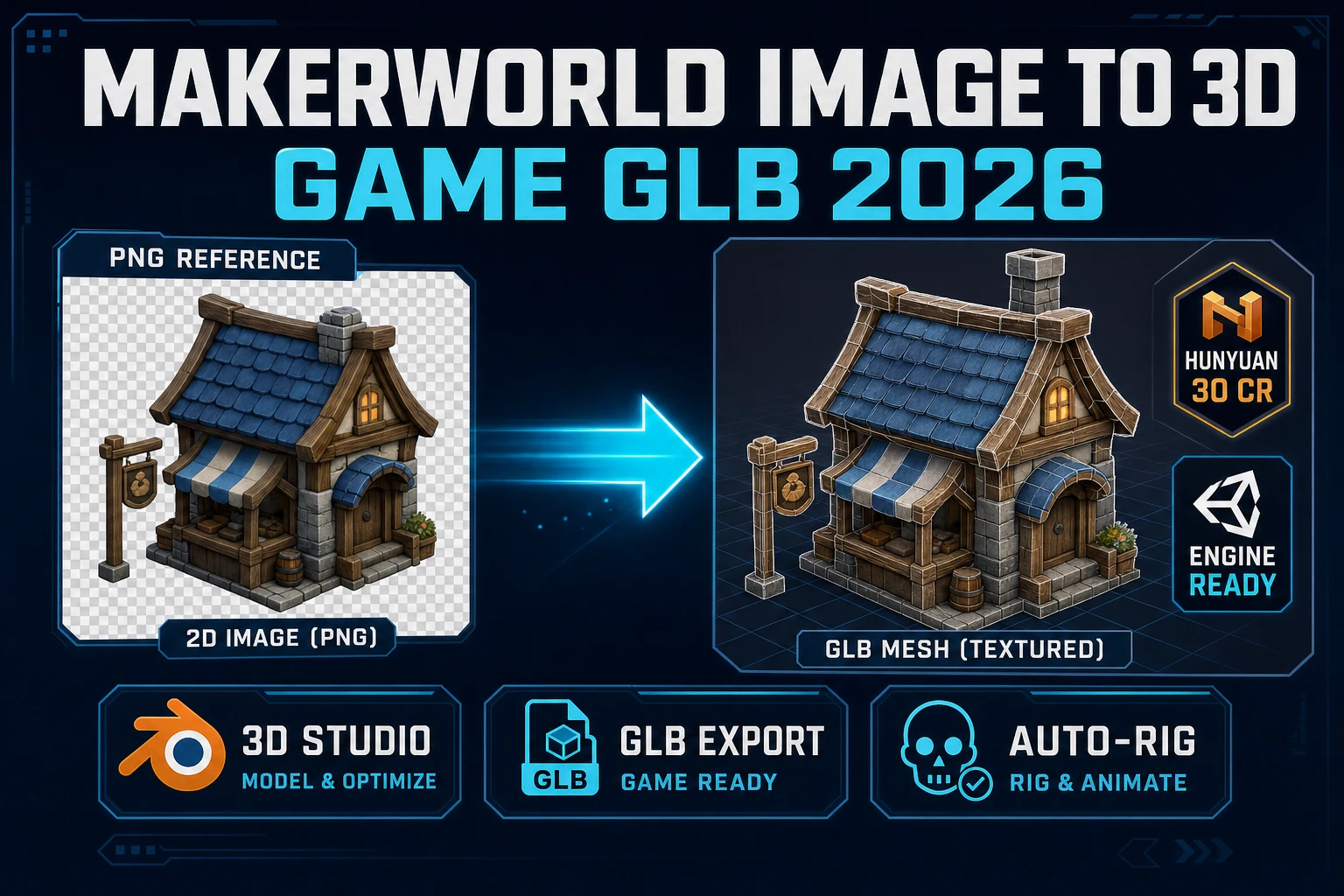
The internal pipeline is worth understanding because it explains why some outputs come out clean and some do not. The first stage is a text-to-3D or image-to-3D pass on Hunyuan 3D 3.1. This is the paid stage: the input is a single image (or a prompt-generated image via AI Image Gen), the model runs in the cloud, and the output is a smooth 3D mesh at somewhere between 40,000 and 1,500,000 polygons depending on the request. The mesh is not yet a voxel - it is a photorealistic 3D reconstruction of the input, with textures, and it takes several minutes end-to-end.

The second stage is voxelization, and it runs in the browser. The mesh is sliced against a uniform grid at your chosen voxel resolution, and each grid cell that intersects the mesh is filled with the dominant color from the mesh texture at that cell. The result is a discrete voxel grid - typically a few thousand active cubes for a game character - stored as a list of (x, y, z, palette_index) tuples plus a small palette array. This is what the exported GLB actually carries: not the smooth mesh, but the voxel grid.

The third stage is the rig editor, also in the browser. The voxel grid loads into a viewport where bones can be placed manually (the panel gives you a humanoid template and a multi-leg template as starting points), or the rig can be inferred automatically from the voxel silhouette. The rig data (bone positions, parent-child chains, per-voxel weight assignments) serializes into the same GLB as the voxel grid, which is the trick that makes the exported character actually animated in an engine rather than static.

Two things are worth noting about this pipeline. First, the paid step is exactly one call - the Hunyuan pass - and everything else is free (uploads, voxelization, rig placement, GLB export). Second, if you already have a 3D model, you skip the paid step entirely: upload a GLB, GLTF, FBX, OBJ, or STL and the panel jumps straight to voxelization. That path is a legitimate way to voxelize existing assets without spending credits.
Auto-rig, multi-leg rig, and text-to-motion inside Voxel Studio

Rigging is where most voxel editors quietly hand you off to another tool. Voxel Studio holds the whole loop inside the same panel because a voxel character without a rig is a diorama, not a game asset. Two rig types cover the practical majority of game characters.

The humanoid rig is the biped default: head, spine, arms, legs, hands. It maps cleanly to the standard skeletal animation conventions that every mainstream engine already understands, which means the exported GLB can drive walk cycles, idle loops, attacks, and death animations without a custom animation controller. The rig template pre-places the bones at the anatomically obvious voxel positions, and the editor lets you nudge them if the character has non-standard proportions (a very tall neck, one arm shorter than the other, a tail treated as a fifth limb).

The multileg rig is the procedural-walk-friendly option for creatures with more than two legs: spiders, insects, quadrupeds, crab-like enemies, chairs-that-walk. Verified 2026-09-05 in the panel's rig types, the multileg mode swaps the humanoid template for a body-plus-N-legs template and hooks into the companion Procedural Walk system to generate a physically plausible walk cycle at runtime. This is a significant win for a solo dev because a hand-authored six-legged walk cycle takes days; procedural walk generates one in the browser in seconds.

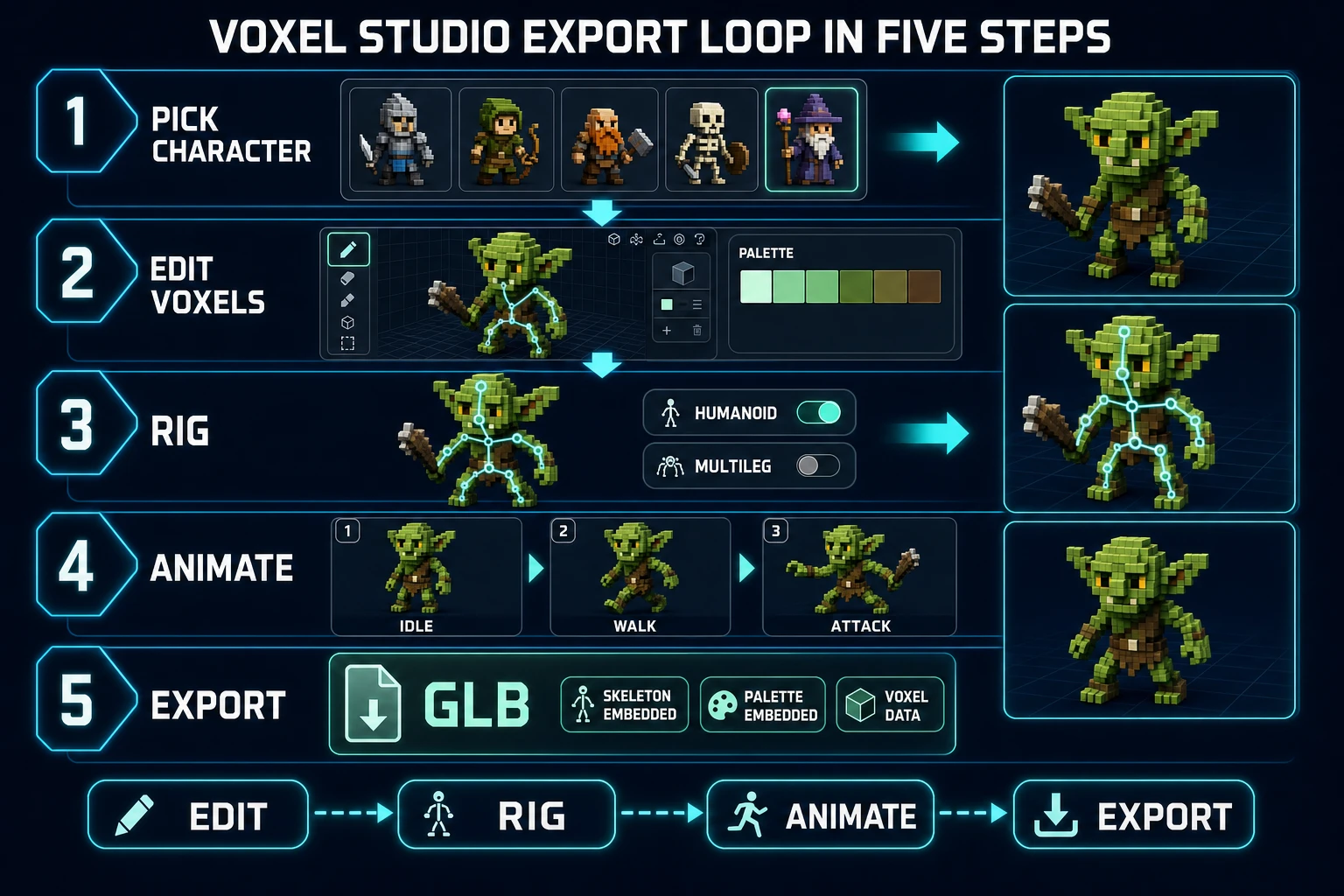
Both rig types feed the same downstream animation surface. Once a voxel character is rigged as humanoid, the panel exposes a text-to-motion prompt (walk cycle, idle, attack, cast) that the humanoid animate flow renders as a bone-driven animation on top of the voxel skin. The animation lives on the same GLB export, so the game engine sees one file with mesh, palette, rig, and animation clips already attached.

Voxel Studio export loop in five steps: pick character, edit voxels with pencil and palette, rig with humanoid or multileg toggle, animate with idle walk attack storyboard, export GLB with skeleton and palette embedded
The five-step export loop: pick, edit, rig, animate, export. The GLB at the end carries voxel grid, palette, skeleton, and any animation clips - one file, one drag-and-drop into the engine.

Exporting a game-ready voxel character (GLB, voxel data, skeleton)

The export format is glTF Binary (GLB), which is the modern standard supported by every mainstream engine (Three.js in the browser, Godot, Unity, Unreal, Bevy, and every WebGL runtime). The GLB from Voxel Studio carries four payloads: the merged voxel mesh (one geometry buffer covering the whole character), the shared palette (a single small texture the mesh samples), the skeleton and weight assignments (bones with parent-child links and per-vertex weights), and the animation clips (bone tracks if you generated any). One file, all the parts.

The dual-format story matters when the game engine wants voxel data directly rather than a pre-merged mesh - for example, a game that streams voxel chunks and wants to modify the character voxels at runtime. Voxel Studio also serializes the raw voxel data as JSON alongside the GLB: an array of (x, y, z, palette_index) tuples plus the palette. Engines that already have a voxel renderer can consume this JSON directly and skip the GLB entirely, and Sorceress uses it internally for the character library (so you can re-load a saved voxel character back into the editor without re-voxelizing from the original image).

The browser game tooling story is the smoothest of any deployment target. A GLB from Voxel Studio drops directly into a <three-viewer>-style component, into a Phaser 3D scene, or into a Babylon.js loader with zero conversion. The animation clips play out of the box, the palette shows up correctly on the first frame, and the rig responds to standard bone-target animation commands. This is why the browser-first path is the honest recommendation for a solo dev - you skip an entire build/deploy cycle by keeping the game in the same runtime environment as the asset pipeline.

Mistakes that quietly break an ai voxel generator run

Four mistakes come up in every Voxel Studio support thread. Each one looks reasonable in isolation and each one silently costs credits or produces an unusable voxel character.

  • Feeding a busy background image to the image-to-3D step. Hunyuan 3D reads the whole image and tries to reconstruct any recognizable 3D shape it finds, which means a hero on a battlefield backdrop can produce a half-hero-half-tent voxel blob. Pre-cut the character out (a clean transparent PNG works best) or use a plain-color background before feeding it in. The AI Image Gen panel can render the character directly on a solid backdrop with a single prompt line.
  • Voxelizing at too-high a resolution. The voxelizer will happily produce a 128-cube-wide character if asked. The result is not a voxel character; it is a small polygon character with block edges. The visual style depends on cube-visibility - the eye needs to see the cubes to read the piece as voxel art. A game-usable character sits between 24 and 48 voxels tall; taller than that loses the style.
  • Skipping the rig step and exporting a static block. The GLB exports fine without a rig, but the character will not animate in-engine. If the character is a static prop (a tree, a rock, a crate), that is correct. If it is anything that needs to move, spend the free rig-step time in Voxel Studio rather than trying to bolt on a skeleton in Blender after the fact - the voxel geometry does not map cleanly to standard human-mesh rigging tools because it is a merged voxel surface, not a topological character mesh.
  • Uploading a 3D model but expecting stylized voxel output. Model uploads voxelize whatever geometry you send. A high-poly photorealistic mesh will produce a photoreal-looking voxel with dozens of near-identical palette entries, which is exactly the color-quantized blur voxel art avoids. The upload path shines with low-poly or already-stylized models; for a stylized voxel character from a photorealistic reference, use the image input and let Hunyuan 3D reconstruct a cleaner shape first.

Fifth mistake, less obvious: iterating on the voxel resolution instead of the input image. If the voxel character does not read right, the fix is almost always upstream - a cleaner reference image, a better silhouette, a tighter prompt to AI Image Gen. Voxelization is a compression step; you cannot recover detail the input image did not carry. Iterate on the image first, then voxelize once.

What an ai voxel generator run costs on Sorceress in 2026

The credit math is straightforward because there is exactly one paid stage in the pipeline. Verified 2026-09-05 in src/lib/voxelgen-hunyuan.ts: the Hunyuan 3.1 image-to-voxel pass is 25 credits per generation. Everything else in the panel - upload, voxelization, palette selection, rig placement, humanoid or multi-leg mode, animation clip generation, GLB export, voxel-data JSON export, library save - is free because it runs client-side on assets that already exist in your session.

Practical implications for a solo dev budgeting a game roster:

  • Small roster (5 characters): five Hunyuan passes at 25 credits each = 125 credits. On the Sorceress Lifetime Early Access tier this is a rounding error; on any paid monthly plan it is well under a dollar of usage. Full pricing lives on /plans.
  • Medium roster (25 characters): 625 credits. Still comfortably in one month of any paid tier, and produces enough characters to fill a full RPG cast, a jam-scale roster, or a browser-strategy-game's unit lineup.
  • Uploaded-model path: free per character. If the input is already a 3D model (a low-poly character you rigged yourself, a stock asset, a scanned figure), the whole pipeline runs client-side at zero cost and you keep all 125 or 625 credits for other tools.

The related best free ai 3D model generator walkthrough covers the free-tier landscape for the upstream 3D step in detail. If you want to compare voxel-first vs polygonal 3D character workflows, the AI 3D character generator post is the sibling piece. Voxel Studio, 3D Studio, and the animation tools are all listed on the Sorceress tools guide with their exact tier badges.

Where a voxel character fits inside the Sorceress pipeline

A rigged voxel character is upstream of most of the visual side of a Sorceress game project. It is the artifact that unlocks the animation library (via the humanoid animate flow), the multi-leg walk system (via Procedural Walk), the 3D scene composition workflow (via 3D Studio import), and the in-engine drop-in for the game build itself. The definition to remember: an ai voxel generator is not a single button; it is a browser-native pipeline that takes an image or a prompt through mesh generation, voxelization, rigging, and GLB export inside one panel. Sorceress Voxel Studio is that pipeline, verified 2026-09-05 against the source, and the 25-credit Hunyuan pass is the only paid step in the loop.

Frequently Asked Questions

What is an ai voxel generator?

An ai voxel generator is a workflow that converts a text prompt, a single image, or a 3D model into a voxel-based 3D character or prop - a grid of small cubes with a shared color palette. The Sorceress Voxel Studio panel at /voxelgen is that workflow in a browser tab: image-to-3D runs on Tencent Hunyuan 3D 3.1 at 25 credits per pass (verified 2026-09-05 in src/lib/voxelgen-hunyuan.ts), the resulting mesh is voxelized in the browser, and the voxel character can be auto-rigged for a humanoid skeleton or procedurally rigged for a multi-legged creature before exporting to GLB.

How much does an ai voxel generator run cost on Sorceress?

Verified 2026-09-05 in src/lib/voxelgen-hunyuan.ts: the Hunyuan 3.1 image-to-voxel pass is 25 credits per generation. Uploading an existing 3D model (GLB, GLTF, FBX, OBJ, or STL) and voxelizing it in the browser is free because no external inference happens on the upload path. Auto-rigging a humanoid inside the voxel editor is free (the rig runs client-side on the voxel data), and the GLB export is free. Full credit and tier detail lives on /plans.

Can an ai voxel generator produce a Minecraft-style character?

Yes. Voxel Studio outputs voxel meshes with an explicit x-y-z grid, a shared color palette, and a voxel-size parameter, which is the same primitive Minecraft uses for its block characters. The palette is derived from the source image so the output reads as a stylized voxel version of the input character rather than a color-quantized blur. The exported GLB drops into any engine that reads glTF, including browser engines and Unity or Unreal.

What input formats does the Sorceress ai voxel generator accept?

Two paths. First, an image input (or a text prompt via the linked AI Image Gen surface): the panel drives Tencent Hunyuan 3D 3.1 to produce a 3D mesh, then voxelizes that mesh in the browser at your chosen voxel resolution. Second, a 3D model upload: verified 2026-09-05 in src/app/voxelgen/page.tsx, the accepted extensions are .glb, .gltf, .fbx, .obj, and .stl. Model uploads skip the paid image-to-3D step entirely and go straight into the voxelizer.

Does the ai voxel generator include auto-rigging?

Yes, and it is the feature that separates Voxel Studio from a static voxel painter. Verified 2026-09-05 in src/app/voxelgen/page.tsx, the rig editor supports two rig types: humanoid (the standard biped skeleton, ready for walk-cycle animations and the humanoid animate flow) and multileg (procedural walk rigging for spiders, insects, quadrupeds - any creature with more than two legs). The rig data serializes alongside the voxel data on export so the character arrives in your engine rigged, not as a static block model.

Sources

  1. Voxel - Wikipedia
  2. 3D modeling - Wikipedia
  3. Skeletal animation - Wikipedia
  4. Games - MDN Web Docs
  5. glTF - Wikipedia
Written by Arron R.·2,955 words·13 min read

Related posts