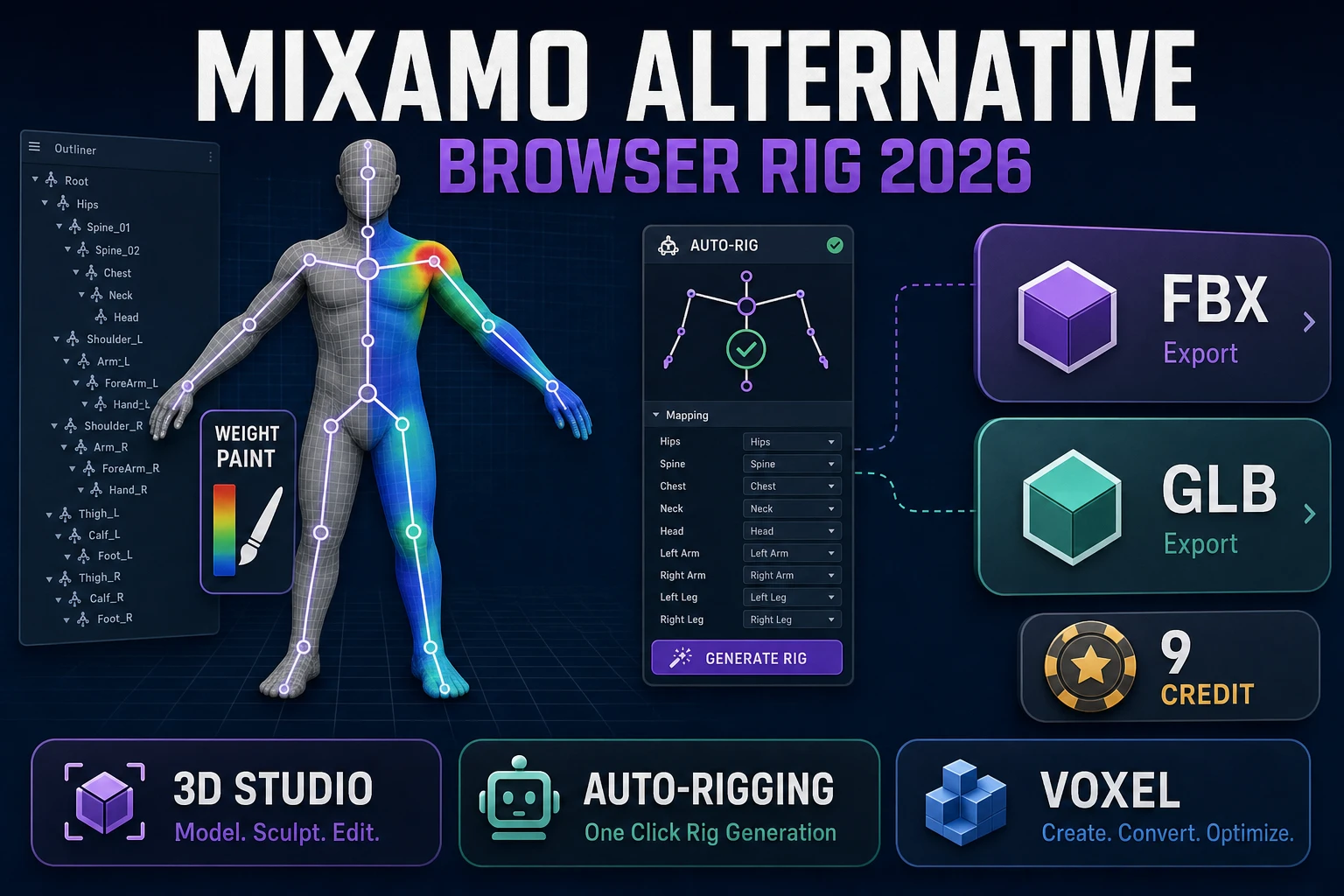
People who type Mixamo alternative into a search box in 2026 are not researching rigging in the abstract. They already know Mixamo exists, they have already run into one of its limits — the Adobe ID prompt, the humanoid-only auto-rigger, the vanishing character history, the country block — and they want a swap they can open in a browser tab today. This page treats the query as a shipping problem: what searchers actually need, what Mixamo still does well and still refuses to do, and how the 3D Studio plus Auto-Rigging plus Voxel Studio stack on Sorceress covers the same job in one browser session with different tradeoffs.
What a Mixamo alternative search actually wants in 2026
DataForSEO lists mixamo alternative at 210 searches a month with KD 5 and low competition (verified 2026-09-29 in tools/research-supplement.md). The related long-tails — mixamo alternative free, mixamo auto rigger alternative, mixamo animation alternative, mixamo rigging alternative — all cluster around the same shipping need: a working browser tool that either replaces Mixamo entirely or fills in a specific gap Mixamo cannot cover. The Auto-Rigging tool inside Sorceress explicitly names Mixamo alternative as a long-tail candidate in its own catalog entry, which is what surfaced this page in the first place.
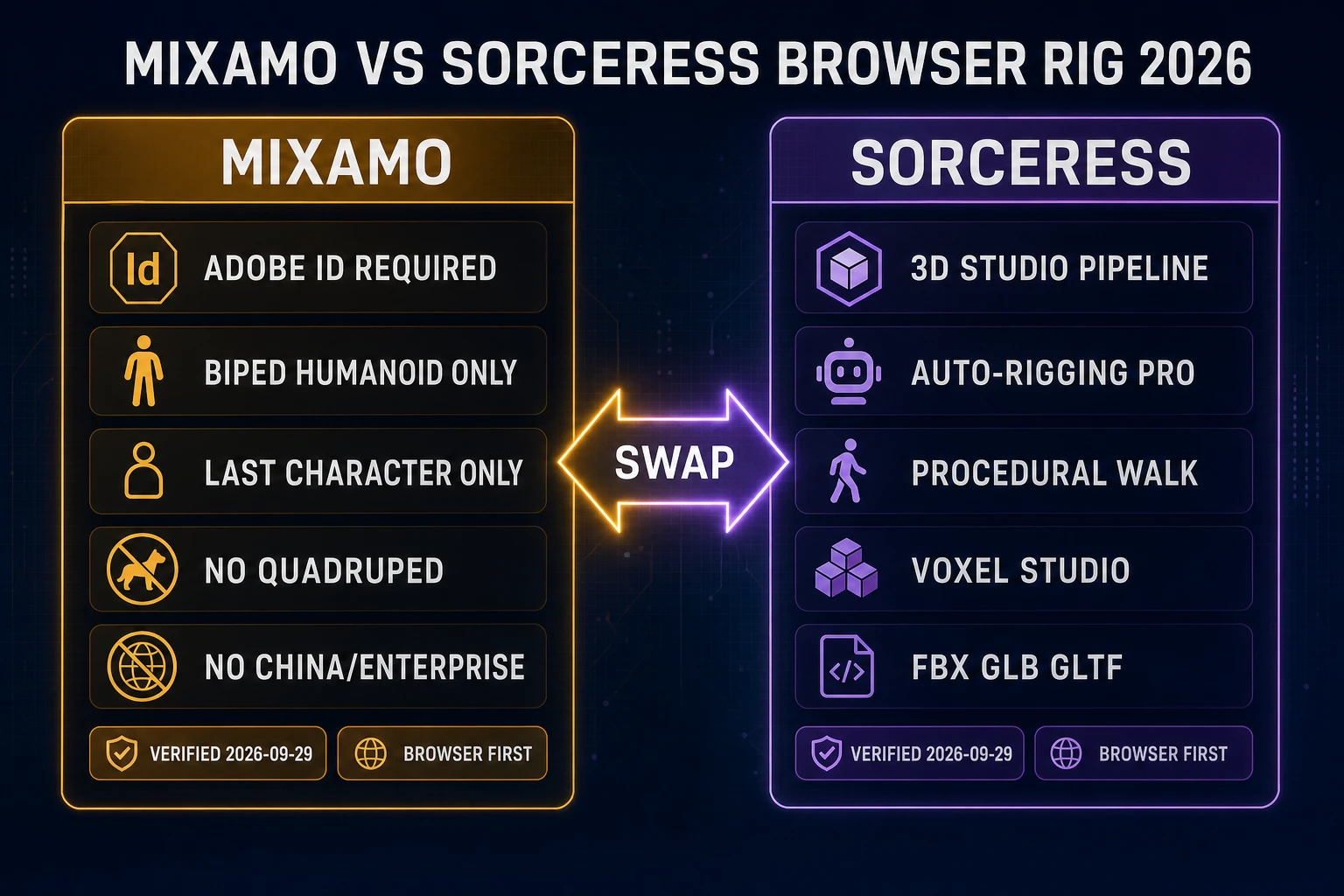
Two audiences share this query. The first has a specific technical block: Enterprise or Federated Adobe IDs cannot use Mixamo, and the current release of Adobe Creative Cloud in China does not include Mixamo (adobe.com FAQ, verified 2026-09-29). The second audience has a modeling block: their character is not a bipedal humanoid, so Mixamo's auto-rigger simply refuses. Both audiences want a browser tool with a real skeleton on the other side of the upload button. Neither is interested in installing Blender for a one-off rig.
Adjacent Sorceress angles already on the blog: see Bind Auto-Rig character skin for the head auto-rig query, AI character rigging browser skeleton for the AI-side framing, Auto Rig Pro free browser skeleton for the Blender plugin comparison, and AI 3D character generator for the end-to-end prompt-to-model brief. This page stays on the plain mixamo alternative long-tail and on the browser-first swap intent.
What Mixamo actually does (and still refuses to do) today
Before picking an alternative, quote the source honestly. Facts below are from the Adobe Mixamo FAQ page (helpx.adobe.com/creative-cloud/faq/mixamo-faq.html, verified 2026-09-29):
- Free with an Adobe ID. No Creative Cloud subscription required. Royalty-free for personal, commercial, and non-profit use, including video games.
- Blocked for Enterprise and Federated IDs. Studios that only issue Federated Adobe IDs to their staff cannot open Mixamo at all.
- Not available in China. The current Creative Cloud release in China does not include Mixamo.
- Bipedal humanoids only. The auto-rigger and animation library are restricted to biped humanoids with a distinguishable head, body, arms, and legs. Extra limbs, wings, tails, large hair, or large clothing may not work.
- Only the last used character is stored. Replace the character and the previous rig is gone. Adobe explicitly recommends saving rigged characters locally.
- Character must be centered at origin and in a neutral pose, with no other scene objects, no floating parts, no gaps between body parts, and a clean error-free mesh.
Mixamo's animation library is also a real asset — decades of curated motion capture that many indie devs still use in their first Unity or Unreal project. Any honest Mixamo alternative conversation acknowledges that library exists. The failure modes worth swapping around are the rigging restrictions (biped only, humanoid only, character history discarded, third-party account required) rather than the motion library itself.
3D Studio: image to rigged humanoid in one browser tab
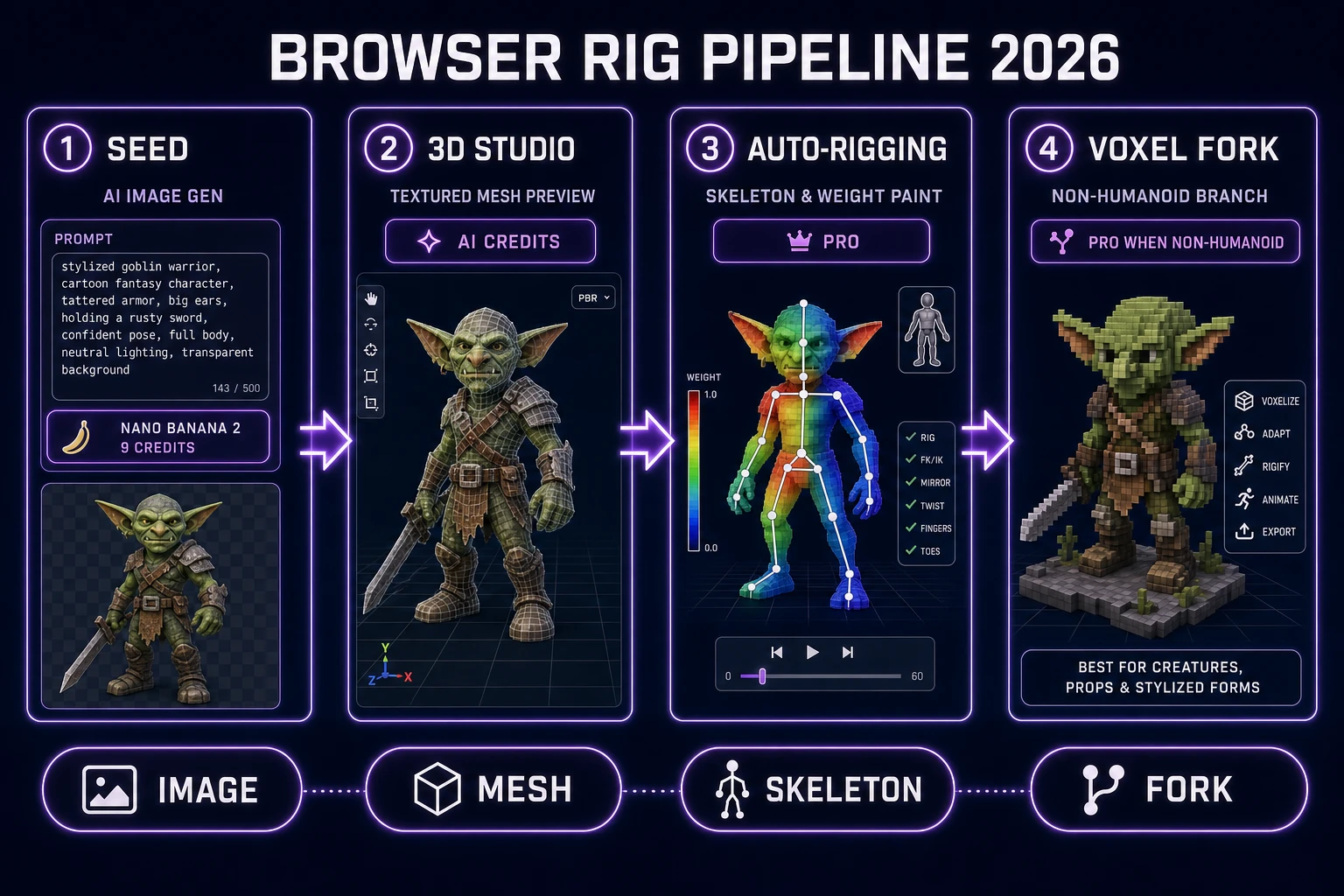
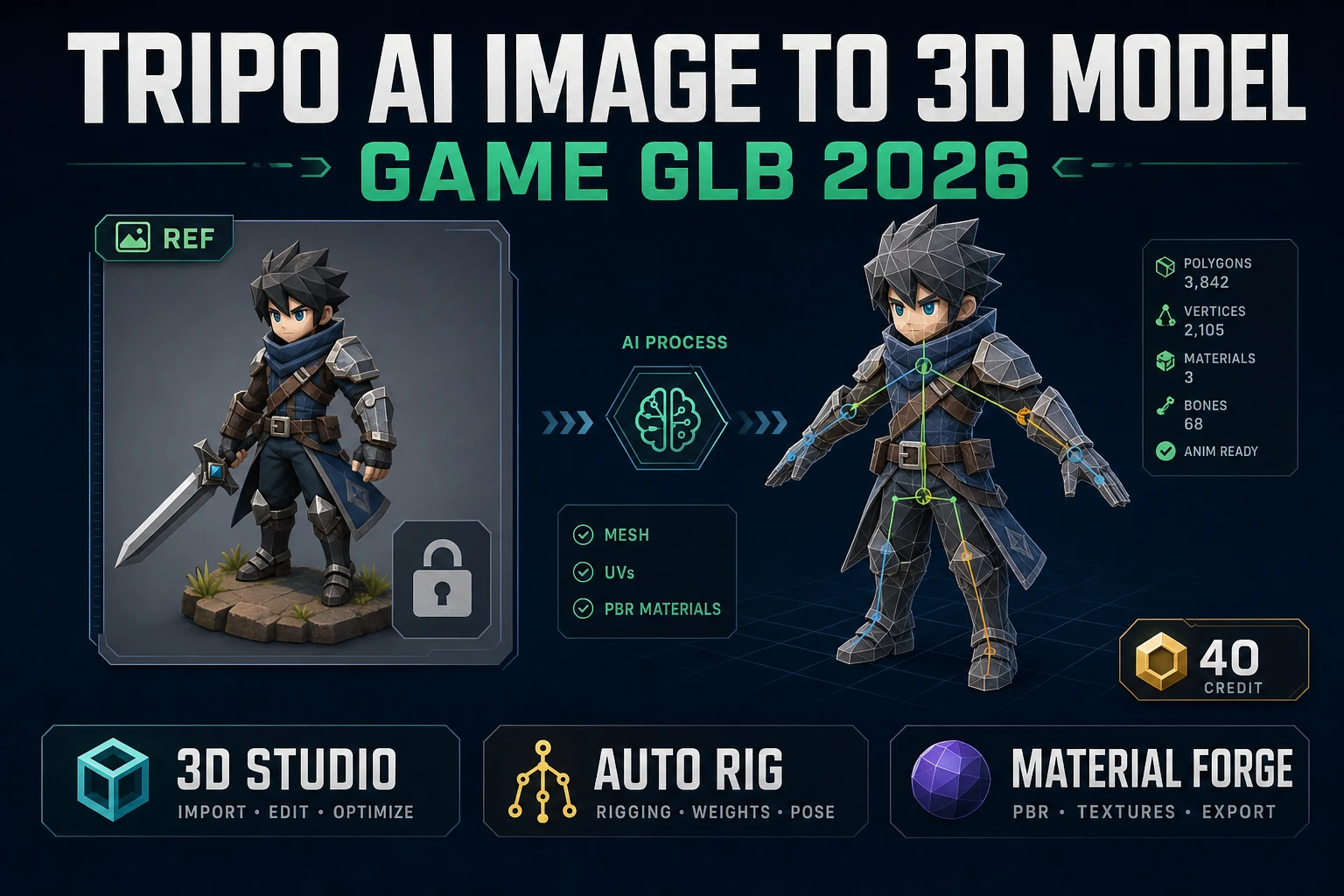
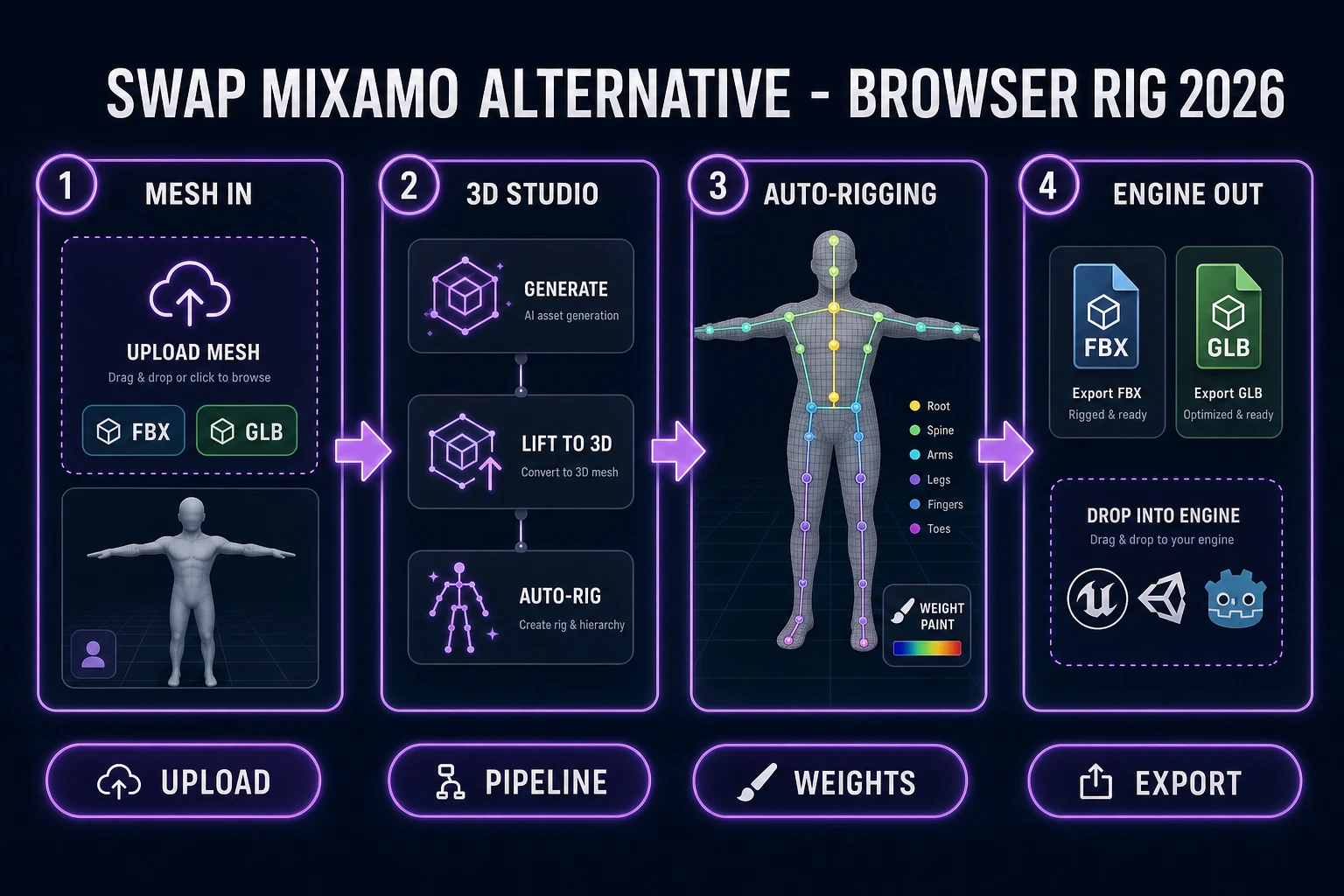
The most direct Mixamo alternative on Sorceress is 3D Studio. Its card description (verified 2026-09-29 in src/app/_home-v2/_data/tools.ts) reads: type an idea, get a fully rigged, fully animated, game-ready 3D character; the pipeline chains AI image generation, single-image to textured 3D, automatic humanoid auto-rigging with weight-paint refinement, and AI-powered text-to-animation, all exported to FBX, GLB, or GLTF for any engine. That is the four-step chain a Mixamo user would otherwise have to stitch across a modeling app, an FBX exporter, Mixamo itself, and a re-import.
The published four steps in the card data (verified 2026-09-29): (01) Generate — AI image gen turns your prompt into a concept character; (02) Lift to 3D — one-click image-to-3D produces a fully textured model; (03) Auto-rig & weight paint — humanoid skeleton attached automatically, weights refined; (04) Export — FBX, GLB, or GLTF for any engine. Mixamo lets you skip steps 01 and 02 by uploading your own mesh; 3D Studio lets you do the same by dropping a GLB or FBX directly into the pipeline.
Wikipedia's skeletal animation article (verified 2026-09-29) still defines the technique as a mesh (skin) bound to a hierarchical set of interconnected bones, with each bone influencing a weighted set of vertices. That definition is the same on Mixamo and on 3D Studio; what differs is the fidelity of the weight assignment and how much of the pipeline runs before or after the auto-rig call. On Sorceress, the humanoid skeleton is attached automatically and then the weight paint is refined — that refinement pass is the part of the pipeline Mixamo does not expose to the user.
Practical habits when you use 3D Studio as a Mixamo alternative: model or generate the character in the same T-pose or A-pose Mixamo expects (arms out, palms down, feet parallel), keep the mesh symmetric and centered on the world origin, avoid baked props or hairpieces that break the humanoid outline, and export to GLB when you plan to iterate inside the browser or to FBX when the target engine's pipeline still prefers it.
Auto-Rigging on Sorceress: the standalone Mixamo alternative
When you already own the mesh — bought on a marketplace, sculpted in Blender, exported from a legacy Mixamo session before an account change — the direct Mixamo alternative is the standalone Auto-Rigging tool. The more-tools card (verified 2026-09-29 in src/app/_home-v2/_data/tools.ts) describes it as: auto-rig humanoid 3D models plus weight-paint refinement, badge Pro, href /rigging, group 3D & Animation.
Pro tier is the honest tradeoff here. Mixamo is free with an Adobe ID; Sorceress Auto-Rigging is a paid tool inside the Pro subscription. In exchange, you get a browser session that does not depend on an Adobe account, does not vanish the last uploaded character when you upload a new one, and pairs natively with the rest of the Sorceress stack — AI Image Gen for the concept, Material Forge for PBR maps, and Procedural Walk for creatures Mixamo cannot rig at any price.
Weight paint is the piece both tools claim and only one exposes to the user. Mixamo's rigger is a closed pipeline: upload, place markers, download a skinned FBX. Auto-Rigging on Sorceress runs the humanoid auto-rig in the same one-click fashion, then keeps the weight-paint refinement step visible so you can adjust the influence of a bone before you commit the export. That single step is often the difference between a Mixamo mesh that deforms cleanly at the shoulder and one that pinches; on Sorceress you can see the weights instead of guessing at them.
The upload contract is the same shape on both sides: bring an FBX or GLB in a neutral pose, centered on origin, symmetric, no extra scene objects. Sorceress's rigging page accepts both FBX and GLB (verified 2026-09-29 by grepping src/app/rigging/page.tsx for parseFBX and parseGLB). If your Mixamo rejection was a strict humanoid-only refusal — a character with tails, wings, or extra limbs — you are not in Auto-Rigging territory either. Skip to the Voxel Studio and Procedural Walk sections below.