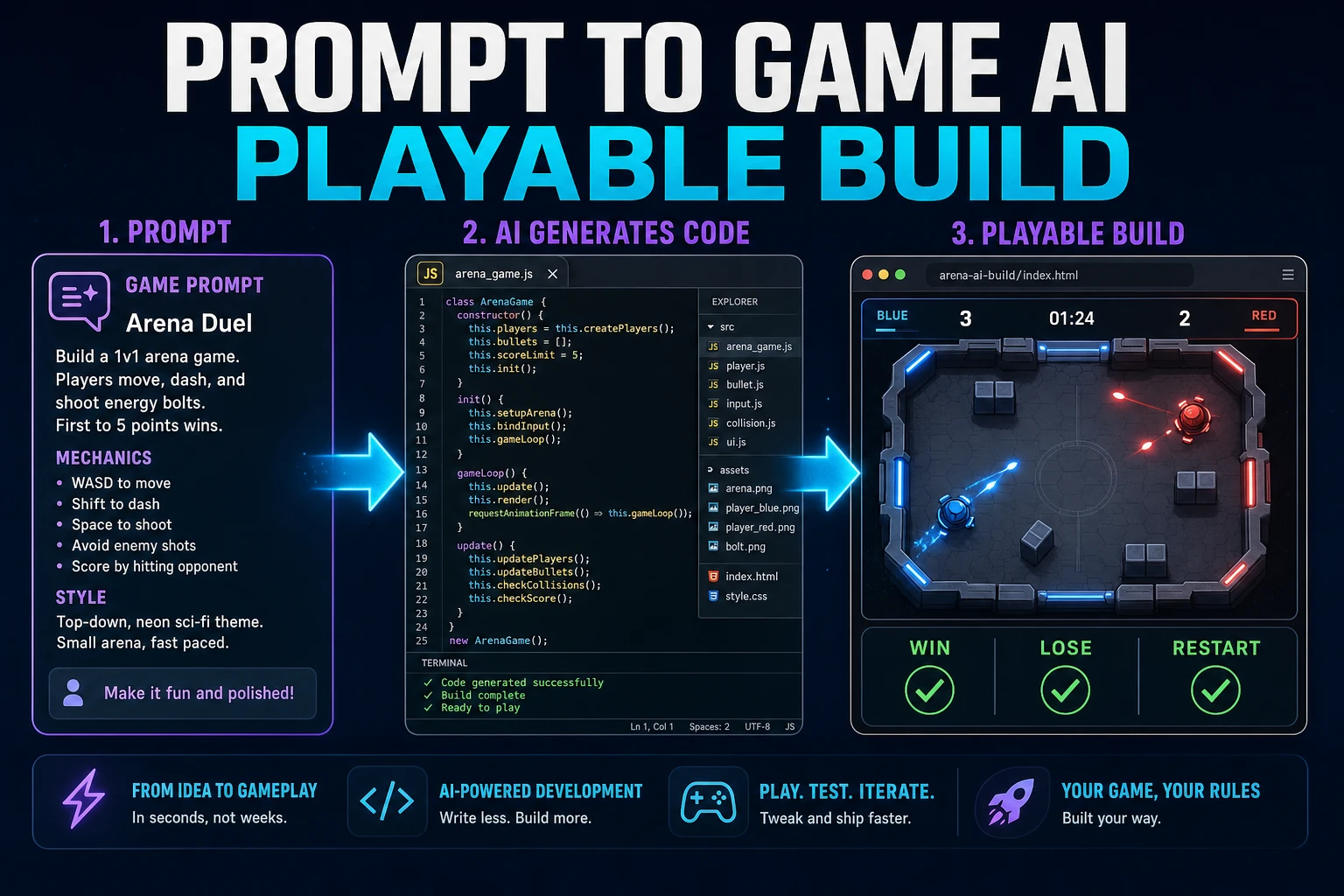
A prompt can produce a convincing title screen while the game underneath has no clear rules, no failure state, and no reason to play twice. The fix is to prompt for one complete gameplay loop, test it immediately, and expand only after the loop survives real input. The Sorceress workflow described here was verified against the live WizardGenie and asset-tool source on July 19, 2026; the linked web-game standards references were checked on the same date.
What a prompt to game AI must produce beyond source code
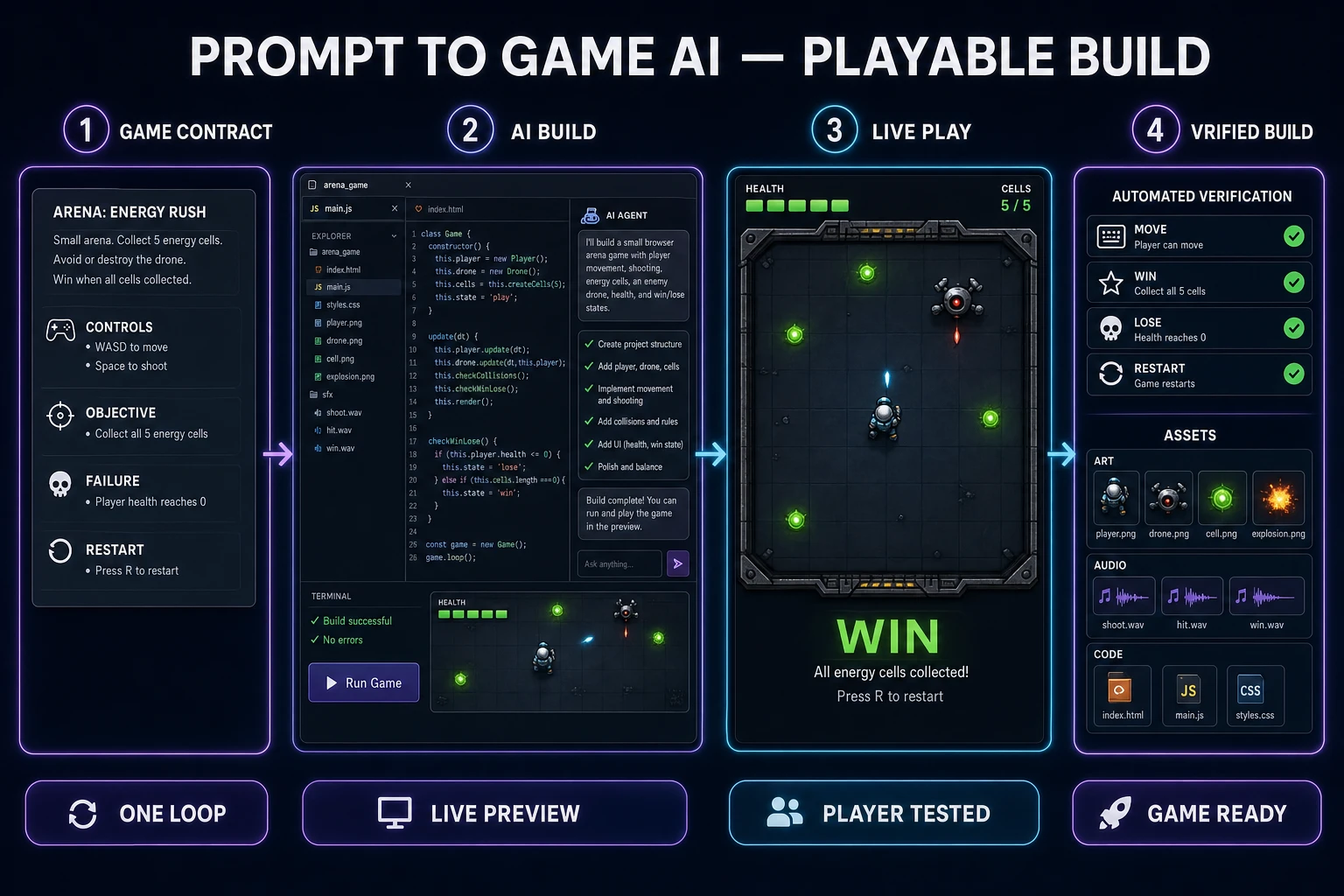
The primary keyword prompt to game ai has 30 monthly searches and KD 16 in DataForSEO research refreshed July 19, 2026. The phrasing points to a practical expectation: turn a written idea into something a player can control. A directory full of generated JavaScript is not the finish line. The first acceptable output is a small build with visible state, responsive controls, a repeatable challenge, and an unambiguous outcome.
Judge the build as a player before judging it as a developer. Can you identify what to do within a few seconds? Does input produce immediate visual feedback? Can you win, lose, and restart? Does difficulty change because of rules rather than random glitches? If any answer is no, adding menus, lore, particles, or more levels only hides the missing foundation.
The web is already a capable game platform. MDN’s game development center describes browser games as combinations of core web technologies and the APIs commonly used for graphics, input, audio, and distribution. That matters for prompting because the agent does not need to invent a runtime. It needs a precise contract for how those pieces should behave together.
WizardGenie is available on web and desktop. Its live product source describes an AI coding agent that reads the project, writes and edits files, runs the game, debugs failures, and iterates against a hot-reloading preview. That closed loop is the useful part of prompt-to-game development: the agent can inspect the result it just created instead of handing you an isolated code block.
Scope one playable loop before writing the first prompt
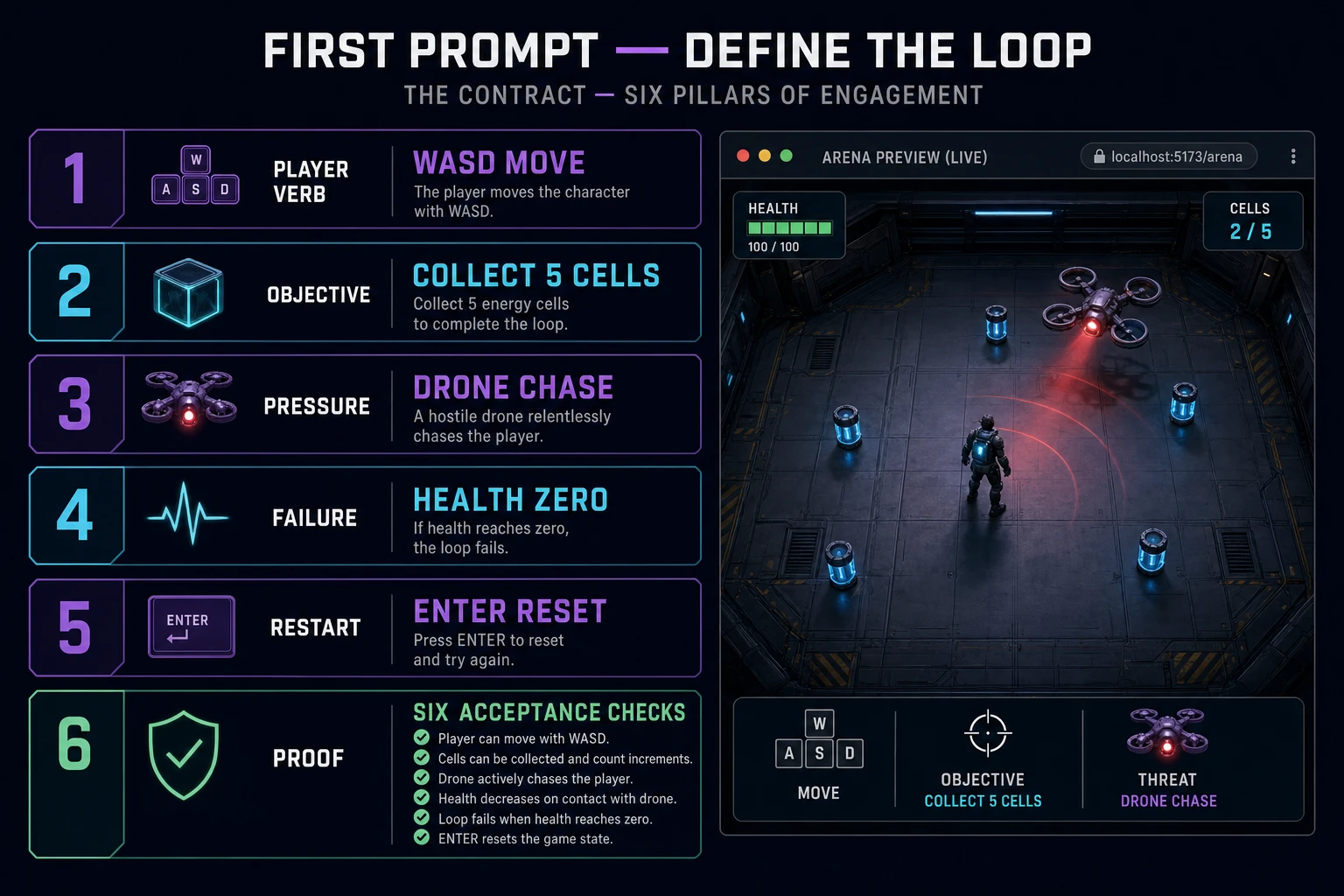
Write a six-line game contract before opening the agent. Keep each line observable:
- Player verb: move, aim, place, dodge, match, or choose.
- Objective: survive for a duration, collect a target, reach an exit, or clear a board.
- Pressure: enemies, a timer, limited moves, hazards, or shrinking space.
- Failure: health reaches zero, time expires, the stack overflows, or the objective becomes impossible.
- Restart: one visible action returns every gameplay variable to a known state.
- Proof: a short acceptance checklist that a person can test in the preview.
For a compact arena game, the contract could be: “Move with WASD. Collect five energy cells. One drone chases the player and contact removes health. Win when the fifth cell is collected. Lose at zero health. Enter restarts from a clean state.” That specification is small enough to build in one pass and complete enough to expose broken state management.
Keep presentation constraints separate from gameplay constraints. “Purple neon dungeon” is an art direction. “The exit unlocks after five cells” is a rule. Mixing both into an unstructured paragraph encourages the agent to spend effort on the most descriptive nouns while overlooking transitions between play, win, loss, and restart.
Include controls explicitly. MDN’s verified guide to desktop mouse and keyboard controls shows why input is state, not decoration: keydown and keyup events update held-button state, and the game loop consumes that state each frame. A prompt that says only “add movement” leaves acceleration, diagonal behavior, focus loss, and alternate keys unresolved.
Run the Sorceress prompt to game AI workflow
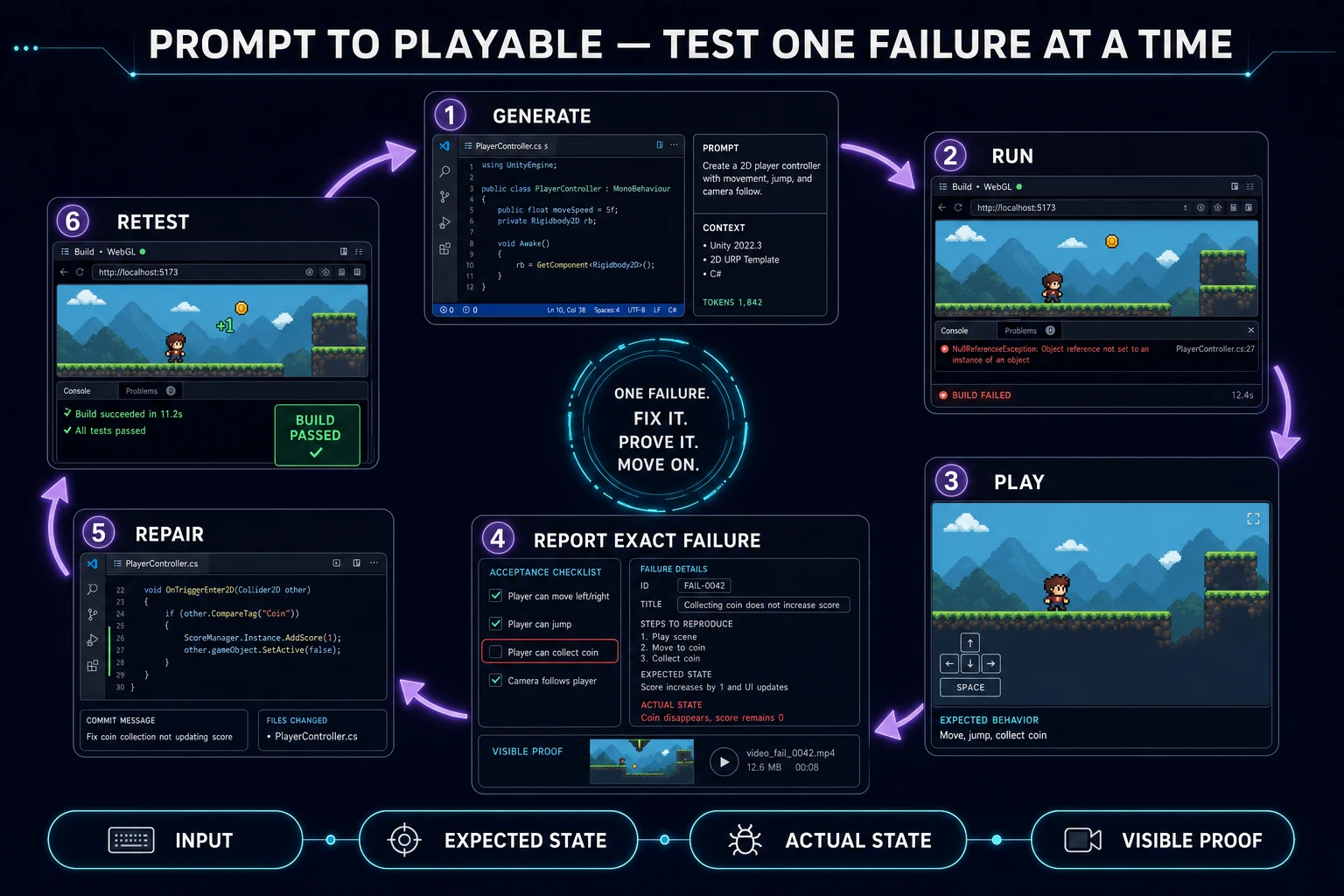
Use this seven-part loop:
- Create or open one WizardGenie project.
- Give the agent the six-line game contract and request the smallest playable implementation.
- Ask it to run the project and fix launch, console, and asset-loading errors.
- Play the loop yourself before requesting another feature.
- Report one failed acceptance check with exact observed behavior.
- Add approved art from AI Image Gen and cues from SFX Gen only after the rules pass.
- Repeat the full win, loss, and restart test after every meaningful change.
Ask for a playable slice, not a complete genre. “Build an RPG” implies dialogue, inventory, combat, progression, quests, maps, saving, and UI without saying which one proves the concept. “Build one room where the player talks to a guard, receives a key, unlocks a gate, and can reset the scene” gives the agent a bounded state graph.
Tell the agent to preserve working behavior while changing one layer. A useful iteration request names the invariant: “Replace placeholder cells with these images, but do not change spawn positions, collision bounds, collection count, or restart behavior.” The invariant prevents an art pass from quietly becoming a gameplay rewrite.
Use the preview as evidence. Paste the exact console error when one exists. When the failure is visual, describe the input, expected result, and actual result: “After pressing Enter on the loss screen, the player resets but the drone remains at its previous position.” That is actionable state evidence. “Restart is broken” is not.