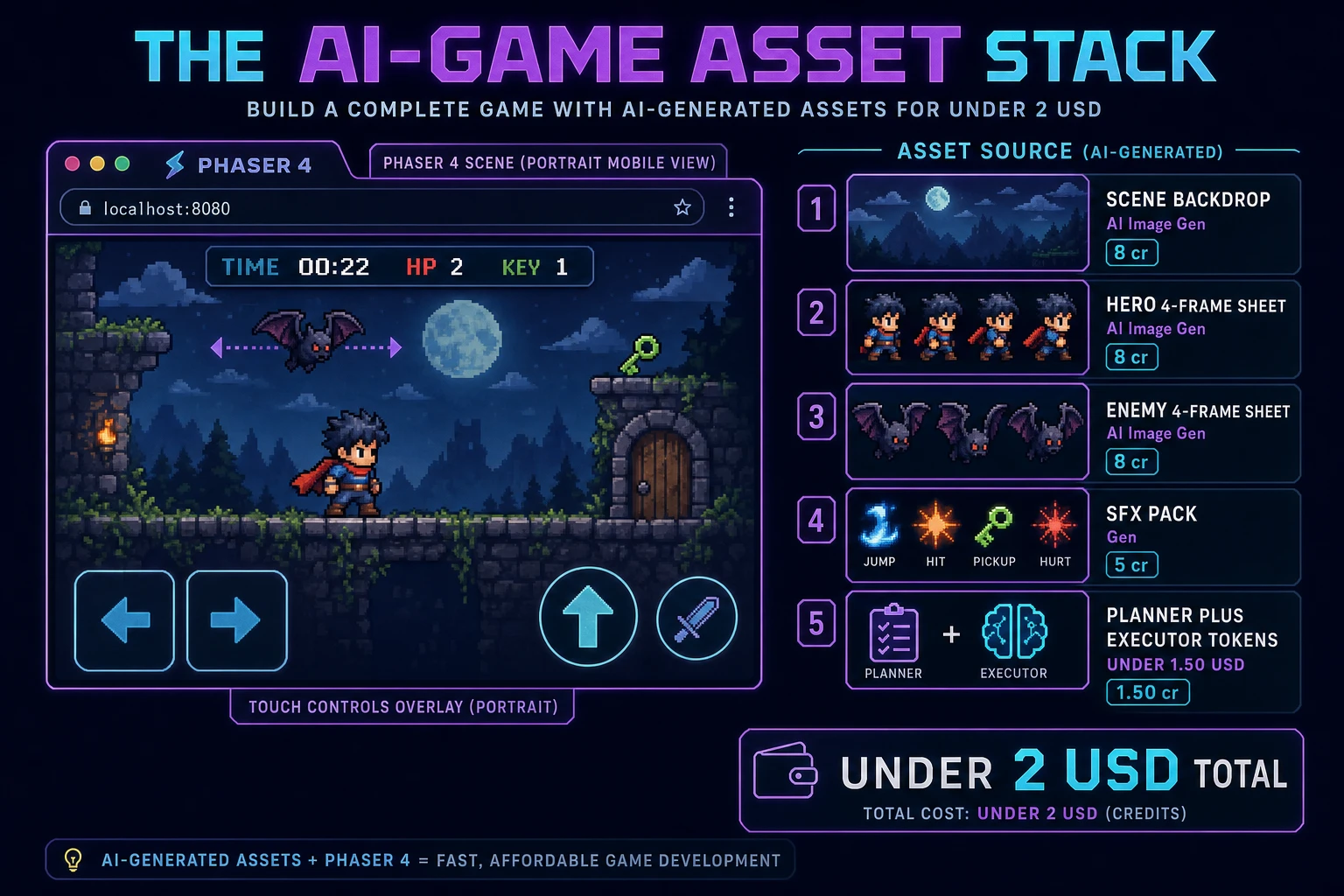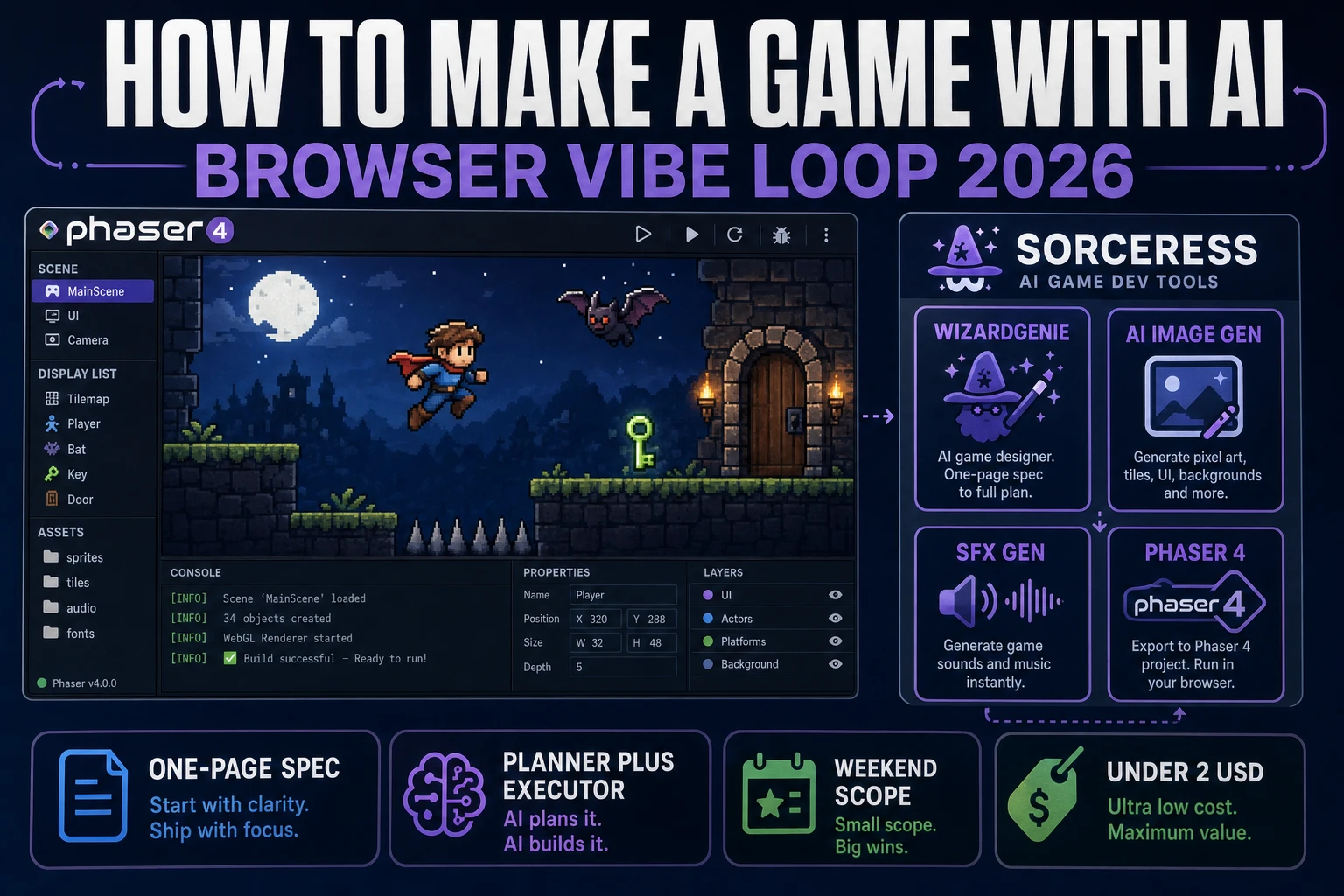
Most beginners who search "how to make a game with ai" want the honest 2026 answer, not a demo reel - a natural-language prompt describes a small game, a coding agent scaffolds a working browser build in the next twenty minutes, and a handful of AI-generated assets dress the scene by lunch. That reality lives one browser tab away in 2026 and it is not "vibe a sentence, ship Hades." A coding agent is an agent, not autopilot: the human still writes a tight one-page spec that names the verb, the win state, and the scope, picks a Planner+Executor model pair to keep costs sane, watches the first ten seconds of the run, and issues small precise fixes for the next hour. The game engine underneath is Phaser v4.2.1 "Giedi" (released 9 July 2026, verified 2026-09-01 on the official Phaser stable download page) for the browser loop, plain HTML Canvas 2D for the render surface, and JavaScript for the language. The AI stack on top is WizardGenie for the code scaffolding, AI Image Gen for the backdrops and sprites, SFX Gen for the cues, and Music Gen for the bed. This guide is the honest end-to-end for how to make a game with ai in 2026 as a weekend browser build you can actually finish.
What how to make a game with ai actually means in 2026 (agent, not autopilot)
The query "how to make a game with ai" hides three intents. Some searchers want a philosophical piece on whether AI will replace game designers - it will not, and that is a separate essay. Some want a survey of every AI game engine on the market - a comparison article for a different day. The intent this guide targets is the third and by far the largest: a beginner who wants a step-by-step recipe to prompt a coding agent, get back a browser playable, and dress it with AI-generated art and audio inside a weekend. That reader wants working code, not a manifesto, and the honest 2026 answer is the prompt-run-patch loop described below.
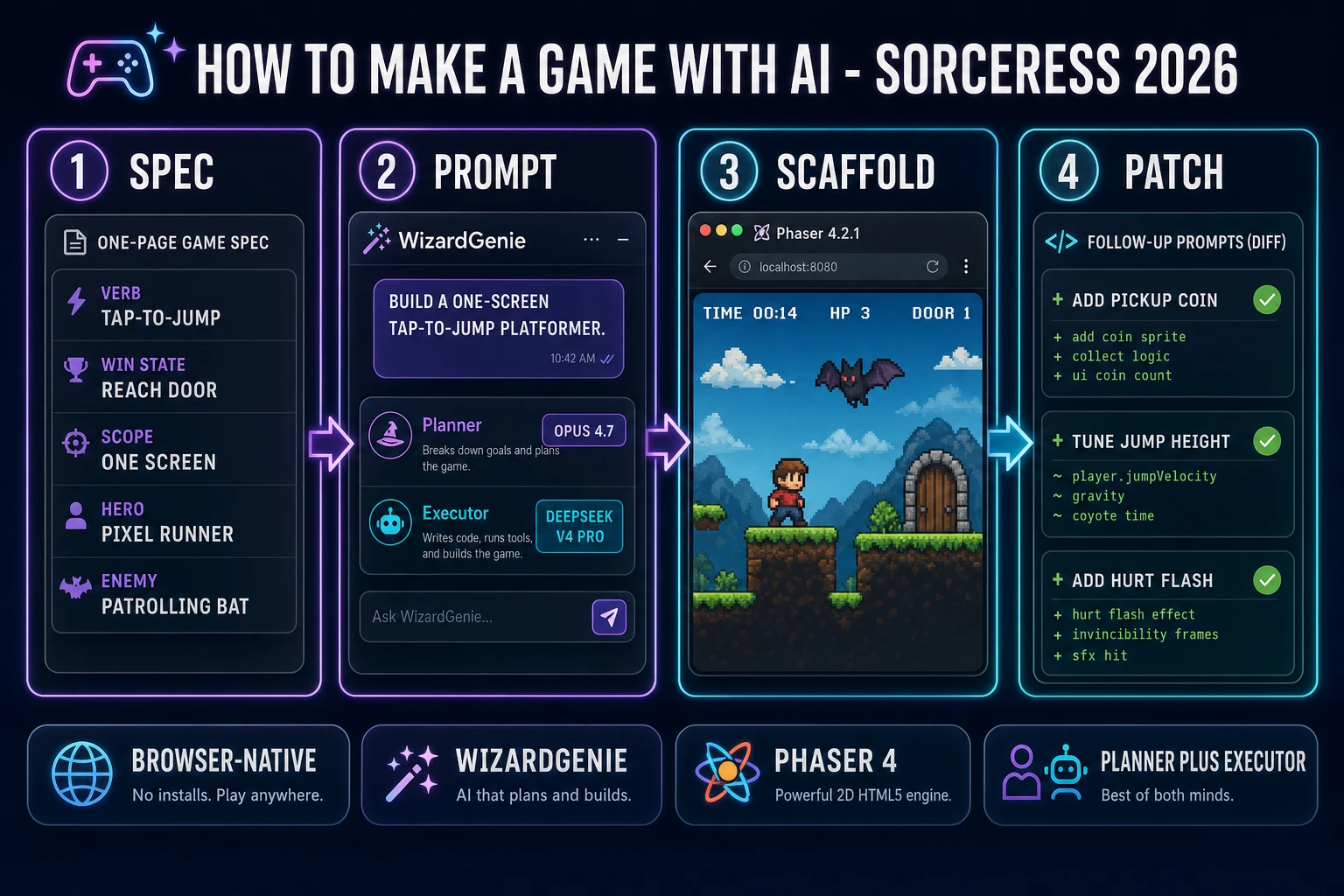
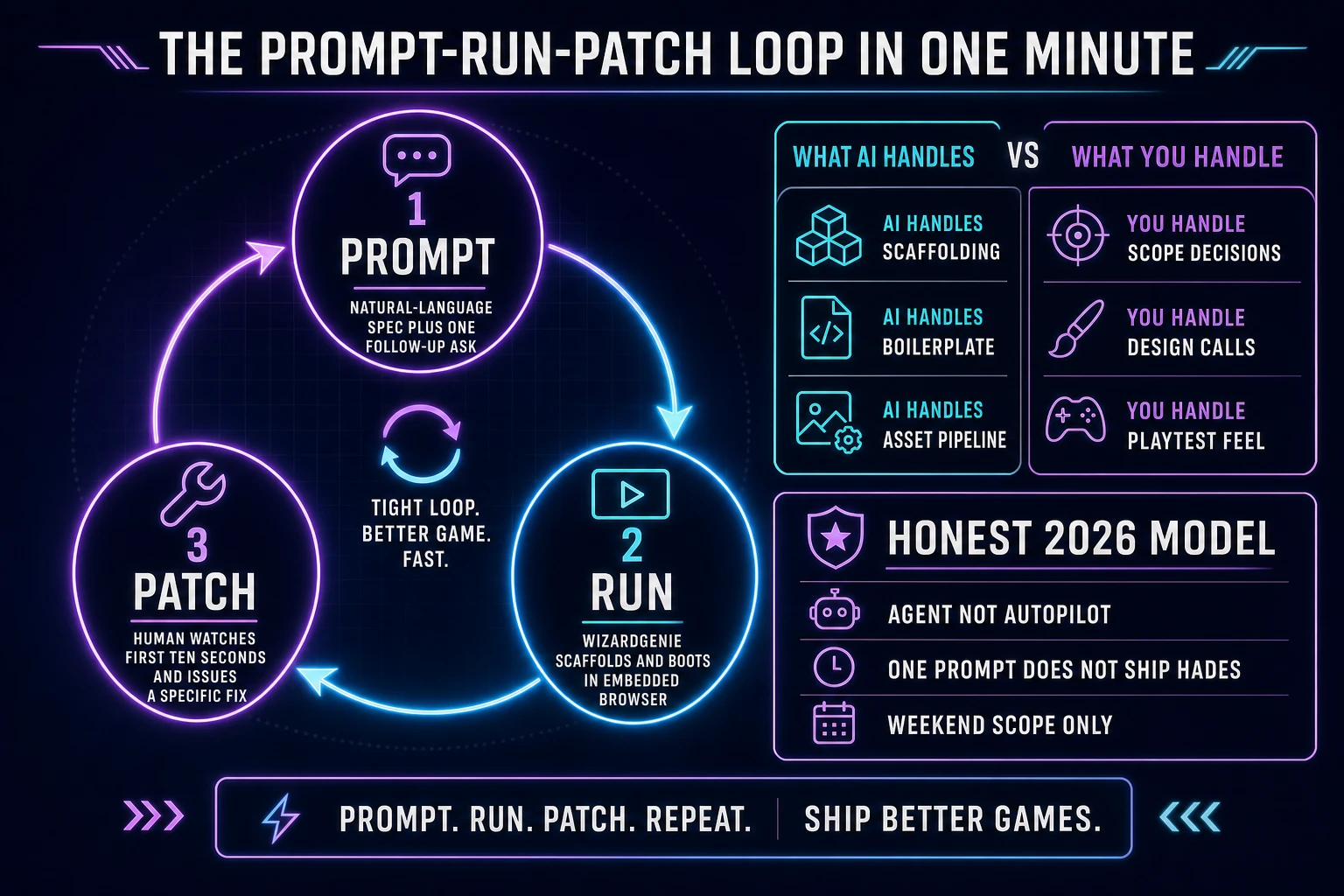
The mental model that keeps a first project on the rails is agent, not autopilot. A coding agent in 2026 is genuinely capable - a well-scoped prompt to WizardGenie scaffolds a Phaser 4 game loop with a hero, an enemy, input, collision, and a scoreboard in under twenty minutes, and follow-up prompts refine the physics, the spawner, the HUD, and the scoring without any manual code stitching. What the agent does not do in 2026 is make design decisions or read playtest instincts. It cannot tell you that your jump feels floaty because the gravity constant is 0.6 when it wants to be 0.9, or that the coin pickup radius is 6 pixels when it wants to be 14, or that the game is boring after ninety seconds because the difficulty curve is flat. The human owns scope, design taste, and the playtest feel; the agent owns scaffolding, boilerplate, and the asset pipeline. Anyone selling "one sentence, playable game, no edits" is showing a demo, not a workflow.
The second reframe is scope over cleverness. A first prompt-to-game project in 2026 is weekend-jam scope (verified 2026-09-01) - one screen, one hero, one enemy, one verb (jump, shoot, tap), one win state (reach the door, survive ninety seconds, hit ten targets). The agent will happily attempt Skyrim in your first prompt and fail invisibly. Locking scope inside the spec prompt itself is the single biggest predictor of whether the first Saturday afternoon ends in a playable tab or a wall of TypeScript errors.
The prompt-run-patch loop in one minute
Three moving parts, cycled until the build feels right. First, prompt - the human writes a natural-language spec describing the game in one page or less (verb, win state, hero, enemy, scope constraint, one style anchor) and sends it to WizardGenie. Second, run - WizardGenie scaffolds a Phaser scene from a Planner+Executor pair, boots it in an embedded browser preview, and shows the human the first ten seconds. Third, patch - the human watches the boot, spots the two or three things that feel wrong (jump too low, enemy too fast, pickup missing a sound), and issues a small precise follow-up prompt for each. Loop. The cycle time on a fresh project is roughly five to fifteen minutes per iteration on the first hour, dropping to two to five minutes per iteration as the file settles.
The prompt to game ai walkthrough covers the same loop from a different angle, and the how to make a 2D game browser AI loop guide layers it onto the Phaser 4 side specifically. Everything else in this article - the stack choice, the spec prompt template, the asset pass - is polish on top of that three-step cycle. If a first afternoon feels stuck, the fix is almost always to shrink the follow-up prompt (one system per patch, not five) rather than to switch stacks or switch models.
Pick your stack for how to make a game with ai (browser vs desktop, one prompt vs iterative)
Two decisions matter on day one: where the agent runs (browser vs desktop) and whether the first pass is one-shot or iterative. Get both right and the rest of the weekend is downhill.
Browser or desktop. WizardGenie ships as both a no-install web build at /wizard-genie/app and as a Windows desktop installer with an auto-updater for Early Access supporters and above. The browser build is the honest default for a first project - it runs in any modern tab, has zero install friction, and the embedded Phaser preview refreshes on every scaffold. The desktop build is the pick when a project grows past a single-session prototype: native filesystem access, longer-running agent sessions, and offline-capable project work after the initial model download. For "how to make a game with ai as my first project", start in the browser; graduate to desktop the second time.
One-shot or iterative. A one-shot prompt asks WizardGenie to produce the entire game in a single reply. It works for the smallest scopes (a one-verb minigame, a Flappy Bird clone, a two-button reaction test) and fails on anything with more than one system. An iterative pass sends a smaller opening prompt asking only for the game loop and the render frame, then adds one system per follow-up (input, collision, spawner, HUD, scoring, win state, sound). Iterative wins in 2026 for any project bigger than a single verb because the agent has more context per patch and the human catches drift sooner. The rough rule: if the spec sheet fits inside three bullet points, one-shot; if it needs a numbered outline, iterate.
Model pair. A Planner+Executor split beats any single frontier model on cost by roughly 5x, verified 2026-09-01 in the CODING_MODELS lineup at src/app/_home-v2/_data/tools.ts. The expensive-reasoner Planner reads the spec, breaks it into a task list, reviews the current build, and writes the next prompt for the Executor - use Claude Opus 4.7, GPT-5.5, Gemini 3.1 Pro, or Grok 4.2 on that side. The cheap-fast-typer Executor writes the actual Phaser code from Planner instructions - use DeepSeek V4 Pro, Kimi K2.5, MiniMax M2.7, or Gemini 3.1 Flash on that side. Never put Sonnet, Opus, GPT-5.5, or Gemini Pro on the typing side; that erases roughly 80 percent of the cost advantage the pattern exists to capture. For a first jam, Opus 4.7 as Planner and DeepSeek V4 Pro as Executor is the honest default.