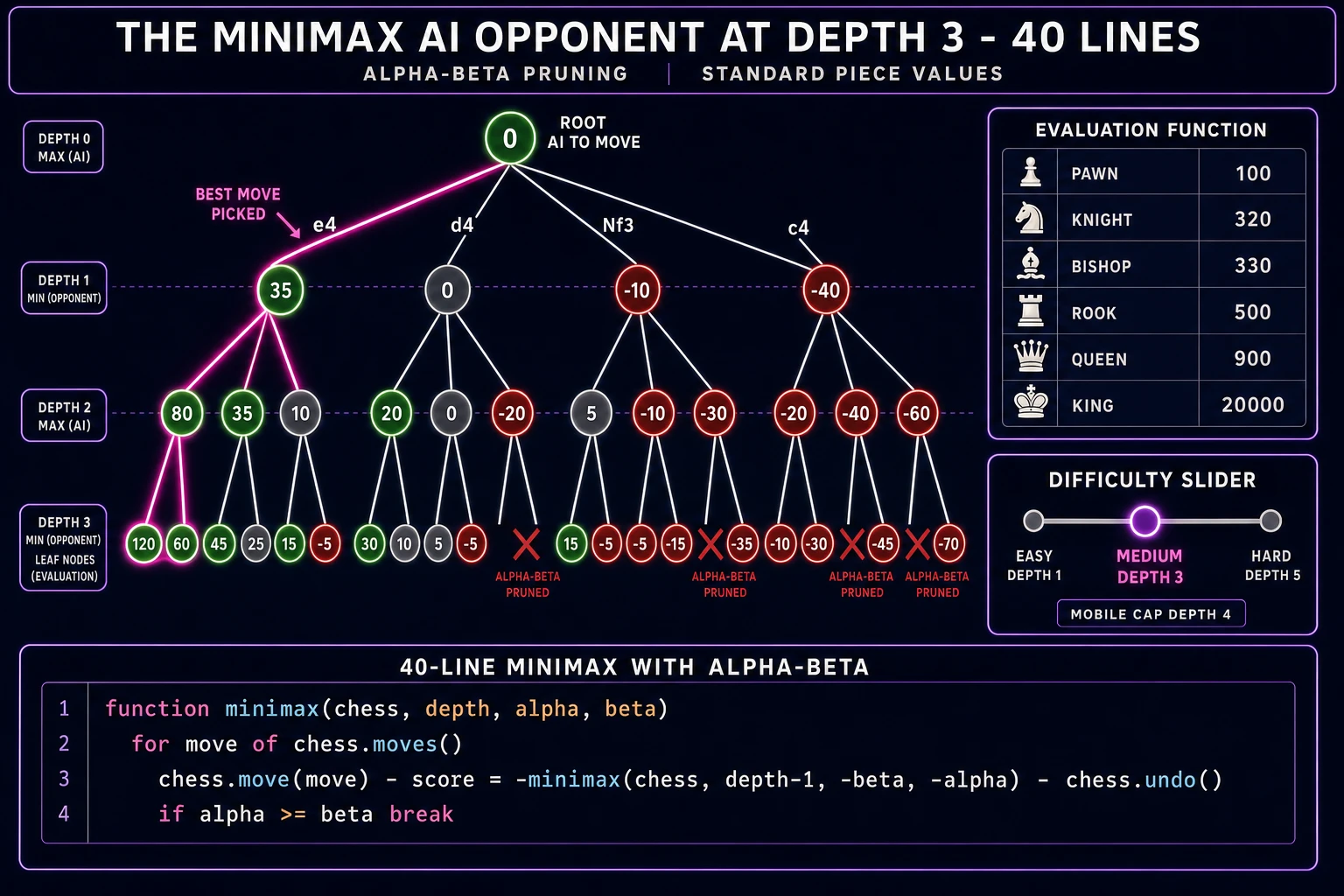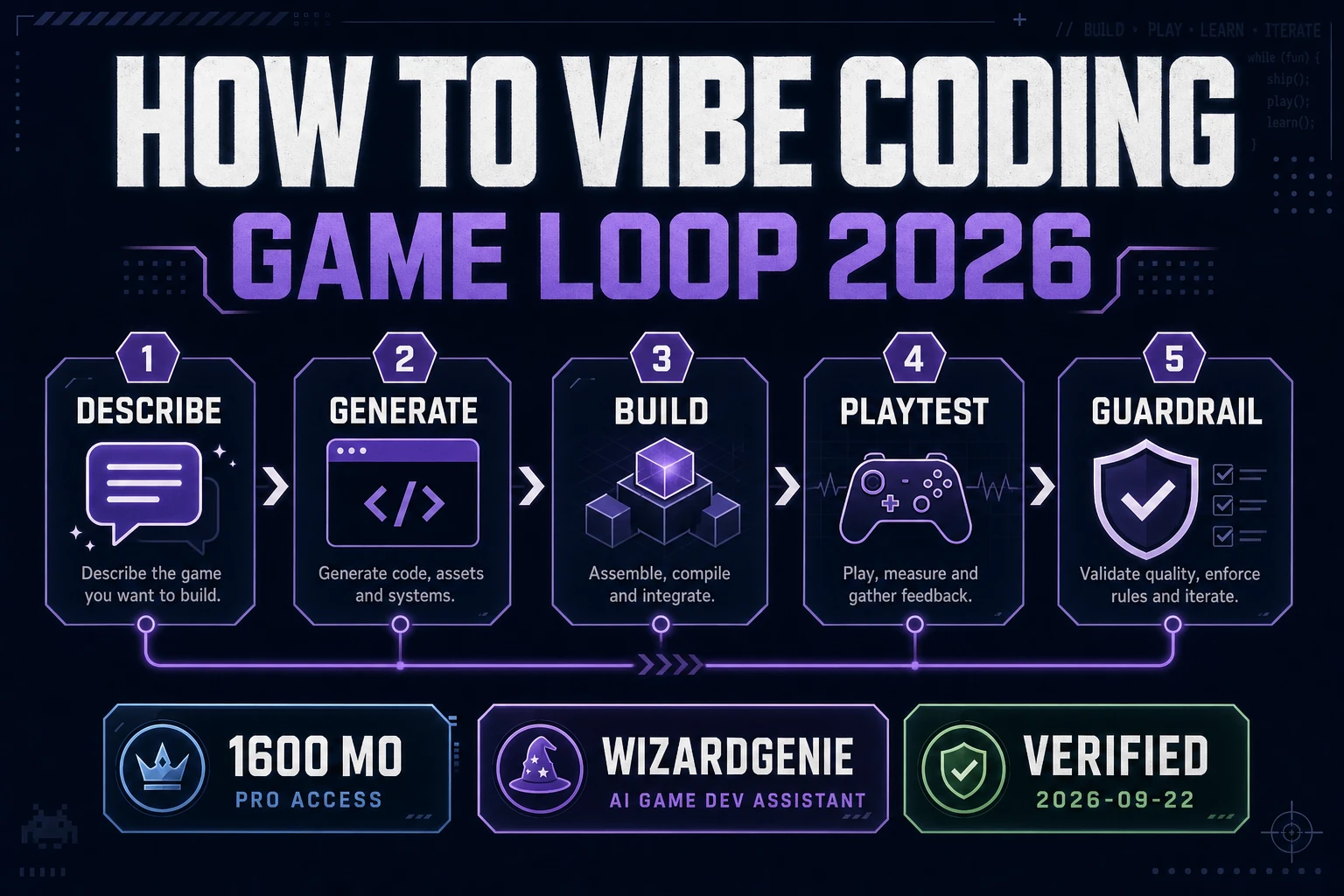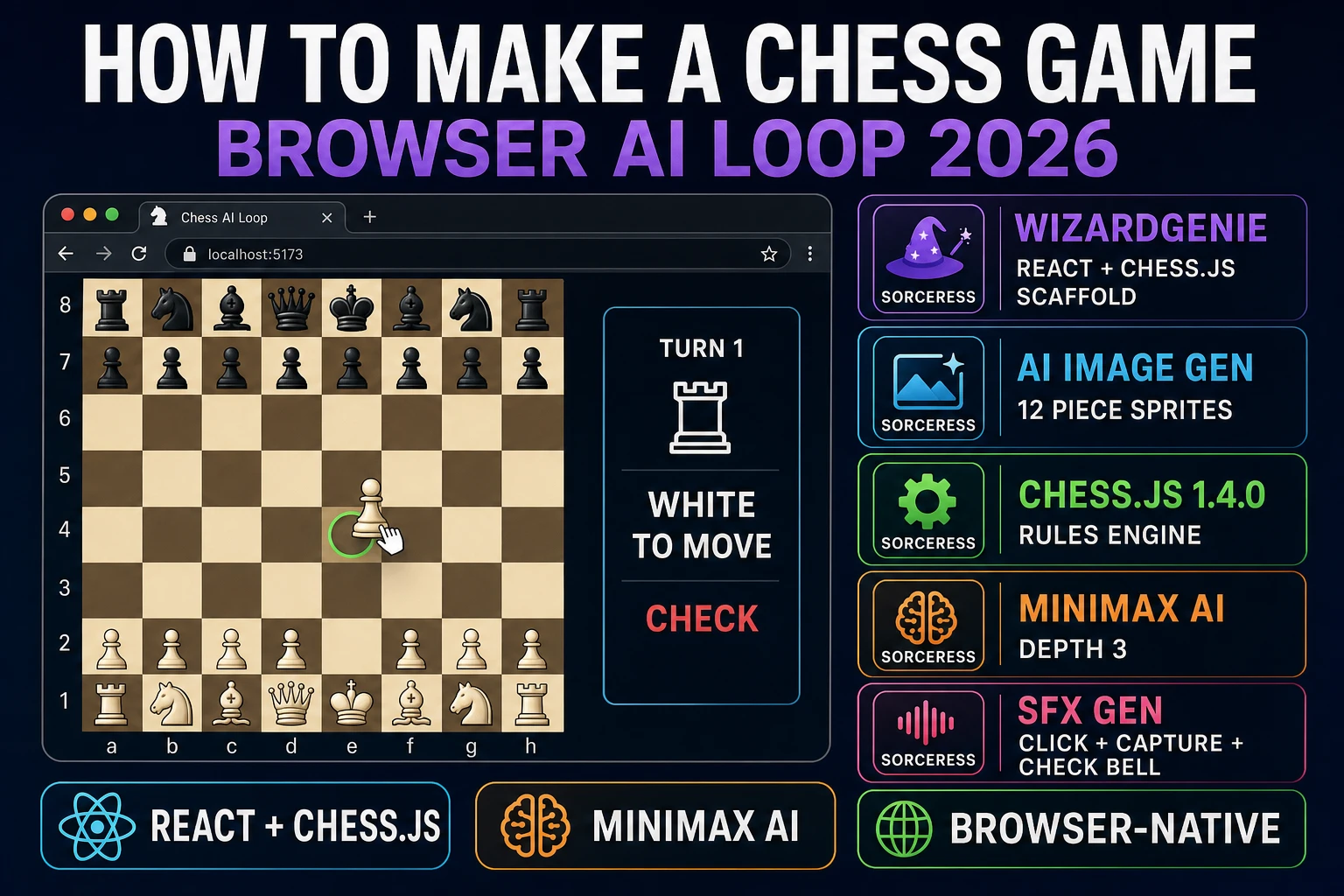
Chess is the game programmers keep trying to write and rarely finish, because the query "how to make a chess game" hides three separate engineering problems stacked on top of each other. Rendering an 8-by-8 board is a five-minute job. Legal move generation with castling, en passant, promotion, and check detection is a two-day rabbit hole. And a minimax AI opponent that plays without embarrassing itself is another weekend on top of that. In 2026 the honest browser recipe splits the three cleanly: the open-source chess.js library at version 1.4.0 handles the rules, WizardGenie scaffolds the React or Phaser 4 board renderer around it, Sorceress AI Image Gen supplies the piece art and captured-piece tray, and Sorceress SFX Gen ships the move click, capture thud, and check bell. This guide is the honest end-to-end for how to make a chess game as a browser build a single developer can finish in a weekend.
What "how to make a chess game" actually means in 2026 (three layers)
The query "how to make a chess game" hides three very different requests. Some searchers want a two-player local chess board where two humans share the keyboard and mouse and take turns - a five-hour project that stops at legal moves and does not need an AI at all. Some searchers want a single-player chess build with an AI opponent, which adds a minimax or alpha-beta search on top of the legal-move layer. And some searchers want an online multiplayer chess site with rating, matchmaking, and time control, which layers a backend and a websocket server on top of the first two - a multi-week project the shape of a full startup, not a weekend build. This guide targets the second: how to make a chess game with an AI opponent that runs entirely in the browser and ships in a weekend.
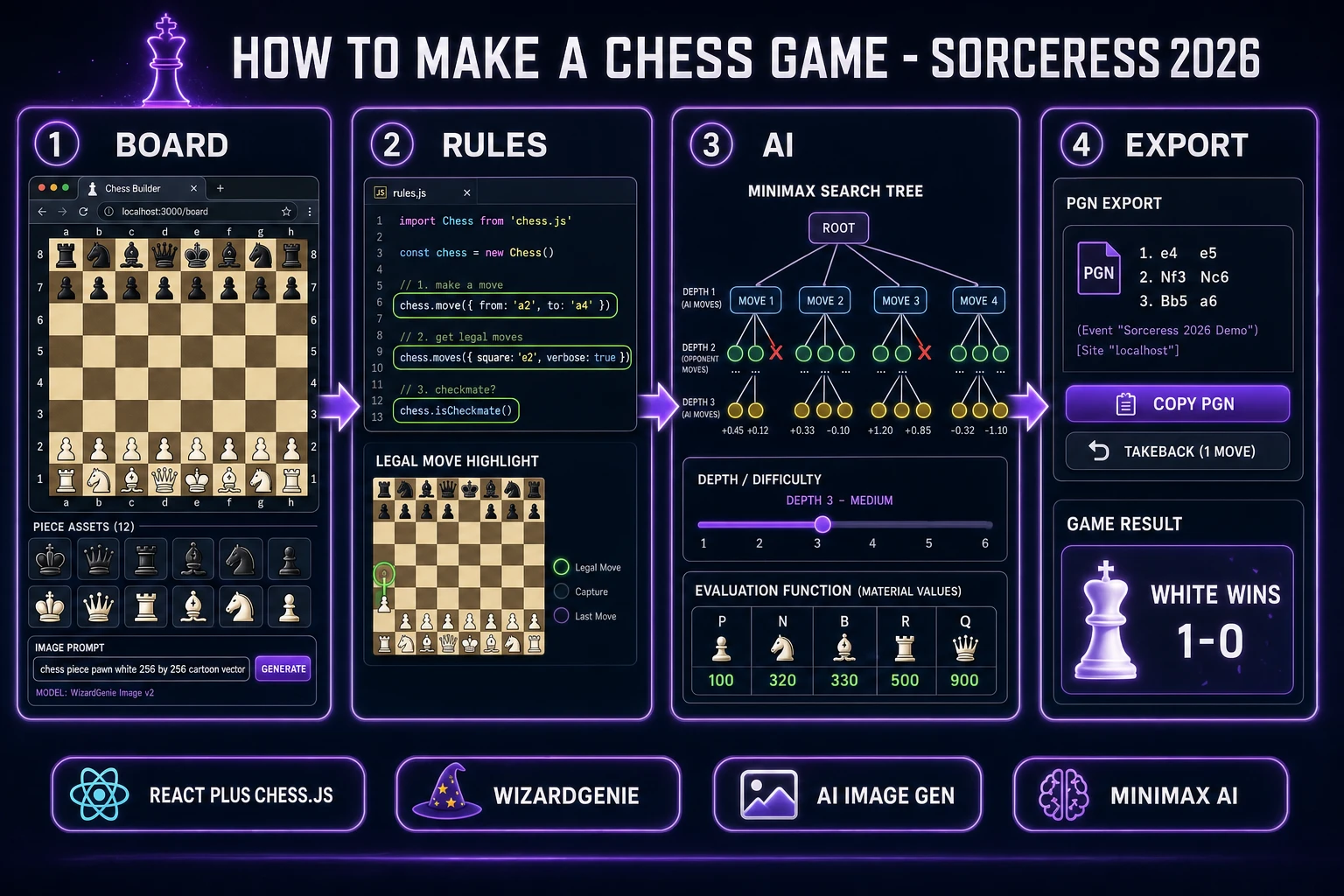
The honest default is a three-layer stack: rules layer (legal moves, check detection, PGN export - use chess.js, do not roll your own), render layer (an 8-by-8 grid, six piece art pairs, drag-and-drop input - build with React and CSS grid or with Phaser 4), and AI layer (a 40-line minimax with alpha-beta pruning and a simple material-plus-position evaluation function). Each layer is roughly 100 to 300 lines of code and each is a natural WizardGenie prompt. The trap almost every "how to make a chess game" tutorial falls into is writing the rules layer from scratch, spending two weeks debugging en passant edge cases, and never getting to the AI. Section three walks through why chess.js exists, why you should use it, and what a chess.js-based build looks like in practice.
The chess game loop in one minute (render input validate AI-reply check)
Five moving parts and nothing else, in a strict order per turn. First, render the current board position - iterate the 64 squares, place a piece sprite on every occupied square using the current game state (or the FEN string exposed by chess.js). Second, read player input - listen for a drag-start on a piece belonging to the side to move, highlight the legal target squares by calling chess.moves({ square, verbose: true }), and register a drag-drop on a highlighted target. Third, validate and apply the move - call chess.move({ from, to, promotion }), which either returns the applied move object or null if illegal. If null, snap the piece back to its source square. Fourth, if the game is still on (check chess.isGameOver() and the side-to-move), fire the AI opponent - it picks a move from chess.moves() using minimax and calls chess.move() on its pick. Fifth, run the post-move pass - check chess.inCheck(), chess.isCheckmate(), chess.isDraw(), and update the HUD with turn count, capture list, and check banner.
That is the entire loop. Five steps executed once per turn, with the render pass repeating any time state changes, driven by React re-render or a Phaser tween. Everything else - the move-hint dots, the last-move highlight, the captured-piece tray, the PGN export button, the takeback button, the difficulty slider - is polish layered on top of this core loop. Keep the loop tight and the five-step order strict, delegate every rules question to chess.js, and the whole game slots into place in a few hundred lines of code.
Pick your engine for how to make a chess game: React + chess.js, Phaser 4, or WizardGenie from scratch
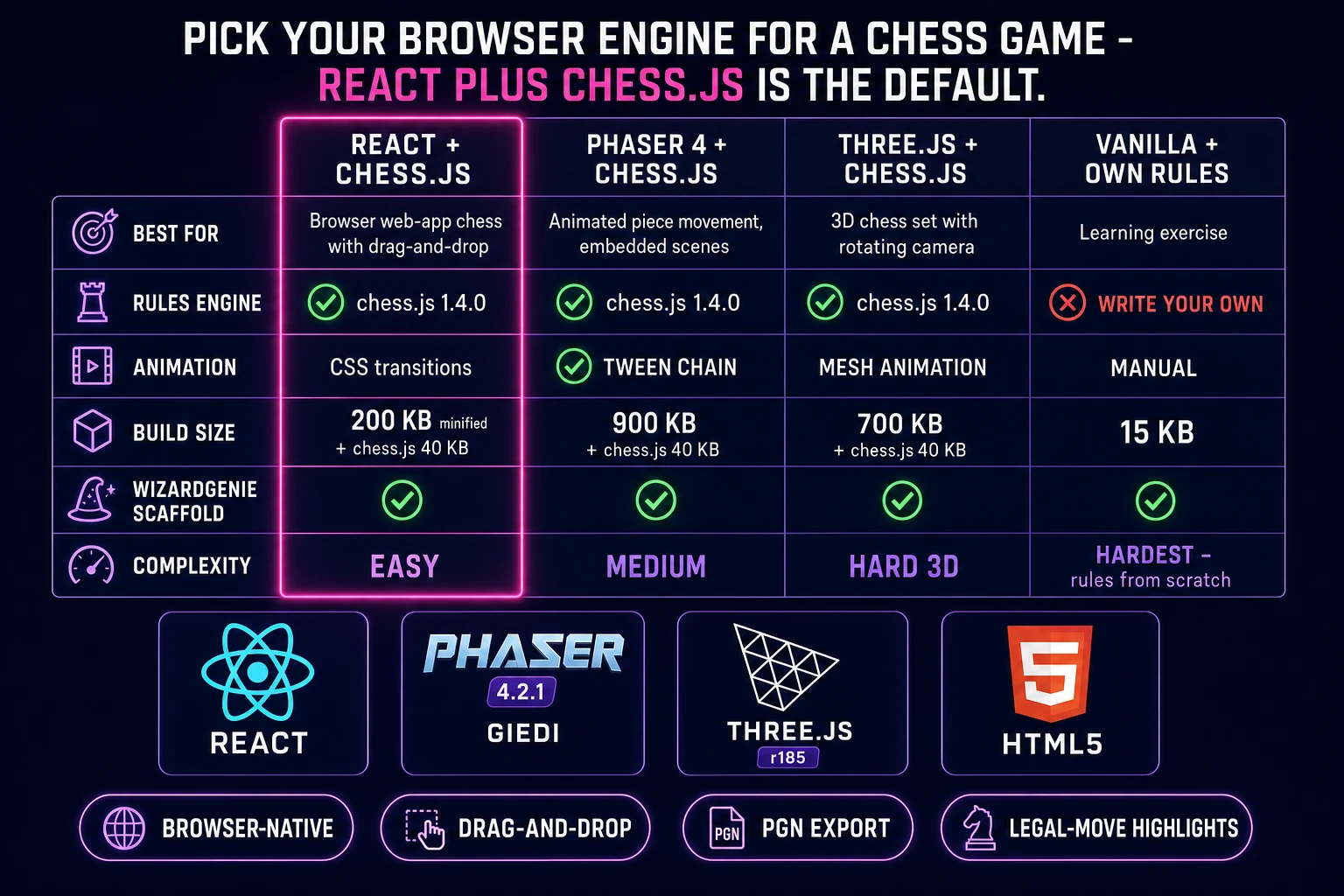
Three good browser targets in 2026, each with a very different trade-off. React plus chess.js is the honest default for a browser chess game and it is the pick 90% of readers should take. chess.js version 1.4.0 (verified 2026-08-09 against npmjs.com/package/chess.js) is a headless TypeScript library with zero runtime dependencies that ships legal move generation, check and checkmate detection, draw rules (threefold repetition, fifty-move, stalemate, insufficient material), FEN parsing, PGN import and export, ASCII board rendering, and an attackers() helper for square-under-attack queries. Wrap it in a React component that renders an 8-by-8 CSS grid with an onDrop handler per square, and you have a functional chess game in under 300 lines. React's built-in state model handles the "current game state - re-render" cycle cleanly.
Phaser 4.2.1 "Giedi" (released 9 July 2026, verified against phaser.io/download/stable on 2026-08-09) is the right pick when you want piece movement to animate (a sliding rook, a bouncing knight jump), when the board is embedded inside a bigger scene, or when the build ships as a downloadable Electron app rather than a webpage. Phaser's Scene manager, Sprite class, and tween chain make animated piece movement and last-move flash almost free. Combine Phaser as the renderer with chess.js as the rules engine - the two libraries do not know about each other, but they compose cleanly through a thin adapter that maps chess.js algebraic squares (a1 through h8) to Phaser world coordinates.
Writing the rules layer from scratch inside WizardGenie is the third path. It is educational, it costs nothing in dependencies, and it is a strong exercise in bitboard algorithms and move validation. It is also the path that will burn your weekend on en passant and castling-through-check edge cases. Only take this route if you specifically want to learn how a chess engine works internally; every shippable browser chess game in 2026 uses chess.js or one of its ports (chess.js has 4,369 stars on GitHub as of 2026-08-09 and is the reference implementation for browser chess in JavaScript). Three.js r185 (verified against threejs.org on 2026-08-09) is a valid fourth option for a 3D chess set with animated pieces and a rotating camera, but that is a stylistic remix on top of the same three-layer stack - the rules and AI layers are unchanged.
Step 1 — render the 8x8 board and generate piece art in AI Image Gen
Sketch the board first. A standard chess board is 8 files (columns, labelled a to h left to right from White's view) by 8 ranks (rows, labelled 1 at White's back rank to 8 at Black's). Squares alternate light and dark; the bottom-right square from White's view (h1) is always light. In CSS grid this is nine lines of code: a display: grid container with grid-template-columns: repeat(8, 1fr), 64 child divs, and a :nth-child rule that colors squares based on the sum of row and column index. In Phaser 4, spawn 64 Rectangle game objects at 80-pixel spacing and tint them. Either way, the pure render is under 20 lines of code.
The piece art is the fun part. Open Sorceress AI Image Gen. Chess needs six piece types (pawn, knight, bishop, rook, queen, king) in two colors (white and black) for a total of twelve piece images. Prompt for each pair in one shot: "chess piece, pawn, white on transparent background, top-down 3/4 view, cartoon vector art, 256 by 256, matte finish, subtle drop shadow", then swap "pawn" for the other five pieces and "white" for "black" on the second pass. Twelve generations in the mid-tier settings runs single-digit credits each, so budget 60 to 120 credits (0.60 to 1.20 USD at the standard rate of 100 credits per dollar, verified 2026-08-09 in src/lib/models.ts line 69 as CREDITS_PER_DOLLAR = 100). Save each image with a canonical filename - wP.png, wN.png, wB.png, wR.png, wQ.png, wK.png, and the same six with a leading b for black. chess.js's own board representation uses the same one-letter piece codes (p, n, b, r, q, k), so the mapping from game state to sprite is a two-line function.
Alternative: skip piece art entirely and use Unicode chess symbols (♔ through ♟), which every modern browser font supports. Set them at 48-point in a matching CSS grid cell and you have a functional but plain-looking board in zero credits. Ship the Unicode version first to prove the game logic, then upgrade to AI Image Gen art on the polish pass. Also generate a captured-piece tray background, a check banner ("WHITE IN CHECK"), a checkmate victory card, and a promotion-picker overlay - four small assets at another 20 to 40 credits total.