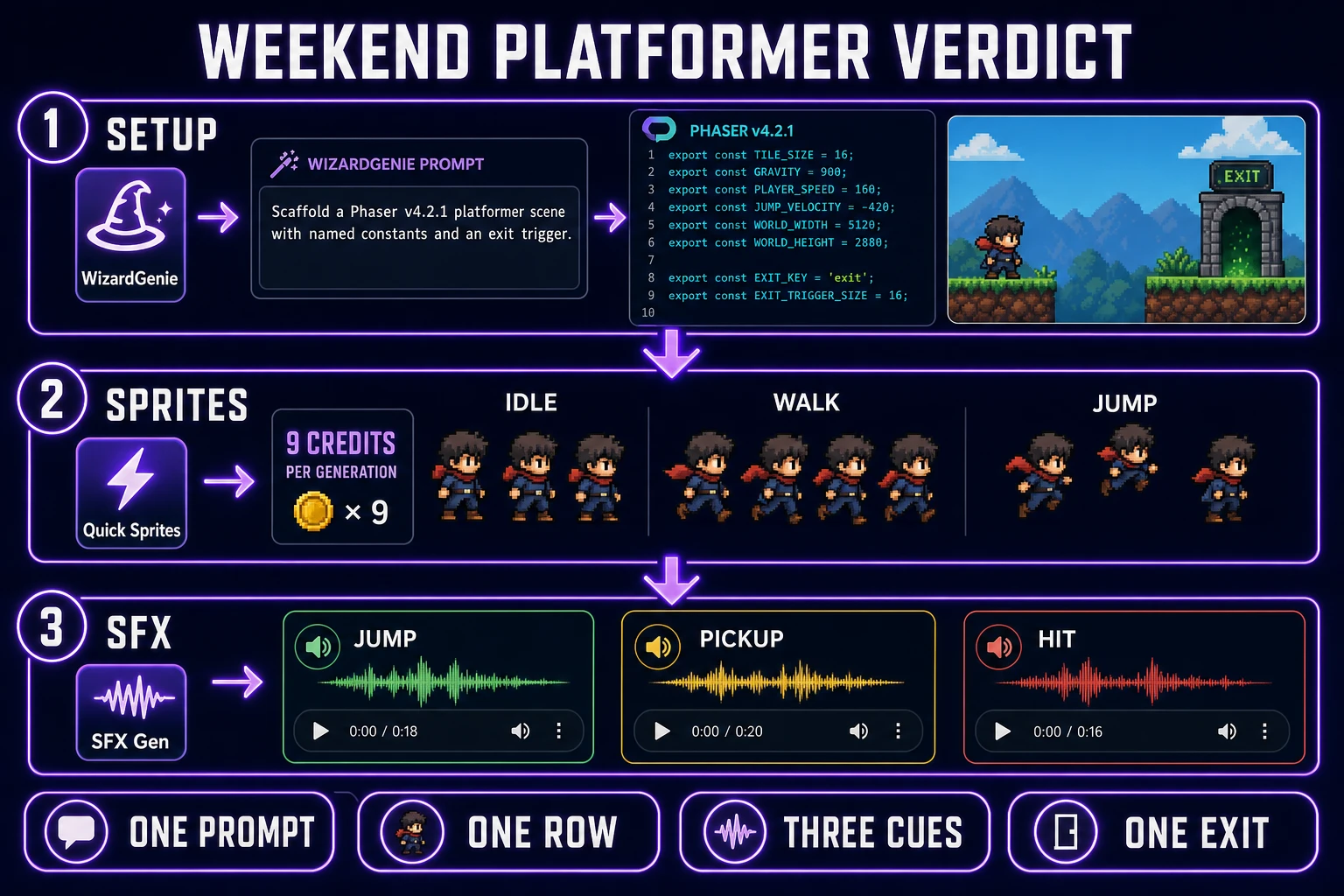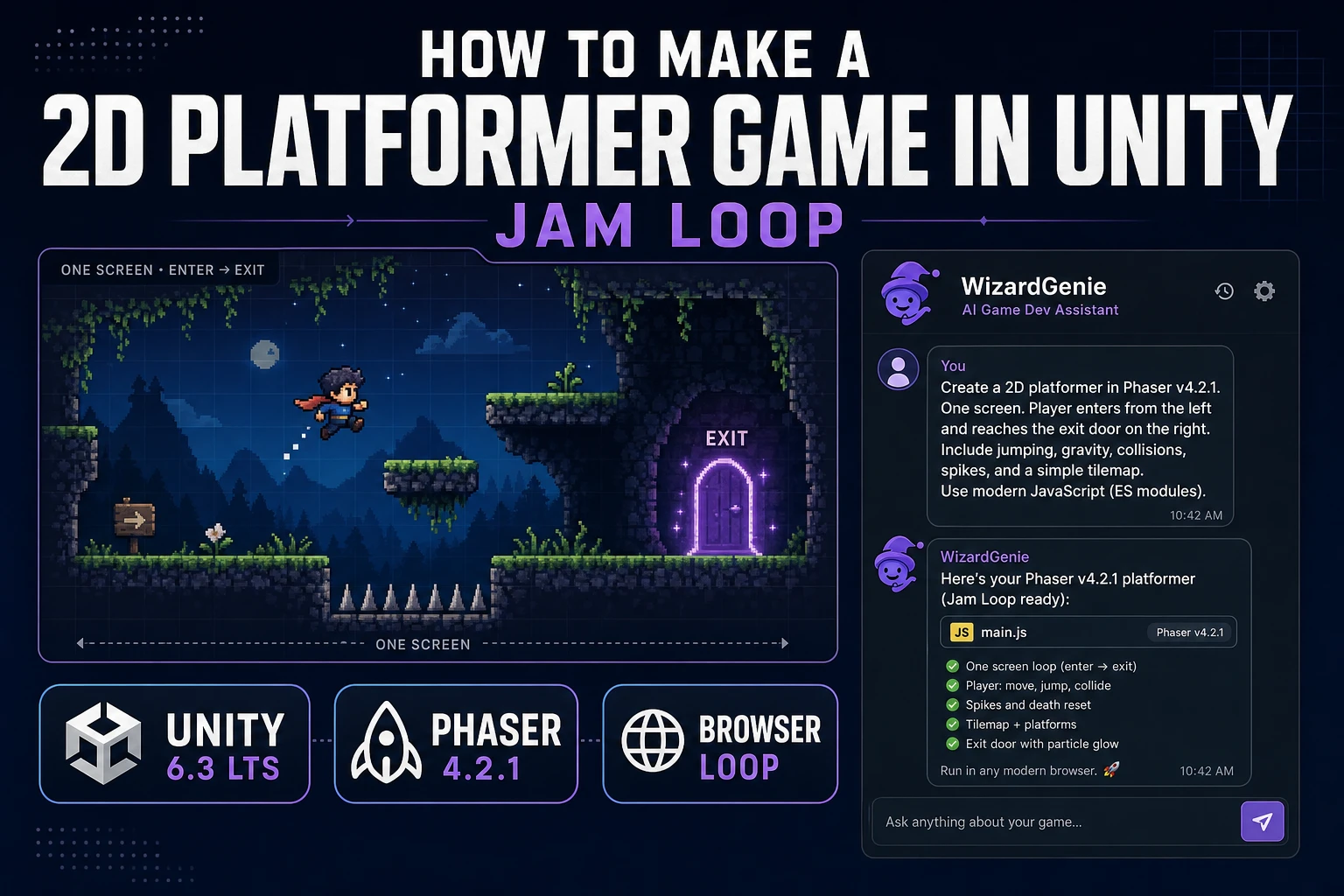
Learning how to make a 2D platformer game in Unity is one of the most common first goals a beginner types into a search box, and the honest answer in 2026 has two paths. The Unity path is real: install the Hub, pick a Long Term Support build, work through a 2D beginner project. The browser path is also real and often faster for a jam: prompt WizardGenie for a Phaser v4.2.1 platformer scaffold, cast the hero row on Quick Sprites, and time the cues in SFX Gen. This post walks both, then locks the scope that keeps either loop shippable. Unity version data was cross-checked against the endoflife.date Unity tracker on August 3, 2026. Phaser v4.2.1 "Giedi" was live-verified the same day against the phaserjs GitHub release notes.
What how to make a 2D platformer game in Unity actually wants
The DataForSEO snapshot behind this post lists how to make a 2d platformer game in Unity at 70 monthly searches with keyword difficulty 1, verified against research-supplement.md on August 3, 2026. Low volume, near-zero difficulty, high specificity. A searcher typing that string is not asking for a survey of the whole game engine market. They already picked Unity as a candidate, and they want a concrete answer about what a 2D platformer looks like in that editor for their first weekend. That is the shape the article has to match.
Wikipedia’s entry on the platform game (checked August 3, 2026) grounds the genre in three ideas: characters that jump between suspended surfaces, obstacles that must be avoided or defeated, and level completion goals. That definition is a scope hint. Any jam-scope 2D platformer that has those three things is a complete loop. Anything past them is stretch content.
Unity in 2026 has two supported paths per the endoflife.date Unity tracker checked August 3, 2026: Unity 6.3 LTS (released December 4, 2025, supported until December 2027) and the newer Update release Unity 6.5 (latest patch 6000.5.5f1, released July 23, 2026). Unity 6.0 LTS is still supported through October 2026. Pick 6.3 LTS for a jam that you might return to; pick 6.5 only if the release notes name a feature you actually need. The rest of the article assumes a jam-scope build on Unity 6.3 LTS or a browser build on Phaser v4.2.1 "Giedi" (released July 9, 2026 per the phaserjs release notes).
Lock scope: one level, one enemy, one exit
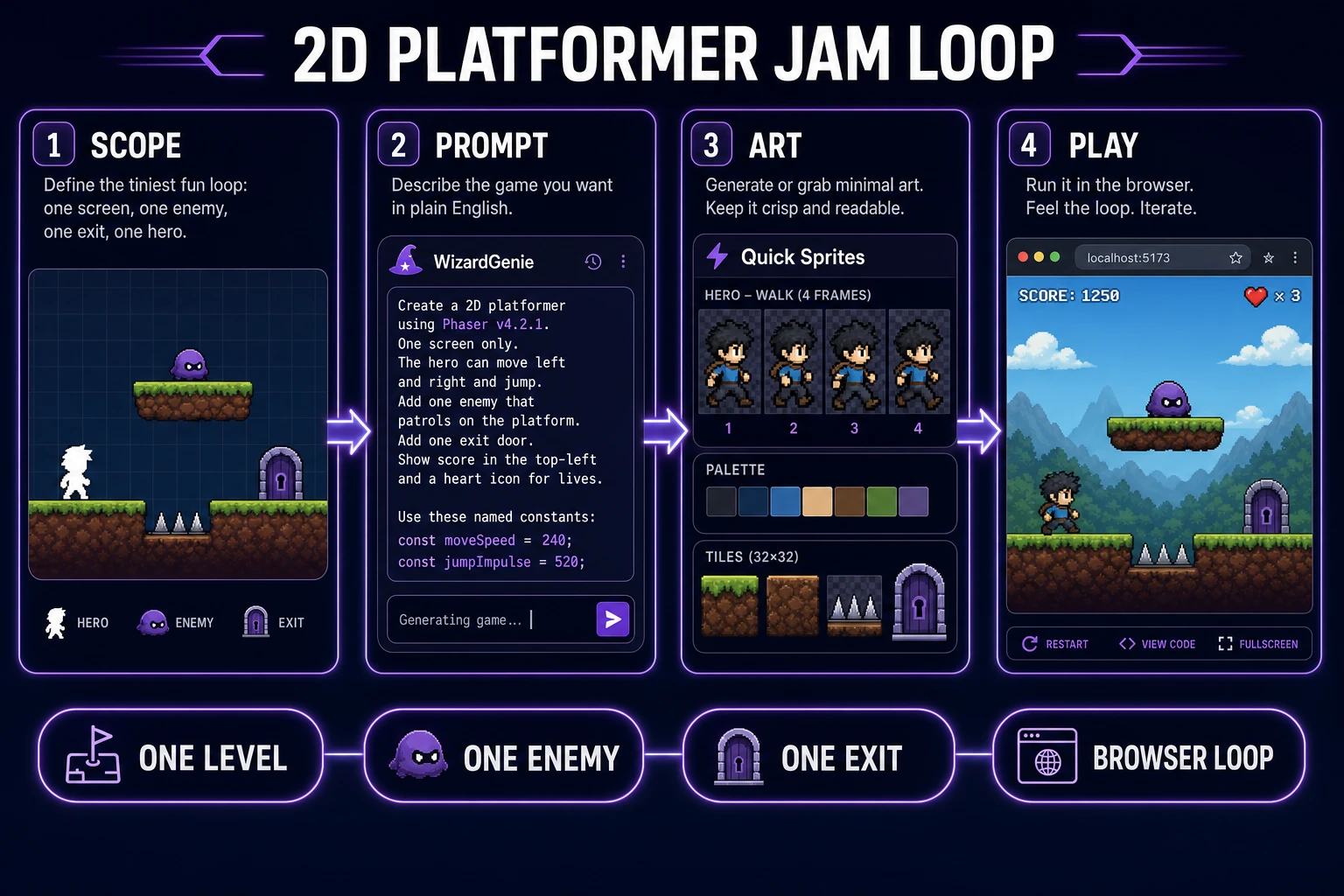
Before you open any editor, write the scope on a sticky note. One level, one enemy type, one exit door. A pickup token is optional. A double jump is optional. Anything else is a stretch goal that runs out of weekend. This scope rule works whether the runtime is Unity 6.3 LTS or a Phaser browser build; the constraint is human attention, not engine capability.
One level means the world fits on one screen or scrolls in a single direction. No level select, no world map. One enemy type means one behavior: a patroller, a spike pit, or a falling block. Two enemy types double the tuning surface for zero design gain in the first playable slice. One exit means the win state is a door, a flag, or a screen edge that triggers a "you win" overlay. Save the credits sequence for a stretch weekend.
MDN’s Games overview keeps returning to the same short list: a loop, input, physics, art, sound, and a build. If a task on your list does not serve one of those six surfaces, it is a stretch task. Put it below the fold. Sketch the level on paper first: player spawn on the left, one enemy in the middle, exit door on the right, three ledges to jump between. If the sketch does not fit that shape, the scope is not locked yet.
Prompt WizardGenie for the platformer controller
The fastest way to test whether the scope you locked is actually playable is to type it. WizardGenie ships with the CODING_MODELS lineup verified in src/app/_home-v2/_data/tools.ts on August 3, 2026: Claude Opus 4.7, Claude Sonnet 4.6, GPT-5.5, Gemini 3.1 Pro, DeepSeek V4 Pro, Kimi K2.5, Grok 4.2, and MiniMax M2.7. Use a frontier model on the Planner side and a cheap model on the Executor side; the Sonnet, Opus, Pro, and GPT tiers plan while DeepSeek or Kimi types. The economic point of a Planner-plus-Executor split is that reasoning costs a lot per token and typing does not, so the pattern only makes sense when the typing side is genuinely cheap.
Paste this scaffold prompt into WizardGenie verbatim as your first message. It matches the scope from the previous section and pins the runtime to Phaser v4.2.1 so nothing drifts:
Build a one-screen 2D platformer prototype on Phaser v4.2.1. Side view, gravity down. Hero moves left and right with arrow keys and jumps with space. Three static ledges at heights 200, 400, and 550 pixels. One patrolling enemy that walks back and forth on the middle ledge. One exit door on the top-right ledge that triggers a "you win" overlay. Touching the enemy shows a "you lose" overlay and restarts the scene on space. Colored rectangles for all art. Expose
moveSpeed,jumpImpulse, andenemySpeedas named constants. Do not invent extra systems.
The scaffold should return a single index.html and a single game.js, load Phaser from a CDN, and drop you into a playable jump within the first two clicks. If the scaffold ships with a menu scene, a difficulty picker, or a settings panel, ask the executor to strip them out. Anything that is not the loop from the sketch is scope creep in the first playtest.
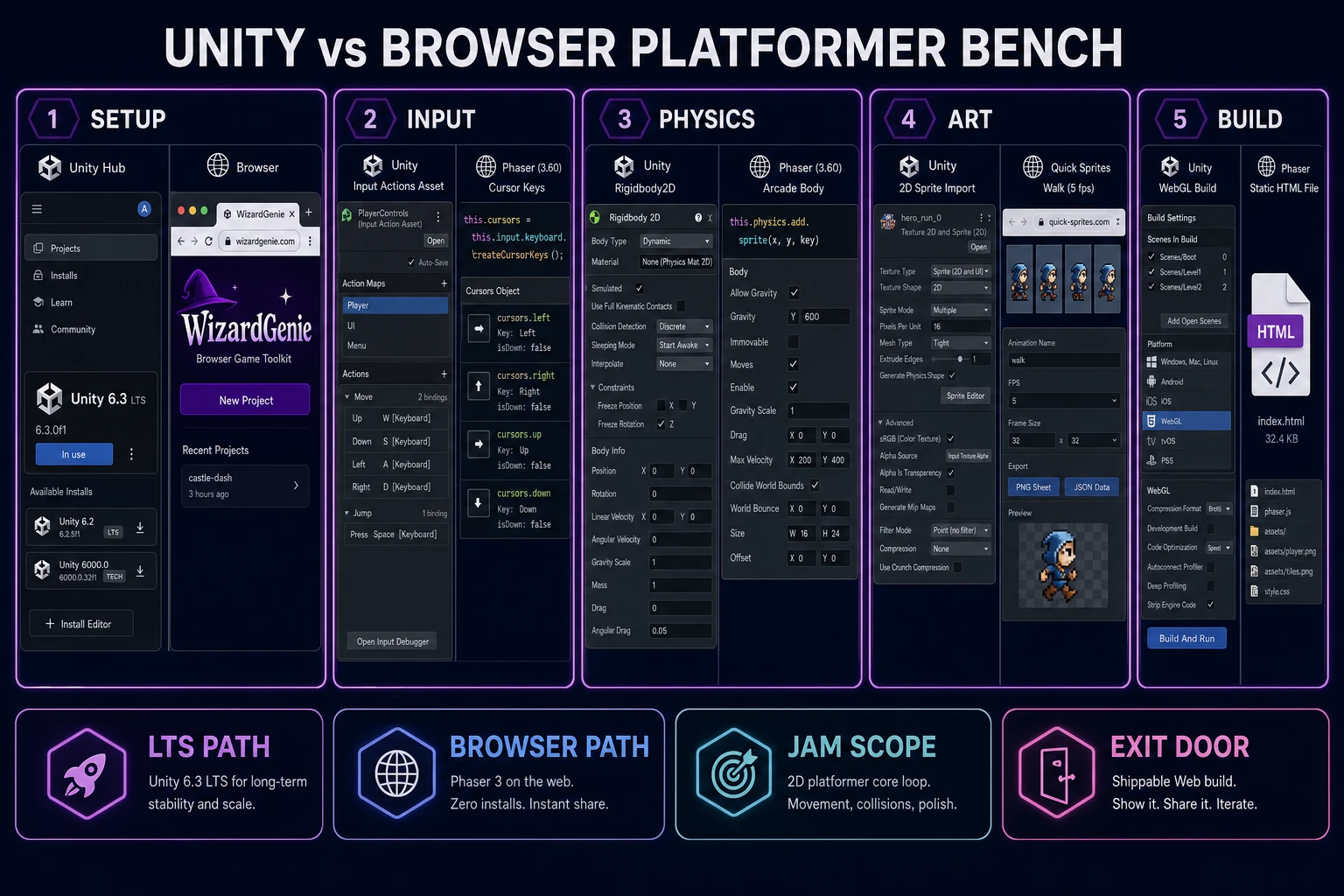
The same prompt works as a starting point if you decide to port to Unity 6.3 LTS later. Rigidbody2D, BoxCollider2D, and Input Actions are the Unity equivalents of Phaser’s arcade body, tile collider, and cursor keys. The names of the constants stay the same, which makes it easy to tune the feel in one runtime and copy the numbers to the other.