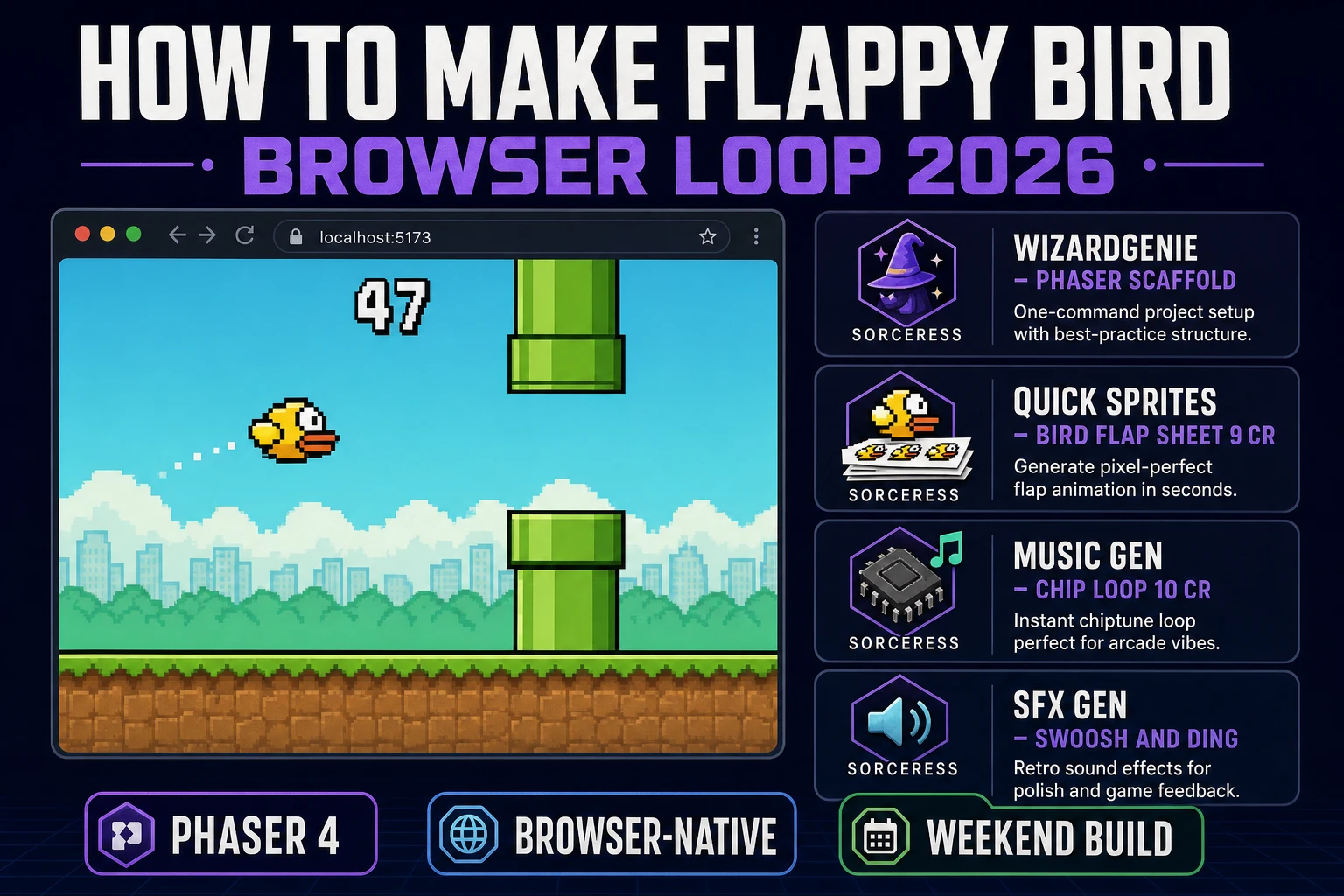
Every browser-game weekender ends up trying the same test project sooner or later, and it is not Pong. It is Flappy Bird. The mechanic is famous specifically because it is trivial to describe (tap to flap, gravity pulls down, pipes scroll left, score plus one per gap) and non-trivial to tune. The distance between a first attempt that feels sluggish and a version that feels like the 2013 original is entirely about physics numbers. In 2026 the pipeline for building the whole game in a browser is genuinely a weekend project: generate a bird flap sheet in Sorceress Quick Sprites, sketch pipes and ground tiles in Sorceress AI Image Gen, prompt WizardGenie to scaffold a Phaser 4 project with the arcade physics body already wired, tune the gravity and jump numbers until the tap feels right, and drop a chip-tune loop from Music Gen plus swoosh and ding effects from SFX Gen. This guide walks the whole pipeline honestly.
What "how to make Flappy Bird" actually means in 2026
The phrase "how to make Flappy Bird" hides three different requests. Some searchers want to clone the original 2013 iOS release as an exercise, following the exact tap-jump-pipe mechanic pixel for pixel. Some searchers want to build a Flappy Bird-style game as a portfolio piece in JavaScript, HTML5 Canvas, or a browser engine like Phaser. And some searchers want to ship an actual game on the App Store or Play Store that competes in the "flappy" sub-genre (which is real, still active, and generates real ad revenue for the developers still shipping there). This guide focuses on the second and third groups: how to make Flappy Bird as a browser build that runs on any modern phone or desktop browser, and how to make it your own so you can put it up for real.
Two rules matter before any code gets written. First, mechanics are not copyrightable in most jurisdictions, so the tap-to-flap-through-pipe-gaps loop is fair game. Second, artwork and names are copyrightable, so do not name your game Flappy Bird and do not trace the exact yellow bird silhouette from the original. Generate a new bird design in Quick Sprites, pick a new palette, give the game a name like Flap Quest or Sky Pipes, and you are on safe ground. Dozens of paid Flappy Bird-style games live on both mobile stores under different names for exactly this reason.
The Flappy Bird game loop in one minute (tap gravity pipe score)
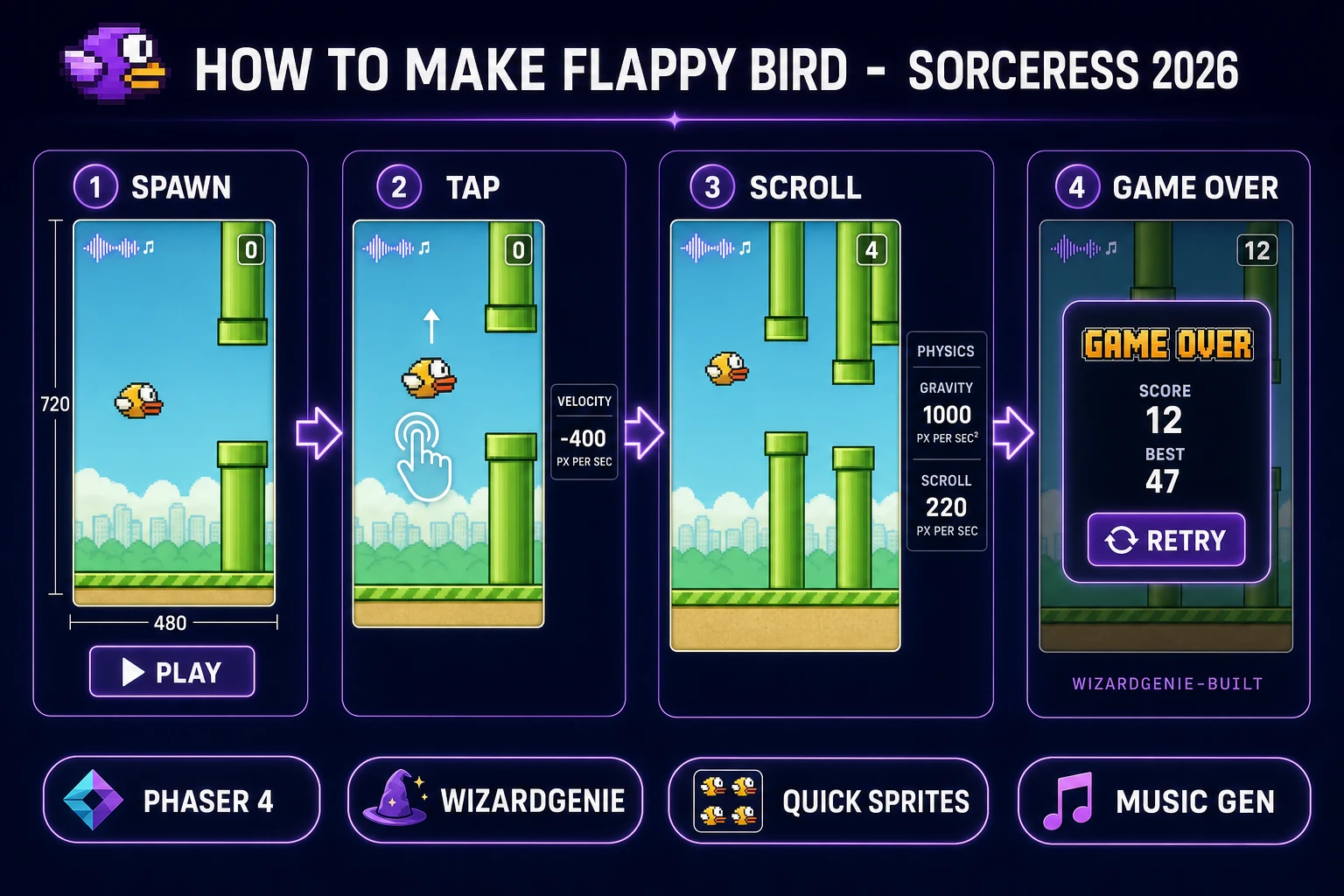
Six moving parts and nothing else. A bird sprite that lives at a fixed X position in the middle-left of the screen, subject to gravity that pulls it downward every frame. A tap input (touch, mouse click, or spacebar) that fires an upward impulse on the bird, replacing its downward velocity with a fixed negative value. A pipe spawner on a repeating timer that emits a pair of green pipes at the right edge of the screen with a gap of tunable height, then scrolls the pair leftward. A ground tile at the bottom that also scrolls left to sell the illusion of forward motion. Collision detection between the bird and any pipe or the ground, which triggers game over. A score counter that increments by one every time the bird passes the horizontal center of a pipe pair.
That is the entire game. The elegance of the design is that everything on the screen scrolls together at the same speed except the bird, which stays put horizontally and only moves vertically. Your brain reads that as "the bird is flying forward through pipes" when what is actually happening is "the bird flops up and down while pipes slide past". Rendering-wise, this is one of the cheapest possible games to run: three sprite classes (bird, pipe, ground), a physics body per sprite, and a game loop that updates positions once per frame at 60 frames per second.
Pick your engine for the how to make Flappy Bird pipeline: Phaser 4, Three.js, or vanilla Canvas
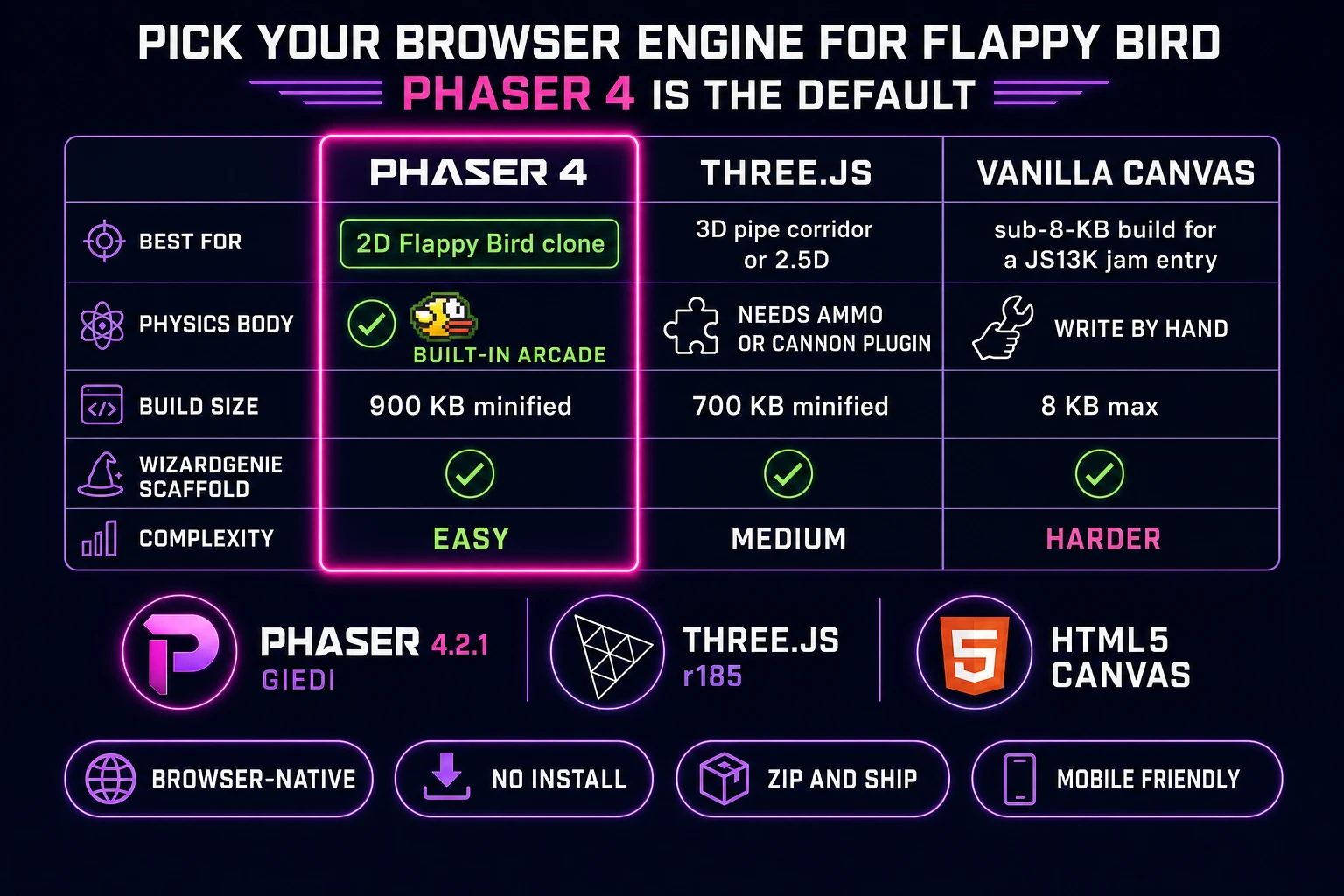
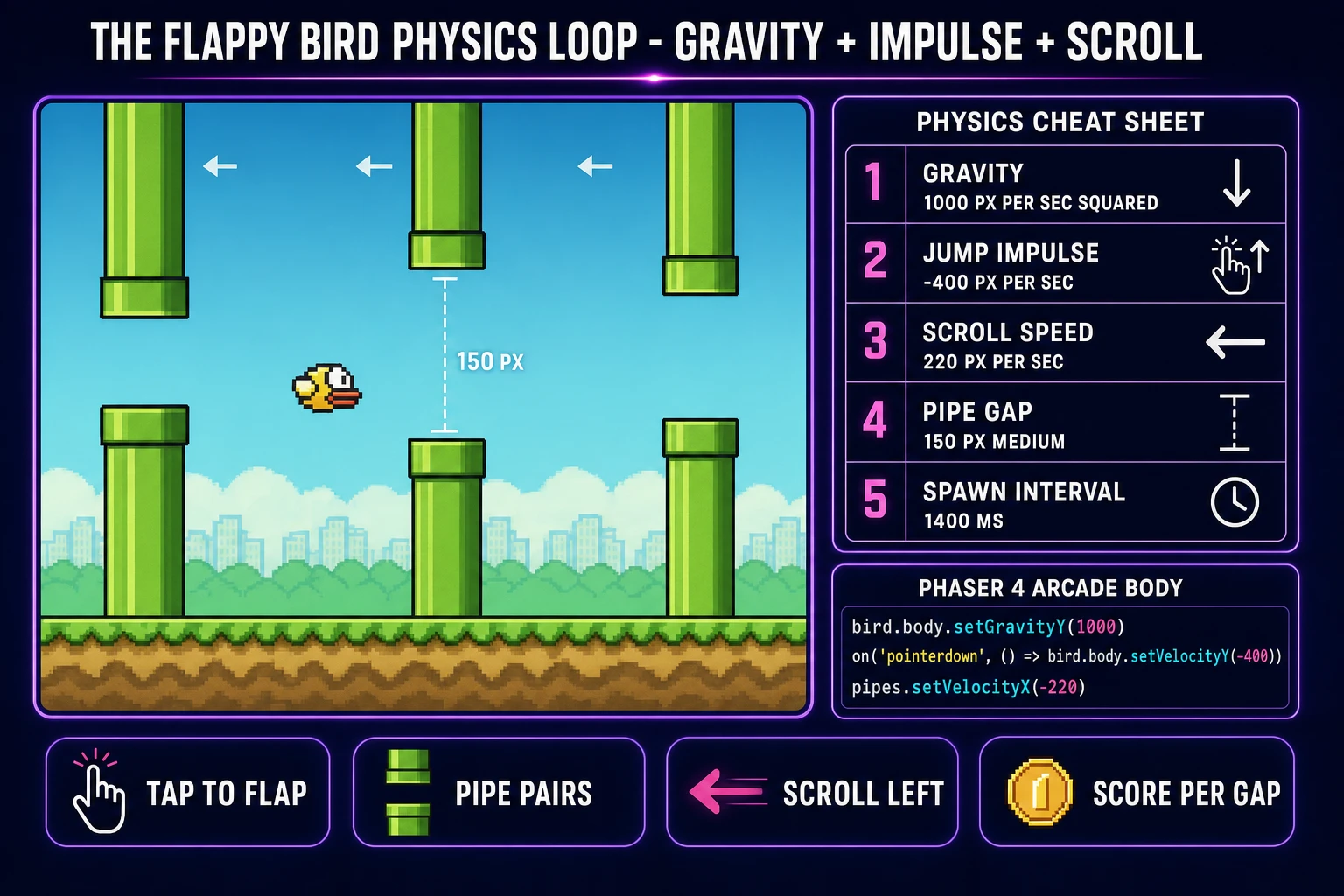
Three good browser targets in 2026, each with a different trade-off. Phaser 4 is the default recommendation for anyone whose primary goal is a working Flappy Bird clone rather than a demonstration of low-level graphics. Phaser 4.2.1 "Giedi" was released 9 July 2026 and ships a first-class arcade physics body that already has gravity, velocity, and collision baked in. The bird becomes a Sprite with an arcade physics body; the pipes become a Group; a Scene owns the tick loop. Every primitive you need is already there. Bundle size is around 900 KB minified, which is fine for a portrait mobile game.
Three.js r185 works if you want the pipes rendered as actual 3D geometry with a proper perspective camera, letting the bird bob toward the viewer as it scrolls forward. This is a valid stylistic pick for a modernized Flappy Bird tribute but you will spend more time on the camera and lighting setup than on the actual physics loop, which means Three.js is best for the second Flappy Bird project you build, not the first. You will also need a physics library layered on top (Cannon.js, Rapier, or Ammo.js) because Three.js only handles rendering.
Vanilla HTML5 Canvas 2D plus the standard requestAnimationFrame browser API is the leanest possible path. You write about 200 lines of JavaScript, produce a build under 8 KB, and end up with something eligible for a Mozilla-style pure-JavaScript game tutorial or a submission to a JS13K-style code-golf jam. The trade-off is that every physics primitive (gravity accumulation, velocity clamping, AABB collision, sprite animation) has to be written by hand, so debugging is on you. Use vanilla Canvas if you want the exercise; use Phaser 4 if you want the game done by Sunday night.