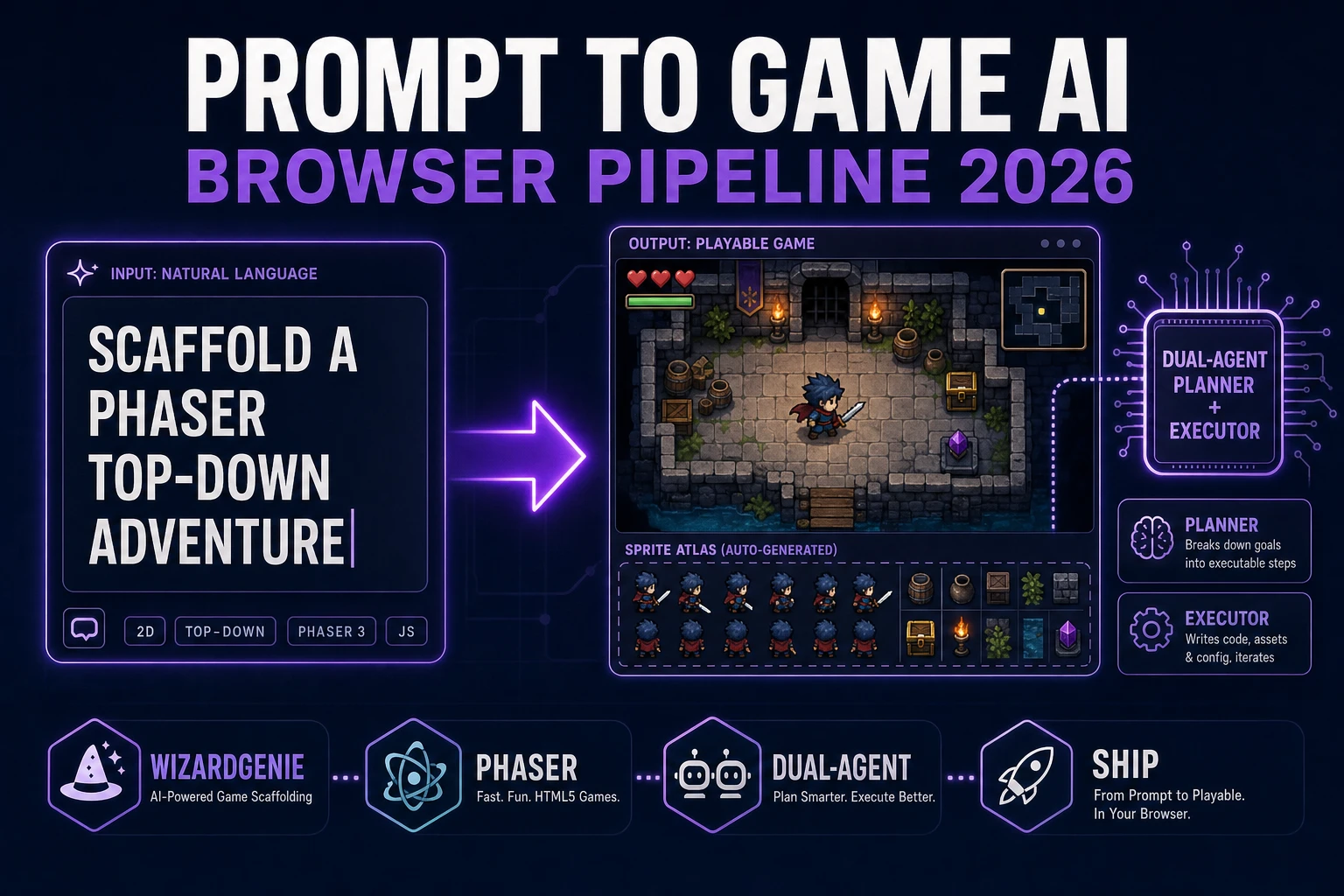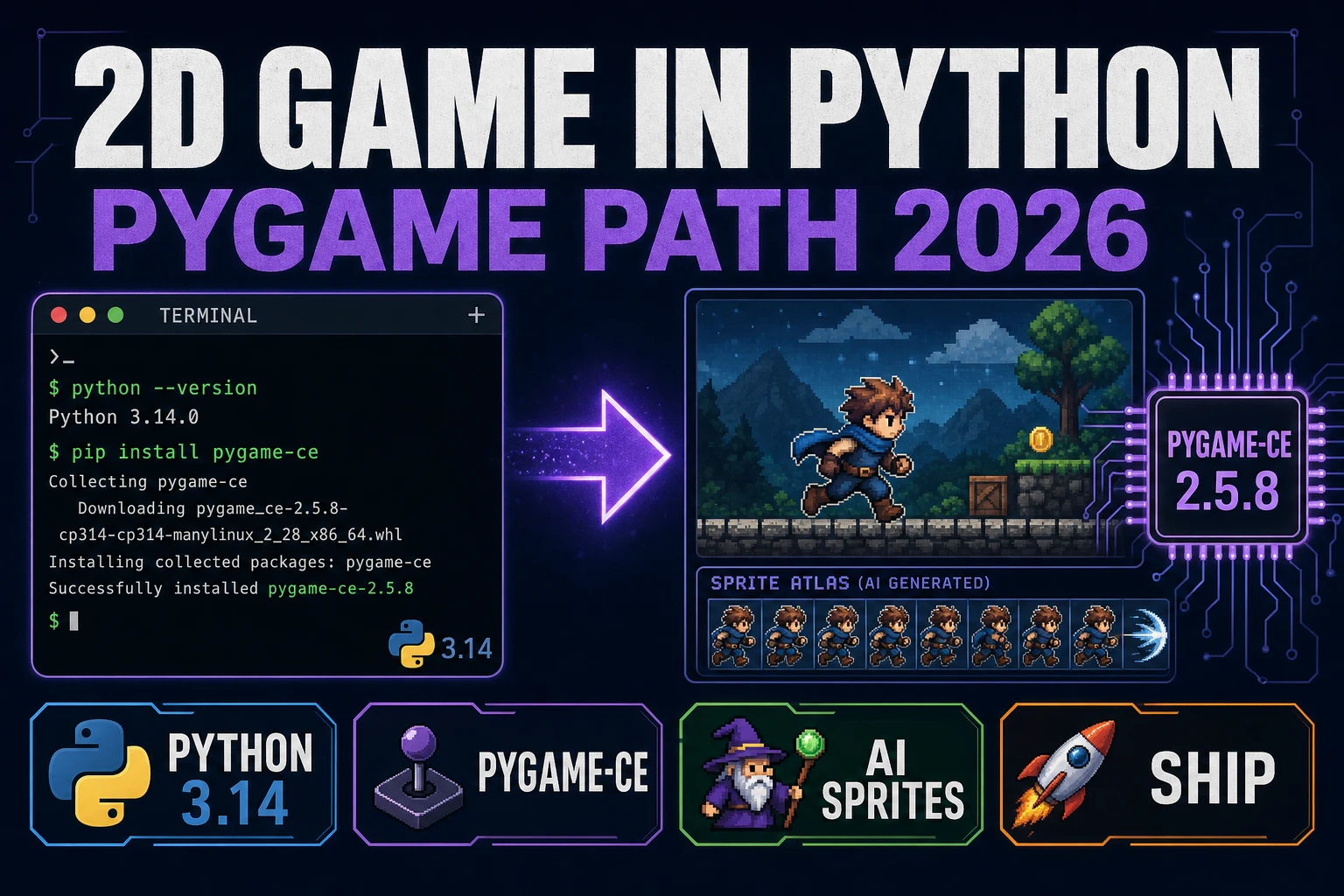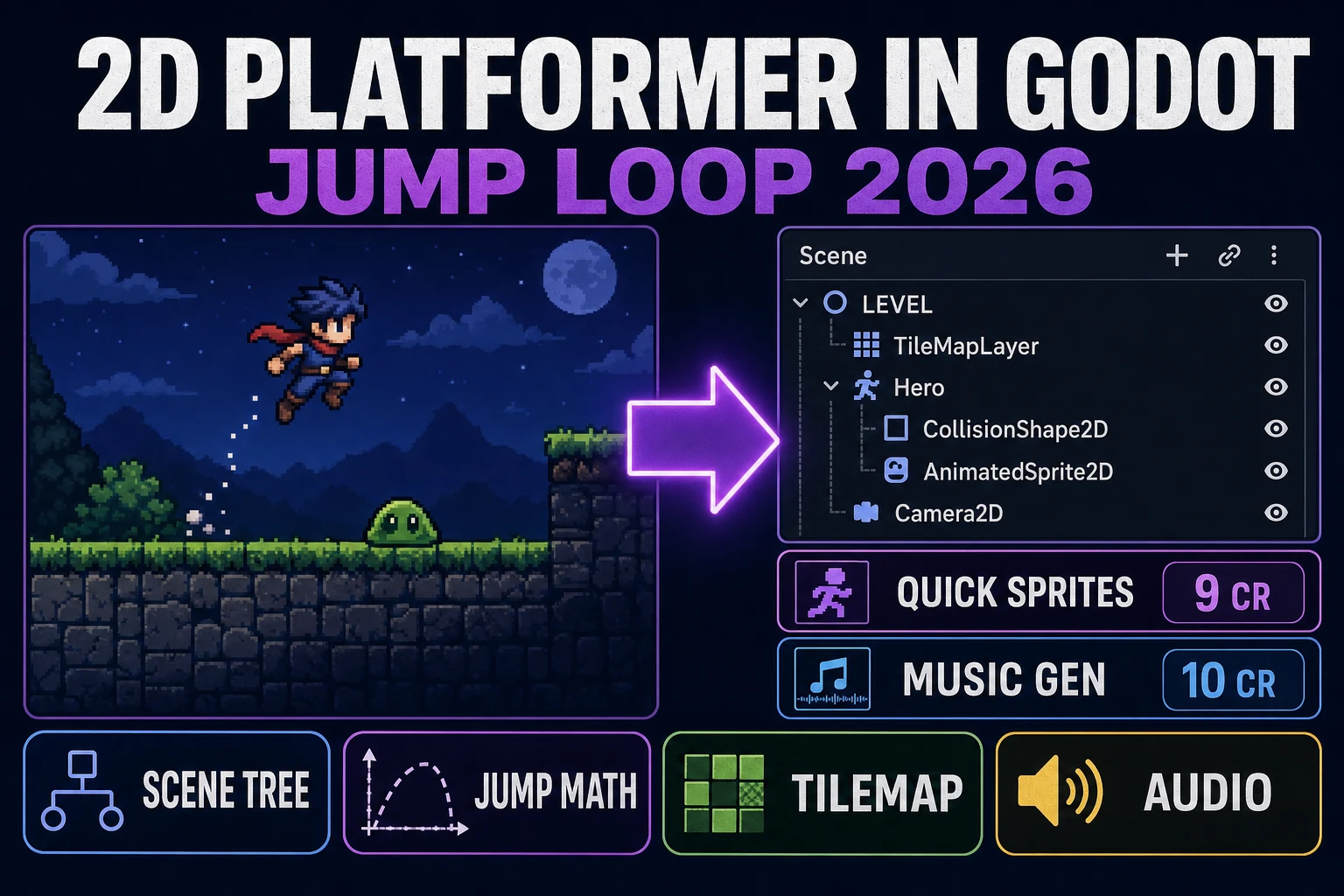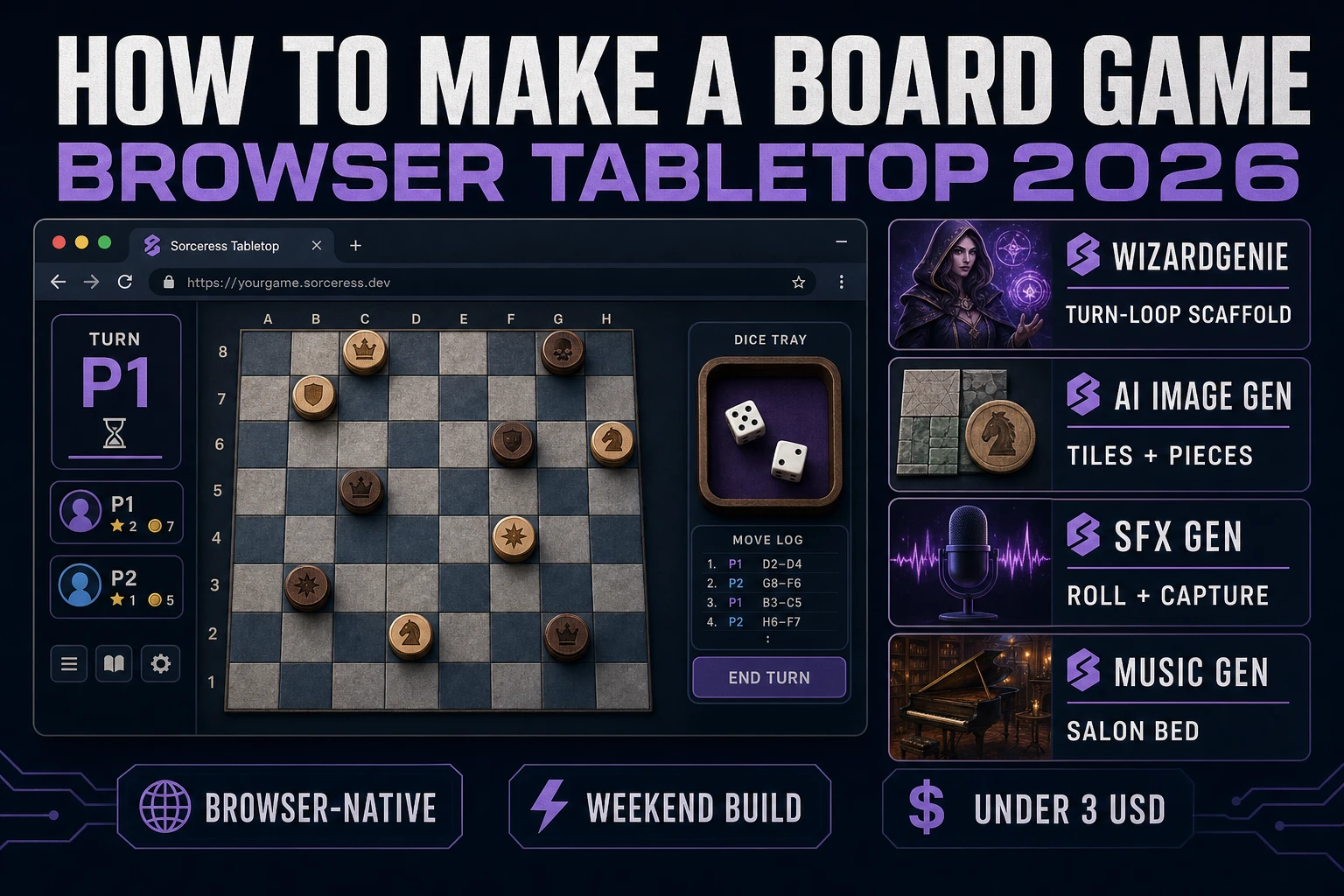
Board How to Make a Board Game (Browser Tabletop 2026)

By Arron R.11 min read
How to make a board game in 2026: design the grid, pieces, and win rules, wire turn-roll-resolve-advance in WizardGenie, add AI tiles and audio, and ship a brow

How to make a board game in 2026 no longer starts with a laser cutter and a Kickstarter stretch goal. The same turn-roll-resolve-advance loop that powers centuries of tabletop design — from race games and capture games through modern euro-style scoring, documented across the long history of the board game form (verified against Wikipedia on 2026-08-17) — now ships cleanly as a browser state machine. Almost every tutorial for how to make a board game still stops at a cardboard prototype PDF and calls it done. The 2026 pipeline is different. A coding agent scaffolds the whole turn interpreter in one prompt, CSS Grid or Phaser draws the board, and AI generation covers every tile, token, and salon stinger the table needs. In a browser, that means WizardGenie to scaffold the turn-loop interpreter, Sorceress AI Image Gen for the tileset and piece tokens, SFX Gen for roll, move, capture, and win cues, and Music Gen for the calm salon bed. This guide is the honest end-to-end for how to make a board game in 2026, in a browser, in a weekend.
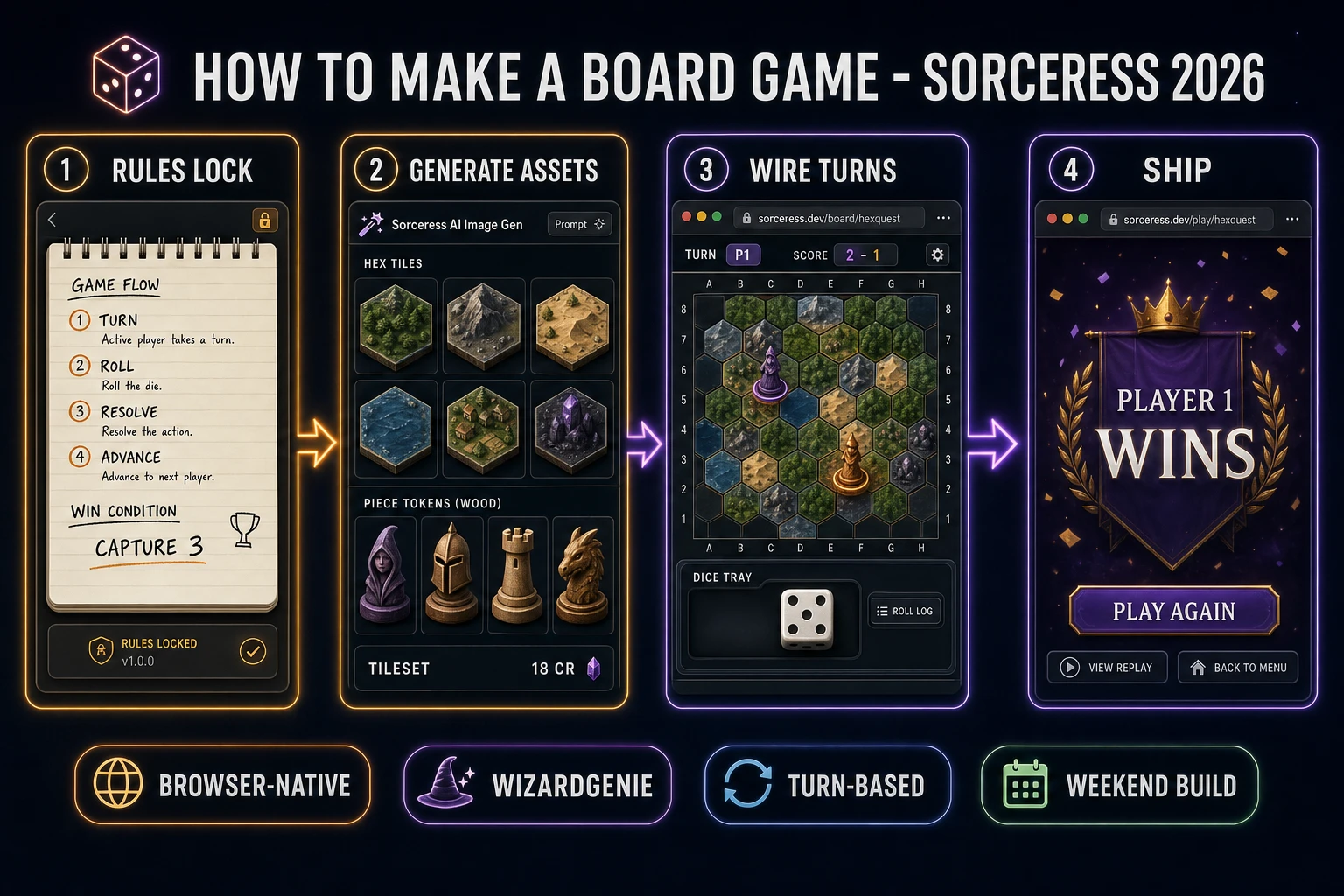
How to make a board game browser pipeline: rules lock, AI tileset and pieces, WizardGenie turn loop, and ship a browser tabletop
The 2026 how to make a board game browser recipe: lock turn, roll or draw, resolve, and win rules on paper, generate tiles and tokens with Nano Banana Pro, wire the turn interpreter in WizardGenie, add roll and capture stingers plus a salon music bed.

What how to make a board game actually means in 2026 (digital tabletop vs cardboard)

The query “how to make a board game” hides three distinct intents. Some searchers want a physical prototype — chipboard, cardstock, Meeple silhouettes, a print-and-play PDF — and a large share of search results serve that audience. This guide is not for them. A second intent is a commercial tabletop product with manufacturing, fulfillment, and retail. That is a valid path but it needs tooling, warehousing, and months of iteration. The third intent, and the one this guide targets, is a digital tabletop: one browser window, a visible board grid, piece tokens, a dice tray or draw deck, hot-seat or solo turns, a score HUD, and a win screen. That is a weekend build, it demos the whole Sorceress toolset, and it is the format most first-time digital board-game builders actually want when they type how to make a board game.

The presentation contract for a browser board game is small and strict. A title screen shows the game name, a New Game button, a player-count selector (1–4 for hot-seat), and a rules blurb. The main view is a board (square grid, hex grid, or path of spaces) with piece tokens on cells, a side panel for the current player, dice or hand, and scores, plus Roll / Draw and End Turn buttons. On resolve, legal moves highlight; illegal clicks buzz; captures animate briefly. When a win condition trips, a results screen shows the winner, final scores, and Play Again. Every digital translation of classic race, capture, and scoring tabletop loops honours that layout, which is why the format renders so cleanly in a browser: it is fundamentally a grid UI plus a turn state machine.

The board game loop in one minute (turn, roll or draw, resolve, advance)

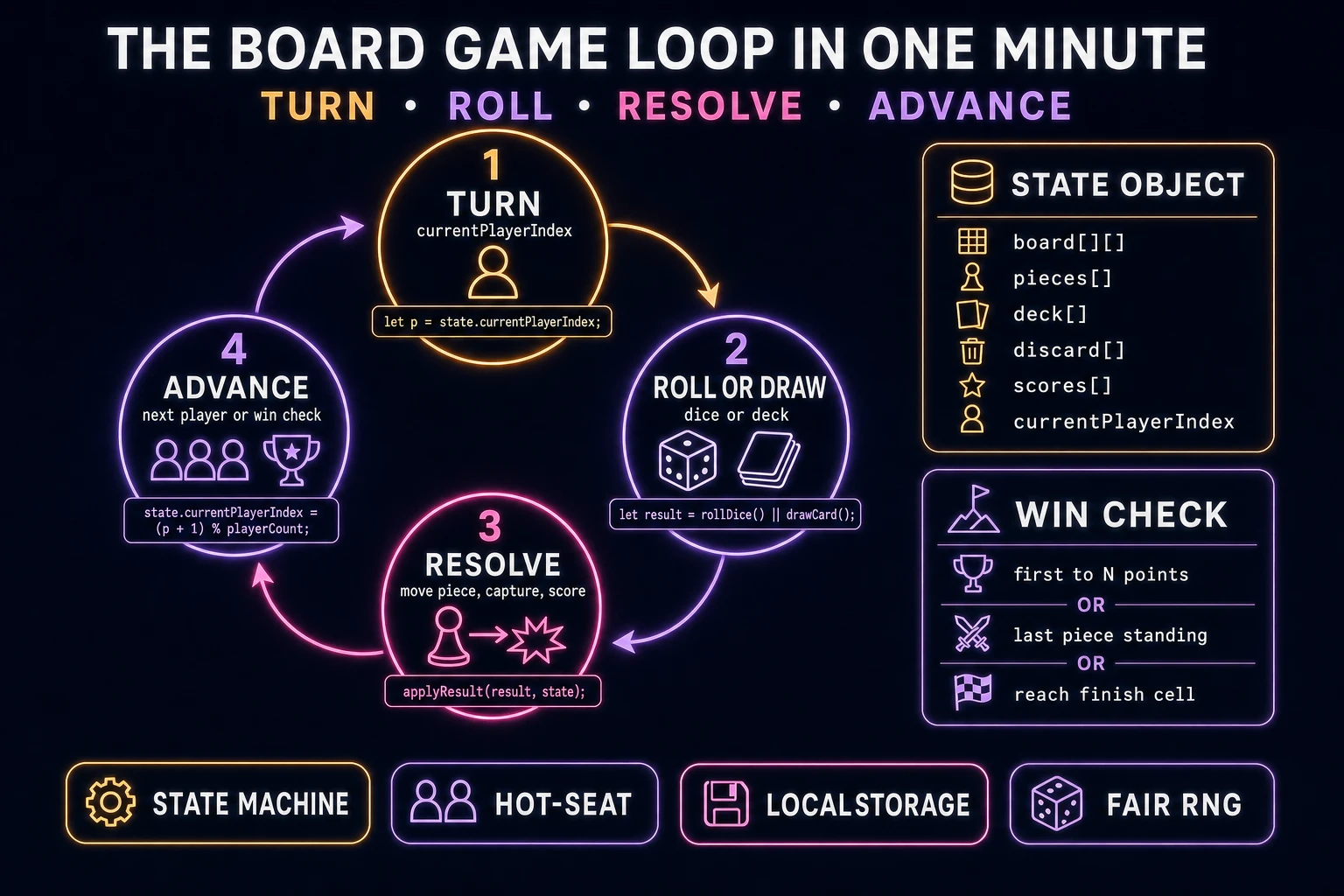
Four moving parts and nothing else, in strict order per player action. First, turn — read currentPlayerIndex, enable that player’s input, refresh any start-of-turn resources (movement points, one free draw). Second, roll or draw — either sample a fair die with crypto.getRandomValues (verified against the MDN Crypto.getRandomValues docs on 2026-08-17) or pop the top card from a shuffled deck array. Third, resolve — highlight legal destination cells, accept one piece move or card play, apply captures or scoring, write the new board into state. Fourth, advance — run the win check; if nobody won, increment currentPlayerIndex modulo player count and loop. When a win condition fires, exit to the results screen.

After every resolved action, autosave the full match to localStorage under a key like board.match: board cells, piece positions, deck and discard, scores, and currentPlayerIndex. On page load, if a match autosave exists, offer Resume next to New Game. That is the entire game. Four steps, executed per turn, driven by a plain JavaScript state machine. Everything else — animated token slides, particle bursts on capture, a fancy 3D dice tumble — is polish. Keep the core loop tight, ship one complete board game end-to-end, and only then layer polish.
Board game loop state machine diagram showing four nodes: turn, roll or draw, resolve, advance, with a state object and win-check panel
The board game loop: start the current player’s turn, roll a die or draw a card, resolve the move and any capture or score change, then advance to the next player or the win screen.

Pick your engine for how to make a board game: vanilla DOM, Phaser 4, or WizardGenie

Three good browser targets in 2026, each with a different trade-off. Vanilla JavaScript with CSS Grid is the honest default and the pick this guide recommends for a first build. A browser board game is fundamentally a grid of cells: one display: grid container (see the MDN CSS Grid Layout guide, verified 2026-08-17), absolutely positioned piece tokens, and a side panel for dice, hand, and scores. Total code footprint for a working race-or-capture tabletop is under 550 lines and ships as a single static HTML file. The Web Storage API handles match persistence. No engine to install, no build step, deploys to any static host.

Phaser 4.2.1 “Giedi” (released 9 July 2026, verified against phaser.io/download/stable on 2026-08-17) becomes the right pick if you want animated piece slides along paths, particle captures, isometric boards, or integrated audio timeline management. Phaser bundles Scene management, an asset loader, and input in one file, and its Scene lifecycle maps cleanly onto title–match–results transitions.

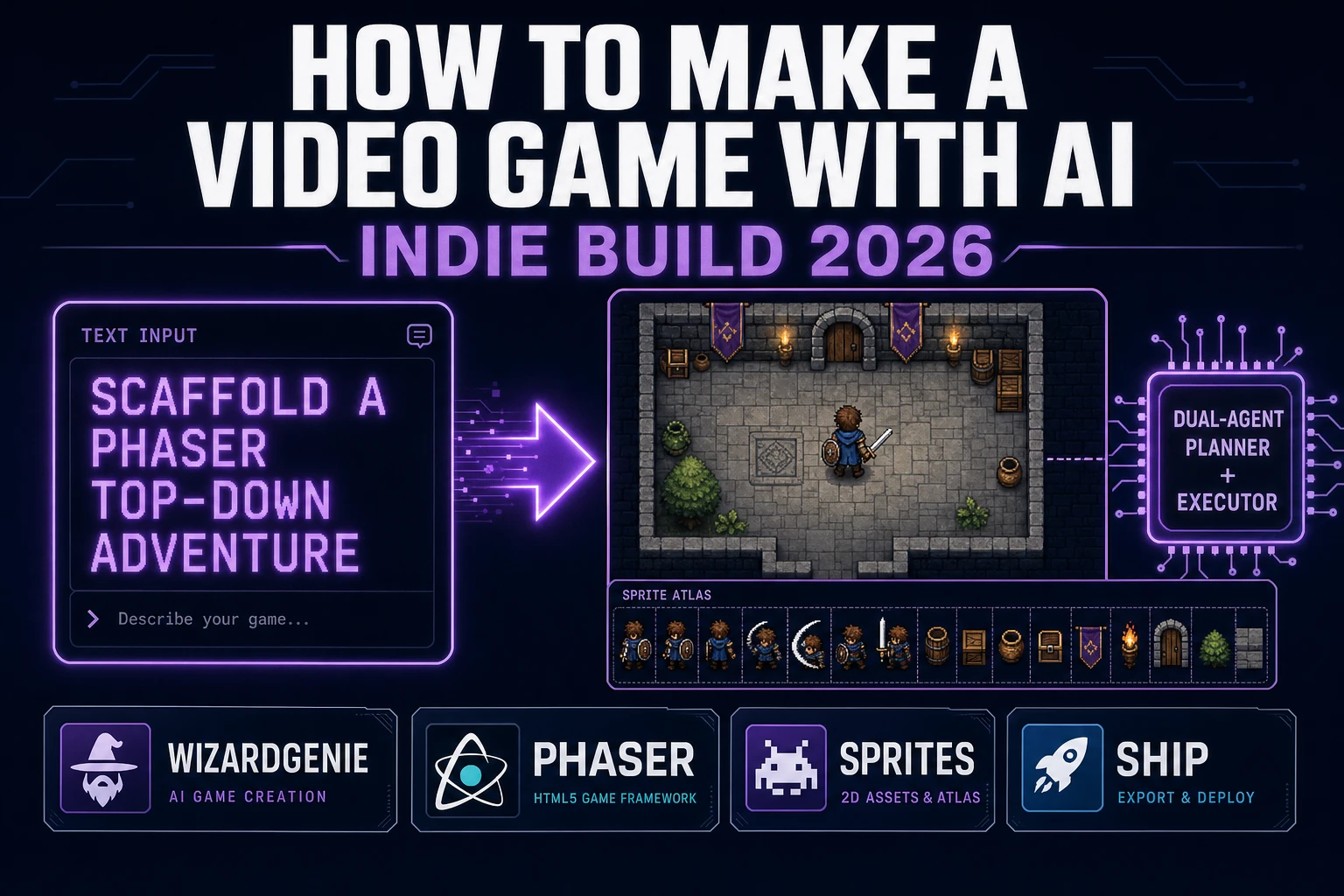
WizardGenie is not a separate rendering engine — it scaffolds whichever of the two you pick, from a single natural-language prompt. WizardGenie is the Sorceress game-native coding agent. It ships as both a desktop app (Windows installer with auto-update, available to Early Access supporters and above) and a no-install web build at the same URL. Its coding-model lineup covers Claude Opus 4.7, Claude Sonnet 4.6, GPT-5.5, Gemini 3.1 Pro, DeepSeek V4 Pro, Kimi K2.5, Grok 4.2, and MiniMax M2.7 (verified 2026-08-17 in src/app/_home-v2/_data/tools.ts). For a board game, any frontier model scaffolds the whole turn interpreter in one prompt. If you want to run cheap, pair a frontier planner (Claude Opus 4.7 or GPT-5.5) with a budget executor (DeepSeek V4 Pro or Kimi K2.5) and let the executor do the typing — the Dual-agent planner-and-executor pattern is the whole reason WizardGenie exists, and it lands most projects at roughly one-fifth the single-frontier cost.
Step 1 — design the board grid, piece set, and win conditions

Nothing else in the pipeline matters if the rules are not locked first. How to make a board game lives or dies on four decisions written on one page before any CSS cell exists: board topology, piece types, turn economy, and win condition. Pick one topology for the first ship: an 8×8 square grid (capture and territory), a linear track of 24–40 spaces (race), or a small hex map (area control). Pick one or two piece types only — a runner token and an optional blocker is enough. Pick one turn economy: roll 1d6 and move that many spaces, or draw one card that grants a move, a capture, or a score bump. Pick one win condition: first to the finish cell, first to N points, or capture three opposing pieces.

Write those four lines into a rules.md file in the project root. Then sketch the state object you will actually code:

{
  board: /* rows x cols of cell ids */,
  pieces: [{ id, owner, cell, type }],
  deck: [],
  discard: [],
  scores: [0, 0],
  currentPlayerIndex: 0,
  phase: "roll" | "move" | "end"
}

That object is the source of truth. The DOM only mirrors it. If you cannot describe a legal move as a pure function (state, action) => nextState, the rules are still fuzzy — fix the rules sheet before you open the image generator. Optional stretch goals (special spaces, traps, two dice, a shop) wait until one full match plays without confusion.

Step 2 — wire turns, dice or deck draws, and state save in WizardGenie

With the rules sheet written, open WizardGenie. Drop in a bare index.html shell with a board container, a side panel, and empty title/results divs. Give the agent one paragraph: Build a browser board game for two hot-seat players on an 8×8 CSS Grid. Each turn the current player rolls one fair six-sided die via crypto.getRandomValues, then clicks one of their tokens and a legal destination cell within that many orthogonal steps. Landing on an enemy token captures it and awards one point. First player to three captures wins. Highlight legal cells after the roll; buzz illegal clicks. End Turn advances currentPlayerIndex. Autosave full state to localStorage after every resolve. Include New Game, Resume, Roll, and End Turn buttons. Feed that to any coding model in the lineup and the interpreter scaffolds in under three minutes.

The remaining hour of coding is polish, layered on with follow-up prompts. Add a Pass device overlay between hot-seat turns so the next player cannot peek. Add a move log that lists the last eight resolves. Add a undo that restores the previous autosave snapshot (keep a one-deep history stack). Add keyboard shortcuts: R to roll, Enter to end turn when the phase allows. Each polish item is a follow-up prompt to WizardGenie. Use a proper Fisher–Yates shuffle if you later add a deck; do not use Array.sort(() => Math.random() - 0.5), which biases order.

Step 3 — AI Image Gen tiles and pieces, SFX Gen clicks, Music Gen salon bed

Open Sorceress AI Image Gen for the board tileset first. A digital board game needs a small set of cell textures (light square, dark square, or hex faces) plus distinct piece tokens per player. Nano Banana Pro at 18 credits per generation (verified 2026-08-17 in src/lib/models.ts as credits: 18) is the model of choice because 2K resolution keeps edges crisp when tokens sit at 48–64 px on the grid. Prompt in a register like “seamless wooden board tile, top-down, painted tabletop style, no text, square” for cells, and “carved meeple token, top-down, solid color silhouette, transparent background, no text” for pieces. Budget roughly eight tile/piece generations (144 credits / 1.44 USD) plus two extra piece colorways if you support four players.

Optional but recommended: generate two overlay backgrounds. A title-screen background (16:9, painted salon or candlelit table, no text) and a win-screen background (16:9, celebratory register, subtle confetti, no text). Two overlays at 18 credits each is 36 credits or 0.36 USD.

Now the audio. Open SFX Gen. SFX Gen bills 1 credit per second (verified 2026-08-17 in src/app/sfx-gen/page.tsx as SEED_AUDIO_CREDITS_PER_SECOND = 1). Five stingers cover a first board game: dice roll (1.5 s), piece move (0.5 s), capture (1 s), illegal click (0.4 s), and win flourish (2 s). Total roughly 8 credits or 0.08 USD. Add one 30-second ambient salon bed — soft room tone, quiet chatter bed — at 30 credits or 0.30 USD. Wire each stinger as a one-line new Audio(path).play() at the matching event.

Open Music Gen. Music Gen bills 10 credits per generation (verified 2026-08-17 in src/app/music-gen/page.tsx as MUSIC_CREDIT_COST = 10). Two tracks cover a first board game: a title-and-menu loop (warm, curious, low tempo) and a match bed (steady, non-distracting) that plays under the whole session. Two or three generations per track to nail the loop, so budget 40 to 60 credits for the pair (0.40 to 0.60 USD). Add 2 credits per WAV render if you want lossless (WAV_CREDIT_COST = 2); MP3 is fine for browser delivery.

Board game asset stack showing a browser 8x8 board with tokens and a dice tray, next to asset-source tiles for tileset, pieces, stingers, ambient loop, and music tracks
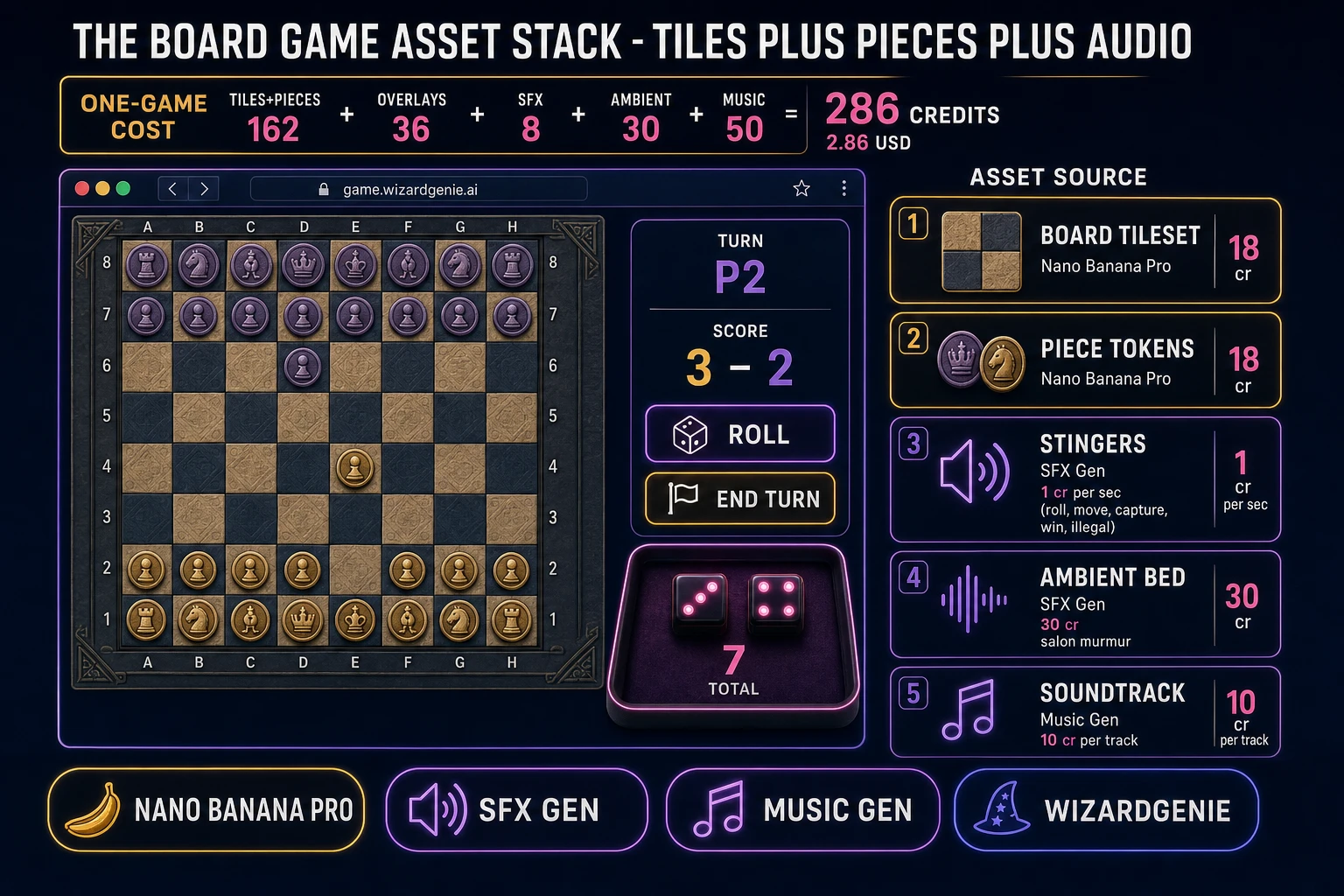
The board game asset stack: painted tiles and tokens from AI Image Gen, five short stingers plus a salon ambient bed from SFX Gen, and two music tracks from Music Gen — the whole visual and audio set for a browser tabletop sits near three dollars.

What a how to make a board game project costs on Sorceress in 2026

Concrete asset and generation budget for a browser board game — 8×8 grid, two hot-seat players, one die, capture-to-three win, match autosave — from empty repo to zip-and-ship playable, all numbers verified 2026-08-17 against local Sorceress source:

  • Board tiles and piece tokens (AI Image Gen): ~8–10 generations at Nano Banana Pro 18 credits each = 144 to 180 credits (1.44 to 1.80 USD). Top-down tabletop style, transparent piece backgrounds.
  • Title and win overlays (AI Image Gen): 2 backgrounds at 18 credits each = 36 credits (0.36 USD). 16:9 painted, no text, matching palette.
  • Stingers (SFX Gen): 5 clips at 1 credit per second, roughly 8 seconds total = 8 credits (0.08 USD). Roll, move, capture, illegal, win.
  • Ambient bed (SFX Gen): 1 clip at 30 seconds = 30 credits (0.30 USD). Soft salon room tone.
  • Background music (Music Gen): 2 tracks at 10 credits per generation, 2 to 3 tries each = 40 to 60 credits (0.40 to 0.60 USD). Add 2 credits per WAV render if you need lossless.
  • WizardGenie coding time: effectively free on the Sorceress side. Model-side API cost for a 2-to-4-hour prompt session on a cheap Executor like DeepSeek V4 Pro is typically under 0.50 USD.
  • Total for one complete browser board game: roughly 258 to 314 credits, or roughly 2.58 to 3.14 USD in Sorceress credits, plus under 0.50 USD in model API time. Under about 3.50 USD end-to-end for a first digital tabletop with tiles, tokens, five stingers, and two music tracks.

Sorceress bills 100 credits per dollar at the standard rate (CREDITS_PER_DOLLAR = 100 in src/lib/models.ts). New accounts start with 100 free credits (SIGNUP_GRANT = 100 in src/app/api/admin/credits/route.ts), which covers all five stingers, the ambient loop, one round of music generation, and several piece tokens outright — enough to prototype the whole board game before you decide whether to top up. The Sorceress Lifetime tier at 49 USD one-time (LIFETIME_PRICE = 49 in src/app/plans/page.tsx) covers unlimited SFX Gen and Music Gen use forever, which matters if you plan to ship several rule variants (a race track, a hex skirmish, a deck-driven event board) — each additional game reuses the turn scaffold and pays only for its new tileset and rules.

For related browser-game pipelines that share this design-first-generate-the-assets-scaffold-the-interpreter-ship-the-browser-build spine, the closest reads are Mate How to Make a Chess Game (Browser AI Loop 2026) for a pure-skill grid sibling, Sweep How to Make Minesweeper (Browser Flag Grid 2026) for another cell-grid weekender, Recall How to Make a Memory Game (Browser Match Grid 2026) for a hot-seat card-table cousin, and Quiz How to Make a Trivia Game (Browser Question Loop 2026) for another short-session parlor loop. The Sorceress Tools Guide is the master index for every tool the guide referenced. Under four dollars, one weekend, and how to make a board game is a done deal.

Frequently Asked Questions

Is a digital board game the same as making a cardboard prototype?

No. Cardboard prototypes optimize for physical feel: tile thickness, card sleeves, component count, and table footprint. A browser board game optimizes for state, turn order, and clarity on a screen. The shared design work is the rules: what a turn looks like, how pieces move, how you win, and what randomness (dice or deck) you allow. Once those four decisions are locked, the digital path is a state machine plus a grid UI, not a print run. Start with a one-page rules sheet before you draw a single CSS cell.

Should I use dice, a deck, or pure skill for a first board game?

Dice are the fastest first build because one roll function and a face sprite cover most casual tabletop loops (race, chase, simple combat). A shuffled deck is better when you want hand management or event cards, but you need a shuffle, draw pile, discard, and reshuffle edge case. Pure skill (chess-like movement with no randomness) is elegant and teaches pathfinding and legal-move generation, but it needs stronger AI or a second human player to stay fun. For a weekend browser ship, start with one six-sided die and a race-to-finish or capture-N-pieces win condition, then add a deck only if the dice loop already feels good.

How do I keep turn order fair in a browser board game?

Store an explicit players array and a currentPlayerIndex. On end-turn, increment the index modulo player count, then run any start-of-turn hooks (draw a card, refresh movement points, clear temporary buffs). Never mutate the board during another player’s input handler. For hot-seat local multiplayer, show a Pass device overlay between turns so the next player cannot peek. Persist the full game state — board cells, piece positions, decks, scores, and currentPlayerIndex — to localStorage after every resolved action so a refresh does not soft-lock the match.

Do I need Phaser to make a browser board game?

No. Most first digital board games are CSS Grid boards with absolutely positioned piece tokens and a side panel for dice, hand, and scores. That vanilla DOM path ships as a single static HTML file with no build step. Phaser 4 becomes worth it when you want animated piece slides, particle captures, integrated audio timelines, or isometric boards. WizardGenie scaffolds either path from a natural-language prompt, so pick the renderer after you lock rules, not before.

How much does it cost to build a board game on Sorceress?

A first-project browser board game budgets like this against the 2026 Sorceress rate card (constants verified against local source on 2026-08-17). One board tileset plus six to eight piece tokens at Nano Banana Pro 18 credits per generation is roughly 144 to 180 credits or 1.44 to 1.80 USD. Two overlay backgrounds (title and win screen) at 18 credits each is 36 credits or 0.36 USD. Five SFX stingers at 1 credit per second are roughly 8 credits or 0.08 USD. One 30-second salon ambient bed is 30 credits or 0.30 USD. Two music tracks at 10 credits per generation with two or three tries each is 40 to 60 credits or 0.40 to 0.60 USD. Total roughly 258 to 314 credits, or 2.58 to 3.14 USD, plus under 0.50 USD in coding-model API time. The free 100-credit signup grant covers stingers, ambient bed, first music track, and several piece tokens outright.

Sources

  1. Board game - Wikipedia
  2. Phaser 4 - HTML5 Game Framework
  3. MDN - CSS Grid Layout
  4. MDN - Web Storage API (localStorage state save)
  5. MDN - Crypto.getRandomValues (fair dice)
Written by Arron R.·2,509 words·11 min read

Related posts