WizardGenieBeta

The AI-first game engine.

Build any game you can imagine with WizardGenie. No experience required. Dive right in and start building your dream game.

Windows 10 & 11 · .exe installer
Free downloadFree

Genie Code — Wish 1.0

WizardGenie's native coding agent, paid with Sorceress credits.

  • Genie Code — Wish 1.0 coding agent
  • Pay as you go with Sorceress credits
  • Free to download and install
  • No subscription needed
Supporter AccessUnlocks everything

Every coding agent & model

All modules, plus the coding subscriptions and models you already use.

  • All WizardGenie modules
  • Claude Code, GPT Codex, Cursor and GLM subscriptions
  • BYOK and API models, OpenRouter and Kilo Gateway
  • Ollama and open-source local models
  • Multiple Claude Code and GPT Codex account logins
Get Supporter Access

01Assets & worlds

Asset Creation

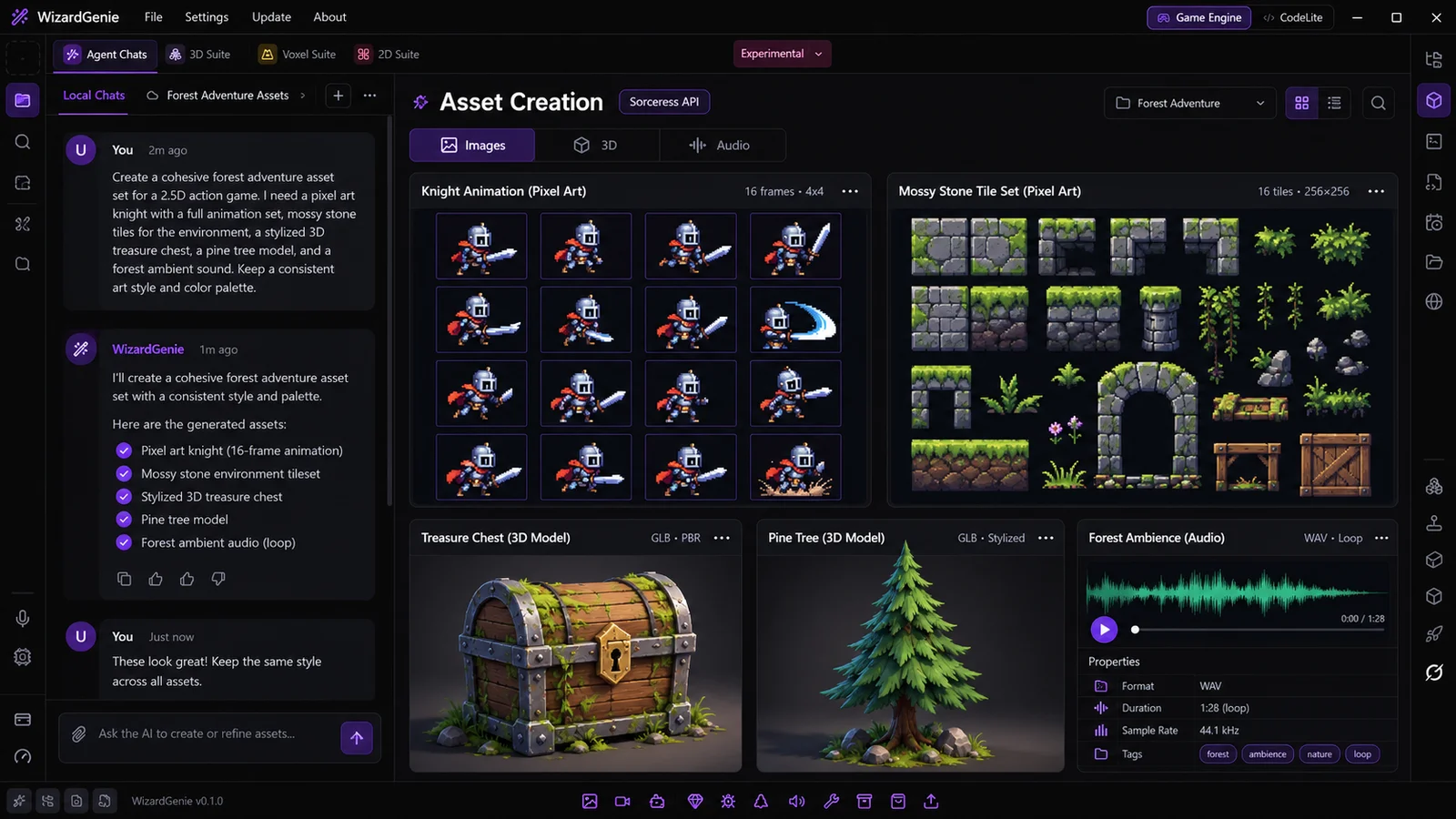
Create everything from 2D game sprites to 3D models and animations, voxels, sound effects, music, speech, and cloned voices. Generate images and video with leading AI models, plus materials, parallax backgrounds, tilesets, and more.

WizardGenie uses the Sorceress API to bring game asset creation into your editor. There is no single fixed workflow: tell your agent what you want, and let it use the tools to create it.

Illustrative WizardGenie asset creation preview with pixel-art sprites, tiles, 3D props and audio
Asset Creation — Illustrative preview

02Assets & worlds

3D World Engine

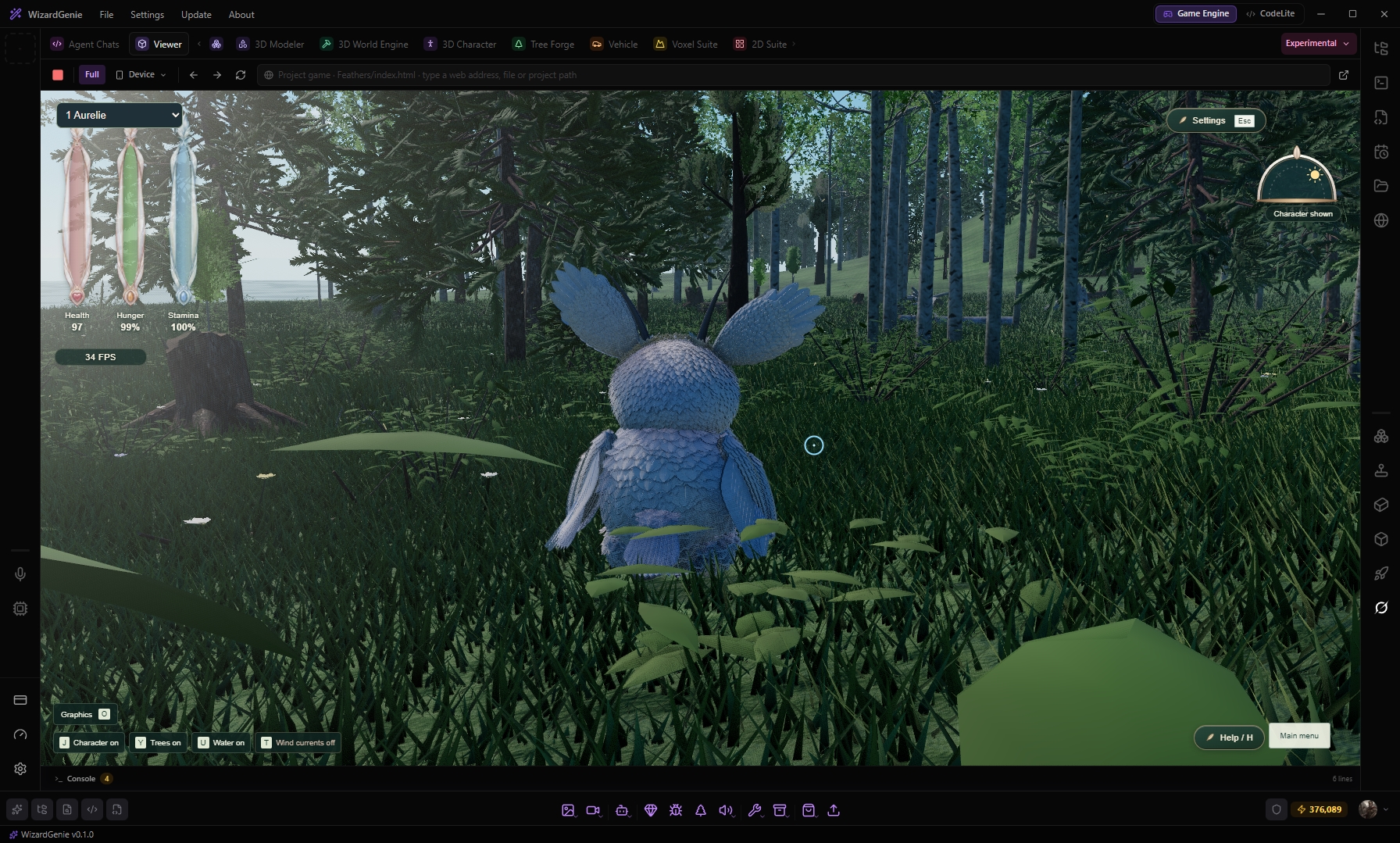
Build procedural environments with more than a dozen tree species, flora, and grass. Create oceans, lakes, and rivers with buoyancy and underwater caustics, all running in a highly optimized WebGPU environment.

Blend Jungle, Forest, Meadow, Desert, and Beach biomes. The runtime is fully exposed to your coding agent: add new biomes, create tree species, or modify any part of the environment.

If you're building a 3D world, the 3D World Engine can save months of optimization and tuning.

WizardGenie preview showing a playable character in a dense forest environment
3D World Engine

03Assets & worlds

3D Modeler

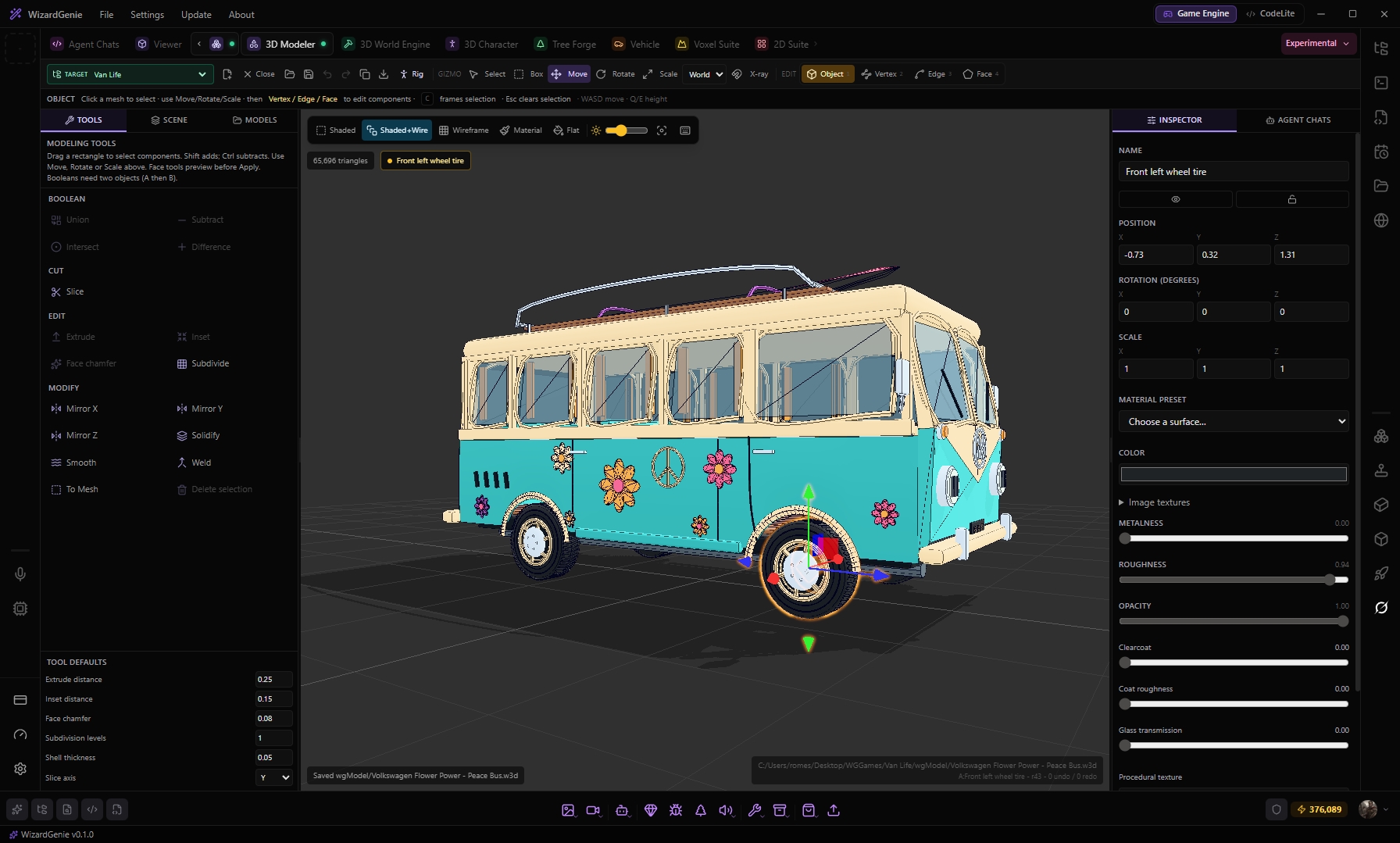
Built into WizardGenie is a full 3D modeling environment that your AI agent can use. Ask it to model a car and watch it take shape right before your eyes.

Modify the result by hand or ask your agent for tweaks. You and your agent work together in the same modeling environment.

WizardGenie 3D Modeler with a detailed camper van, editable geometry and material inspector
3D Modeler

04Assets & worlds

AI 3D Character Generation, Rigging & Animation

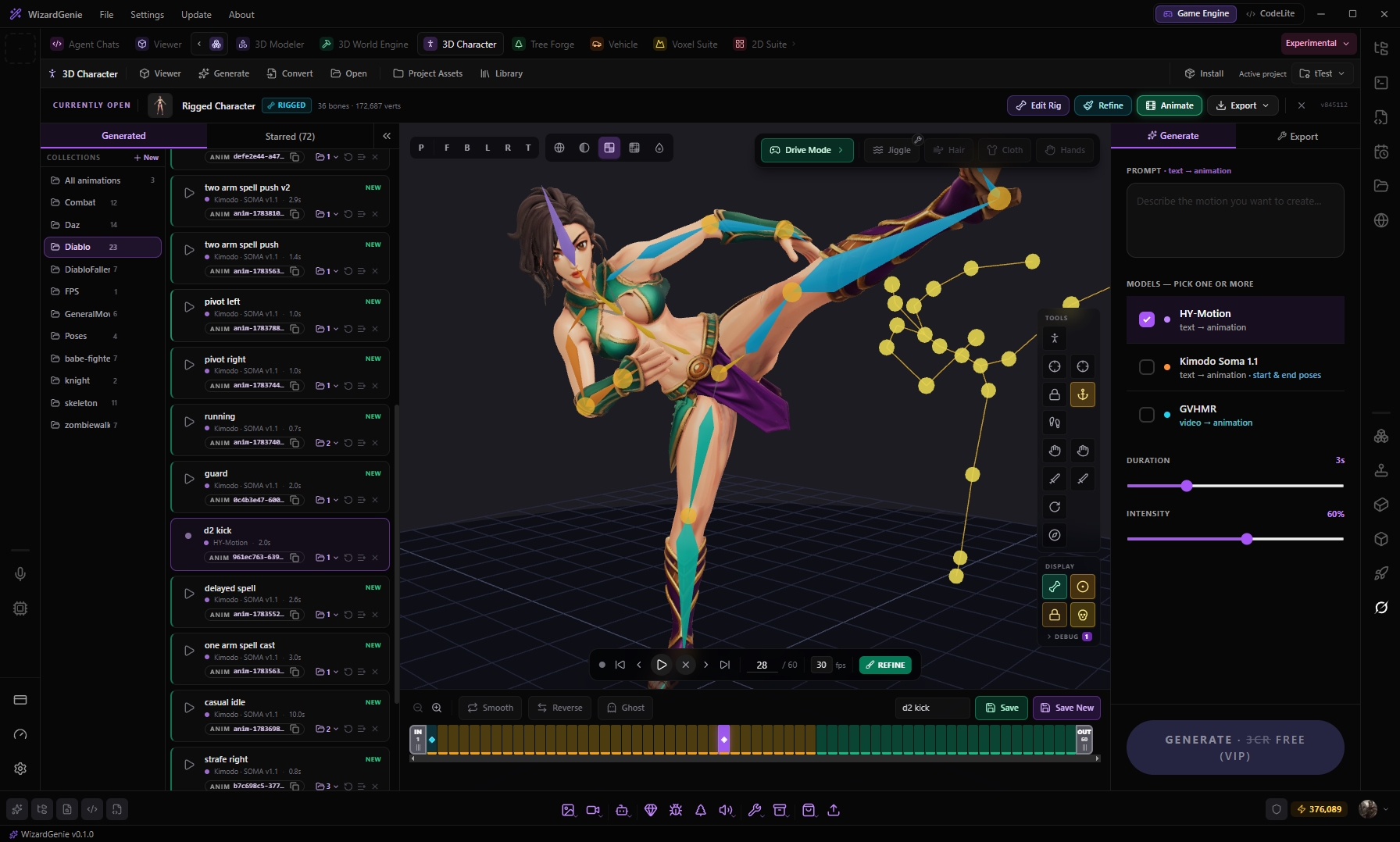
Create 3D characters, automatically rig them, and generate animations from text or video. Pull directly from the Sorceress 3D modeling system to generate the models your game needs.

Tripo, Meshy, Hunyuan, and more are unified under one Sorceress account. Get the best of all worlds in one place.

WizardGenie 3D Character workspace showing a rigged character, animation library and timeline
AI 3D Character Generation, Rigging & Animation

05Runtimes & engines

Movement Runtimes

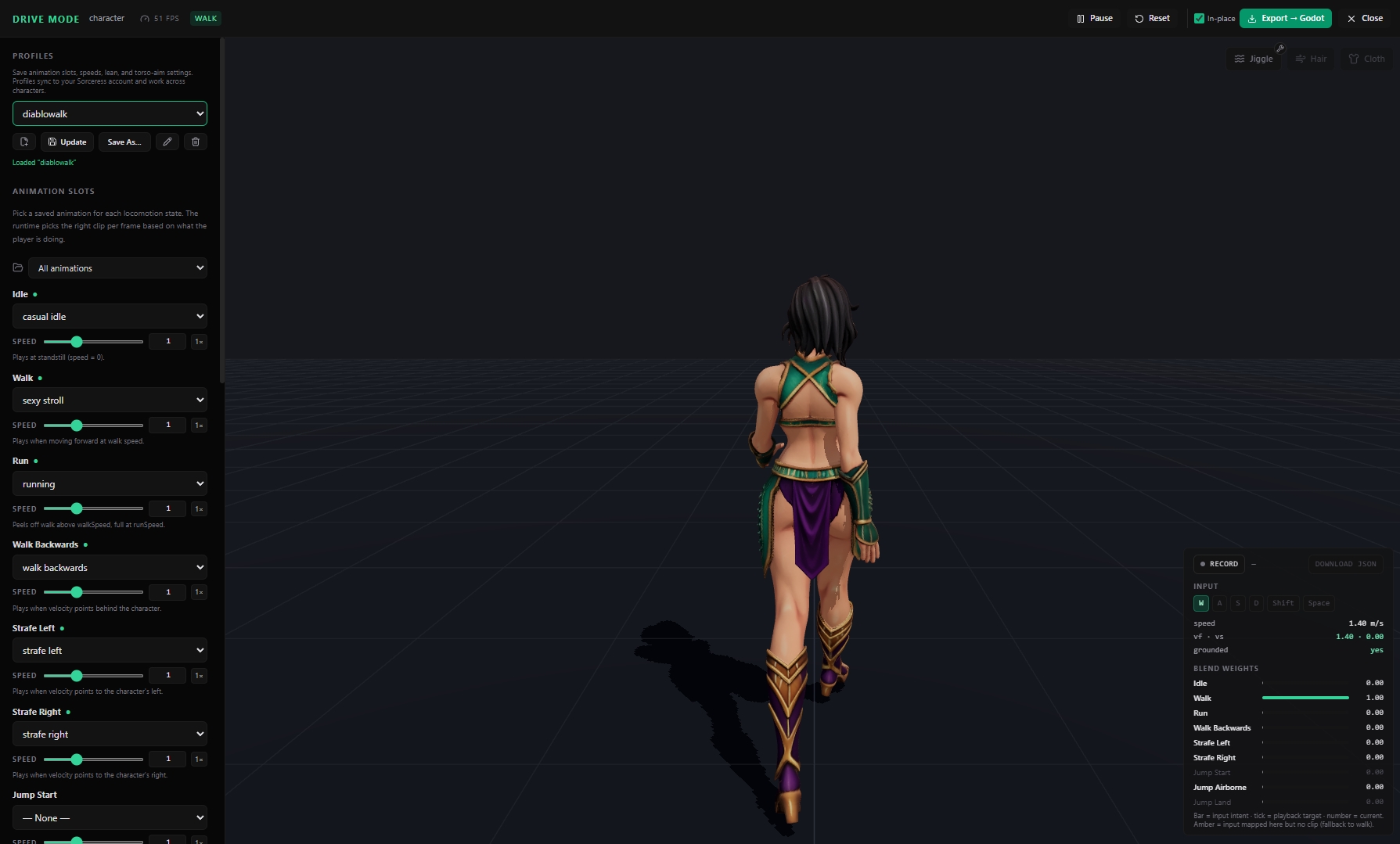
Bring your rigged humanoid characters to life with a complete movement and animation system: walking, running, jumping, strafing, looking, leaning, and inverse kinematics.

The included runtime works with your rigged humanoid characters, giving you a foundation for playable movement.

Drive Mode showing a walking humanoid and configurable movement animation slots
Movement Runtimes

06Runtimes & engines

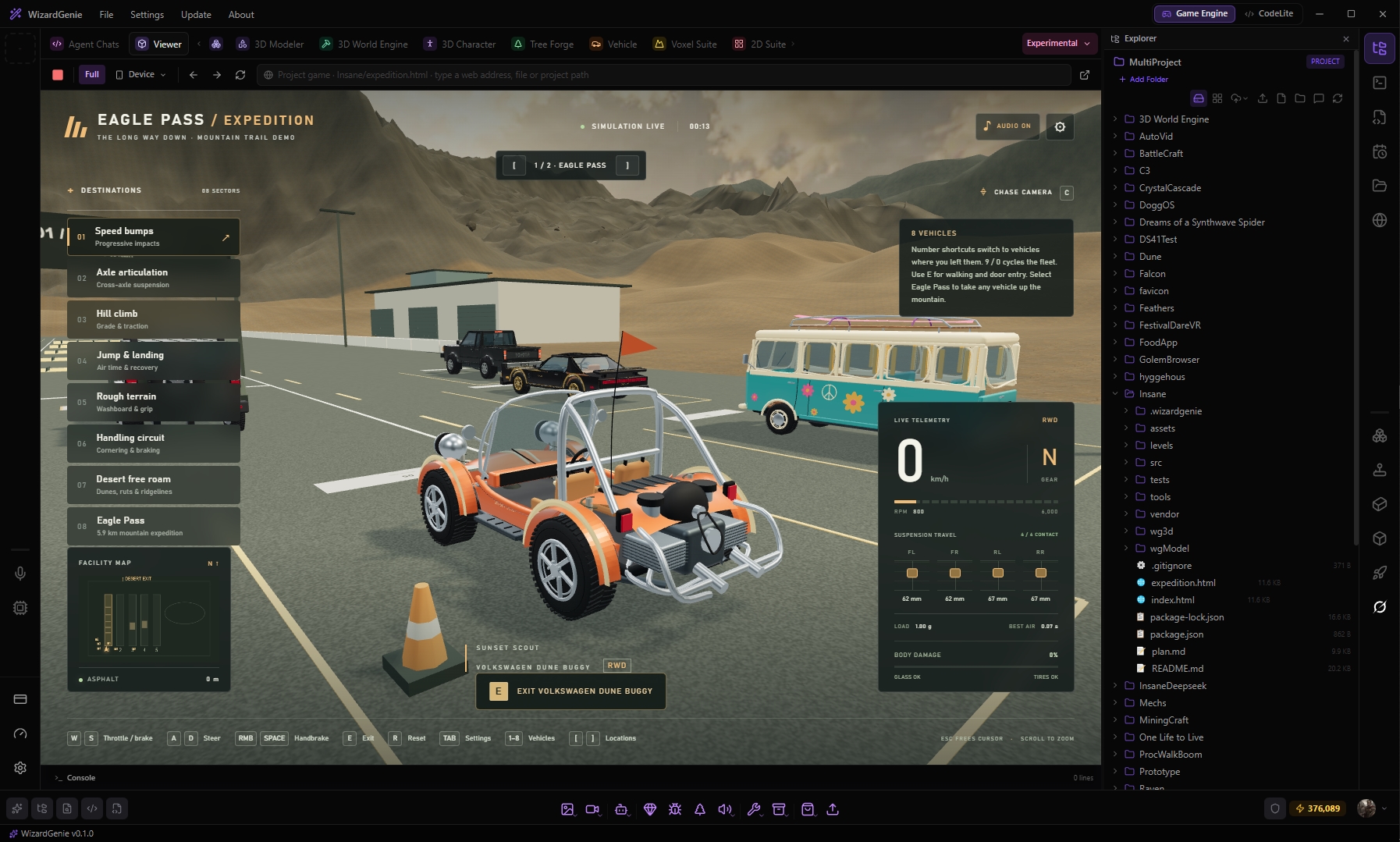
Realistic Vehicle & Driving Runtime

Start with seven vehicles featuring realistic driving physics, soft-body damage and collisions, plus engine and tire sound effects.

Apply the driving runtime to other 3D vehicles you create, or ask your AI coding agent to create a vehicle for you.

WizardGenie vehicle demo with a dune buggy, starter vehicles and live driving telemetry
Realistic Vehicle & Driving Runtime

07Runtimes & engines

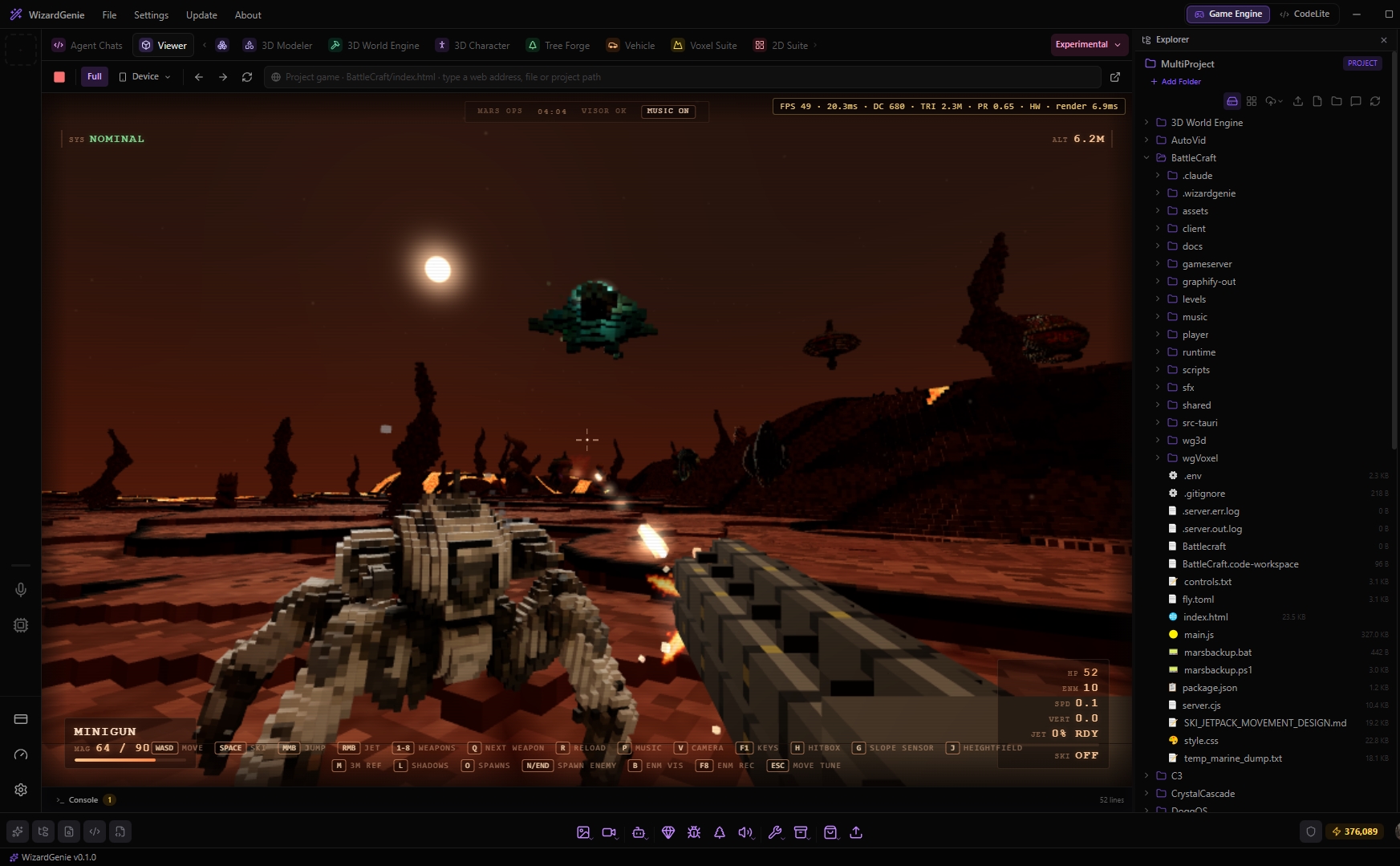
Voxel World Builder

Generate voxel worlds like Minecraft at the resolution you want: tiny voxels, large blocks, or anything in between.

Connect to the Sorceress API to generate animated voxel characters, environment objects such as trees and boulders, or creations rigged for procedural walking.

A playable voxel science-fiction shooter running inside WizardGenie
Voxel World Builder

08Runtimes & engines

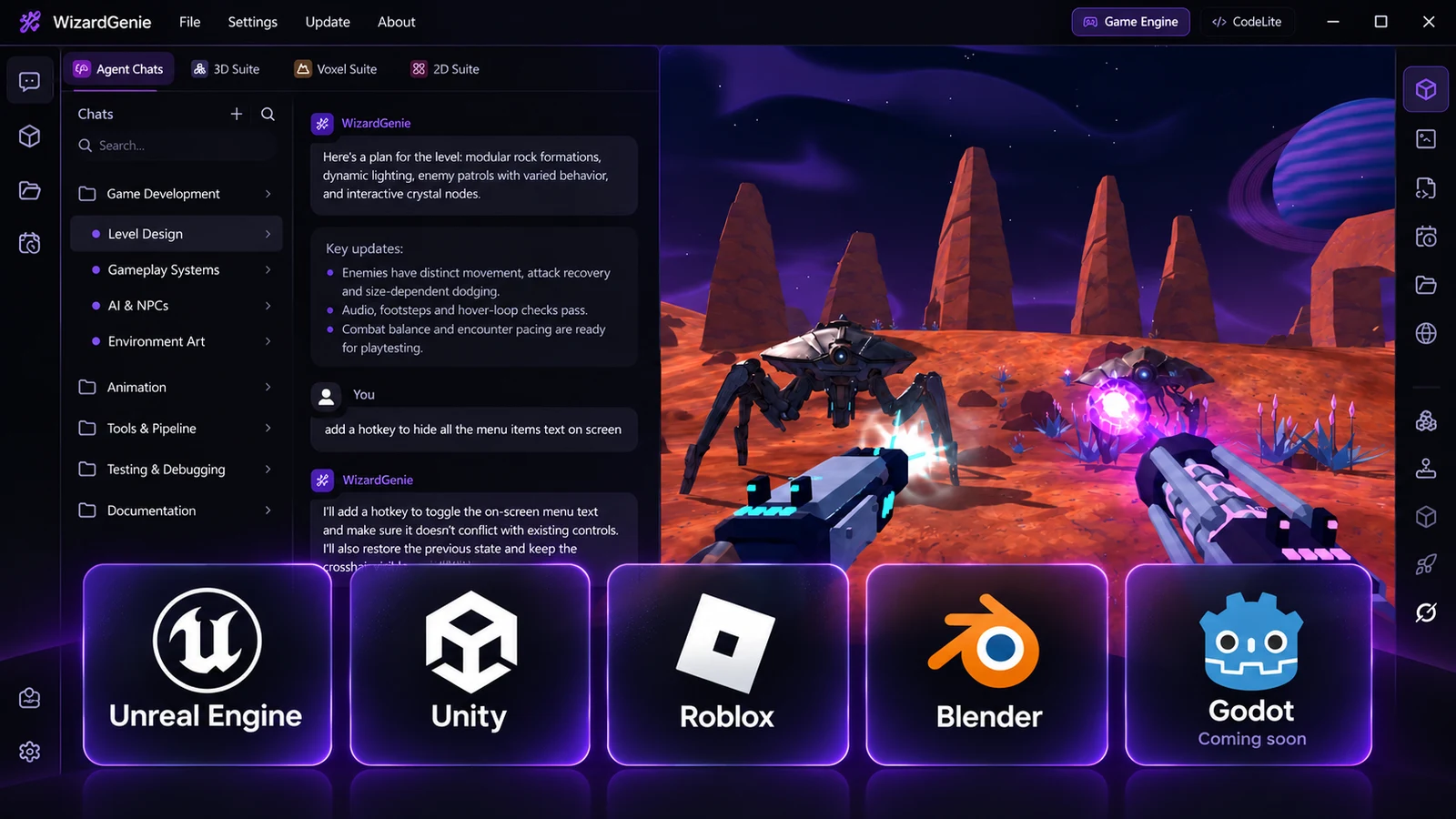
Integrated with Unreal Engine, Unity, Roblox & Blender

Prefer a traditional game engine? Use WizardGenie's asset creation tools and coding agents to build games in Unreal Engine, Unity, or Roblox.

Connect directly to Blender and direct AI-powered 3D modeling. It's quick and easy to bring WizardGenie into your existing workflow. Godot support is coming soon.

Illustrative WizardGenie editor with Unreal Engine, Unity, Roblox, Blender and Godot logos; Godot coming soon
Integrated with Unreal Engine, Unity, Roblox & Blender — Illustrative preview

09Your next game

Build ANY Game with AI

Literally any game. The old ways of game development are done. You don't need other tools, Unreal, Godot, or Unity. All you need is WizardGenie and Sorceress to build the game you imagine, for any platform.

The new age of game development is here!

WizardGenie agent conversation alongside the Neon Breach game preview
Build ANY Game with AI

Beyond the game engine

AI Agent Features

A deeper look at the agents behind your ideas.

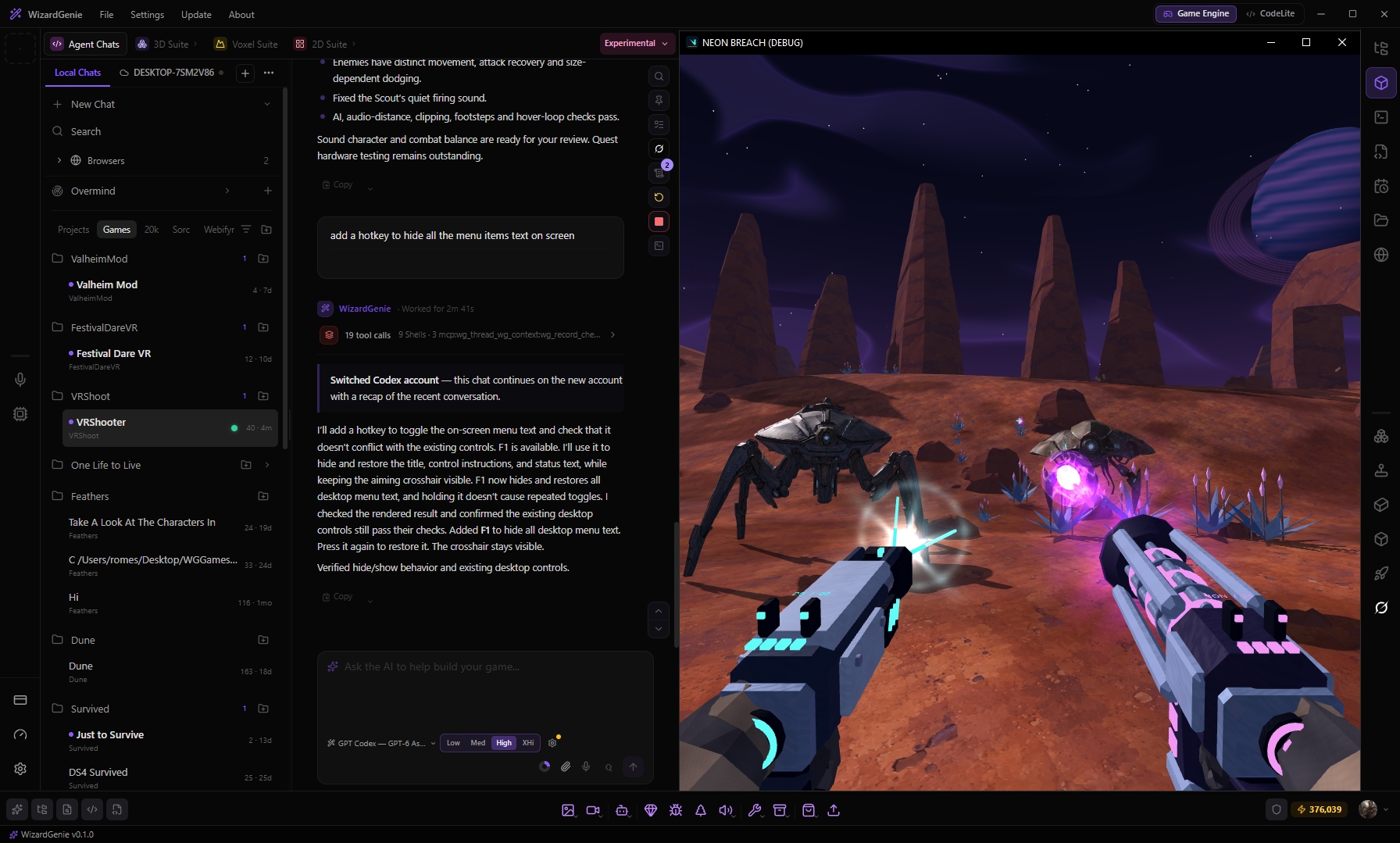
WizardGenie brings your coding agents into one workspace. Use Wish 1.0 with Sorceress credits on the free download, or unlock your connected coding subscriptions and model providers with Supporter Access or any higher tier.

WizardGenie Agent Chats with project history, a Codex account switch, agent replies and a running game preview
Inside WizardGenie: your projects, agent conversation and live game preview. Click to view full size.

Unified Vibe Coding

Start free with Genie Code — Wish 1.0, using Sorceress credits for coding. Supporter Access and every higher tier unlock connected subscriptions: Claude Code, GPT Codex, Cursor, GLM, and Ollama Cloud.

Supporter Access also unlocks BYOK and API models, OpenRouter, Kilo Gateway, and open-source local LLMs through Ollama. Bring your own subscriptions or keys; provider usage is separate. WizardGenie supports multiple Claude Code and GPT Codex account logins for easy switching.

Agent Overseer Mode

One coordinating agent directs a team of sub-agents working in parallel. Split a large project into tasks and let the Overseer keep the work moving together. WizardGenie isn't just for game design; you can use it for other kinds of work, too.

In a Shopify store redesign, the Overseer coordinated about 20 sub-agents at a time. Each product took about 15 minutes to redesign, and working in parallel dramatically sped up the entire project.

Not Just Game Development

Use WizardGenie as a complete replacement for your other coding editors, including Cursor, Claude Code, and GPT Codex. Your agents and tools are unified under one optimized, streamlined workspace.

Built-in Agent Web Browser

Each WizardGenie agent gets its own web browser. Peek in on its progress and help whenever it needs you. Agents can drive their browsers independently while you keep a full view of every running browser.

Close a browser or jump in and take the reins at any time. You stay in control while your agents work.

Open Source Models for Free Vibe Coding

With Supporter Access or any higher tier and a capable GPU, use WizardGenie's coding environment with open-source models running locally through Ollama. Local inference does not require paid hosted-model usage.

Choose the local model that suits your hardware and build directly on your own computer.

Looking for the web version?

WizardGenie on the web is being retired in favor of the desktop app. The web version stays online for a while so you can save your work: open it, then use Download project (.zip) in the Welcome panel for each project you want to keep.

Open the legacy web version