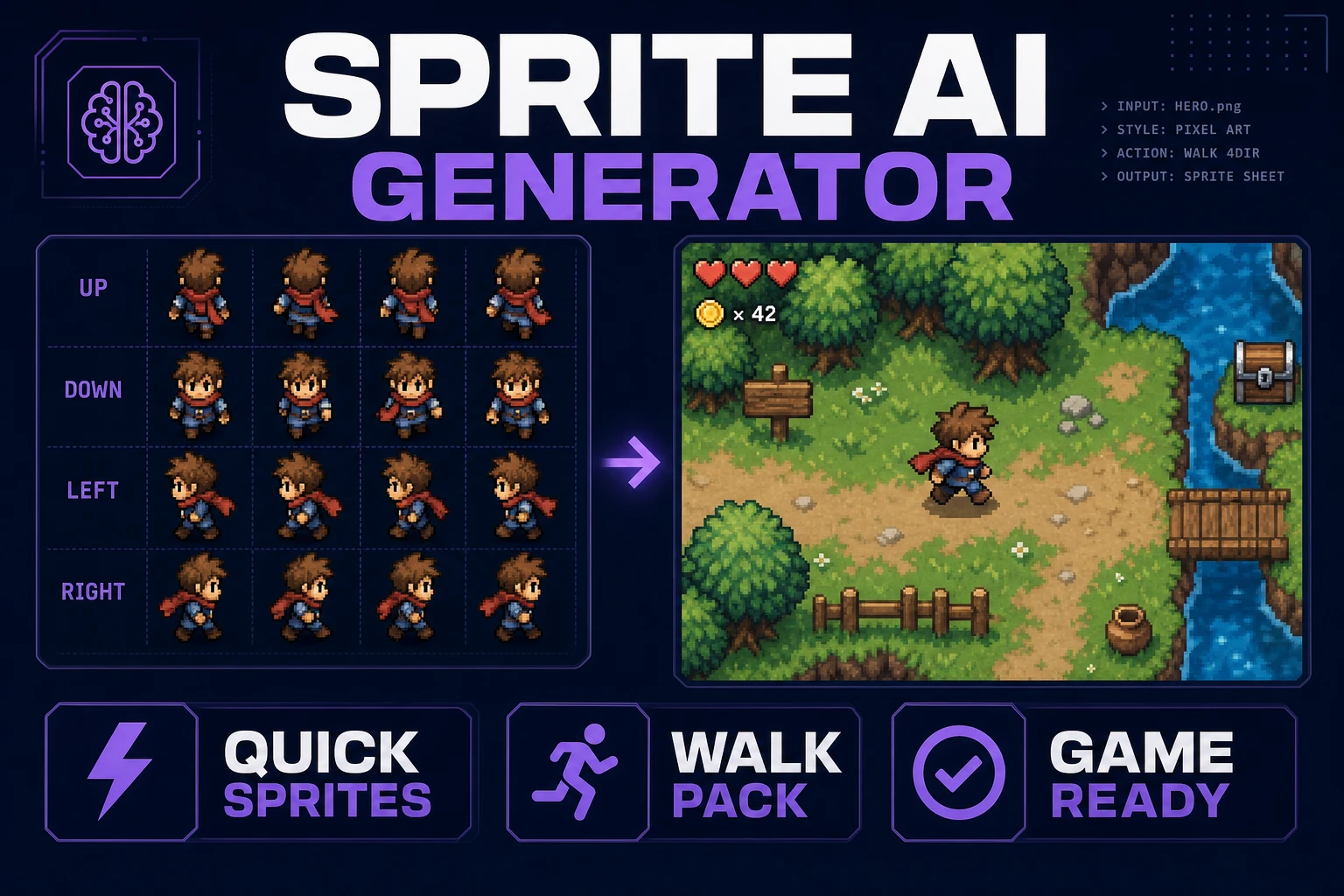
Stamp a Sprite AI Generator (Walk Pack)

By Arron R.7 min read
A sprite AI generator for games must lock cell size before you prompt. Stamp walk and idle rows in Quick Sprites (retro-diffusion/rd-animation, 9 credits per ge

Most jam casts die when walk frames disagree about size, facing, or foot contact. A sprite AI generator only helps when you stamp one action loop at a locked cell size, export a readable sheet, then prove it at camera zoom—not when you prompt for a whole battler kit in one breath.
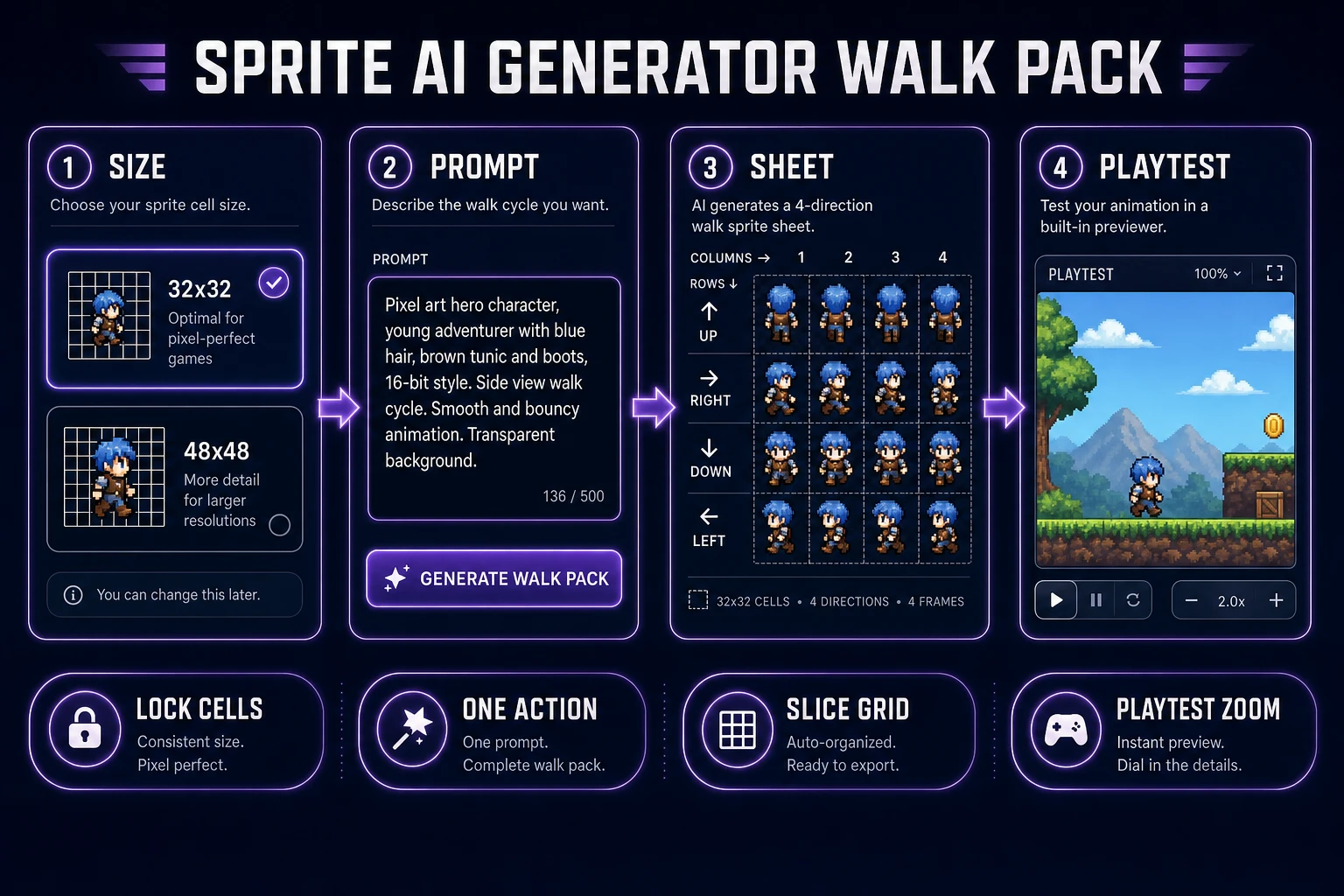
Sprite AI generator walk pack pipeline from locked cell size through Quick Sprites sheet to playtest zoom
Lock the cell, generate one walk pack, slice if needed, then playtest before the next credit burn.

What a sprite AI generator search wants

DataForSEO lists sprite ai generator at 50 monthly searches with KD 2 in research-output.md (verified for this brief; citation re-checked July 28, 2026). Related phrases include sprite generator ai (70/mo, KD 21) and the already-shipped sibling ai sprite generator. Readers typing the inverted query still want the same deliverable: a grid of animation frames an engine can load without hand-redrawing every angle.

A sprite is a 2D bitmap composited into a larger scene. A sprite sheet / texture atlas packs many of those bitmaps into one texture so the GPU uploads once and the runtime samples frames by rectangle. Engines care about math: equal cell widths, stable pivots, and rows that mean the same action. Fancy prompt poetry does not override a 33-pixel-wide frame hiding inside a 32×32 row.

Write the contract before you open any generator:

  • Cell size: 32×32 or 48×48 for characters in this workflow. One modulus for the whole cast.
  • Action count: walk only on the first pass. Idle optional. Attack later.
  • Facing rule: four directions or two. Do not mix both grammars on one sheet.
  • Transparency: true alpha PNG. No white matte pretending to be cutout.

That contract is what a sprite AI generator must obey. Sibling posts cover broader AI sprite generator framing and atlas packing; this walk pack stays on one tool path—Quick Sprites plus Slicer—so you can ship a directional locomotion set without opening a desktop pixel editor.

Lock pixel size before prompting

Quick Sprites (`/quick-sprites`) hard-codes style-to-size pairs in ANIMATION_STYLES inside src/app/quick-sprites/page.tsx (verified July 28, 2026):

  • Four Angle Walking — consistent four-direction, four-frame walks for humanoids. Size locked to 48×48 only.
  • Small Sprites — four-direction walking plus arm, look, surprise, and lay-down rows. Size locked to 32×32 only.
  • VFX Effects — fire, explosions, lightning, and other effects. Square sizes from 24–96px (default 64).

Pick the style first. The size follows. Do not invent a 40×40 hero and hope the sheet resamples cleanly. Downsampling after generation invents gray ramps between cells; upscaling a soft sheet for “retina” before engine import is how nearest-neighbor games look mushy.

Prompt rules that keep the pack honest:

  1. Name the subject once (“mushroom knight”, “cyan slime”) and stop renaming mid-batch.
  2. Name the action once (“walking cycle”) and refuse attack verbs on the first run.
  3. Skip lighting essays. Palette and silhouette matter more than cinematic rim light.

Optional controls in the same page: a seed toggle for repeatable retries, and a reference image slot when you need costume lock. Image references are not treated as a direct init latent—they steer style. Keep return as spritesheet on (the page defaults returnSpritesheet to true) so you get a grid instead of orphan frames.

If you are rebuilding a cast that already has a hero idle from another tool, match that idle’s modulus before you generate. A 32×32 Quick Sprites pack beside a 48×48 hand-drawn lead looks like two games in one screenshot. The sprite AI generator should inherit the contract you already shipped, not invent a third scale.
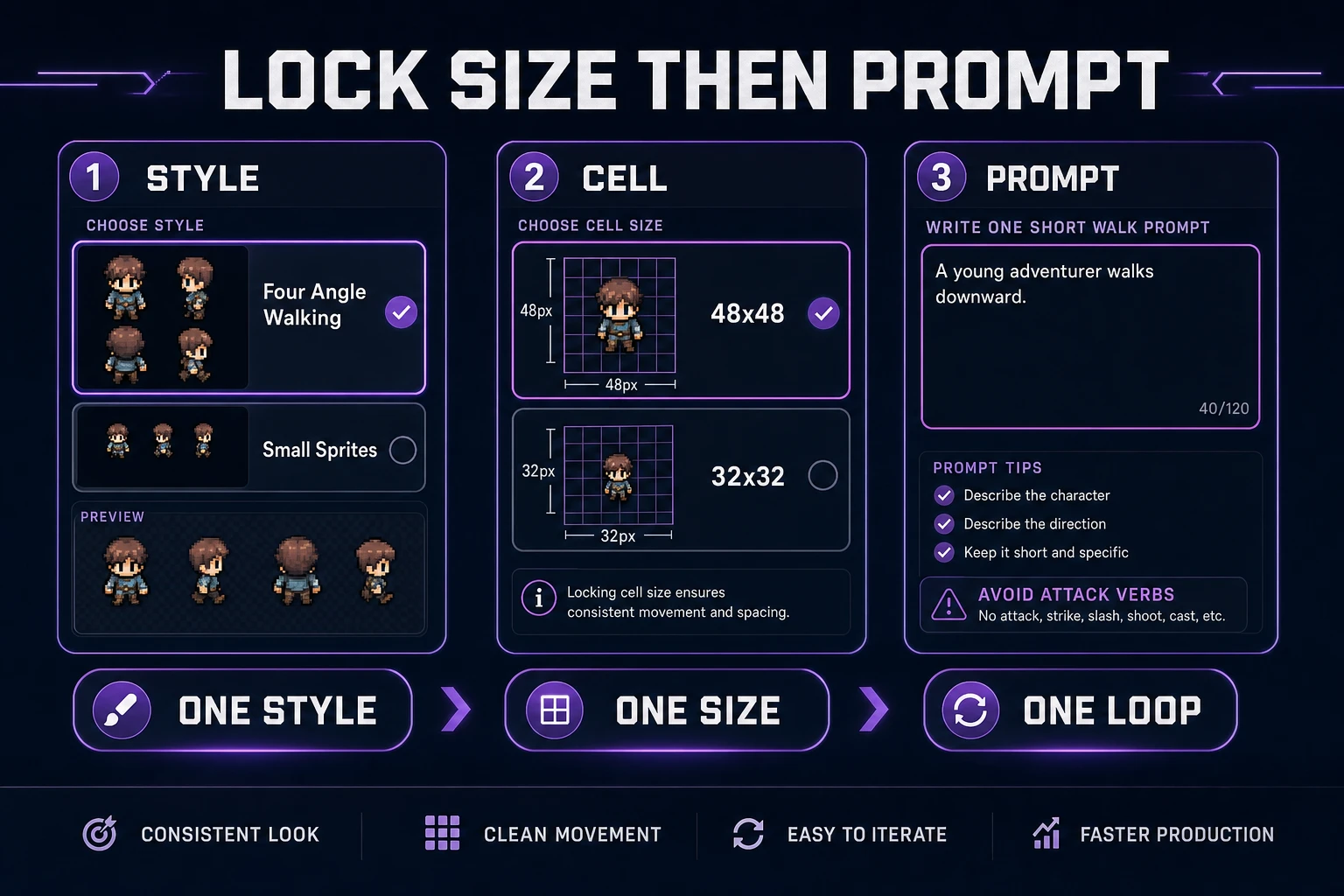
Scorecard for locking Quick Sprites style, cell size, and a single walk prompt before generate
Four Angle Walking is 48×48 only; Small Sprites is 32×32 only. One style, one size, one action loop.

Generate walk and idle rows

Open Quick Sprites, sign in, and confirm credits. CREDITS_PER_GEN is 9 and the model id is retro-diffusion/rd-animation (source constants verified July 28, 2026). The Replicate model card for RD Animation describes style-consistent animated pixel sprites and spritesheets aimed at game-engine layouts (model card re-fetched July 28, 2026). Batch size on the page is fixed at 1, so one Generate click is one nine-credit job when billing succeeds.

Recommended first pack:

  1. Select Four Angle Walking if you need classic ↑ → ↓ ← locomotion at 48×48.
  2. Or select Small Sprites if you want a denser 32×32 cast with extra gesture rows.
  3. Paste a short prompt that names subject + walk only.
  4. Leave return-as-spritesheet enabled.
  5. Generate once. Wait for the sheet. Do not queue five near-duplicates while the first is still polling.

Row labels in the UI match the style: Four Angle Walking shows Up / Right / Down / Left; Small Sprites shows Right / Left / Arms / Look / Surprise / Lay Down. Read those labels before you rename files. If the hero’s feet slide or the silhouette flips between rows, fix the prompt or seed—do not “fix” it by stretching frames in a paint app.

Idle can wait until walk survives playtest. If you must stamp idle next, keep the same style and cell size. Mixing a 48×48 walk with a 32×32 idle is how pivots jitter when the animator swaps textures.
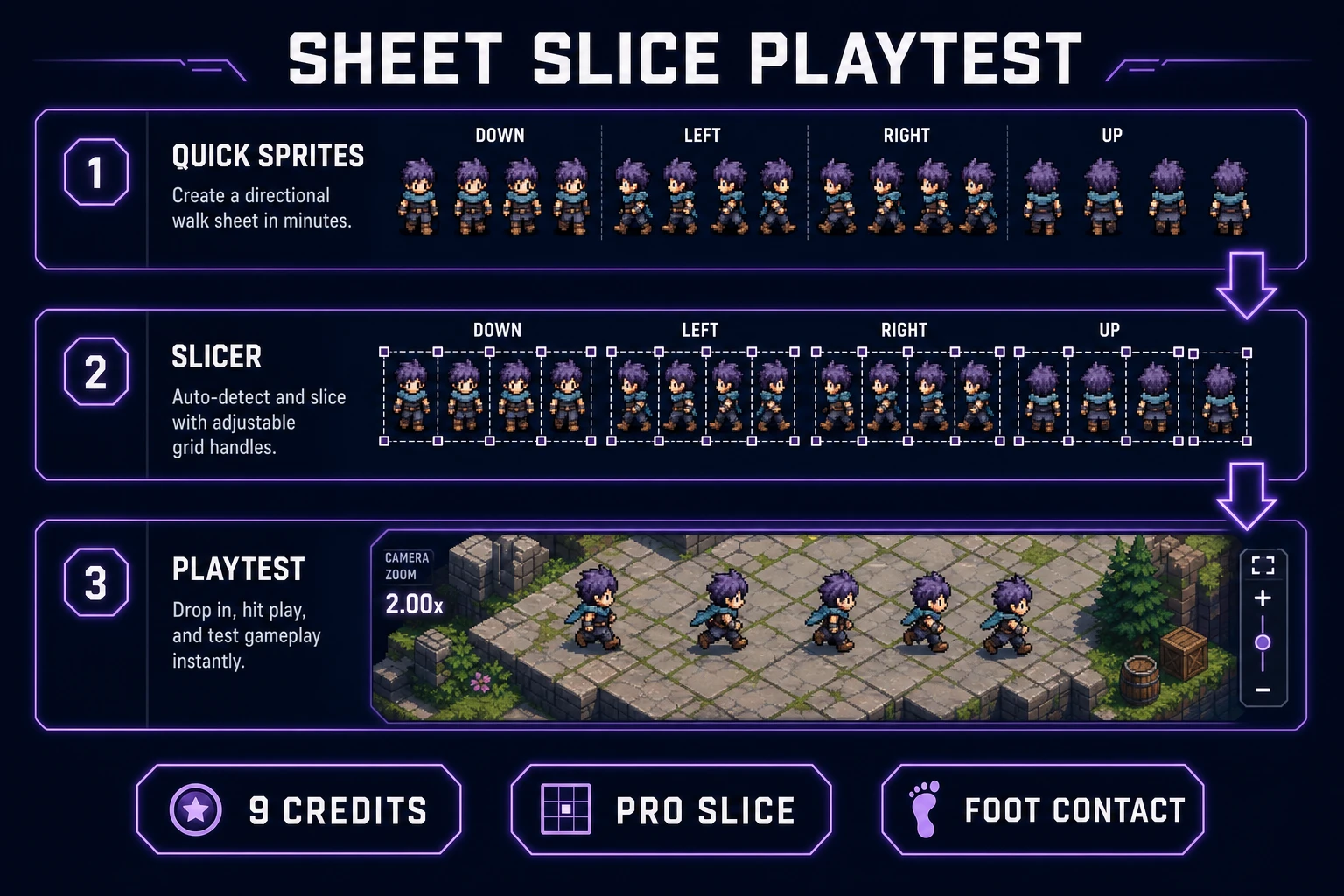
Preview readability at game scale

Editor zoom lies. A sheet that looks crisp at 400% can vanish when the camera shows a three-tile-tall actor. Drop the PNG onto a mid-gray, pure black, and pure white plate. Squint. Ask only readability questions:

  • Does the outline survive against light and dark floors?
  • Do feet stay planted across the walk row?
  • Does any frame secretly grow by a pixel?
  • Would you still track the hero if the UI chrome were louder than the sprite?

Phaser’s texture concepts expect consistent frame dimensions inside a sheet. If row zero is 48×48 and row one includes a 49-pixel-wide cell, hitching is your fault. Use Sprite Analyzer when you want a quick frame-by-frame scrub before import. Keep that check honest: game camera zoom, not thumbnail zoom.

If the sheet fails silhouette or foot contact, regenerate with a tighter prompt or a fixed seed. Do not invent a second palette. Most “the generator is broken” reports are soft edges, mixed sizes, or action sprawl—not a missing art director.

Slice and name the grid

When the sheet is almost right but the grid needs cleanup—uneven padding, combined rows, or export as named singles—open Slicer. Upload is Pro-gated in src/app/slicer/page.tsx (checkAccessAndProceed sends non-Pro users to /plans; verified July 28, 2026). Selection modes include square, free, polygon, and grid-slice. Prefer grid-slice when cells are regular; use free or polygon only for messy VFX sheets.

Naming rules that survive a jam week:

  • hero_walk_48_up_01.png style names beat FinalFINAL2.png.
  • Keep the cell size in the filename so engine imports stay searchable.
  • Store the full sheet next to the sliced frames. The sheet is the source of truth for pivots.

If you only need the intact sheet for Phaser frame rectangles, skip slicing. Extra exports create version drift. Slice when the engine or a collaborator demands discrete files—not as a default ritual.

Quick Sprites sheet flowing into Slicer grid cuts and a one-screen playtest at camera zoom
Nine credits buys a sheet. Pro Slicer cuts the grid. Playtest zoom decides whether you spend another nine.

Drop into a one-screen playtest

Art that never enters a running build is cosplay. Load the sheet into a one-screen prototype: move, collide, one hazard, restart. Play for two minutes at the real camera zoom. Prefer a browser Phaser scaffold if that is already your jam stack; the texture math is the same idea documented on the Phaser textures page. For pixel editing touch-ups after import, MDN’s Canvas API is the primitive under browser editors like Canvas—edit cells, never soft-brush the master.

Playtest checklist:

  1. Walk left and right until the loop feels boring. Boring is good.
  2. Jump or step onto a ledge if your genre has height. Watch feet.
  3. Stand in front of bright and dark tiles. Confirm outline contrast.
  4. Refuse new animation rows until those four checks pass.

When the walk pack survives, then consider hurt flash, attack, or climb. Each new row is another nine-credit bet if you regenerate wholesale. Prefer surgical Canvas repairs on a winning sheet over a full re-roll.

For the wider sprite and tileset catalog—including True Pixel downsample paths—skim the tools guide. Keep this article’s scope narrow: stamp the walk pack, prove it, stop.

If you later need tiles that match the cast’s optical scale, generate floors in a separate pass and keep the same pixel modulus. Do not let the background art quietly grow to 64×64 while the hero stays 32×32. Scale mismatch reads as “AI assets,” even when every frame is intentional.

Cost math for iteration

Quick Sprites bills 9 credits per successful generation (CREDITS_PER_GEN, July 28, 2026). A disciplined weekend looks like this:

  • Run 1: Four Angle Walking, walk only — 9 credits.
  • Playtest. If feet fail, Run 2 with a tighter prompt or seed — 9 credits.
  • Idle only after walk passes — 9 credits.
  • VFX hit spark as a separate style/size — 9 credits.

That is 36 credits for a cast-critical locomotion set with one retry budget—not 90 credits of “also add dance, swim, and dual-wield.” Stop rules:

  • No second style until the first sheet ships in a build.
  • No palette rewrite mid-cast. New NPCs inherit the hero’s modulus.
  • No store-page upscale as the runtime texture. Keep 1× masters; scale in-engine with nearest-neighbor / point filtering.

A sprite AI generator earns its keep when the sheet is boringly consistent. Stamp one walk pack in Quick Sprites, slice only when the grid needs it, playtest at camera zoom, then spend the next nine credits on purpose. That is the whole workflow.

Frequently Asked Questions

What should a sprite AI generator lock before the first prompt?

Cell size and action count. Quick Sprites Four Angle Walking is fixed at 48×48; Small Sprites is fixed at 32×32; VFX Effects allows 24–96px squares. Mixing sizes inside one sheet breaks pivots. Write the cell size on a sticky note before you type the prompt.

How much does Quick Sprites cost per generation?

CREDITS_PER_GEN is 9 in src/app/quick-sprites/page.tsx (verified July 28, 2026). The model id is retro-diffusion/rd-animation. Batch size defaults to 1, so one Generate click is nine credits when the run succeeds.

Which Quick Sprites style should I pick for a walk pack?

Four Angle Walking for a classic up/right/down/left humanoid walk at 48×48. Small Sprites for a denser 32×32 pack that also includes arm, look, surprise, and lay-down rows. Use VFX Effects only for fire, hits, and sparks—not for character locomotion.

When do I need the Slicer after a sprite AI generator run?

When the returned sheet is usable but the grid is uneven, padded oddly, or you need named single frames. Slicer at /slicer is Pro-gated for upload (verified July 28, 2026). Square, free, polygon, and grid-slice modes let you cut cells without rewriting the prompt.

How do I stop burning credits on bad sheets?

One action loop per prompt, one style, one cell size. Preview at game camera zoom before a second generate. Fix silhouettes and foot contact first. Do not add blink, attack, and climb rows until the walk row survives a two-minute playtest.

Sources

  1. Sprite (computer graphics) — Wikipedia
  2. Textures — Phaser Concepts
  3. HTML canvas — MDN Web Docs
  4. Texture atlas — Wikipedia
  5. retro-diffusion/rd-animation — Replicate model
Written by Arron R.·1,581 words·7 min read

Related posts