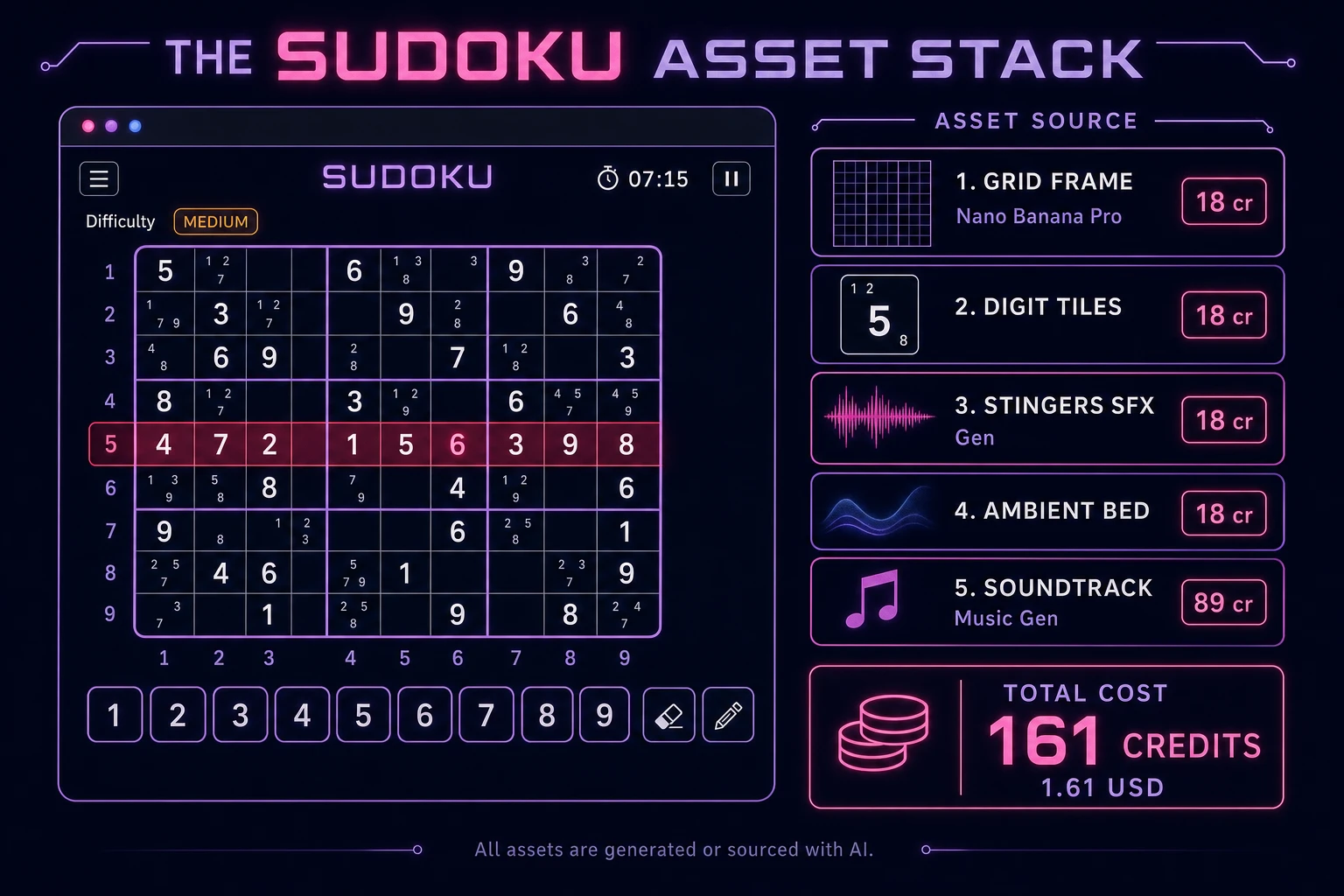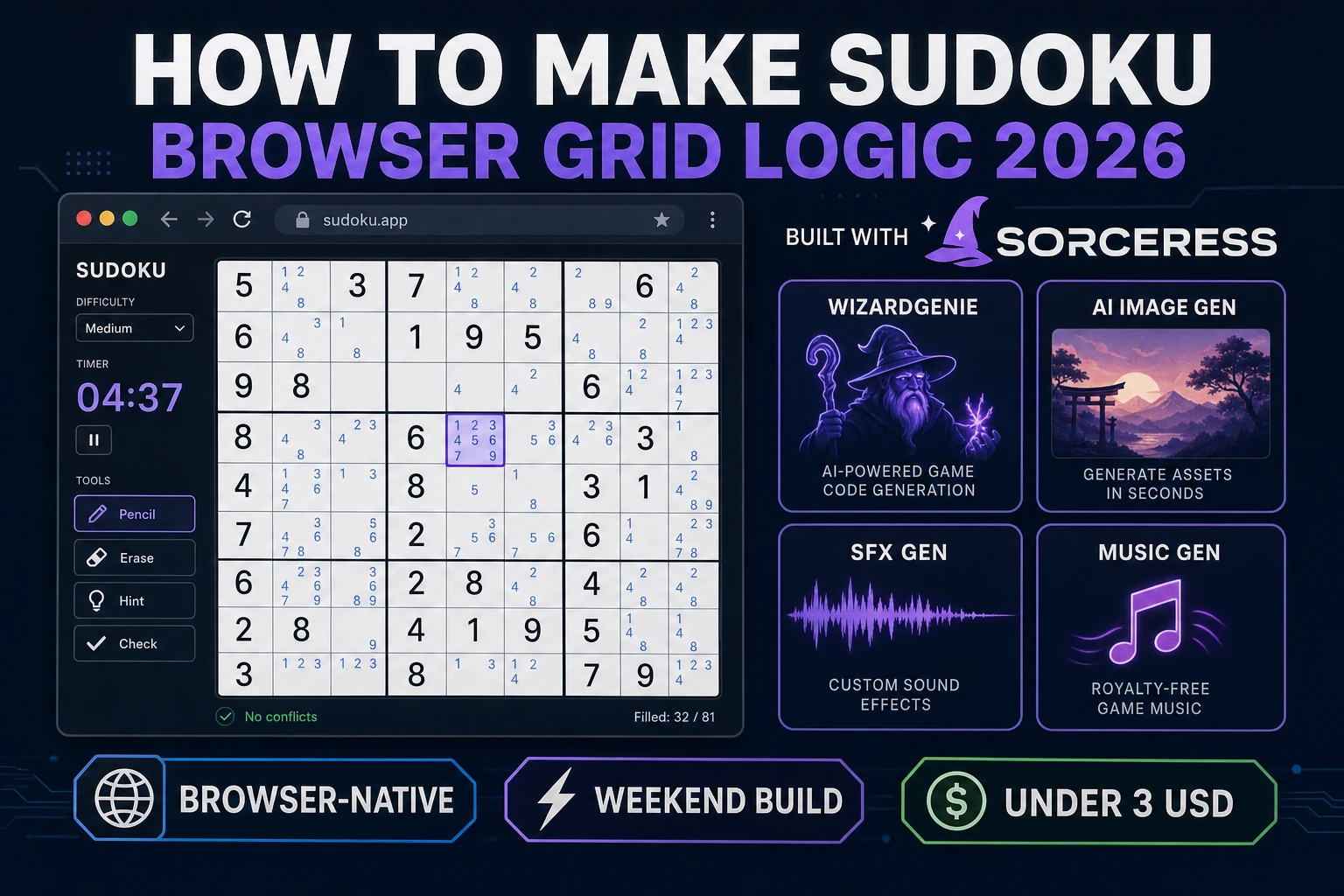
How to make sudoku is one of the quietest high-retention browser puzzles in 2026: an 81-cell grid, nine digits, three houses per cell, and a generator that must leave exactly one valid completion. The modern number puzzle spread globally after Wayne Gould pitched it to The Times in 2004, but the underlying Latin-square logic is older than the brand name. Most javascript sudoku tutorials stop at a hardcoded puzzle array and a red border on duplicate rows. The 2026 pipeline is different. A coding agent scaffolds the generator, pencil-mark layer, and conflict scanner from one prompt, and AI generation covers the grid chrome and focus audio. In a browser, that means WizardGenie for the logic loop, Sorceress AI Image Gen for the board frame and digit tiles, SFX Gen for place and error stings, and Music Gen for a calm puzzle bed. This guide is the honest end-to-end for how to make sudoku in 2026, in a browser, in a weekend.
What how to make sudoku actually means in 2026
The query “how to make sudoku” hides three intents. Some searchers want a printable PDF generator — export a puzzle, print it, solve on paper. That is a layout problem, not a game loop. A second intent is a sudoku solver javascript tool: paste a grid, watch backtracking fill the rest. Useful, but it is not playable. The third intent, and the one this guide targets, is a single-player browser sudoku game: a puzzle generator with a unique-solution guarantee, an interactive 9×9 grid, pencil marks, conflict highlighting, a timer, difficulty tiers, and optional daily seeds. That is a weekend build, it demos the whole Sorceress toolset, and it is the format most sudoku game tutorial searchers actually want — including teachers who later swap in a 4×4 junior mode for sudoku for kids.
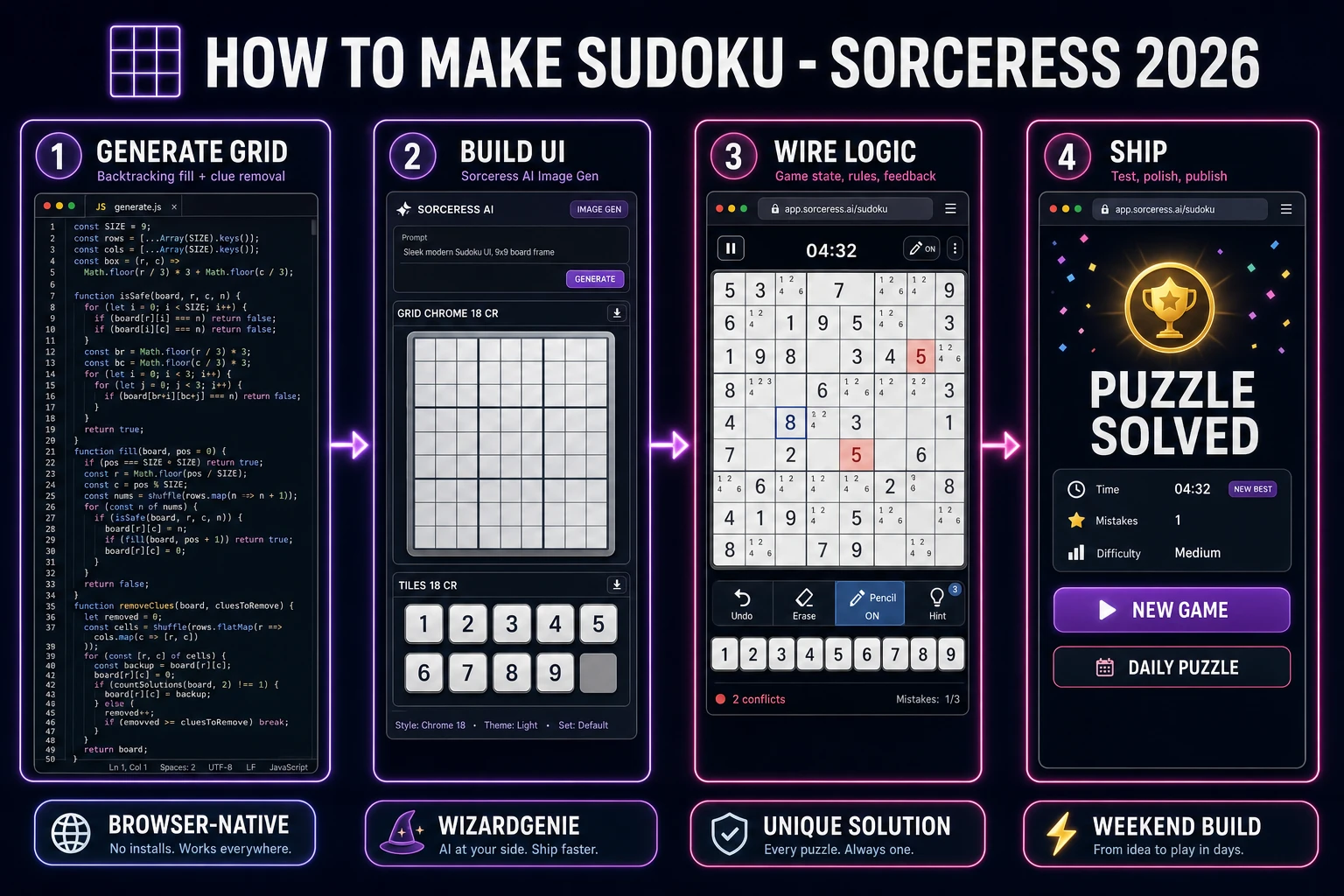
The presentation contract is small and strict. A title screen shows the game name, a New Game button, a Difficulty picker (Easy, Medium, Hard), and optionally a Daily Puzzle toggle keyed to the UTC date. The play screen shows the 9×9 grid with 3×3 box dividers, bold givens that cannot be edited, a digit pad (1–9 plus Erase), a Pencil toggle, an Auto Notes button, remaining-error count or unlimited mistakes mode, and a running timer. On completion, freeze input, play a short flourish, show elapsed time and best time for that difficulty, and offer New Game or Daily. The Sudoku Wikipedia overview is still the cleanest rules summary: fill every row, column, and 3×3 box with digits 1–9 with no repeats.
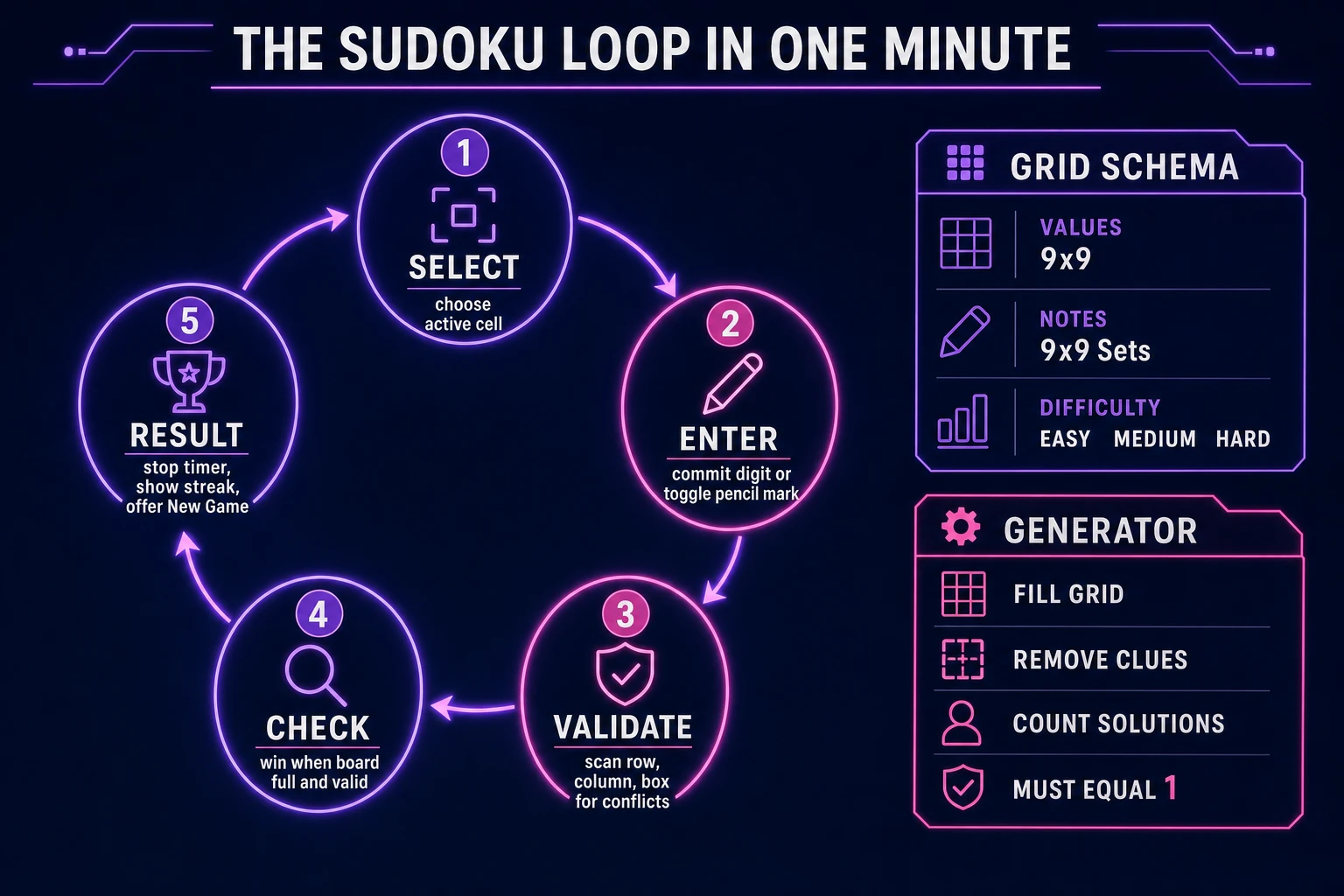
The sudoku loop in one minute (select, enter, validate, check)
Five moving parts and nothing else, repeated per interaction. First, select — highlight the active cell with arrow keys or a tap, using KeyboardEvent for digits 1–9, Backspace, and arrow navigation. Second, enter — if pencil mode is on, toggle that digit in the active cell’s candidate set; if pencil mode is off, commit the digit to values[r][c] and clear pencil marks in the same row, column, and box. Third, validate — scan the three houses of the active cell for duplicate committed values and mark conflicts; optionally increment a mistake counter when the committed digit breaks a house rule. Fourth, check — win when all eighty-one cells are non-zero and every house is valid. Fifth, result — stop the timer, persist best times to localStorage, and show the completion card. That is the entire sudoku loop. Everything else — row-complete chimes, hint buttons that reveal one cell, symmetry-preserving clue removal, 4×4 junior grids — is polish layered after one honest round works.
Pick your engine for how to make sudoku: vanilla DOM, canvas, or WizardGenie
Three good browser targets in 2026, each with a different trade-off. Vanilla JavaScript with a CSS grid is the honest default and the pick this guide recommends for a first build. Sudoku is eighty-one <button> or <div> cells in a 9×9 CSS grid, thick borders every third row and column for the 3×3 boxes, and a digit pad below. Total code footprint for a working sudoku puzzle maker is under 600 lines including the generator. No engine to install, ships as a single static HTML file, deploys anywhere. This is the stack most html5 sudoku and browser sudoku tutorials should have started with.
Canvas becomes the right pick if you want animated digit flips, particle bursts on row completion, or a handwritten-paper aesthetic drawn line-by-line. You still keep the digit pad in the DOM for accessibility; canvas only owns the board rendering. The cost is coordinate math for hit-testing and a resize handler.
Phaser 4.2.1 “Giedi” (verified 2026-08-19 on the official Phaser download page) becomes the right pick if you want tweens when digits snap into cells, shader-based highlight pulses on conflicts, or integrated audio timelines. Phaser’s Scene lifecycle maps onto title-play-results if you later add themed skins (space sudoku, wood-grain sudoku). For a first grid-logic game, Phaser is optional weight — use it when motion is the product, not when the product is a fair generator and a correct pencil-mark layer.
WizardGenie is not a separate rendering engine — it scaffolds whichever of the three you pick from a single natural-language prompt. WizardGenie ships as both a desktop app (Windows installer with auto-update, available to Early Access supporters and above) and a no-install web build. Its coding-model lineup covers Claude Opus 4.7, GPT-5.5, Gemini 3.1 Pro, DeepSeek V4 Pro, Kimi K2.5, Grok 4.2, and MiniMax M2.7 (verified 2026-08-19 in src/app/_home-v2/_data/tools.ts). For sudoku, any frontier model scaffolds the generator and UI in one prompt. Pair a frontier planner with a budget executor like DeepSeek V4 Pro or Kimi K2.5 for the typing pass — the Dual-agent pattern lands most projects at roughly one-fifth the single-frontier cost.
Step 1 — build a puzzle generator with unique-solution guarantee
Nothing else in the pipeline matters if the board has zero solutions or two. The standard sudoku generator javascript approach has three phases. Phase one: fill a complete valid 9×9 grid with backtracking — pick an empty cell, try digits 1–9 in shuffled order, recurse, backtrack on conflict. Phase two: remove clues from that complete grid while preserving uniqueness. Pick a random cell, zero it out, run a solver that counts solutions up to two. If the count is exactly one, keep the removal. If zero, undo. If two or more, undo. Stop when you reach the target clue count for the difficulty tier. Phase three: export the puzzle as an 81-character string or a JSON grid with a given flag per cell.
function countSolutions(grid, limit = 2) {
  let solutions = 0;
  function solve() {
    if (solutions >= limit) return;
    const cell = findEmpty(grid);
    if (!cell) { solutions++; return; }
    const [r, c] = cell;
    for (let d = 1; d <= 9; d++) {
      if (!isValidPlacement(grid, r, c, d)) continue;
      grid[r][c] = d;
      solve();
      grid[r][c] = 0;
    }
  }
  solve();
  return solutions;
}
Target clue counts that feel fair in playtesting: Easy 36–40 givens, Medium 28–35, Hard 22–27. For a Daily Puzzle mode, seed Math.random or a mulberry32 PRNG with the UTC date string so every player gets the same board that day. Unit-test the generator on one hundred seeds and assert countSolutions(puzzle) === 1 every time. That single assert is the difference between a sudoku puzzle maker people trust and one they abandon after the first impossible board.