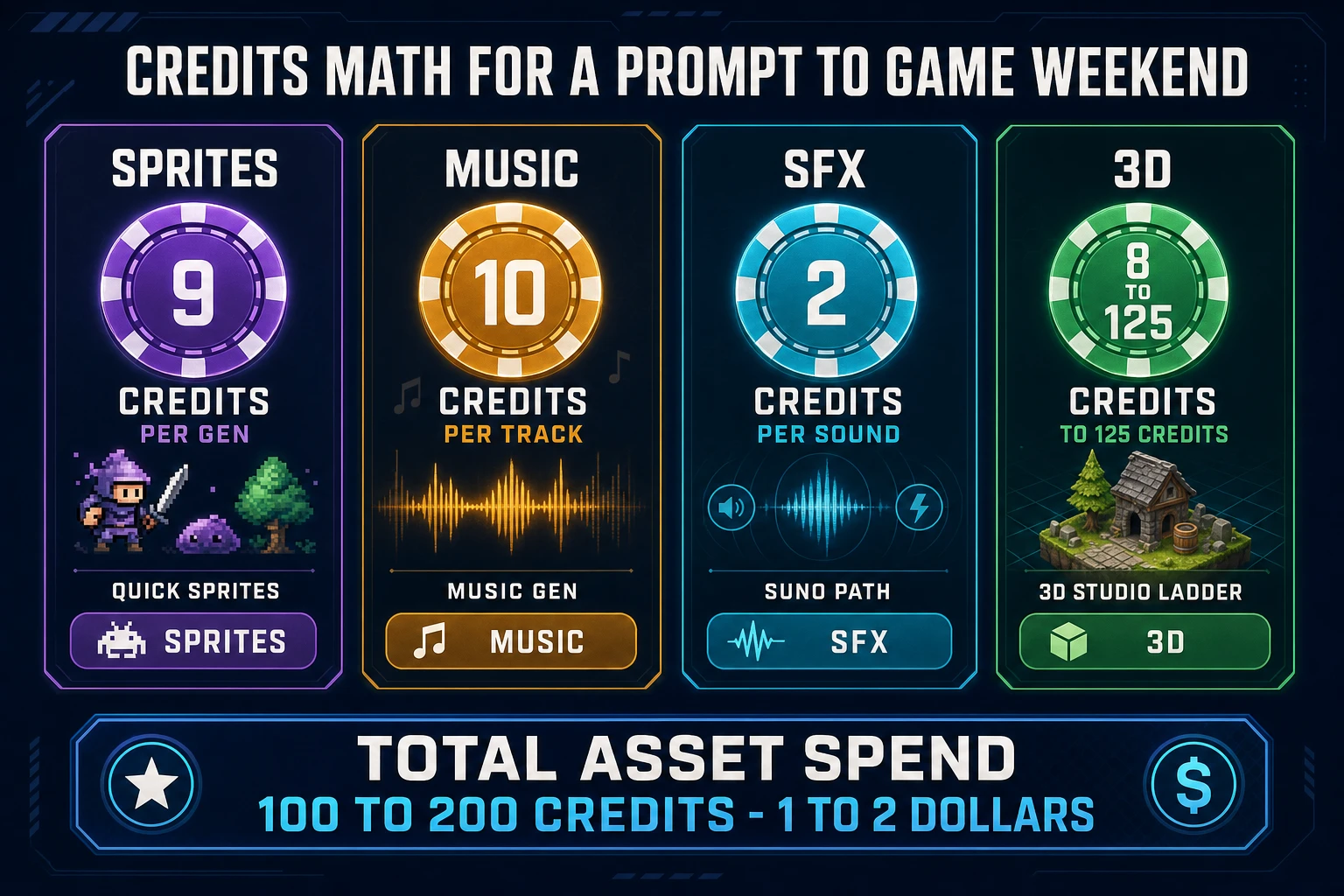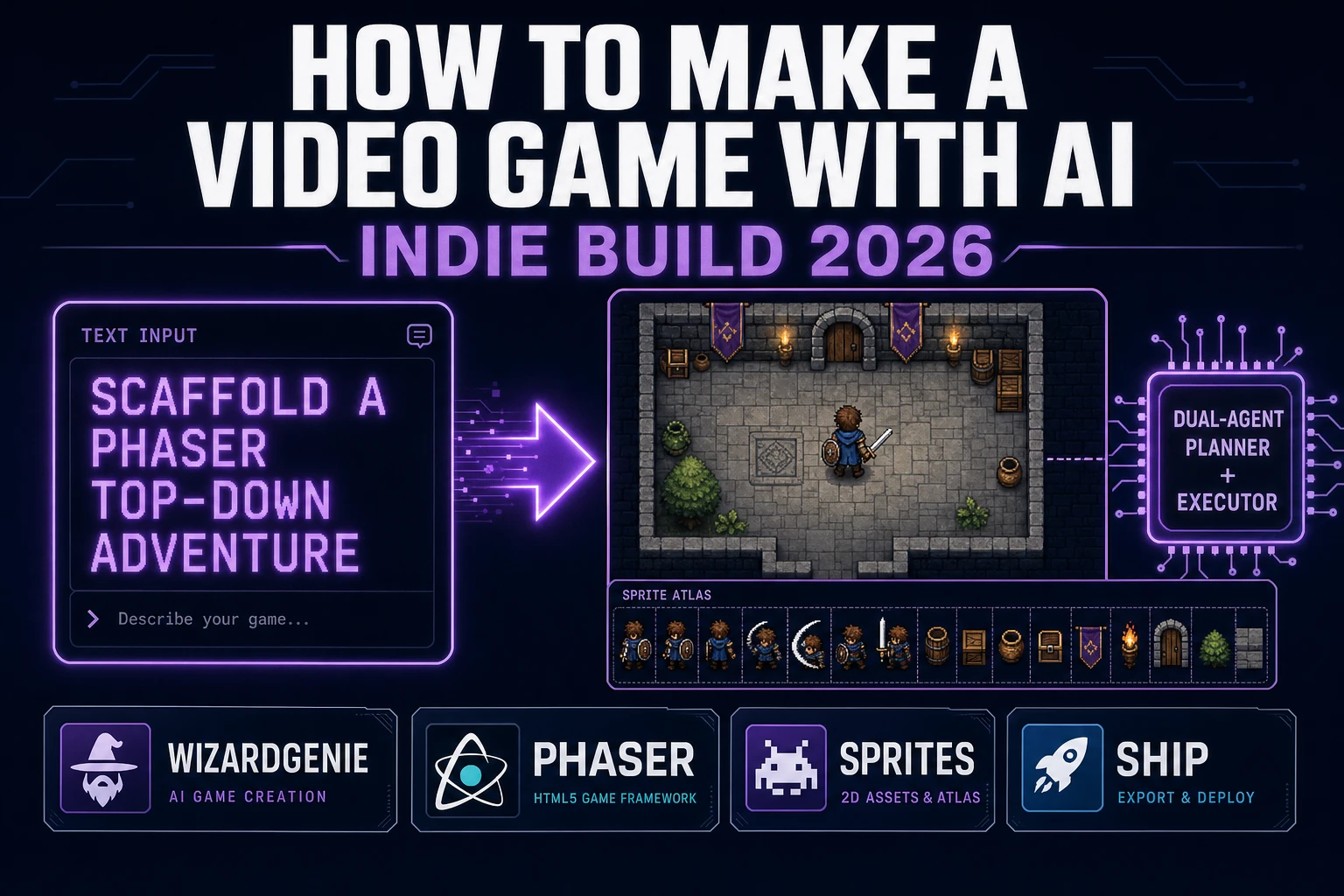
When a developer types prompt to game AI into Google in late 2026, they are not shopping for a tech-demo page. They want to know whether the current crop of AI tools can honestly take an English sentence and give back a playable game loop in a browser tab — and if the answer is yes, which stack to pick and what the credit math looks like for a weekend project. This guide is that answer. It walks the current prompt to game AI landscape, the dual-agent pattern that makes the economics work, and the exact spot where asset tools hook into the loop so the asset tax does not kill the project before the first playtest.
What prompt to game AI searchers actually want
DataForSEO lists prompt to game ai at 30 searches per month with a Keyword Difficulty of 14 and a competitive-density score of 0.42 (verified 2026-10-01 in tools/research-output.md under the Vibe coding / prompt to game cluster). Low raw volume, but the intent is sharp and the CPC is $12.45 — the people typing this query are evaluating tools they intend to spend money on. Related long-tails such as prompt to game ai free, how to make a command prompt game, and the broader prompt to game seed round out the cluster.
Two intents sit behind the phrase. The first is beginner intent: is this a thing I can type, hit enter, and get a game out of? The honest 2026 answer is yes for small scoped projects (one scene, one loop, one win condition) and still no for genuinely complex games (RPG save systems, multiplayer, published Steam-ready builds). The second is practitioner intent: which AI coding stack is actually economical for games right now, and how do I keep the token spend under control? Both audiences land on the same answer — a dual-agent engine with a smart Planner thinking and a cheap Executor typing — so this guide covers both.
For sibling pieces already on this blog, what is vibe coding defines the broader term and best vibe coding tools compares the full stack. This page is the narrower prompt to game angle: not what is vibe coding, but how do I actually prompt a game into existence this afternoon.
The three generations of prompt-to-game tools
The prompt to game AI space has gone through three product generations in roughly three years, and the generation an active tool belongs to is the clearest signal of what it can and cannot do.
Generation one was the text-template era (2022 through 2023). The user picked a genre from a dropdown, filled a few fields (hero name, enemy type, win condition), and the tool pasted those into a hand-written Phaser or Unity template. Technically prompt-to-game, but functionally a configurable template — same output every time, no real reasoning. Ludo AI and the first Rosebud AI shipped in this generation.
Generation two was the single-LLM wrapper era (2023 through 2025). A single frontier model (GPT-4, Claude 2, Gemini 1.5) wrote everything from the main loop to the asset load calls. The output was recognizably a real game and much more varied than generation one, but the token economics were brutal — every edit re-ran the full reasoner, and a one-hour session routinely burned five to ten dollars at frontier-model prices. The pattern was clever enough to prove the concept and expensive enough to make it a demo rather than a daily driver.
Generation three is the dual-agent era (2025 through present). A smart Planner model thinks about architecture; a cheap Executor model does the typing. The quality of the output tracks the Planner (which is still a frontier reasoner) and the cost tracks the Executor (which runs about an order of magnitude cheaper). WizardGenie is the generation-three option on Sorceress; Replit Agent, Cline, Aider, and the agent modes of various general-purpose IDEs are generation-three options for general-purpose coding. All of them are built on the same economic insight: separate the thinking from the typing and the bill drops by roughly 80 percent.
The practical consequence: if you are shopping for a prompt to game AI tool in 2026 and the vendor is still running one model for everything, the economics do not work for a hobby budget. Pick a dual-agent tool.
WizardGenie dual-agent split: Planner thinks, Executor types
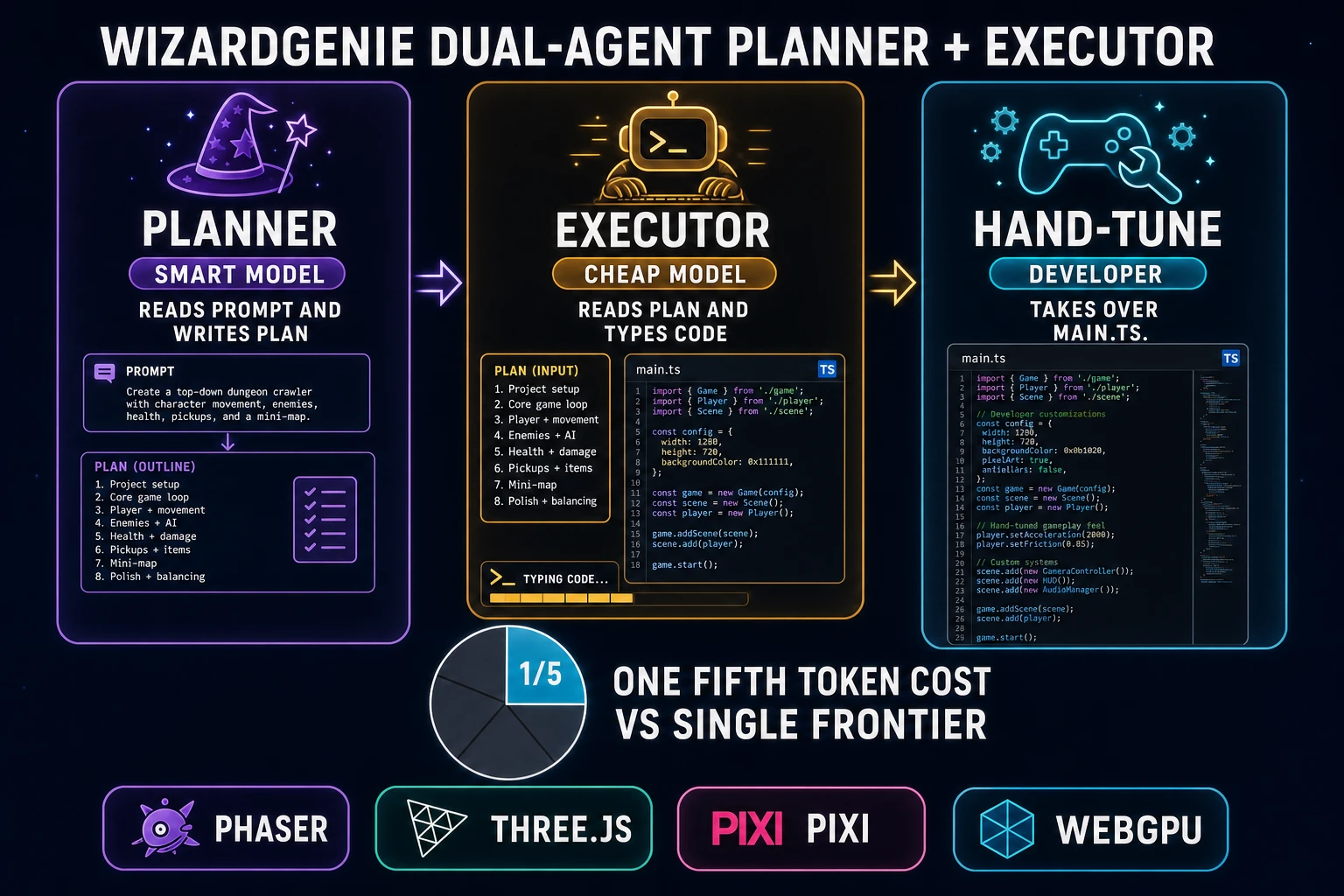
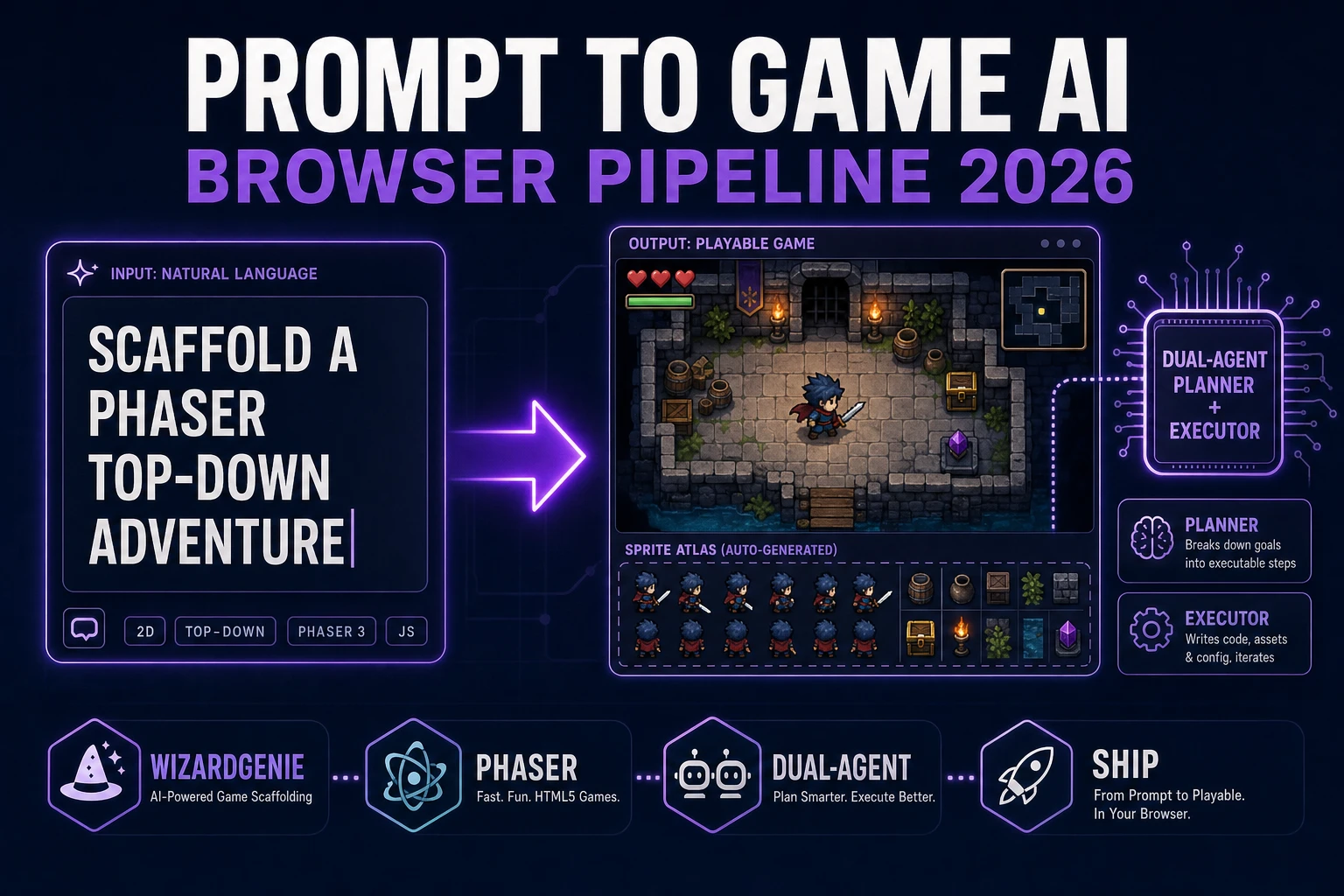
WizardGenie is Sorceress AI-native game engine and the house option for a prompt to game AI workflow. Its dual-agent architecture is labeled literally in the product page as Dual-agent Planner + Executor with the explainer A smart Planner thinks; a cheap Executor codes. Same quality at roughly a quarter of the token cost. Verified in src/app/wizard-genie/page.tsx line 297 through 299 on 2026-10-01.
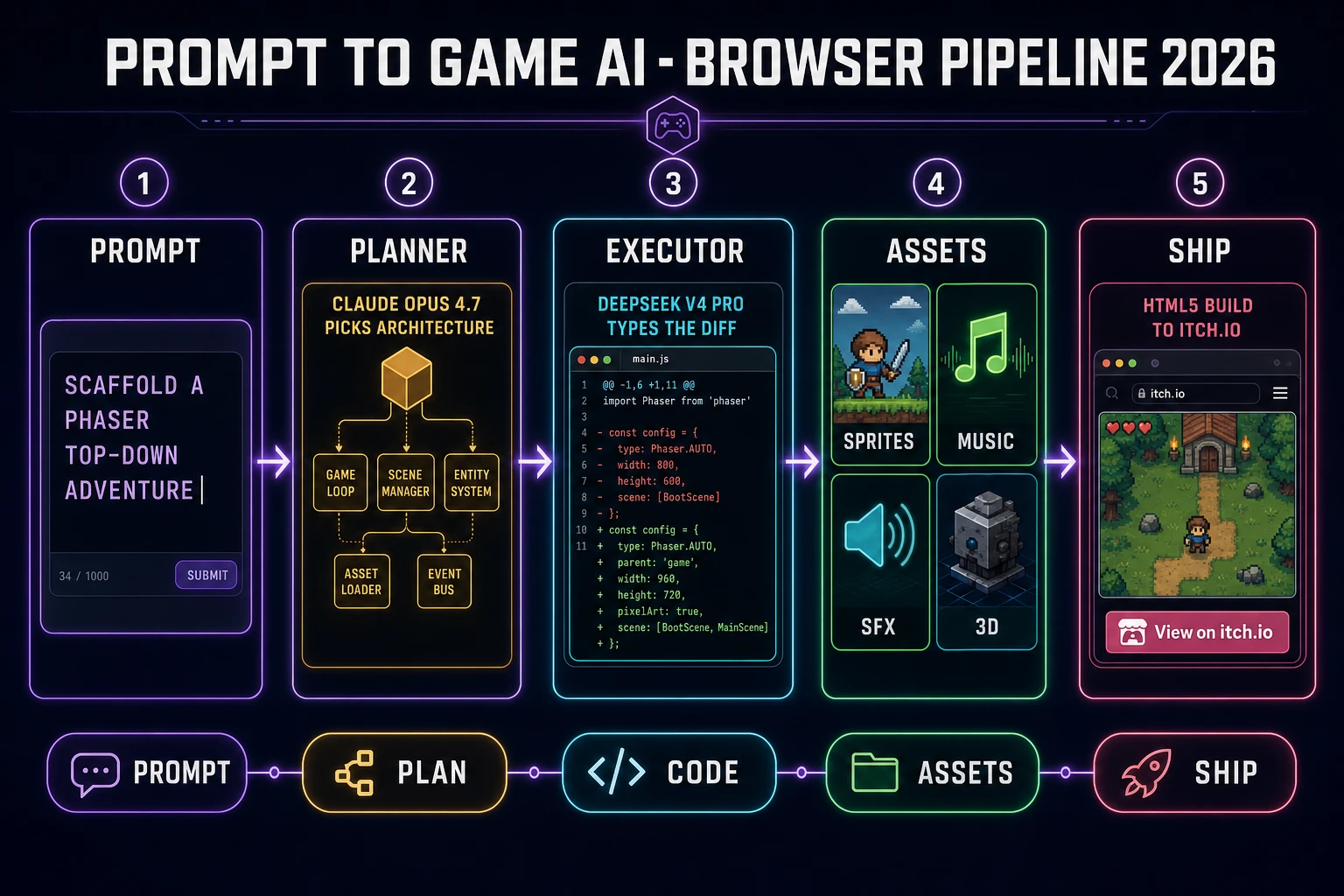
The split works like this. The Planner receives the prompt (your English sentence), the project context (what already exists in the file tree), and the current conversation state. It thinks through the architecture — which scenes, which state machines, which sprite groups, which input handlers — and writes a plan. The Executor receives the plan plus the current file contents, and emits the actual code changes. Only the Planner needs frontier-grade reasoning; the Executor just needs to be a competent typist with a big context window.
WizardGenie drives the full current frontier coding lineup for the Planner slot: Claude Opus 4.7, GPT-5.5, Gemini 3.1 Pro, Grok 4.2, DeepSeek V4 Pro, Kimi K2.5, and MiniMax M2.7 (model list verified 2026-10-01 in src/app/_home-v2/_data/tools.ts line 767 through 774). Users bring their own API key or use the fallback trial. The pairing discipline that keeps the economics honest: put an expensive reasoner on the Planner side (Claude Opus 4.7, GPT-5.5, Gemini 3.1 Pro, or Grok 4.2) and a cheap fast typer on the Executor side (DeepSeek V4 Pro, Kimi K2.5, MiniMax M2.7, or Gemini 3.1 Flash). Never put a Pro / Opus / GPT-5.5-grade model on the Executor side — that erases the entire cost advantage.
The reader-level benefit: a one-hour browser session that scaffolds a complete scene manager, sprite groups, input layer, and a title screen runs under a dollar in token cost on this pairing — versus roughly five to ten dollars on a single-frontier generation-two tool. For a deeper look at the Planner / Executor economics with specific pairings, see best AI model for vibe coding and the companion vibe coding with Claude write-up.
WizardGenie runs on both desktop (Windows installer with auto-updater) and web (/wizard-genie/app). The desktop build gives native filesystem access and longer-running agent sessions; the web build is zero-install for a prompt to game session on any browser. Pick whichever matches your dev loop — the same dual-agent workflow runs identically on either side.