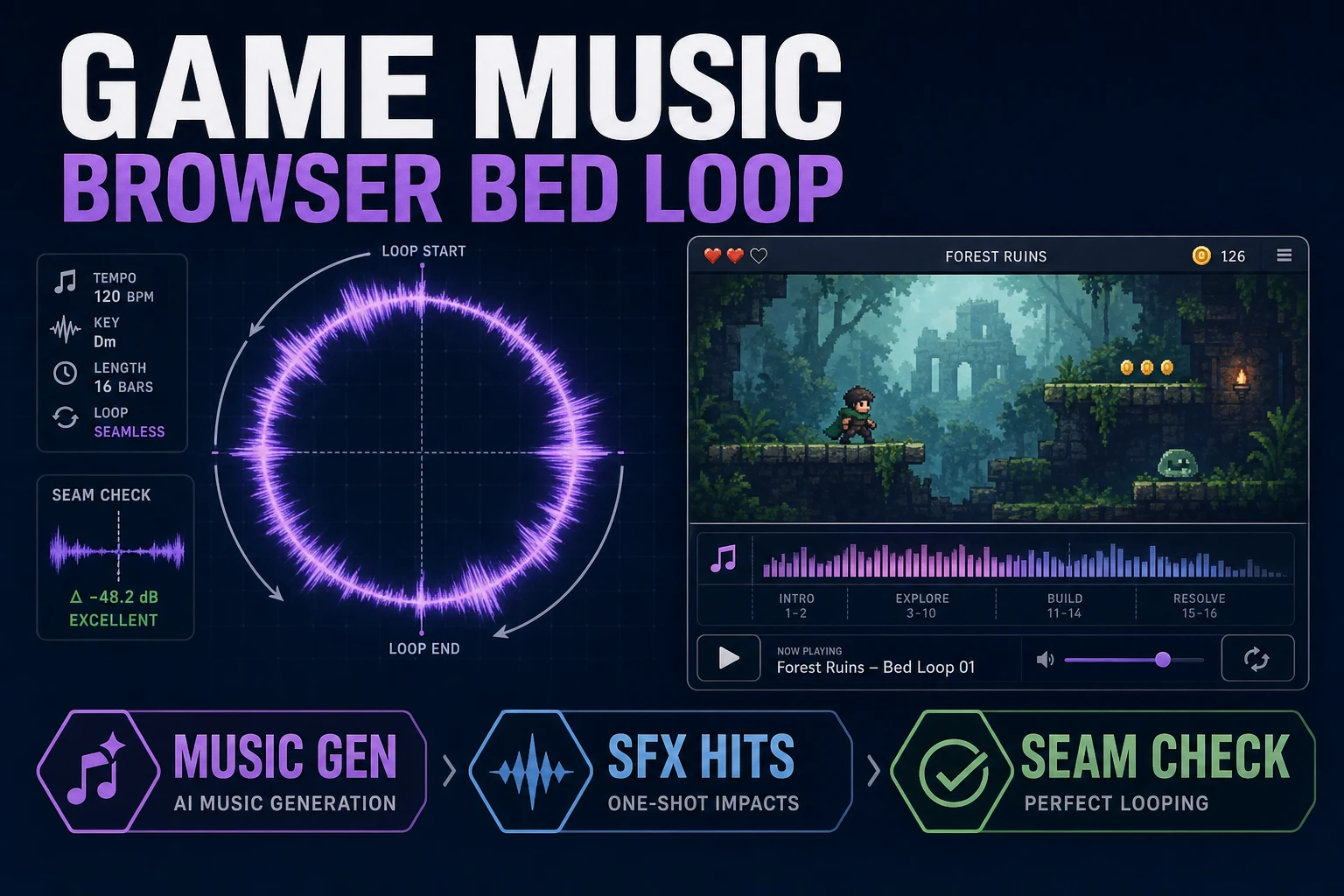
Loop How to Make Game Music (Browser Bed)

By Arron R.8 min read
How to make game music for a jam is one loopable instrumental bed, not a full album. Lock mood + BPM, generate in Music Gen (10 credits, ~2 takes), reject seams

People searching how to make game music usually want a loop they can ship under gameplay, not a two-minute song with a fade-out. Jam weekends die when the soundtrack becomes an album project. This guide builds one browser bed: lock mood and tempo, generate an instrumental loop in Music Gen, reject audible seams, then wire short hits from SFX Gen into a one-screen playtest.

Video game music has always bent to unpredictable session length. Your first win is a seamlessly loopable instrumental bed that can repeat without a click. Trailer vocals and full arrangements come later.
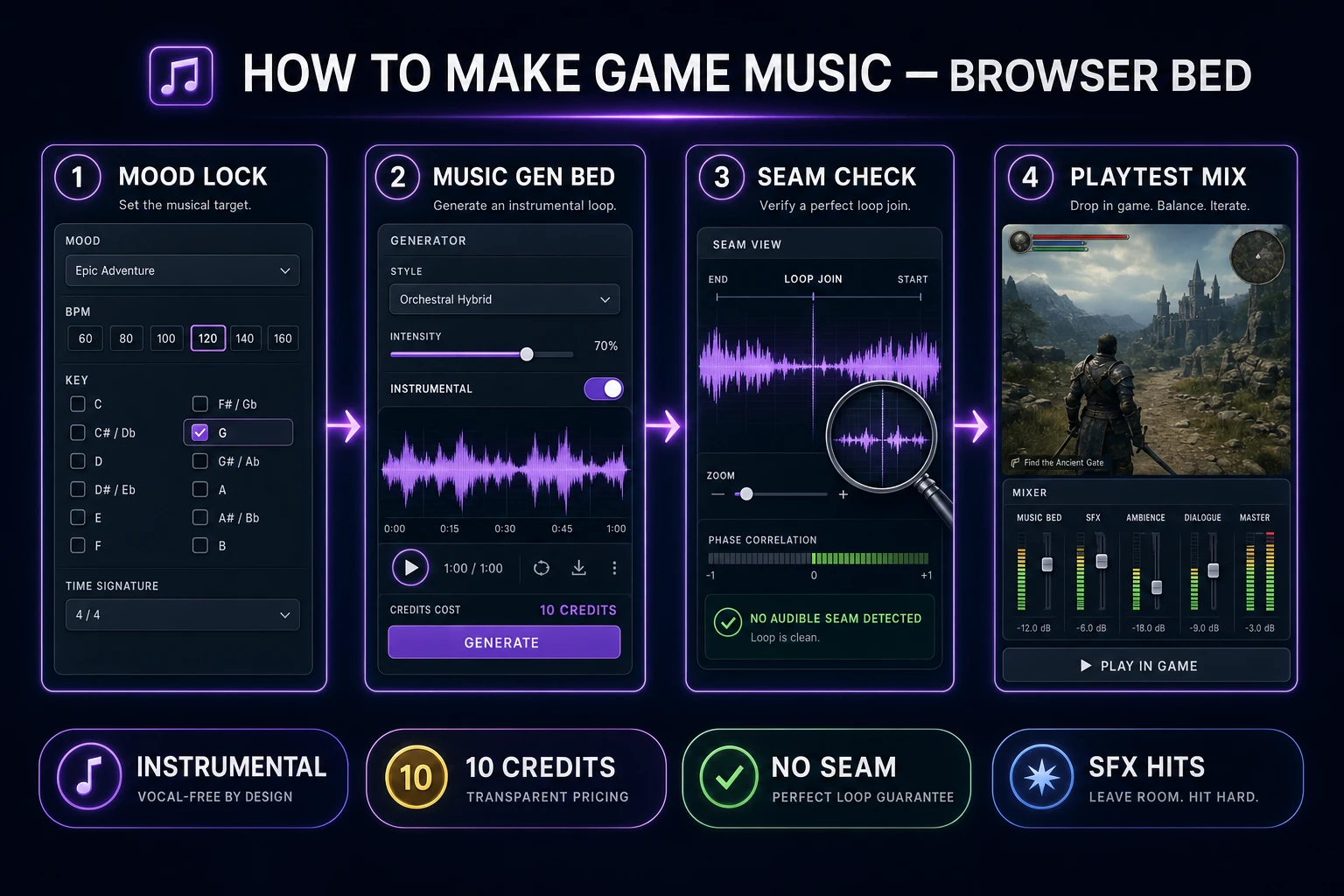
how to make game music browser bed pipeline from mood lock to playtest mix
Mood lock to Music Gen bed to seam check to playtest mix. One loopable bed beats a half-finished album.

What how to make game music must define first

Before you open a generator, write four lines in a text file named audio_brief_v1.txt:

  1. Scene job - exploration bed, combat bed, or title sting (pick one).
  2. Mood nouns - three words max (harbor dusk, tense chase, quiet shop).
  3. Tempo + key - a BPM and a key you will refuse to change mid-session.
  4. Mix rule - beds stay soft; hits stay short and peaked.

That brief is the whole difference between how to make game music that ships and a folder of pretty MP3s that never get wired. Sibling long-tails like how to make music for a video game and how to make video game music share the same trap: people start in a DAW piano roll before they know what the scene needs. If you want the longer adaptive-stem edition of that SERP family, see Score How to Make Music for a Video Game. This article stays on the single-bed jam path.

Decide what is out of scope. Dialogue belongs in Speech Gen. UI clicks and combat impacts belong in SFX Gen. Music Gen should not also invent every coin pickup. Keeping those buckets separate is how a browser soundtrack stays cheap and readable.

Write the brief before you browse reference tracks. Reference listening is useful after the first seam-passing take, not before - otherwise you chase album production values on a jam clock. The search phrase how to make music for game often lands people in FL Studio templates; those are fine later. Your first deliverable is still one MP3 that survives ten loops under a graybox room.

Lock mood BPM and loop rules

Copy the brief into a reusable prompt prefix. Lock the same BPM, key, length target, and "instrumental / no vocals" line on every retry so takes stay comparable. Example exploration prefix:

  • "instrumental harbor town bed, 92 BPM, D minor, soft lute and woodwinds, 40-second phrase that ends on the same chord it starts, seamless loop, no vocals, leave headroom for dialogue"

Combat cousin (only after the exploration bed passes):

  • "same 92 BPM D minor motif, add restrained drums and plucked bass, still instrumental, still seamless loop, still leave headroom"

Reject prompts that ask for a "complete song," a fade-out, a spoken outro, or a big final chord. Those cues read as endings. Game beds need joins, not finales. Put dynamic swells in the middle of the loop if you want motion - endings that crest then drop are the classic seam killers called out in looping craft guides.
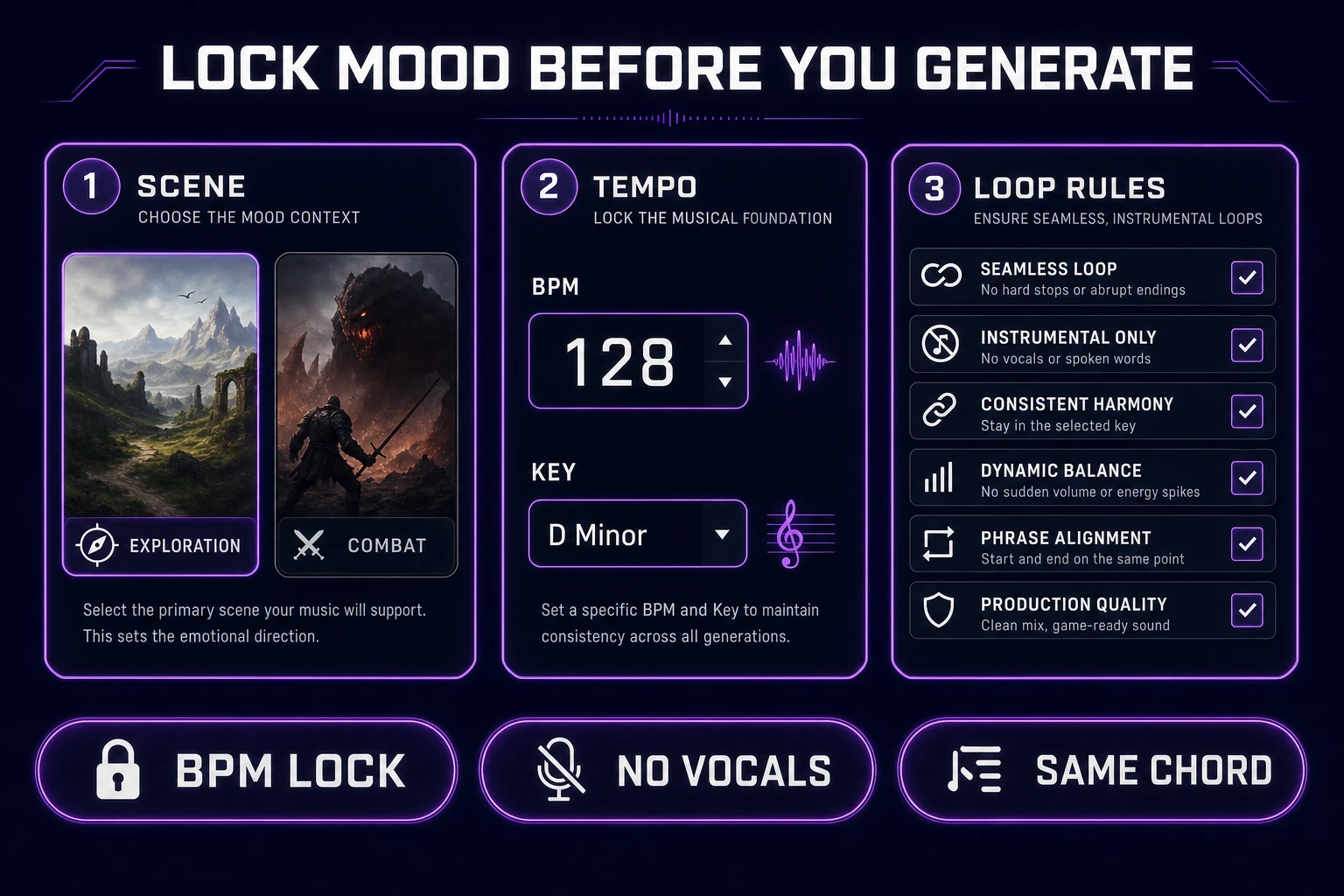
Lock mood BPM and loop rules before how to make game music generation
Scene job, tempo, and loop rules first. Generate only after the brief is boringly specific.

Generate the bed in Music Gen

Open Music Gen. Turn Instrumental on. Stay in simple/create mode with your locked prefix in the prompt. Default model on Sorceress is V5_5; keep it unless you are deliberately A/B testing an older picker entry (V5, V4_5PLUS, V4_5, V4). Credit costs below were verified July 25, 2026 against src/app/music-gen/page.tsx and src/lib/sorceress-tools/audio/music.ts:

  • MUSIC_CREDIT_COST = 10 credits per generation - typically about two variations to compare.
  • LYRICS_CREDIT_COST = 2 - skip this for beds; you do not need auto-lyrics when Instrumental is on.

Listen to both variations at the same volume. Pick the quieter midrange if you expect dialogue later. Name winners with boring labels (hub_bed_v03.mp3), not poetic titles. Credits disappear when you cannot tell which take matched which brief.

If the first pair is wrong genre, do not rewrite the whole fantasy. Change one noun in the mood line and regenerate. Style lock beats model hopping. For a related SFX-first packing habit, see Fire an AI Sound Effects Generator.
Reject seams before you keep a take

A take is not a bed until it survives a seam test. Mute the game, loop the MP3 ten times in any player, and listen only at the join. Fail for clicks, breaths, sung outros, tempo dips, or a fade that restarts loud. Seamlessly loopable media is defined by invisible joins - if you can point to the restart, players will feel it after a minute in the hub.

Hard reject rules:

  • Any audible ending gesture at the file tail.
  • Any new percussion pattern that only appears once at the start.
  • Any vocal syllable, even "ah" pads that feel like a choir stinger.

When a take fails, keep the same BPM/key/instrumental locks and regenerate. Do not "fix it later in a DAW" on jam day unless you already know the trim. The browser path wins when rejection is cheap and decisive. Extend mode in Music Gen is available when you need a tempo-matched cousin of an accepted base - still charge 10 credits per extend generation - but do not extend a seamed failure hoping the join magically heals.

If both variations fail the seam test for the same reason, change the loop instruction before you change the genre. Ask for "ends on the tonic drone" or "no final cadence" and regenerate once. Genre hops after a seam failure usually produce a prettier ending, not a better join.

Add hit feedback with SFX Gen

Beds are long and soft. Hits are short and peaked. Open SFX Gen for a tiny bank: menu confirm, soft foot scrape, combat hit, pickup chime. Billing verified July 25, 2026 in src/app/sfx-gen/page.tsx: 1 credit per finished second (minimum 1), rounded up. Twenty short hits often cost less than two Music Gen retries.

Name files by trigger intent (ui_confirm, hit_light, pickup_coin) so wiring is mechanical. Keep trailer whooshes in a separate folder so they never leak into gameplay mix buses. Music Gen should not produce those one-shots; SFX Gen should not produce minute-long beds.

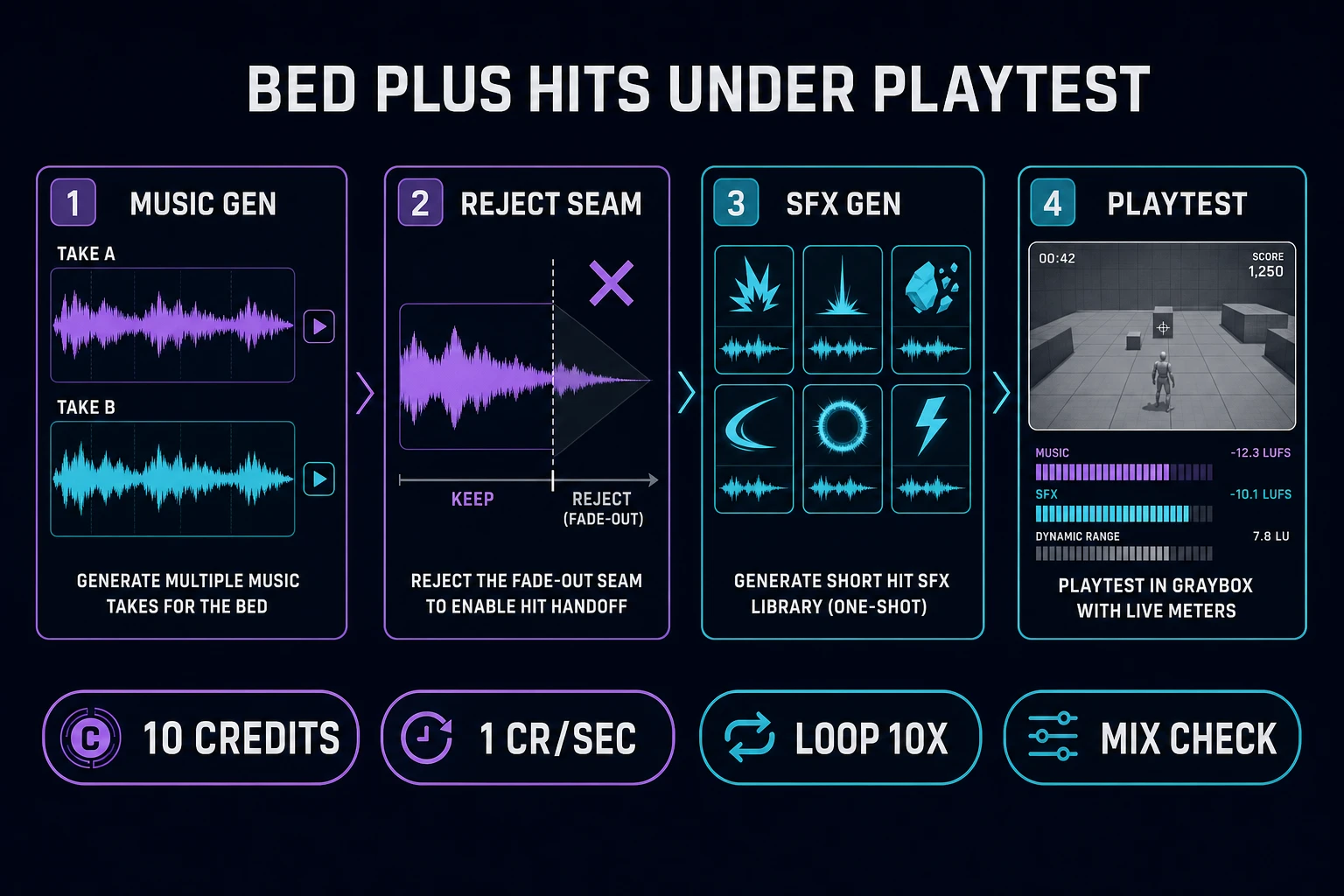
Music Gen bed plus SFX Gen hits under a how to make game music playtest
Compare Music Gen takes, reject seams, batch short SFX hits, then mix under a graybox playtest.

Drop the bed into a one-screen playtest

Wire audio early. A graybox room with a looping bed and three SFX triggers teaches more than another generation. Scaffold the screen in WizardGenie if you need code help, or drop the MP3 into your existing browser loop. Phaser v4.2.1 "Giedi" (released July 9, 2026 - verified July 25, 2026 against the official GitHub release notes) remains a solid browser target.

Use a decode path rooted in the Web Audio API when autoplay policies fight you - raw <audio autoplay> alone fails cold opens. Playtest at about seventy percent system volume. If the bed only works at max volume, it is too loud or the midrange is fighting SFX. Duck the bed under dialogue and combat hits; never mute SFX to "hear the music better."

Pass criteria for the jam bed:

  1. Ten seamless repeats with no audible join.
  2. Dialogue or UI still readable with the bed playing.
  3. At least three named SFX triggers fire without clipping.

When those pass, stop generating. Browse the rest of the stack in the Tools Guide only after the bed is shipping under real play.

After the bed passes, do one more headphone pass with your three SFX triggers stacked on top at gameplay loudness. If the bed masks the confirm click, lower the bed gain rather than boosting the SFX into clipping. A readable mix is part of how to make game music that players tolerate for an hour - not just a pretty waveform in isolation.

Prompt patterns that keep beds game-ready

Prompt like a design doc, not a Spotify blurb. Every generation should restate scene, BPM, key, length, instrumental, and loop intent in the same order so failures are comparable. A useful pattern:

instrumental [scene] bed, [BPM] BPM, [key], [2-3 instruments], [length]-second phrase that ends on the same chord it starts, seamless loop, no vocals, leave headroom for dialogue and SFX

Swap only the bracketed fields between hub and combat. If you change five adjectives at once, you cannot tell which change fixed the seam. Keep a rejects/ folder with one-line notes ("fade-out", "choir pad", "tempo drift") so you stop rebuying the same failure mode.

Negative space matters. Tell Music Gen what to avoid in plain language inside the prompt: no risers into silence, no spoken tags, no applause, no radio DJ voice. Advanced mode with custom lyrics is the wrong tool for a bed - stay instrumental. If you need a hummed motif across areas, write the notes in plain text ("rising four-note hook A-C-D-E") and reject takes that bury the hook under busy midrange.

Batch discipline beats inspiration. Schedule a fixed credit budget before you open the tab (for example three exploration attempts). When the budget is spent, playtest the best survivor even if it is imperfect. Perfecting a bed that never gets wired is how albums eat jam weekends. Revisit Music Gen only after the one-screen mix proves players linger in that scene.

For title-screen-only cues you can allow slightly more melody, still instrumental, still loopable. Keep that file named title_bed_v01.mp3 and do not reuse it as the hub bed - menu themes burn out faster when they also score the overworld. How to make game music for menus and how to make game music for gameplay are related skills with different fatigue curves.

Cost math for a jam soundtrack

Verified July 25, 2026 against Sorceress source. Music Gen is 10 credits per generation; SFX Gen is 1 credit per finished second. A thrifty first soundtrack often looks like:

  • 3 Music Gen exploration attempts (30 credits) until one bed passes the seam test
  • 1 Music Gen combat cousin via a locked-BPM re-prompt or extend (10 credits)
  • ~25 seconds of SFX Gen hits (~25 credits)

That is roughly 65 credits for a playable hub + combat bed pack with feedback - well inside a cautious first credit grant if you refuse album-length retries. Spend order matters: graybox the loop first, then buy more Music Gen takes only for scenes players actually linger in.

How to make game music on a jam clock is a discipline problem, not a theory problem. Lock the brief, generate instrumental beds in Music Gen, reject seams early, let SFX Gen own the spikes, and prove the mix on one screen before you invent the rest of the score.

Frequently Asked Questions

What does how to make game music mean for a jam weekend?

One loopable instrumental bed that survives ten seamless repeats under gameplay volume, plus a small bank of short hits. A two-minute song with a fade-out is a trailer asset, not a playable soundtrack.

Should game beds have vocals?

Usually no. Vocals fight dialogue and concentration. Use Music Gen with Instrumental on for exploration and combat beds. Save vocals for title cards or trailers only.

How much does Music Gen cost?

Verified July 25, 2026 in src/app/music-gen/page.tsx: MUSIC_CREDIT_COST is 10 credits per generation (about two variations). Optional auto-lyrics add LYRICS_CREDIT_COST of 2 credits you do not need for an instrumental bed.

How do I know a loop is seamless?

Mute the game, loop the MP3 ten times in a player, and listen only for clicks, fades, spoken outros, or tempo dips at the join. If you can hear the restart, reject the take and re-prompt with the same BPM, key, and instrumental locks.

Where do sound effects fit?

SFX Gen owns short peaked one-shots (UI confirms, hits, pickups) billed at 1 credit per finished second. Music Gen owns long soft beds. Mixing those jobs in one prompt wastes credits and muddies the mix.

Sources

  1. Seamlessly loopable — Wikipedia
  2. Video game music — Wikipedia
  3. Web Audio API — MDN
  4. Phaser v4.2.1 release (Giedi, 9 Jul 2026)
Written by Arron R.·1,801 words·8 min read

Related posts