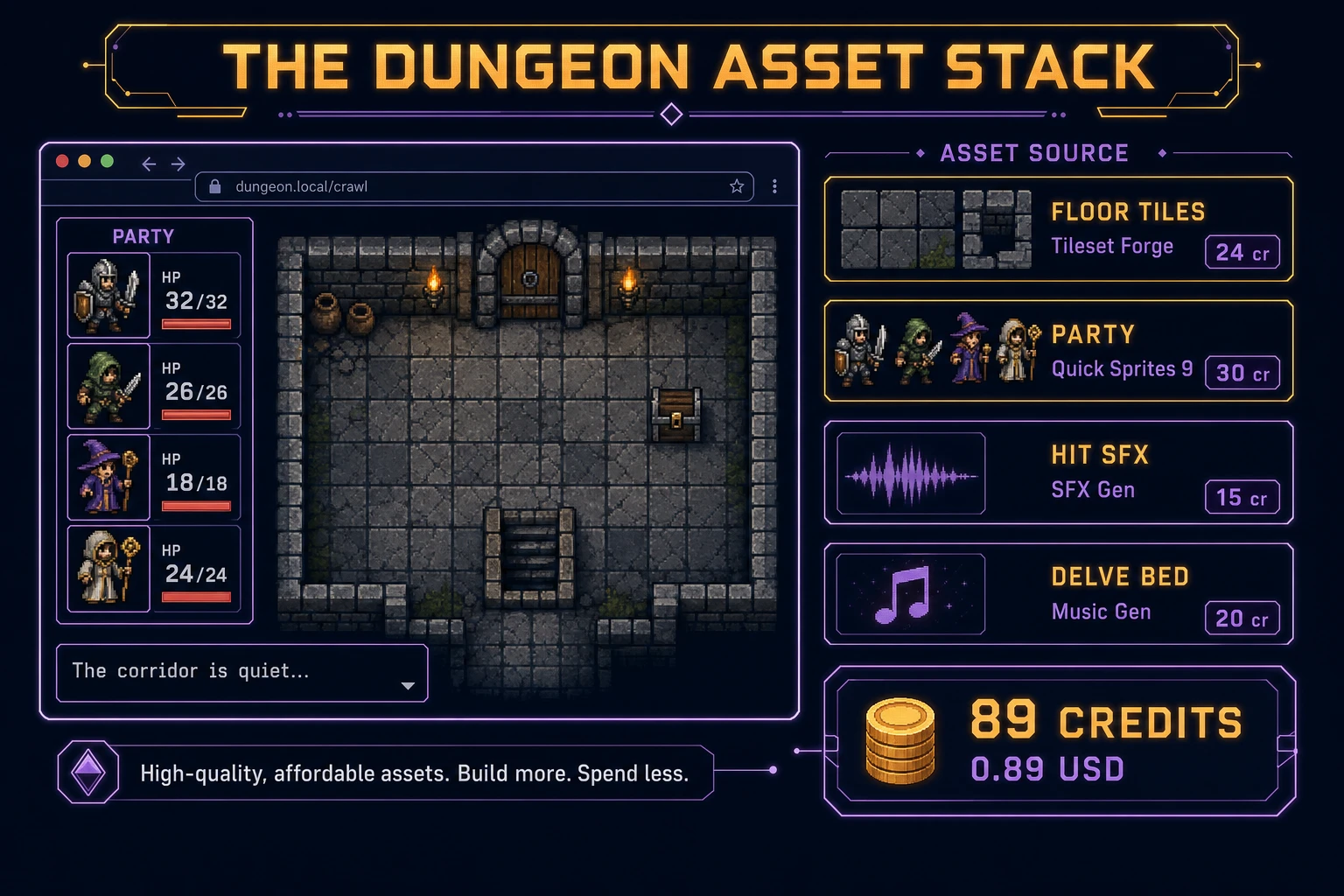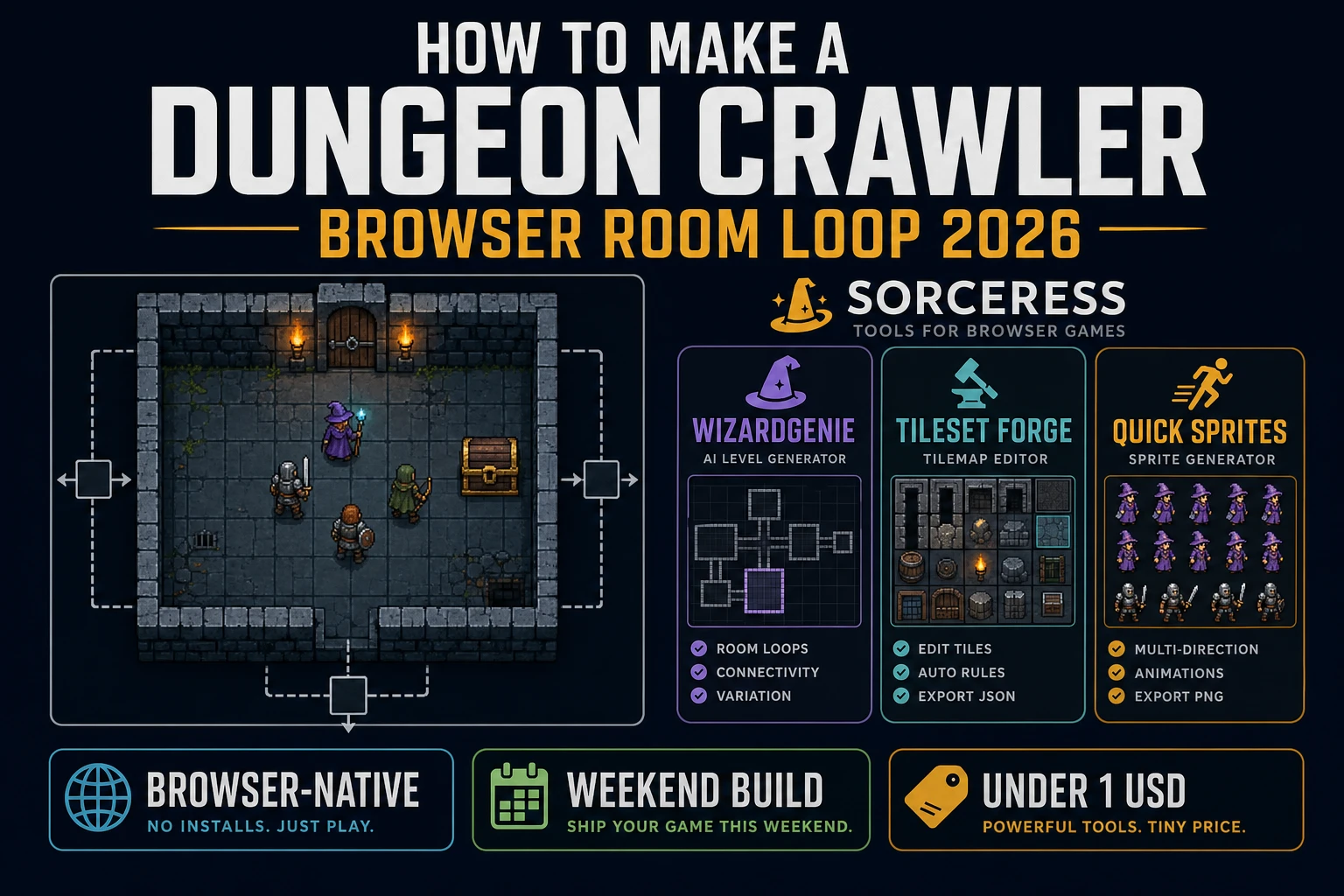
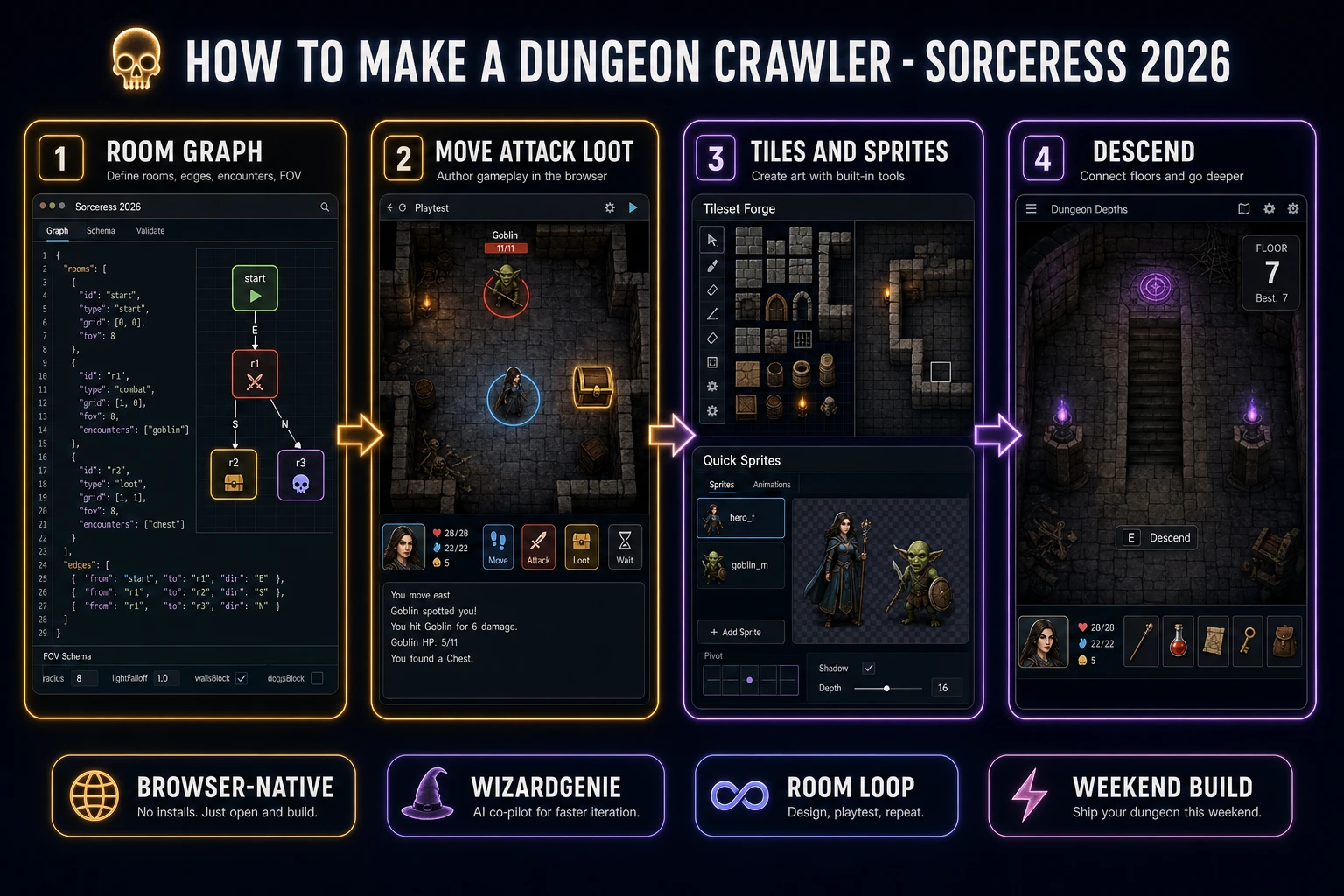
Most searchers who type “how to make a dungeon crawler” want a room-based crawl they can finish in a weekend: enter a chamber, fight or loot, open a door, descend a floor, repeat until the boss room. A browser room loop is different from a full Diablo clone. A coding agent scaffolds the room graph, FOV, and move-attack-loot loop from one prompt, and AI generation covers floor tiles, party sprites, and delve audio. On desktop or web, that means WizardGenie for the crawl loop, Tileset Forge for stone floors and walls, Quick Sprites for the party and enemies, SFX Gen for hit and open cues, and optional Music Gen for a quiet delve bed. This guide is the honest end-to-end for how to make a dungeon crawler in 2026, as a room-graph build you can ship once.
What how to make a dungeon crawler actually means in 2026
The query “how to make a dungeon crawler” hides three intents. Some searchers want a sprawling open-world ARPG with skill trees, crafting, and always-online loot economies — that is a studio roadmap, not a weekend jam. A second intent is a full first-person blobber with automapping and multi-hour labyrinths — a serious content and UX problem. The third intent, and the one this guide targets, is a browser dungeon: a small graph of rooms, fog on unexplored doors, turn-based move and attack, loot chests, stairs between floors, and a clear win when the final room clears. That is a weekend build, it demos the Sorceress toolset, and it is the format most dungeon crawler tutorial and javascript dungeon crawl searchers actually want.
Keep dungeon crawler and roguelike straight so you don’t rebuild the wrong sibling. A dungeon crawler owns rooms, encounters, loot, and descend — the fantasy loop described in the Wikipedia dungeon crawl overview (verified 2026-08-21). A roguelike usually adds permadeath, seed-based runs, and meta progression between deaths — our how to make a roguelike guide owns that run-meta path. If you already shipped a broader quest loop, the how to make an RPG guide covers party stats and towns; this post owns the room-fight-loot-descend core instead. For map-authoring alone, the sibling dungeon map generator post pairs well once the combat loop is solid.
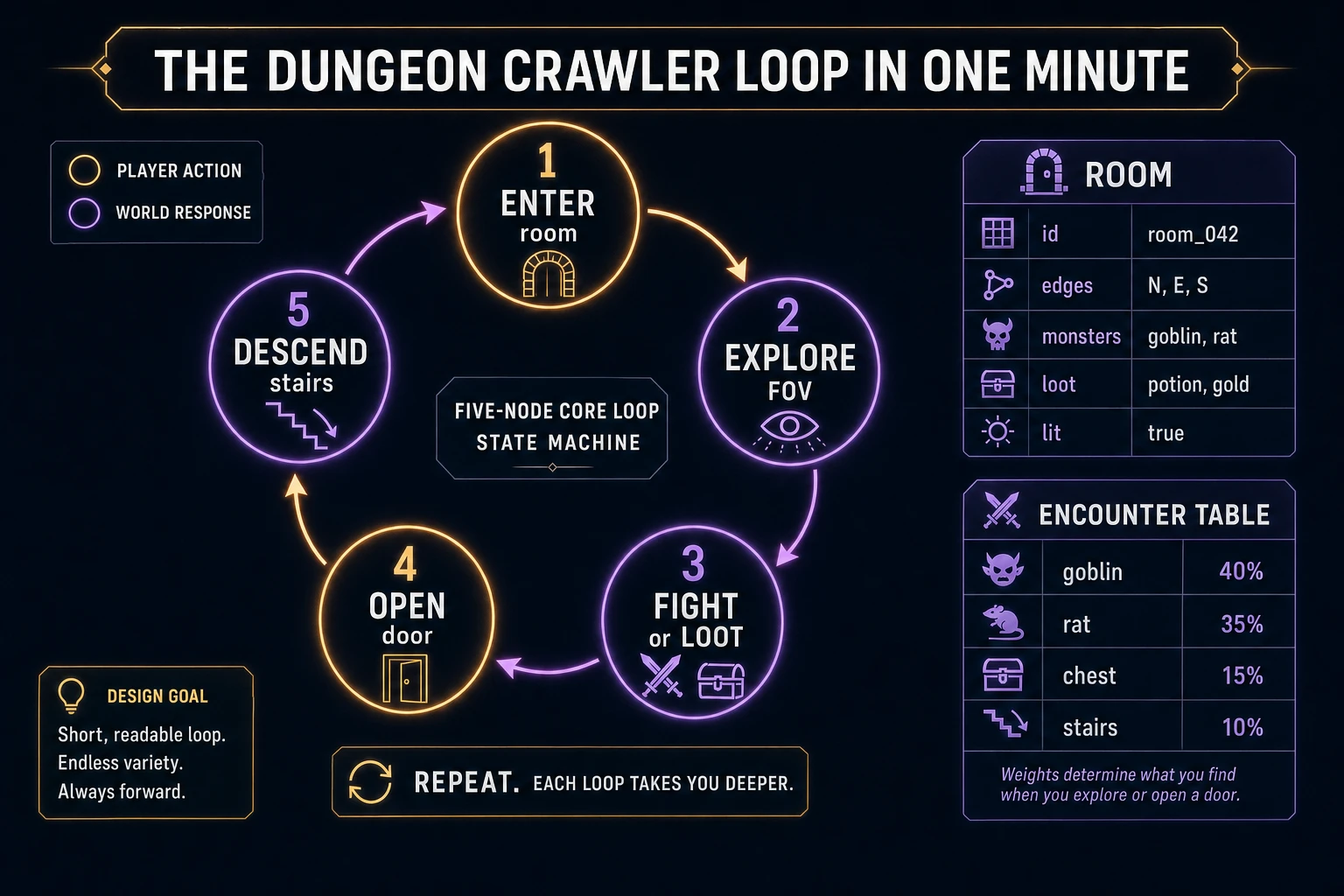
The dungeon crawler loop in one minute (enter room, fight or loot, descend)
Five moving parts, repeated until the final floor clears. First, enter — the party steps into a room; mark it explored and light its tiles. Second, explore — show fog on closed doors to neighbors; optional FOV dims tiles behind walls if you add it later. Third, fight or loot — resolve turn-based attacks against monsters, or open a chest and roll the room’s loot table. Fourth, open — spend a move to unlock an adjacent door and reveal the next room node. Fifth, descend — if the room has stairs and the floor is clear enough (or you allow early exits), load the next floor’s graph. That is the entire dungeon crawler loop. Procedural biomes, online co-op, and deep crafting trees are polish layered after one honest solo delve already feels sticky.
Pick your engine for how to make a dungeon crawler: tilemap, Phaser, or WizardGenie
Three good targets in 2026, each with a different trade-off. Vanilla JavaScript on a 2D canvas tilemap is the honest default and the pick this guide recommends for a first build. Draw floor and wall cells with fillRect or drawn tile images, map pointer and arrow keys to grid moves, keep rooms as a graph of nodes. Total code footprint for a working browser dungeon with FOV-lite, turn combat, loot, and stairs is under 600 lines. No engine to install, ships as a static HTML file, deploys anywhere. The MDN Canvas API docs (verified 2026-08-21) cover the draw surface; the MDN 2D collision detection guide covers hitboxes when you later add projectile traps.
A DOM grid of room cards becomes the right pick if you want accessibility first and art second — each room is a panel, doors are buttons, combat is a short list of actions. You trade atmospheric tile art for focus rings and screen-reader-friendly structure. Fine for a puzzle-forward room based rpg; heavier once you want torch flicker and sliding cameras.
Phaser 4.1.0 (verified 2026-08-21 on the official Phaser API documentation page) becomes the right pick if you want Scene lifecycle for title-play-win, Tilemap helpers, or tweens when a door opens. Phaser does not invent your room graph — you still need nodes, edges, encounter tables, and turn order. Use Phaser when motion polish is the product; use a bare canvas when the product is a procedural dungeon browser people can tap on a phone.
WizardGenie is not a separate rendering engine — it scaffolds whichever of the three you pick from a single natural-language prompt. WizardGenie ships as both a desktop app (Windows installer with auto-update, available to Early Access supporters and above) and a no-install web build. Its coding-model lineup covers Claude Opus 4.7, GPT-5.5, Gemini 3.1 Pro, DeepSeek V4 Pro, Kimi K2.5, Grok 4.2, and MiniMax M2.7 (verified 2026-08-21 in src/app/_home-v2/_data/tools.ts). For a dungeon crawl, any frontier model scaffolds the room graph, turn combat, and door FOV in one prompt. Pair a frontier planner with a budget executor like DeepSeek V4 Pro or Kimi K2.5 for the typing pass — the Dual-agent pattern lands most projects at roughly one-fifth the single-frontier cost.