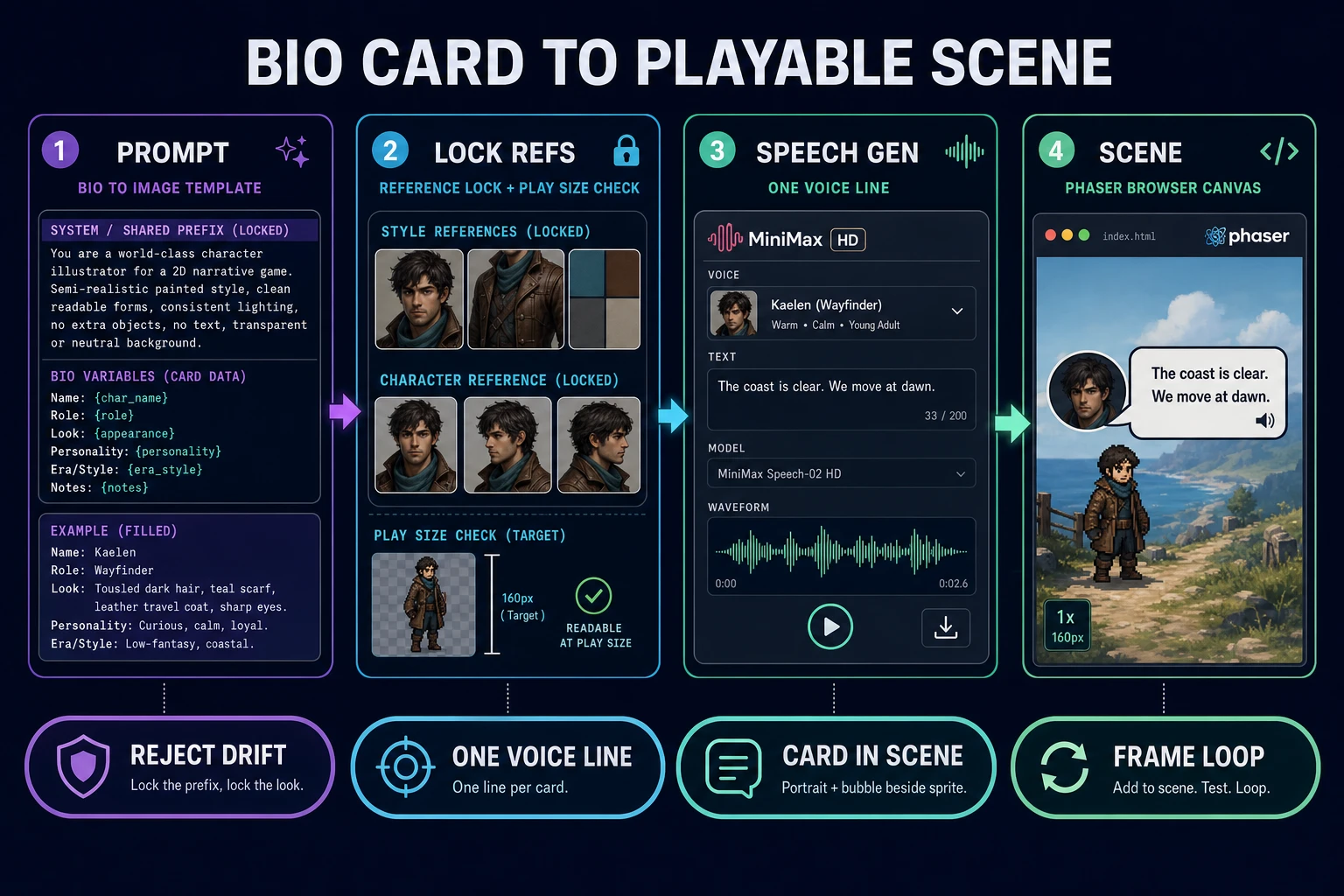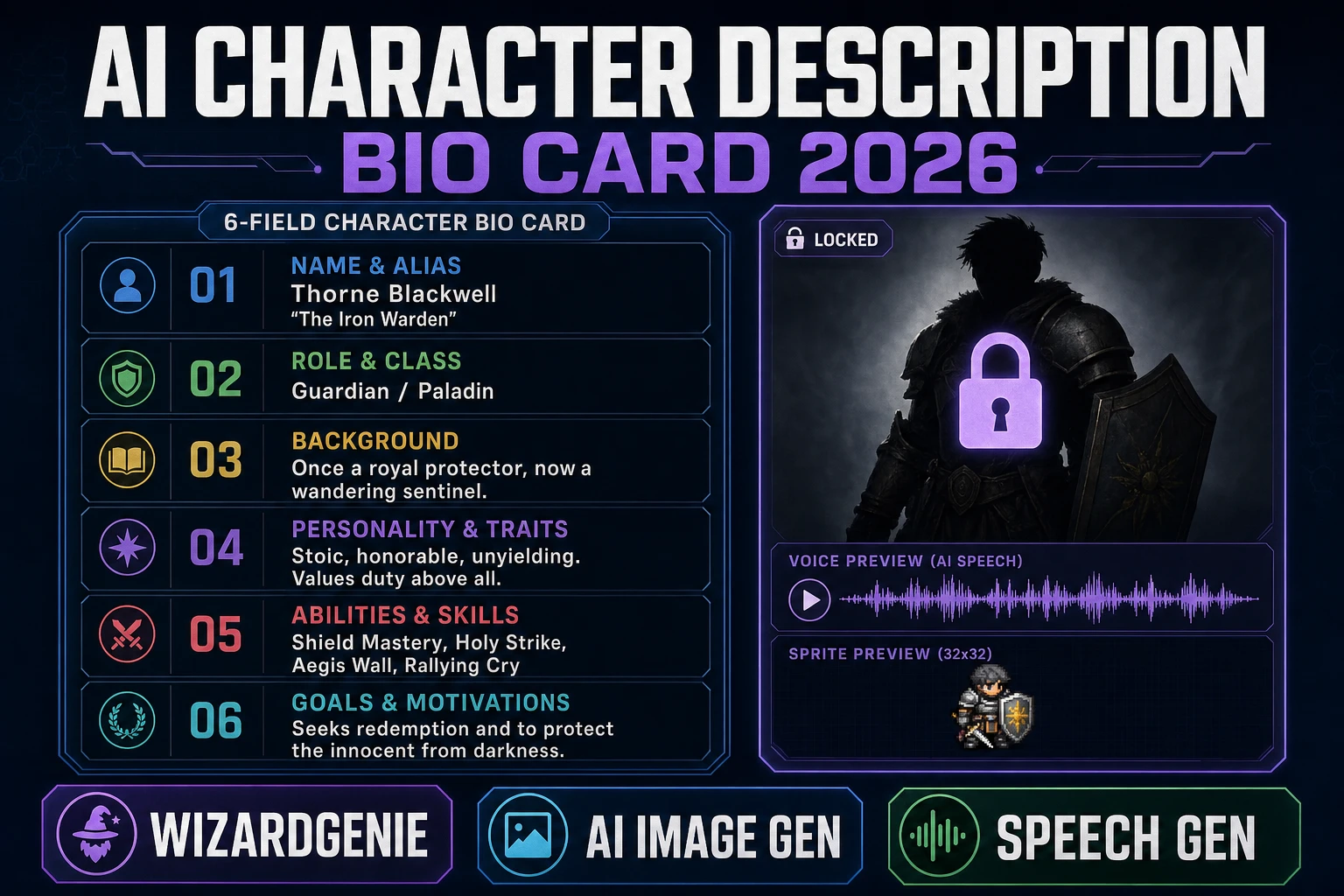
People typing ai character description generator into a search bar are almost never looking for one more paragraph of adjectives about a hooded rogue. They are looking for a card the whole team can reuse: a description structured enough that a prompt, a sprite, and a dialogue line all land on the same character. Random flavor without shared silhouette or palette language turns into orphaned bios and a jam folder full of art that will not ship.
Treat description output like a production character sheet: fixed fields, boring names, one purpose per line. If a bio cannot become an image prompt prefix and a first-meet voice line in under two minutes, rewrite the fields before you spend credits on portraits.
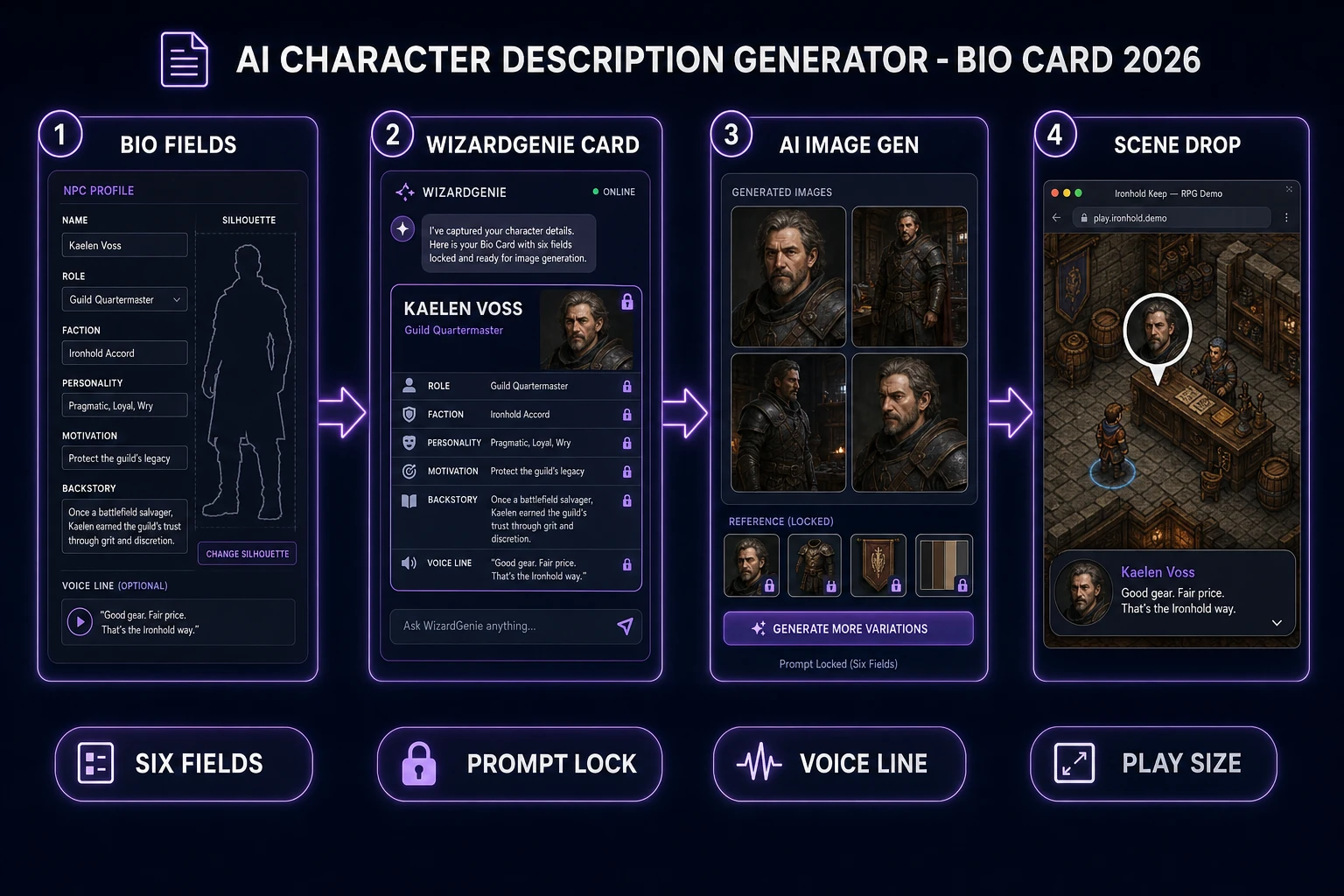
What an ai character description generator search actually wants
The phrase ai character description generator clusters with two overlapping audiences: novelists who want lore, and indie game devs who want a roster they can build. This article speaks to the second group. A description is only useful if it survives the trip from chat window to portrait panel to a talking NPC on screen. Anything that only lives as a story paragraph fails that chain.
The Sorceress angle here is honest: use WizardGenie to compose a six-field card per role, use AI Image Gen to lock a portrait against those fields, and use Speech Gen to cast one voice line so the NPC has an audible identity. A branded sibling piece for randomizer fans lives at Seed Perchance AI Character Description Generator; this article is the tool-driven, engine-facing edition for people who want to move past the randomizer stage.
Search intent here is informational but ship-shaped. Readers do not want another list of ten free tools. They want a description format that survives the jump from text file to art panel to sprite drop. If your jam folder is already full of orphaned paragraphs, stop generating and extract fields from your best three bios instead.
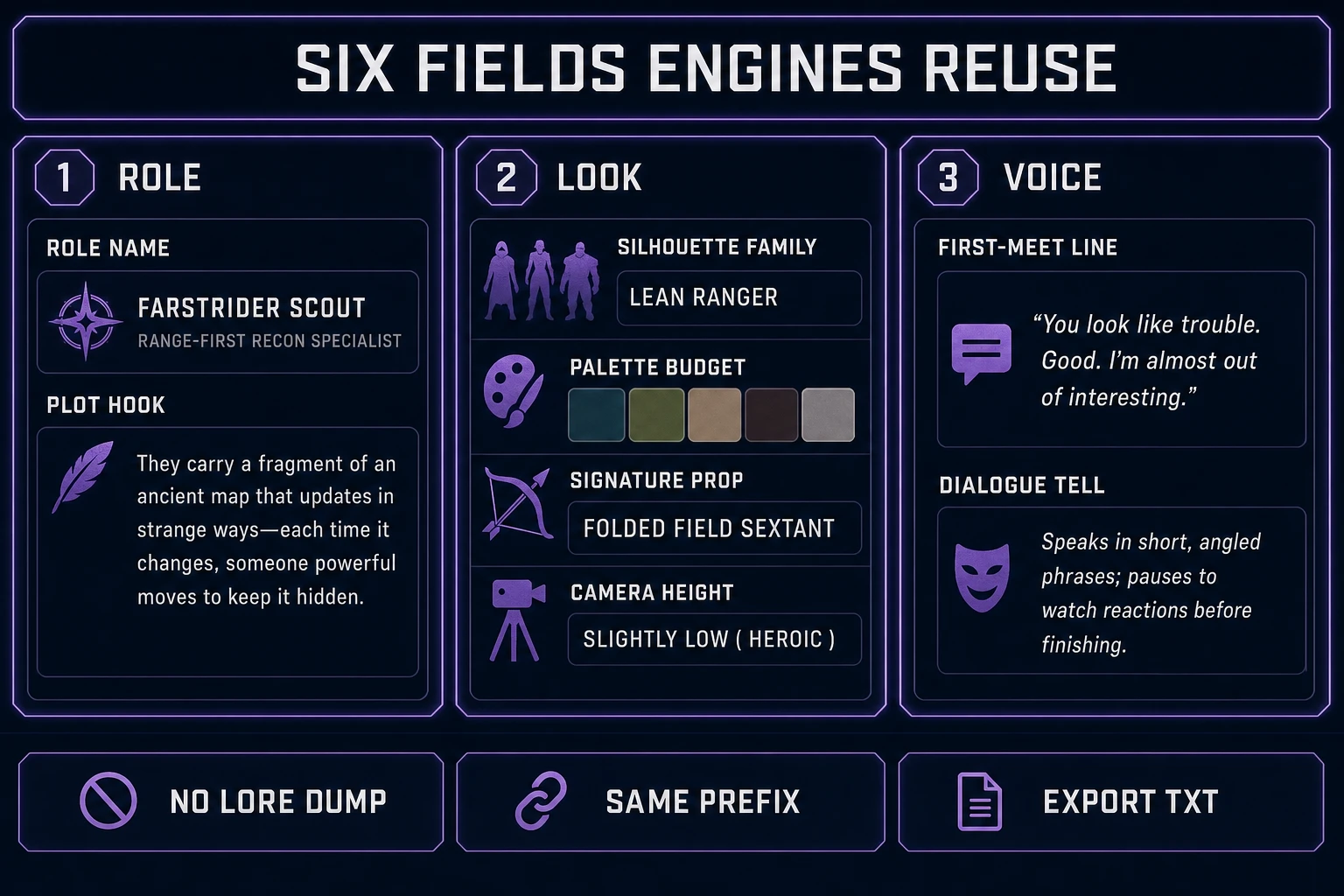
Six fields your engine can actually reuse
Open a blank text file named roster_cards_v1.txt. For every role, fill exactly these lines. Nothing more, nothing less:
- Role - hero scout, village herbalist, hornless enemy grunt.
- Silhouette family - tall lanky, squat soft, wide-shouldered block.
- Palette budget - three to five named colors the whole cast shares.
- Signature prop - scarf, satchel, cracked pauldron, or a deliberate none.
- Voice line - one sentence the NPC can say on first meet.
- Plot hook - one verb the player can act on (trade, warn, chase, help).
Those six lines mirror what a tabletop character sheet keeps on the front page: stable identity plus the fields you glance at mid-session. Skip eye-color essays. Skip childhood timelines. Engines and artists both fail when the sheet is a wall of prose, because there is nothing structured to copy into a prompt.
Write one card each for hero, one support NPC, and one enemy family before you open any image model. Three complete cards beat ten half-finished bios. If a field is blank, fill it with a deliberate "none" rather than inventing detail mid-prompt. Empty prop language is a lock; improvised props mid-session are drift, and drift is the entire failure mode this workflow prevents.
For name flavor without derailing the sheet, pair this pass with Forge a Fantasy Name Generator and drop only the chosen name onto the Role line. Do not paste a random paragraph back into the card. The whole point of a description generator that ships is that the card is the artifact, not the transcript.
The workflow at a glance
Every Sorceress ai character description generator run has the same five steps, and each step maps to a specific tool with a verifiable credit cost:
- Brief. Lock the one-screen scope of the game. Three roles maximum on the first card set.
- WizardGenie. Prompt for the six-field card per role in a chat pane, then copy the result into
roster_cards_v1.txt. - AI Image Gen. Turn the shared silhouette, palette, and prop lines into a prompt prefix. Draft on cheap models, lock winners on a stronger one with reference images.
- Speech Gen. Read the Voice line into MiniMax HD or Turbo. One WAV per role, named by role.
- Scene drop. Wire the card into a browser scene so the description becomes a playable moment, not just a text file.
Only the first three steps consume the AI credits people worry about. The Scene drop step is code, and code is free. Keep the file names boring at every step (hero_card.txt, hero_front_v03.png, hero_meet.wav) so a future you three weeks from now can still tell which lock produced which file.
Step 1 - Prompt WizardGenie for six-field roster bios
Open WizardGenie in the browser or on desktop. Both surfaces run the same coding models and both accept the same chat prompts. Verified August 4, 2026 against src/app/_home-v2/_data/tools.ts CODING_MODELS, the current lineup includes Claude Opus 4.7, Claude Sonnet 4.6, GPT-5.5, Gemini 3.1 Pro, DeepSeek V4 Pro, Kimi K2.5, Grok 4.2, and MiniMax M2.7. For a description pass, a mid-cost model like Sonnet 4.6 or Gemini 3.1 Pro is usually enough. Save Opus 4.7 for the game loop code later.
Paste this brief into the chat pane, one card at a time:
You are writing a game roster card. Return exactly six labeled lines:
Role: <short name and function>
Silhouette family: <tall lanky | squat soft | wide-shouldered block | ...>
Palette budget: <3-5 named colors the cast shares>
Signature prop: <one item or "none">
Voice line: <one first-meet sentence, under 20 words>
Plot hook: <one verb the player can act on>
No lore paragraphs. No extra fields.
Run the brief three times: once for the hero, once for a support NPC, once for an enemy family. WizardGenie writes each card in the same shape because you constrained the output. If a model tries to sneak in a paragraph of backstory, either re-prompt with "no lore paragraphs" appended, or trim the paragraph out by hand before saving. The card is what ships; the paragraph is what wastes the next hour.
Freeze the resulting six-line blocks into roster_cards_v1.txt. Bump the version number the first time you change silhouette or palette after locking a portrait. Version discipline sounds like overhead until day three of a jam, when you cannot remember which palette produced which sprite and the herbalist and the grunt now read as the same blob at 32 px.