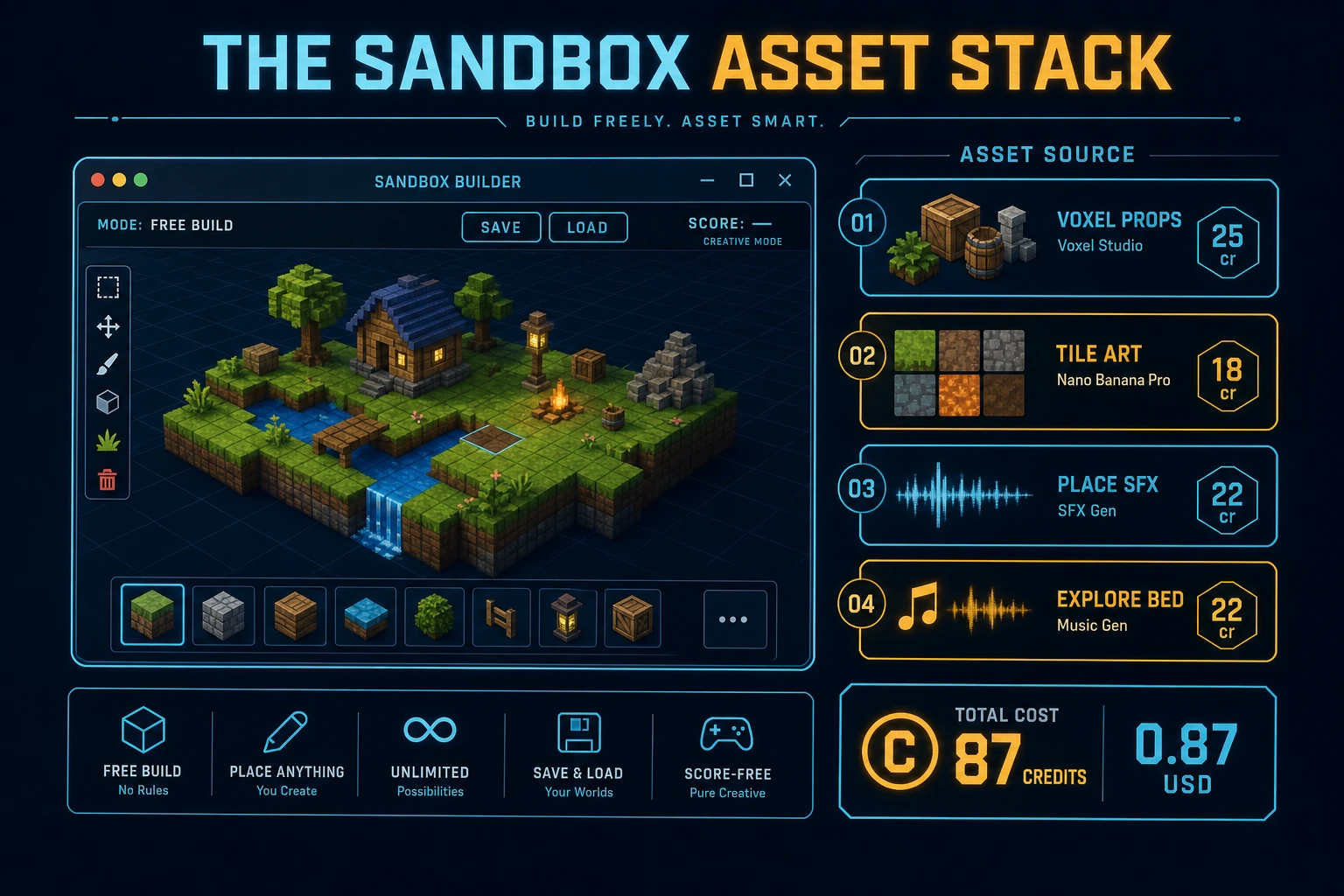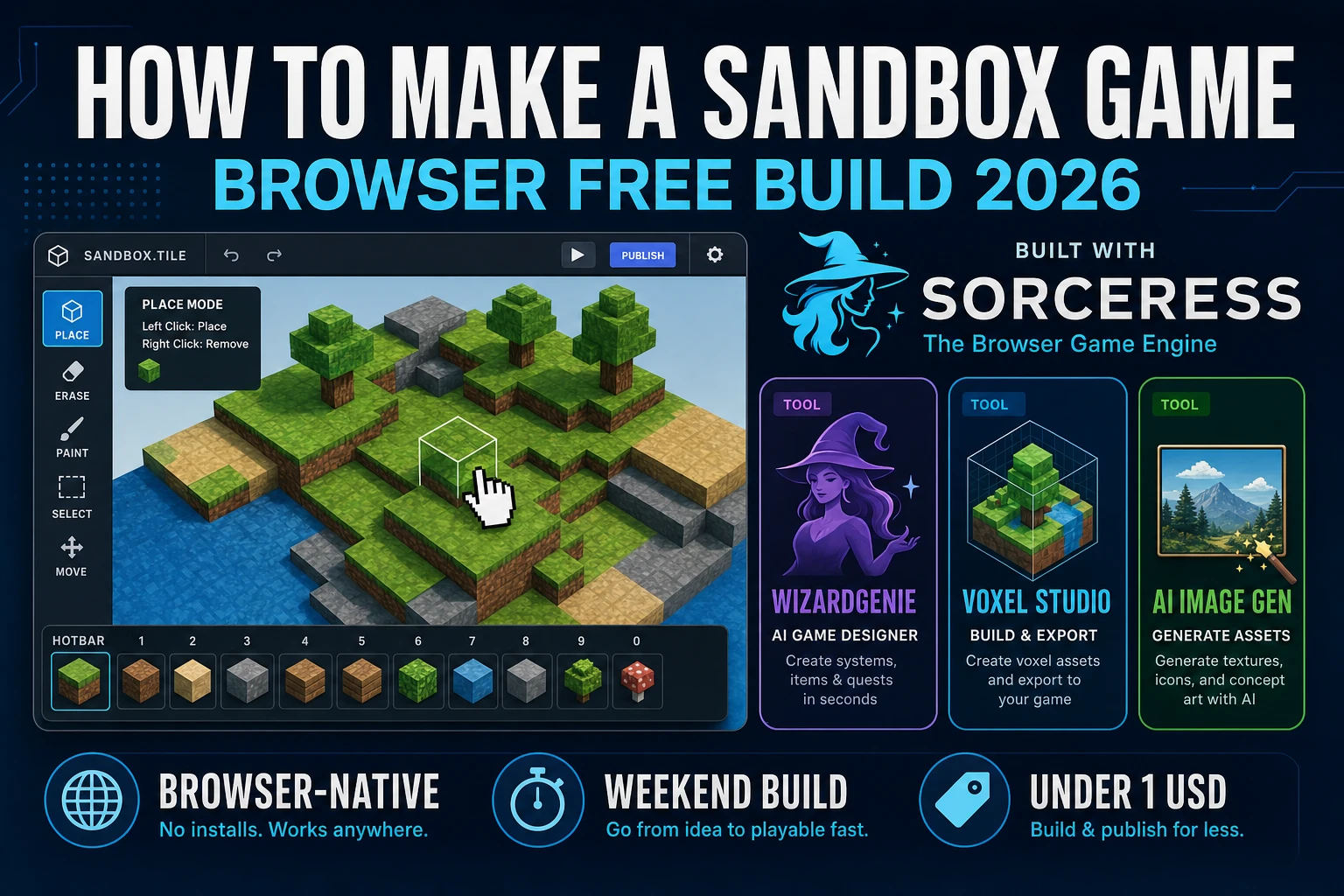
Most searchers who type “how to make a sandbox game” want a free-build creative mode they can finish in a weekend: pick a tool, place a block, erase a mistake, pan the camera, save the world. A browser free-build is different. A coding agent scaffolds the world grid, inventory, and place/erase loop from one prompt, and AI generation covers tile art, hero props, and soft explore audio. On desktop or web, that means WizardGenie for the paint loop, Voxel Studio for landmark props, AI Image Gen for ground and wall tiles, SFX Gen for place and erase cues, and optional Music Gen for a quiet explore bed. This guide is the honest end-to-end for how to make a sandbox game in 2026, as a mutable-grid build you can ship once.
What how to make a sandbox game actually means in 2026
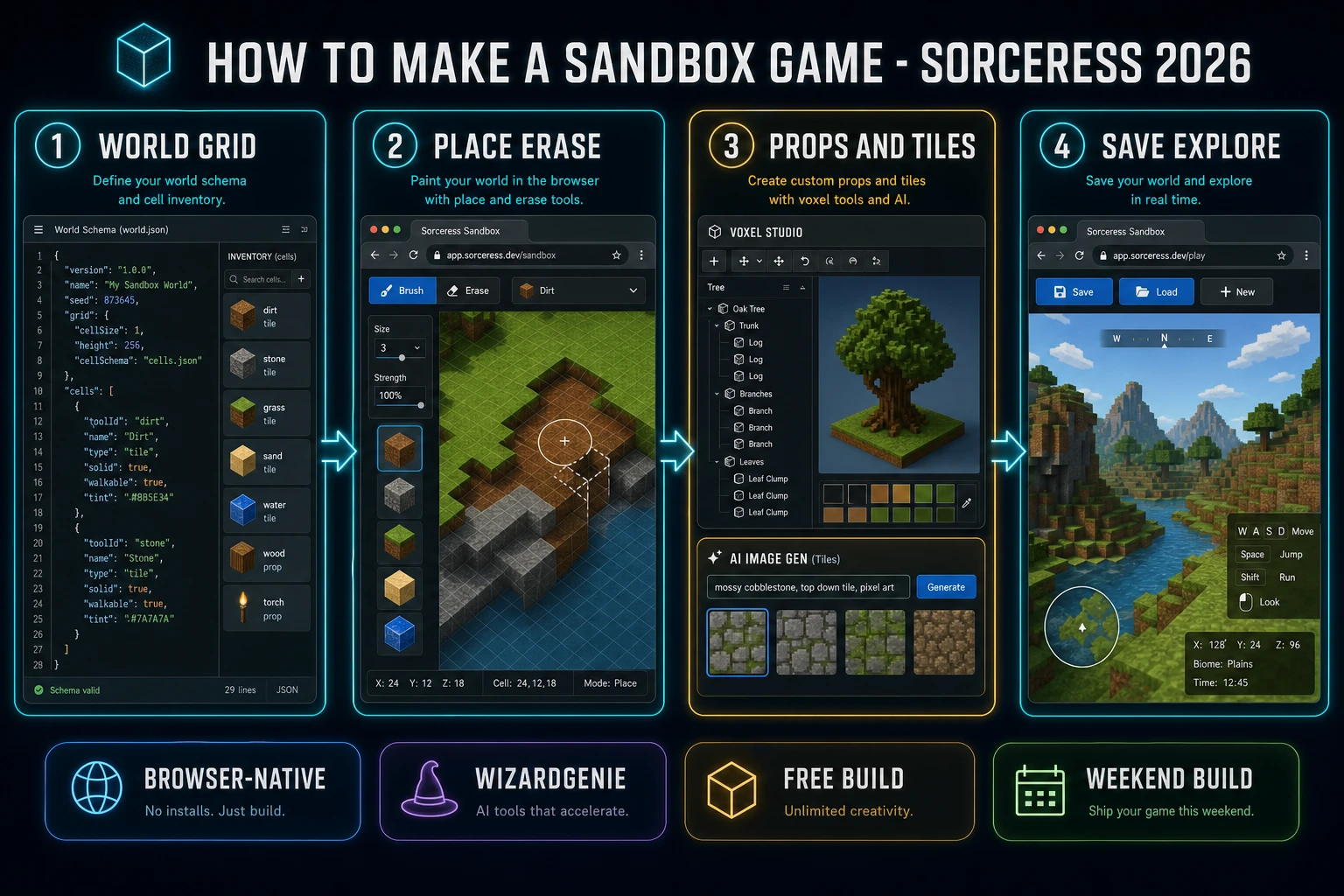
The query “how to make a sandbox game” hides three intents. Some searchers want a Roblox-scale UGC platform with scripting, moderation, and monetization — that is a company, not a weekend jam. A second intent is a full survival title with hunger, night cycles, and crafting trees — a systems design problem that balloons past a first ship. The third intent, and the one this guide targets, is a browser sandbox: a finite tile or block grid, a hotbar of tools, click-to-place and click-to-erase, camera pan (and optional zoom), inventory counts, and Save / Load / New. That is a weekend build, it demos the Sorceress toolset, and it is the format most sandbox game tutorial and javascript sandbox searchers actually want.
Keep sandbox and simulation straight so you don’t rebuild the wrong sibling. A simulation title leans on clocks, agents, and failure states that run without the player — our how to make a simulation game guide owns that systems-first path. A sandbox title owns tools, placement, erase, and save: the player is the author of the space. If you already shipped a room-crawl loop, the platformer run-loop guide covers jump physics; this post owns open play and mutable worlds instead.
The sandbox loop in one minute (select tool, place, erase, explore)
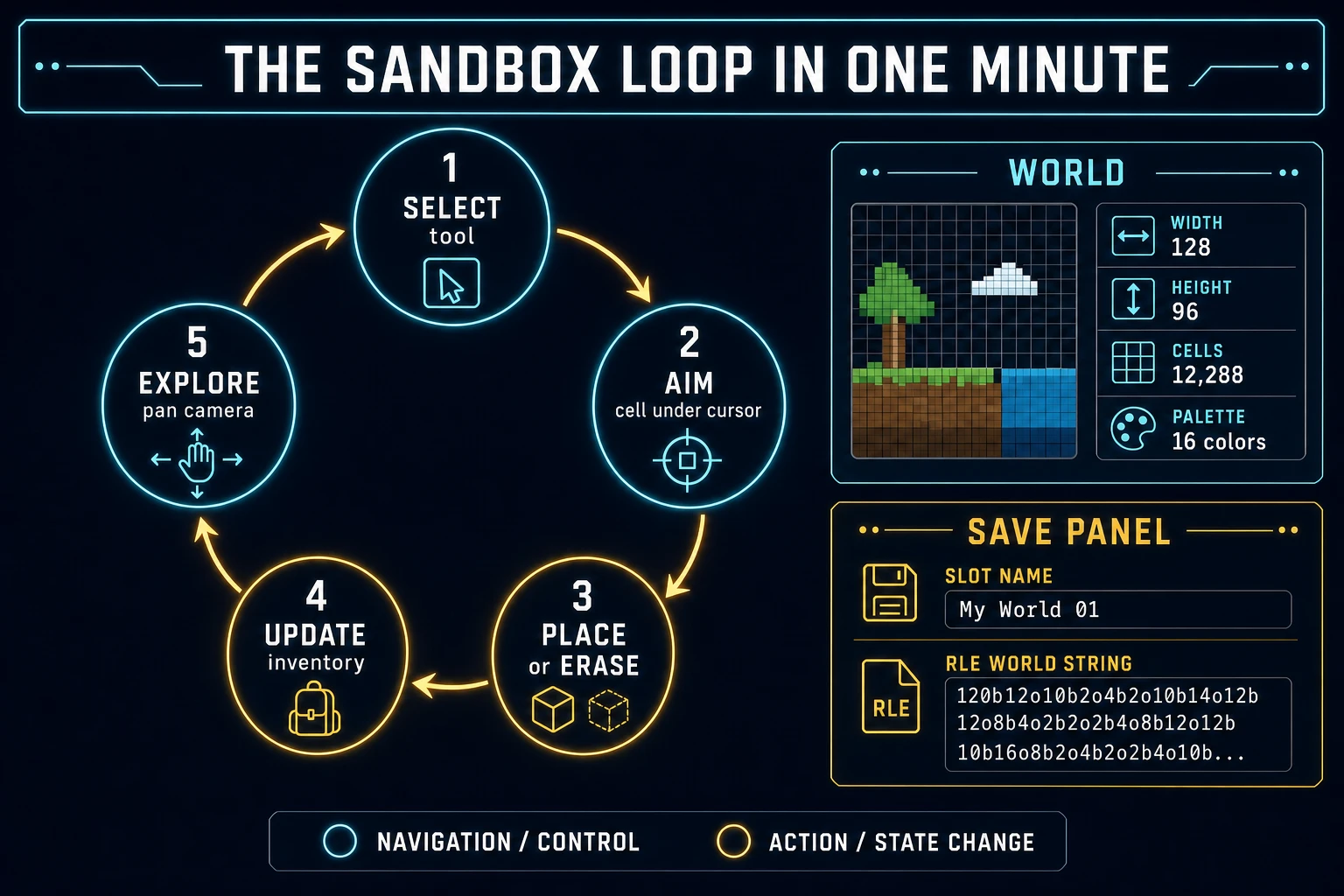
Five moving parts, repeated until the player closes the tab. First, select — pick a tool from the hotbar (dirt, stone, grass, erase, or a prop). Second, aim — map pointer position to a cell under the camera. Third, place or erase — write a palette index into the world array, or clear the cell, and debit or credit inventory. Fourth, feedback — play a short place or erase sting and update the hotbar counts. Fifth, explore — pan (and optionally zoom) so the player can walk the space they just authored. That is the entire sandbox loop. Multiplayer edits, procedural biomes, and crafting trees are polish layered after one honest solo dig already feels sticky.
Pick your engine for how to make a sandbox game: canvas grid, Three.js, or WizardGenie
Three good targets in 2026, each with a different trade-off. Vanilla JavaScript on a 2D canvas grid is the honest default and the pick this guide recommends for a first build. Paint cells with fillRect, map clicks to indices, keep the world in a typed array. Total code footprint for a working browser sandbox with place, erase, inventory, pan, and local save is under 500 lines. No engine to install, ships as a static HTML file, deploys anywhere. The MDN Canvas API docs (verified 2026-08-21) cover the draw surface; the Web Storage API covers save slots.
Three.js with a block mesh becomes the right pick if height, orbit cameras, and face lighting are the product — a true voxel sandbox browser feel. You trade a tiny canvas loop for scene graphs, lights, and mesh rebuilds when chunks change. The official three.js Creating a scene guide (verified 2026-08-21) is the right entry point. Start there only after a flat grid already proves place/erase is fun; otherwise you will spend the weekend fighting camera controls instead of inventing tools.
Phaser 4.1.0 (verified 2026-08-21 on the official Phaser API documentation page) becomes the right pick if you want Scene lifecycle for title-play-pause, Tilemap helpers, or camera bounds out of the box. Phaser does not invent your world model — you still need cells, inventory, and save serialization. Use Phaser when motion polish and scene flow are the product; use a bare canvas when the product is a creative mode game people can paint on a phone.
WizardGenie is not a separate rendering engine — it scaffolds whichever of the three you pick from a single natural-language prompt. WizardGenie ships as both a desktop app (Windows installer with auto-update, available to Early Access supporters and above) and a no-install web build. Its coding-model lineup covers Claude Opus 4.7, GPT-5.5, Gemini 3.1 Pro, DeepSeek V4 Pro, Kimi K2.5, Grok 4.2, and MiniMax M2.7 (verified 2026-08-21 in src/app/_home-v2/_data/tools.ts). For a sandbox, any frontier model scaffolds the grid, pointer mapping, and save helpers in one prompt. Pair a frontier planner with a budget executor like DeepSeek V4 Pro or Kimi K2.5 for the typing pass — the Dual-agent pattern lands most projects at roughly one-fifth the single-frontier cost.