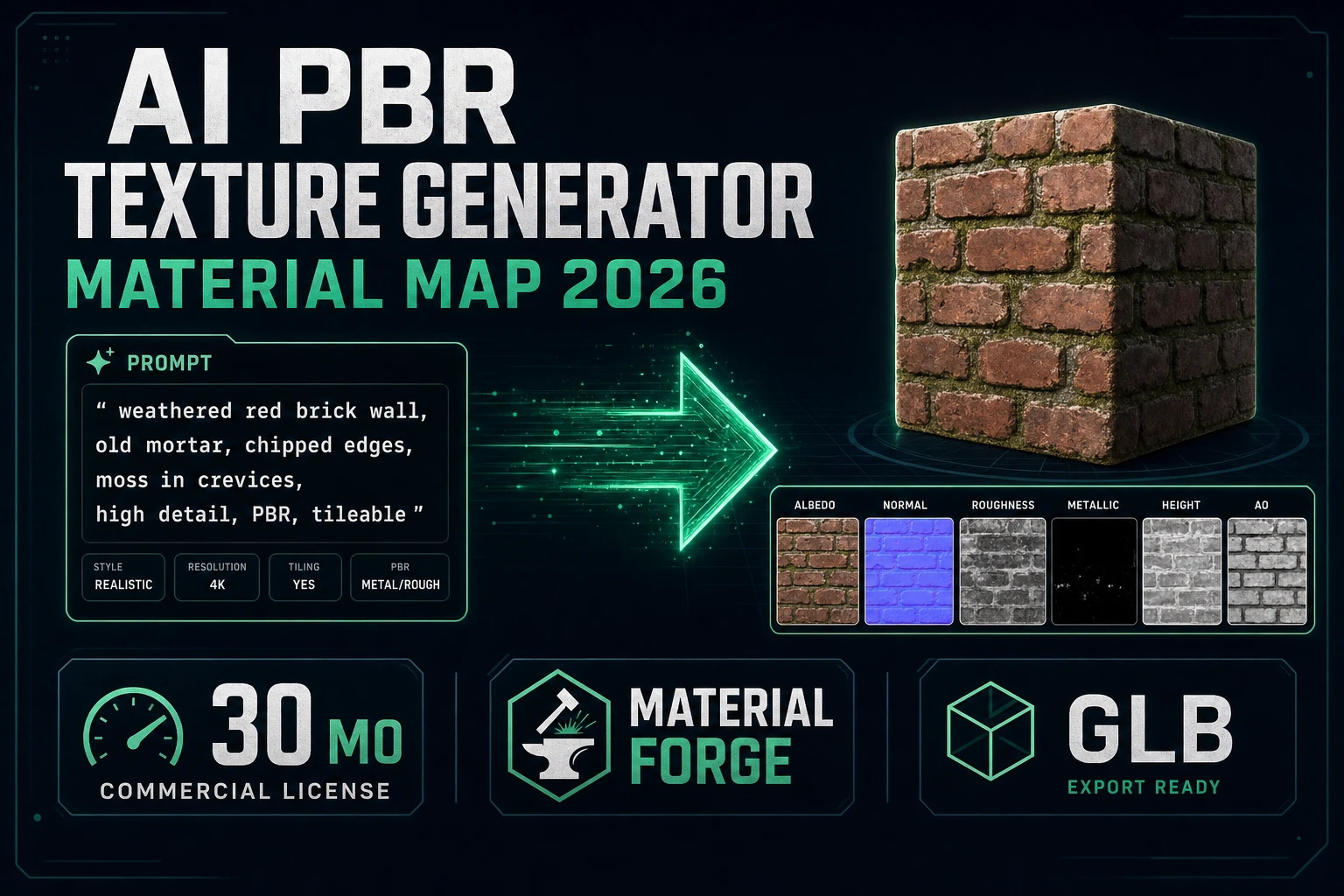
Bake AI PBR Texture Generator (Material Map 2026)

By Arron R.8 min read
An ai pbr texture generator on Sorceress is Material Forge: prompt or upload a base color, derive normal/roughness/metallic/AO client-side, preview live, then e

A prop that only has a painted diffuse looks fake the second a directional light hits it. Searchers typing ai pbr texture generator want the full metal/roughness stack — albedo, normal, roughness, metallic, AO — not another concept thumbnail. This guide bakes that stack on Sorceress in Material Forge, optionally seeds the base color from AI Image Gen, then hands the maps to 3D Studio or a glTF-friendly engine import.
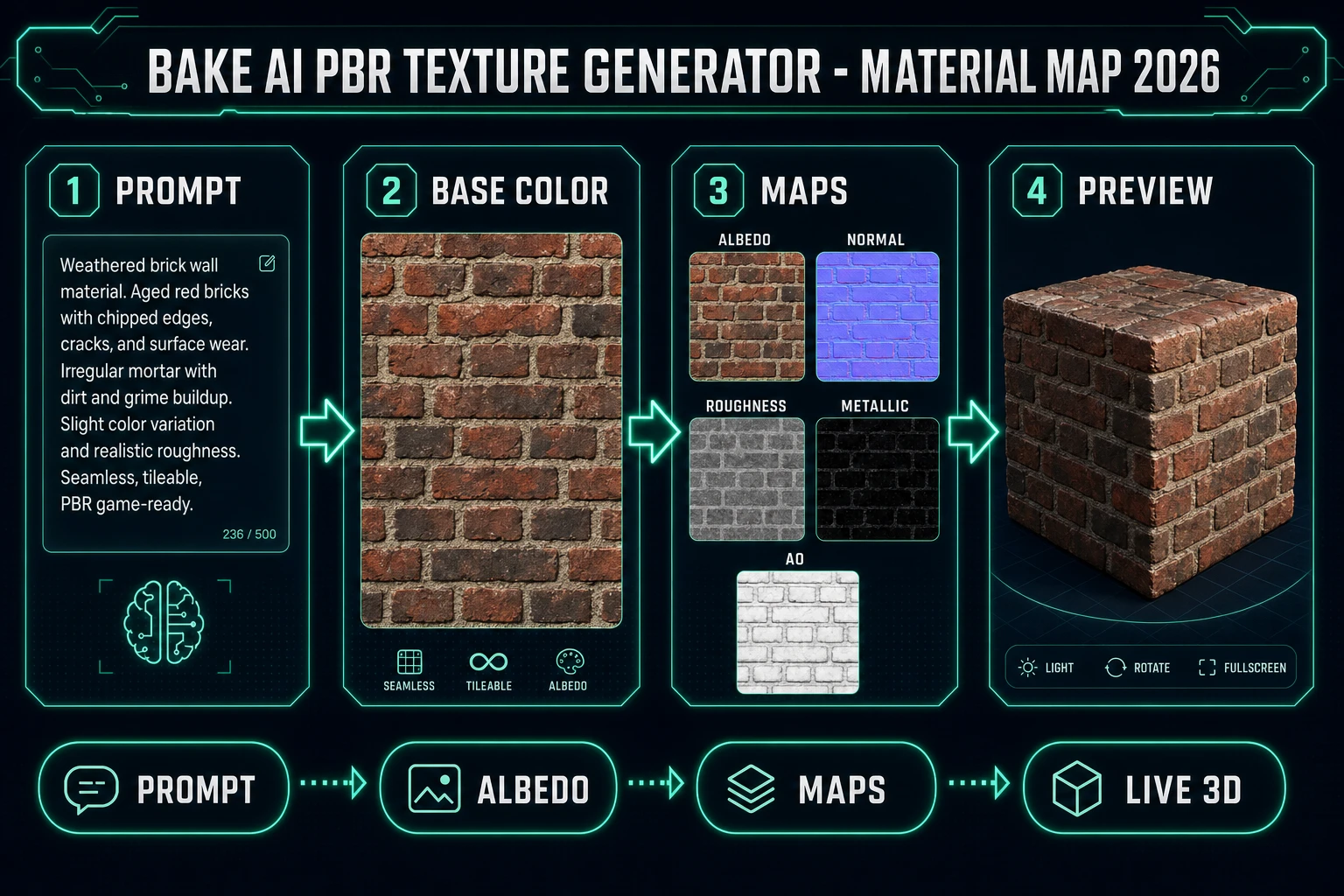
AI PBR texture generator pipeline: prompt, albedo, material maps, live 3D preview
An ai pbr texture generator material map pack: prompt a base color, derive companion maps, then preview under real lighting.

What PBR maps an ai pbr texture generator must return

DataForSEO lists ai pbr texture generator at 30 searches a month, KD 0 (confirmed 2026-09-24 in tools/research-supplement.md). Neighboring rows include ai pbr texture (10/mo) and ai pbr texture generator free (10/mo). The commercial intent is a generator that ships engine-ready material maps, not a single pretty brick photo.

Wikipedia’s Physically based rendering page (checked 2026-09-25) frames PBR as approximating real-world light–surface interaction — energy conservation, metallicity, microfacet roughness — rather than artist-tuned specular hacks. Khronos glTF PBR (checked 2026-09-25) lists the core texture properties every modern pipeline expects: base color, metallic, roughness, normal, ambient occlusion, and emissive (core since June 2017).

three.js documents the same contract on MeshStandardMaterial (checked 2026-09-25): map, normalMap, roughnessMap, metalnessMap, aoMap, emissiveMap. If your ai pbr texture generator cannot fill those slots, you are still in diffuse-only land.

Sibling posts already cover mesh creation. Image to 3D models ships the prop mesh; AI tileset generator stamps 2D floors. This page stays on the material verb: one surface brief → one PBR map set → one lit preview.

Material Forge: the Sorceress ai pbr texture generator

Material Forge is the 3D & Animation tool that answers the ai pbr texture generator search on this site (AI Credits badge and href verified 2026-09-25 in src/app/_home-v2/_data/tools.ts). Home-card copy (same file): turn any AI-generated image into a full PBR material — albedo, roughness, metallic, normal, AO — ready for a game mesh. Live path: /material-forge.

Defaults verified 2026-09-25 in src/app/material-forge/page.tsx and src/lib/material-forge/types.ts:

  • Default texture model key: nano-banana-2 (Nano Banana 2).
  • Default resolution tip for that model: 1K = 9 credits, 2K = 12, 4K = 17 (getCredits in src/lib/models.ts).
  • Texture slots: baseColorMap, normalMap, roughnessMap, metallicMap, emissiveMap, aoMap.
  • Preview geometries: sphere, cube, torus, plane, cylinder, tiled.
  • Optional material agent: GPT-5 Mini at 1 credit (MATERIAL_AGENT_MODELS).

A practical ai pbr texture generator run for a dungeon brick:

  1. Open Material Forge. Keep gallery view or switch to the viewport when you want the live cube.
  2. Describe the surface in production language: “weathered red brick wall, mortar lines, soft top-down lighting, flat surface, no props, no labels.”
  3. Toggle Seamless when the material must repeat on floors or large walls.
  4. Generate the base color. Credits track the selected image model — default Nano Banana 2 at 9 for 1K.
  5. Let derive maps fill normal, roughness, and AO from the albedo (client-side, zero API cost).
  6. Nudge metallic / roughness / normal intensity / tiling in the inspector until the lit preview matches the material you meant.
  7. Export GLB, texture ZIP, Three.js package, or .wgmat.

Prompt once per surface family with the same camera and lighting language. Mixing a top-down brick plate with a 45° wood plate in one “set” is how an ai pbr texture generator pack looks accidental under one light.

Reference images are optional but useful when you already have a photo of real stone or a concept still from AI Image Gen. Material Forge stores the texture model key, params, generate-texture flag, and seamless preference in localStorage (mf-texture-model, mf-seamless, and friends in page.tsx) so the next jam session starts where you left off. Gallery view is the default landing — open a saved material to resume inspector work without regenerating the albedo.
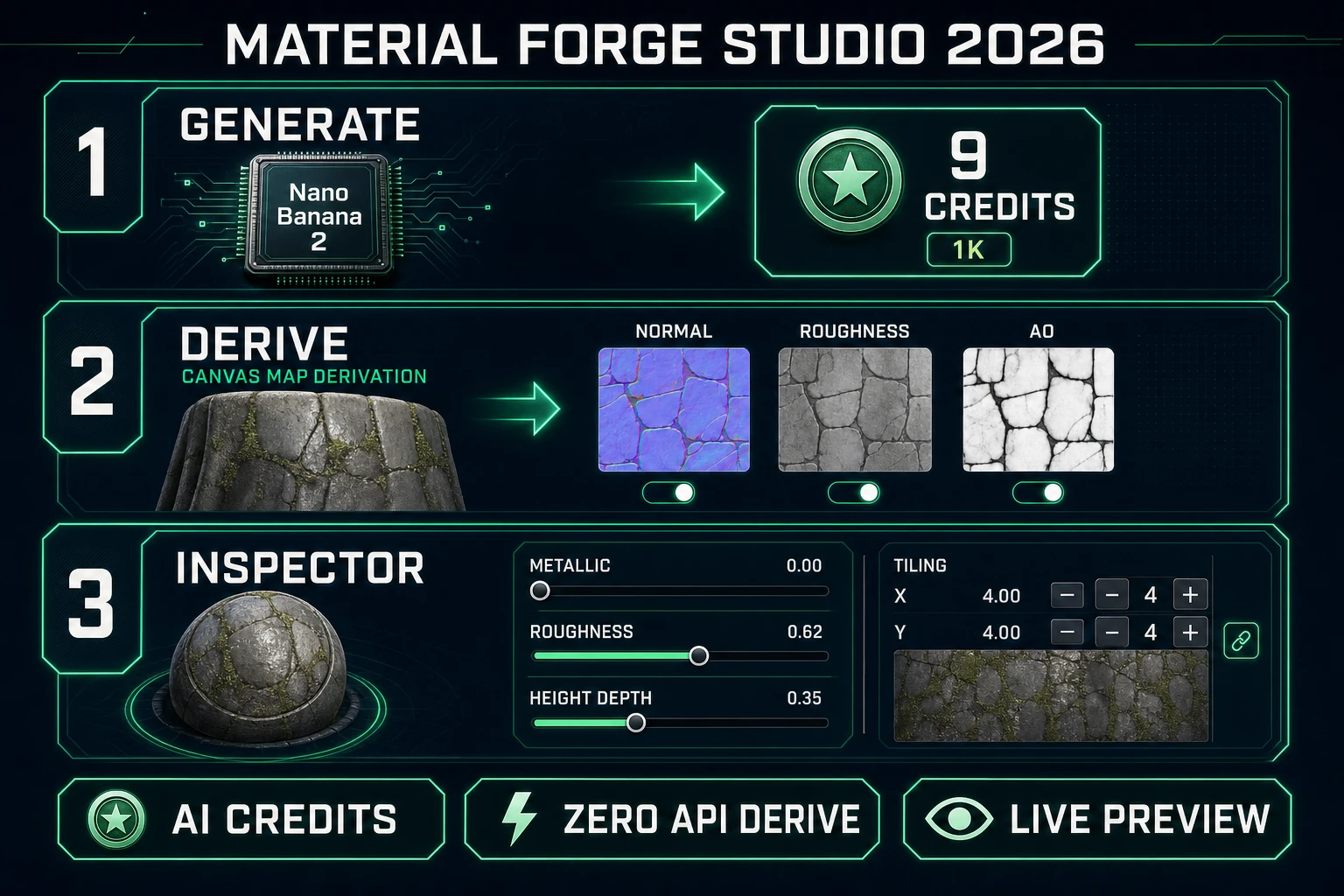
Material Forge ai pbr texture generator: Nano Banana 2 generate, derive maps, inspector sliders
Material Forge steps that matter for an ai pbr texture generator: generate albedo, derive maps, tune under live light.

Albedo, normal, roughness, and metalness — what each map does

Khronos glTF PBR (checked 2026-09-25) keeps the vocabulary tight:

  • Base color / albedo — non-metallic color and metal reflection color. This is the map your ai pbr texture generator spends credits inventing.
  • Normal — macro bumpiness (grooves, mortar, fibers) without extra triangles.
  • Roughness — micro-surface blur of reflections. Low = sharp mirror; high = chalky.
  • Metallic — dielectric vs conductor. Almost never a soft mid-gray for a brick; bricks sit near 0.
  • AO — soft contact shadow in crevices so seams and mortar read at a glance.
  • Emissive — optional glow for screens, magma, runes.

Material Forge’s deriveMapsFromBaseColor (src/lib/material-forge/derive-maps.ts, verified 2026-09-25) builds companion maps on a canvas from luminance of the albedo. Defaults: normal on (strength 0.8), roughness on, AO on; metallic and emissive derive start off — correct for most dielectrics. Turn metallic derive on only when the surface is actually metal, or you will bake fake conductor response into wood.

Inspector scalars still matter after derive. PROPERTY_RANGES exposes metallic, roughness, normal intensity, AO intensity, clearcoat, sheen, IOR, and transmission. Use scalars for global feel; use maps for spatial variation. If every brick looks identically shiny, your roughness map is flat — raise derive contrast or bias, then re-derive.

Clearcoat and sheen are advanced knobs for car paint and cloth, not for every dungeon wall. Leave clearcoat at 0 for matte brick; raise it only when you need a lacquered second specular lobe. Transmission and IOR belong to glass and water — flipping them on a wooden crate will make the mesh look like a refractive toy. The ai pbr texture generator job is usually: correct albedo, believable normals, honest roughness, metallic near 0 for dielectrics.

Tileable materials without a bright seam

Large floors fail when the albedo repeats with a bright edge. Material Forge’s Seamless flag tells the generation path to prepend seamless/tileable instructions automatically (src/lib/material-forge/system-prompt.ts, verified 2026-09-25) — the agent does not need to restype “seamless” into every prompt when the toggle is on.

After generation:

  • Switch preview geometry to tiled and look for a vertical or horizontal bright line.
  • Raise tiling.x / tiling.y if the pattern is too large for the mesh UV scale.
  • If one edge still flashes, regenerate with Seamless on and a stricter brief: “seamless repeating,” “tile,” “consistent lighting,” “no vignette.”

Do not confuse this path with 2D level tilesets. For stampable grass/dirt cells in a map editor, use the ai tileset generator workflow. Material Forge owns 3D surface materials that wrap a mesh under PBR lighting.

Handoff: GLB, ZIP, Three.js, and 3D Studio

Export choices in ExportPanel.tsx (verified 2026-09-25):

  • Download GLB — material + textures on a preview mesh for quick glTF import.
  • Texture ZIP — individual map PNGs named by slot (albedo, normal, roughness, metallic, AO, emissive).
  • Three.js package — textures, material.json, live-editable createMaterial.js, README, and preview.glb already wired for GLTFLoader.
  • .wgmat — WizardGenie material bundle for drag into the Explorer.

Engine notes inside the panel mention Unity, Godot, and Blender as GLB drag-import targets in plain product copy. We keep those as names only here — no outbound competitor links (Hard Rule #13). For a browser game, the Three.js package is usually the cleanest handoff.

When the mesh still needs inventing, generate the prop in 3D Studio, then drop Material Forge maps onto it (or keep a textured GLB from 3D Studio and use Forge when you need a reusable surface library). For free-form concept stills before you commit to PBR, seed albedo ideas in AI Image Gen, then upload the still as a Material Forge reference.

The Khronos glTF 2.0 specification (checked 2026-09-25) is the interchange contract most engines honor for metal/roughness materials. Exporting a clean GLB from Material Forge means you are speaking that dialect — base color, metallicRoughnessTexture packing where applicable, normals, AO — instead of inventing a proprietary map set that only one DCC tool understands. That is why the ai pbr texture generator path ends in glTF-shaped files rather than a single flattened JPEG.

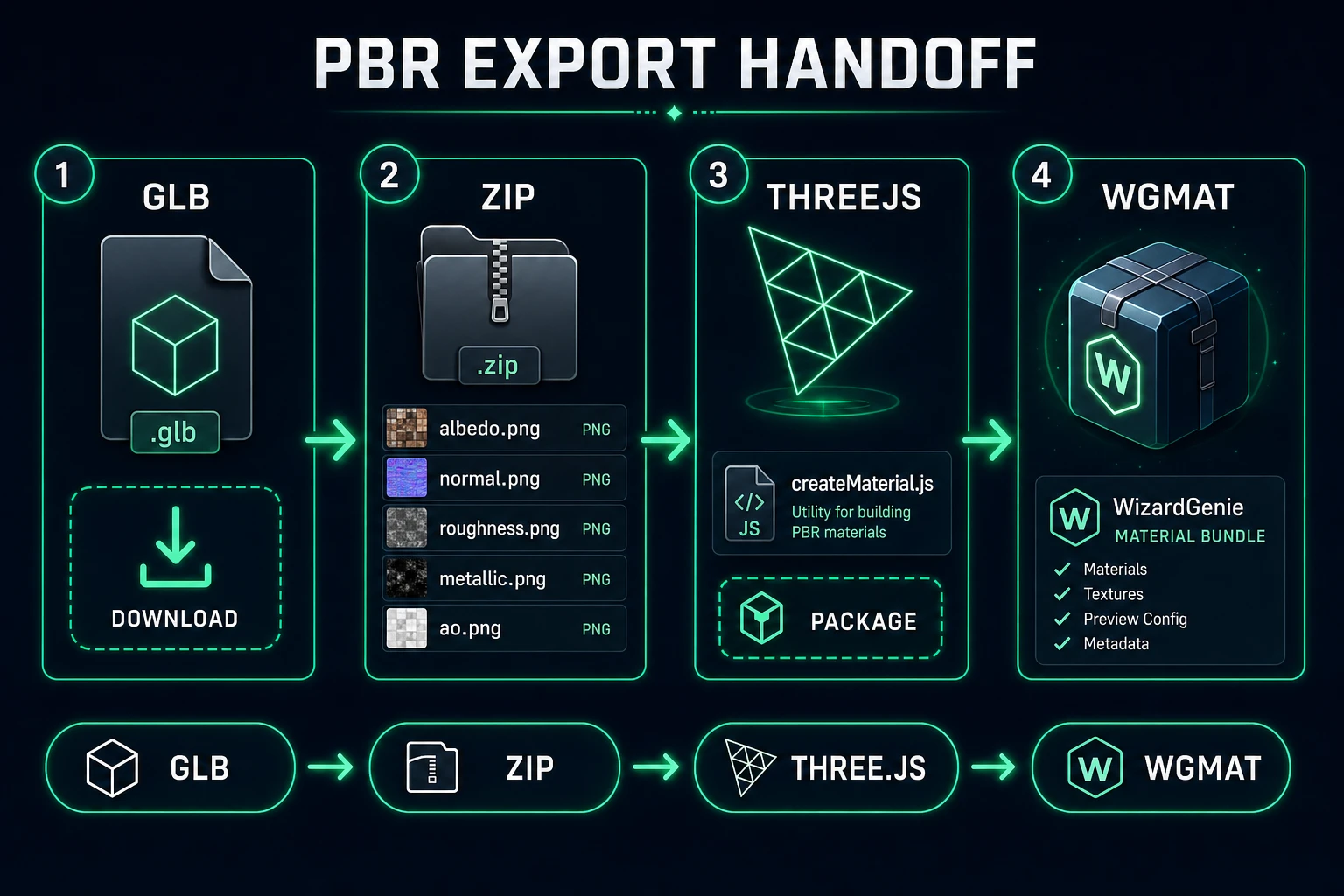
AI PBR texture generator export handoff: GLB, texture ZIP, Three.js package, WGMAT
After the ai pbr texture generator bake: GLB for drag-drop, ZIP for slots, Three.js package for web, .wgmat for WizardGenie.

Credits, AI Credits badge, and when to stop regenerating

On Sorceress today (verified 2026-09-25):

  • Material Forge — AI Credits badge in tools.ts. Base-color generation bills the selected IMAGE_MODELS entry (default Nano Banana 2: 9 / 12 / 17 by resolution).
  • Material agent — GPT-5 Mini at 1 credit when you enable agent-assisted prompting.
  • Map derivation + live preview — free, client-side canvas.
  • AI Image Gen — separate credit cost if you seed a reference still first.

Stop regenerating when roughness reads correctly under the live light and the tiled preview has no bright seam. A fifth albedo that only shifts mortar hue by 2% is a credit sink, not an ai pbr texture generator win. For the mesh itself, see image to 3D models. For 2D floors, see ai tileset generator.

Common issues with an ai pbr texture generator bake

  • Everything looks plastic: Roughness map too low or flat. Raise roughness bias / contrast in derive settings, or drag the roughness scalar up.
  • Brick looks like metal: Metallic derive was left on, or metallic scalar drifted above 0. Turn metallic derive off for dielectrics.
  • Bright seams on floors: Enable Seamless before generate; preview on tiled geometry; strip vignette language from the prompt.
  • Normals look inverted: Re-derive with a lower strength, then nudge normalIntensity. Avoid stacking a second normal bake on an already-detailed albedo.
  • Maps won’t import: Prefer texture ZIP with clear slot names, or the Three.js package that already wires MeshStandardMaterial fields.

The verdict

For the query ai pbr texture generator, Material Forge is the Sorceress answer in 2026: invent a base color with Nano Banana 2 (or another picker model), derive normal / roughness / AO in the browser at zero API cost, tune under a live light, then export GLB, ZIP, Three.js, or .wgmat. Cite the verification date on any credit number you quote later — model pricing rotates. Facts in this article were checked against Wikipedia PBR, Khronos glTF PBR, three.js MeshStandardMaterial, and the Material Forge source on 2026-09-25.

Frequently Asked Questions

What does an ai pbr texture generator output?

A usable ai pbr texture generator returns a metal/roughness material set: base color (albedo), normal, roughness, metallic, ambient occlusion, and often emissive — not a single painted diffuse. Khronos glTF PBR (checked 2026-09-25) lists those as core properties since June 2017. On Sorceress, Material Forge at /material-forge builds that set from a prompt or reference image, derives companion maps in-browser, and previews on sphere/cube/plane geometry (verified 2026-09-25 in src/lib/material-forge/types.ts).

Is map derivation free after the base texture generates?

Yes for the algorithmic pass. deriveMapsFromBaseColor in src/lib/material-forge/derive-maps.ts runs entirely on canvas in the browser with zero API cost (file header comment verified 2026-09-25). Defaults enable normal (strength 0.8), roughness, and AO; metallic and emissive derive start off. You still pay AI Credits for the base-color generation — default Nano Banana 2 is 9 / 12 / 17 credits at 1K / 2K / 4K (src/lib/models.ts).

How do I make the ai pbr texture generator result tileable?

Turn on the Seamless toggle before generation. Material Forge prepends seamless/tileable instructions automatically when textureGeneration.seamless is true (system-prompt.ts, verified 2026-09-25). Preview on the tiled geometry, then raise tiling.x / tiling.y in the inspector if the floor still shows a bright seam. For 2D level floors instead of 3D materials, use Seamless Tile Gen — different tool, same seam problem.

Which export should I pick after Material Forge?

Download GLB for a quick drag-drop into a glTF-friendly pipeline. Download texture ZIP when you want individual PNGs. Three.js package adds material.json, createMaterial.js, README, and preview.glb (ExportPanel.tsx, verified 2026-09-25). .wgmat is the WizardGenie material bundle. Mention Unity / Godot / Blender as plain GLB import targets in-product — we do not deep-link competitor engine stores.

What does Material Forge cost on Sorceress?

Material Forge carries an AI Credits badge (tools.ts, verified 2026-09-25). Texture generation bills the selected IMAGE_MODELS entry — default nano-banana-2 at 9 credits for 1K. Optional material agent GPT-5 Mini costs 1 credit per MATERIAL_AGENT_MODELS. Client-side map derivation and local preview are free. Stop regenerating when roughness and normals read correctly under the live light, not when the albedo looks slightly nicer.

Sources

  1. Physically based rendering - Wikipedia
  2. Physically Based Rendering in glTF - Khronos
  3. MeshStandardMaterial - three.js docs
  4. glTF 2.0 Specification - Khronos
Written by Arron R.·1,712 words·8 min read

Related posts