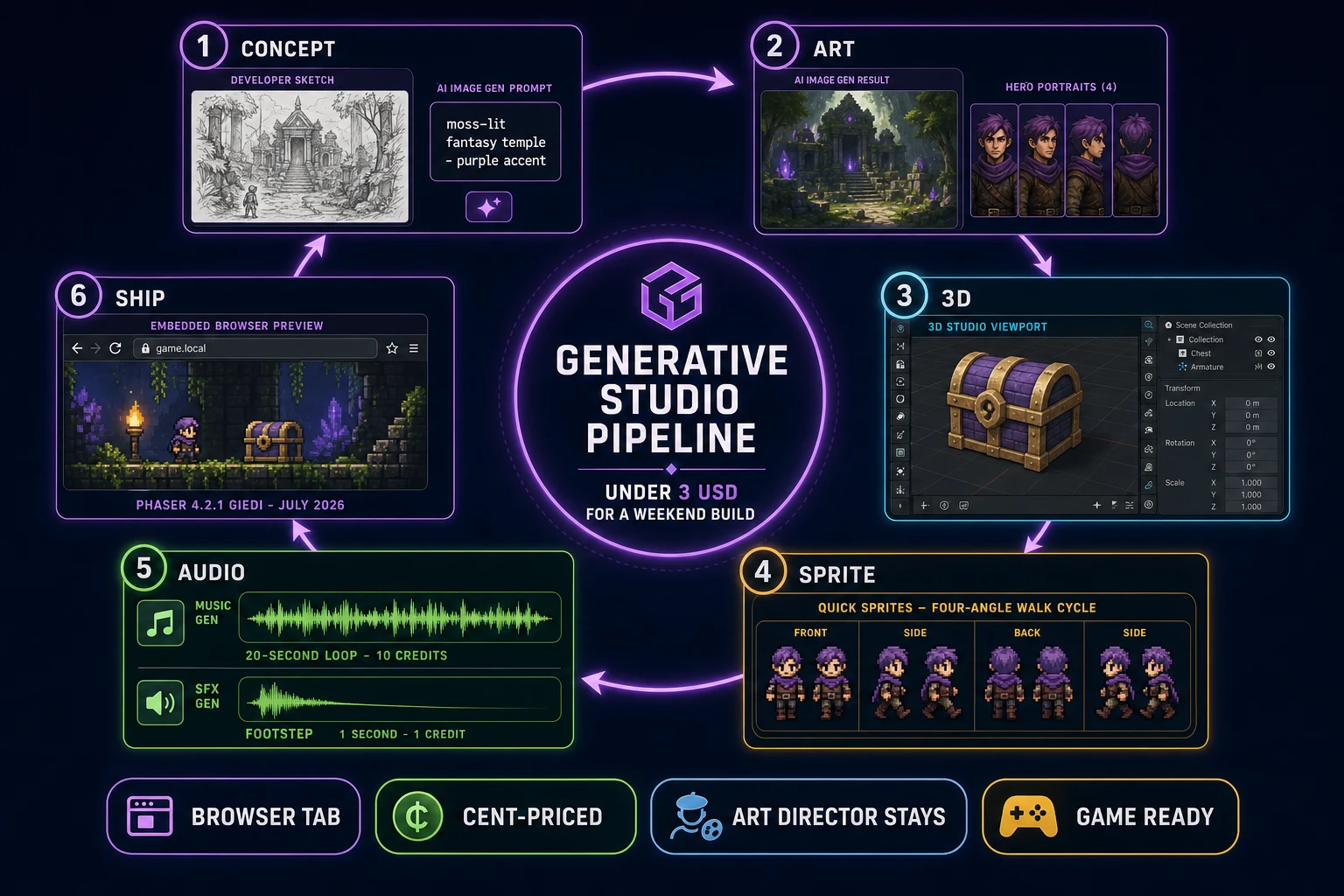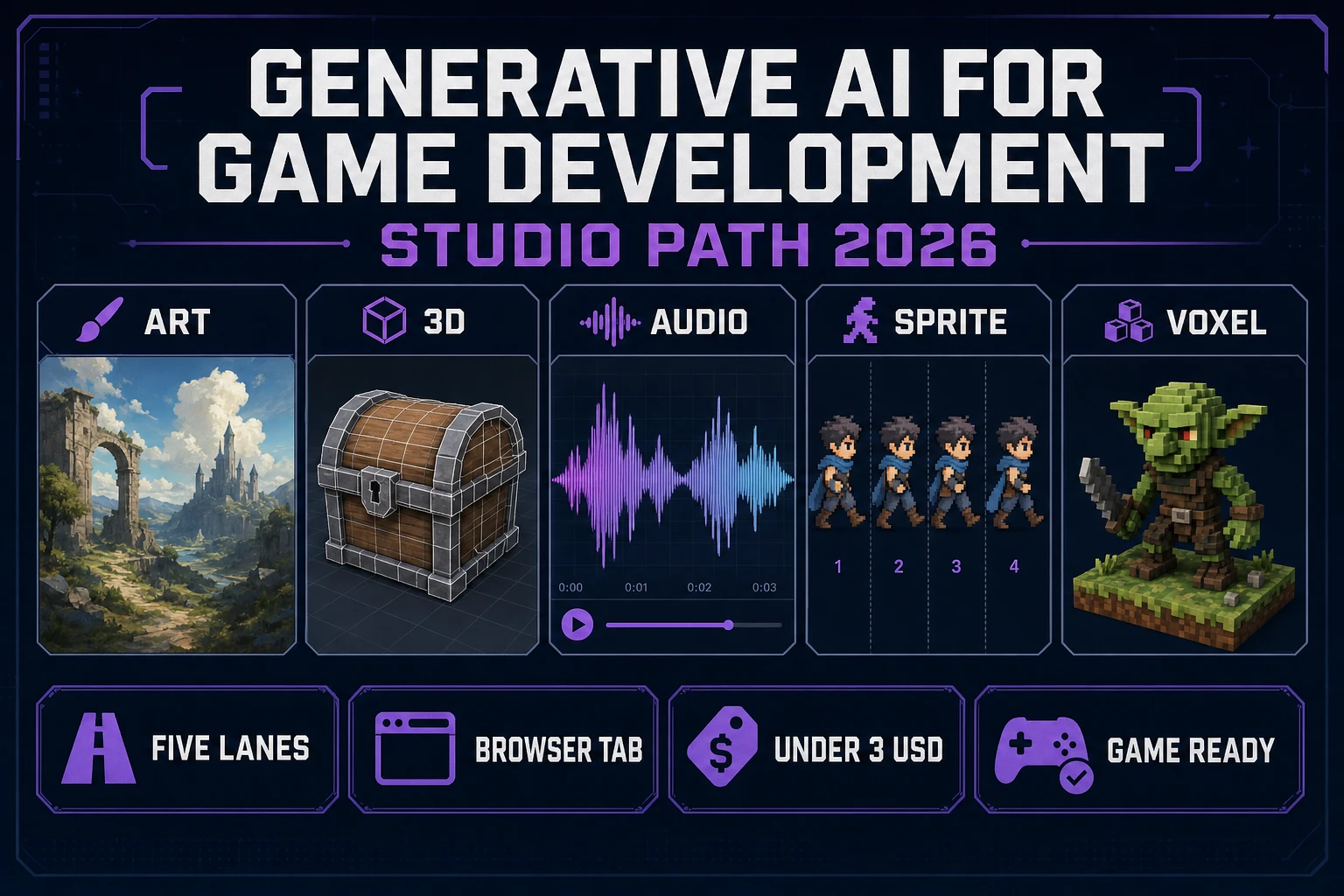
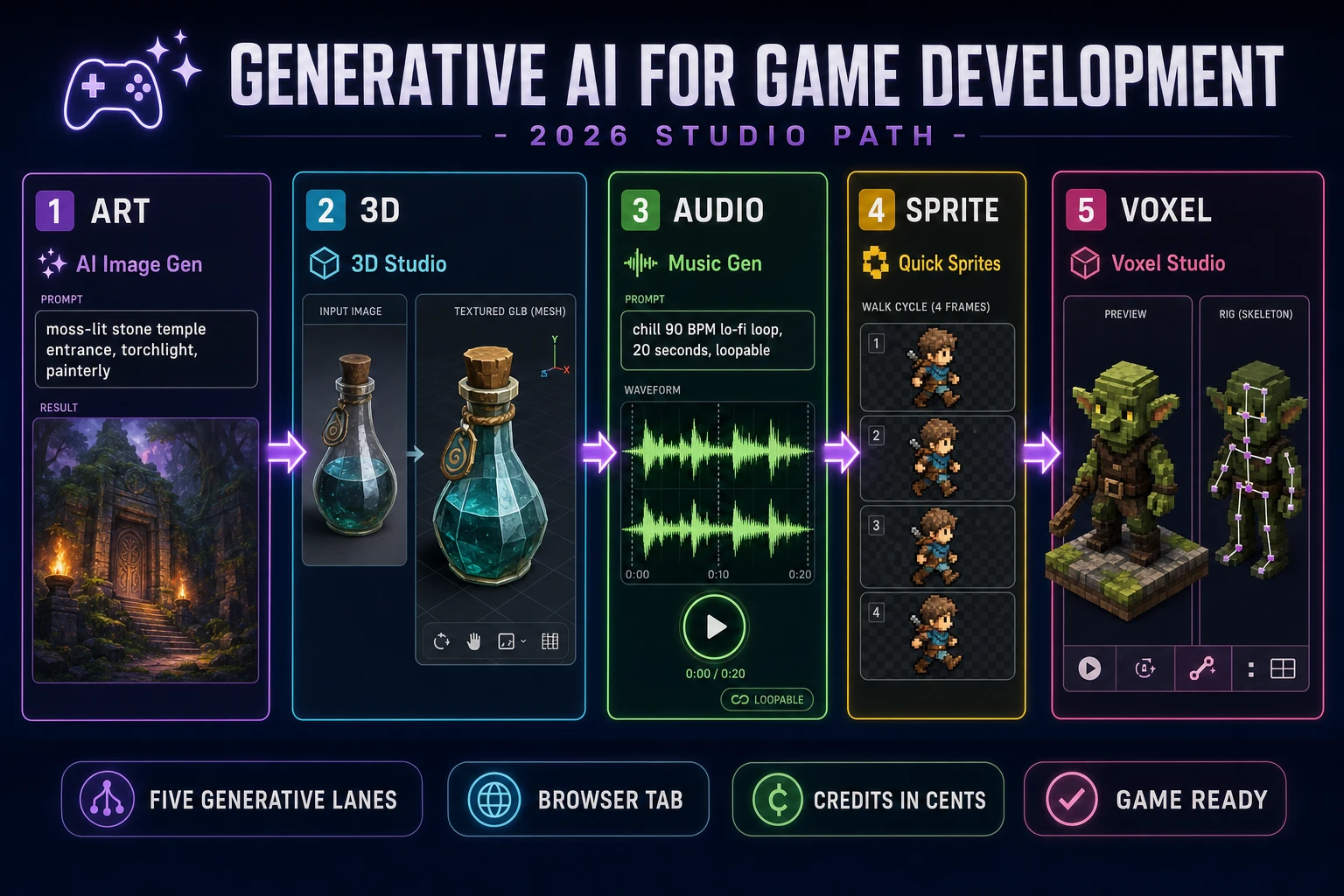
Generative AI for game development stopped being a demo reel in 2024 and started being a real studio pipeline in 2026. The phrase used to gesture at a Midjourney image dropped into a Godot project or a Suno bed under a jam trailer - one asset from one prompt, glued into a manual workflow. Today it names a five-lane pipeline that ships in a browser tab: an image lane for concept art and backdrops, a 3D lane for props and characters, an audio lane for music beds and SFX cues, a sprite lane for animated pixel-art rosters, and a voxel lane for blocky worlds. This piece walks each lane against the shipping Sorceress stack - AI Image Gen, 3D Studio, Music Gen, Quick Sprites, Voxel Studio, and the tools that support them in the Sorceress tools guide. Every fact below was verified 2026-09-08 against the source tree.
What "generative ai for game development" actually covers in 2026
The general-purpose definition of generative artificial intelligence (verified 2026-09-08 on Wikipedia) is straightforward: models that learn the patterns of their training data and generate new data in response to natural-language prompts. Bolt that definition onto the game-dev vertical and a tighter reading falls out. Generative AI for game development is any model that turns a plain-English prompt into a specific game-runtime asset - an image the engine can load, a 3D mesh with UVs, a music loop with a compatible sample rate, a sprite sheet the animator can slice, a voxel block-out the level designer can drop into a scene, or a block of engine code that compiles. Every returned asset has to slot into a working runtime. That last constraint is what separates a real game-dev generator from a general-purpose image or audio model wearing a game-flavored prompt.
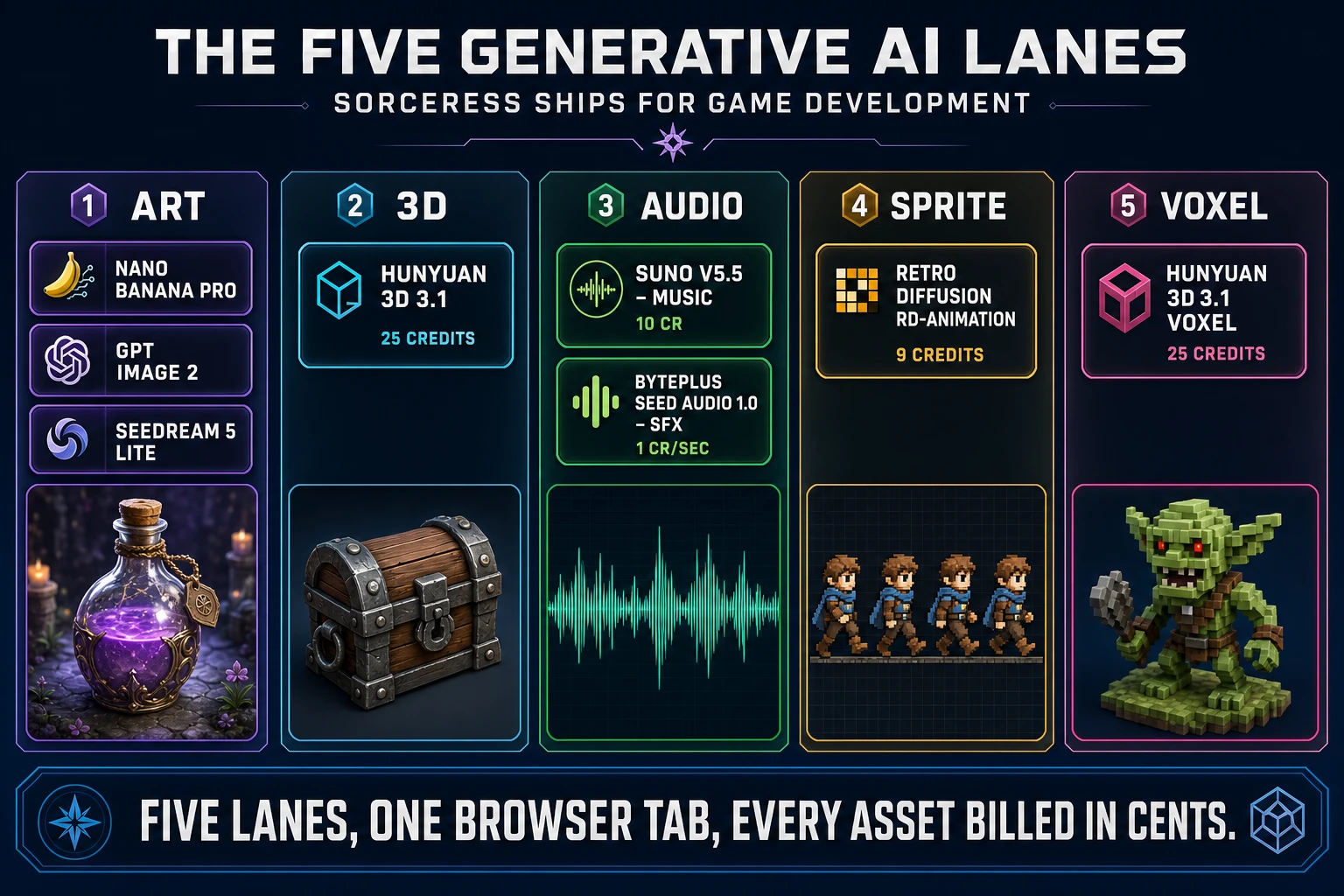
The 2026 stack breaks cleanly into six pillars, and five of them are pure generative surfaces (the sixth, coding, is generative-plus-agent and covered in the prior AI agents for game development loop-path piece). Every asset lane bills in credits at CREDITS_PER_DOLLAR = 100 (one credit equals one US cent, verified 2026-09-08 in src/lib/models.ts line 69), so the whole pipeline stays visibly cent-priced instead of hiding behind a monthly subscription with hidden per-generation caps. The rest of this piece walks each lane end-to-end, keeps the model catalog concrete, and lands on the honest verdict for a solo indie building a weekend prototype - which is where generative AI for game development has actually earned its keep in 2026.
The generative art lane: AI Image Gen and 12 text-to-image models
AI Image Gen is the surface that answers most of the search intent behind "generative AI for game development" queries in 2026. It hosts twelve text-to-image models with per-model credit costs, per-model reference-image support, and per-model output-resolution tiers - verified 2026-09-08 in src/lib/models.ts. The top-tier line-up covers Nano Banana Pro (18 credits at 1K/2K, 33 at 4K, up to 8 reference images), Nano Banana 2 (9 credits, up to 14 refs), GPT Image 2 (5-15 credits, up to 16 refs, the only model that reliably renders dense legible text inside the image), Seedream 5 Lite (6-8 credits, up to 14 refs), Seedream 5 Pro (VIP tier), Flux 2 Pro (6 base credits plus 3 per reference image, up to 8 refs), Grok Imagine, GPT Image 1.5, Nano Banana 2 Lite (4 credits), Nano Banana base (3 refs), Seedream 4.5, and Z-Image. Twelve real models, all priced in cents, all callable from the same tab.
The game-dev workflow through the art lane is straightforward and honest. The developer types a scene prompt in plain English ("moss-lit stone temple entrance, torchlight, painterly, top-down camera, ISO tile-ready"), picks a model that matches the desired aesthetic (Seedream 5 Lite for painterly, Nano Banana 2 for photoreal, GPT Image 2 when the image has to contain legible UI text like a sign or a HUD label), uploads 1-8 reference images if consistency matters (character portraits, style pins, existing screenshots), and hits generate. The returned image lands in the collection rail at a 3:2 or 16:9 aspect the engine can crop; a right-click sends it to Canvas for touch-ups, to True Pixel for palette snap, or to BG Remover for alpha matte. The consistent character generator piece covers the reference-image trick that keeps a hero's face stable across a whole set of scene shots - the entire trick is per-model reference-image support, and every model in the twelve-model catalog documents its own reference cap.
The generative 3D lane: 3D Studio and Auto-Rigging
The 3D lane is where generative AI for game development goes from "a nice concept picture" to "a mesh the engine can render at runtime". 3D Studio takes an image (usually one produced by AI Image Gen on the art lane, but any real reference image works) and lifts it to a textured GLB via an image-to-mesh model. The mesh comes back with UVs, a diffuse texture, and (optionally) a PBR set. It is not a scan-quality replica of the input image - it is a stylized game-ready prop or character at whatever poly budget the model was tuned for. That distinction matters: the goal is a mesh a game engine can load and skin, not a museum-quality reconstruction.
The rig side runs through the Auto-Rigging tool. For humanoid meshes, the workflow accepts a GLB (either the one 3D Studio just produced or one from an external source) and returns the same mesh with a game-ready skeleton, verified 2026-09-08 against src/lib/rigging/external-rig/autoRigPricing.ts: the Meshy provider bills AUTO_RIG_CREDITS.meshy = 20 credits per rig. For non-humanoid creatures (multi-leg animals, insects, custom silhouettes), the Rigging Multi-Leg surface hands the mesh through a variant of the same pipeline. Both routes end in an FBX or a rigged GLB that drops directly into Unity URP/HDRP, Unreal, Godot, or a Three.js scene - the AI character rigging piece walks the marker-placement step in detail. The whole 3D lane runs in a browser tab; no Blender, no Maya, no C4D install anywhere in the loop.
The generative audio lane: Music Gen, SFX Gen, Speech Gen
The audio lane covers the three things a real game needs from sound: a music bed, sound effects for actions, and NPC voices for dialogue. Music Gen handles the first, billed at MUSIC_CREDIT_COST = 10 credits per generation via Suno V5.5 as the default model (verified 2026-09-08 in src/app/music-gen/page.tsx line 28 and the MODELS array). V5.5 accepts a custom duration slider from 10 to 360 seconds, which matters for game loops - a 20-second bed with a clean loop point is often what a scene actually needs, and V5.5 will target that exact length instead of returning a 90-second track the developer has to hand-trim. The prompt language is plain English ("chill 90 BPM lo-fi loop in A minor, no vocals, 20 seconds, loopable, hint of piano"), the returned track is a fully mixed audio file, and stems and MIDI cost more (STEM_CREDIT_COST = 8, MIDI_CREDIT_COST = 15).
SFX Gen handles the second job at SEED_AUDIO_CREDITS_PER_SECOND = 1 credit per second via BytePlus Seed Audio 1.0 (verified 2026-09-08 in src/app/sfx-gen/page.tsx line 23, DEFAULT_SFX_MODEL = 'byteplus-seed-audio'). A 3-second footstep-on-stone cue costs 3 credits; a 5-second sword-clang cue costs 5. That per-second billing is honest for a game workflow because most SFX assets are under 3 seconds anyway, so most cues land at 1-3 credits each. Speech Gen handles the third job with a full voice-cloning slot at VOICE_CLONE_CREDITS = 400 credits (verified 2026-09-08 in src/app/speech-gen/page.tsx line 31), so a solo dev can commit one voice per major NPC without breaking the budget. The prior AI game music generator loop-bed piece and the AI NPC voice piece cover the music and speech workflows end-to-end.