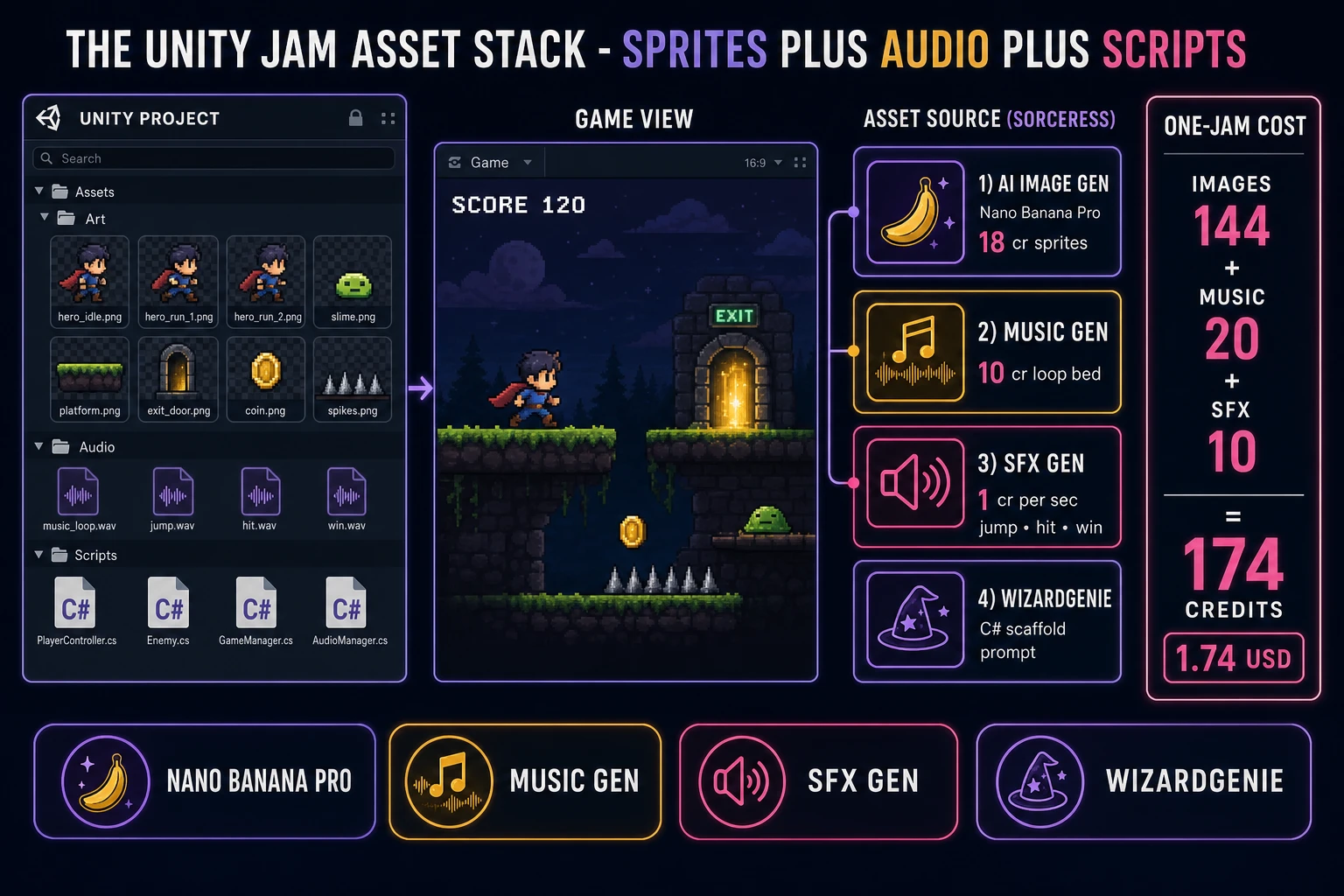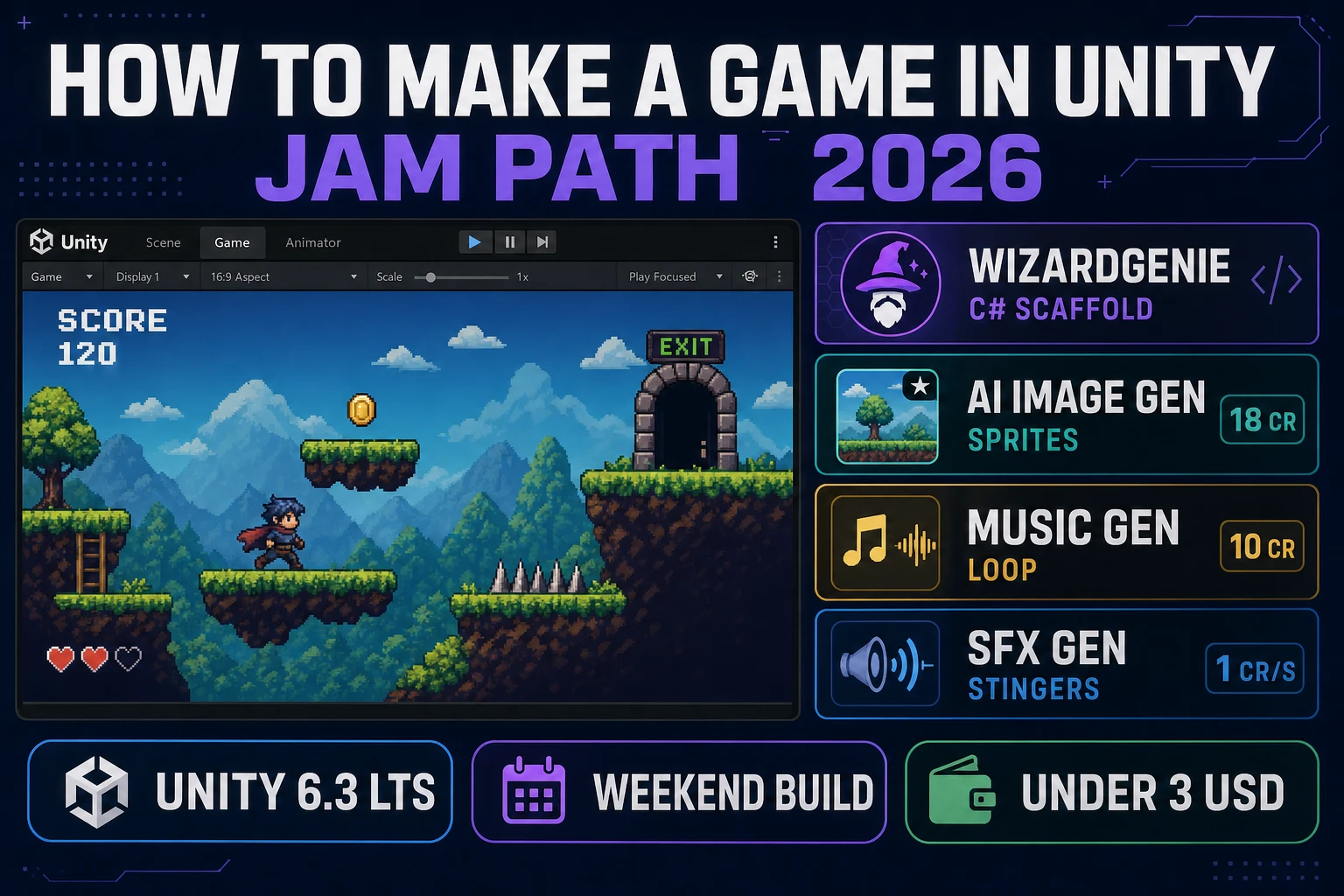
How to make a game in Unity in 2026 still starts with the same three primitives the engine has used for years: a Scene full of GameObjects, components that hang off those objects, and C# scripts that drive Update and physics each frame. The Unity game engine page on Wikipedia (verified 2026-08-17) frames it as a cross-platform editor where C++ powers the runtime and C# powers the scripting API — which is exactly the stack a jam needs. Almost every beginner guide for how to make a game in Unity still dumps a week of Hub setup, package managers, and template sprawl on you before the first jump lands. The jam path is tighter. Pin Unity 6.3 LTS, build one 2D scene, write three short MonoBehaviours, and pull sprites, music, and stingers from Sorceress so art never blocks the loop. That means WizardGenie to scaffold the C#, Sorceress AI Image Gen for the sprite pack, Music Gen for the loopable bed, and SFX Gen for jump, hit, and win cues. This guide is the honest end-to-end for how to make a game in Unity on a weekend jam clock.
What how to make a game in unity actually means in 2026 (scenes, GameObjects, C# scripts)
The query “how to make a game in unity” hides three intents. Some searchers want a career curriculum — Unity Learn pathways, certification tracks, and months of editor fluency. Some want a commercial product with live-ops, analytics, and storefront packaging. The third intent, and the one this guide targets, is a jam playable: one Scene, one camera, one player GameObject, one win condition, and a build you can zip and share before Monday. That is the same short list MDN’s Games development overview keeps returning to — loop, input, physics, art, sound, build — applied inside Unity’s component model (verified 2026-08-17).
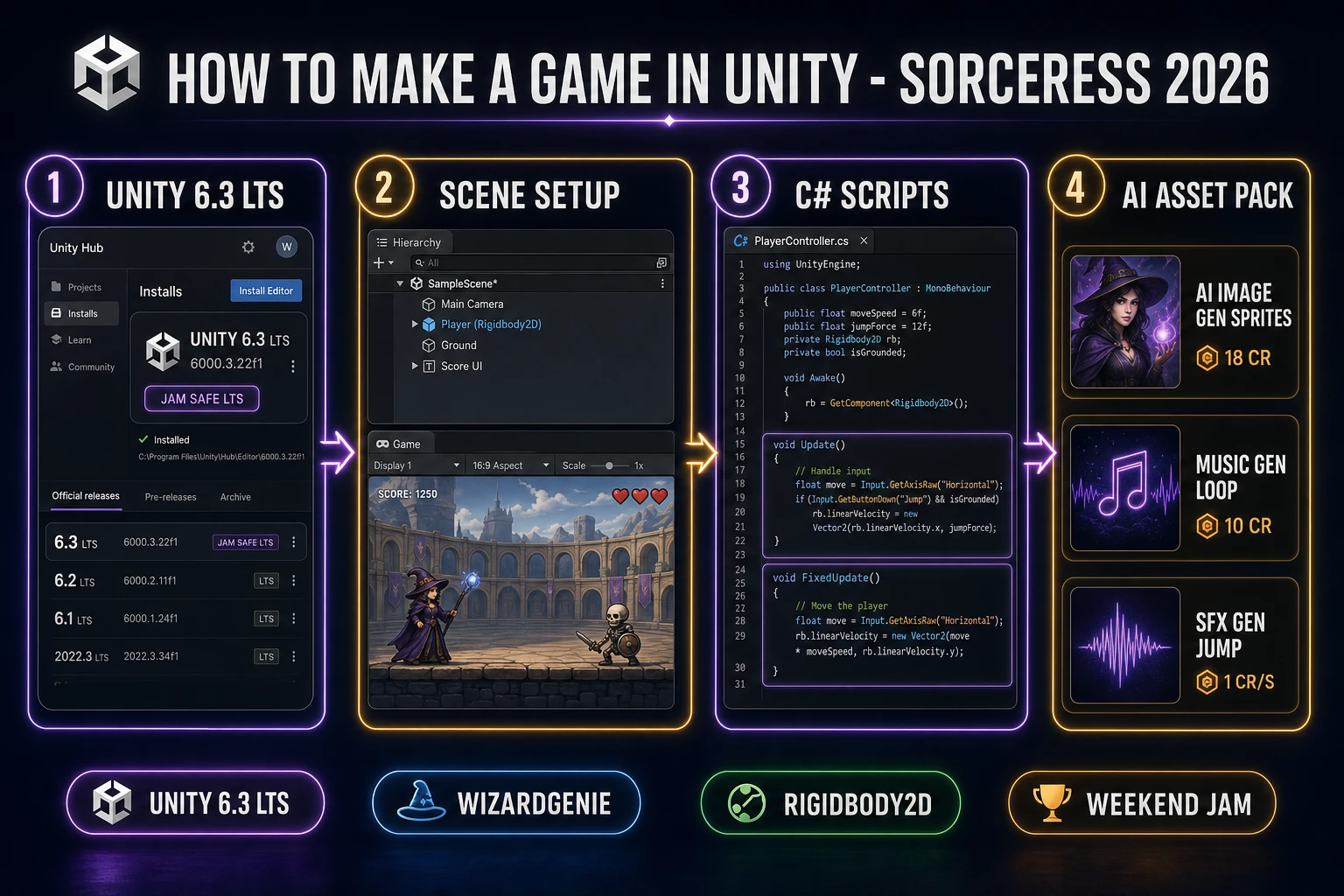
Unity’s object model is small once you strip marketing. A Scene is the loaded world. A GameObject is a named node in the Hierarchy. A Component is a behavior or data block attached to that node — Transform is mandatory; SpriteRenderer, Rigidbody2D, BoxCollider2D, and AudioSource are the jam staples. A MonoBehaviour is your C# class that Unity calls through lifecycle methods. Wikipedia’s C# language page (verified 2026-08-17) is the right mental model for the scripting side: managed, object-oriented, and the language Unity’s scripting API expects. How to make a game in Unity, at jam scope, is “compose GameObjects, attach components, write three scripts, press Play,” not “master every package in the Package Manager.”
Version choice matters more than template choice. Per the endoflife.date Unity tracker (last updated 14 August 2026, verified 2026-08-17), Unity 6.3 LTS released 4 December 2025 and is supported through 4 December 2027, with latest patch 6000.3.22f1 dated 13 August 2026. Unity 6.5 is the newer Update line (6000.5.8f1 on 12 August 2026). Unity 6.0 LTS remains supported through 16 October 2026. For a jam you might reopen later, pin Unity 6.3 LTS. Create a 2D (URP) project from Hub and refuse to upgrade mid-weekend.
The Unity jam loop in one minute (scene, Update, physics, UI)
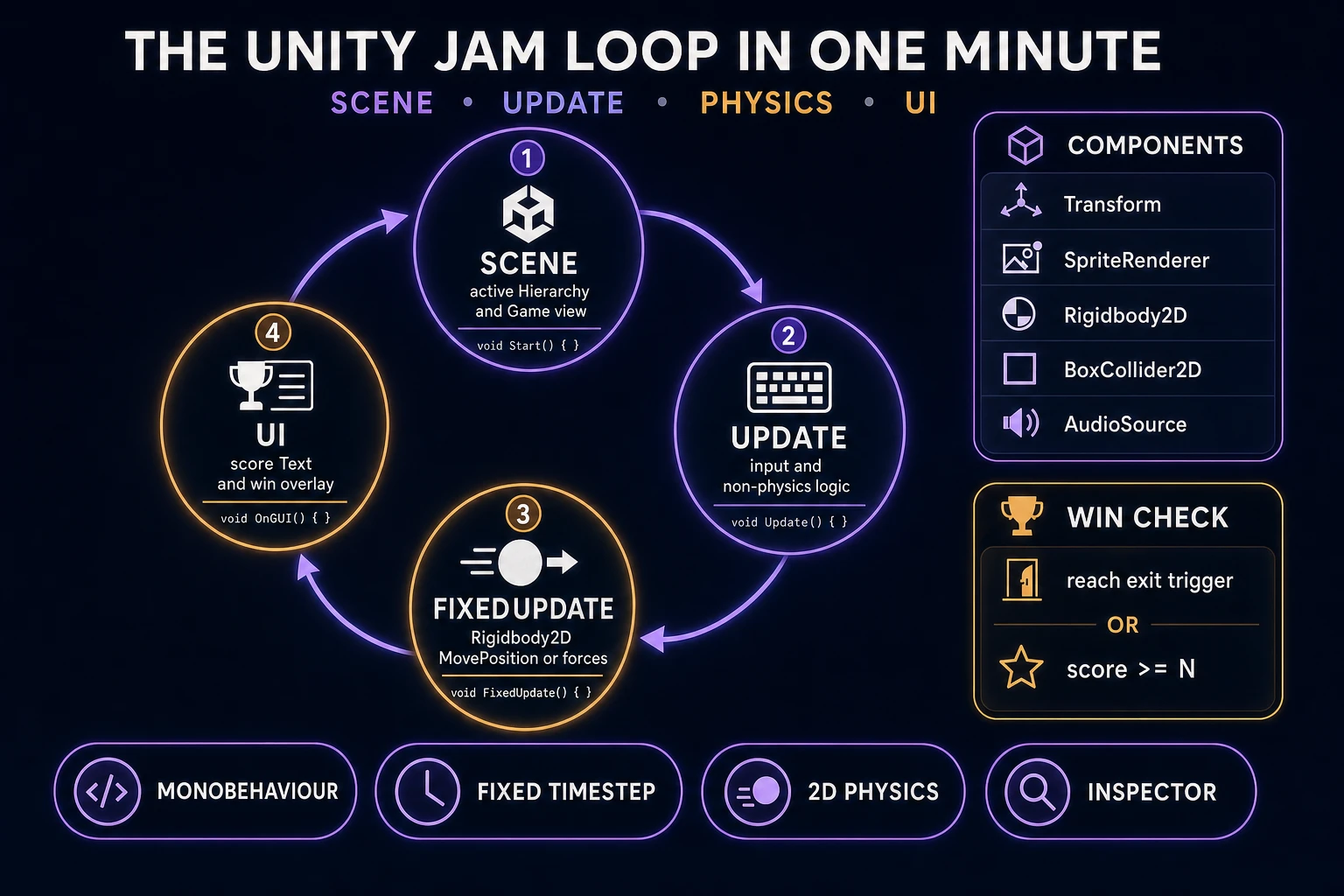
Four moving parts, in strict order, every frame of a jam build. First, scene — the active Hierarchy holds Main Camera, Player, Ground, Collectibles, Exit, and a Canvas for score. Second, Update — read input, flip sprites, update non-physics timers, and refresh UI text that does not need a fixed timestep. Third, FixedUpdate / physics — apply forces or set Rigidbody2D velocity, let Unity’s 2D physics tick resolve collisions, and handle triggers in OnTriggerEnter2D. Fourth, UI / win check — when score hits the target or the exit trigger fires, freeze input, show a win panel, and offer Restart.
The discipline that keeps how to make a game in Unity honest on a jam clock is the same discipline every physics-driven engine needs: movement that touches Rigidbody2D lives in FixedUpdate; cosmetic and input-edge logic can live in Update; win and lose are state flags, not leftover velocity. If gravity keeps running after the win overlay appears, the player slides off the world and the restart feels broken. Set isPlaying = false, zero velocity, and only accept a restart key until the scene reloads. That is the entire jam loop. Four steps. Everything else is polish.
Pick your path for how to make a game in unity: pure Editor, asset-first AI pack, or WizardGenie-scaffolded C#
Three good approaches in 2026, each with a different trade-off. Pure Editor is the classic path: create GameObjects by hand, write empty MonoBehaviours, attach them in the Inspector, tune public fields while Play mode is running. You learn the Hierarchy and Inspector deeply. It is also the slowest path to a first jump if you have never touched C#.
Asset-first AI pack flips the order. Generate the hero sprite, three platforms, and a background swatch in AI Image Gen before you write a line of code, drop them into Assets/Art, and build the scene around finished pixels. The loop feels like a game earlier, which keeps jam morale high. The risk is overspending credits on art before the controller exists — generate a minimal pack first, then iterate.
WizardGenie is the third path and the one this guide recommends for the scripting half. WizardGenie is the Sorceress game-native coding agent. It ships as both a Windows desktop app (installer with auto-update, Early Access and above) and a no-install web build at the same URL. Its coding-model lineup (verified 2026-08-17 in src/app/_home-v2/_data/tools.ts) covers Claude Opus 4.7, Claude Sonnet 4.6, GPT-5.5, Gemini 3.1 Pro, DeepSeek V4 Pro, Kimi K2.5, Grok 4.2, and MiniMax M2.7. Paste a Unity-specific prompt that names MonoBehaviour, Rigidbody2D, and OnTriggerEnter2D; copy the .cs output into Assets/Scripts; attach in the Editor. For longer sessions, pair a frontier planner (Claude Opus 4.7 or GPT-5.5) with a budget executor (DeepSeek V4 Pro or Kimi K2.5) so typing stays cheap — roughly one-fifth the cost of a single-frontier session. Unity still owns Play mode, the Inspector, and the build; WizardGenie owns the blank-page tax on C#.