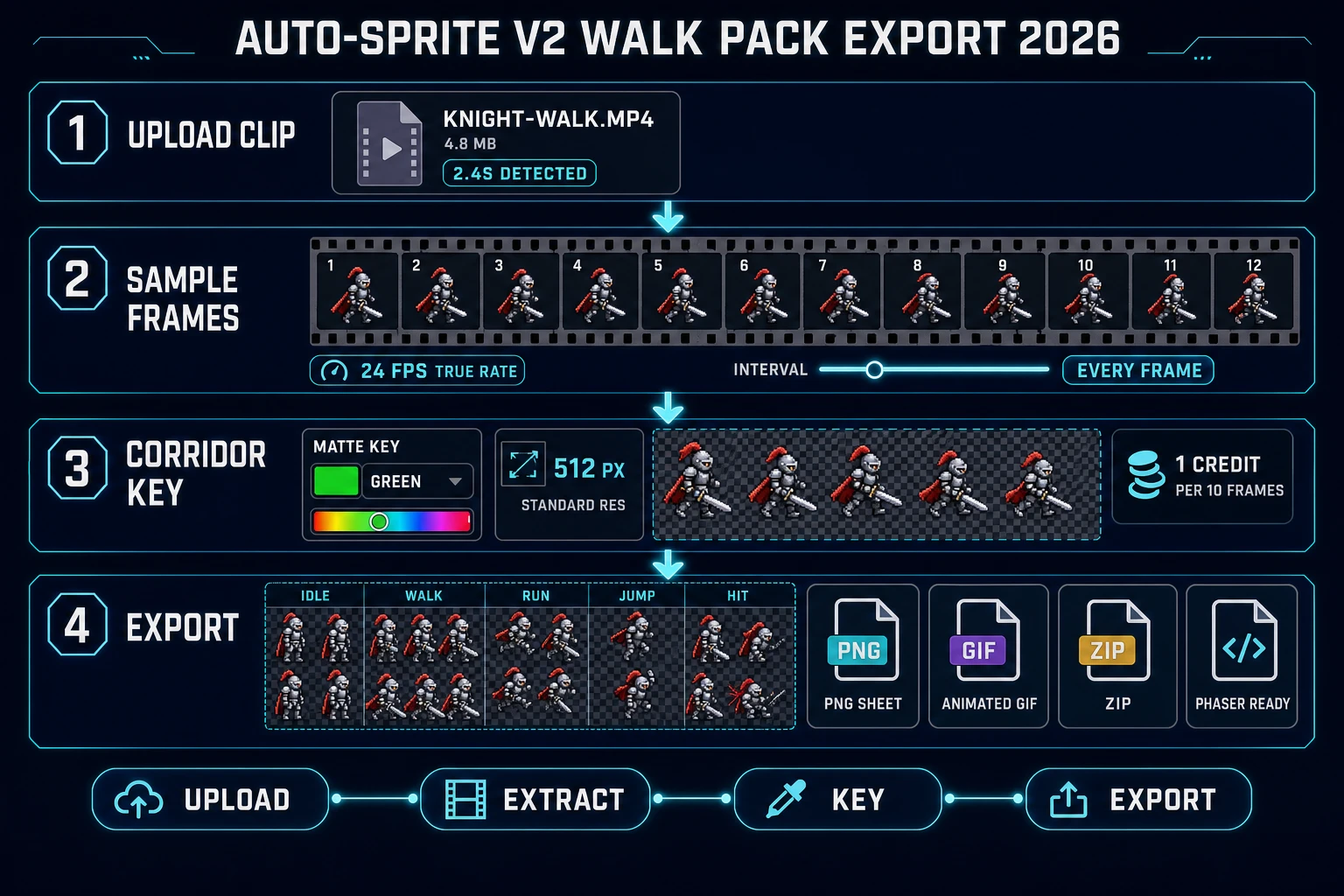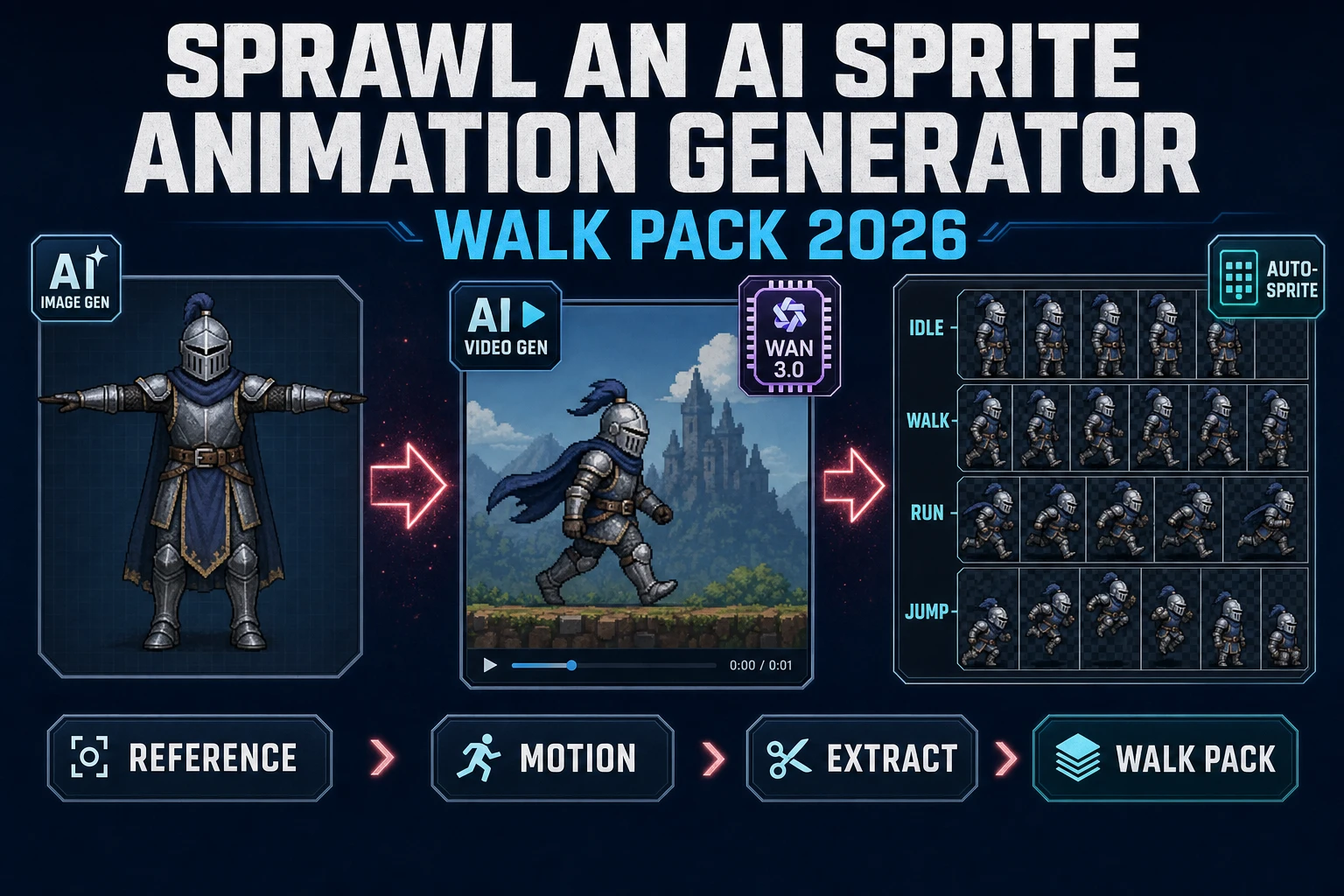
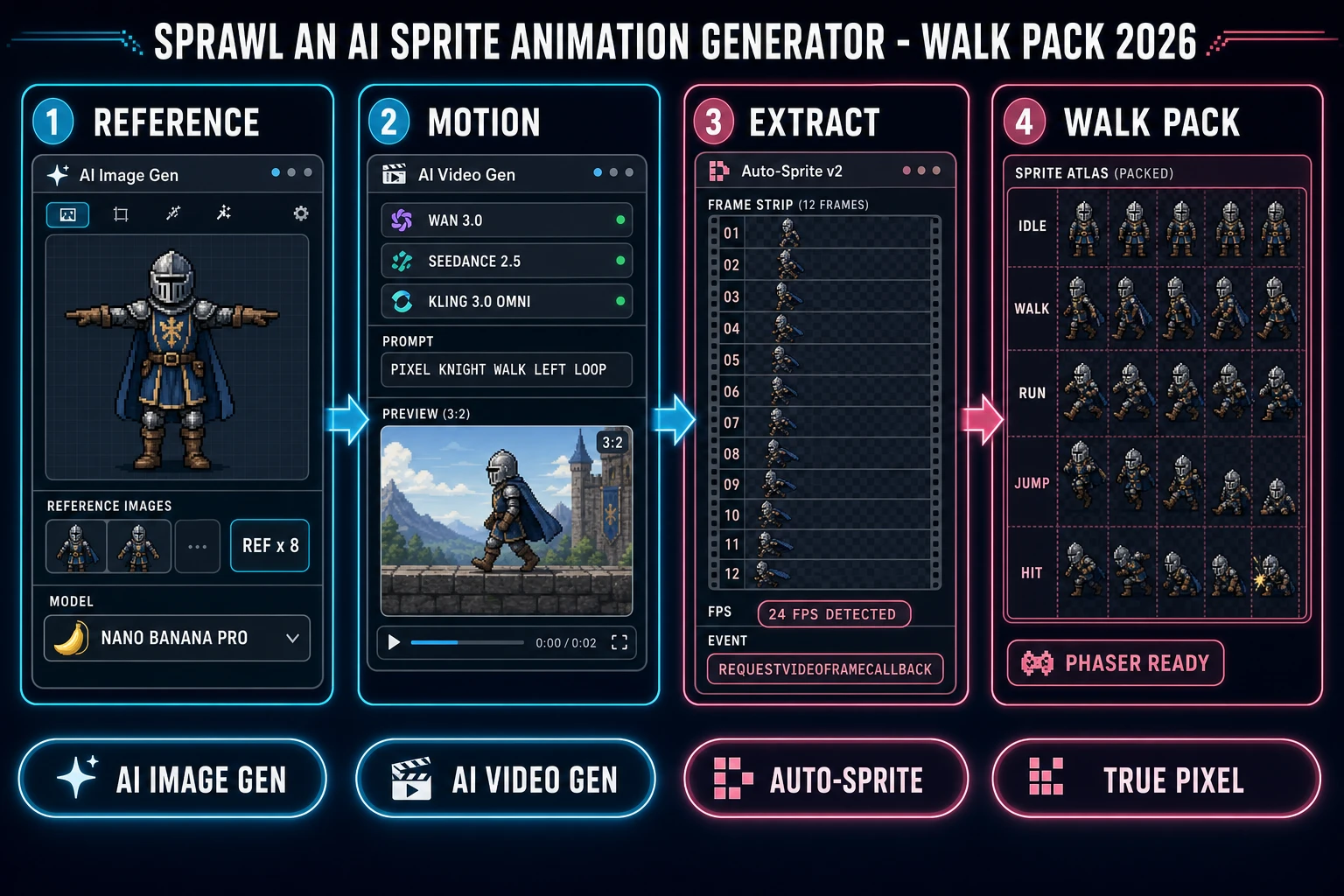
Type ai sprite animation generator into Google in 2026 and the SERP hands back a mix of one-off frame renderers and Discord bots that promise a walk cycle from a single prompt. What a real game project needs is different: a set of clean, matching sprite sheets - idle, walk, run, jump, hit - that read consistently on a tileset and load in a single line of engine code. That "walk pack" outcome is what this piece walks through. The 2026 version of the pipeline lives in three Sorceress panels: AI Image Gen pins the character with a reference frame, AI Video Gen drives the motion through Wan 3.0 or Seedance 2.5 or Kling 3.0 Omni, and Auto-Sprite v2 extracts the frames into a padded sprite atlas. Every credit price, model version, and code constant below is verified against the Sorceress source on 2026-09-05.
What an ai sprite animation generator actually delivers in 2026
The phrase ai sprite animation generator now covers three different things in the same search results, which is why the top of Google is so noisy. The first meaning is a novelty single-image renderer that generates one still sprite - useful for a portrait, useless for animation. The second meaning is a "pose the character" toy that lets a user drag a rig around and export the frames - closer, but the output is one clip at a time with no engine handoff. The third meaning is the actual game-dev tool: a pipeline that turns a character description into a set of sprite sheets a Phaser or Unity or Godot project can load without hand-cleaning every frame. That third meaning is what a small studio or a jam team actually asks for, and it is the meaning worth building around.
Three capabilities crossed the "good enough for a jam game" line in the past year and made the third meaning real. Image models learned to hold a character identity across generations when given a reference image, so the same knight drawn twice actually looks like the same knight. Video-diffusion models learned to keep a silhouette consistent across twenty frames of a short clip, so a walk cycle no longer drifts. Frame-extraction tools learned to sample the true video timeline through the requestVideoFrameCallback browser API instead of the buggy seeked-event dance every naive script uses. Stitch the three together and the exported sprite sheet plays back with a clean loop the first time. That is the honest baseline for what a 2026 ai sprite animation generator ships.
The walk pack loop in one minute (reference, motion, frames, sheet)
A game project rarely wants "an animation" - it wants a walk pack: idle, walk (loop), run (loop), jump, hit, and usually a victory or a death frame. Each of those is its own two- to three-second clip driven by the same reference character. The one-minute mental model is: pick the character once, then loop the last two stages across every clip in the pack. The image gen stage is the expensive-taste stage: get the reference right, and every downstream clip inherits the correct silhouette. The video gen stage is the motion-per-clip stage: one clip per animation state, priced per model and per second. The Auto-Sprite stage is the packing stage: it turns each clip into a padded sheet the engine can load in a single line.
The critical ordering is what makes the pack cohere. Generate the reference frame first, before touching any video model. Every frame in every clip should be paintable from that reference. If the reference is a pixel-art hero with a red cape, red gauntlets, and a specific weapon silhouette, that same hero has to walk, run, jump, and hit through the video generations - which is exactly the job the reference-image system in AI Image Gen and the identity-lock models inside AI Video Gen are built to do. Skip the reference stage and every video generation drifts to its own interpretation of "pixel-art hero"; the pack looks like six different characters sharing one game.
Pick your ai sprite animation generator path: image-to-video, motion transfer, or record-and-key
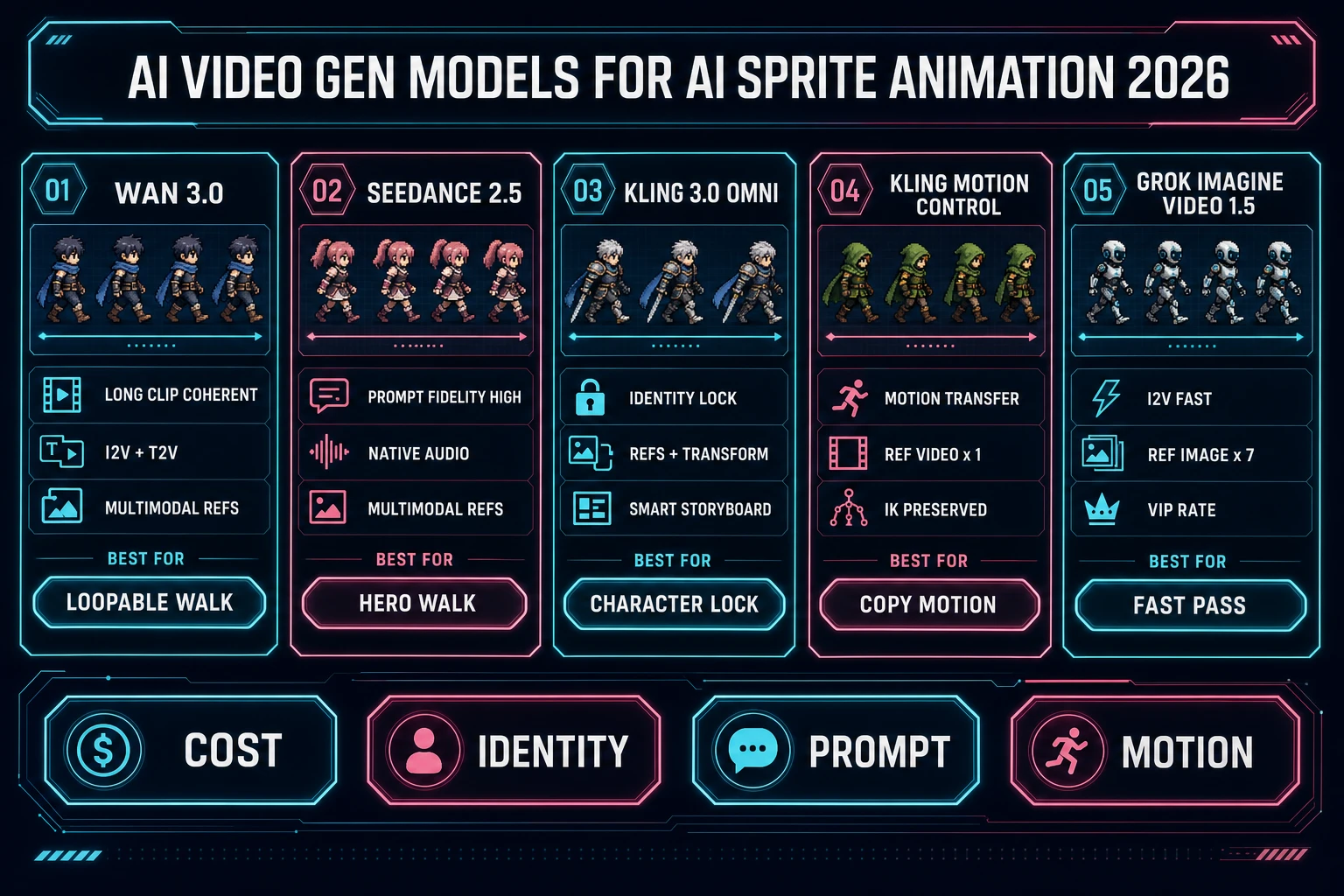
Three paths lead to a usable walk pack, and each fits a different starting point. Path one is image-to-video: prompt AI Image Gen for a T-pose or a three-quarter reference frame, feed that reference into AI Video Gen in image-to-video mode, prompt the specific motion, and let the video model render the clip. This is the default path for a project starting from a character description with no reference footage. Kling 3.0 Omni is the identity-lock pick for a hero; Wan 3.0 is the long-clip pick when the loop has to close cleanly; Seedance 2.5 is the prompt-fidelity pick when the motion prompt is precise. All three are verified 2026-09-05 in src/lib/video-models.ts.
Path two is motion transfer. Kling 3.0 Motion Control accepts a reference character image plus a reference motion video and transfers the motion to the character - so a rough phone-shot walk of the developer walking becomes the reference motion for the sprite. That is the fastest path when the studio already has hand-shot animation footage or wants a specific rhythm the video model would not invent. Path three is record-and-key: skip the video model entirely, record a walk cycle on a phone against a chroma-key sheet, and feed the file directly into Auto-Sprite v2. The tool accepts an uploaded video and treats it identically to an AI-generated clip, which is why it is the honest generator when the reference footage already exists. Pick the path that matches the input the project already has, not the one the marketing deck prefers.
Step 1 - concept the character in AI Image Gen and lock the reference frame
The reference frame is the anchor for the whole pack. It should show the character in a neutral pose (T-pose, three-quarter idle, or a canonical "hero stance") on a clean background so the video model has the fewest reasons to invent detail. The AI Image Gen panel exposes eleven reference-image-capable models with per-model reference-image caps published in src/lib/models.ts, verified 2026-09-05: GPT Image 2 accepts 16 references, Nano Banana 2 accepts 14, Seedream 5 Lite and 4.5 accept 14, Seedream 5 Pro and Nano Banana 2 Lite accept 10, Nano Banana Pro accepts 8, Flux 2 Pro accepts 8 with 3 credits per reference, Grok Imagine accepts 5, GPT Image 1.5 accepts 4, and Nano Banana base accepts 3. That reference-cap chart matters because the walk pack workflow re-uses the same reference across every downstream generation - the character has to survive every clip.
The practical picks: Nano Banana Pro for a hero card with strong identity retention, Seedream 5 Pro for a stylized silhouette, GPT Image 2 for when the reference frame has to carry legible text (a shield crest, a jersey number, an item card). Generate three or four candidate references, pick the one with the cleanest silhouette (no floating detail, no torn cape flapping off-screen), and save it. That single file becomes the seed for every video clip in the pack. If the target style is pixel art, resist the urge to pixelate the reference at this stage - keep it high-resolution and clean, because pixelation belongs at the end of the pipeline in True Pixel, not the start.