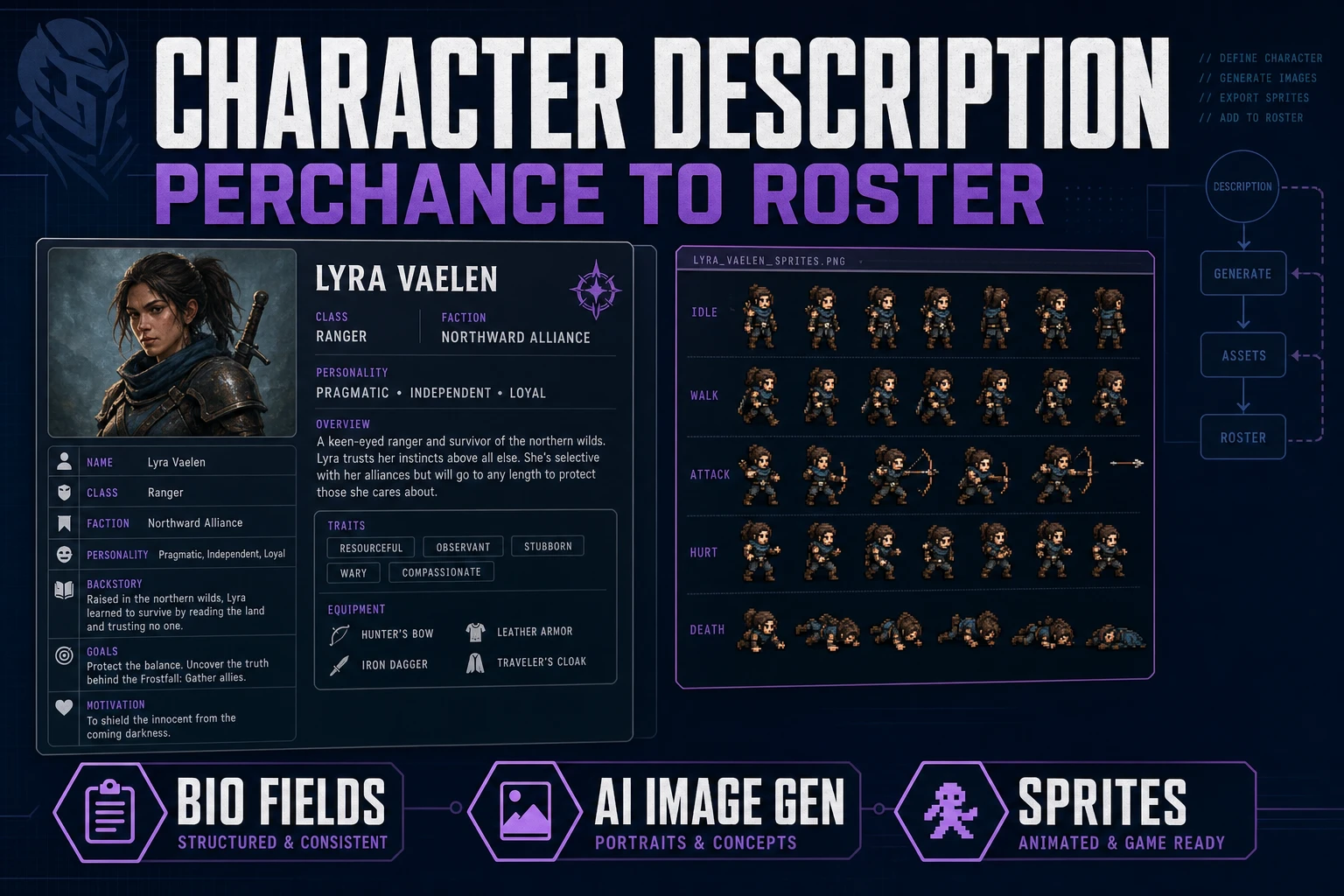
Seed Perchance AI Character Description Generator

By Arron R.7 min read
A perchance ai character description generator search wants reusable NPC fields—not random lore. Seed structured roster cards, turn them into AI Image Gen promp

People searching a perchance ai character description generator usually want a cast they can ship, not a page of disposable lore. Randomizers are fine for sparks. Games need structured fields: role, silhouette, palette, prop, voice beat, and one hook an engine can reuse. This guide seeds those fields into roster cards, turns them into image prompts, then sprites only the winners.

Treat description output like a production character sheet, not a novella. If a bio cannot become a prompt prefix and a dialogue stub in under a minute, rewrite the fields before you spend credits on art.
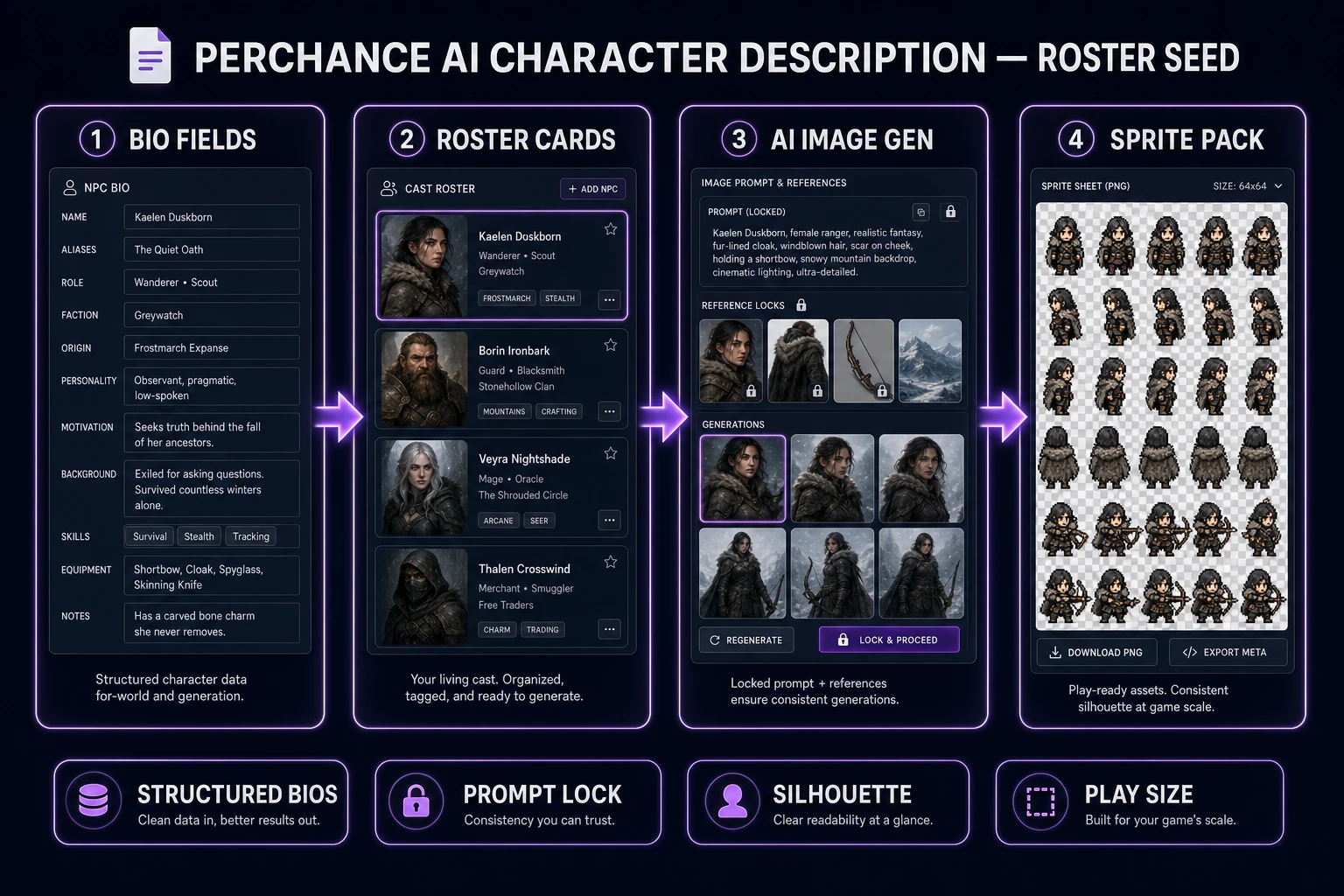
perchance ai character description generator pipeline from bio fields to sprite pack
Bio fields → roster cards → locked image prompts → sprite pack. Structure first; random flavor second.

What a perchance ai character description generator search wants

The phrase perchance ai character description generator clusters with people who already tried a free randomizer and bounced when the paragraphs would not map to sprites. They want browser-speed bios that stay on model across a hero, two NPCs, and one enemy family. Pretty adjectives without camera height or palette budget fail that test.

Perchance-style tools (named here in plain text only — no outbound competitor link) are useful for naming sparks and quirk rolls. They are not a production pipeline. On Sorceress, the honest handoff is: freeze six fields per role, paste them into AI Image Gen, then convert silhouette winners in Quick Sprites. A sibling stay-on-model portrait angle lives in Perchance AI Character Generator (Stay On-Model for Games); this article is the description-first edition.

If your jam folder is already full of orphaned paragraphs, stop generating. Extract the six fields below from the best three bios and delete the rest. Continuity recovers faster than another random roll.

Search intent here is informational but ship-shaped: the reader wants a description format that survives the jump from chat window to art panel to playable sprite. Anything that only lives as a story paragraph fails that chain. Keep the primary keyword honest in your notes — you are building a perchance ai character description generator workflow that ends in files, not another browser tab of unused text.

Write fields engines can reuse

Open a blank text file named roster_cards_v1.txt. For every role, fill exactly these lines:

  1. Role — hero scout, village herbalist, hornless grunt.
  2. Silhouette family — tall lanky, squat soft, wide-shouldered block.
  3. Palette budget — three to five named colors the whole cast shares.
  4. Signature prop — scarf, satchel, cracked pauldron, or none.
  5. Voice beat — one sentence the NPC can say on first meet.
  6. Plot hook — one verb the player can act on (trade, warn, chase).

Those six lines mirror what a tabletop character sheet keeps on the front page: stable identity plus the data you glance at mid-session. Skip eye-color essays. Skip childhood timelines. Engines and artists both fail when the sheet is a wall of prose.

Keep sentences short enough to paste as a reusable prompt prefix. A jam cast that shares language ships faster than a gallery of unrelated “best takes.” For name flavor without derailing the sheet, pair this pass with Forge a Fantasy Name Generator and drop only the chosen name onto the Role line.

Write one card each for hero, support NPC, and enemy family before you open any image model. Three complete cards beat ten half-finished bios. If a field is blank, fill it with a deliberate “none” rather than inventing detail mid-prompt — empty prop language is a lock; improvised props mid-session are drift.
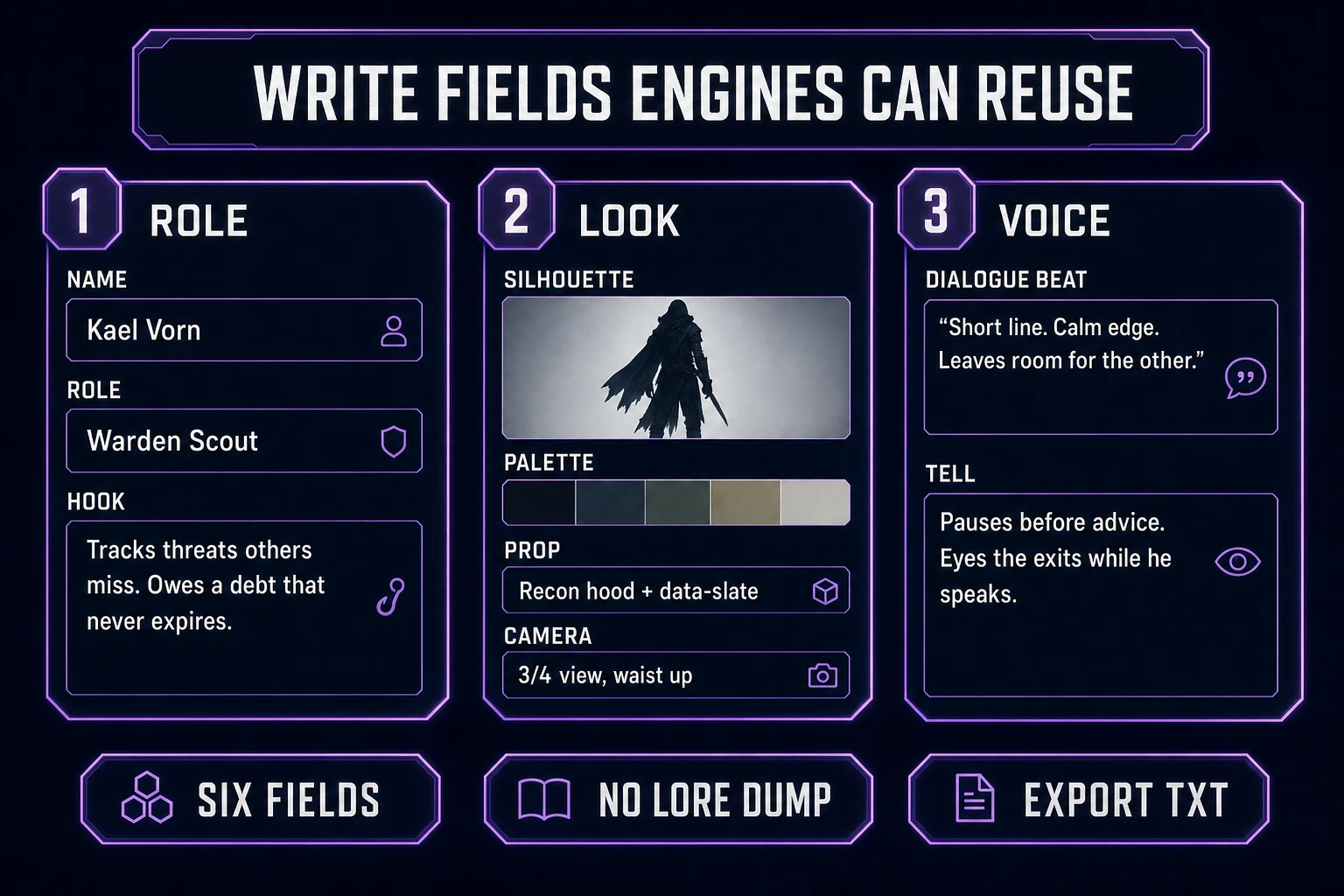
Write reusable fields for a perchance ai character description generator roster card
Six fields beat a lore dump: role, silhouette, palette, prop, voice, hook.

Turn bios into image prompts

Copy the shared silhouette, palette, prop language, and camera into a prefix. Change only the role clause between generates:

  • “…front three-quarter, soft left key, indigo–amber palette, scarf motif — hero scout, confident stance
  • “…same lighting and palette — village herbalist, soft shoulders, satchel
  • “…same lighting and palette — hornless enemy grunt, wider shoulders, cracked armor

Open AI Image Gen and draft on cheap models first. Credit costs below were verified July 25, 2026 against src/lib/models.ts (1 credit ≈ $0.01 via CREDITS_PER_DOLLAR = 100):

  • Z-Image — 3 credits. Best first pass for silhouette and costume blocking.
  • GPT Image 2 — 5 credits base. Stronger edges when a draft is almost right.
  • Seedream 4.5 / Seedream 5 Lite / Nano Banana / Flux 2 Pro — 6 credits base. Flux adds +3 credits per reference image when you lock a winner.
  • Nano Banana Pro — 18 credits at default 1K/2K. Hero finals only, not exploration.

A thrifty description-to-art session: eight Z-Image drafts (24 credits) across three roles, two GPT Image 2 refinements (10), one Flux 2 Pro lock with a single reference (6 base + 3 ref = 9). That is roughly 43 credits — under half of the 100 OAuth starter grant (SIGNUP_GRANT in src/app/api/admin/credits/route.ts, verified July 25, 2026) — with runway left for sprites.

For reference-locked continuity after the first winners land, see Create With a Consistent Character AI Image Generator. For a paid roster sprint that starts from cast language instead of free randomizers, use Spawn a Character Generator AI.
Keep silhouette and palette locks

Studios keep characters “on model” with a model sheet. Your roster cards are the same idea in text form. If a free render invents a new head shape, a fifth palette color, or a different camera height, delete it even when it looks prettier alone.

Reject drift early. New eye size mid-cast means the description generator failed the game test. Freeze cast_prefix_v1.txt next to the roster file so later jam days open the same prefix before the generator. Drift usually starts with a “quick tweak” typed from memory.

Batch size is a credit lever. AI Image Gen lets you select models and a batch count; multiply carefully. Eight Z-Image singles cost 24 credits. The same eight on Nano Banana Pro would be 144 credits — more than the entire starter grant. Description-first discipline is mostly refusing that trade.

Export a roster card set

When three roles lock, export a folder the whole team can read:

  • roster_cards_v1.txt — the six fields per role.
  • cast_prefix_v1.txt — the shared image prompt prefix.
  • concepts/ — locked PNG winners with boring names (hero_front_v03.png).
  • rejects/ — pretty outliers you will not sprite.

Version the sheet when scarf color or shoulder width changes. Bump to v2 and note which PNG versions match. Credits disappear fastest when you cannot tell which lock produced which frame.

A bio-only companion pack for dialogue stubs lives in Roll an NPC Generator (Roster Bio Pack). Keep that pack aligned to the same six fields so speech and art never fork.

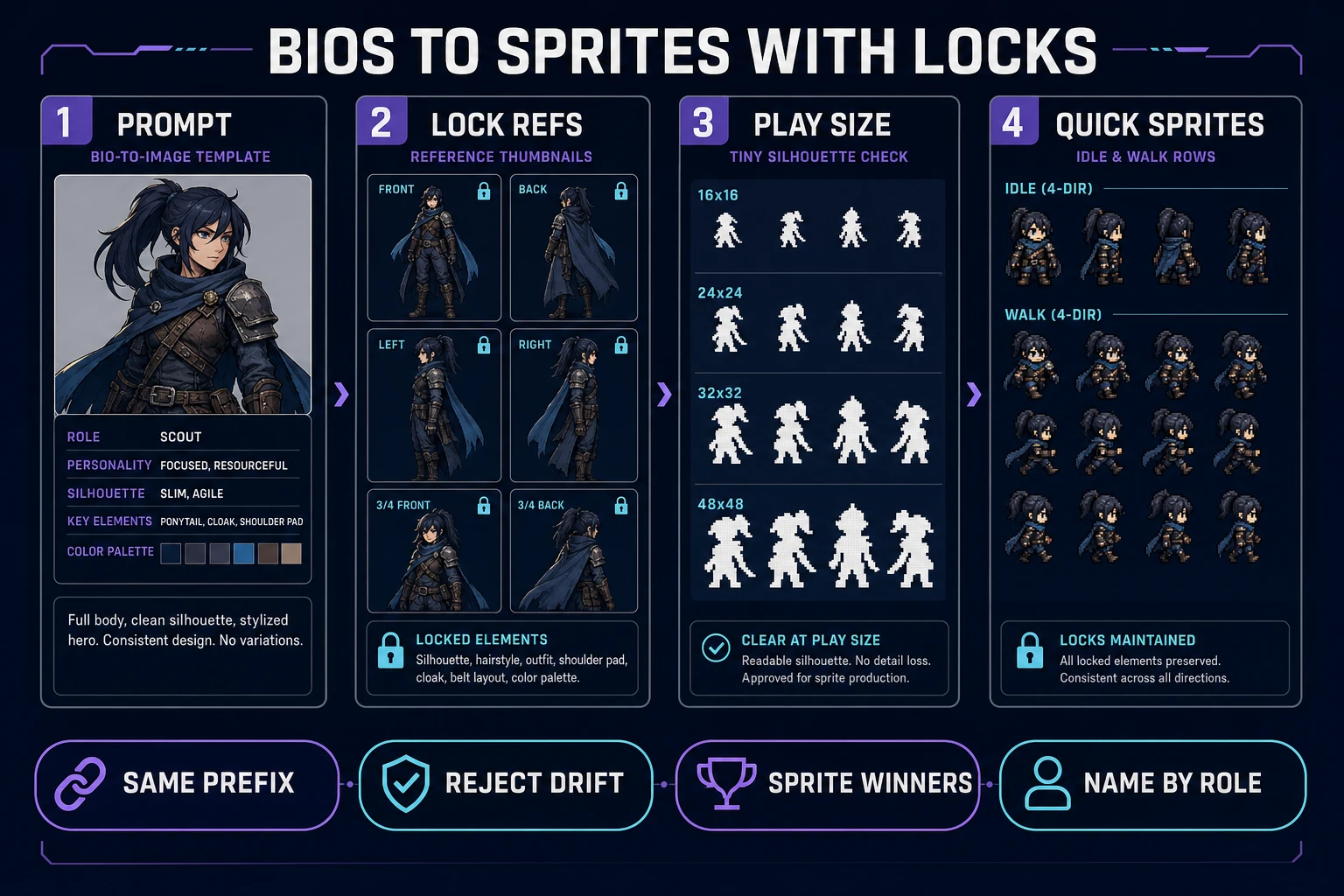
Turn perchance ai character description generator bios into Quick Sprites sheets
Prompt from the card, lock references, check play-size silhouettes, then sprite only winners.

Drop cards into a playable scene

A sprite is a 2D bitmap composited into the scene. Shrink each concept to the on-screen height you will ship (often 32–64 px) and check whether scarf, hat, and weapon still parse as black silhouettes. Passers go to Quick Sprites for native pixel walk/idle sheets, or to True Pixel when you started from painted AI Image Gen concepts and need grid-snapped pixels plus palette lock.

Keep frame grids boring: fixed cell size, transparent background, one action per row. Fancy packing saves disk and costs debugging time. If you need a one-screen movement loop to prove the cast, scaffold it in WizardGenie and swap gray boxes for the new sheets. Phaser 4.2.1 “Giedi” (released July 9, 2026 — verified July 25, 2026 against the official GitHub release notes) remains a solid browser target for the playtest drop-in.

The description pass is done when the hero, one NPC, and one enemy all read in motion — not when the randomizer page looks impressive. Browse the rest of the stack in the Tools Guide once the roster cards are shipping frames.

Wire the Voice beat line into a talk trigger and the Plot hook into one interactable so the card is not art-only. If the playtest shows the herbalist and grunt reading as the same blob at 32 px, do not generate more bios. Tighten silhouette family language on the card, regenerate only that role, and re-check. Description quality is measured at play size, not in the text file.

When randomizers waste a jam day

Randomizers win when you need a name in ten seconds. They lose when you regenerate bios until inspiration hits and never freeze fields. Symptoms: twenty paragraphs, zero shared palette, and no sprite that survives play size.

Hard stop rules:

  • Cap random rolls at five minutes, then force the six-field export.
  • Never spend Nano Banana Pro credits on a bio that lacks silhouette + palette lines.
  • Never sprite a concept that fails the tiny silhouette check.
  • Never rewrite the prefix from memory mid-session — open the file.

If starter credits are gone after the description-to-art sprint, top up on /plans and keep the same roster sheet. Paid spends should extend the cast (turnarounds, hurt frames, alternate costumes), not restart style drift. A free-budget edition of the same continuity rules lives in Claim an AI Character Generator Free.

Common issues

  • Pretty lore, useless cards: You optimized paragraphs. Rewrite into the six fields and delete the essay.
  • Art drifts every generate: Missing silhouette/palette/camera in the prefix. Freeze cast_prefix_v1.txt and reject outliers.
  • Credits vanish after ten images: You started on Nano Banana Pro. Move exploration to Z-Image (3 credits) and reserve 18-credit models for finals.
  • Sprites look muddy: You quantized before the play-size silhouette check. Shrink first; only winners enter Quick Sprites or True Pixel.
  • Randomizer addiction: Cap rolls, export cards, then leave the generator. Production starts when fields stop changing.

Frequently Asked Questions

What does a perchance ai character description generator search usually want?

Reusable fields an engine can consume: role, silhouette family, palette budget, signature prop, voice beat, and one plot hook. Random paragraph lore without those fields wastes a jam day because nothing connects to sprites, dialogue, or combat stats.

Should I stay inside a randomizer forever?

No. Randomizers are fine for sparking names and quirks. For a shippable cast, export structured cards into a text file, then generate art in Sorceress AI Image Gen with the same silhouette and palette locks. Mention Perchance as a prompt spark only—do not treat random rolls as production assets.

Which image models stretch a roster budget?

Verified July 25, 2026 in src/lib/models.ts: Z-Image is 3 credits per image for silhouette drafts. GPT Image 2 is 5 credits base for sharper costume edges. Seedream 4.5, Seedream 5 Lite, Nano Banana, and Flux 2 Pro sit at 6 credits base (Flux adds 3 credits per reference image). Save Nano Banana Pro (18 credits at default 1K/2K) for final hero locks.

When do I convert descriptions into sprites?

Only after the silhouette passes at the on-screen pixel size you will ship. Use Quick Sprites for native pixel sheets or True Pixel to quantize a locked painted concept. Quantizing a drifting face pollutes the cast pack.

How is this different from a plain NPC name dump?

Name dumps do not lock camera, palette, or prop language. A game-ready description generator output is a roster card set you can paste into image prompts and dialogue stubs without rewriting the cast each session.

Sources

  1. Character sheet — Wikipedia
  2. Model sheet — Wikipedia
  3. Sprite (computer graphics) — Wikipedia
  4. Phaser v4.2.1 release (Giedi, 9 Jul 2026)
Written by Arron R.·1,614 words·7 min read

Related posts