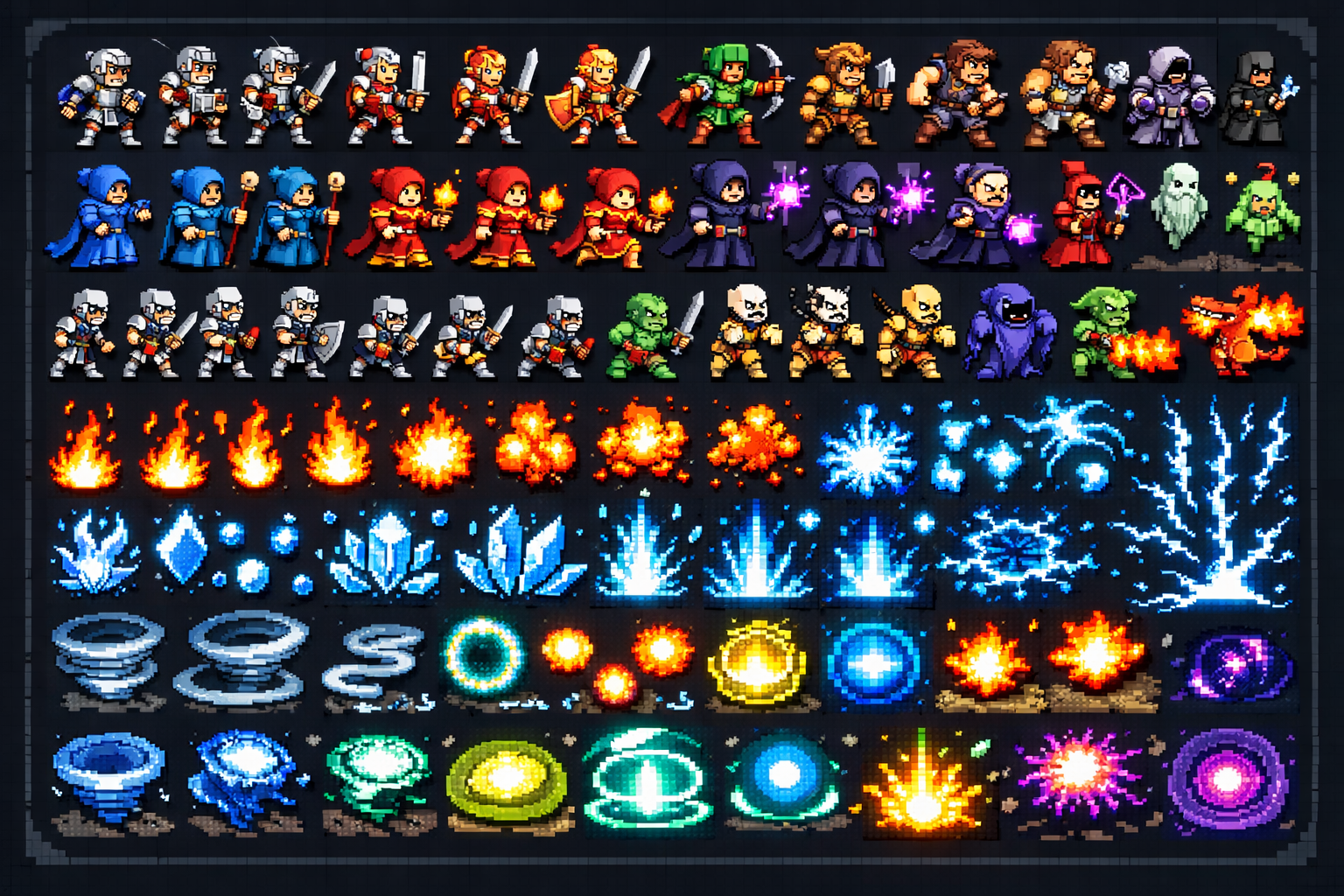
Animated Game-Ready Sprites, Generated in Seconds
Creating a proper animated sprite sheet used to mean either hiring a pixel artist, spending weeks learning the craft yourself, or settling for pre-made assets that do not quite match your game's style. Quick Sprites changes the math entirely. It uses AI to generate animated pixel art sprite sheets on demand, from a text description, with results that are immediately usable in any game engine.
What Quick Sprites Produces
Quick Sprites is not an image generator that happens to output pixel art. It is purpose-built for game sprite production. The output is a structured sprite sheet — a grid of animation frames — formatted and sized for direct import into engines like Godot, Unity, Defold, or GameMaker.
The types of sprites you can generate include:
- Walk and run cycles — idle, walk, run animations for characters in any direction
- Battle sprites — attack, hit, and death animations for combat-ready characters
- VFX sprites — explosions, magic spells, fire effects, and particle bursts
- Environmental elements — animated water, torches, wind effects, and interactive objects
- Item and pickup animations — coins spinning, gems shimmering, power-ups pulsing
The AI Behind It
Quick Sprites uses AI models that have been trained specifically on pixel art and sprite sheet structures. This means the model understands frame consistency, animation timing, and the visual language of retro and modern pixel art styles. You can specify the resolution, the number of frames, the animation type, and the aesthetic in your prompt, and the system will generate a sheet that matches your spec.
Why This Matters for Indie Developers
For small teams and solo developers, the sprite pipeline is often the biggest bottleneck. You can have a gameplay system working in an afternoon, but waiting for art assets can hold up the entire project for weeks. Quick Sprites removes that bottleneck so you can keep building.
It is also ideal for prototyping. Generate a placeholder sprite in seconds, get your game loop running, and iterate on the art later when the design has stabilized. The generated sheets can be replaced with higher-fidelity assets at any point without changing your game engine setup.
Pixel Art Styles Available
- 8-bit retro (NES, Gameboy aesthetics)
- 16-bit SNES and Mega Drive style
- Modern hi-bit pixel art with smooth shading
- Isometric sprites for top-down RPGs and strategy games
- Chibi and stylized character designs
Try It Now
Go to sorceress.games/quick-sprites, describe the character or effect you need, and export your first animated sprite sheet. Your game engine is waiting for it.