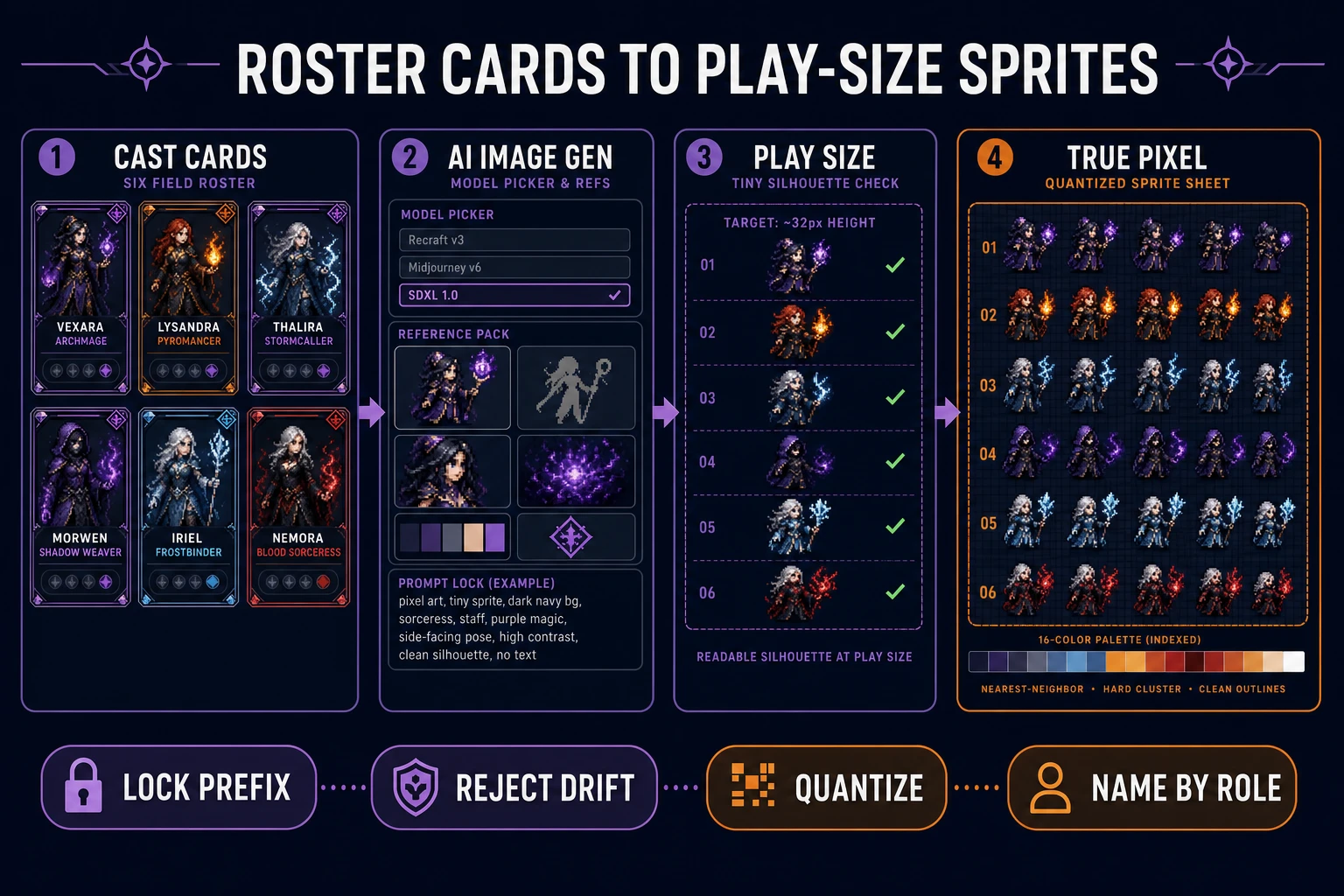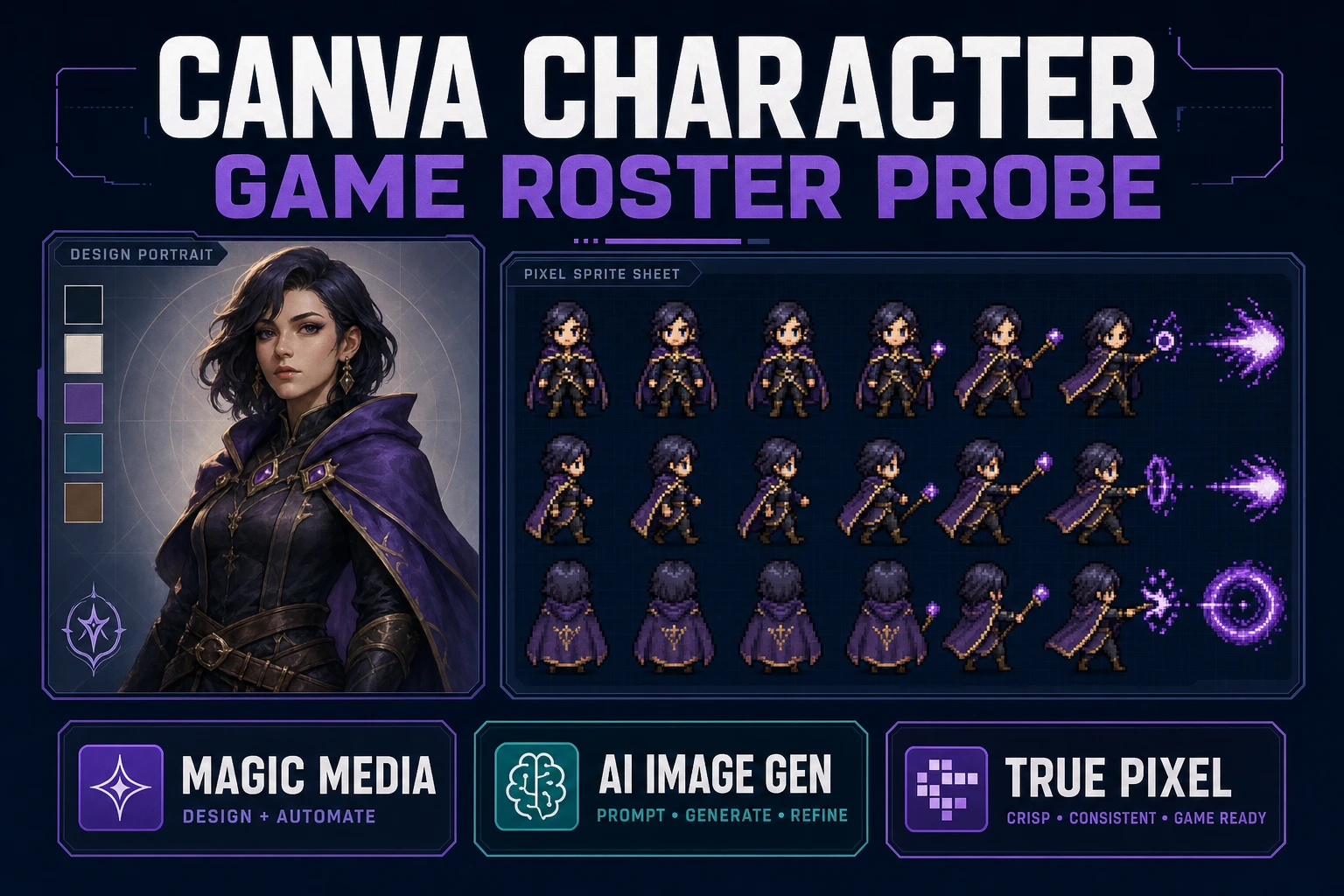
Searchers typing canva ai character generator usually want a face they can drop into a game cast. Canva does not ship a product with that exact name. The intent lands on Magic Media and Create an image powered by Dream Lab—portrait tools built for designs, not for sprite atlases. This probe maps what those tools actually ship, the shared AI allowance verified July 25, 2026 on Canva Help, and the Sorceress roster path that ends in play-size sheets.
Treat Canva as a design studio. Treat a game cast like a production model sheet: shared silhouette rules, palette budget, and frames an engine can load. Pretty stills without those locks waste a jam week.
What a canva ai character generator search actually finds
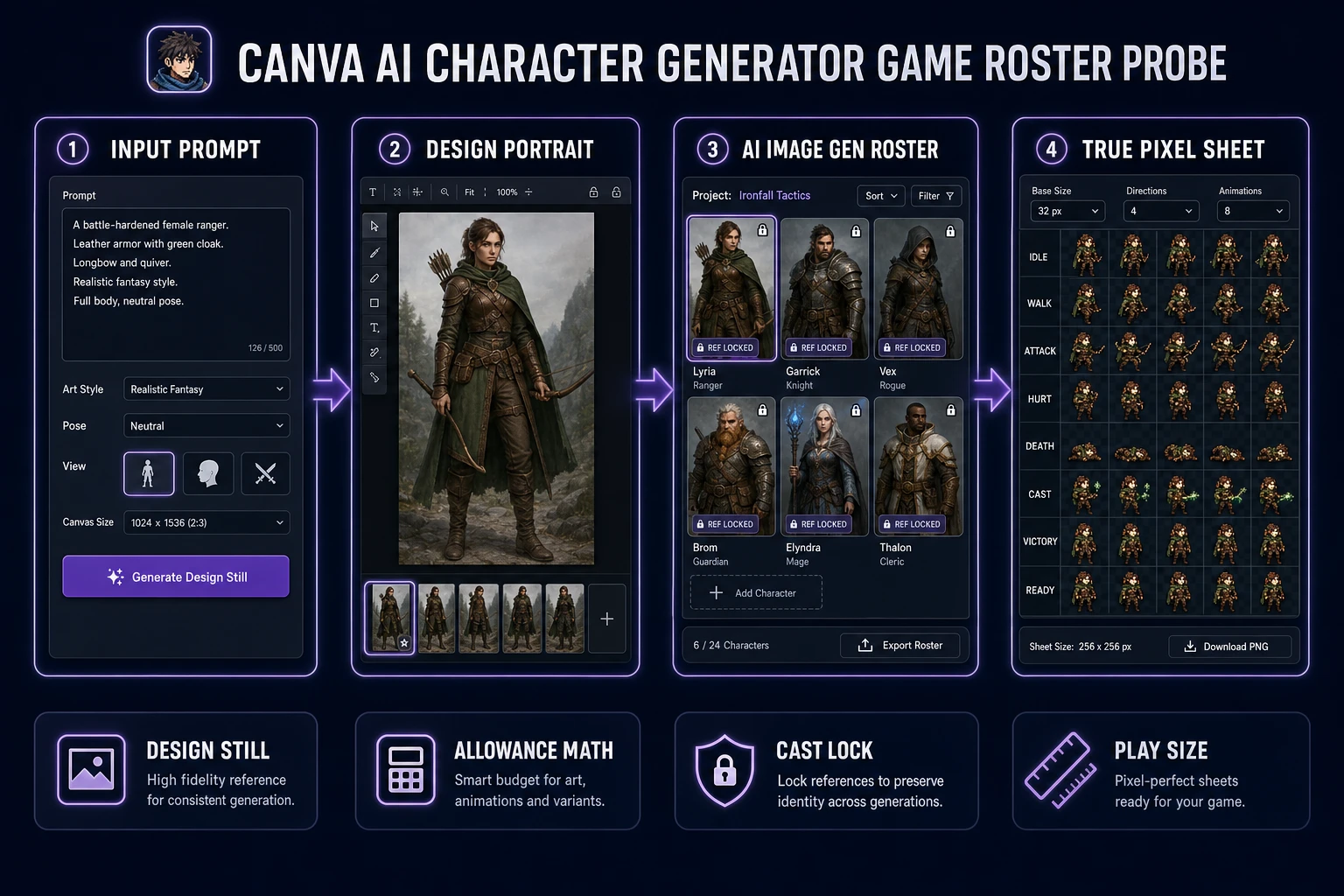
There is no standalone Canva SKU labeled “AI character generator.” The phrase is how people describe prompting Magic Media or Dream Lab for a hero, NPC, or mascot still. Canva Help documents Dream Lab as an AI image generator that returns four options per prompt, accepts an optional reference image, and can refine with follow-up edits or Boost resolution—features that consume the shared AI allowance. Magic Media likewise turns a text prompt into images, graphics, or short video clips inside the editor.
That workflow is strong for pitch decks, Steam capsule collages, social posts, and press-kit portraits. It is the wrong unit of work when you need a directional walk row, a transparent atlas, or a cast that stays on-model across eight NPCs. Sibling brand probes on this blog already covered Canva’s animation and background-remover angles; this article stays on the character-portrait intent only. Canva is named in plain text—no outbound competitor links.
If your folder is full of one-off Canva PNGs with drifting faces and no shared palette, stop generating. Freeze a roster card first, then regenerate with locks. Continuity recovers faster than another Premium use.
How Canva Magic Media and Dream Lab make character stills
Inside a Canva design, open Magic Media (Apps → Magic Media) or Dream Lab from the homepage More menu. Describe the character: role, outfit, camera, mood. Optionally attach a reference to guide style or composition. Generate, pick a winner, drop it onto the canvas, and export the design or the image. Dream Lab’s four-option batch is useful for exploring silhouettes quickly; follow-up edits are useful for “same face, new pose” inside a marketing layout.
What you get is a still (or a short clip if you leave the image path). What you do not get is a fixed-frame sprite grid, engine metadata, or a shared cast library that exports as game assets. Background removal and resize tools inside Canva help the design, not the atlas. For games, the portrait is step one of five—not the finish line.
Canva AI allowance math for character portraits (verified 2026-07-25)
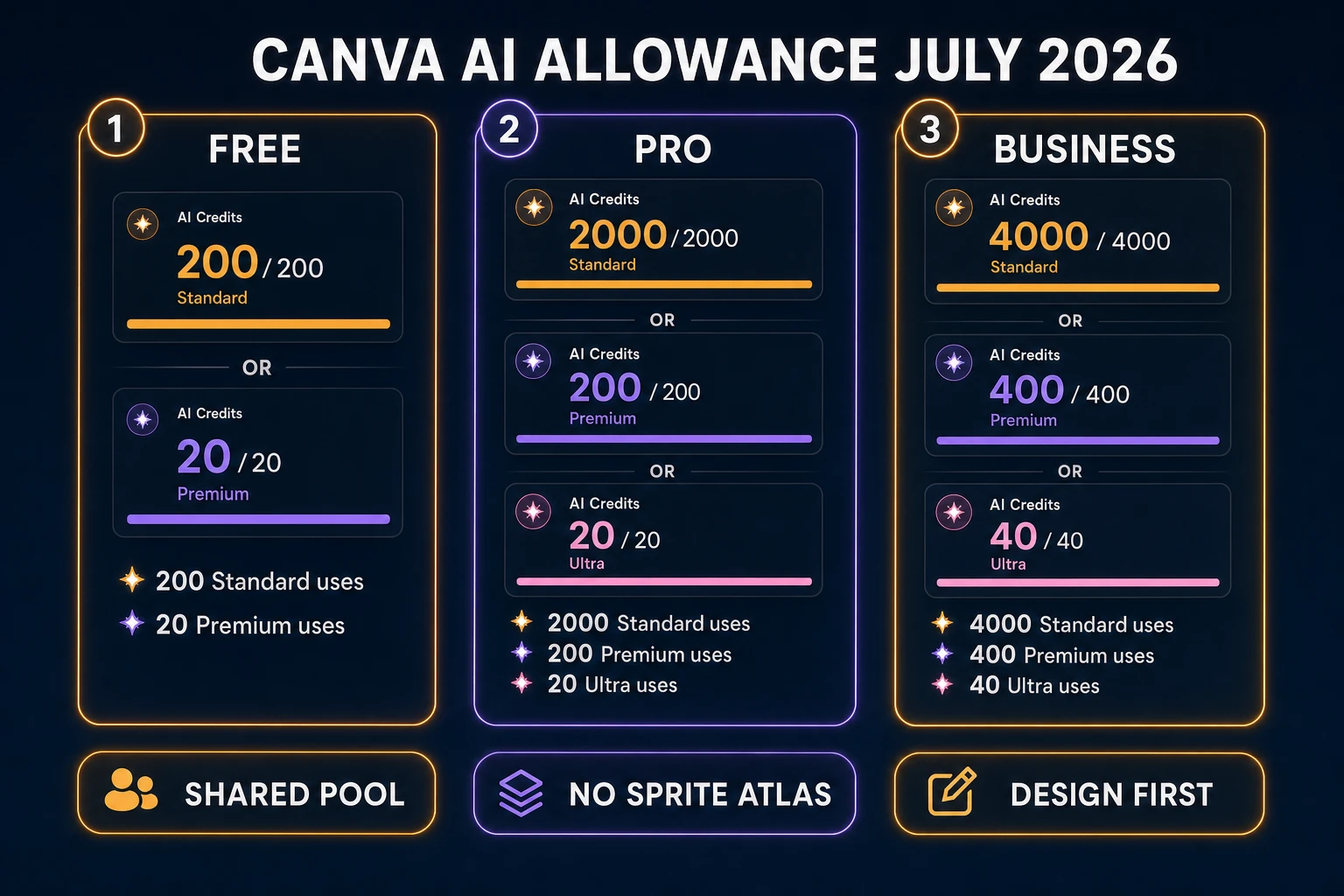
Canva meters generative image work through one shared monthly AI allowance split into Standard, Premium, and Ultra tool classes. Verified live on July 25, 2026 against Canva Help “Understanding your AI usage”:
- Free — up to 200 Standard or 20 Premium uses per month; no Ultra access.
- Pro / Teams / Nonprofits — up to 2,000 Standard or 200 Premium or 20 Ultra uses per month. Public pricing pages commonly list Pro near $15/month or $120/year; confirm the live canva.com/pricing quote for your region before budgeting.
- Business / Enterprise — up to 4,000 Standard or 400 Premium or 40 Ultra uses per month.
Help Center lists “Create an image with Canva AI” under both Premium and Ultra tool groups. Complex prompts and reference-driven Dream Lab passes tend to land on the lower end of those ranges. Paid plans that hit the Premium ceiling get short pauses between later generations; Ultra does not continue via pauses—it waits for the monthly reset or an AI Pass / top-up on eligible plans. Free users stop until the next UTC month boundary.
For a fifteen-NPC cast with three pose variants each, you are looking at forty-five portrait generations before any sprite work. On Free Premium (20 uses), that is impossible in one month. On Pro Premium (200 uses), it fits if you do not also burn the pool on Magic Layers, design generation, and video. The allowance is shared across the whole editor—character portraits compete with every other AI click.
Where the canva ai character generator path stops for games
A shippable cast needs more than handsome faces. It needs a reusable character sheet of fields, a shared silhouette family, a palette budget, and multi-frame art that reads at play size. Canva’s portrait tools stop at the design still. Gaps that matter for indie games:
- No sprite atlas export — no idle/walk/attack rows on a fixed pixel grid.
- No engine metadata — nothing Phaser, Godot, or Unity can slice as frames without hand packing.
- Weak cast locking across roles — reference images help one hero; they do not enforce a fifteen-NPC roster sheet with named roles and shared props.
- Monthly allowance cliff — burst jam weeks fight the same pool as marketing designs.
None of that makes Canva a bad product. It makes Canva the wrong primary tool when the deliverable is a playable cast. Keep it for storefront art and pitch decks. Move roster production to a game-native stack.