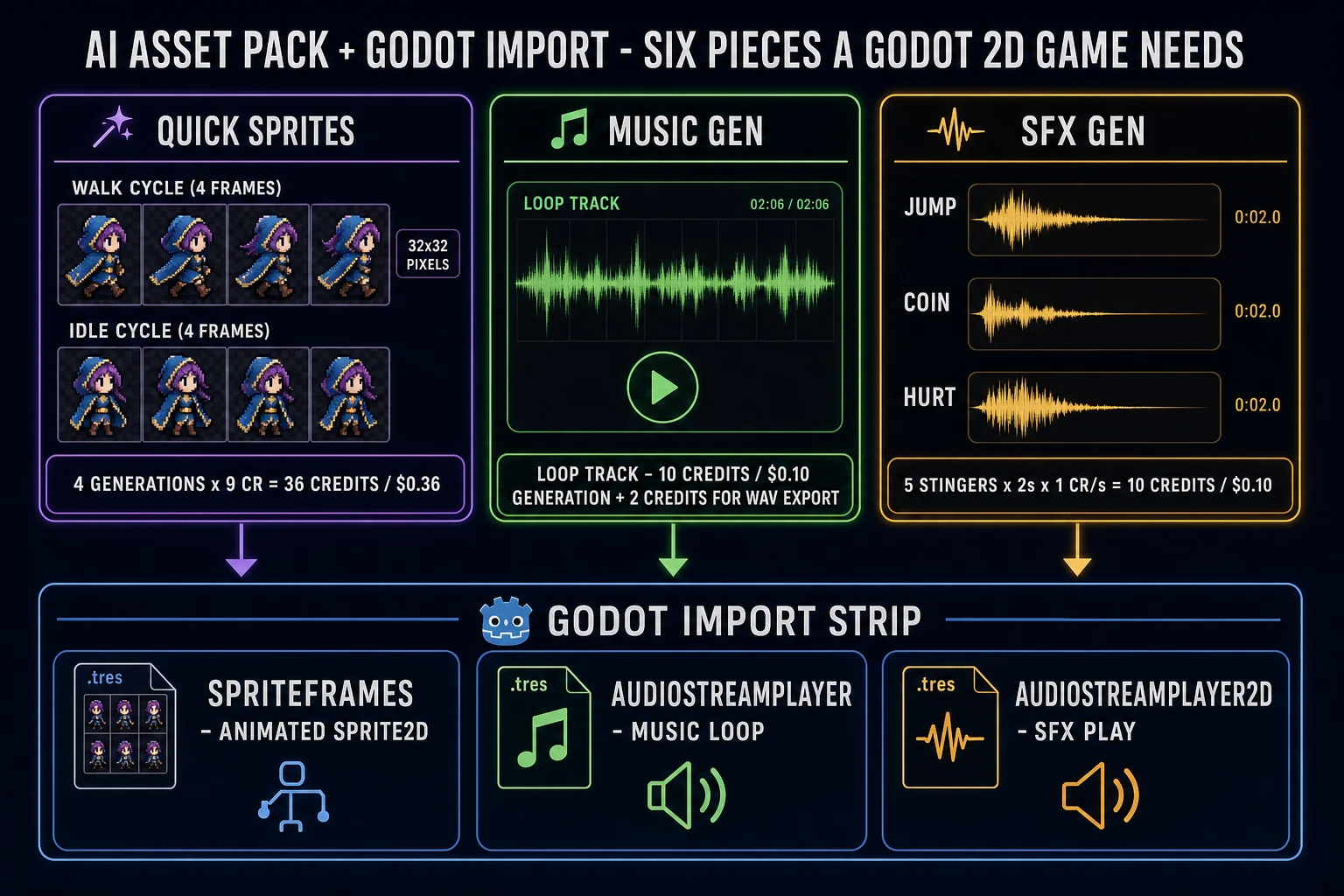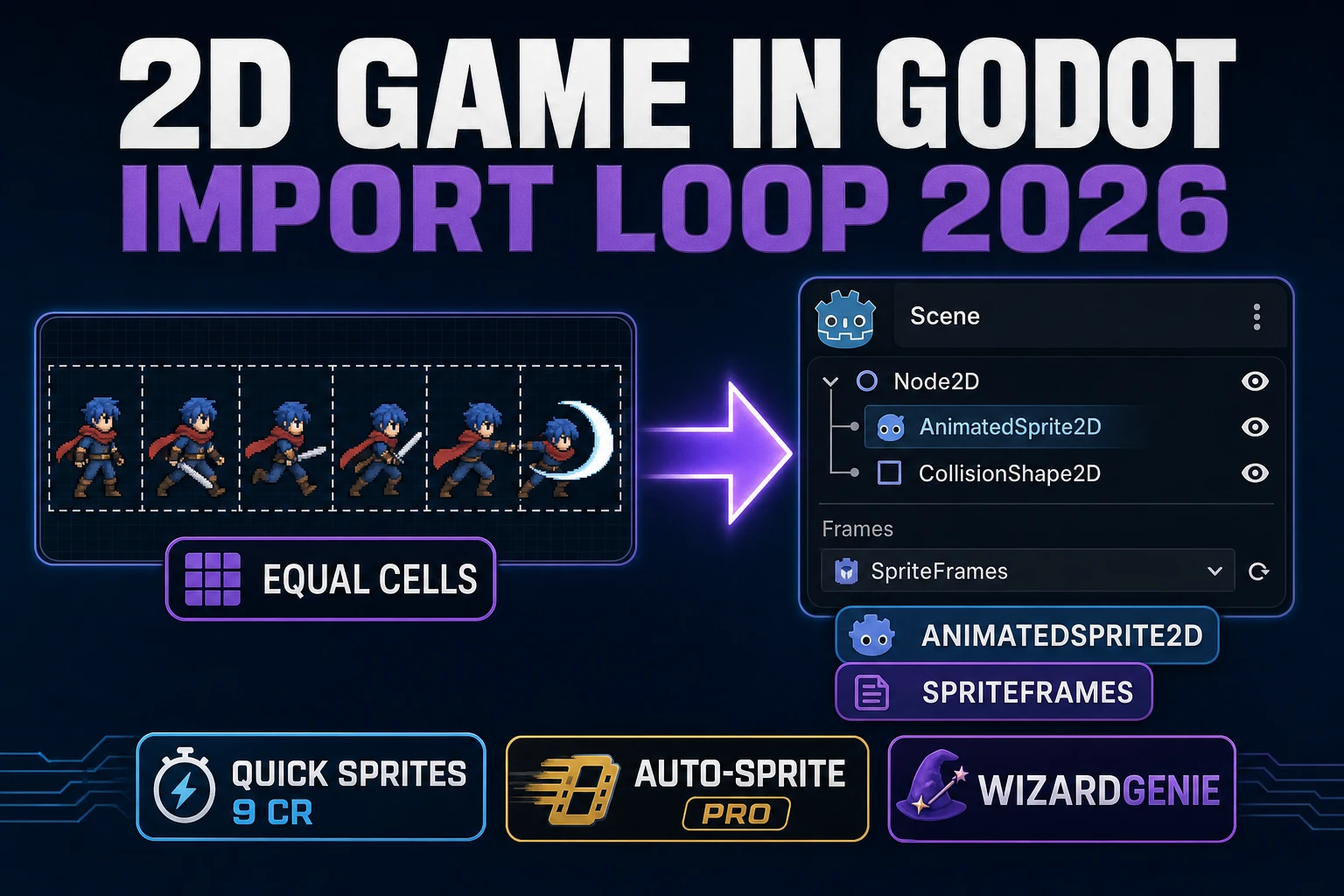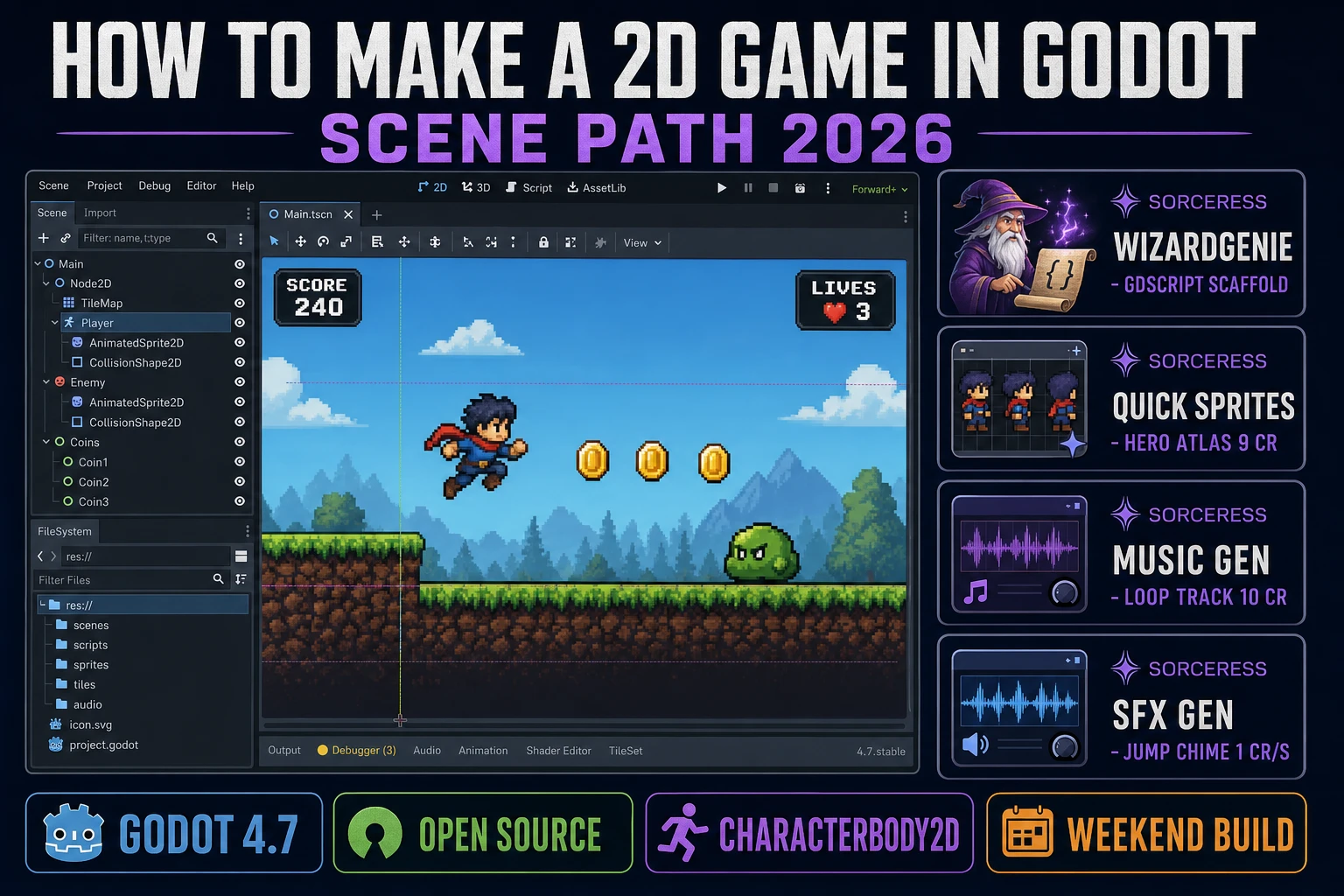
Godot has been quietly winning the mind-share war among indie 2D game developers since Godot 4.0 landed in March 2023, and the 2026 stable release — Godot 4.7.1 dated 14 July 2026 per Wikipedia’s Godot Engine page, verified 2026-08-16 — is the friendliest that engine has ever been for a first 2D game. The primitives that answer “how to make a 2d game in godot” have not changed since 4.0: a Node2D scene tree that composes the world, a CharacterBody2D that carries the player, signals that stitch UI to gameplay, and GDScript (or C#) as the language that ties it all together. What has changed is everything above those primitives — the sprite atlas, the music loop, the SFX kit, and the code that fills in _physics_process — is now a one-prompt problem instead of a one-month problem. That means WizardGenie for the GDScript scaffold and the movement code, AI Image Gen and Quick Sprites for the hero atlas and enemy sprites, Music Gen for the loopable soundtrack, and SFX Gen for the jump, coin, and hit stingers. This guide is the honest end-to-end for how to make a 2d game in godot 4.7 that ships in a weekend in 2026, under two dollars in Sorceress credits.
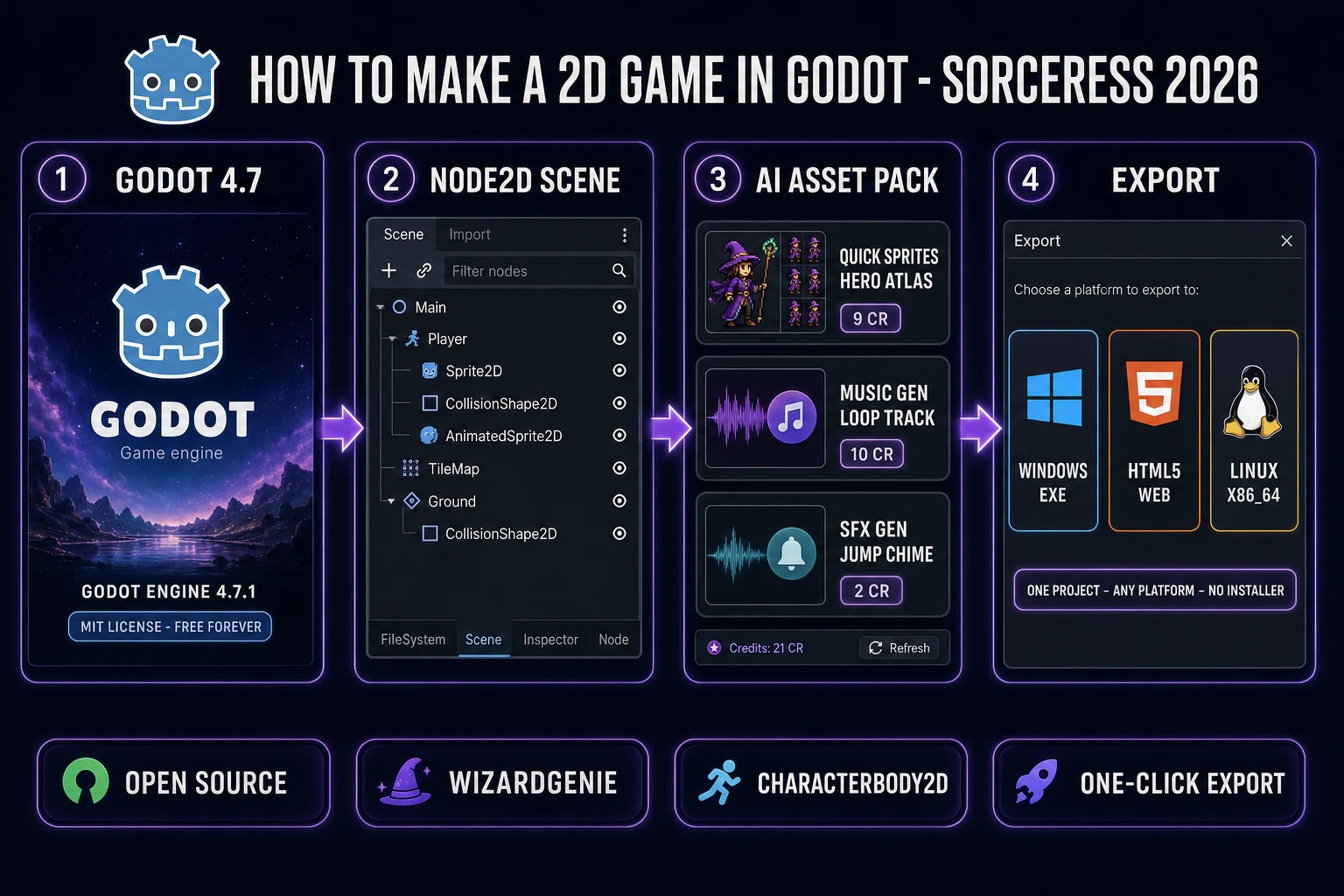
Node2D scene tree with a CharacterBody2D player, an AI asset pack from Sorceress, and one-click export to Windows, HTML5, and Linux.What “how to make a 2d game in godot” actually means in 2026
The query “how to make a 2d game in godot” hides three related but different intents. Some searchers want a side-scrolling platformer — a hero with gravity, jumps, and enemy AI, drawn on a TileMap-backed level, with a scoring HUD. That is the shape most first Godot 2D games take, and it is the shape this guide targets. Some searchers want a top-down adventure — the same scene tree but with four-direction movement, no gravity, and dialogue boxes for NPCs. And some searchers want a 2D shoot-em-up or vertical scroller — a fixed-camera arena with waves of enemies and bullet-pattern spawning. The core is identical across all three: a Node2D-rooted scene, a CharacterBody2D for the player, a StaticBody2D or TileMap for the world, and _physics_process(delta) as the tick that moves everything forward. Get that base right and the platformer, the top-down, and the shooter are all one weekend of scene composition apart. That is the same scene-tree spine that video game development has used for decades; Godot just makes the tree the editor instead of a hidden engine object.
Four things make how to make a 2d game in godot the friendliest engine choice for a first 2D game in 2026. First, Godot is free and open-source under the MIT License — no seat fees, no revenue thresholds, no runtime royalty, no forced telemetry. Second, the editor is self-contained: extract a 28–189 MB binary (size varies by OS per the same Wikipedia page, verified 2026-08-16) and run — no installer, no launcher, no account. Third, the 2D engine is genuinely dedicated, not a 3D engine with a 2D checkbox: real pixel coordinates, a dedicated CanvasItem render tree, a TileMap with autotiling, and 2D lights, shadows, particles, and physics that all live in a 2D-first API. Fourth, the export targets are one-click: Windows, macOS, Linux, HTML5, Android, and iOS all export from the same .tscn project file, so a Godot 2D game is a browser game and a Steam game and a mobile game from the same code base.
The Godot 2D game loop in one minute
Every Godot 2D game rides on three lifecycle callbacks that Godot calls on every node in your active scene, and understanding which one owns which job is the difference between a game that stutters on a 144 Hz monitor and a game that stays smooth. _input(event) fires once per input event — a key press, a mouse move, a controller stick tilt — and is where you handle one-shot events like a pause toggle, a menu-open key, or a mouse-click on a UI button. _physics_process(delta) fires at a fixed 60 Hz by default (configurable in Project Settings under Physics > Common > Physics Ticks Per Second) and is where every movement call goes: move_and_slide, move_and_collide, anything that reads or writes velocity on a physics body. Godot’s node-and-signal model (documented on the same Wikipedia page, verified 2026-08-16) is why CharacterBody2D owns this tick instead of a generic game object. _process(delta) fires once per rendered frame (typically 60 or 144 Hz on the player’s monitor) and is where visual logic goes that does not need a fixed timestep: HUD updates, tween animations, particle spawns.
The critical discipline is the same one that keeps every physics-driven engine honest: movement code lives in _physics_process, HUD code lives in _process, and one-shot input lives in _input. Putting movement in _process instead of _physics_process is the single most common bug in a first Godot 2D game, because the movement math ends up scaled by a delta that changes with the player’s refresh rate — the hero moves twice as fast on a 144 Hz monitor as on a 60 Hz one. Godot’s 60 Hz physics tick keeps delta constant regardless of render frame rate, which is exactly what move_and_slide needs to produce reproducible motion. For continuous input polling (holding an arrow key to run), use Input.is_action_pressed or Input.get_axis inside _physics_process; reserve _input for the events that only matter on the exact frame they happen. If you later export the same project to HTML5, the browser still paints frames through Window.requestAnimationFrame (MDN, Baseline widely available); Godot’s physics clock stays independent of that paint loop.
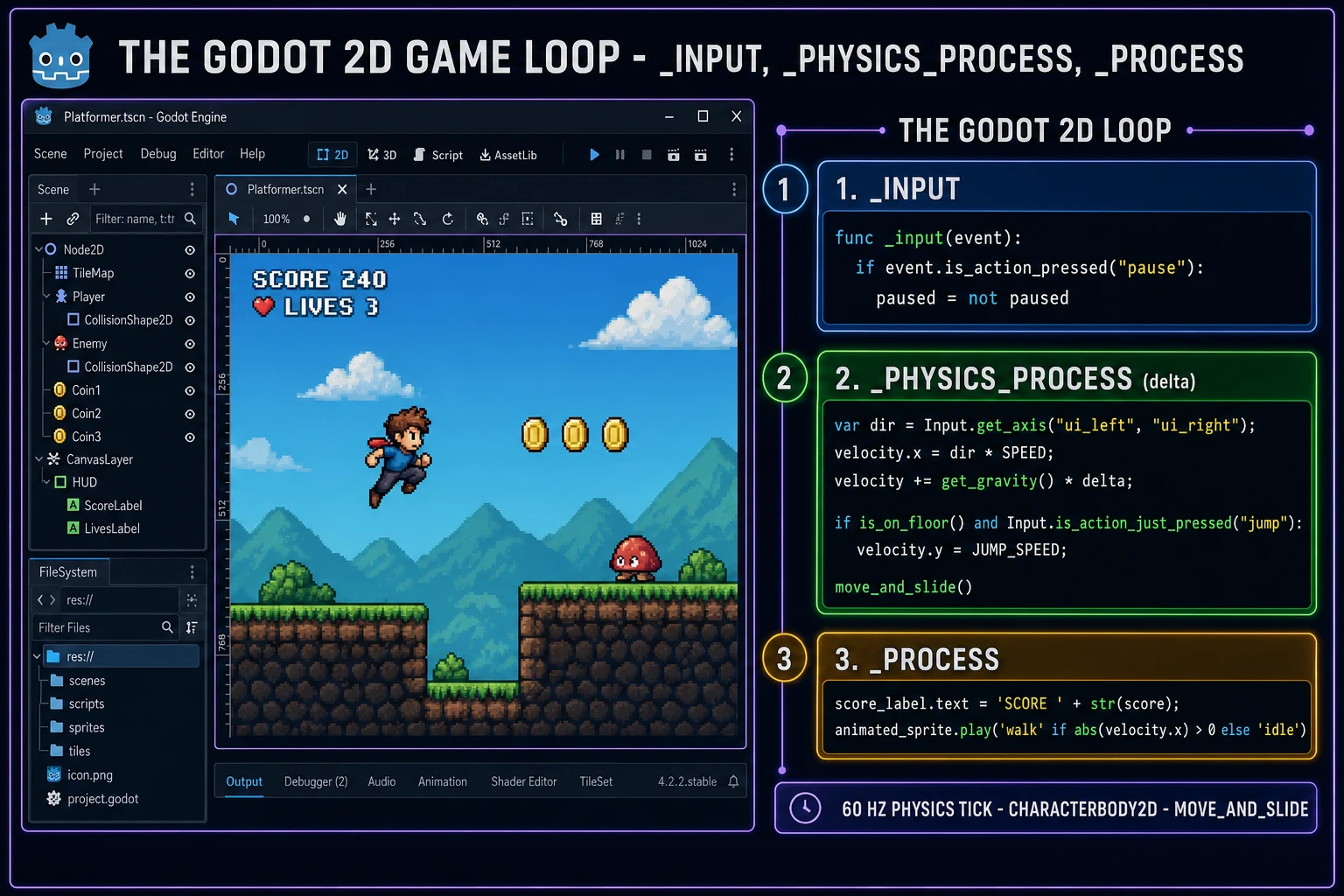
_input handles one-shot events, _physics_process owns the 60 Hz movement tick with move_and_slide, and _process paints HUD updates on the render frame.Pick your engine for how to make a 2d game in godot: pure Node2D, TileMap, or WizardGenie-scaffolded
Three good approaches in 2026, each with a different trade-off. Pure Node2D composition is the right pick for a small arena game: a single scene with a CharacterBody2D hero, a handful of StaticBody2D platforms, a group of Area2D collectibles, and a script per node. You get zero editor complexity, a scene tree you can hold entirely in your head, and a save file (.tscn) that reads as plain text so version control diffs are readable. That is the honest default for a jam entry, a mechanic prototype, or a bullet-hell arena.
TileMap-backed level design is the right pick when the game has a real level to explore. Godot’s TileMap node lets you paint a grid of tiles from a shared TileSet resource, with support for autotiling (draw a rectangle of grass and Godot picks the correct edge/corner tiles), collision shapes attached per tile, animated tiles (a torch that flickers), and multiple layers (background, foreground, collision). A Metroidvania, a platformer with real levels, a top-down RPG map — all live on TileMap. Pair it with a Camera2D child of the player that has drag_horizontal_enabled and drag_vertical_enabled so the level scrolls smoothly as the hero runs.
WizardGenie is not a separate engine — it scaffolds whichever of the two approaches above you pick from a single natural-language prompt. WizardGenie is the Sorceress game-native coding agent, and it ships as both a Windows desktop app (installer with auto-update, available to Early Access supporters and above) and a no-install web build at the same URL. Its coding-model lineup (verified 2026-08-16 in src/app/_home-v2/_data/tools.ts lines 767 through 774) covers Claude Opus 4.7, Claude Sonnet 4.6, GPT-5.5, Gemini 3.1 Pro, DeepSeek V4 Pro, Kimi K2.5, Grok 4.2, and MiniMax M2.7. For a first Godot 2D game, any model in the lineup writes the full CharacterBody2D movement script, the TileMap load code, and the signal wiring in under three minutes. For a longer build session, pair a frontier planner (Claude Opus 4.7 or GPT-5.5) with a budget executor (DeepSeek V4 Pro or Kimi K2.5) — the planner designs the scene composition and the mechanic, the executor types the GDScript and imports the sprite atlas. That pairing runs at roughly one-fifth the cost of a single-frontier session.