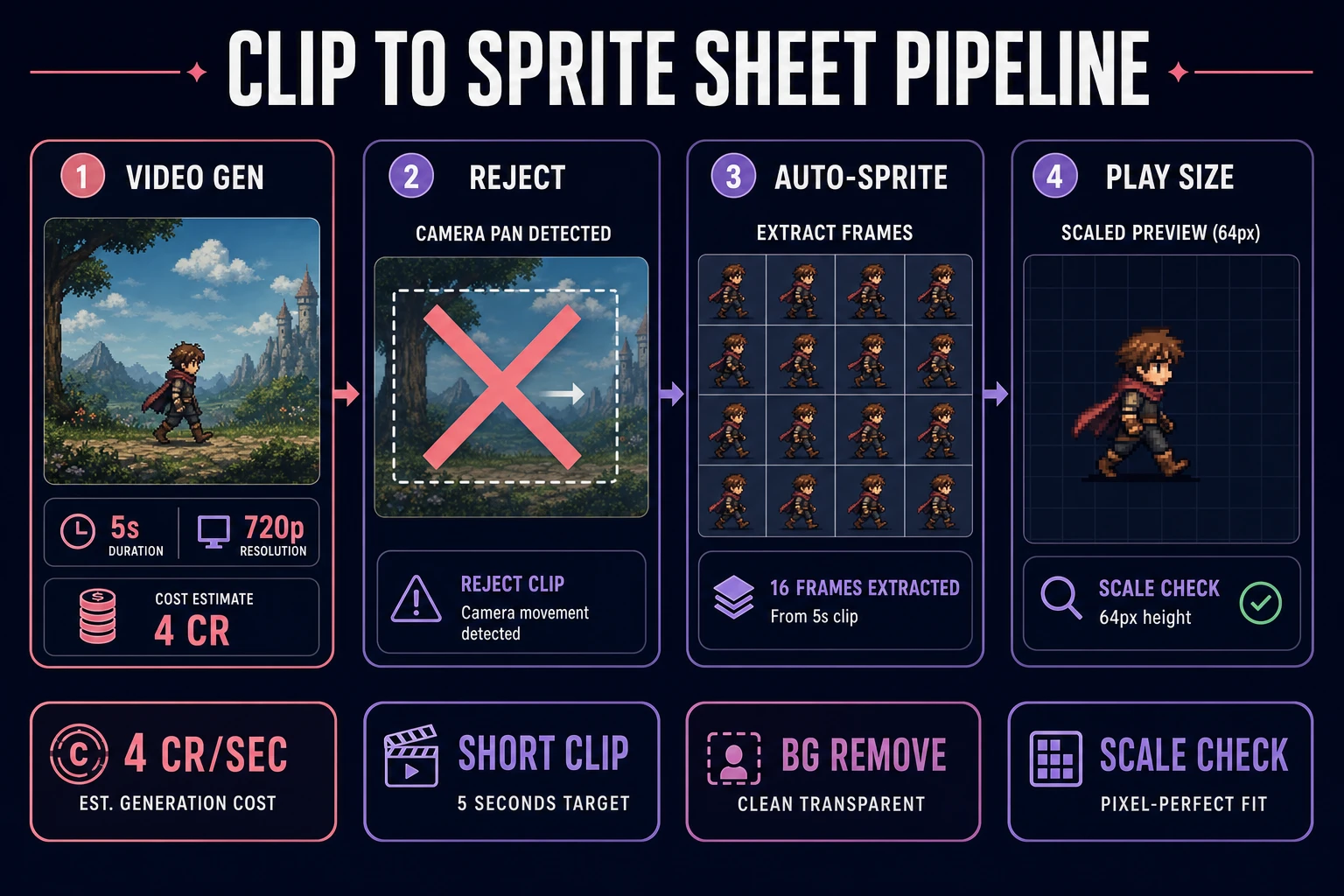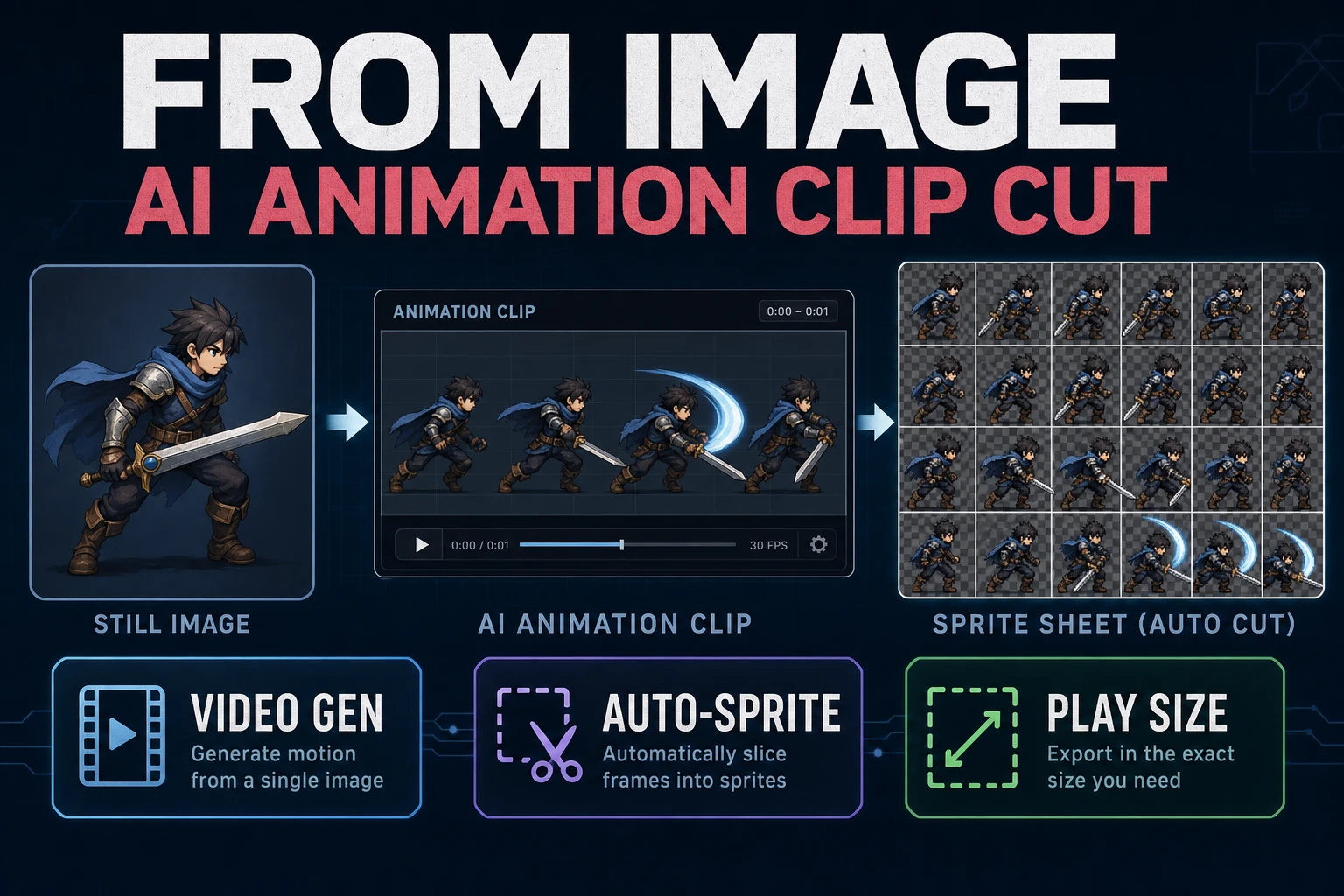
People searching ai animation generator from image usually want a still that becomes usable game motion, not a five-second movie they cannot crop. Jam weekends die when the clip looks cinematic but fails as a sprite sheet. This guide runs the clip-cut path: clean the still, prompt for loopable motion, generate a short take in AI Video Gen, then cut frames in Auto-Sprite v2 and reject anything that fails at play size.
A sprite is still a 2D bitmap integrated into a larger scene. Your job is to produce a short strip of those bitmaps with stable identity. Trailer-grade pans and wardrobe swaps belong in a different folder.
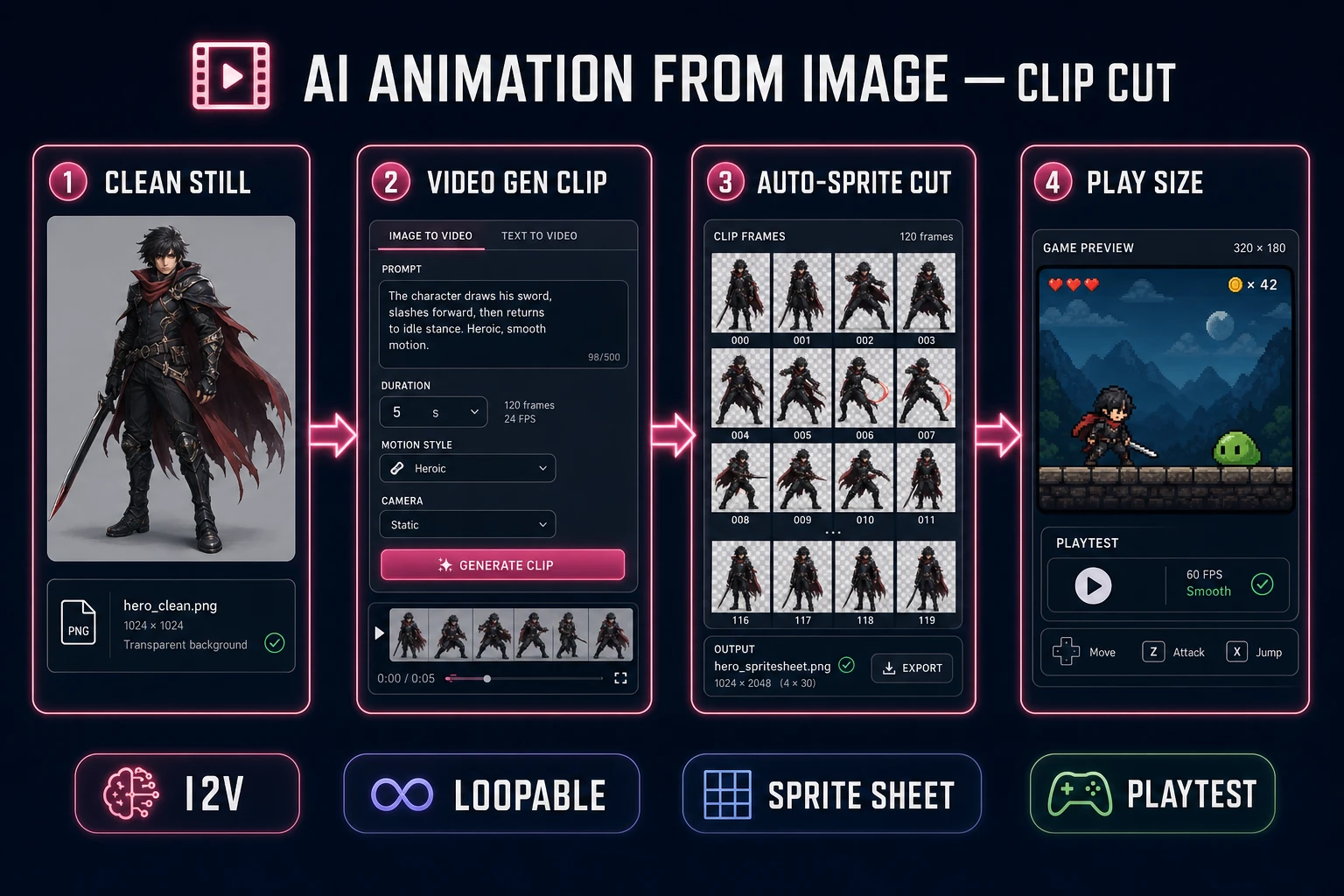
What an ai animation generator from image must deliver
Before you open any model picker, write four lines in a text file named motion_brief_v1.txt:
- Action job — walk cycle, idle breathe, hit flinch, or attack swing (pick one).
- Camera rule — locked frontal or locked three-quarter; no zoom, no orbit.
- Length target — four to six seconds, one clear phrase of motion.
- Sheet rule — frames must crop into a readable grid at game scale.
That brief is the difference between an ai animation generator from image workflow that ships and a folder of MP4s that never become cells. Sibling long-tails like ai animation video generator and animation ai generator often pull people toward cinematic trailers. Fine for store pages. Wrong default for a Phaser or Godot character controller.
Decide what is out of scope. Full cutscenes with camera moves belong in Video Gen as marketing assets. Dialogue belongs in Speech Gen. This article stays on the image → short clip → sprite sheet path. If you need a related trailer-audio stack later, see Direct an AI Video Generator With Sound Effects. Keep that work separate from gameplay sheets.
Write the brief before you browse reference animations. Reference hunting is useful after the first take that survives Auto-Sprite, not before — otherwise you chase film timing on a jam clock. The search phrase image to video for games often lands people in long prompts about lighting and lens flares; those adjectives burn credits without improving cell readability.
Prep a clean still first
Start in AI Image Gen (or a locked character sheet you already trust). The still must be:
- Full body — feet and hands inside the frame with padding.
- Plain backdrop — solid or near-solid; busy rooms force salvage work later.
- Stable costume — one outfit, one silhouette, no prop that disappears mid-walk.
- Facing locked — the angle you will keep for the whole clip.
If the still has a messy background, run it through BG Remover and composite onto a flat color before Video Gen. Image-to-video models amplify whatever is already noisy. A cleaner plate is cheaper than three regeneration loops.
Name files boringly: hero_front_v03.png, not final_final2.png. Credits disappear when you cannot tell which still produced which clip. Keep rejects in a rejects/ folder with one-line notes (“cropped feet”, “busy alley”, “side light too hard”).
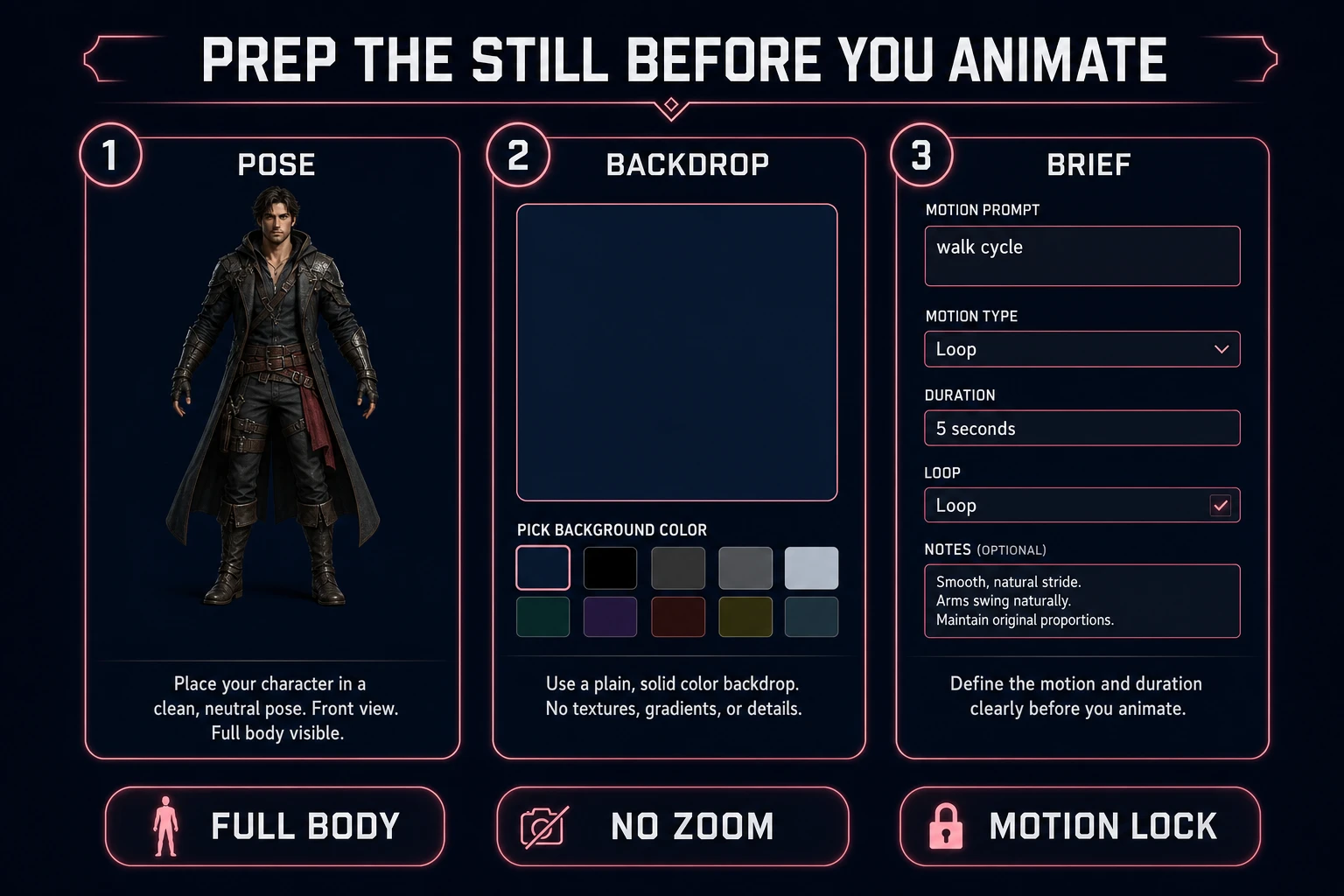
Prompt for loopable motion
Copy the brief into a reusable prompt prefix. Lock the same action, camera, length, and “loopable / no camera move” line on every retry so takes stay comparable. Example walk prefix:
- “same character, front three-quarter, walk cycle in place, looping footsteps, locked camera, no zoom, no pan, plain backdrop, 5 seconds, keep costume identical”
Idle cousin (only after walk passes):
- “same character and camera, subtle idle breathe and weight shift, looping, no camera move, 5 seconds”
Reject prompts that ask for a “cinematic tracking shot,” a wardrobe change, a weapon swap mid-clip, or a dramatic ending pose that does not return near the start pose. Those cues read as trailer beats. Sprite sheets need joins, not finales. Put anticipation and recovery inside the loop if you want juice — endings that crest then freeze are classic sheet killers.
Negative space matters. Tell the model what to avoid in plain language: no text overlays, no lens flare bursts, no second character entering frame, no background traffic. Keep the prompt order stable (identity → action → camera → length → loop) so failures are comparable.