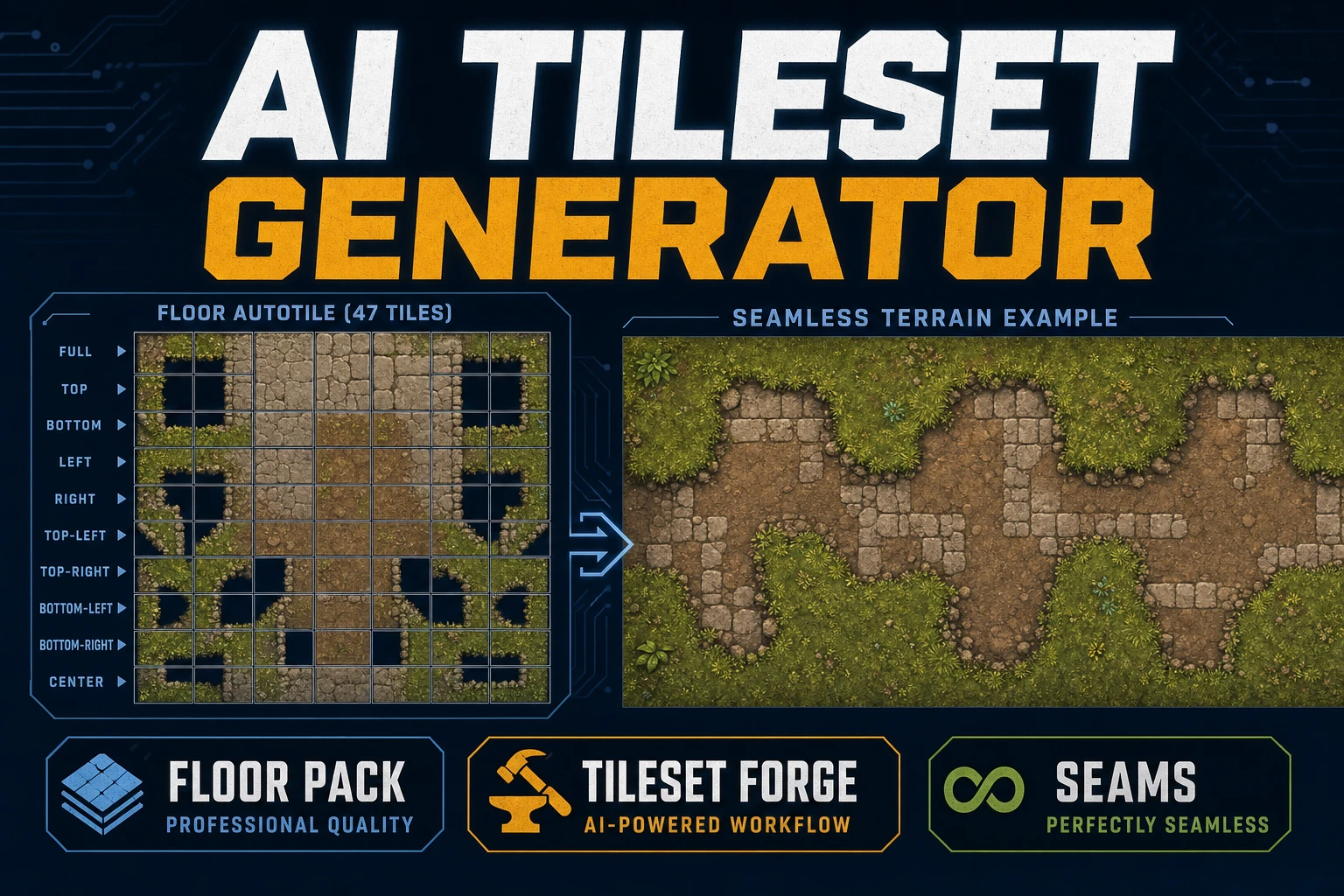
Lay an AI Tileset Generator (Floor Autotile Pack)

By Arron R.8 min read
An AI tileset generator for games is a labeled floor pack: lock tile size and edge rules, generate seamless floors and walls in Seamless Tile Gen, align the gri

Pretty seamless squares do not ship a level. Games need floors, walls, corners, and transitions that share lighting, palette, and edge rules so a painter can autotile without visible seams. This guide turns an ai tileset generator search into a floor pack pipeline: label tile roles first, generate terrain in Seamless Tile Gen, align the grid in Tileset Forge, then patch only failing edges in Canvas. Model credit bases below were verified against src/lib/models.ts TILESET_MODELS on July 20, 2026.
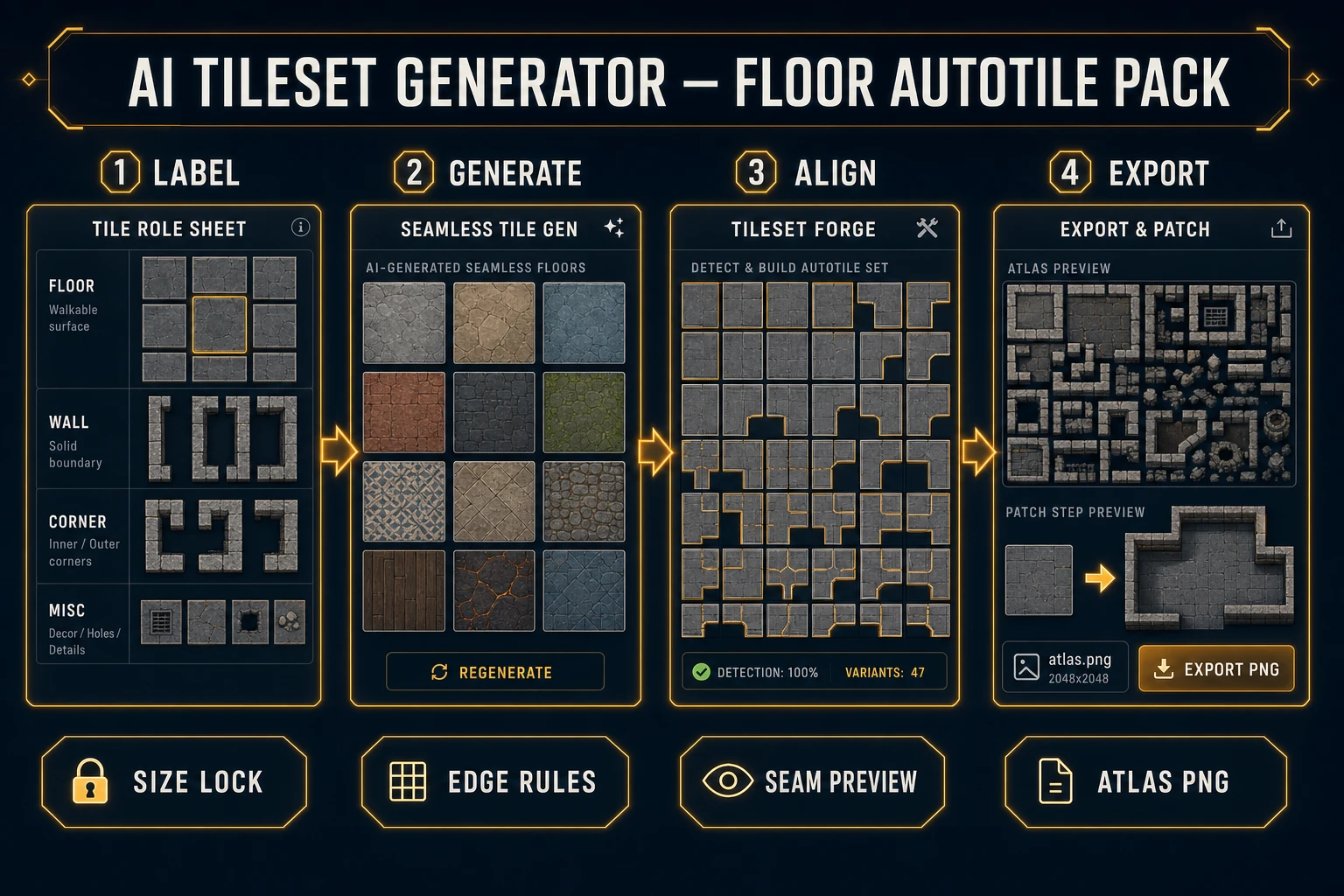
AI tileset generator workflow from labeled floor roles through Seamless Tile Gen and Tileset Forge to atlas export
A shippable floor pack starts as labeled roles, becomes seamless terrain families, snaps to a fixed grid, and only then becomes a Phaser-ready atlas.

What an AI tileset generator must label

DataForSEO lists ai tileset generator at 50 monthly searches with KD 0 in research-output.md, verified July 20, 2026. It sits beside the sibling phrase tileset generator ai (covered earlier on the blog as a browser Phaser-ready overview). This article stays on the floor autotile pack: labeled cells you can paint, not a single marketing tile.

Four labels decide whether your ai tileset generator output survives the engine:

  • Tile size: lock 16×16, 32×32, or 64×64 before any prompt. Tileset Forge defaults to 32×32 output cells.
  • Role: floor fill, wall face, outer corner, inner corner, or material transition.
  • Collision intent: walkable, solid, or hazard — write it on the sheet even if collision lives in a separate layer later.
  • Edge rules: which edges must match which neighbors (N/E/S/W color and value). Autotile systems are edge-matching machines; Wang tiles are the classic formalization of that contract.

Tile-based games reuse small squares so levels stay editable and cheap to render. Your label sheet is the production document that keeps AI batches on that contract. Without it, every regenerate invents a new grass language and the wall line collapses.

Choose tile size and edge rules first

Open a plain text note and lock size before you touch a prompt field. A minimal jam floor pack is enough:

  • Floor fill: one walkable material that repeats cleanly.
  • Wall faces: north-facing caps that share the floor’s lighting direction.
  • Corners: outer and inner pieces that continue the wall edge colors.
  • Transitions: one dirt-to-stone or grass-to-path blend if the map needs two materials.

For each row write the export name (floor_grass, wall_n, corner_ne, trans_dirt_stone), the four edge codes, and one forbidden trait (“no directional footprints,” “no centered logos,” “no perspective vanishing”). Forbidden traits matter: models love to stamp hero props into “seamless” floors, which break tiling the moment you repeat them.

Keep the sheet short enough to paste as a reusable prompt prefix. Lore about the dungeon can live elsewhere; the ai tileset generator pass only needs visual and edge constraints. Pin the sheet beside the session so every batch starts with identical locks. When a teammate joins mid-week, they inherit the same size and edge codes instead of reinventing grass from a Discord screenshot. That handoff is the difference between a pack and a folder of near-misses.

If you already painted a stub map with placeholder colored squares, keep those placeholder ids and map your final atlas indices to the same numbers. Changing tile size after a map exists forces a full remesh of collision and spawn data. Size lock is not optional bureaucracy — it is the contract between art and level JSON.

Generate the base floor and wall set

Open Seamless Tile Gen (TileMaker) and treat each role as a family, not a single lucky image. The default prompt scaffold already nudges tileability — the page seeds seamless repeating forest terrain tile with consistent lighting and pixel art cues. Replace the material, keep the seamless and lighting language, and append your role delta: “top-down floor fill,” “north wall face flat lighting,” “NE outer corner.”

Credit bases verified July 20, 2026 in src/lib/models.ts TILESET_MODELS (order: GPT Image 2, Nano Banana 2, GPT Image 1.5, Seedream 5 Lite, Imagen 4 Ultra):

  • Seedream 5 Lite: 6 credits at 2K, 8 at 3K — cheapest terrain iteration while edge rules settle.
  • GPT Image 2 / GPT Image 1.5: 7 credits at medium quality, 17 at high — stronger readable edges for later Forge alignment.
  • Nano Banana 2: 9 / 12 / 17 credits at 1K / 2K / 4K.
  • Imagen 4 Ultra: 8 credits flat.

Start cheap on Seedream until the floor wrap test passes. Spend higher-quality credits on the keeper wall and corner set, not on ten unrelated biomes. Aspect ratio should stay 1:1 for square cells. New accounts still receive starter credits; pay-as-you-go packs and the $49 lifetime unlock (verified July 20, 2026 in src/app/plans/page.tsx LIFETIME_PRICE) are listed on the plans page. Seamless Tile Gen burns AI credits; Tileset Forge is a Pro lifetime tool. The Sorceress tools guide maps adjacent 2D tools if you later add sprites on the same palette.

Batch three variants per role with the identical prefix. Keep only the ones that share value range, light direction, and edge color. Reject “cooler” outliers that change hue mid-edge — they will fail the tiled preview later no matter how pretty they look alone.
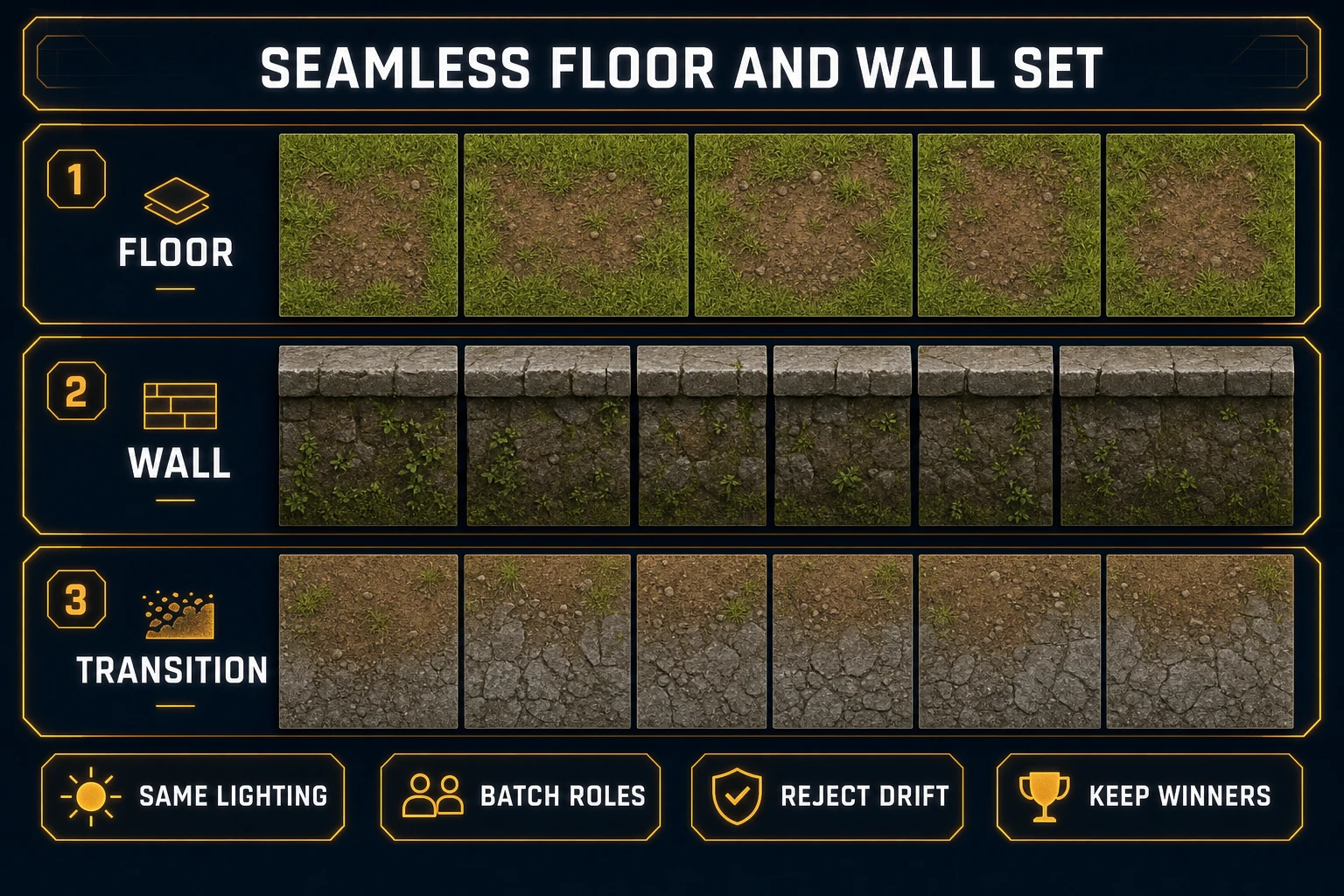
AI tileset generator Seamless Tile Gen floor wall and transition families with shared lighting
Batch by role with one shared lighting prefix so floor, wall, and transition tiles read as one pack.

Build corners and transitions deliberately

Once the floor fill wins, stop free prompting for “more grass.” Upload the keeper as a reference when the model supports refs, and request controlled deltas: north wall using the same palette, NE outer corner continuing the wall edge colors, dirt-to-stone blend that preserves both materials’ edge codes. Reference-locked passes are how an ai tileset generator becomes a production tool instead of a slot machine.

Corners are where packs die. Outer corners must continue both adjacent wall edges; inner corners must not invent a third material. Transitions must carry both materials’ edge values so painters can drop them between fills without a halo. If a corner looks great solo but breaks the floor edge, discard it — cool outliers break autotile tables later.

Name winners by role and edge, not by mood adjectives. You want corner_ne_v3.png, not epic_dungeon_vibes.png. For a broader browser-to-engine overview of the sibling query, see tileset generator AI Phaser-ready — this article stays on the labeled floor pack path.

Preview seams at camera zoom

A tilemap draws the world from a small atlas. Your concepts are not tiles until they survive a repeated preview at the zoom players will see. In Seamless Tile Gen, use the tiled preview canvas and grid lines to spot value jumps. Then move keepers into Tileset Forge.

Tileset Forge runs three phases verified against src/app/tileset-creator/page.tsx on July 20, 2026:

  1. Upload — drop one or more AI sheets; background chroma can auto-detect.
  2. Detect — connected-component extraction with min tile size and aspect filters builds a tile palette.
  3. Build — place tiles onto a fixed output grid (default 32×32) with stretch modes, nine anchors, flips, and rotation.

Use the live tiling preview on each candidate. Failures to catch now: bright seams on every N/S join, soft blur between cells, and props that repeat like a stamp. If the seam fails at integer zoom, do not “fix it in the engine” — engines only make bad edges louder. Zoom the preview to the same integer scale you ship (2× or 4×). Soft browser scaling hides one-pixel value jumps that become obvious under nearest-neighbor camera zoom.

When detection pulls junk fragments (tiny chroma crumbs, half-tiles), raise min tile size or tighten aspect ratio in sheet settings before you waste build time placing them. Clean detection is cheaper than deleting twenty bad cells by hand in the build grid.

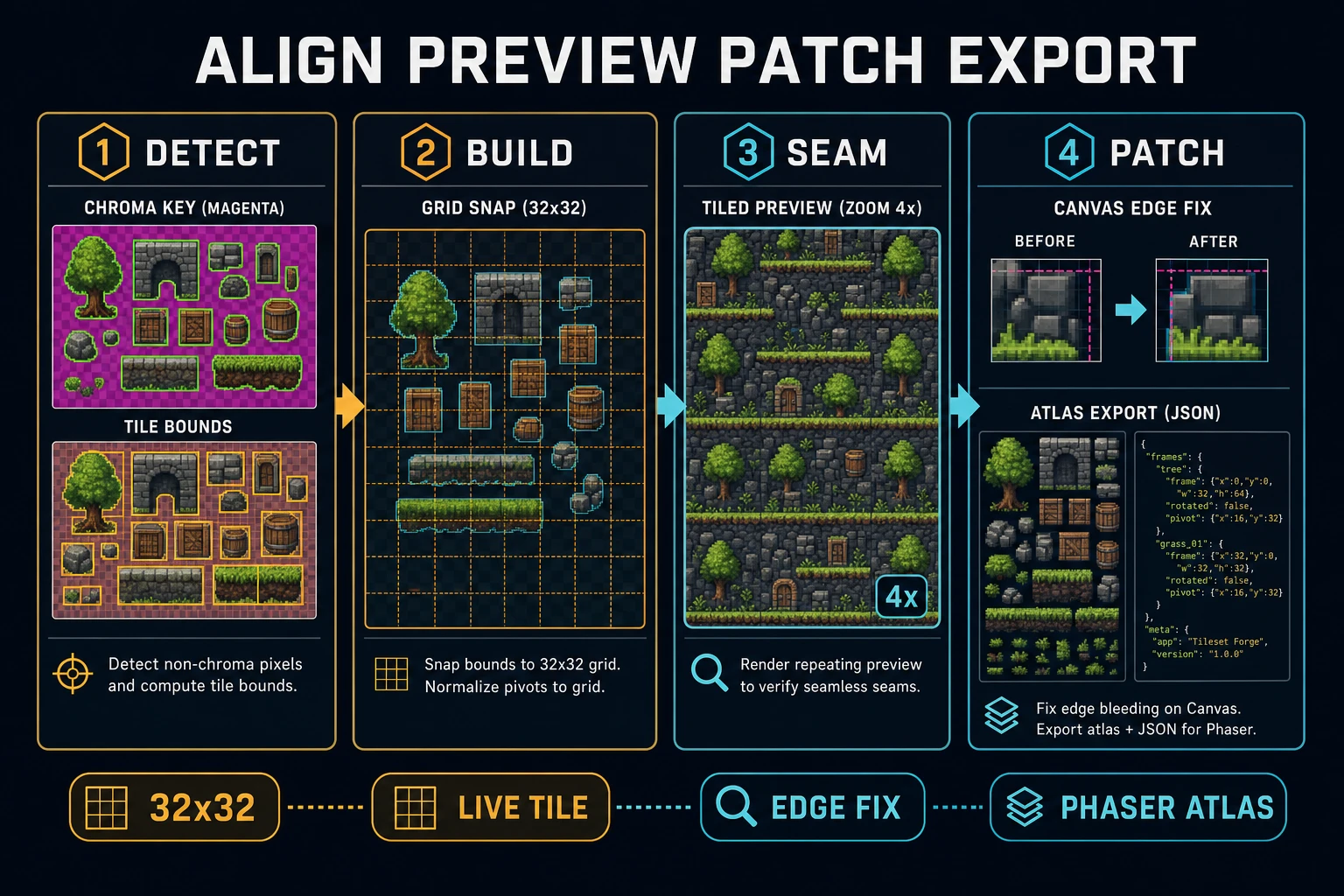
AI tileset generator Tileset Forge detect build seam preview and Canvas edge patch before atlas export
Detect and build snap tiles to a fixed grid; seam preview gates export; Canvas patches only the failing cells.

Export a Phaser-ready atlas

When the preview passes, export a flat grid PNG (and ZIP options if you need individual cells). Treat the sheet as a texture atlas: stable tile indices, known tile width/height, zero surprise margins. Record margin and spacing as zero unless you intentionally padded cells.

A Phaser-ready atlas here means: square cells, consistent size, opaque or clean alpha edges, and a naming map that matches your label sheet. In preload you load the PNG; in create you add it as a tileset image and paint layers from indices. Keep collision data in a parallel logic layer or Tiled properties — do not bake collision color into art unless your pipeline already expects it.

Store the atlas next to a tiny manifest:

tiles/
  floor_pack_v1.png
  labels.txt
  roles/
    floor_grass.png
    wall_n.png
    corner_ne.png
    trans_dirt_stone.png

Name files by role and version, not by model. When you regenerate one corner, bump only that cell and re-export the sheet so indices stay stable for maps already painted.

Patch weak tiles before mapping a level

Patching is surgical. Open Canvas (Free badge) on the single weak tile, clone a good edge across the failing side, and re-import that cell into Tileset Forge’s build grid. Do not regenerate the entire floor family because one NE corner drifted — that is how packs lose consistency.

Gate before you paint a real map:

  • Floor fill wraps cleanly at play zoom.
  • Wall faces share light direction with the floor.
  • Outer and inner corners continue edge colors.
  • Transitions carry both materials without a halo.
  • Atlas cell size matches the label sheet exactly.

Only then open your level editor or engine tilemap painter. If players notice a seam in the first room, fix the tile — do not add particles to hide it. When a five-minute walk across mixed floor, wall, and transition cells stays clean, the ai tileset generator floor pack is done.

Optional next steps stay outside this critical path: Quick Sprites for characters on the same palette, Music Gen for biome loops, or WizardGenie to wire the tilemap loader. None of those replace the label sheet. They only consume winners that already passed the seam gates above.

Common issues with AI tileset generator packs

  • Every regenerate looks like a new biome: Your prefix is too vague. Add tile size, lighting direction, palette hexes, and forbidden traits, then batch with identical text.
  • Floors tile but walls do not: Walls need the same light direction and edge colors as the floor. Generate walls as reference-locked deltas, not fresh free prompts.
  • Corners invent a third material: Reject them. Corners must continue existing edge codes only.
  • Seams look fine solo but fail in-engine: You skipped the tiled preview at play zoom, or you upscaled with soft filters. Re-export nearest-neighbor only and re-check Forge’s live tiling preview.

Frequently Asked Questions

What must an AI tileset generator label before generating art?

Tile size, role (floor, wall, corner, transition), collision intent, and edge rules. Without those four labels, seamless prompts become a folder of pretty squares that refuse to autotile. Write the labels on a sheet before you open Seamless Tile Gen.

How is an AI tileset generator different from a single seamless texture?

A single seamless texture repeats one material. An AI tileset generator for games must also produce corners, transitions, and wall caps that share lighting and palette so a level painter can mix them without visible seams. The pack is the product, not one lucky tile.

Which Seamless Tile Gen models should I use for floor packs?

Verified July 20, 2026 in src/lib/models.ts TILESET_MODELS: Seedream 5 Lite is 6 credits at 2K (8 at 3K) for cheap terrain iteration. GPT Image 2 and GPT Image 1.5 are 7 credits at medium quality (17 at high). Nano Banana 2 is 9/12/17 credits at 1K/2K/4K. Imagen 4 Ultra is 8 credits flat.

Is Tileset Forge required after Seamless Tile Gen?

Yes for a shippable atlas. Seamless Tile Gen outputs tileable images; Tileset Forge runs upload → detect → build to chroma-clean, extract, and snap tiles to a fixed output grid (default 32×32). Tileset Forge is a Pro lifetime tool; generation credits are separate.

When should I patch tiles in Canvas?

Only after the seam preview fails at play zoom. Open Canvas on the specific weak tile, fix the edge mismatch, re-import that cell into Tileset Forge, and re-export. Do not regenerate the whole pack for one bad corner.

Sources

  1. Tile-based video game — Wikipedia
  2. Tiles and tilemaps overview — MDN
  3. Texture atlas — Wikipedia
  4. Wang tile — Wikipedia
Written by Arron R.·1,749 words·8 min read

Related posts