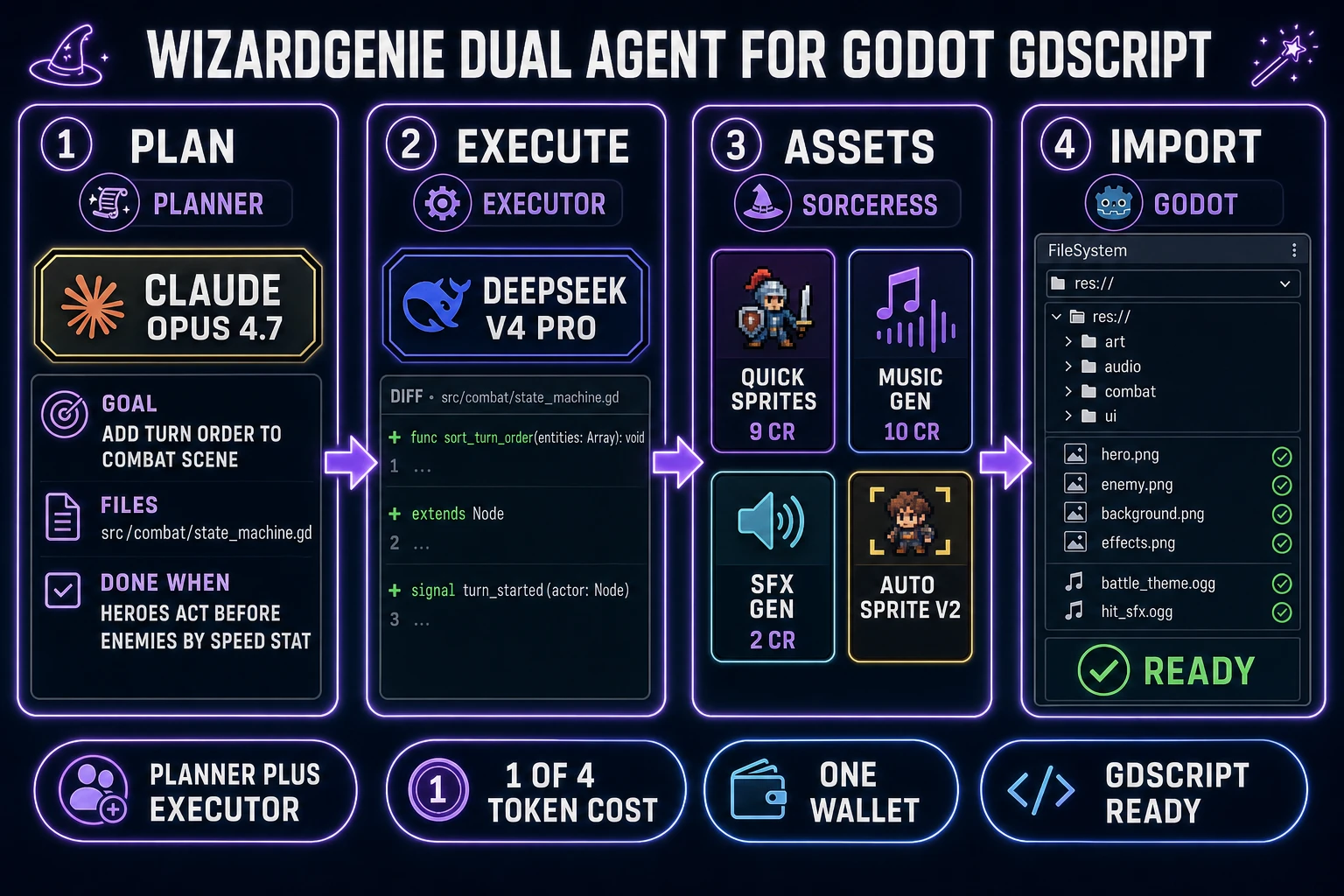
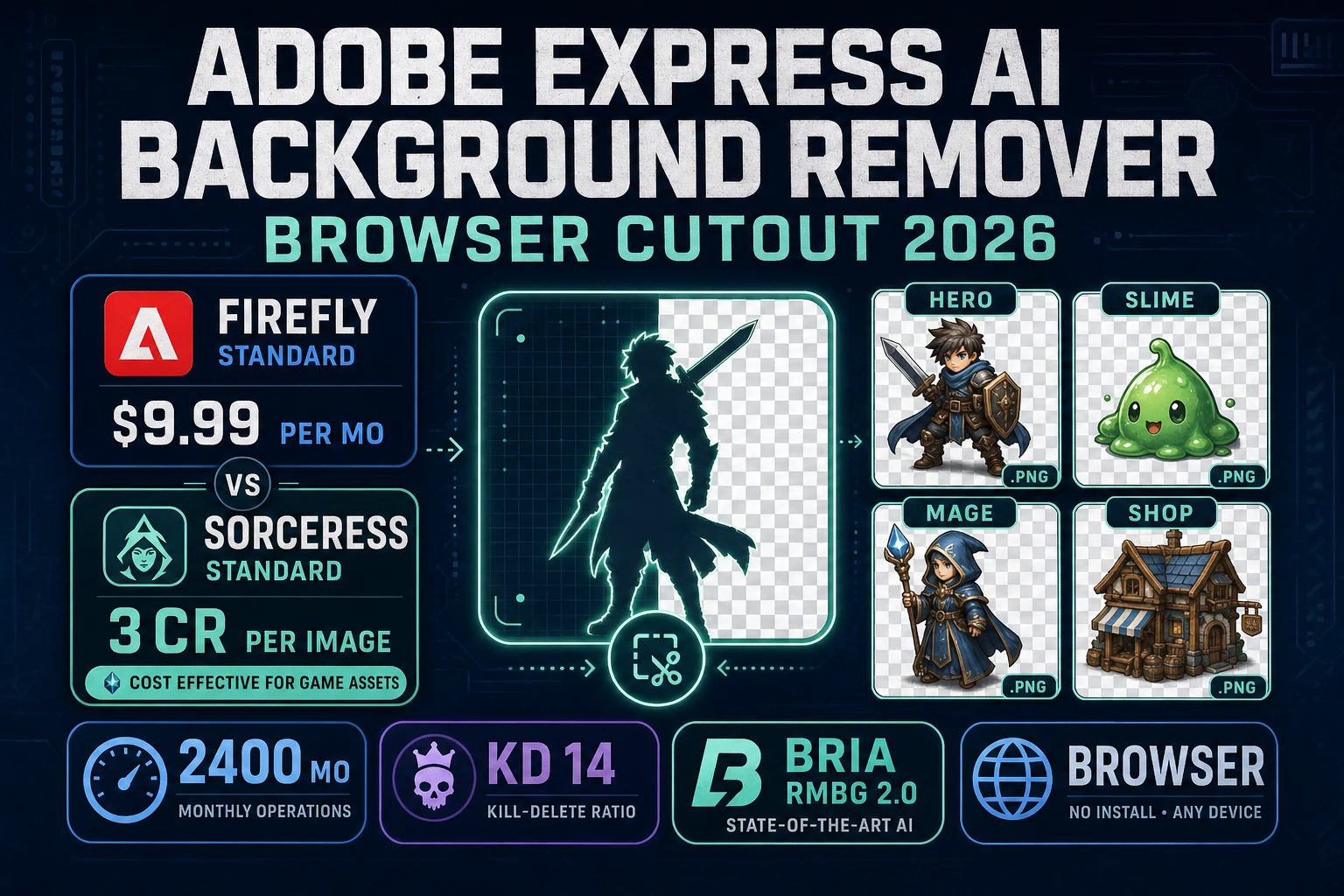
Godot 4.7 shipped in June 2026 (verified 2026-10-03 against the official Godot release policy documentation), and if you have been waiting for a stable moment to build an RPG in it, that moment is now. The engine ships a dedicated 2D renderer, a 2D physics engine, TileMap, AnimatedSprite2D, Control-node UI, an autoload singleton system for globals, and GDScript — in other words, every primitive an RPG needs is a first-class engine citizen, not a plugin. The gap is not primitives; the gap is time. Making an RPG means wiring characters, scenes, combat, inventory, and audio into one coherent loop, and the asset side alone (party portraits, enemy sprites, music beds, SFX cues) traditionally eats weeks before the first turn plays. This guide walks the full workflow end to end: Godot 4.7 project setup, AI-generated assets via Sorceress, a GDScript state machine for turn-based combat written through WizardGenie's dual-agent Planner-plus-Executor pattern, inventory and dialog UI, and the audio pipeline. Every version number, credit cost, and source line below was verified against the live docs or the Sorceress source on 2026-10-03.
What searchers typing how to make an rpg in godot actually want
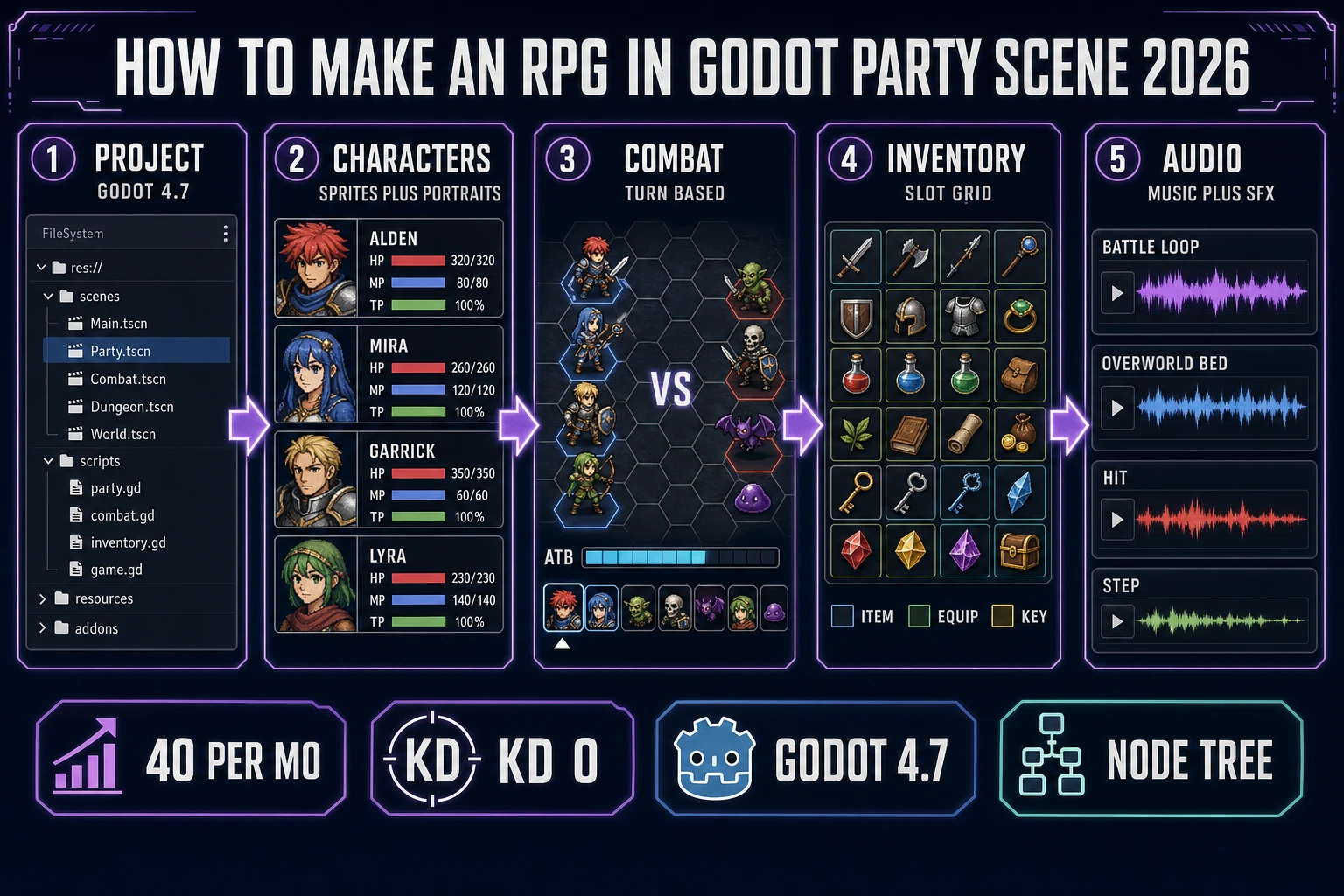
DataForSEO lists how to make an rpg in godot at 40 searches a month, KD 0, competition 0.01, intent informational (verified 2026-10-03 in tools/research-supplement.md, seed how to make an rpg). KD 0 means the SERP is wide open. The current top results split into year-old YouTube series that stop at a working movement controller and partial written tutorials covering one subsystem (combat, or inventory, or dialog) in isolation. Nothing on the first page in October 2026 is a full-pipeline write-up from empty project to a shippable loop with turn-based combat, a party screen, inventory, and audio. That is the gap this post fills.
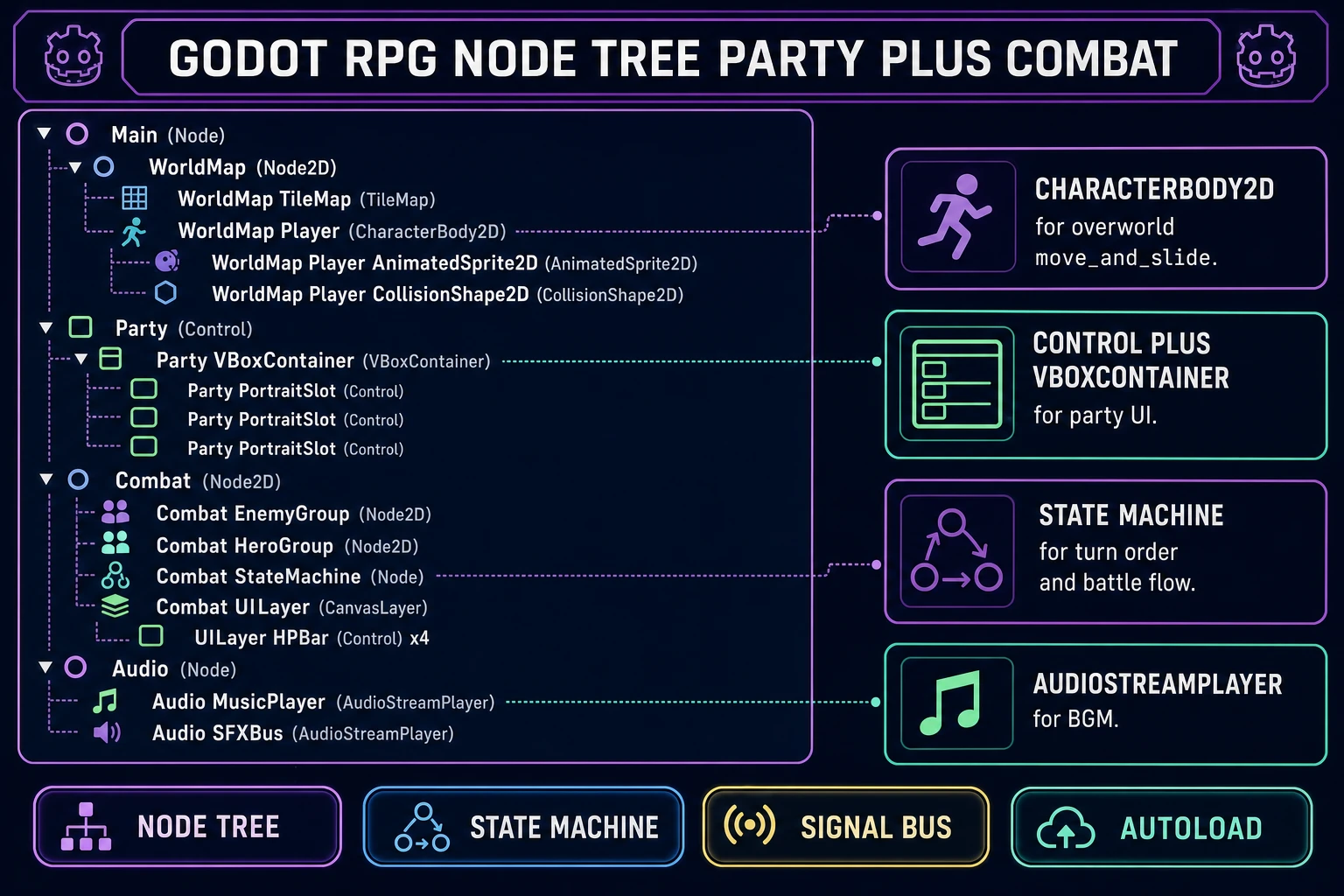
Reader intent falls into three honest buckets: (1) "show me the full node tree before I start, so I do not have to rip my project apart in week three"; (2) "map engine primitives (CharacterBody2D, Control, TileMap, AnimationPlayer, state machines, autoloads) onto RPG jobs so I write the minimum GDScript"; (3) "be honest about cost for pixel art, music, and SFX." All three answered below.
The full RPG workflow at a glance
Every RPG, from a jam prototype to a 40-hour JRPG, breaks into the same five pillars. MDN’s Anatomy of a video game (verified 2026-10-03) reduces any game loop to present → accept input → interpret → calculate → repeat; the five pillars below are the RPG-specific shape of that loop. The genre itself has a long canonical history — the Wikipedia Role-playing video game article (verified 2026-10-03) traces the lineage from tabletop systems through the JRPG and WRPG splits, which is where the party, turn-based combat, and inventory primitives below actually come from. Those primitives have barely changed in forty years; what has changed is how fast you can build them.
- Characters. Party members with stats, equipment, portraits, overworld sprites, and battle sprites. Enemies with stats, scripted AI, and death animations. Both read from a Resource schema so saves and swaps are cheap.
- Scenes. World map, dungeons, towns, battle, title, and party screen. In Godot each one is a
.tscnfile loaded withget_tree().change_scene_to_file()or kept resident and swapped via a scene stack. - Combat. A turn-based state machine. States are init → sort turn order → player action → enemy action → resolve → check win-loss → next turn. The state machine lives in a single
combat/state_machine.gdfile. - Inventory + dialog. Two Control-node UI surfaces that read from the party autoload. Items are Resources, dialog is a JSON or
.tresarray indexed by scene. - Audio. AudioStreamPlayer nodes for music (overworld, battle, boss, town, victory), and short SFX files for footsteps, menu moves, hits, item pickups, and criticals.
Each pillar maps directly onto one or two stock Godot node types (verified 2026-10-03 against the official Godot 2D tutorials index). That is the honest reason an RPG in Godot is less work than most tutorials make it look: the engine already carries the hard parts.
Setting up Godot 4.7 for a how to make an rpg in godot project
Download Godot 4.7 from the official project site and create a new project with the Compatibility renderer (fast on all hardware, good enough for a 2D RPG). Godot’s own history as a cross-platform, MIT-licensed engine is summarised on the Wikipedia Godot (game engine) article (verified 2026-10-03), which also notes the GDScript scripting language and the node-and-scene paradigm the whole workflow in this post leans on. The first commit should set up the following five folders inside res://:
res://
  autoload/      # Party.gd, SaveState.gd, AudioBus.gd
  scenes/        # Main.tscn, WorldMap.tscn, Party.tscn, Combat.tscn, Dungeon.tscn
  scripts/       # one script per autoload or scene
  assets/
    sprites/     # party, enemies, npcs (PNG, 32x32 or 48x48 per frame)
    portraits/   # party and enemy portraits (PNG, 256x256)
    tilesets/    # dungeon, town, world
    music/       # OGG loops: overworld.ogg, battle.ogg, boss.ogg, town.ogg
    sfx/         # WAV: step.wav, hit.wav, menu.wav, item.wav
  resources/     # .tres: PartyMember, Item, Enemy, Encounter
Now register the three autoloads. Project → Project Settings → Autoload → add autoload/Party.gd (name: Party), autoload/SaveState.gd (name: SaveState), and autoload/AudioBus.gd (name: AudioBus). Autoloads are singletons available in every scene — that is where party membership, save data, and the music player live, so switching from the world map to a battle does not reset your party or your BGM.
The Main.tscn root is a plain Node with one child, CurrentScene, that gets swapped at runtime. This is the scene-stack pattern Godot recommends for RPGs: one persistent root, one hot-swap child, globals in autoloads. The ten-line glue is below.
# res://scripts/main.gd
extends Node

var current_scene: Node = null

func _ready() -> void:
    AudioBus.play_music("overworld")
    change_scene("res://scenes/WorldMap.tscn")

func change_scene(path: String) -> void:
    if current_scene:
        current_scene.queue_free()
    current_scene = load(path).instantiate()
    $CurrentScene.add_child(current_scene)
Generating RPG party and enemy sprites with Sorceress
Hand-pixelling a four-member party plus eight enemy types plus a dozen NPCs is where RPG projects stall. The honest shortcut is generation. Quick Sprites produces game-ready pixel sprites at 9 credits per generation (CREDITS_PER_GEN = 9 at src/app/quick-sprites/page.tsx line 21, verified 2026-10-03). Auto-Sprite v2 handles the walk cycles. AI Image Gen handles the 256x256 portraits and the full-screen town / world-map backgrounds. See Ink AI Sprite Generator (Roster Sheet 2026) for the full roster workflow.
For the party of four, prompt Quick Sprites with the same shoulder phrasing per hero so the roster is visually consistent — "pixel art fantasy RPG hero, 48x48, white outline, four-direction walk, cel-shaded, no background." Change only the archetype (warrior, cleric, ranger, mage) and the colour palette. Plan on 5 to 7 generations per hero to lock the final sprite plus walk frames. For the party screen, prompt AI Image Gen with "fantasy RPG character portrait, 256x256, chest-up framing, cel-shaded, soft rim light, neutral grey background" and the same archetype line.
For enemies, pick eight archetypes that cover the common encounter table (slime, goblin, skeleton, bat, bandit, orc, wraith, boss). Generate each at 64x64 for standard enemies and 128x128 for mini-bosses. For animated enemies, run the finished sprite through Auto-Sprite v2 to produce a 4-frame flipbook, then import the PNG strip into Godot as a SpriteFrames resource and point an AnimatedSprite2D at it. The Godot editor imports pixel-art PNGs with filter off by default, so no scaling blur.
Honest asset cost math for a jam-size RPG: 20 to 40 Quick Sprites at 9 credits each = 180 to 360 credits; 4 to 8 portraits at 2 to 4 credits each = 8 to 32 credits; 6 to 10 Auto-Sprite v2 walk cycles at 10 to 15 credits each = 60 to 150 credits. Total: 250 to 540 credits ($2.50 to $5.50 at CREDITS_PER_DOLLAR = 100, verified at src/lib/models.ts line 69 on 2026-10-03). The 100-credit signup grant (SIGNUP_GRANT = 100 at src/app/api/admin/credits/route.ts line 12, verified 2026-10-03) covers the first batch.