How to Make a 2D Game in Python (Pygame Path 2026)

By Arron R.10 min read
How to make a 2D game in Python: Python 3.14 and Pygame-CE 2.5.8 for the main loop, Quick Sprites at 9 credits per generation for art, Music Gen for the bed, Wi

When a Python developer types how to make a 2D game in Python into Google, two very different search intents sit behind the query. The first is a code-level question: which library, which main-loop shape, which framerate pattern. The second is a project-level one: how do I actually get a hero sprite, three enemies, a music bed, and a title screen into the project without stopping gameplay to hand-draw assets for a week. This guide answers both. It walks the current Python 3.14 plus Pygame-CE 2.5.8 main loop, then wires an AI sprite and audio pipeline so the asset tax does not kill the project before the first level.
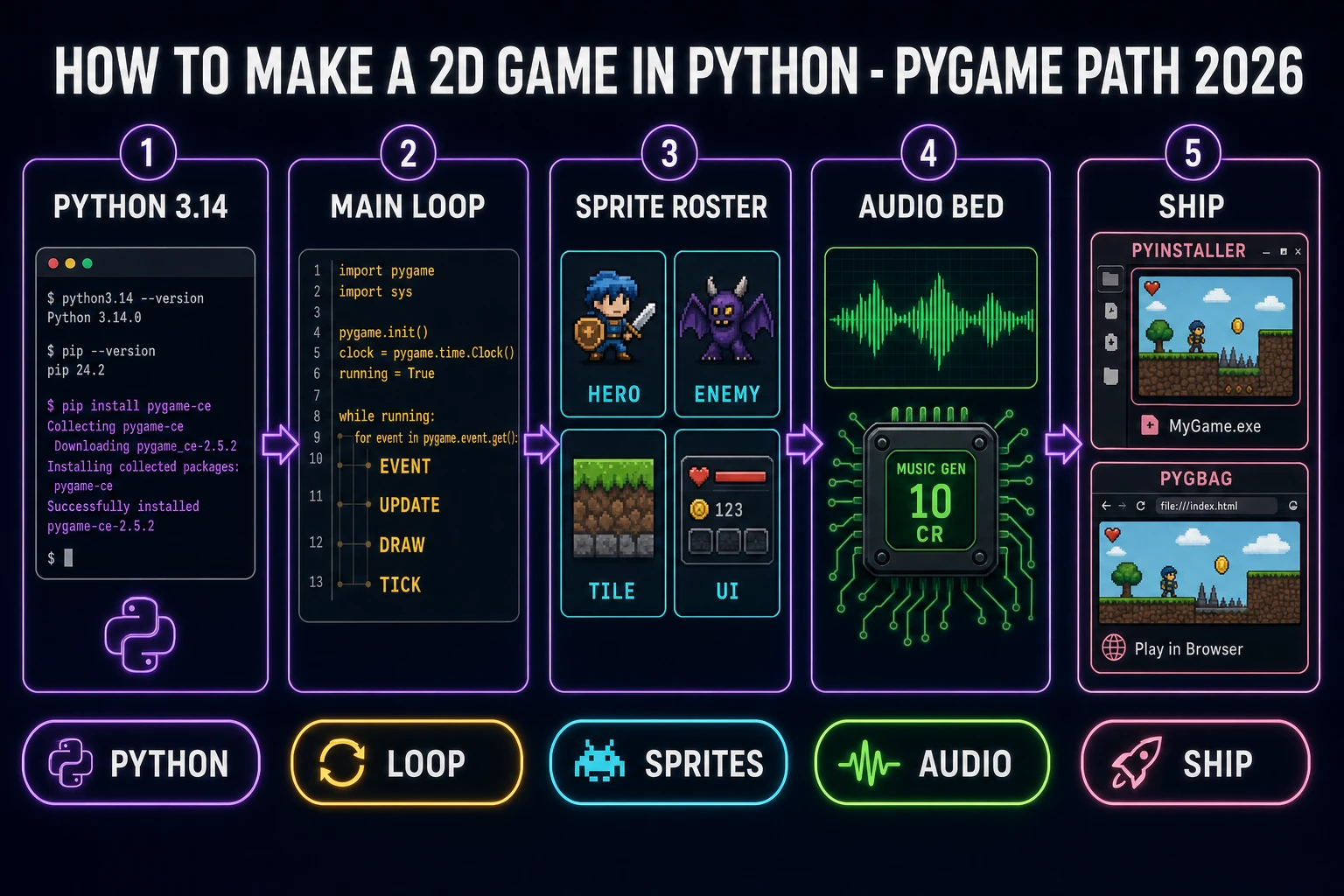
How to make a 2d game in python pipeline: Python 3.14, Pygame-CE main loop, sprite roster, audio bed, ship path
How to make a 2D game in Python as one pipeline: install, loop, art, audio, ship.

What how to make a 2D game in Python searchers want

DataForSEO lists how to make a 2d game in python at 20 searches per month with a Keyword Difficulty of 23 (verified 2026-10-01 in tools/research-supplement.md). Low volume, but the intent is clean: the searcher is a Python-literate developer who has decided games are the next thing to try and wants a trustworthy stack recommendation plus a working main loop. Neighbor phrases such as pygame tutorial, python 2d game, and pygame-ce tutorial all land on the same answer.

Two things make this query different from the engine-first queries on this blog. First, there is no editor UI — Python game dev is file-first and command-line-first. Second, the ecosystem fragmented in the last few years: the classic pygame package, the actively-maintained pygame-ce community fork, Arcade, Pyxel, Ren'Py for VNs, and a dozen smaller frameworks. Picking the wrong one wastes a week. This guide locks the current 2026 default — Pygame-CE — and shows exactly where the AI-asset shortcut hooks in.

For sibling angles already on this blog, how to make a 2D game in Godot covers the same question for an engine with a built-in editor, and how to make a platformer in Scratch covers the same loop for a block-based editor. This page is the Python/Pygame answer: no editor, no scene tree, just a Python file and a loop.

Python 3.14 and Pygame-CE 2.5.8 are the 2026 baseline

The current stable Python release is 3.14, with 3.14.8 shipped on September 30, 2026 — one day before this post — per the python.org downloads page (verified 2026-10-01). Python 3.14.0 initially shipped on October 7, 2025, so the line is a year into bug-fix stability. For a new game project, install the newest 3.14.x point release.

The game library story takes one line of explanation and then one line of install. The classic pygame project reached version 2.6.1 and sits in slow maintenance mode (Python 3.13 bugfix line per its GitHub releases, verified 2026-10-01). The community fork pygame-ce has become the actively-maintained default: 2.5.8 shipped on August 9, 2026 with support for Python 3.10 through 3.15 (verified 2026-10-01 on the pygame-community/pygame-ce releases page). The install command on the official pyga.me landing page is literally pip install pygame-ce (verified 2026-10-01) — so that is what a new project uses.

Both wrap SDL2, the cross-platform media layer that provides the window, the input events, and the audio mixer. SDL's cross-platform story is why a Pygame game runs identically on Windows, macOS, and Linux without conditional code paths.

A clean project skeleton on a fresh venv:

mkdir snake-game && cd snake-game
python -m venv .venv
.venv\Scripts\activate       # Windows
# source .venv/bin/activate  # macOS/Linux
pip install pygame-ce
mkdir assets assets/sprites assets/audio
touch main.py                # Windows: ni main.py

That is the whole prerequisite stack. Four commands and one directory tree, and the project is ready for a main loop.

The Pygame-CE main loop in forty lines

The MDN Games reference calls out the shape every real-time game shares: process input, update state, render the frame, cap the framerate (verified 2026-10-01). Pygame-CE collapses that into four blocks inside a while running: loop. Here is the minimum playable file — a window, a movable square, closable with the window-X or Escape:

import pygame

pygame.init()
screen = pygame.display.set_mode((800, 600))
pygame.display.set_caption("Snake 2D")
clock = pygame.time.Clock()

player = pygame.Rect(400, 300, 32, 32)
speed = 240  # pixels per second
running = True

while running:
    dt = clock.tick(60) / 1000.0  # seconds since last frame

    # 1. events
    for event in pygame.event.get():
        if event.type == pygame.QUIT:
            running = False
        elif event.type == pygame.KEYDOWN and event.key == pygame.K_ESCAPE:
            running = False

    # 2. update
    keys = pygame.key.get_pressed()
    if keys[pygame.K_LEFT]:  player.x -= int(speed * dt)
    if keys[pygame.K_RIGHT]: player.x += int(speed * dt)
    if keys[pygame.K_UP]:    player.y -= int(speed * dt)
    if keys[pygame.K_DOWN]:  player.y += int(speed * dt)

    # 3. draw
    screen.fill((15, 15, 30))
    pygame.draw.rect(screen, (160, 120, 220), player)
    pygame.display.flip()

pygame.quit()

Thirty-three lines produces a runnable game. Save as main.py, then python main.py. A window opens, arrow keys move the purple square at 240 pixels per second, Escape or the X button quits. Every production Pygame-CE game — roguelike, platformer, bullet hell, puzzle — is this shape plus more sprites, more state, and more draw calls.

Two patterns matter for scaling the loop. First, use clock.tick(60) to cap at 60 frames per second and return the delta time; multiply every movement by dt so motion is framerate-independent. Second, swap the single pygame.Rect for pygame.sprite.Group once the roster passes three or four actors — the group handles update() and draw() on every member in a single call.
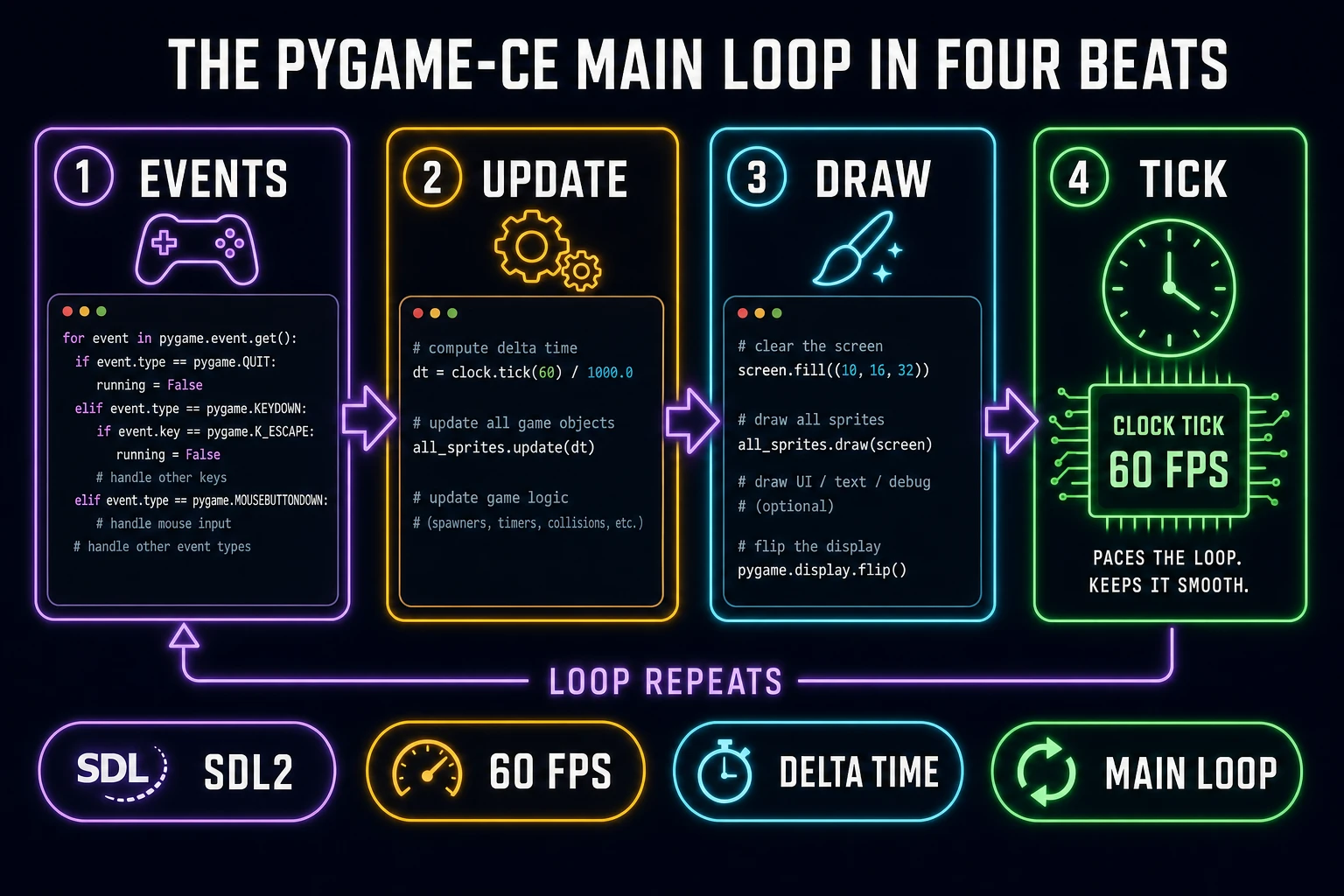
Pygame-CE main loop in four beats: events, update, draw, tick
Events, update, draw, tick. Every Pygame-CE game is this loop plus more sprites and more state.

Lock the sprite roster before you write the game logic

Decide the sprite roster before touching sprite-group code. A minimum playable 2D Python game roster that still reads as a complete game:

  • Hero — four frames: idle, walk-left, walk-right, attack.
  • Two enemy types — two frames each: idle and hit-reaction.
  • Projectile — one frame (optional second frame for impact).
  • Tiles — four tiles: floor, wall, pickup, exit.
  • UI — HP bar, score digits, title-screen plate.

That is roughly sixteen frames before the first level is playable. Hand-pixeling the pack is a weekend. The AI sprite path on Sorceress compresses that to an afternoon — and because the output is a PNG, Pygame-CE loads it with a single line (pygame.image.load("assets/sprites/hero_idle.png").convert_alpha()).

Open Quick Sprites for the fast lane. The page sets CREDITS_PER_GEN = 9 credits per generation (verified 2026-10-01 in src/app/quick-sprites/page.tsx). At the public rate — CREDITS_PER_DOLLAR = 100 from src/lib/models.ts — that is nine cents per sprite. Prompt the hero four times with a locked style anchor (e.g. “chunky 16-bit top-down adventure sprite, warm palette, no text in image, transparent background”) and vary only the pose line between runs. Treat idle, walk, attack, and hit as four separate single-frame jobs rather than a sheet that tries to do all four. For the two enemy types at two frames each, that is four generations at 36 credits total. The whole starter pack lands around 100 credits — one dollar — and new accounts get SIGNUP_GRANT = 100 credits in src/lib/models.ts, so the first project is effectively free.

When the Quick Sprites output comes back close but needs a style pass, send the reference image into AI Image Gen for a model with wider stylistic range — Nano Banana Pro, GPT Image 2, Seedream 5 Lite, Flux 2 Pro, or Z-Image Turbo (model lineup verified 2026-10-01 in src/app/_home-v2/_data/tools.ts). For motion sheets driven from a short video clip rather than a static image, Auto-Sprite v2 is the three-step pipeline (image → video → clean sprite sheet). For the atlas-sheet pattern used across engines, the write-up at AI sprite generator covers the roster-lock discipline.

Save frames into assets/sprites/ with predictable names — hero_idle.png, hero_walk_1.png, enemy_slime_idle.png. Pygame-CE loads them in groups by iterating the directory:

import os, pygame
sprites = {}
for name in os.listdir("assets/sprites"):
    key = name.rsplit(".", 1)[0]
    sprites[key] = pygame.image.load(f"assets/sprites/{name}").convert_alpha()
# usage: screen.blit(sprites["hero_idle"], player.topleft)

That snippet is the entire asset-loading layer for a small game. Add a frame-swap tick to animate: pick a frame based on (ticks // 150) % frame_count.

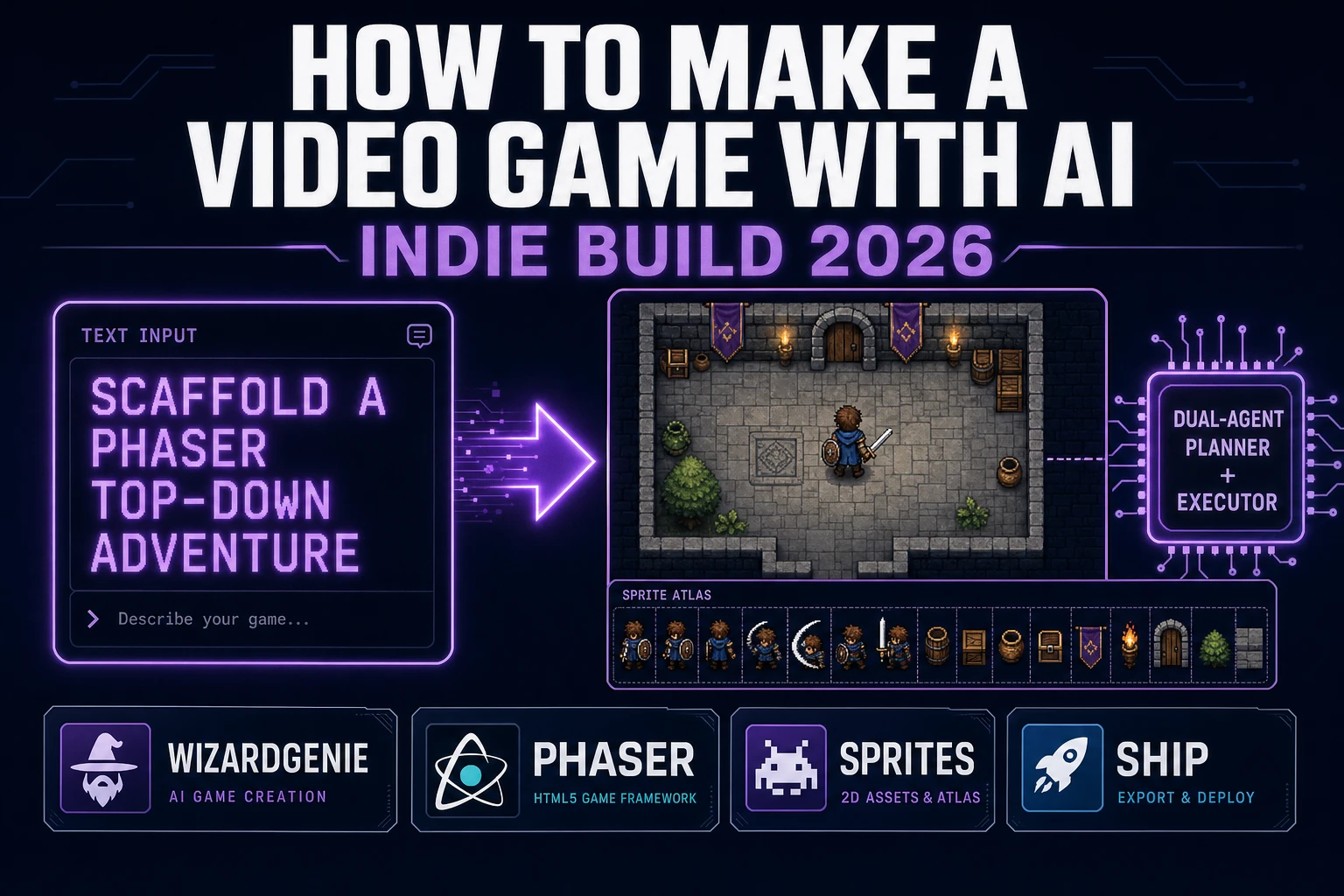
WizardGenie as the dual-agent planner for Pygame scaffolding

Writing the main loop by hand is easy. Writing the scene manager, the state machine for menu-vs-game-vs-pause, the sprite-group lifecycle, the collision resolver, the save/load, and the title screen — all in one evening — is the part that stalls hobby projects. This is where WizardGenie, Sorceress's AI-native game engine, earns its slot in a Python workflow.

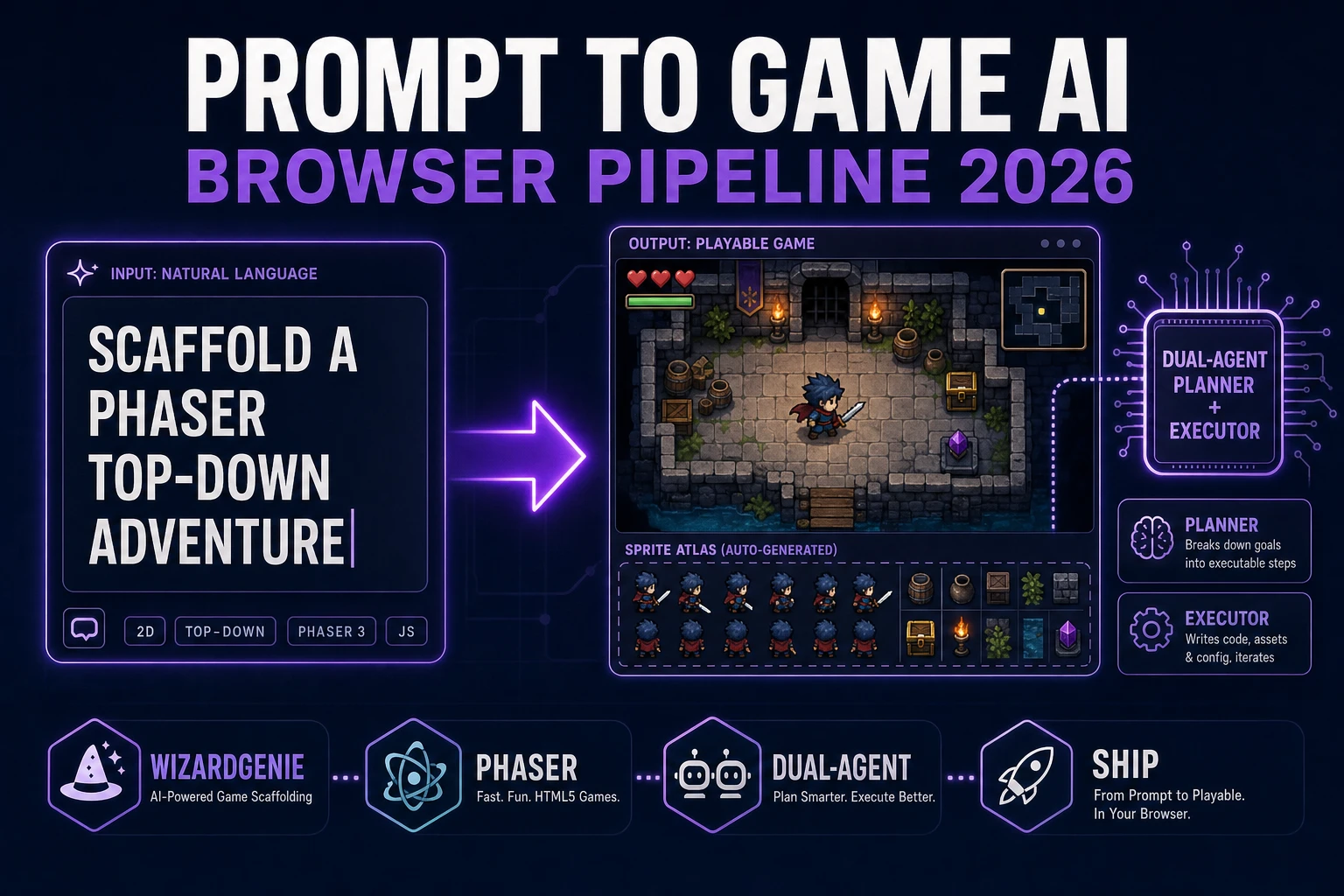
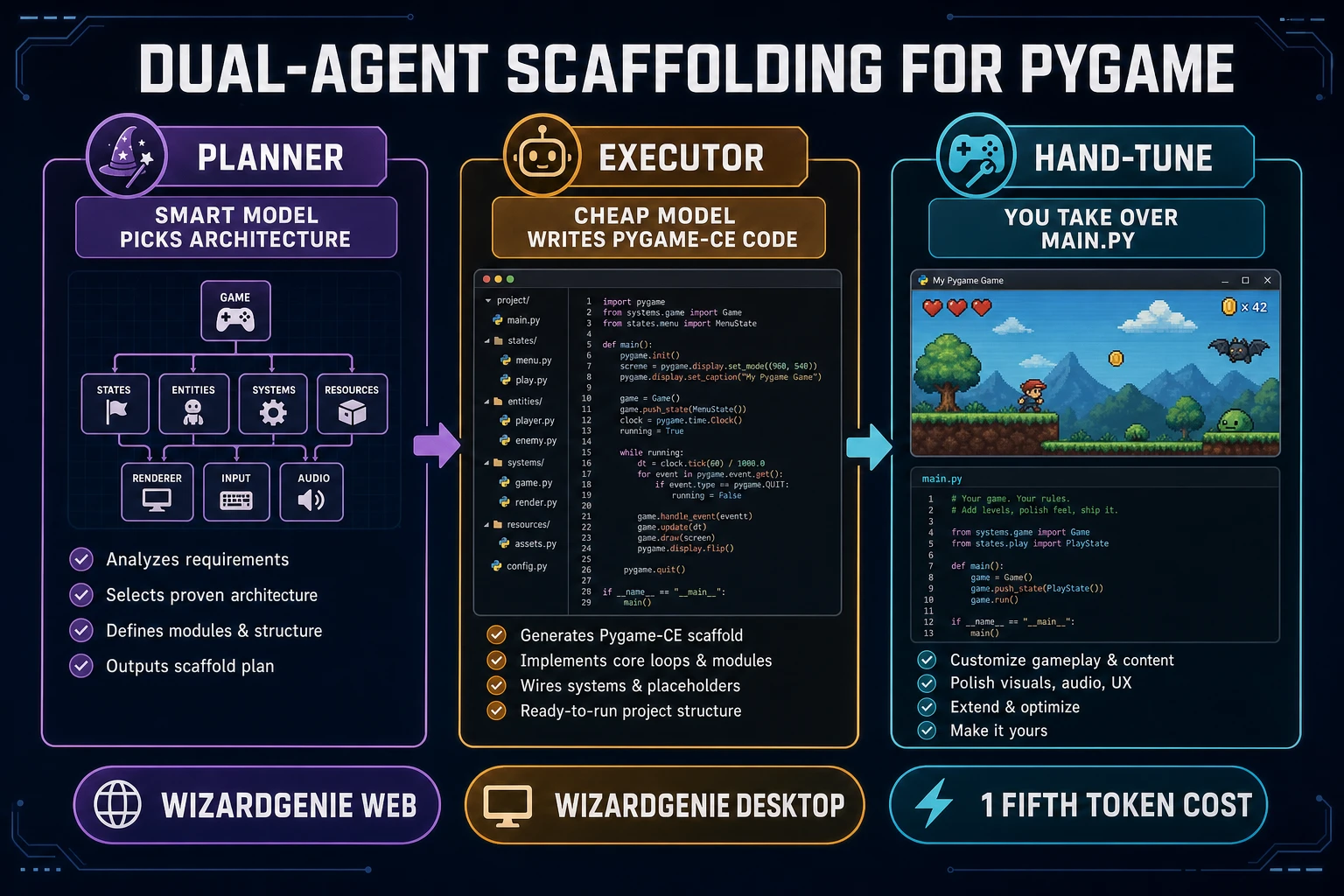
WizardGenie ships with a dual-agent Planner plus Executor architecture (verified 2026-10-01 in src/app/wizard-genie/page.tsx): a smart Planner model picks the architecture, and a cheaper Executor model writes the code. For a Pygame-CE project, this means a prompt such as “scaffold a Pygame-CE top-down adventure with scene manager (menu, play, pause, game-over), sprite groups for player + enemies + projectiles + pickups, HP + score, title screen, save to JSON” produces a Planner outline, then an Executor pass that writes a working main.py plus a scenes/, entities/, and systems/ package. The cheap-executor rule from Hard Rule #14 of the sorceress-blog skill keeps the token cost at roughly one-fifth of a frontier-only session.

The pattern that actually works: let WizardGenie generate the scaffold, read the whole scaffold once end-to-end, then take ownership of main.py. Edit by hand from that point. Treat the scaffold as a starting point, not a long-term dependency. For a deeper look at Planner-plus-Executor economics with specific model pairings, see best AI model for vibe coding. WizardGenie is available on both desktop (Windows installer with auto-updater) and web (/wizard-genie/app), so the same scaffolding workflow runs identically on either side — pick whichever your dev loop prefers.

WizardGenie dual-agent Planner plus Executor for Pygame scaffolding: Planner picks architecture, Executor writes code, developer hand-tunes
Planner picks the architecture, Executor writes the Pygame-CE code, you hand-tune main.py.

Audio: Music Gen bed and SFX Gen zaps for pygame.mixer

Pygame-CE's pygame.mixer module handles music and sound effects. Music streams from disk via pygame.mixer.music.load() + play(loops=-1); short SFX load fully into memory as pygame.mixer.Sound() objects and play with .play(). A minimum audio bed for a 2D Python game is three music tracks and roughly fifteen sound effects.

Open Music Gen for the music tracks. The base generation cost is MUSIC_CREDIT_COST = 10 credits (verified 2026-10-01 in src/app/music-gen/page.tsx). A three-track bed — menu loop, gameplay loop, boss loop — lands at 30 credits. Download as MP3 or convert to WAV (2 extra credits), then drop into assets/audio/music/. In code:

pygame.mixer.init()
pygame.mixer.music.load("assets/audio/music/gameplay.mp3")
pygame.mixer.music.set_volume(0.5)
pygame.mixer.music.play(loops=-1)

For the fifteen SFX — attack, hit, pickup, menu move, menu select, level-up, defeat, victory, step, jump, dash, projectile fire, projectile impact, door, chest — open SFX Gen. The Suno Sounds path costs SUNO_SOUNDS_CREDIT_COST = 2 credits per sound (verified 2026-10-01 in src/app/sfx-gen/page.tsx); the seed-audio-driven path bills at SEED_AUDIO_CREDITS_PER_SECOND = 1 credit per second of output. Fifteen short effects on the Suno path is 30 credits. In code:

sfx = {
    name.rsplit(".", 1)[0]: pygame.mixer.Sound(f"assets/audio/sfx/{name}")
    for name in os.listdir("assets/audio/sfx")
}
sfx["hit"].play()

Total audio spend for the whole project lands near 60 credits — 60 cents at the public rate. That is cheaper than one coffee and faster than one afternoon of free-sound-site browsing. For the broader audio workflow outside Pygame, see the tools overview.

Ship: PyInstaller for desktop, Pygbag for browser, itch.io for distribution

A Pygame-CE game that only runs on your machine via python main.py is not shipped. Two bundling paths cover the real distribution surface in 2026.

PyInstaller is the desktop path. pip install pyinstaller then pyinstaller --onefile --noconsole --add-data "assets;assets" main.py produces a single .exe (on Windows), a .app bundle (on macOS), or an ELF binary (on Linux). The --add-data flag is the one most hobby projects forget on their first ship — without it the game crashes on launch because the sprite directory is not inside the bundle. On Windows the separator is a semicolon; on macOS and Linux it is a colon.

Pygbag is the browser path. pip install pygbag then pygbag main.py compiles the game to WebAssembly via Pyodide and serves it on http://localhost:8000 for local testing. The build/web output folder is a static site you can upload to itch.io, GitHub Pages, or any static host. The browser build keeps the full main loop but inherits browser-sandbox limits on file I/O and some SDL features — treat the browser build as a demo and the PyInstaller build as the primary distribution.

Itch.io remains the standard indie-game distribution front door in 2026. Upload the PyInstaller executable as a zip, upload the Pygbag build/web folder as HTML5 playable, write a page with a GIF of the hero sprite running, and ship. For the question of what to do before itch.io — what the roster, loop, and audio need to look like — the whole pipeline above is the answer. Python 3.14, Pygame-CE 2.5.8, Quick Sprites for art, Music Gen for the bed, WizardGenie for the scaffold. That is how to make a 2D game in Python in 2026.

Frequently Asked Questions

What does how to make a 2D game in Python actually mean?

How to make a 2D game in Python is the search phrasing for a complete game loop written in Python, usually with a graphics and input library sitting on top. The dominant 2026 stack is Python 3.14 (3.14.8 released September 30, 2026 per python.org/downloads, verified 2026-10-01) paired with Pygame-CE 2.5.8 (released August 9, 2026 per the pygame-community/pygame-ce GitHub releases page, verified 2026-10-01). Pygame-CE is the actively-maintained community fork; it is the version the official pyga.me landing page tells new users to install. The game loop is a while-True block that handles input, updates state, draws the frame, and ticks a clock to cap framerate.

Is Pygame-CE the same as Pygame or a different library?

Pygame-CE is a community fork of the original Pygame project that overtook the classic pygame package as the actively-shipped version. Both wrap SDL2 and expose nearly identical APIs — code written for one usually runs on the other with no changes. The install command on the official pyga.me landing page is pip install pygame-ce (verified 2026-10-01). Pygame-CE 2.5.8 supports Python 3.10 through 3.15 per its GitHub release notes (verified 2026-10-01). The classic pygame 2.6.1 release is a Python 3.13 bugfix line and is maintenance-only. For a 2026 project, install pygame-ce.

Can I ship a Pygame game to the browser?

Yes. Pygbag compiles Pygame-CE games to WebAssembly via Pyodide and serves them in-browser. The usual workflow is to run pip install pygbag, then pygbag main.py from your project root — the tool bundles the game, writes a web shell, and serves it on localhost for testing. A finished bundle uploads to itch.io or any static host. The browser build keeps the same main loop, but file I/O and some SDL features are limited by the browser sandbox. Treat the browser build as a demo path and the desktop build (via PyInstaller) as the primary distribution.

How many credits does the AI asset pack for a Pygame game cost on Sorceress?

A minimum pack lands near 200 credits — about two dollars at the public rate. Quick Sprites costs CREDITS_PER_GEN = 9 credits per generation (verified 2026-10-01 in src/app/quick-sprites/page.tsx), so a hero plus one enemy at four poses each is 72 credits. Music Gen base is MUSIC_CREDIT_COST = 10 credits per track (verified 2026-10-01 in src/app/music-gen/page.tsx); a three-track bed is 30. SFX Gen on the Suno Sounds path is SUNO_SOUNDS_CREDIT_COST = 2 credits per sound (verified 2026-10-01 in src/app/sfx-gen/page.tsx); fifteen effects is 30 credits. New accounts receive the SIGNUP_GRANT = 100 credits defined in src/lib/models.ts, so a first project runs under a dollar out of pocket.

Where does WizardGenie fit if I am writing the game in Python?

WizardGenie is Sorceress's AI-native game engine with a dual-agent Planner plus Executor architecture — a smart Planner model thinks, a cheaper Executor model types. The Planner picks the architecture (sprite groups, state machines, scene manager) and the Executor writes the Pygame-CE code. Verified in src/app/wizard-genie/page.tsx on 2026-10-01. For a Python project this means you prompt the architecture in English, review the plan, let the Executor generate the main.py scaffold with a working loop, then take over for hand-tuning. The cheap-executor rule keeps a full scaffold session under a dollar in token cost.

Sources

  1. Download Python - Python.org
  2. pygame-community/pygame-ce - GitHub Releases
  3. pygame - Community Edition (official landing)
  4. Game development - MDN
  5. Simple DirectMedia Layer - SDL homepage
Written by Arron R.·2,154 words·10 min read

Related posts