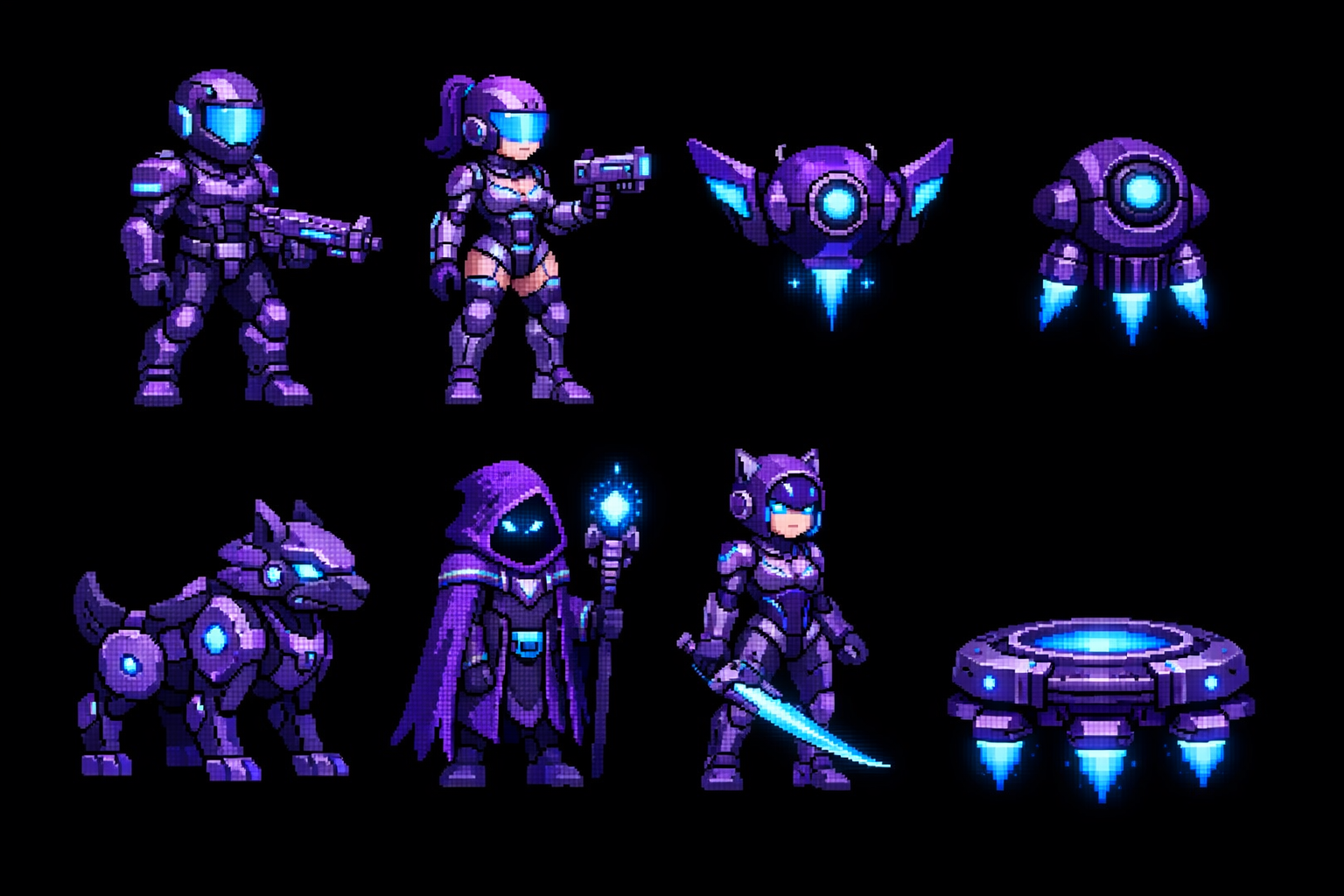
Creating game sprites used to mean either learning pixel art for months or paying an artist hundreds of dollars. Not anymore.
AI sprite generation has gotten crazy good in 2026. Ive been using it for my indie games and honestly its changed everything about how I work. Let me show you what actually works.
The Problem with Traditional Sprite Creation
Heres the thing - most indie devs hit the same wall. You can code your game logic fine but then you need:
- Character sprites (idle, walk, attack animations)
- Enemy sprites with multiple states
- UI elements that dont look like garbage
- Background tiles and props
You could spend weeks in photoshop. Or commission artists and wait. Or use generic asset packs that make your game look like everyone elses.
None of those options are great when youre trying to ship fast.
AI Sprite Generation Methods That Actually Work
Method 1: Text-to-Image for Static Sprites
This is the easiest starting point. You describe what you want and AI generates it.
Best models for game sprites:
- DALL-E 3 - Good for stylized characters
- Midjourney - Best for detailed pixel art style
- Stable Diffusion - Most control, steepest learning curve
Pro tip: Use prompts like "2D game sprite, pixel art style, transparent background, front view, idle pose" to get usable results.
Method 2: Video-to-Sprite Sheet Conversion
This is where it gets interesting. Generate a short video of your character moving, then convert it to a sprite sheet automatically.
The workflow:
- Generate a short animation video (walk cycle, attack, etc)
- Upload to a sprite automation tool
- Get a game-ready sprite sheet in seconds
I use Sorceress for this - it handles the background removal and frame extraction automatically. Saves hours of manual work.
Method 3: AI Art + Manual Touchups
Sometimes AI gets you 90% of the way there. The last 10% is quick manual fixes in any image editor.
Common fixes:
- Cleaning up stray pixels
- Adjusting colors to match your games palette
- Adding small details AI missed
This hybrid approach gives you the speed of AI with the polish of human touch.
Actual Costs (AI vs Traditional)
Lets talk money because this is where AI really shines.
Traditional route:
- Freelance artist: $50-200 per character sprite set
- Full time artist: $3000-5000/month
- Asset packs: $10-50 each (but limited options)
AI route:
- Most AI tools: $10-30/month for unlimited generations
- API-based tools: Pennies per image (way cheaper)
- Some free options exist but with limitations
For my latest game I spent maybe $15 total on AI generations versus what would have been $500+ commissioning artists.
Common Mistakes to Avoid
After generating hundreds of sprites heres what trips people up:
1. Inconsistent art style
Each generation can look different. Solution: Save your prompts and settings. Reuse them for consistency.
2. Wrong sprite dimensions
Game engines need specific sizes. Generate larger than you need, then scale down.
3. Not planning for animations
Static sprites are easy. Animated sprites need multiple frames that flow together. Think about this upfront.
4. Forgetting transparent backgrounds
Nothing looks worse than white boxes around your sprites. Always specify transparent/alpha background in prompts.
My Current Workflow
This is what Im actually doing for my games right now:
- Sketch rough concept (even stick figures work)
- Generate base sprite with AI
- If I need animations, generate video and convert to sprite sheet with Sorceress sprite automator
- Quick touchups if needed
- Export at multiple resolutions for different devices
Whole process takes maybe 30 minutes versus days of traditional work.
Tools Worth Checking Out
If youre just getting started:
- For static sprites: Start with DALL-E 3 or Midjourney
- For animated sprites: Sorceress handles video-to-sprite conversion really well
- For pixel art specifically: Stable Diffusion with pixel art LoRAs
- For quick iterations: Any tool with direct API access for bulk generation
Final Thoughts
AI sprite generation isnt perfect yet but its good enough to ship real games with. Ive done it, lots of other indie devs are doing it.
The key is treating AI as a tool that speeds up your workflow, not a replacement for all creative decisions. You still need to know what looks good and what doesnt.
But if youre stuck because you cant afford an artist or dont have art skills, AI removes that barrier completely. Just start generating and iterating.
Try out Sorceress if you want an all-in-one toolkit that handles sprite generation, animation, and all the other asset creation stuff. The sprite automator alone has saved me probably 100+ hours.