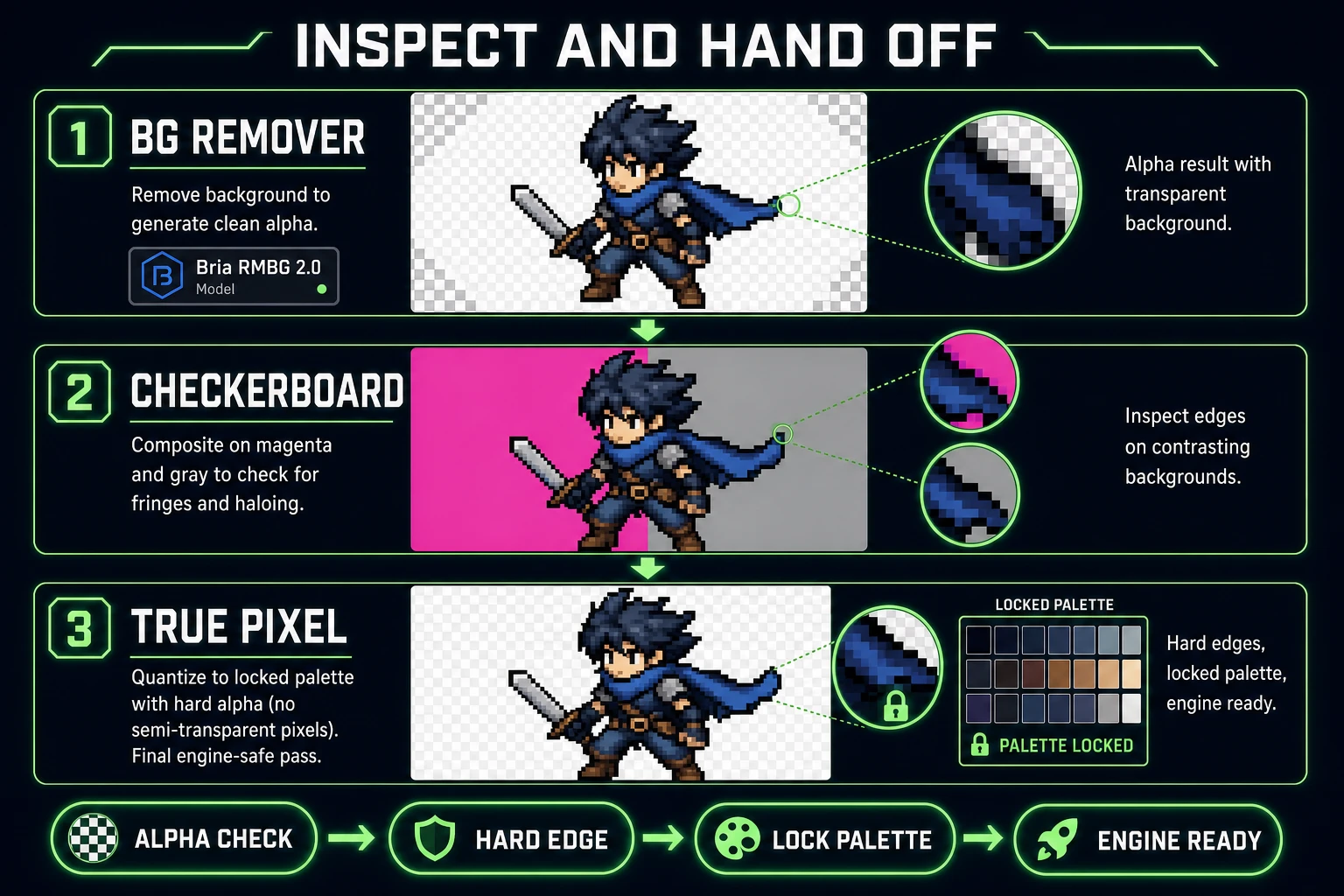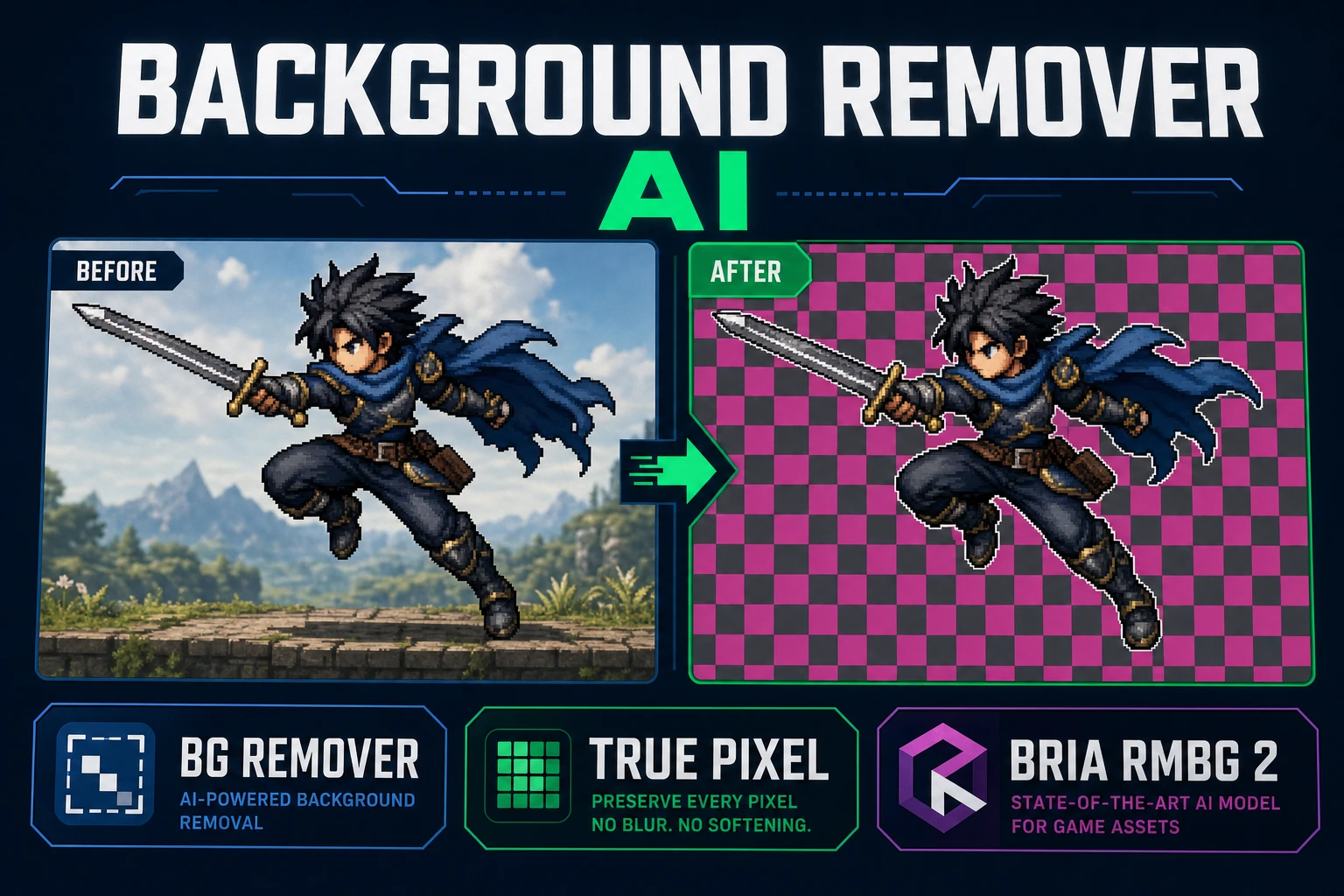
A background remover AI is easy to shop for and hard to actually use in a game. Ecommerce tools ship a soft one-pixel halo that flatters a product photo and betrays a sprite the second it lands on a scrolling parallax. The fix is not a fancier model — it is a workflow that treats the cutout as an alpha matte, inspects it on a checkerboard before anything touches an engine, and quantizes the edges when the target is pixel art.
What a background remover AI search wants
Two very different jobs show up under the same query. One reader wants a clean product cutout for a Shopify listing. The other reader wants a hero sprite they can drop into a Godot or Phaser project without seeing a translucent halo bleed over the tilemap. Both jobs need alpha compositing — a real per-pixel transparency channel, not a JPEG re-save with a white background — but the game-facing job is stricter. Sprites live under a game camera at a fixed zoom, and any softness the model leaves at the silhouette reads as a glow at every frame.
A background remover AI that ships game-usable output has to clear four bars:
- Return a PNG or WebP with a real alpha channel, not a JPEG with the background painted the average scene color.
- Preserve fine silhouette detail — fingers, sword tips, hair fringe, cape frills — without turning them into a translucent mush.
- Behave predictably across a batch so frame N looks like frame N minus one when the same subject is uploaded from different photos.
- Cost little enough that a jam-scope character cast is not a hundred-dollar decision.
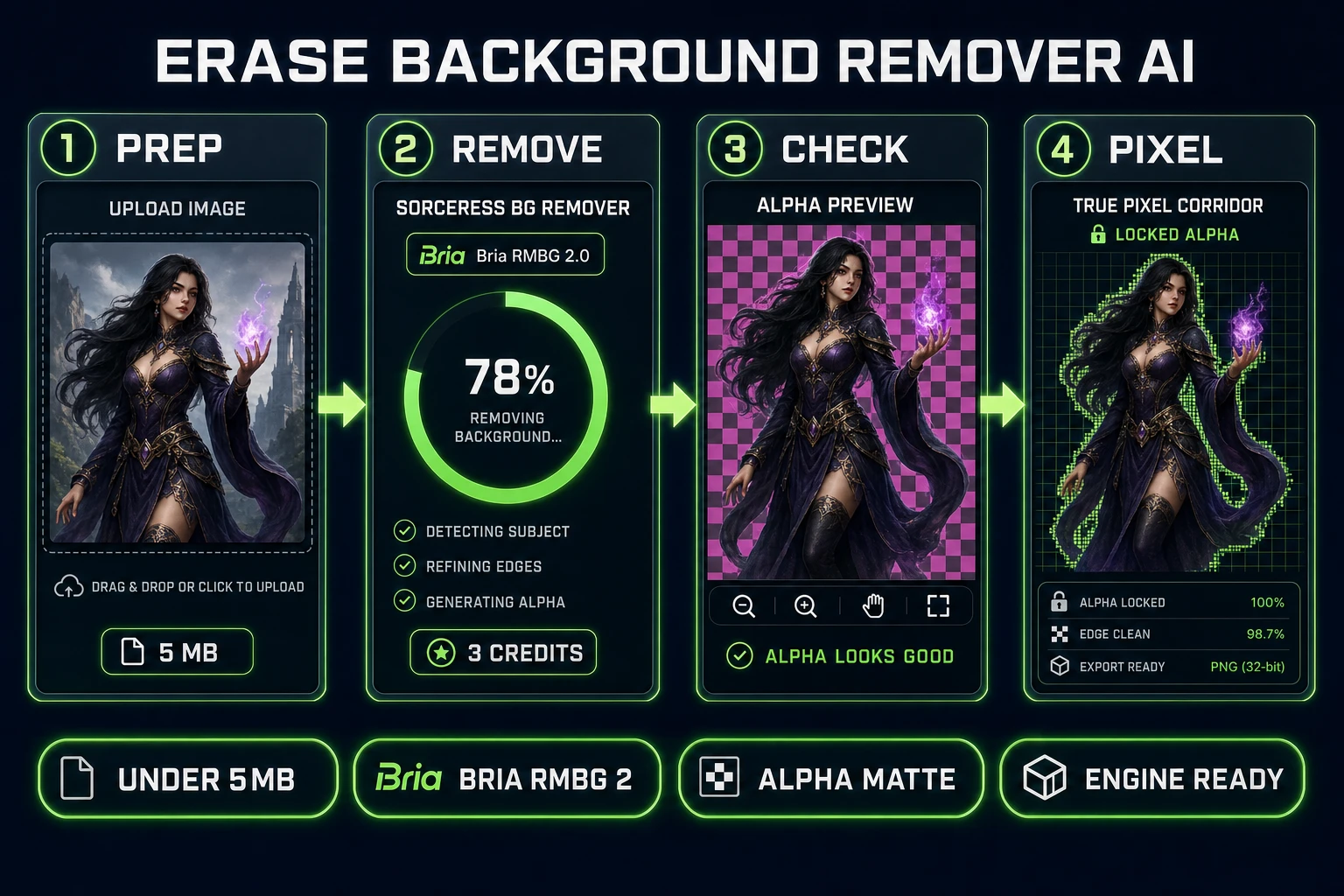
The Sorceress BG Remover answers all four by wrapping the current Bria RMBG 2.0 model and clamping the surface area around it: a hard 3-credit cost, a 5 MB upload cap, and a queue that stays out of your way. The rest of this howto covers how to prep an image so the model returns its best output, how to inspect the alpha before you spend more credits, and how to quantize the edges when the target is pixel art.
Why game sprites reject soft ecommerce edges
The reason a “finished” cutout from a generic online tool looks wrong in a game is almost never the subject — it is the edge. Ecommerce workflows want a soft cutout because the product will land on a white marketing page and the eye is forgiving of a subtle halo against white. Game workflows put the sprite against a saturated parallax sky, a black cave, a bright grass tilemap, and a UI panel — all in the same scene. Any translucent pixel that used to hold a fraction of the original photo’s background will glow when the composite target color contrasts with that background.
There are two failure modes worth naming so the checkerboard step later actually catches them:
- Feathered halo. The alpha channel is not a clean cut but a gradient — the outermost two or three pixels are 20% to 60% transparent. Against white, invisible; against black, a bright ring; against magenta, a bright green ring because the leftover pixels carried green background color.
- Semitransparent fill. The interior of the subject has patches where alpha dipped below 255 because the model was unsure. Glass, hair, thin fabric, and reflective armor are the usual suspects. Against a dark background the sprite looks bleached.
Bria RMBG 2.0 is unusually honest about this. The Replicate model card (verified July 31, 2026) describes the network as returning “non-binary masks with 256 levels of transparency,” which is the right choice for photo-realistic subjects like animals, hair, and glass. It is also why the output benefits from a hard-edge pass when the target is a chunky pixel-art sprite: 256 gray levels of alpha are more expressive than a 32×32 hero deserves, and the engine will show every one of them as a fringe.
Prep the plate before you cut
Model quality is real, but the biggest lift in the pipeline is almost always the source photo. Two minutes on the plate saves nine credits on the fifth re-run.
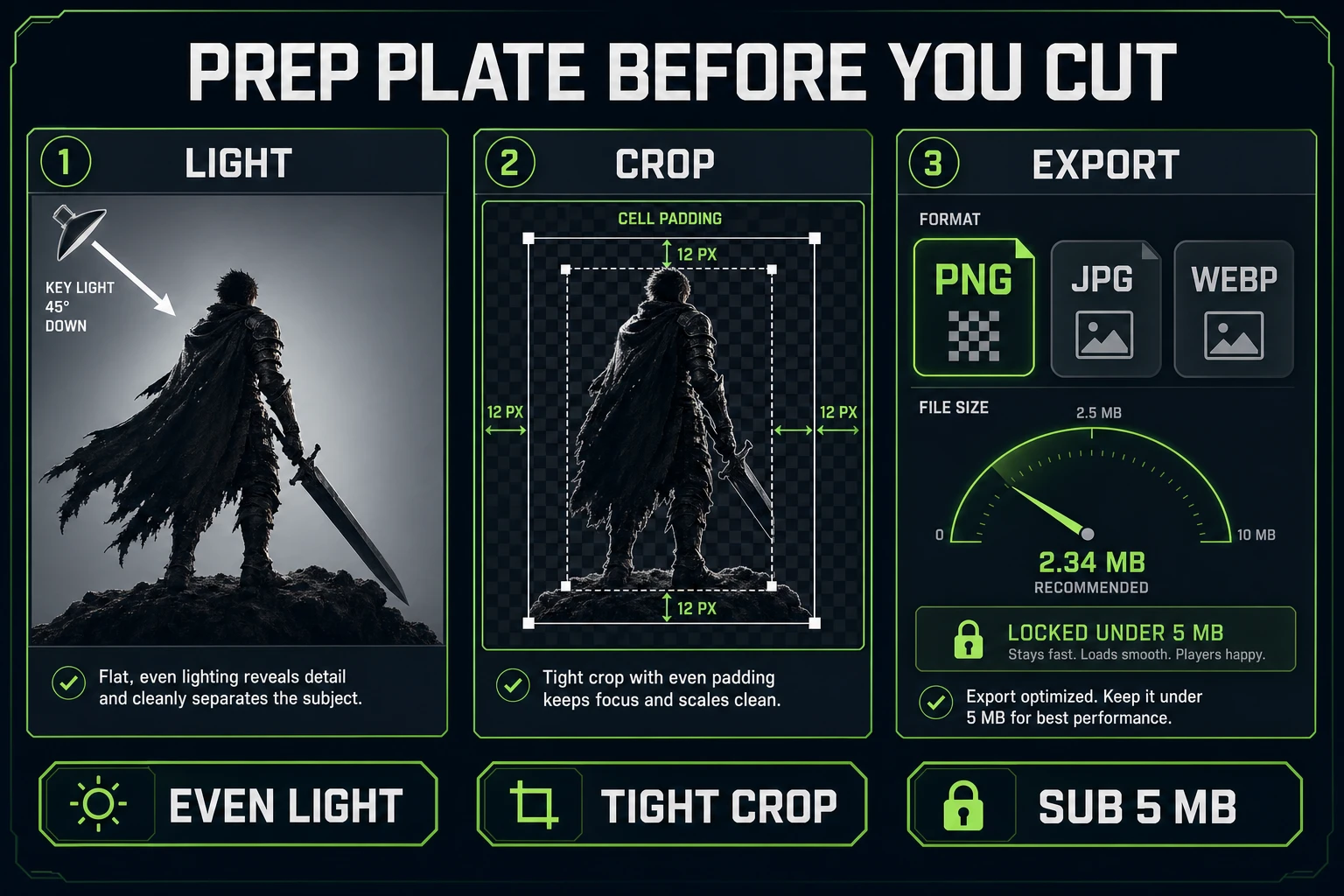
Three habits earn keep every time:
- Even light on the subject. A flat, near-frontal light with a single obvious shadow gives the segmentation network the clearest edge signal. Backlit subjects and low-contrast subjects both bleed background color into the outermost pixels. Fix the shot before you fix the model.
- Tight crop with breathing room. Crop to roughly the subject bounding box plus a ~12 pixel buffer on each side. A giant photo with a small subject wastes model attention on background pixels that could have been thrown away in the crop.
- Stay under 5 MB. The uploader hard-caps at
MAX_FILE_SIZE_MB = 5insrc/app/bg-remover/page.tsx(verified July 31, 2026), and files over the cap are skipped with a warning banner. PNG, JPG, and WebP are all accepted. Downscale a 12 megapixel phone photo to something like 2048 pixels on the long side before you upload — the segmentation quality does not benefit from more, and you burn less time on transfer.
Reference photos of characters deserve one extra habit: lock a costume plate first. If a hero needs a walk row and an idle row later, keep the source photo, the RMBG cutout, and any hand-touched matte in the same folder. Regenerating the same character from a different reference is how palette drift creeps into the atlas, and drift is worse than a soft edge.
Run BG Remover at three credits
Open BG Remover, sign in, and drag the prepped file onto the upload card. The UI reads “PNG, JPG, WebP — Max 5 MB each” — the same values hard-coded in the page source. The Remove Background button shows the live cost: BG_REMOVER_CREDITS = 3 per file (verified July 31, 2026), so a single hero cutout is three credits and a queue of four files is twelve. Batch uploads deduct only after each file lands successfully, so a failed image inside a batch does not silently bill.
Under the hood the page posts to Replicate with model: "bria/remove-background" (see the API call around line 577 in src/app/bg-remover/page.tsx). That maps to Bria RMBG 2.0, a segmentation model trained exclusively on licensed data for commercial safety. The model card lists two properties that matter for game work:
- Non-binary masks. 256 gray levels of alpha, which preserves hair and fringe without stair-stepping.
- Commercial licensing. Trained on licensed data only, which is meaningful if the sprite lands in a paid game on a storefront that cares about model provenance.
A single Generate click returns the cutout as a transparent PNG. Download it, or leave it in the gallery for later — the page keeps it under your account with the original prompt string (BG Remover writes each file’s cost as BG_REMOVER_CREDITS / CREDITS_PER_DOLLAR, where the ledger uses CREDITS_PER_DOLLAR = 100, so three credits is $0.03 of runway).
Stop rules for the first pass:
- Do not queue the same photo three times “to compare.” Different reference photos, not different runs of the same reference, is what fixes a mediocre cutout.
- Do not re-upload the RMBG output through the same tool for a “second pass.” The model is designed for single-pass execution — feeding a matte back in as input usually shrinks the subject.
- If the first pass fails on hair or a hand, the fix is on the plate, not on the tool. Re-shoot or re-crop before you spend nine more credits on three retries.