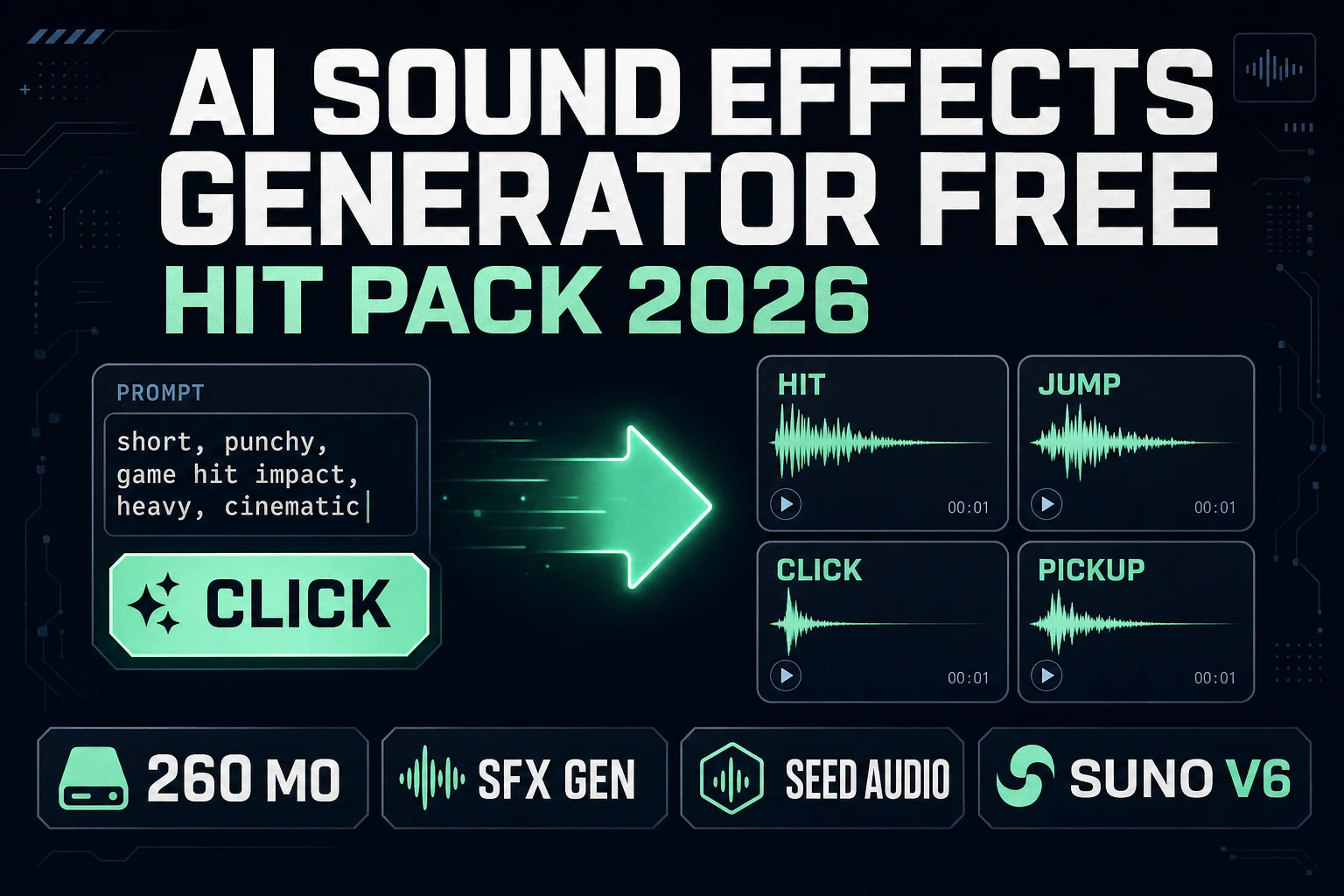
Cue AI Sound Effects Generator Free (Hit Pack 2026)

By Arron R.8 min read
An ai sound effects generator free search is usually a hit pack, not a studio. Sorceress SFX Gen bills AI credits (Seed Audio 1.0 at 1 credit/sec, Suno Sounds V

Searchers typing ai sound effects generator free are not hunting a DAW course. They want a small hit pack: UI clicks, jumps, coin pickups, short combat impacts they can drop on input. This guide builds that pack on Sorceress with SFX Gen for generation, SFX Editor or Sound Studio for trim, and a preload map so the first jump never stalls.
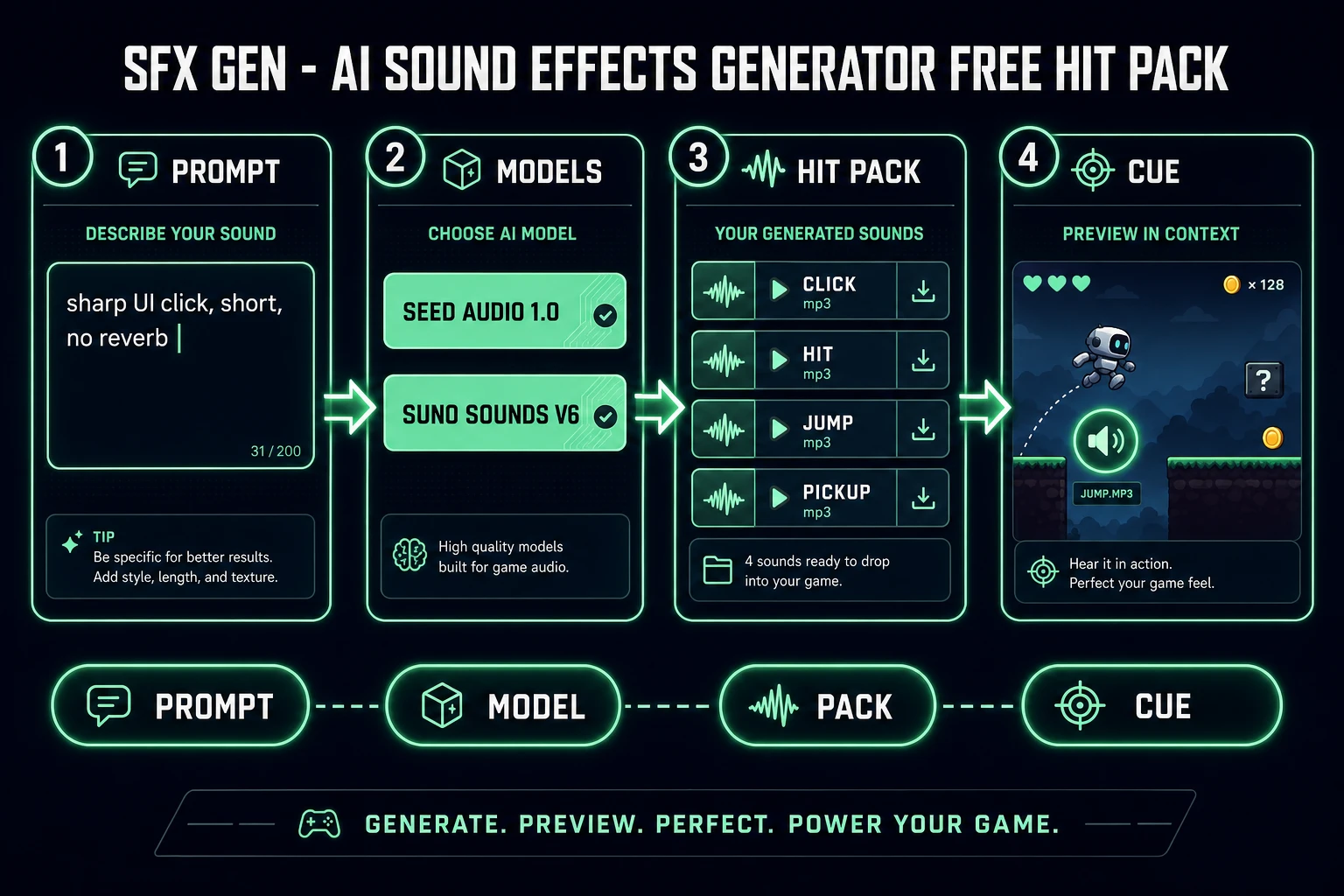
AI sound effects generator free hit pack pipeline: prompt, SFX Gen models, four mp3 cards, engine cue
An ai sound effects generator free workflow is a hit pack: prompt short one-shots, generate, name files, cue on input.

What ai sound effects generator free actually means

DataForSEO lists ai sound effects generator free at 260 searches a month, KD 28 (confirmed 2026-09-24 in tools/research-supplement.md). The sibling head term ai sound effects generator sits at 1,900/mo, KD 29. Free-intent traffic still wants the same deliverable: downloadable one-shots without a Foley stage.

Wikipedia’s Sound effect page (checked 2026-09-26) defines a sound effect as an artificially created or enhanced sound used to emphasize artistic content in media including video games. In film production, dialogue, music, and sound effects are treated as separate elements. Keep that split in your jam: beds from Music Gen, spoken lines from Speech Gen, hits from an ai sound effects generator free path that never buries the score.

Honest badge check: SFX Gen is AI Credits on the home catalog, not Free (verified 2026-09-26 in src/app/_home-v2/_data/tools.ts). The free query still maps here because short hits are micro-priced — often one to three cents per keep — and you only pay on success. That is the economic shape people mean when they search ai sound effects generator free in 2026: no monthly SFX subscription, no license maze, pay per clip.

SFX Gen: the Sorceress ai sound effects generator free path

SFX Gen is the Audio Studio tool that answers the ai sound effects generator free search on this site. Two live models ship in the picker (verified 2026-09-26 in src/app/sfx-gen/page.tsx and src/lib/sorceress-tools/audio/sfx.ts):

  • Seed Audio 1.0 (default, BytePlus) — 1 credit per second of finished audio, minimum 1, target length 1–120 seconds (default 3).
  • Suno Sounds V6 — flat 2 credits per sound at any length, optional seamless loop for ambience.

Prompt caps: 1,800 characters on Seed Audio, 500 on Suno Sounds. Quantity offers 1–4 variations; estimated credits multiply. Charged only when the job completes. One credit equals one cent (CREDITS_PER_DOLLAR = 100 in src/lib/models.ts, verified 2026-09-26).

A practical ai sound effects generator free run for a jam:

  1. Open SFX Gen. Leave Seed Audio selected for short hits.
  2. Set target duration to 1–3 seconds for UI and jump sounds.
  3. Keep Quantity at 1 until the prompt lands, then roll 2 only for A/B.
  4. Generate. Download the mp3. Name it before the next prompt.
  5. Switch to Suno Sounds V6 only when you need a loop bed or a longer design hit at a flat 2 credits.

Do not write novel-length stage directions into the prompt. Name the object, the action, the space, and the length. Soft metaphor (“sounds like hope”) wastes tokens; concrete materials (“dry wood click, close mic, no reverb”) ship usable takes.
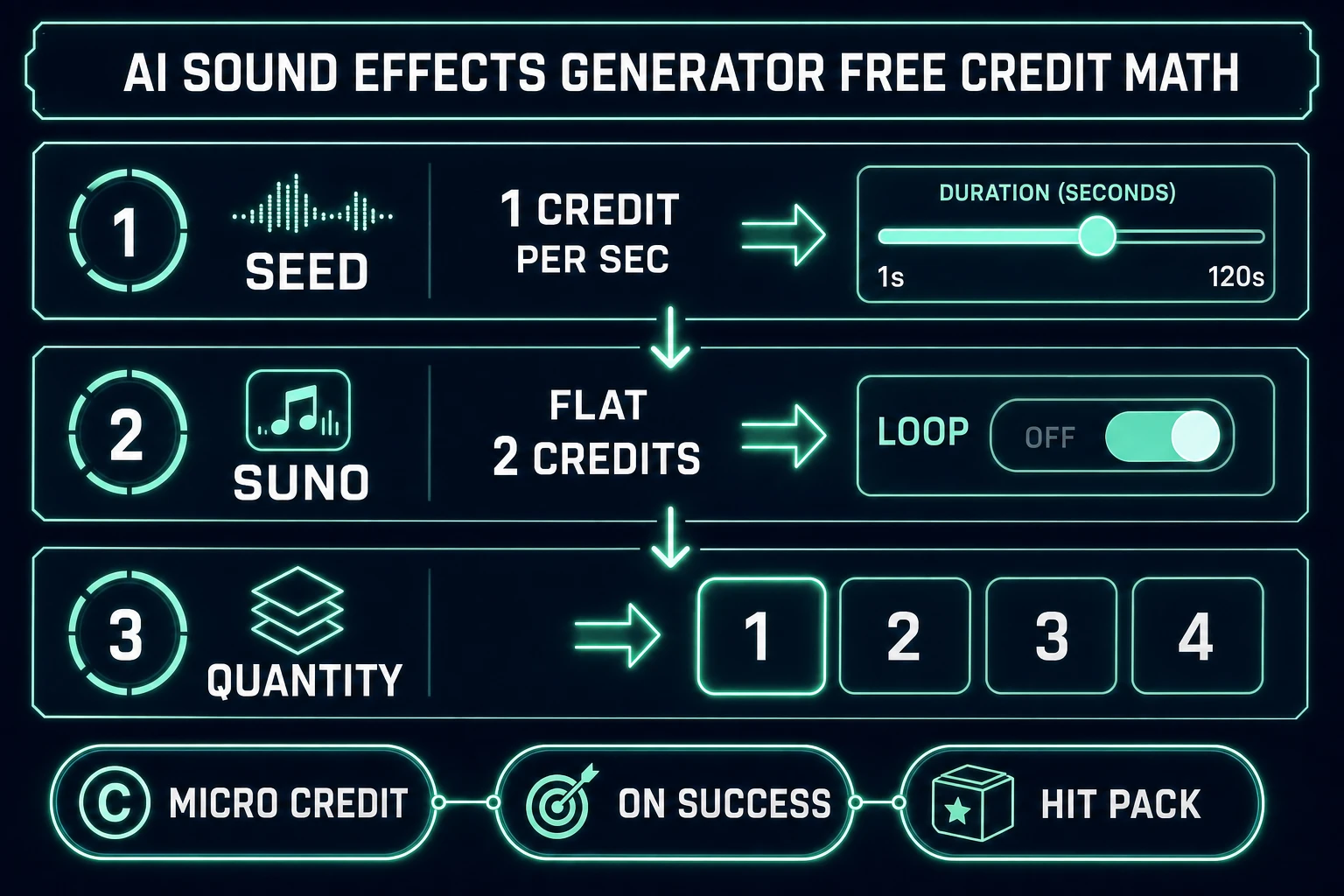
AI sound effects generator free credit math: Seed Audio per second, Suno flat 2, quantity 1-4
Credit math for an ai sound effects generator free hit pack: Seed Audio meters length; Suno Sounds is flat 2; Quantity multiplies both.

Build the hit pack: clicks, jumps, impacts

Ship a minimum viable pack before you chase ambience. For most 2D jams, that is four to eight files:

  • ui_click.mp3 — short, dry, no tail.
  • ui_confirm.mp3 — slightly brighter than click.
  • jump.mp3 — soft whoosh or blip under 400 ms.
  • land.mp3 — muted thud, different from jump.
  • hit.mp3 / hurt.mp3 — combat punctuation.
  • pickup.mp3 — coin or sparkle, one-shot only.

Prompt each file alone. Mixing “jump and land and coin” into one generation forces a montage you cannot cue. An ai sound effects generator free budget dies when you regenerate a whole montage because one layer clipped.

Prompt patterns that stay on-model:

  • sharp UI button click, plastic, close mic, 0.2 seconds, no reverb
  • soft jump whoosh, airy, short, game platformer
  • muted leather impact, body hit, dry studio, one shot
  • bright coin pickup chime, fantasy RPG, short decay

If Seed Audio returns a 5-second take when you asked for 2, trim — do not regenerate forever. Length billing on Seed Audio uses finished audio length rounded up, so a long silence tail costs real credits.

Stack the pack in play order, not alphabetical order. Put the four sounds you hear in the first thirty seconds of gameplay at the top of the sheet: click, jump, land, pickup. Combat can wait until the movement set feels solid. An ai sound effects generator free session that starts with boss lasers usually ships a flashy folder and a mute menu.

When two takes are close, keep the one with the cleaner transient, not the one with the prettier tail. Game hits are read in the first 50 ms. A beautiful reverb wash that masks the attack will disappear under a music bed anyway.
Trim and master without killing the free-intent budget

Every AI take needs a cleanup pass. Wikipedia notes that dialogue, music, and sound effects stay separate in production (checked 2026-09-26) — the same discipline applies after generate: cut silence, fade the tail, normalize loudness across the pack.

SFX Editor is badged Pro (verified 2026-09-26). It covers trim, fade, volume, effects rack, and export. If you want music, SFX, and voice in one library, use Sound Studio (AI Credits badge). Either path beats shipping a 2-second silence pad on every jump.

Rules that keep an ai sound effects generator free pack playable:

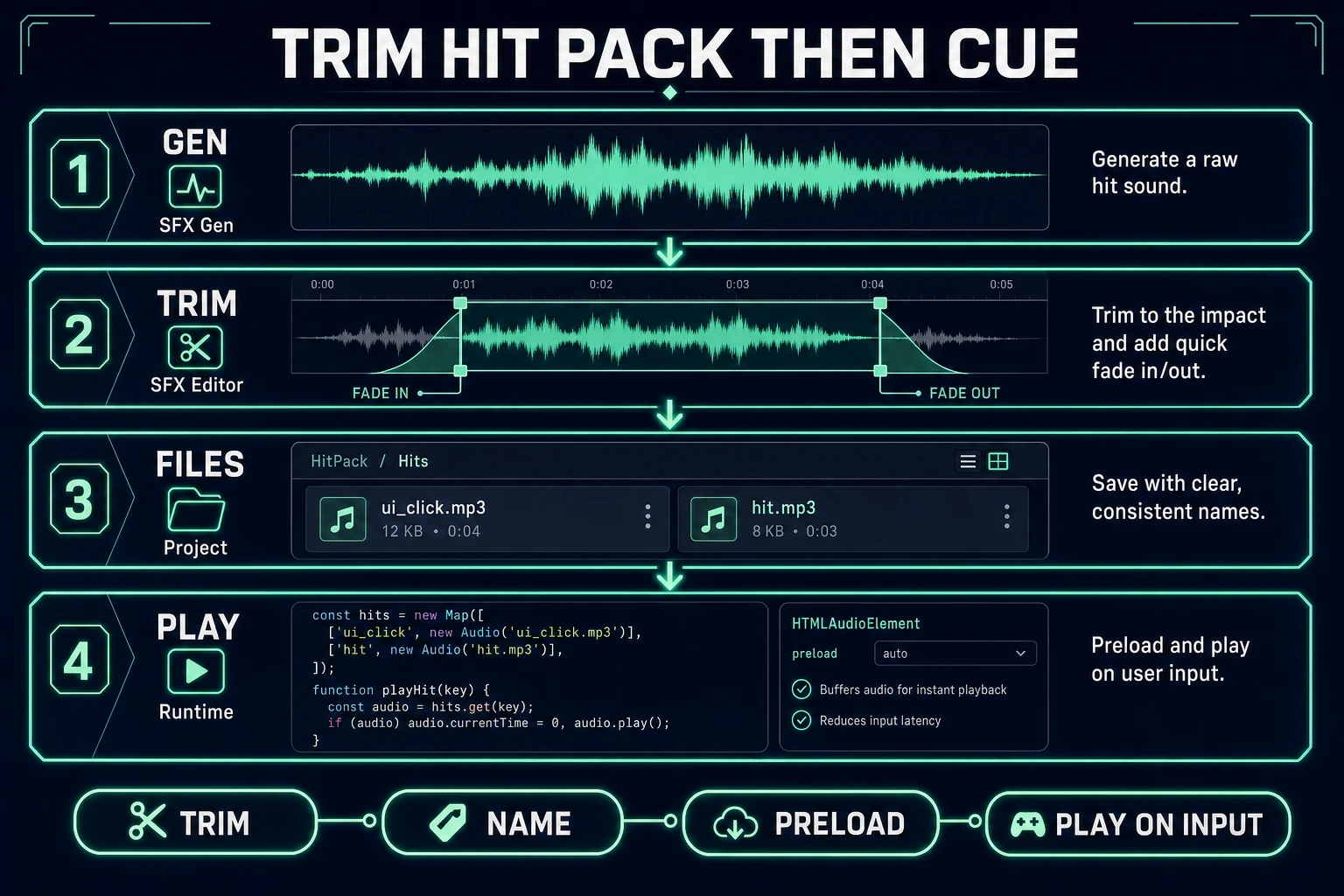
  • Strip leading silence so the transient starts on frame zero.
  • Fade the last 20–40 ms so loops of consecutive jumps do not click.
  • Match peak loudness across UI clicks — a screaming confirm next to a whisper click trains players to ride the volume slider.
  • Never bake music under a hit. Beds belong in Music Gen.

Export names the loader can trust

Download each keeper as mp3. Folder by build: /audio/sfx/. File names must match the code constants. Silent missing-file bugs are worse than a missing bark.

Keep a sheet with columns: id, prompt, model, duration, credits, filename. That sheet is how you know a 40-credit weekend went to twelve useful hits instead of eighty abandoned A/B folders.

For commercial disclosure, credit the tool on the about screen the same way most jams credit AI art. Do not claim the pack is from a public-domain library if it came from SFX Gen.

Credits: how free-intent math works in 2026

Worked examples from the verified constants (2026-09-26):

  • One 2-second UI click on Seed Audio ≈ 2 credits ≈ $0.02.
  • One 3-second jump ≈ 3 credits ≈ $0.03.
  • One Suno Sounds design hit or loop = 2 credits flat ≈ $0.02.
  • Quantity 4 on Seed Audio at 3s target ≈ 12 credits estimated before actual length billing.

That is why the ai sound effects generator free query converts here: the pack cost for a jam is dollars, not a studio day. Stop regenerating when the transient is clear and the name matches the sheet. A fifth take that only softens a 3 dB tail is a credit sink.

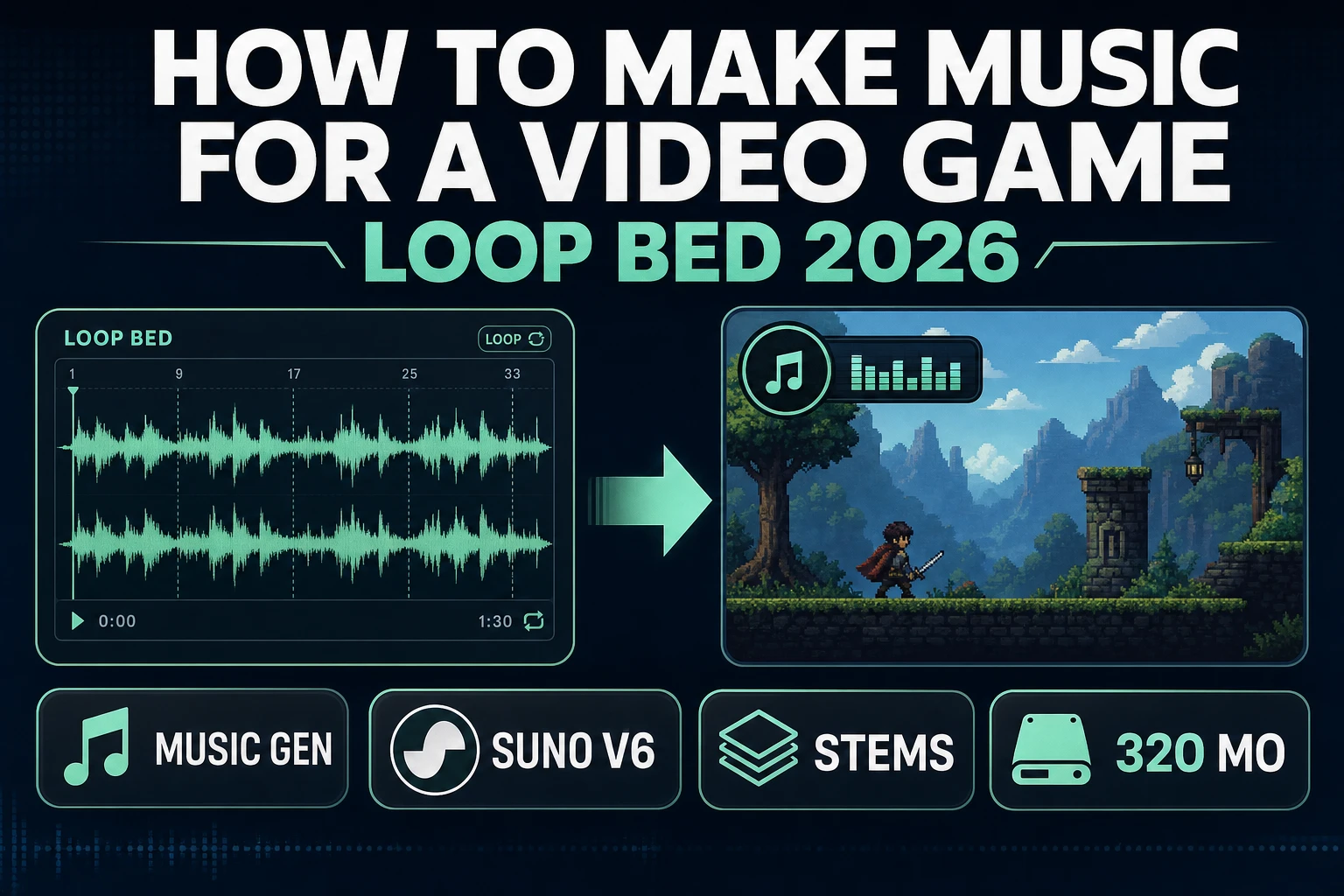
Sibling audio paths: NPC lines in AI voice generator character, looping beds in how to make music for game.

Trim hit pack then cue: SFX Gen waveform, SFX Editor crop, named mp3 files, HTMLAudioElement preload
After the ai sound effects generator free export: trim, name files, preload, play on input.

Engine cues: preload then play on input

Wire the pack with HTMLAudioElement or the Web Audio API. MDN’s HTMLAudioElement docs (checked 2026-09-26) show new Audio(url) then .play(). MDN’s Web Audio API overview (checked 2026-09-26) covers gain and layering when hits stack under a bed.

const sfx = new Map();
function preload(id, url) {
  const a = new Audio(url);
  a.preload = 'auto';
  sfx.set(id, a);
}
async function playSfx(id) {
  const a = sfx.get(id);
  if (!a) return;
  a.currentTime = 0;
  await a.play();
}

Call preload on the loading screen. Call playSfx('jump') from the jump input after a user gesture has unlocked audio — MDN documents autoplay blocks on immediate page-load play (checked 2026-09-26). For overlapping hits (machine-gun fire), clone nodes or use Web Audio buffers so one play() does not cut another mid-tail.

Common issues with an ai sound effects generator free pack

  • Long silence pad: Target duration was high, or the model left headroom. Trim in SFX Editor before import.
  • First jump mute: You played before preload finished. Wait for canplaythrough.
  • Autoplay blocked: Trigger from a click/tap path, not from DOMContentLoaded.
  • Credits spiked: Quantity was 4 while you were still drafting prompts. Lock Quantity at 1 first.
  • Hit fights the bed: Duck music under impacts; do not raise both faders.
  • Loop seams click: Use Suno Sounds with loop enabled for ambience, not for one-shot UI.

Prompt discipline that keeps the pack tight

SFX Gen speaks the scene you describe. Soft emotional stage directions inside the string often muddy the transient. Write like a sound editor slate:

  • One event per file. Split jump and land.
  • Name the material (wood, metal, cloth, magic sparkle).
  • Name the distance (close mic vs room).
  • Name the length in words (“short”, “0.3 seconds”) and reinforce with the duration slider on Seed Audio.
  • Ban music words (“orchestral swell”) unless you actually want a stinger — those belong in Music Gen.

Batch by category: all UI clicks in one session, then combat, then pickups. That keeps loudness and mic character consistent inside each family. When a hit must interrupt a looping bed, keep spoken-adjacent SFX under half a second so the bed can return without a hole. That discipline is what makes an ai sound effects generator free pack feel designed instead of pasted from a random folder dump.

The verdict

An ai sound effects generator free search in 2026 is a hit-pack job: short prompts on Sorceress SFX Gen (Seed Audio 1.0 at 1 credit/sec or Suno Sounds V6 at flat 2), Quantity 1 until the prompt works, trim in SFX Editor or Sound Studio, mp3 files named to the sheet, and a preload Map into HTMLAudioElement.play(). Mention competitor SFX toys only as plain text if you must — this page’s destination is the Sorceress SFX Gen path. Verified against source and vendor docs on 2026-09-26.

Frequently Asked Questions

Is there an ai sound effects generator free on Sorceress?

SFX Gen is badged AI Credits on the home catalog (verified 2026-09-26 in src/app/_home-v2/_data/tools.ts), not Free. The ai sound effects generator free search still maps here because short hits are micro-priced: Seed Audio 1.0 bills 1 credit per second of finished audio (min 1), and Suno Sounds V6 is a flat 2 credits per sound (verified 2026-09-26 in src/app/sfx-gen/page.tsx). One credit equals one cent (CREDITS_PER_DOLLAR = 100 in src/lib/models.ts).

Which model should I use for an ai sound effects generator free hit pack?

Use Seed Audio 1.0 (default) for short one-shots where you need a target length from 1–120 seconds. Use Suno Sounds V6 when you want a flat 2-credit price or a seamless loop for ambience. Charged only on success (verified 2026-09-26 in src/lib/sorceress-tools/audio/sfx.ts).

How many variations can I generate at once?

The SFX Gen Quantity control offers 1–4 variations per run (verified 2026-09-26 in src/app/sfx-gen/page.tsx). Estimated credits multiply by variations. For a free-intent budget, keep Quantity at 1 until the prompt is right, then roll 2 only when you need an A/B keep.

Do I need Pro to trim AI sound effects?

SFX Editor is badged Pro (verified 2026-09-26 in tools.ts). Sound Studio at /sound-creator is AI Credits and covers music, SFX, and voice in one library when you want trim/fade without opening the Pro editor alone. Generate first in SFX Gen either way.

How do I play hit sounds in a browser game?

MDN’s HTMLAudioElement docs (checked 2026-09-26) show new Audio(url) then .play(). Preload during the loading screen, reset currentTime to 0 on each hit, and start playback from a user gesture because browsers block surprise autoplay. For gain and layering, MDN’s Web Audio API overview (checked 2026-09-26) covers modular routing.

Sources

  1. Sound effect - Wikipedia
  2. HTMLAudioElement - MDN Web Docs
  3. Web Audio API - MDN Web Docs
  4. HTMLMediaElement.play() - MDN Web Docs
Written by Arron R.·1,701 words·8 min read

Related posts