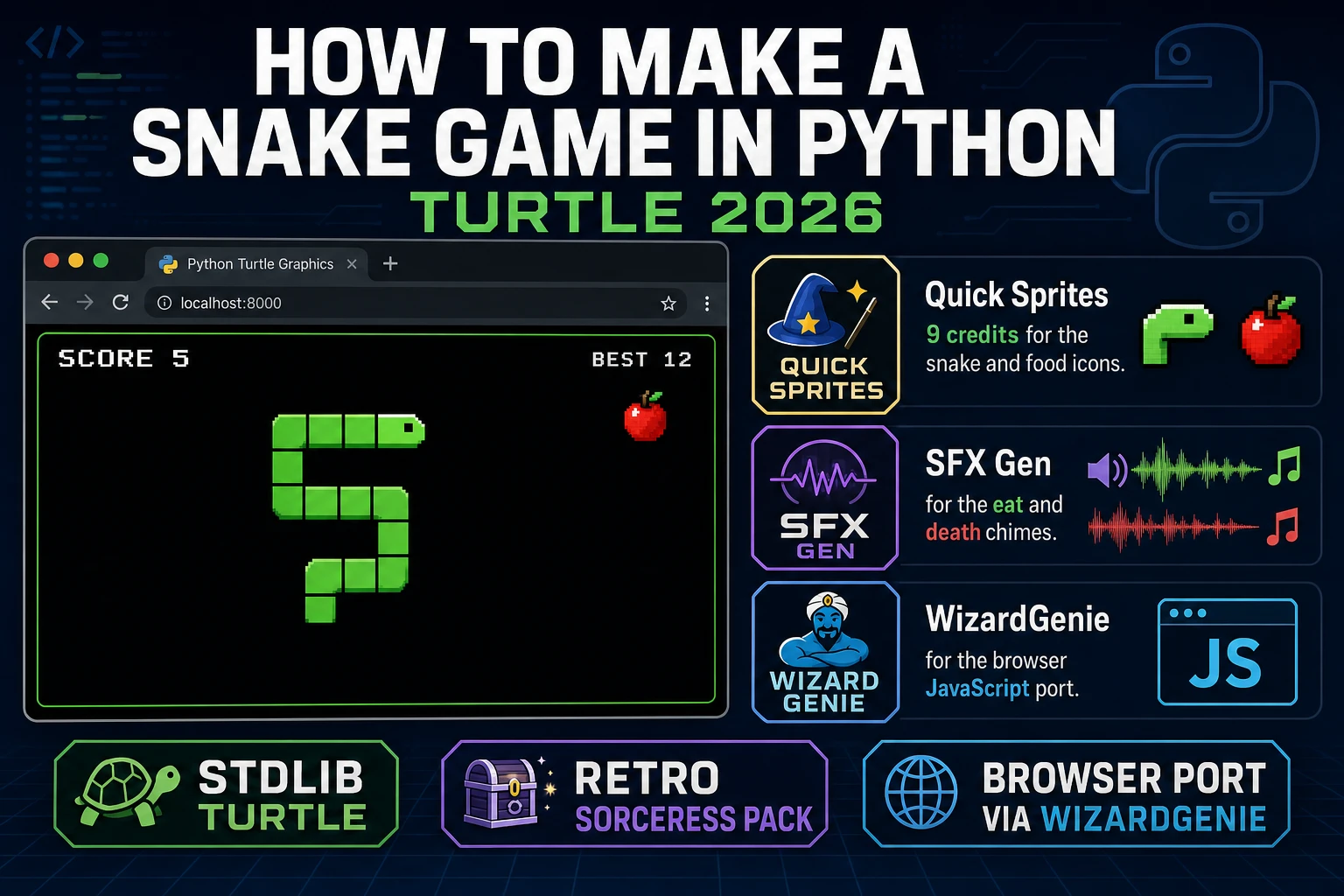
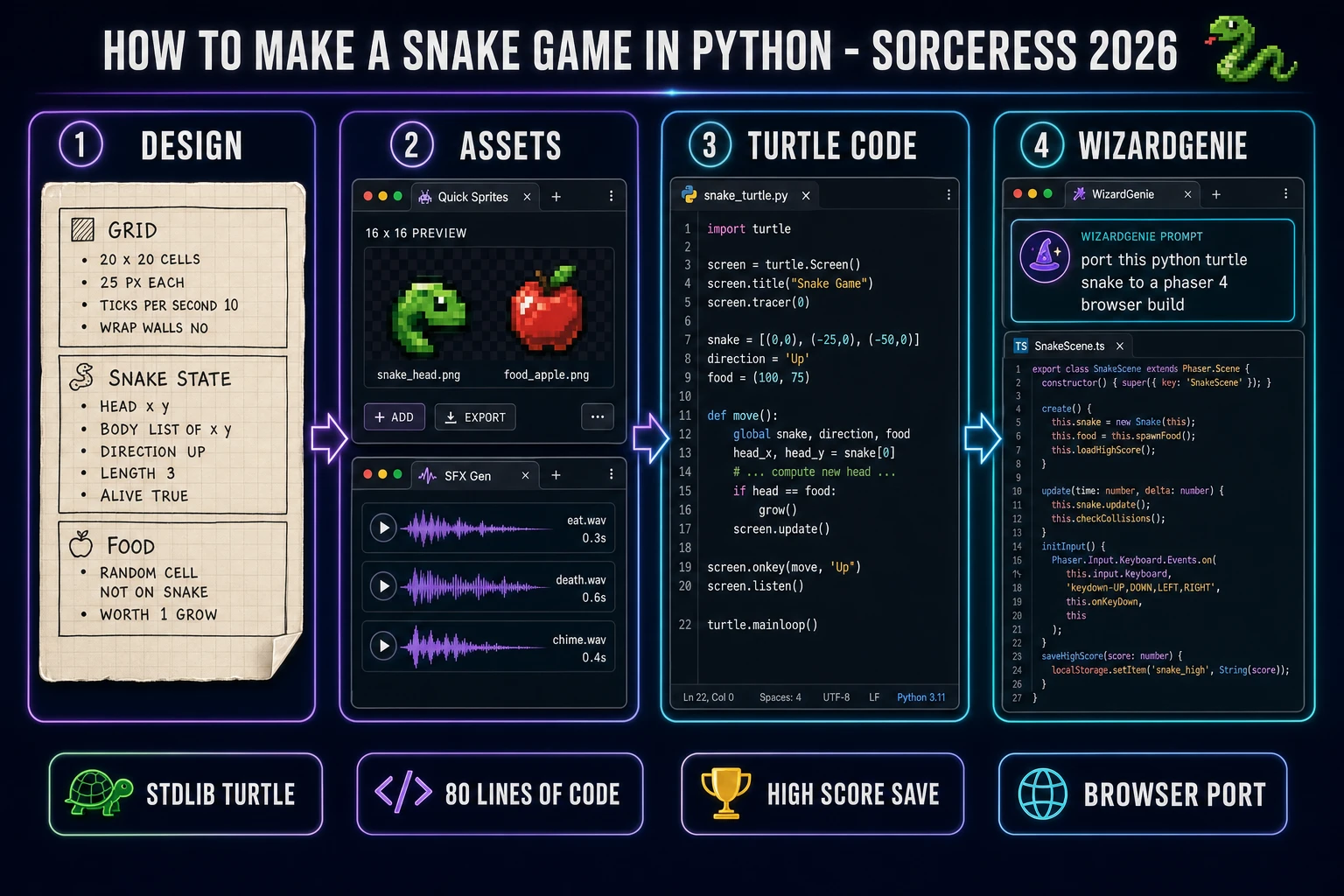
People searching how to make a snake game in python in 2026 usually get one of three bad answers: a 200-line pygame tutorial that assumes SDL is already installed, a bare 40-line turtle snippet with no scoring or death handling, or a copy-paste block from ten different Reddit threads that fights itself the moment you try to run it. The honest 2026 answer is different. The snake game has three moving parts — a grid, a tick loop, and a food spawner — and every one of them fits inside the stdlib turtle module that ships with every Python install. This guide walks the full recipe: design the grid, the snake state, and the score save on paper first, generate a retro icon plus eight-bit SFX in Sorceress, then hand-write the 80-line turtle loop or let WizardGenie port the same design to a browser JavaScript build so friends can play without installing Python.
turtle stdlib loop for desktop, WizardGenie port for the browser. One afternoon, roughly one dollar in credits, one classic arcade game.What "how to make a snake game in python" actually means (the loop, the grid, the death)
Snake is old. The game shape people search tutorials for — a green snake on a black grid that grows one segment each time it eats, dies when it hits the wall, and dies when it bites its own body — goes back to the 1976 arcade cabinet Blockade and hit mass memory as the built-in game on the Nokia 6110 phone in 1997. According to the snake video-game-genre entry on Wikipedia, more than 350 million Nokia handsets shipped with a version of the game, which is why the search phrase how to make a snake game in python still generates around 70 monthly searches on Google in 2026 (verified in DataForSEO on 2026-08-06). It is the first game most self-taught coders build after "hello world" because the rules fit in a paragraph and the code fits on one screen.
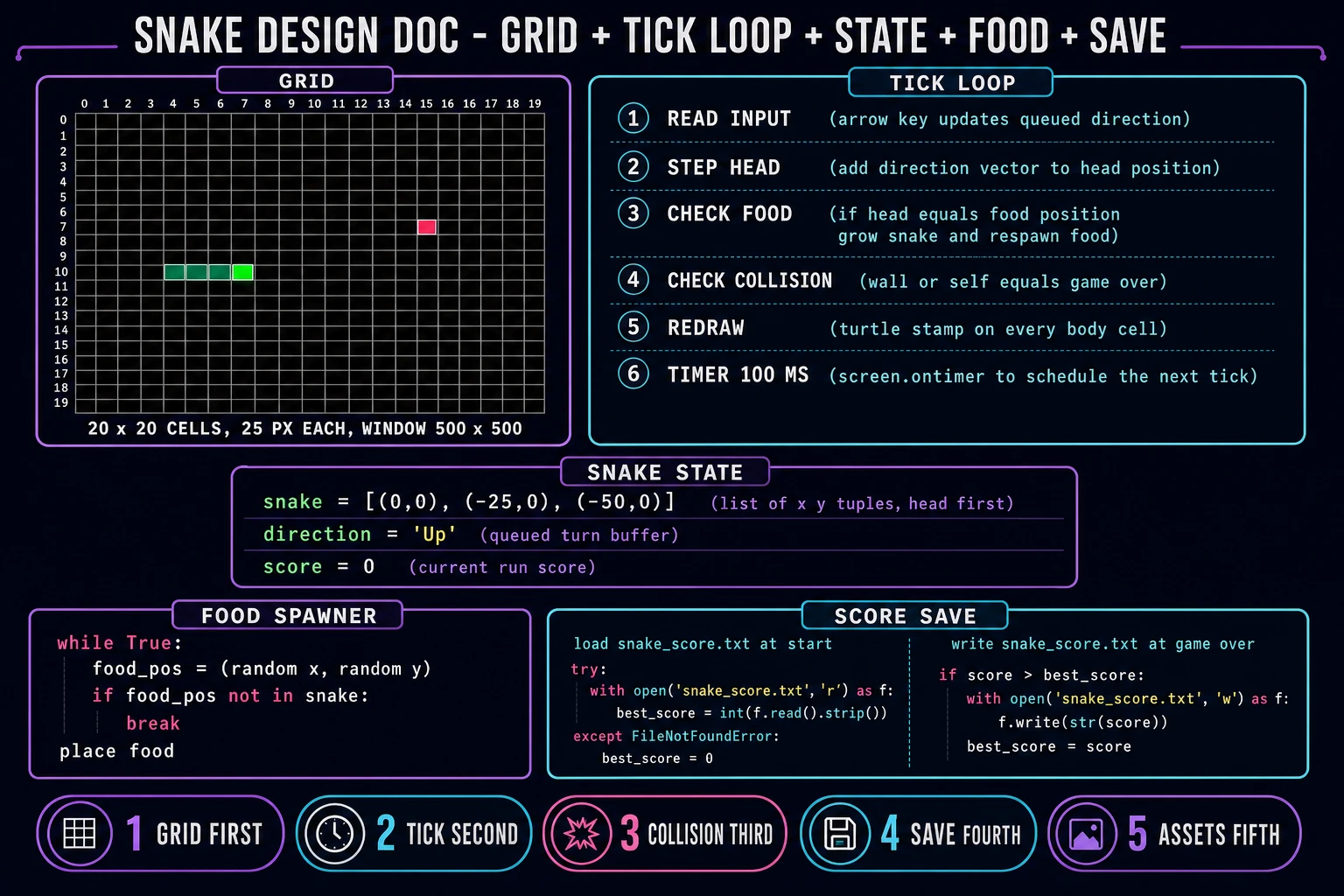
Every honest tutorial answers the same three questions. First, what is the grid: how many cells wide, how many tall, how many pixels per cell. A 20 by 20 grid at 25 pixels each fills a 500 by 500 window, which is what most retro tutorials pick because it is comfortable on a laptop and small enough that the snake fills the screen after 30 or 40 apples. Second, what is the tick loop: the snake moves one cell every N milliseconds, not one pixel per frame, so the difficulty knob is the tick interval (100 ms feels arcade-fast, 200 ms feels beginner). Third, what ends the run: the head hits a wall or the head enters a cell that a body segment already occupies. Everything else — the score display, the high-score save, the pause menu, the color scheme, the eat sound — is optional polish.
If a tutorial skips the tick loop and animates the snake one pixel per frame, the collision math breaks: the head slides between grid cells and the food never lines up cleanly. If a tutorial skips the self-collision check, the snake is not actually snake — it is a growing worm with no game-over condition. The recipe below covers all three plus the score save, in 80 to 100 lines of pure Python.
The snake tick loop in 60 seconds (input step food collide redraw)
Every snake implementation runs the same five-step tick, regardless of language. Understanding it in one minute is the difference between a working game and a stalled prototype:
- Read input. Peek at the keyboard state. If the player has pressed Up, Down, Left, or Right, queue a new direction — but reject any direction that is the exact opposite of the current direction (a snake cannot instantly reverse into its own neck). The queued direction only applies on the next tick, not this one, which is why the game feels responsive without letting the player cheat the collision check.
- Step the head. Prepend a new head position calculated as current head + direction vector. For a grid with 25-pixel cells, moving Up is (0, +25), Right is (+25, 0), and so on. The snake is stored as a list of (x, y) tuples with the head at index 0.
- Check food. If the new head position equals the current food position, do not pop the tail this tick — that is how the snake grows by exactly one cell. Increment the score, respawn the food in a random cell that is not currently occupied by any body segment, and (optionally) play the eat SFX.
- Check collision. If the new head position is outside the grid bounds, the run ends. If the new head position appears anywhere in the rest of the body list (indices 1 through end), the run ends. On game over, display the death screen, save the score if it beats the previous best, and either restart or exit.
- Redraw. Clear the previous frame, stamp a green square at every body position, stamp a red square at the food position, update the score text. Schedule the next tick with
screen.ontimer(step, 100)for a 100-ms interval, which is roughly 10 ticks per second.
The tick interval is the difficulty knob. Games that ramp difficulty over time shrink the interval by ten milliseconds every five apples until it bottoms out around 50 ms. Games that stay beginner-friendly keep it at 150 ms for the entire run. Do not run the tick loop off the CPU busy loop — while True: step() pegs one core to 100% CPU and freezes the turtle window. Use screen.ontimer(step, 100) instead, which is the turtle stdlib equivalent of requestAnimationFrame on the browser side.
Pick your Python stack in 2026: turtle stdlib, pygame 2.6, or a browser port via WizardGenie
The stack question decides how much boilerplate you write vs how much you skip. Three honest 2026 answers, ranked by "playable in an afternoon":
- Turtle (recommended for a first project). The turtle module documented in the Python 3 standard library is the easiest path by a wide margin. It ships in the box with every current CPython install (Python 3.14 stable and Python 3.15 release candidate 1 as of 2026-08-04 per PEP 790 verified on peps.python.org on 2026-08-06). No
pip install. No venv. No SDL. Turtle already runs a tkinter event loop, already opens a window, already handles keyboard events withscreen.onkey, and already exposes a coordinate space. Thestamp()method draws a shape once and leaves it in place, which is how you paint each body segment without redrawing the entire background every tick. For a 20 by 20 grid at 100-ms ticks the speed is fine on any laptop. - pygame 2.6.1. The current pygame release verified on the pygame PyPI page on 2026-08-06 is v2.6.1, requires Python 3.6 or later, and installs with a single
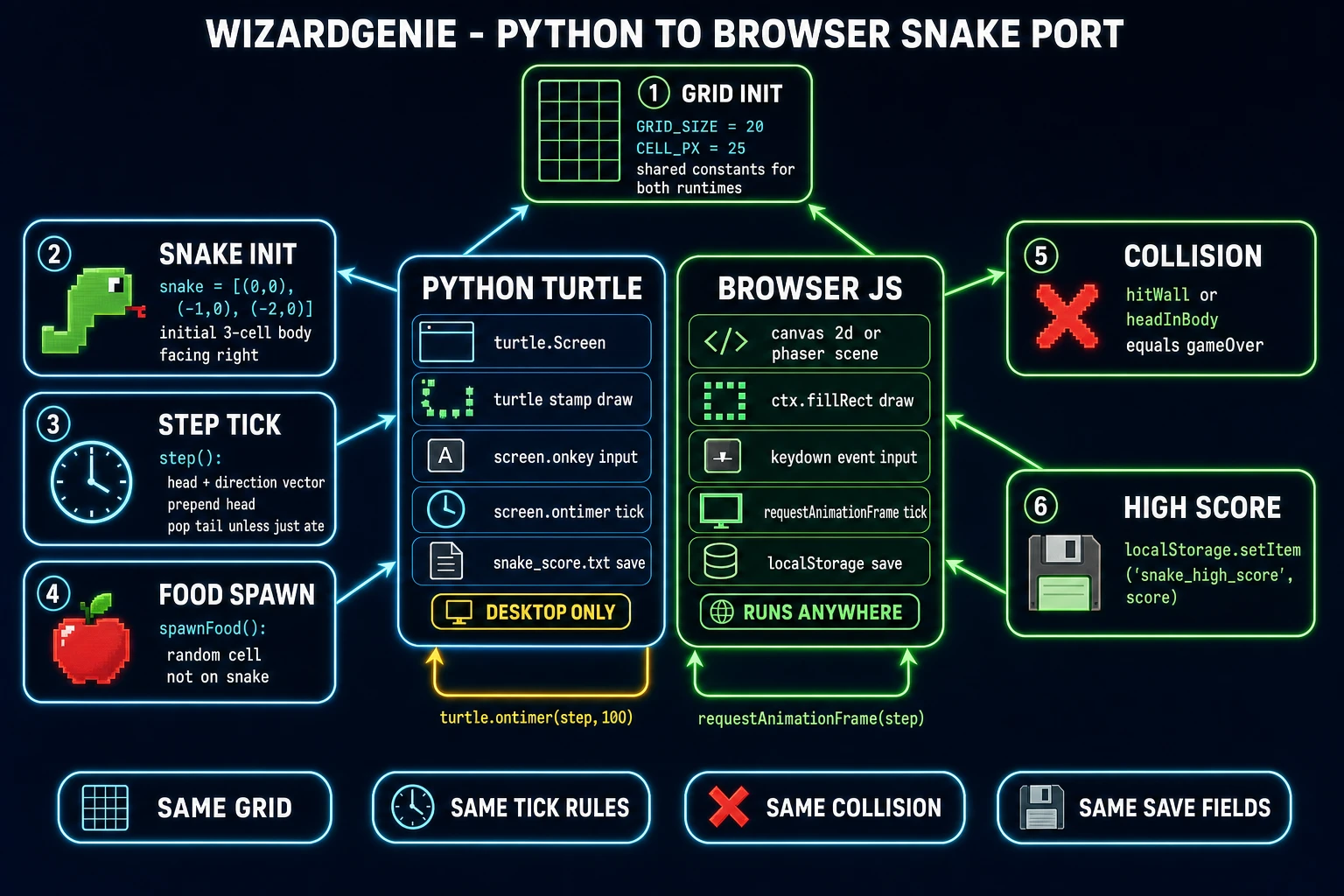
pip install pygame. Pygame is the step up when you want mixed sound channels for eat and death SFX, sprite-based rendering with alpha channels, gamepad input, or a resizable window. The core snake logic is identical to the turtle version — grid, tick, food, collision — but the render layer swapsturtle.stamp()forpygame.draw.rect()and the input layer swapsscreen.onkeyfor apygame.event.get()pump. Roughly 30 extra lines of code. - Browser JavaScript via WizardGenie. Python does not run inside a normal browser tab. If you want a link people can play without installing anything, let WizardGenie translate the design doc into a Phaser 4 or Three.js build. WizardGenie is Sorceress's browser-embedded AI game engine and (verified 2026-08-06 in
src/app/_home-v2/_data/tools.ts) it drives the eight-model coding lineup: Claude Opus 4.7, Claude Sonnet 4.6, GPT-5.5, Gemini 3.1 Pro, DeepSeek V4 Pro, Kimi K2.5, Grok 4.2, MiniMax M2.7. Its dual-agent Planner+Executor loop puts an expensive reasoner (Opus, GPT-5.5) on planning and a cheap fast typer (DeepSeek V4 Pro, Kimi K2.5) on the actual JavaScript. Cost sits around one-fifth of a single-frontier session for the same output.
The rest of this guide assumes turtle for the primary implementation because it is the answer that maps most cleanly to the search phrase. Every step still applies to pygame or to a JavaScript port — the "render 20 by 20 grid at 100-ms ticks" contract is language-agnostic. Do not use Kivy, PySide, or Tkinter Canvas directly for a first snake game. All three work, but they add UI-toolkit ceremony that turtle already hides.
Step 1 — design the grid, snake state, food spawner, and score save on paper
Skip this step and you will rewrite the game three times. The design fits on one page:
- Grid. Pick cells wide, cells tall, and pixels per cell. Defaults: 20 by 20 cells at 25 pixels each, which fills a 500 by 500 window. Do not use walls that wrap (a snake that leaves the right edge and re-enters from the left is a variant, not the classic game — and it makes the collision check harder). Origin: turtle's default is centered at (0, 0), so the grid spans from -250 to +250 on both axes. If you prefer a top-left origin like pygame, subtract half the width from every draw call.
- Snake state. One Python list of (x, y) tuples, head at index 0, tail at the last index. Initial state: three segments at the origin, facing Right, so
snake = [(0, 0), (-25, 0), (-50, 0)]. One direction variable holding the queued turn:direction = 'Right'. One booleanalive = True. One integerscore = 0. That is the entire state. - Food spawner. A single (x, y) tuple. On respawn, roll a random cell inside the grid and check that no snake segment currently occupies it. The naive version is
while food in snake: food = random_cell(). For a full grid this can loop forever — if the snake fills 90% of the grid the retry rate matters — but for the first project 20 rolls per respawn is fine. - Score save. A plain text file next to your
.pyfile. On startup, try to readsnake_score.txtand parse it as an integer, defaulting to 0 if the file does not exist. On game over, if the current score is higher than the loaded best, open the same file in'w'mode and write the new best. Five lines of Python. Do not usepicklefor a save file that will ever ship to another player.picklecan execute arbitrary Python code on load, which is a security hole every intro Python book flags. - Tick interval and controls. 100 ms is the default (10 ticks per second). Bind Up, Down, Left, Right to the four turn callbacks. Reject the reverse-into-neck direction inside each turn callback, not inside the tick step, so the queued direction cannot be poisoned. Add a Space or R key for restart-after-death.
Write the design in a text file called design.md and paste it into the WizardGenie prompt at Step 3. The AI-generated version halves in length when the design doc is explicit about state variables and edge cases. The Python snake genre entry on Wikipedia lists the classic rules used by Blockade, Nibbler, and the Nokia 6110 build if you want a reference point for what counts as a canonical snake game vs a variant.