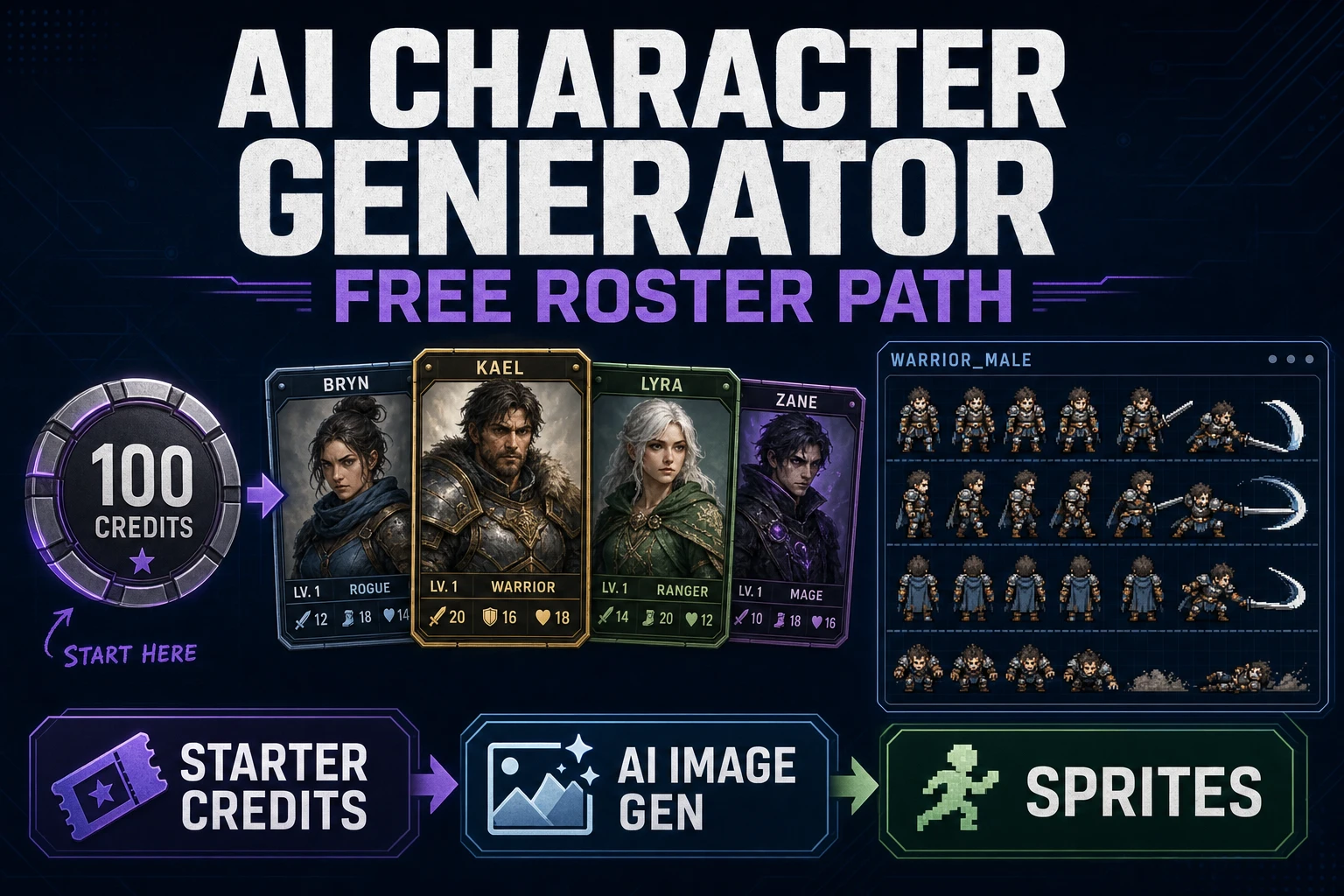
Claim an AI Character Generator Free (Roster Path)

By Arron R.7 min read
An ai character generator free workflow on Sorceress spends OAuth starter credits (100) on a cast sheet first: cheap Z-Image and Seedream drafts in AI Image Gen

Most “free character AI” searches dump a pretty portrait and stop. A game cast needs the opposite: shared proportions, reusable props, and frames that still read when they are thirty-two pixels tall. An ai character generator free path only works when you treat starter credits like a budget for a model sheet, not a mood board.

Indies burn free quotas on face close-ups because that is what social feeds reward. Engines reward readable shapes in motion. If you cannot tell the herbalist from the grunt at play size, the gallery score does not matter. This guide keeps the free runway pointed at continuity: one cast language, cheap drafts, expensive locks only for winners.
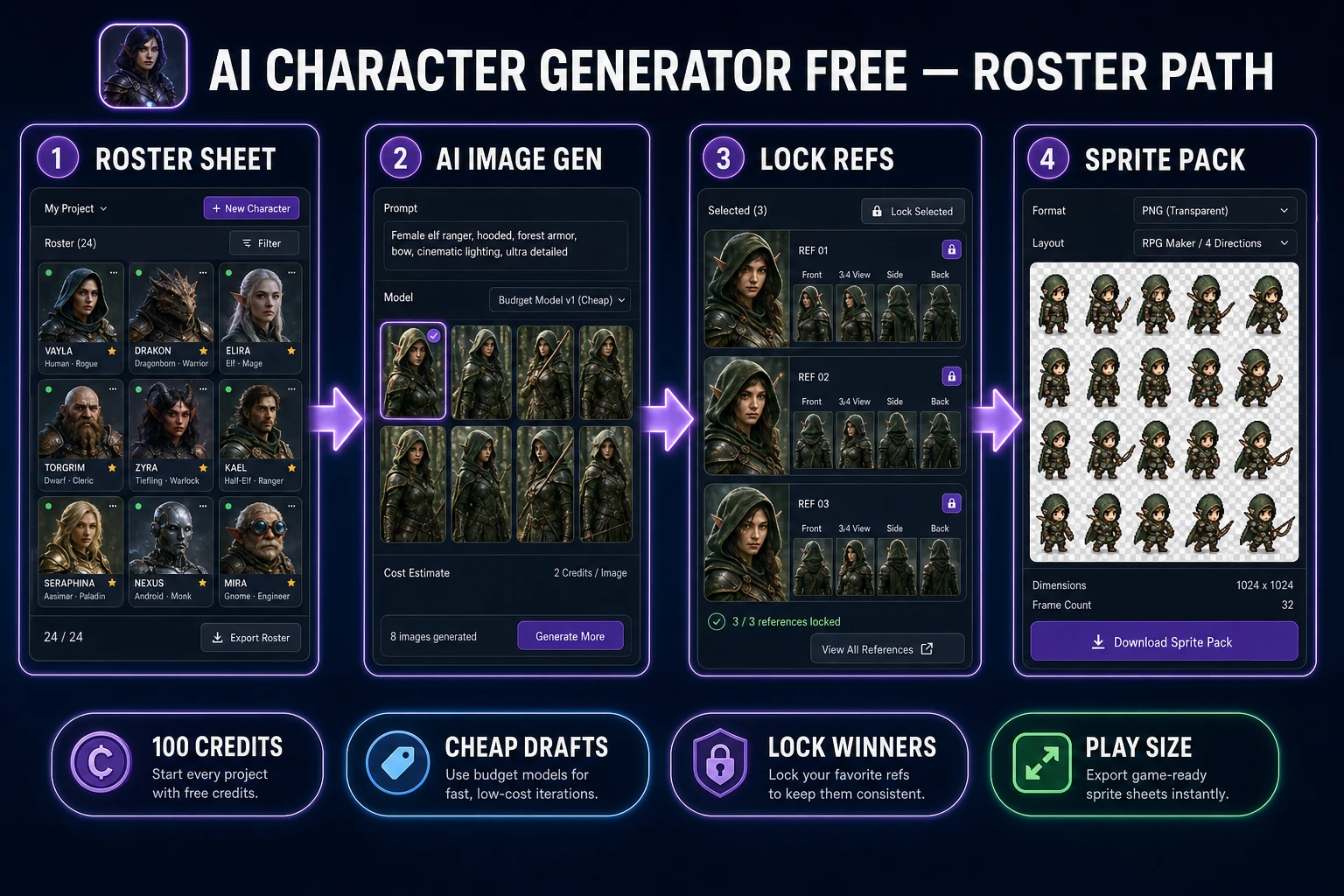
ai character generator free roster path from cast sheet to sprite pack
Roster sheet → cheap drafts → locked references → sprite pack. Spend free credits on continuity, not one-off portraits.

What an ai character generator free search actually needs

Searchers typing ai character generator free usually want three things at once: zero install, no credit card on day one, and art they can drop into a jam. Portrait chatbots fail the third test. Game characters fail when each prompt invents a new head shape, palette, and camera height.

On Sorceress, the honest free entry is the OAuth signup grant. Google, Discord, and GitHub signups receive 100 starter credits (SIGNUP_GRANT in src/app/api/admin/credits/route.ts, verified July 22, 2026). That is not unlimited generation — it is a fixed runway. Open AI Image Gen, write a cast sheet first, and refuse to spend those credits on random beauty shots.

A sibling pipeline for paid roster work lives in Spawn a Character Generator AI. This article is the free-budget edition: same continuity rules, stricter model picks.

\n

If you already burned part of the grant on portraits, stop and write the four-field sheet before the next click. Recovering continuity mid-spend is cheaper than finishing a mismatched cast.

Spend starter credits on a roster sheet, not random portraits

Before you click Generate, open a blank note and lock four fields for every role:

  1. Silhouette family — tall lanky hero, squat merchant, wide-shouldered grunt.
  2. Palette budget — three to five named colors the whole cast shares.
  3. Signature prop language — belts, scarves, horns, or none.
  4. Camera + lighting — front three-quarter, soft key from left, flat game lighting.

Those four lines are your production model sheet. Studios use the same idea to keep characters “on model” across artists; Wikipedia’s model sheet entry is the classic reference. If a free render breaks any of the four, delete it even when it looks prettier alone.

Write one card each for hero, support NPC, and enemy family. Keep sentences short enough to paste as a reusable prompt prefix. Consistency beats novelty when credits are capped. A jam cast that shares language ships faster than a gallery of unrelated “best takes.”
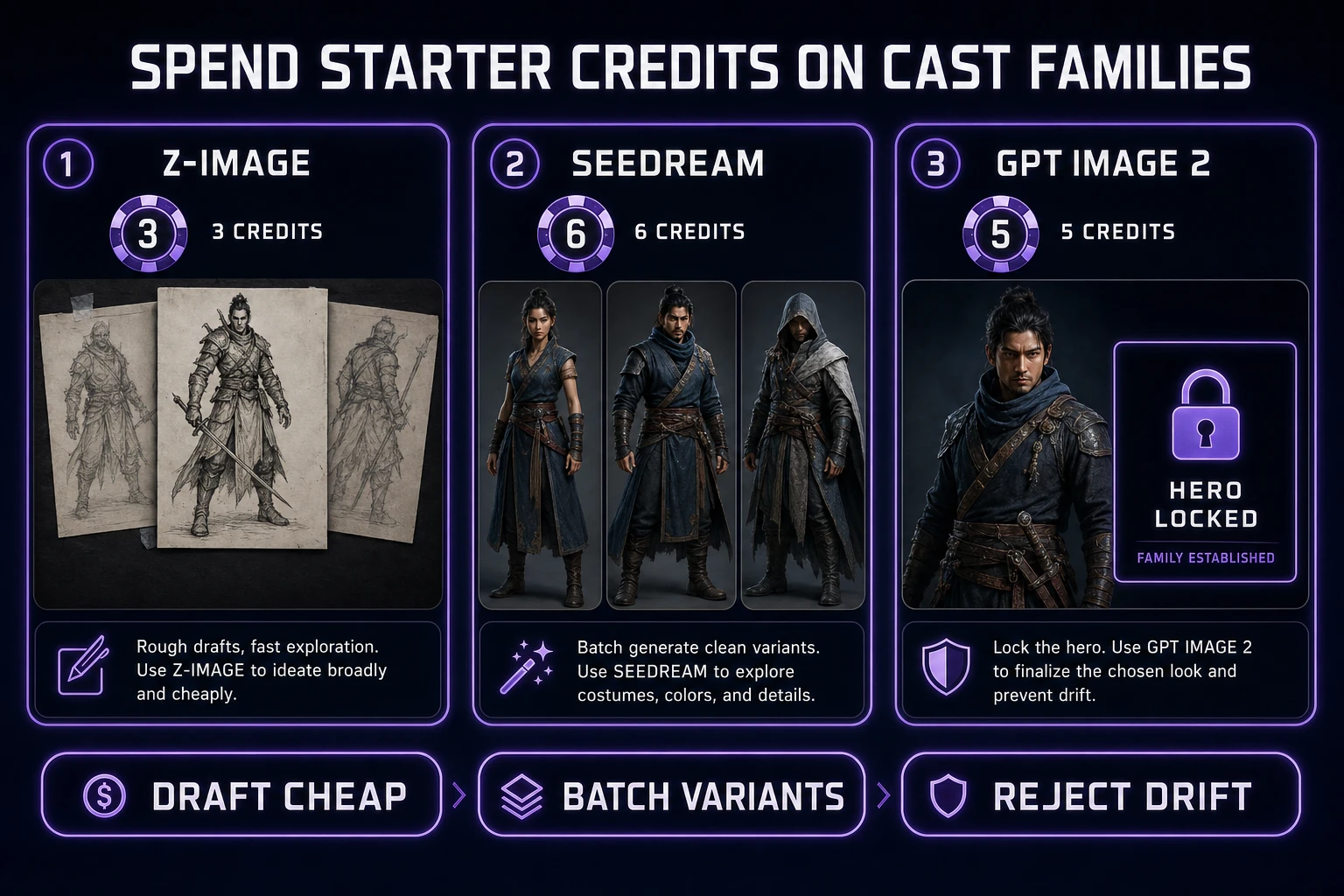
ai character generator free credit budget across Z-Image Seedream and GPT Image 2
Draft on 3–6 credit models, then spend mid-tier credits only on winners you will actually sprite.

Pick cheap models first, then lock a winner

Credit costs below were verified July 22, 2026 against src/lib/models.ts (1 credit ≈ $0.01 via CREDITS_PER_DOLLAR = 100):

  • Z-Image — 3 credits. Best first pass for silhouette and costume blocking.
  • GPT Image 2 — 5 credits base. Stronger edges when a draft is almost right.
  • Seedream 4.5 / Seedream 5 Lite / Nano Banana / Flux 2 Pro — 6 credits base. Flux adds +3 credits per reference image when you lock a winner.
  • Nano Banana Pro — 18 credits at default 1K/2K. Hero finals only, not exploration.

A thrifty free session looks like this: eight Z-Image drafts (24 credits) across three roles, two GPT Image 2 refinements (10), one Flux 2 Pro lock with a single reference (+6 base +3 ref = 9). That is roughly 43 credits — under half the starter grant — and you still have runway for sprites and retries.

For reference-locked continuity after the free sprint, see Create With a Consistent Character AI Image Generator.
Batch hero, NPC, and enemy families in AI Image Gen

Work in families, not singles. Paste the shared prefix, then change only the role clause:

  • “…front three-quarter, soft left key, indigo–amber palette, scarf motif — hero scout, confident stance
  • “…same lighting and palette — village herbalist, soft shoulders, satchel
  • “…same lighting and palette — hornless enemy grunt, wider shoulders, cracked armor

Generate three to five variants per role on Z-Image before you touch a six-credit model. Keep the losers in a reject folder so you do not re-buy the same mistake. When one hero wins, attach it as a reference and regenerate the NPC/enemy with Flux or Seedream so proportions stay related.

Reject drift early: new eye size, new camera height, or a fifth palette color means the free budget is leaking. The goal is a cast that looks authored by one art direction pass.

Batch size is a credit lever. AI Image Gen lets you select models and a batch count; multiply carefully. Eight Z-Image singles cost 24 credits. The same eight on Nano Banana Pro would be 144 credits — more than the entire starter grant. Free-path discipline is mostly refusing that trade.

When a family looks close, freeze the prefix in a text file named cast_prefix_v1.txt. Every later jam day should open that file before the generator. Drift usually starts with a “quick tweak” typed from memory.

Convert only silhouette winners into sprites

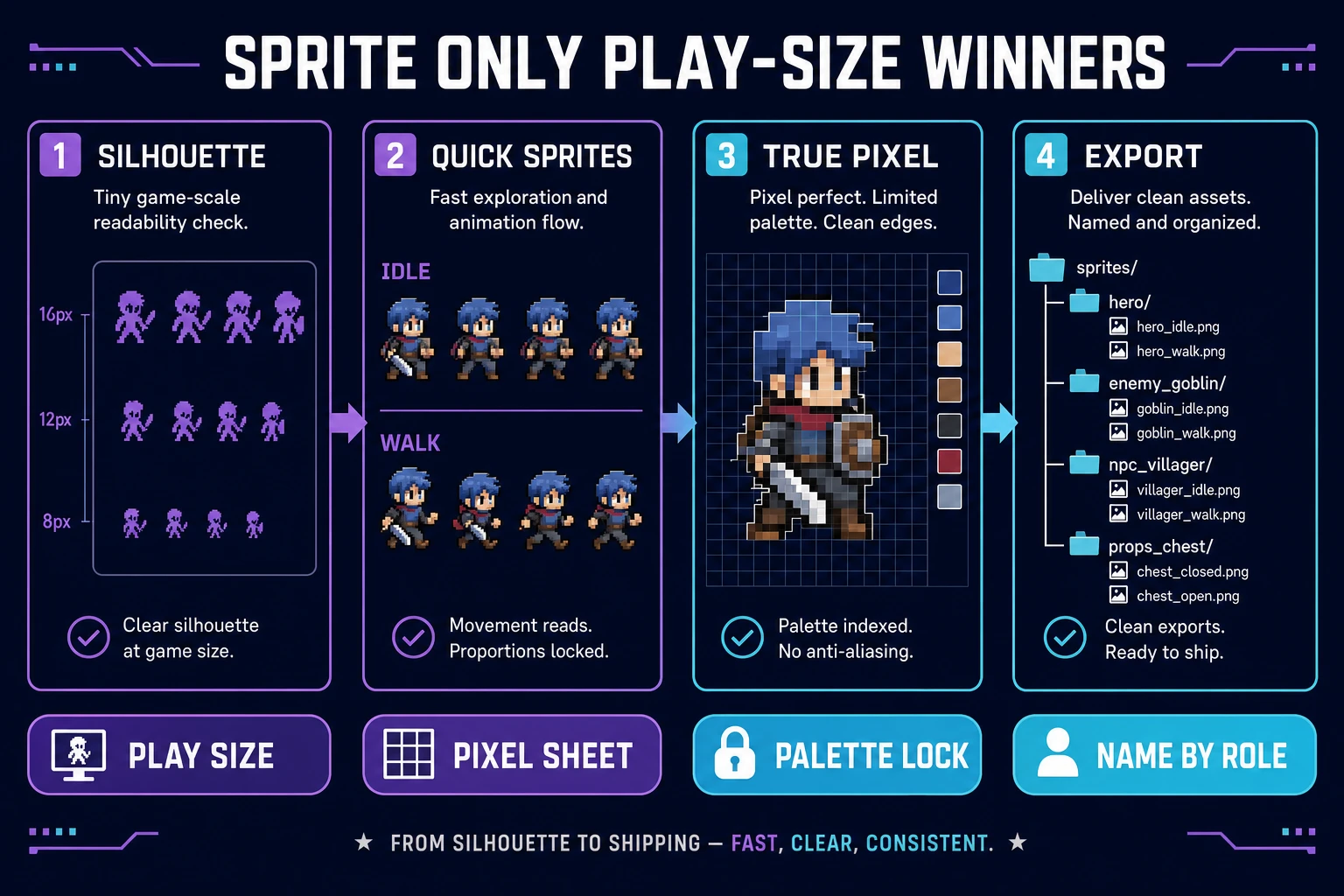
A sprite is a 2D bitmap composited into the scene. If the concept only works as a large portrait, it will fail when scaled to play size. Shrink each winner to the on-screen height you will ship (often 32–64 px) and check whether the scarf, hat, and weapon still parse as black silhouettes.

Passers go to Quick Sprites for native pixel walk/idle sheets, or to True Pixel when you started from painted AI Image Gen concepts and need grid-snapped pixels plus palette lock. Failures stay as concept art — do not spend free credits quantizing mush.

Browser engines load sheets the same way canvas games load images: decode a PNG, then draw frame rectangles. MDN’s Using images tutorial covers drawImage slicing; Phaser 4.2.1 (released July 9, 2026) remains a solid browser target for the playtest drop-in.

Keep frame grids boring: fixed cell size, transparent background, one action per row. Fancy packing saves disk and costs debugging time. For a free cast, predictable sheets win.

If you need a transparent cut before pixel work, clean the background in the browser before you quantize. Muddy mats become muddy palettes. The free path has no spare credits for fixing matte mistakes twice.

Convert ai character generator free winners into Quick Sprites and True Pixel sheets
Play-size silhouette check first. Only then run Quick Sprites or True Pixel and export named sheets.

Name, version, and retest at play size

Export with boring, searchable names: hero_front_v03.png, npc_herbalist_walk.png, enemy_grunt_idle.png. Put the roster sheet next to the folder so the next jam session starts from the same prefix. Retest every sheet at game scale after export — anti-aliased edges that look fine at 512 px often smear when nearest-neighbor scaled.

If you need a one-screen movement loop to prove the cast, scaffold it in WizardGenie and swap gray boxes for the new sheets. The free character pass is done when the hero, one NPC, and one enemy all read in motion — not when the gallery looks impressive.

Version the roster sheet itself. When you change the scarf color or shoulder width, bump cast_prefix_v2.txt and note which PNG versions match. Free credits disappear fastest when you cannot tell which lock produced which sprite.

When free credits are gone — honest next step

Starter credits are a runway, not a forever plan. When the grant hits zero, top up at Starter rates: $10 for 1,000 credits on /plans. Lifetime Pro is $49 (LIFETIME_PRICE in src/app/plans/page.tsx, verified July 22, 2026) for non-generative tool unlocks — generative image jobs still spend credits.

Keep the same roster sheet and reference locks. Paid spends should extend the cast (turnarounds, hurt frames, alternate costumes), not restart style drift. Browse the rest of the stack in the Tools Guide once the free roster path is shipping frames.

A sane paid follow-up budget after the free pass: one Flux reference lock per remaining role, one GPT Image 2 costume variant, and sprite regeneration only for frames that failed the play-size test. That pattern buys continuity instead of a second mood board.

Common issues

  • Pretty faces, broken cast: You optimized portraits. Rewrite the prefix with silhouette + palette + camera, then delete outliers.
  • Credits vanish after ten images: You started on Nano Banana Pro. Move exploration to Z-Image (3 credits) and reserve 18-credit models for finals.
  • Sprites look muddy: You quantized before the play-size silhouette check. Shrink first; only winners enter Quick Sprites or True Pixel.
  • “Free” means unlimited: It does not. The free path is 100 OAuth starter credits plus disciplined model picks — plan the cast sheet before you burn the grant.
  • NPC looks like a second hero: Your role clause was too weak. Force softer shoulders, different prop, and a narrower stance while keeping the shared palette.

Frequently Asked Questions

Is an ai character generator free forever on Sorceress?

No tool on Sorceress is unlimited forever without credits. The honest free path is the signup grant: Google, Discord, and GitHub OAuth signups receive 100 starter credits (SIGNUP_GRANT in src/app/api/admin/credits/route.ts, verified July 22, 2026). That is enough for a small cast if you draft on cheap models first and only pay for reference locks on winners.

Which models stretch an ai character generator free budget farthest?

Verified July 22, 2026 in src/lib/models.ts: Z-Image is 3 credits per image — the cheapest draft rail. Seedream 4.5, Seedream 5 Lite, Nano Banana, and Flux 2 Pro sit at 6 credits base (Flux adds 3 credits per reference image). GPT Image 2 is 5 credits base for sharper costume edges. Save Nano Banana Pro (18 credits at default 1K/2K) for final hero locks, not day-one exploration.

How is this different from a one-off free portrait site?

Portrait sites optimize for a pretty still. An ai character generator free path for games optimizes for a reusable cast: shared silhouette rules, palette budget, and sprite-ready frames. You reject pretty outliers that break the roster sheet even if they look better alone.

When should I convert free concepts into sprites?

Only after the silhouette passes at the on-screen pixel size you will ship. Use Quick Sprites for native pixel sheets or True Pixel to quantize a locked painted concept. Quantizing a drifting face wastes the last free credits and pollutes the cast pack.

What happens when starter credits run out?

Top up at Starter rates ($10 for 1,000 credits on /plans — LIFETIME_PRICE is $49 for Pro lifetime tools; verified July 22, 2026 in src/app/plans/page.tsx). Keep the same roster sheet and reference locks so new spends extend the cast instead of restarting style drift.

Sources

  1. Model sheet — Wikipedia
  2. Sprite (computer graphics) — Wikipedia
  3. Using images — Canvas API — MDN
  4. Phaser v4.2.1 release
Written by Arron R.·1,511 words·7 min read

Related posts